Monitor Competitor Websites (or any Website)
Automatically monitor competitor websites for updates and get email notifications when important changes are detected

About This Agent
Agent type: Scheduled Agent
Purpose: Automatically monitors competitor websites for updates and sends you email notifications when important changes are detected, helping you stay ahead of market shifts.
Expected Outcomes: Instead of manually checking competitor sites or relying on sporadic research, you get automatic, continuous monitoring that captures changes the moment they happen. This means you can respond faster to competitive threats, identify market opportunities earlier, and make more informed strategic decisions based on real-time competitive intelligence.
Average Run Cost: $0.03
How to Install & Setup This Agent
Step 1: Login to MindStudio
If you don’t have an account you can signup for an account here: create a free MindStudio account
Step 2: Remix the Agent
Remix this agent in MindStudio
This will make a copy of the AI Agent into your MindStudio workspace.
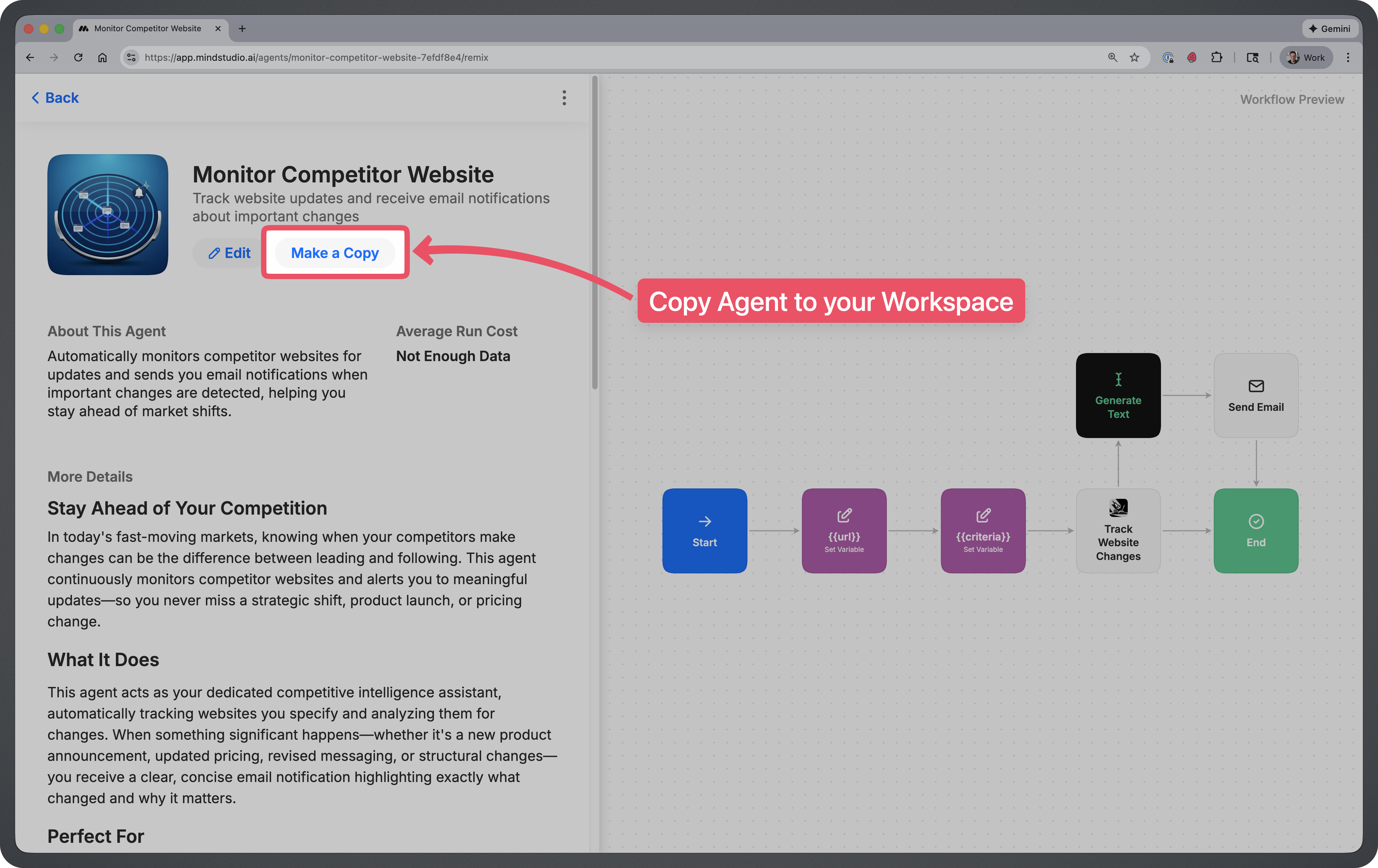
Step 3: Set the Schedule
This agent will scan the competitor website on a regular interval.
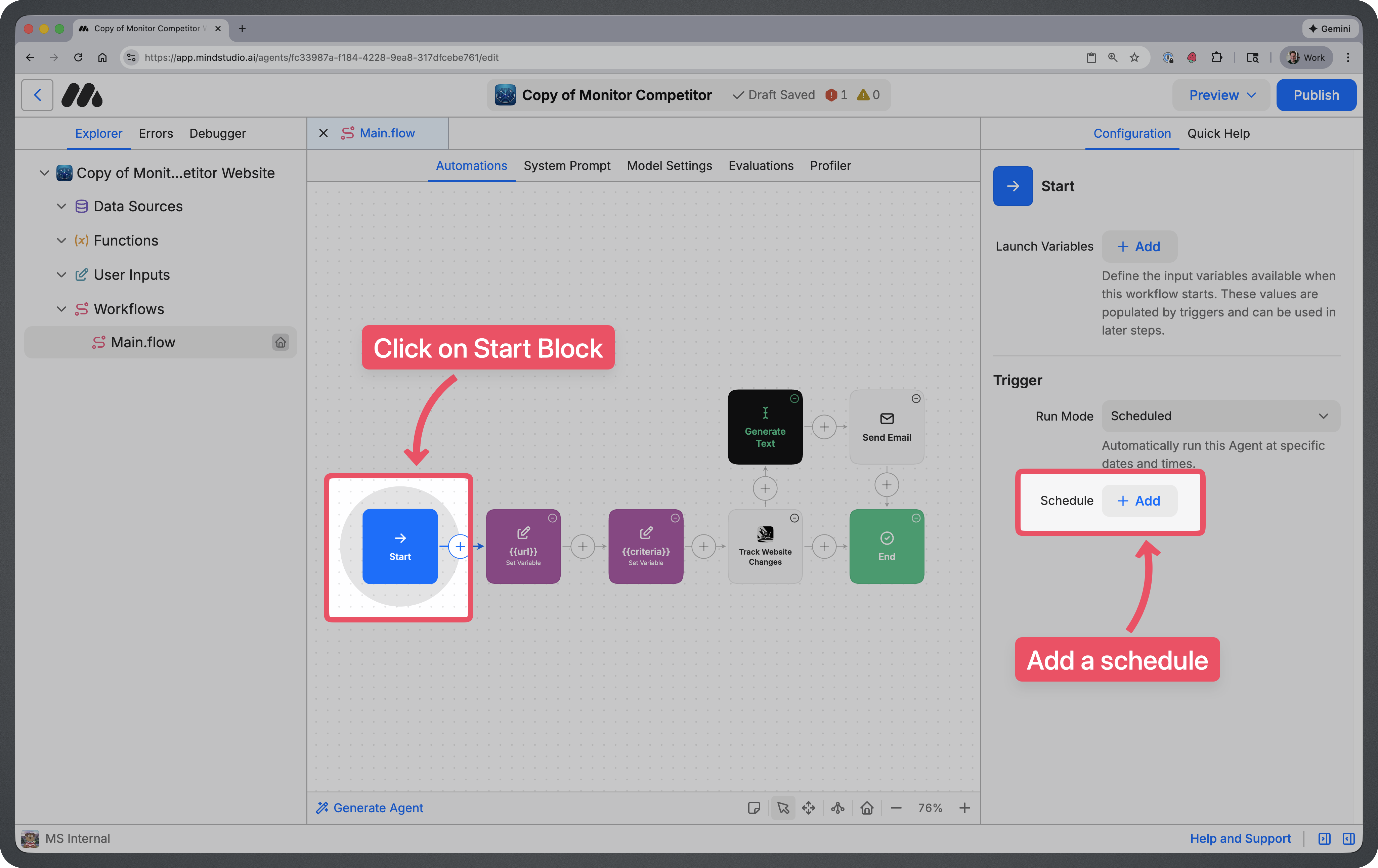
- Click on the Start Block.
- In the configuration panel on the right, click on “+ Add” button next to the Schedule setting.
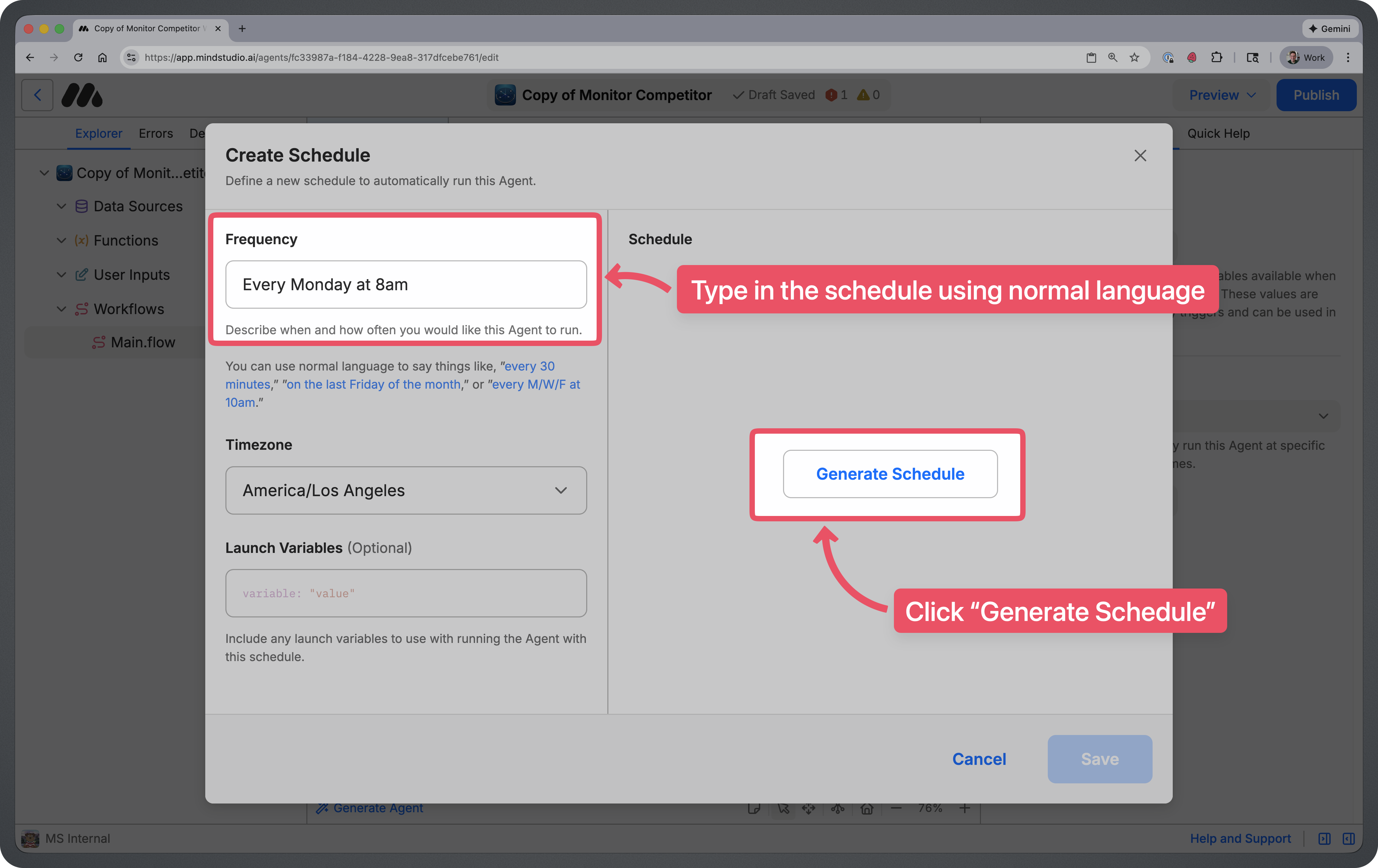
This will open up a modal where you can add a schedule using natural language. Type in a schedule using normal language (Ex: “Every Monday at 8am”), then click “Generate Schedule”. Once the schedule is generated, click on the “Save” button at the bottom right.
Step 4: Set the URL and Change Criteria
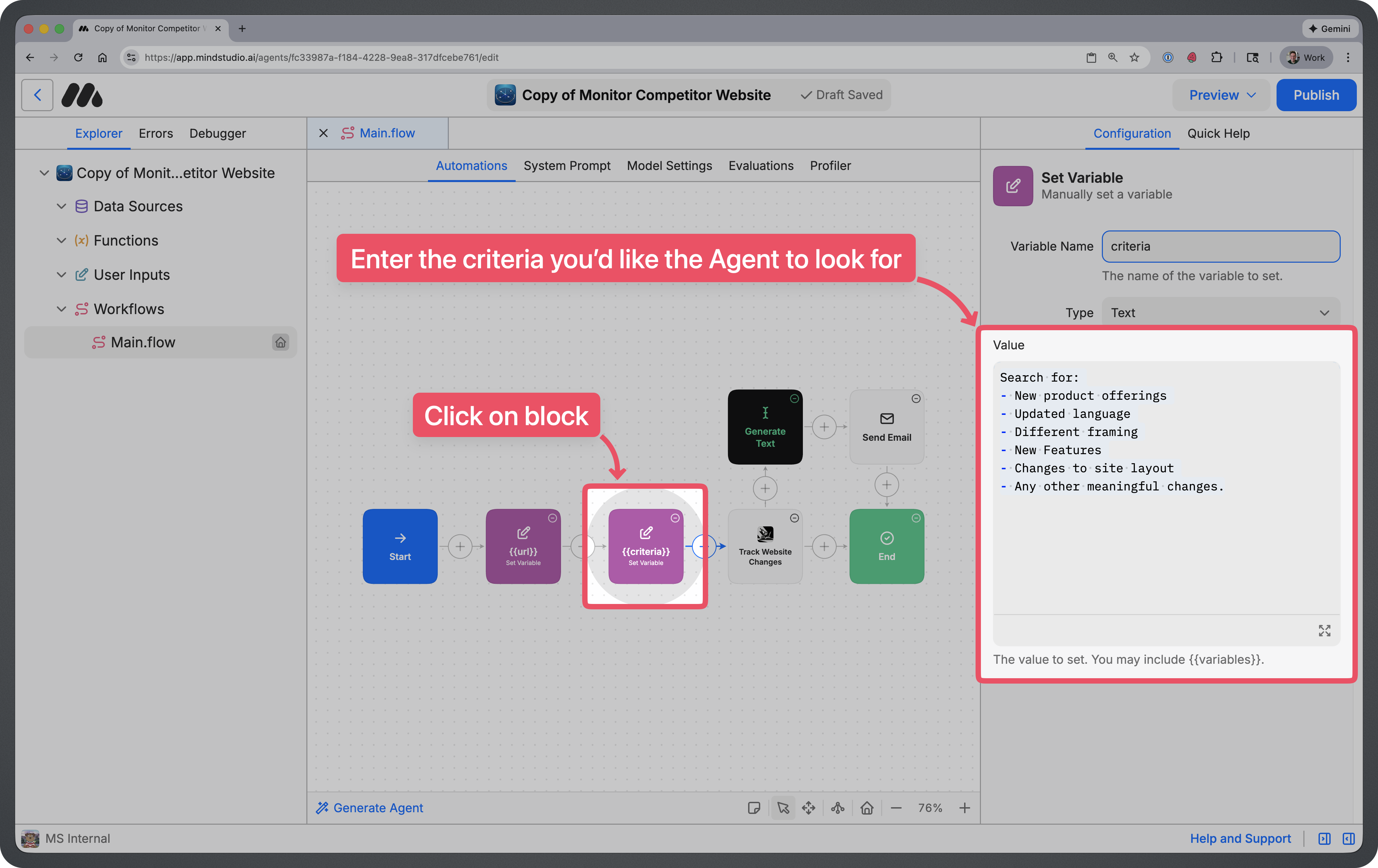
There are two Set Variable blocks in the workflow. Fill these blocks in with the following information.
- ✕a coding agent
- ✕no-code
- ✕vibe coding
- ✕a faster Cursor
The one that tells the coding agents what to build.

{{url}} - Enter the full URL of your competitor’s website.
(Ex: https://www.mindstudio.ai)
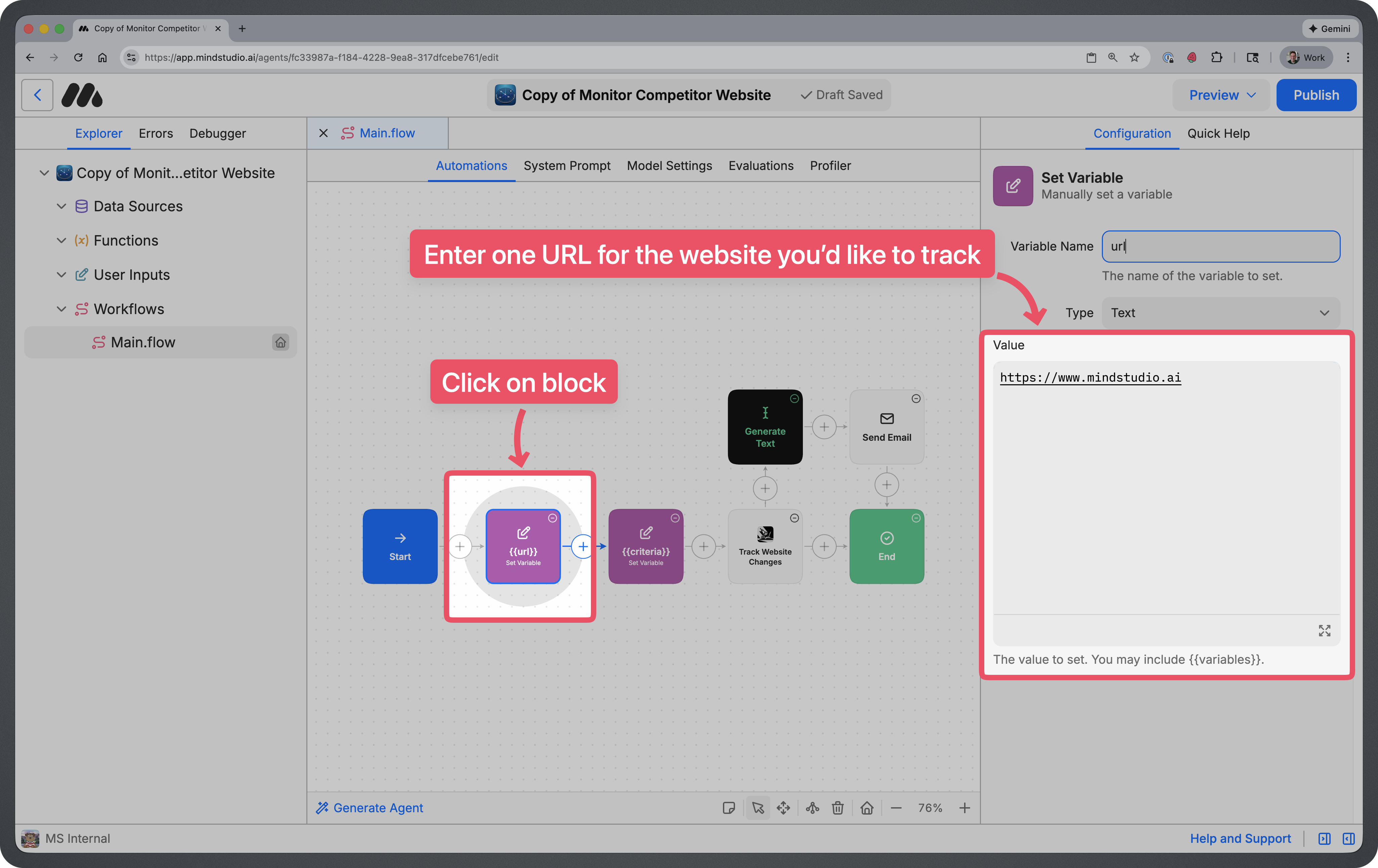
{{criteria}} - Enter any change criteria that you’d like to specifically scan the website for
(Ex: “New product offerings”, “New messaging”, “Changes to language”, “Changes to site layout”, etc.)
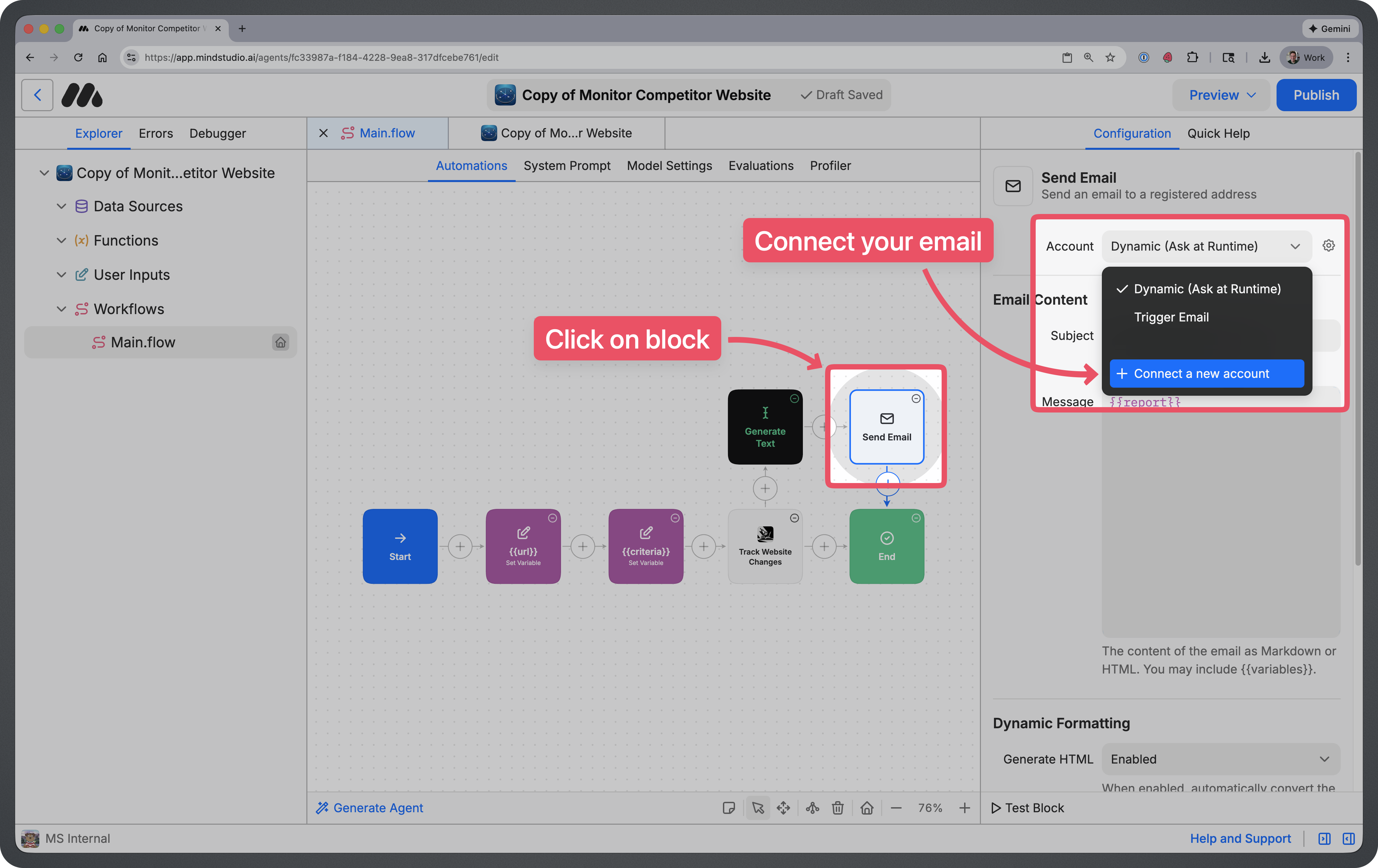
Step 5: Connect Your Email
In order to get an email sent to you when changes are detected, you will need to connect your email address. Click on the “Send Email” block, then click on “+ Connect a new account” to add your email.
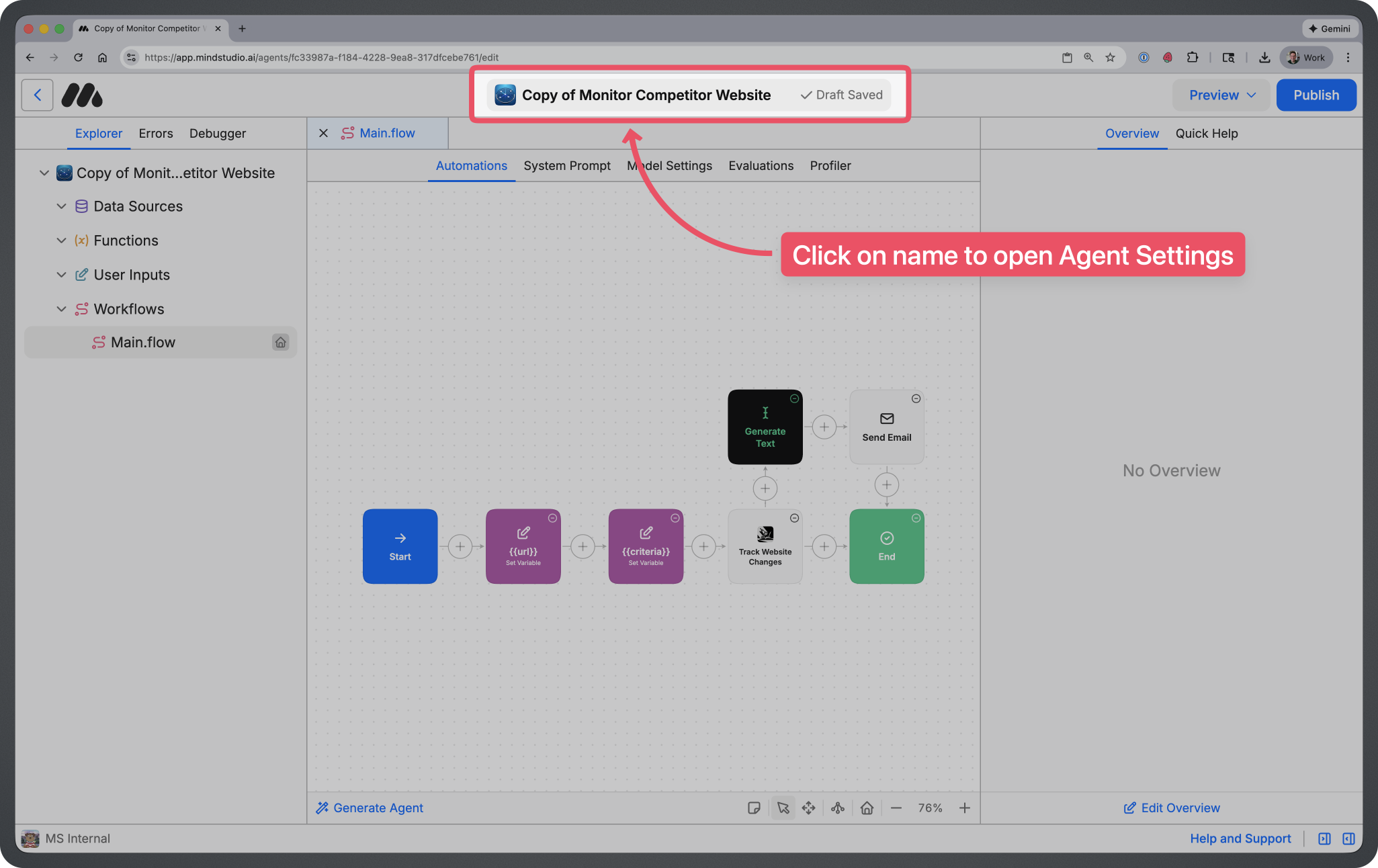
Step 6: Rename the Agent
Click on the name at the top of the screen. This will take you to your agent settings where you can update the name of your agent.
You can name your agent whatever you’d like, but most people just remove the “Copy of” text.
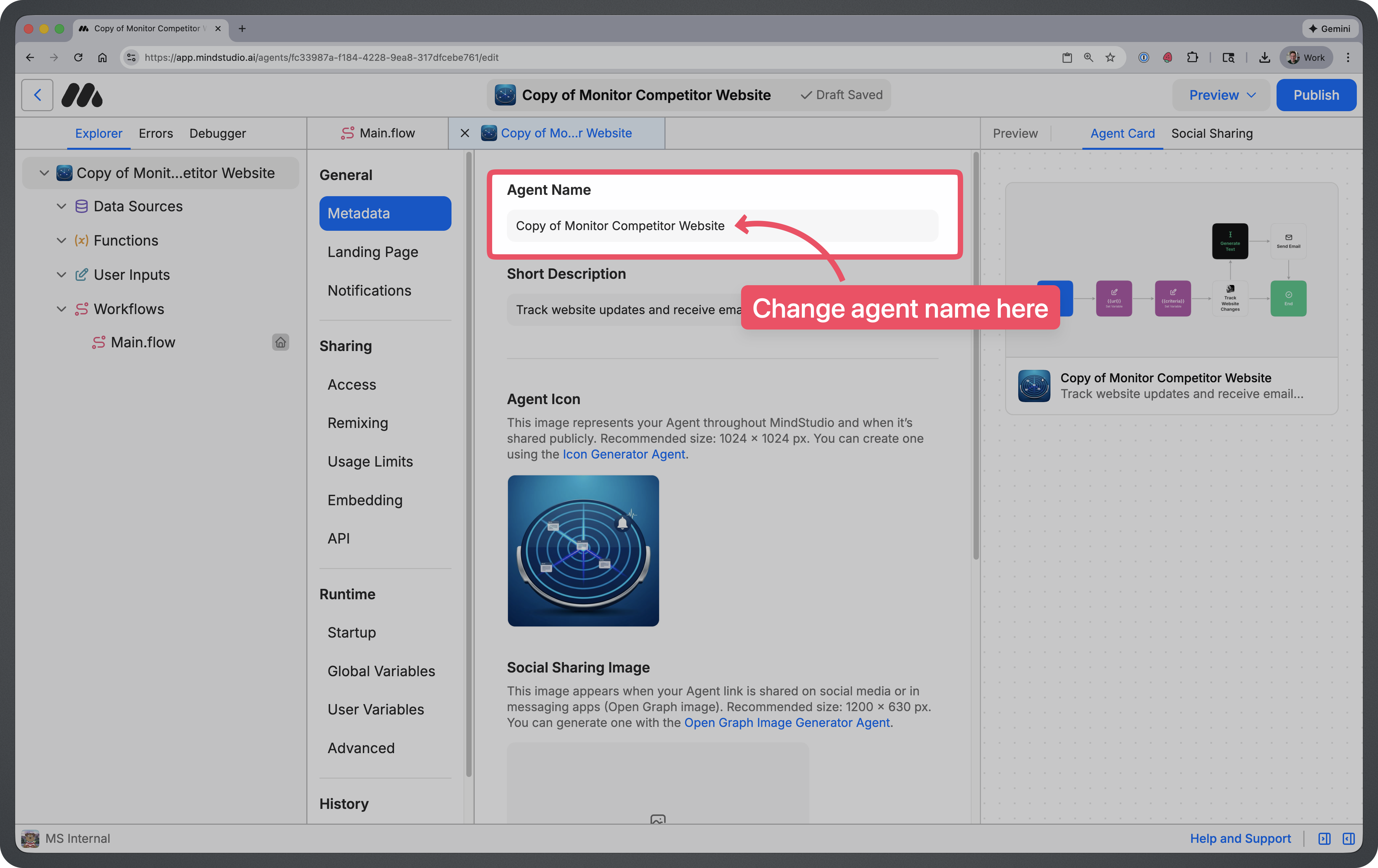
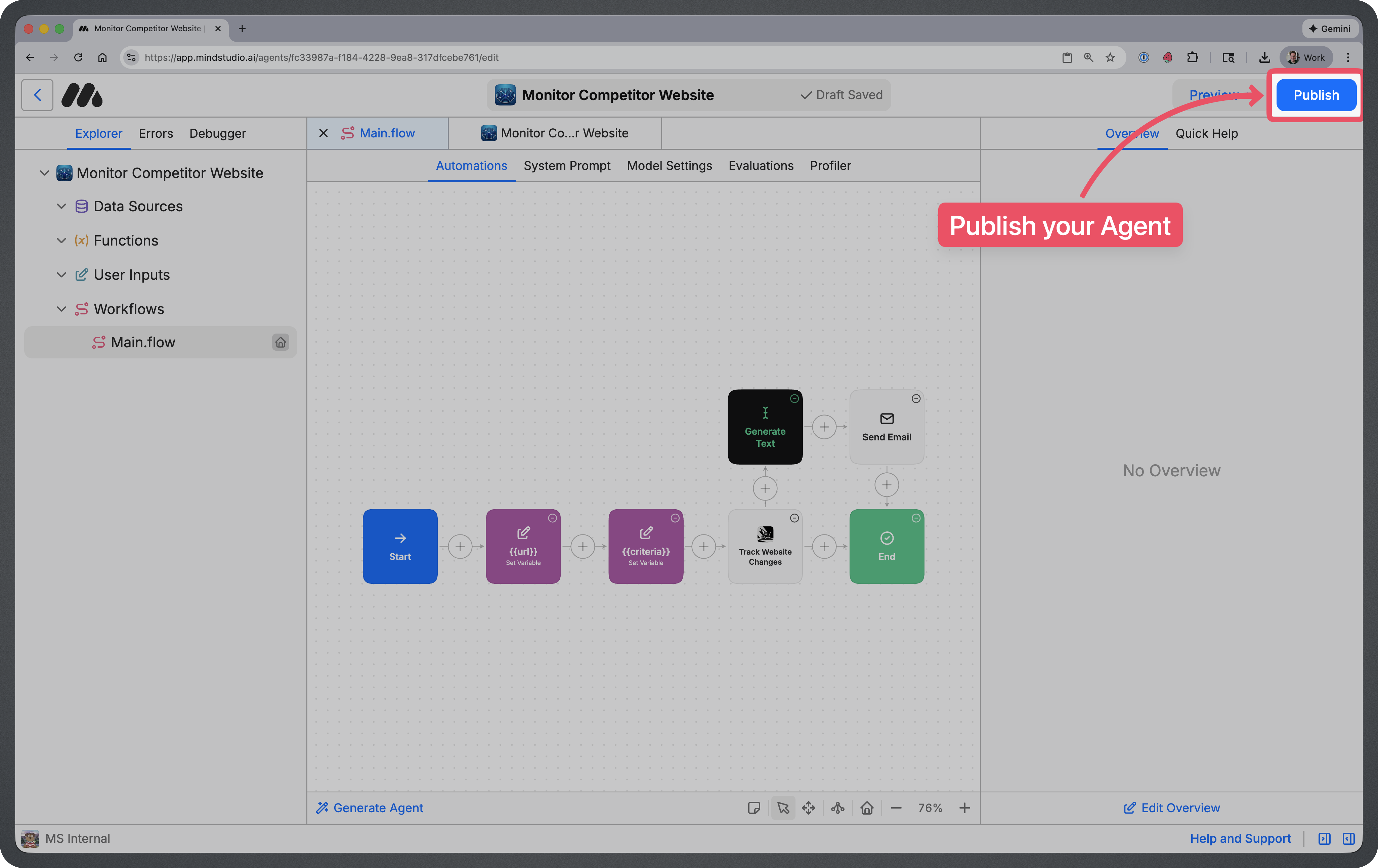
Step 7: Publish Your Agent
Once you’ve renamed your agent, you can click on the blue “Publish” button at the top right to publish your Agent.
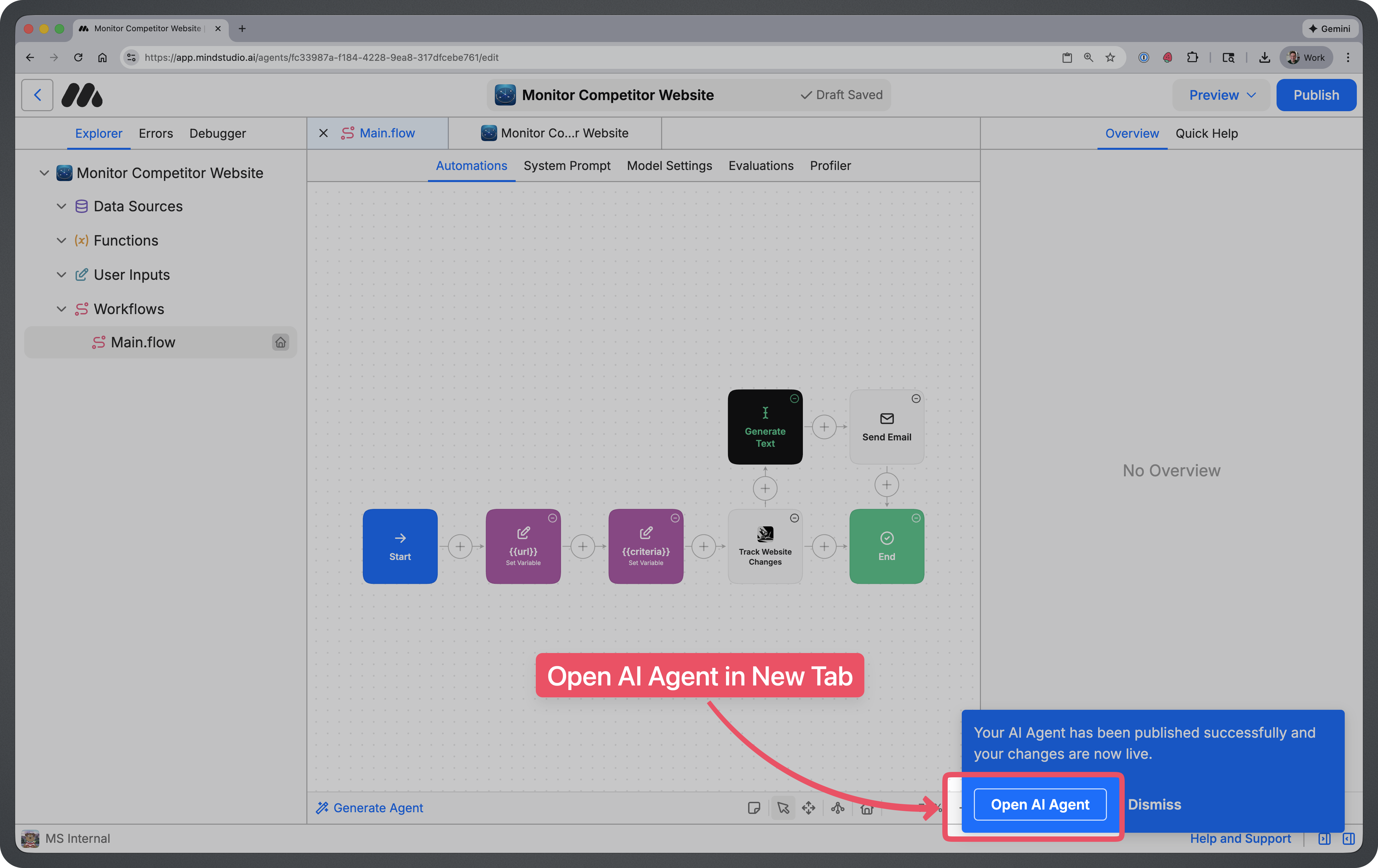
Step 8: Run your Agent for the First Time
After publishing, click on “Open AI Agent” at the bottom-right of the screen.
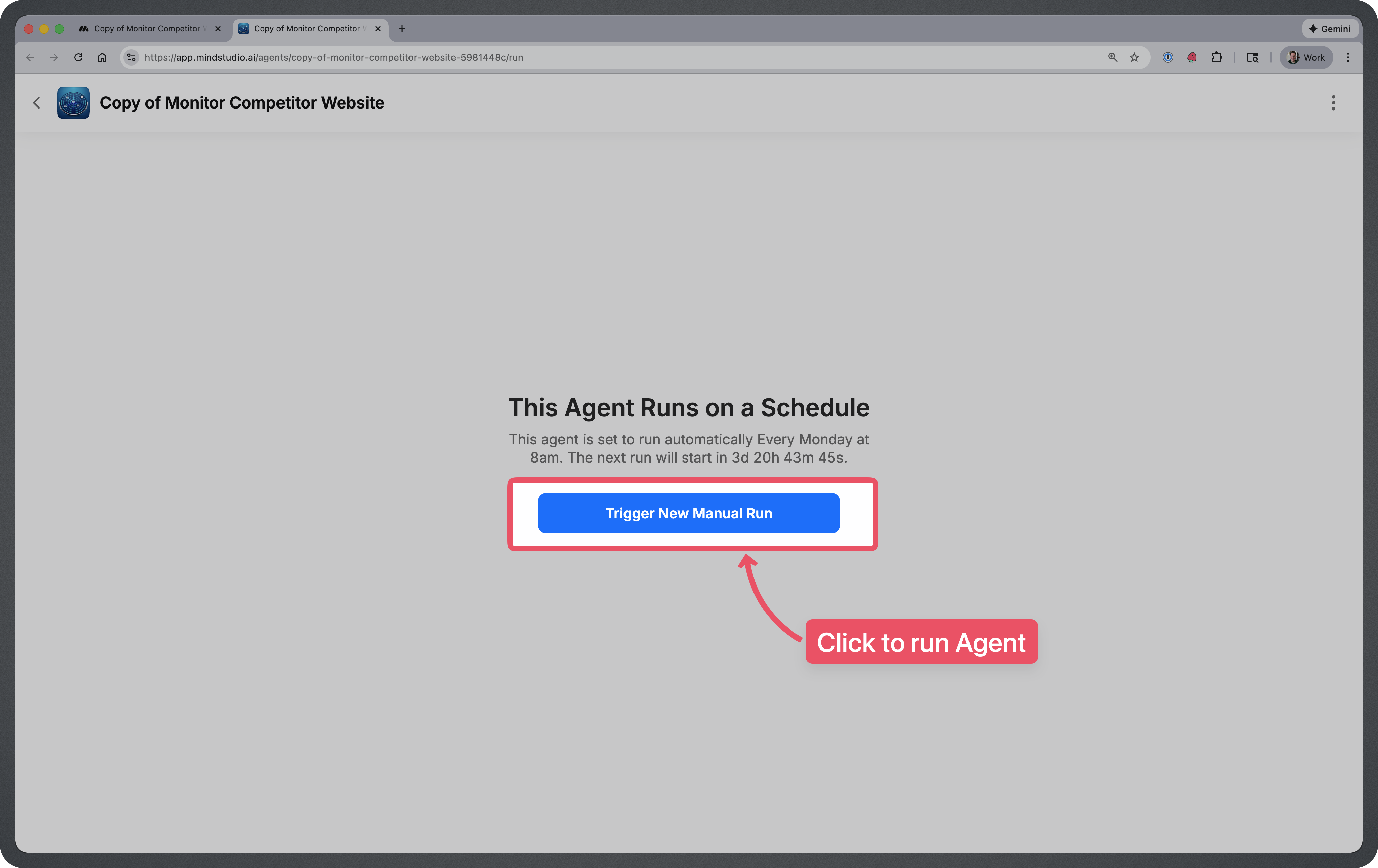
Then on the agent screen click on “Trigger New Manual Run”. This will run the agent for the first time and get the initial website data to compare future runs against.
How to Use This Agent
Your agent will run automatically in the background on the regular schedule that you set up.
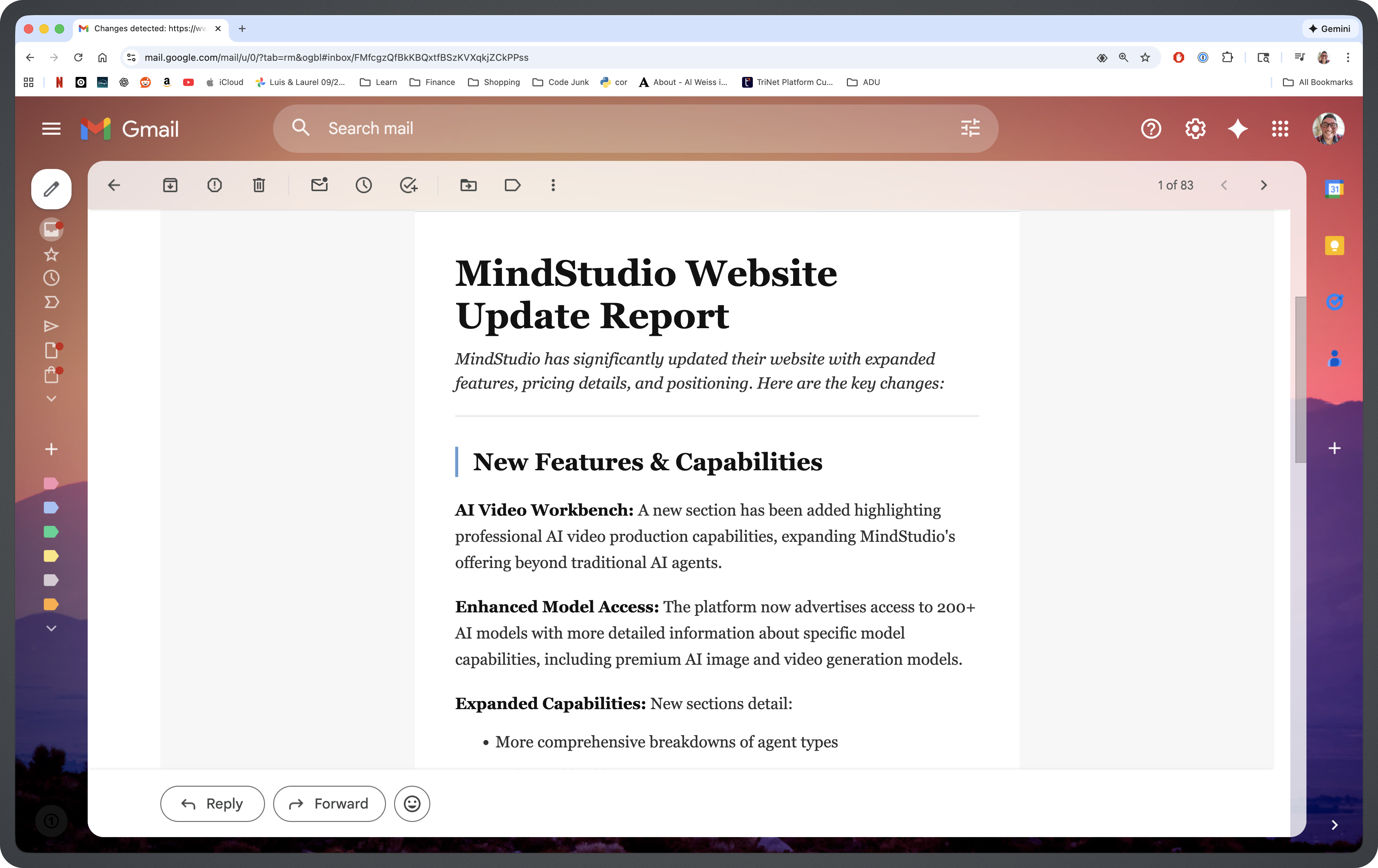
If changes are detected…
Your agent will send you an email summarizing the changes.
Tips for Using This Agent
- Monitor high-value pages first. Focus on pages where changes matter most—pricing pages, product feature lists, homepage messaging, or landing pages. These are where competitors typically announce significant updates.
- Set specific change criteria. The more specific your criteria, the more relevant your alerts will be. Instead of generic monitoring, specify things like “pricing changes,” “new feature announcements,” or “changes to free trial terms.”
- Create multiple agents for different competitors. Remix the agent multiple times to monitor several competitors simultaneously. Each agent can have its own URL, criteria, and schedule tailored to that specific competitor.
- Adjust your schedule based on competitor activity. For fast-moving competitors, consider daily checks. For more stable companies, weekly monitoring may be sufficient and more cost-effective.
- Combine with other research. Use the detected changes as a starting point for deeper analysis. When you receive an alert, dig into what the change might signal about your competitor’s strategy.
Frequently Asked Questions
What types of changes can this agent detect?
The agent can detect content changes including new messaging, updated pricing, added or removed features, layout modifications, new product announcements, and changes to calls-to-action or promotional offers.
How often should I schedule the agent to run?
It depends on your industry and how frequently competitors update their sites. Weekly is a good starting point for most businesses. High-competition markets may benefit from daily monitoring.
Can I monitor multiple pages on the same website?
One coffee. One working app.
You bring the idea. Remy manages the project.
Each agent instance monitors one URL. To track multiple pages, create separate agents for each page you want to monitor—for example, one for the pricing page and another for the features page.
What happens on the first run?
The first run captures a baseline snapshot of the website. The agent compares future runs against this baseline to identify what has changed, so no email is sent after the initial run.
Will I get an email every time the agent runs?
No, you only receive an email when changes matching your criteria are detected. If nothing significant has changed, the agent runs silently in the background.
Can I monitor websites that require login?
This agent is designed for publicly accessible pages. Password-protected or gated content cannot be monitored with this setup.
Is my data stored or shared?
The agent processes website content to detect changes. Your data and monitoring activity are NOT shared or used for AI Model Training.