MindStudio vs Flowise: Which AI Builder Is Right for You
MindStudio vs Flowise comparison. Which AI agent builder is better for your needs? Features and use cases compared.
Introduction
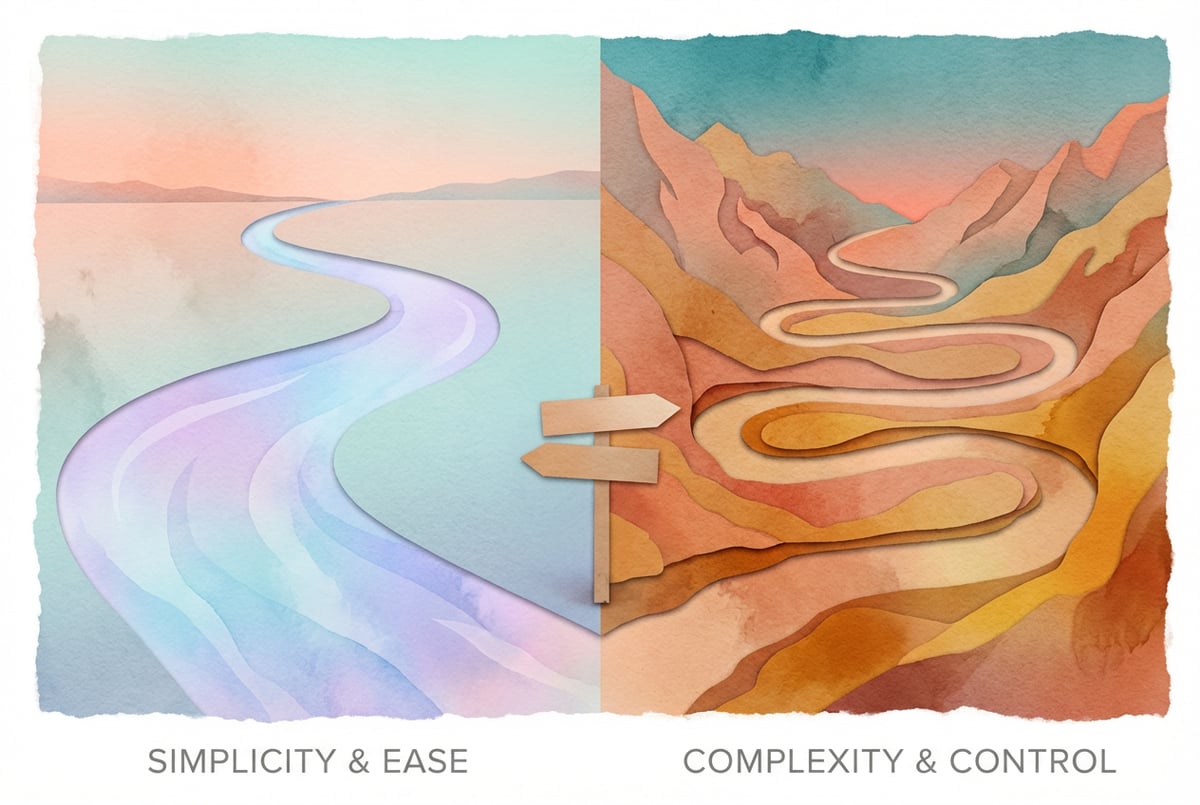
Choosing between MindStudio and Flowise comes down to one question: do you want to build AI applications quickly without code, or do you need the flexibility of an open-source platform that requires more technical setup?
Both tools help you create AI agents and workflows, but they serve different audiences. MindStudio is a no-code platform built for teams who want to ship AI applications fast. Flowise is an open-source, low-code option that gives developers more control over the underlying infrastructure.
This comparison breaks down what each platform does well, where they differ, and which one fits your specific needs. We’ll cover ease of use, deployment options, integrations, and the types of projects each platform handles best.
What is MindStudio?
MindStudio is a no-code platform for building AI applications. You can create AI agents, automate workflows, and deploy applications in about 15 minutes without writing code.
The platform gives you access to multiple AI models through a visual interface. You connect data sources, set up logic flows, and integrate with tools like Google, Slack, and Zapier. Over 34,000 AI applications run on MindStudio, used by businesses that need to automate processes without hiring developers.
Key features include:
- Visual workflow builder with drag-and-drop interface
- Pre-built integrations with common business tools
- Multi-model AI support (GPT-4, Claude, and others)
- One-click deployment to production
- Built-in user authentication and management
MindStudio handles the infrastructure for you. You build the application, and the platform manages hosting, scaling, and updates.
What is Flowise?
Other agents ship a demo. Remy ships an app.
Real backend. Real database. Real auth. Real plumbing. Remy has it all.

Flowise is an open-source, low-code platform for creating LLM orchestration flows and AI agents. It’s built for developers who want to customize their AI applications and maintain control over deployment.
The platform uses a modular approach where you connect nodes like document loaders, text splitters, and language models to build workflows. You can integrate vector databases, process different file types, and create complex agent chains.
Key features include:
- Open-source codebase (free to use and modify)
- Support for multiple deployment environments
- Integration with various LLM providers
- Document processing capabilities (PDFs, web pages, CSV files)
- Vector database connections for RAG applications
Flowise requires you to handle your own deployment and infrastructure. You can run it on local machines, cloud providers like AWS or Azure, or containerized environments using Kubernetes.
Ease of Use: No-Code vs Low-Code
The biggest difference between these platforms is how much technical knowledge you need.
MindStudio is genuinely no-code. You don’t need to understand APIs, deployment configurations, or cloud infrastructure. The interface guides you through building AI applications step by step. If you can use a flowchart tool, you can build with MindStudio.
Flowise requires more technical understanding. While it has a visual interface, you need to know how LLMs work, what vector databases do, and how to configure deployment environments. The “low-code” label means less coding than traditional development, but you still need developer knowledge to use it effectively.
For teams without dedicated developers, MindStudio removes the technical barriers. For development teams who want control over every aspect of their AI stack, Flowise offers that flexibility.
Deployment and Infrastructure
How you deploy and manage your AI applications differs significantly between these platforms.
MindStudio Deployment
MindStudio handles deployment automatically. You build your application in the editor and click deploy. The platform manages:
- Hosting and server infrastructure
- SSL certificates and security
- Scaling based on usage
- Updates and maintenance
- Monitoring and uptime
You get a URL for your application immediately. No configuration files, no cloud provider accounts, no server management. This approach works well for teams that want to focus on the application itself, not the infrastructure running it.
Flowise Deployment
Flowise gives you complete control over deployment, which means you’re responsible for everything. The platform supports deployment to:
- Modern cloud platforms (Hugging Face, Railway, Render, Replit)
- Established cloud providers (AWS, Azure, Google Cloud, DigitalOcean)
- Kubernetes clusters using Helm charts
- Local machines for development
You choose where your application runs, how it scales, and what security measures to implement. This flexibility is valuable for organizations with specific compliance requirements or existing infrastructure they need to integrate with.
The tradeoff is complexity. You need to understand cloud architecture, manage credentials, configure networking, and handle updates yourself. For many teams, this overhead outweighs the benefits of deployment flexibility.
Integration Capabilities
Both platforms connect to external services, but they take different approaches.
MindStudio Integrations
MindStudio offers pre-built integrations with common business tools. You can connect to:
- Google Workspace (Sheets, Docs, Drive)
- Slack for team communication
- Zapier for workflow automation
- Customer data platforms
- CRM systems
These integrations work out of the box. You authenticate once, and the connection handles data flow automatically. The platform also provides webhooks and API access for custom integrations.
Remy is new. The platform isn't.
Remy is the latest expression of years of platform work. Not a hastily wrapped LLM.
The focus is on business productivity tools. If you’re building AI applications that need to pull data from spreadsheets, send notifications to Slack, or trigger actions in other apps, MindStudio makes this simple.
Flowise Integrations
Flowise integrates at a lower level. You can connect to:
- Multiple LLM providers (OpenAI, Anthropic, Cohere, local models)
- Vector databases (Pinecone, Weaviate, ChromaDB, Qdrant)
- Document loaders for various file types
- Memory systems for conversation context
- Custom APIs through API chain nodes
These integrations give you more control over how your AI system processes information. You can choose which vector database to use based on performance needs, switch between LLM providers, or build custom data pipelines.
The downside is setup time. Each integration requires configuration, credentials management, and testing. There’s no “connect to Slack” button—you build that integration yourself using the available nodes.
AI Model Access and Flexibility
Both platforms support multiple AI models, but with different levels of abstraction.
MindStudio provides access to leading AI models through a unified interface. You select the model you want (GPT-4, Claude, Gemini, or others) and the platform handles the API connections. You can switch between models to compare results or use different models for different parts of your workflow.
The platform manages API keys, rate limits, and error handling. You focus on what the AI should do, not how to connect to it.
Flowise gives you more granular control over model configuration. You can adjust temperature settings, token limits, and other parameters for each node. You can also run local models if you don’t want to use commercial APIs.
This flexibility matters for developers who need to fine-tune AI behavior or work within specific technical constraints. For most business applications, MindStudio’s approach is simpler and faster.
Use Cases: When to Choose Each Platform
Best Use Cases for MindStudio
MindStudio works well when you need to:
- Build customer service chatbots quickly
- Automate content generation workflows
- Create internal tools for your team
- Process and analyze customer feedback
- Connect AI to your existing business tools
- Deploy AI applications without technical staff
The platform excels at business automation. A marketing team can build a content brief generator in an afternoon. A customer success team can create an AI assistant that answers common questions from help documentation. An operations team can automate report generation from multiple data sources.
One company used MindStudio to build an AI application that processes customer inquiries from email, categorizes them, and routes them to the right department. The entire application took 20 minutes to build and handles thousands of inquiries daily.
Best Use Cases for Flowise
Flowise fits better when you need to:
- Build complex RAG (retrieval-augmented generation) systems
- Maintain full control over data processing pipelines
- Deploy AI on your own infrastructure
- Customize every aspect of the AI workflow
- Integrate with existing developer tools and workflows
- Run local models for privacy or cost reasons
The platform works well for development teams building specialized AI systems. A software company might use Flowise to create a documentation assistant that needs custom vector database configuration. A research team might build agent chains that process domain-specific documents with particular preprocessing requirements.
One coffee. One working app.
You bring the idea. Remy manages the project.
Flowise gives you the building blocks to create exactly what you need. MindStudio gives you a finished product that works immediately.
Cost Considerations
Pricing differs significantly between these platforms.
MindStudio operates on a subscription model. You pay a monthly fee that covers hosting, infrastructure, support, and usage up to certain limits. The pricing is predictable—you know your monthly cost regardless of how complex your infrastructure needs become.
Flowise is open-source and free to use. But “free” means you pay for:
- Cloud hosting costs (AWS, Azure, or other providers)
- Developer time for setup and maintenance
- LLM API costs directly
- Vector database hosting (if using managed services)
- Monitoring and logging tools
For small projects or testing, Flowise can be cheaper. For production applications serving many users, the total cost of infrastructure plus developer time often exceeds a managed platform’s subscription cost.
The hidden cost in Flowise is ongoing maintenance. When something breaks, you fix it. When you need to scale, you configure it. When security updates come out, you apply them. These tasks require skilled developers, and developer time is expensive.
Security and Compliance
Security requirements often determine which platform you can use.
MindStudio handles security infrastructure automatically. The platform provides:
- SSL encryption for all connections
- User authentication and access control
- Regular security updates
- SOC 2 compliance processes
- Data encryption at rest and in transit
For most businesses, this built-in security is sufficient. You don’t need to become a security expert to deploy secure AI applications.
Flowise requires you to implement security yourself. You configure authentication, manage encryption, handle compliance requirements, and monitor for security issues. This gives you complete control but requires security expertise.
Organizations with specific compliance needs (HIPAA, SOC 2, GDPR) can configure Flowise to meet those requirements. But they need the technical capability to implement and maintain those configurations correctly.
Learning Curve and Time to Value
How quickly can you build something useful?
With MindStudio, teams typically build their first working AI application in under an hour. The platform includes templates and examples that you can modify for your use case. The documentation focuses on what you want to accomplish, not how the underlying technology works.
A non-technical team member can watch a few tutorial videos and start building. There’s no prerequisite knowledge about machine learning, APIs, or cloud infrastructure.
Flowise has a steeper learning curve. You need to understand:
- How language models work and their limitations
- What vector databases do and why you’d use them
- How to structure agent chains effectively
- Deployment and infrastructure basics
- API authentication and management
A developer with AI experience can get started with Flowise in a day or two. Someone new to AI development might need weeks to build something production-ready.
The question isn’t which platform is better—it’s which one matches your team’s skills and timeline. If you need AI automation running this week, MindStudio delivers faster. If you’re building a complex system and have time to invest in learning, Flowise offers more flexibility.
Community and Support
Getting help when you’re stuck matters.
MindStudio provides direct customer support. You email or chat with the team when you have questions. The company also maintains documentation, video tutorials, and example applications.
The support model is straightforward: you’re a customer, and they help you succeed. Response times are typically fast because support is part of what you’re paying for.
Flowise relies on community support. You can ask questions on GitHub, join Discord channels, or search through documentation. The open-source community is active, and you’ll often find answers to common questions.
But there’s no guaranteed response time. If you hit a unique problem, you might need to solve it yourself or wait for someone in the community to help. For production applications, this uncertainty can be risky.
Some companies using Flowise hire developers specifically to maintain their AI infrastructure. They treat it like any other open-source tool in their stack—valuable but requiring internal expertise.
Which Platform Should You Choose?
Choose MindStudio if you:
- Need to build AI applications quickly without coding
- Want predictable costs and managed infrastructure
- Have limited technical resources
- Prioritize speed to market over customization
- Need integrations with common business tools
- Want guaranteed support and documentation
Choose Flowise if you:
- Have developers who can manage infrastructure
- Need complete control over deployment and configuration
- Want to customize every aspect of your AI system
- Have specific compliance requirements requiring custom infrastructure
- Prefer open-source tools and community-driven development
- Have time to invest in setup and maintenance
Most businesses find that managed platforms like MindStudio offer better value. The infrastructure complexity of self-hosted solutions often outweighs the benefits of customization. Developer time costs more than subscription fees, and time to market matters.
But development teams building specialized AI systems might prefer Flowise’s flexibility. If you’re creating something unique that requires custom data pipelines or specific technical configurations, the additional control justifies the complexity.
Getting Started
Both platforms offer ways to test them before committing.
MindStudio provides a free trial where you can build and test applications. You’ll see immediately whether the platform fits your needs. The interface is intuitive enough that you don’t need training to get started.
Flowise can be installed locally for testing. You’ll need to follow installation instructions and have some technical setup capability. The GitHub repository includes documentation and example flows to help you understand how it works.
For most teams evaluating AI automation tools, starting with MindStudio makes sense. You can build a working prototype in an afternoon and decide if it meets your needs. If you need more customization than MindStudio offers, then invest time in learning Flowise.
Final Thoughts
MindStudio and Flowise serve different audiences with different priorities.
MindStudio removes the technical complexity of building AI applications. You focus on what the application should do, and the platform handles everything else. This approach works well for businesses that want AI automation without hiring AI specialists.
Flowise gives developers control over their AI infrastructure. You make every decision about how the system works and where it runs. This flexibility matters when you’re building something that doesn’t fit standard patterns.
Remy doesn't write the code. It manages the agents who do.
Remy runs the project. The specialists do the work. You work with the PM, not the implementers.
For most business applications—customer service automation, content generation, data processing, internal tools—MindStudio’s no-code approach delivers better results faster. The platform has helped thousands of businesses deploy AI applications that run reliably without requiring technical maintenance.
The choice comes down to your team’s capabilities and timeline. If you can build what you need in 15 minutes versus 15 days, that difference compounds quickly.
Frequently Asked Questions
Can I switch between MindStudio and Flowise later?
Switching platforms requires rebuilding your applications. Neither platform exports to the other’s format. MindStudio applications run on MindStudio’s infrastructure. Flowise applications run on infrastructure you manage. Plan to commit to one platform for each project.
Which platform is better for RAG applications?
Flowise offers more control over RAG implementation. You can choose specific vector databases, configure embedding models, and customize retrieval logic. MindStudio handles RAG implementation automatically with sensible defaults. For most use cases, MindStudio’s automated approach works well. Complex RAG systems with specific requirements might benefit from Flowise’s flexibility.
Do I need developers to use MindStudio?
No. MindStudio is designed for non-technical users. Many customers build AI applications without any coding experience. The visual interface guides you through the process. If you need custom integrations beyond the built-in options, technical knowledge helps but isn’t required for most use cases.
Is Flowise really free?
The Flowise software is free and open-source. But you pay for cloud hosting, LLM API calls, developer time, and any other services your application uses. The total cost depends on your usage and infrastructure choices. For production applications, total costs often exceed managed platform subscriptions.
Which platform scales better?
Both platforms scale, but differently. MindStudio handles scaling automatically as your usage grows. Flowise requires you to configure scaling based on your deployment environment. MindStudio’s automatic scaling is simpler but less customizable. Flowise’s manual scaling gives you control but requires infrastructure expertise.