Weekly YouTube Multi-Channel Digest
Get a single weekly email summarizing all new YouTube uploads across your favorite channels
About This Agent
Agent type: Scheduled Agent
Purpose: Automatically tracks new videos from multiple YouTube channels and delivers a weekly email digest with all the new videos posted. No more checking individual channels or relying on YouTube’s notification system to keep you updated.
Expected Outcomes: Never miss a video from creators you care about. Get a single weekly email summarizing all new uploads across your favorite channels, save time by scanning summaries instead of watching everything, and stay current on the content that matters to you.
Average Run Cost: $0.09 / run
How to Install & Setup This Agent
Step 1: Login to MindStudio
If you don’t have an account you can signup for an account here: create a free MindStudio account
Step 2: Remix the Agent
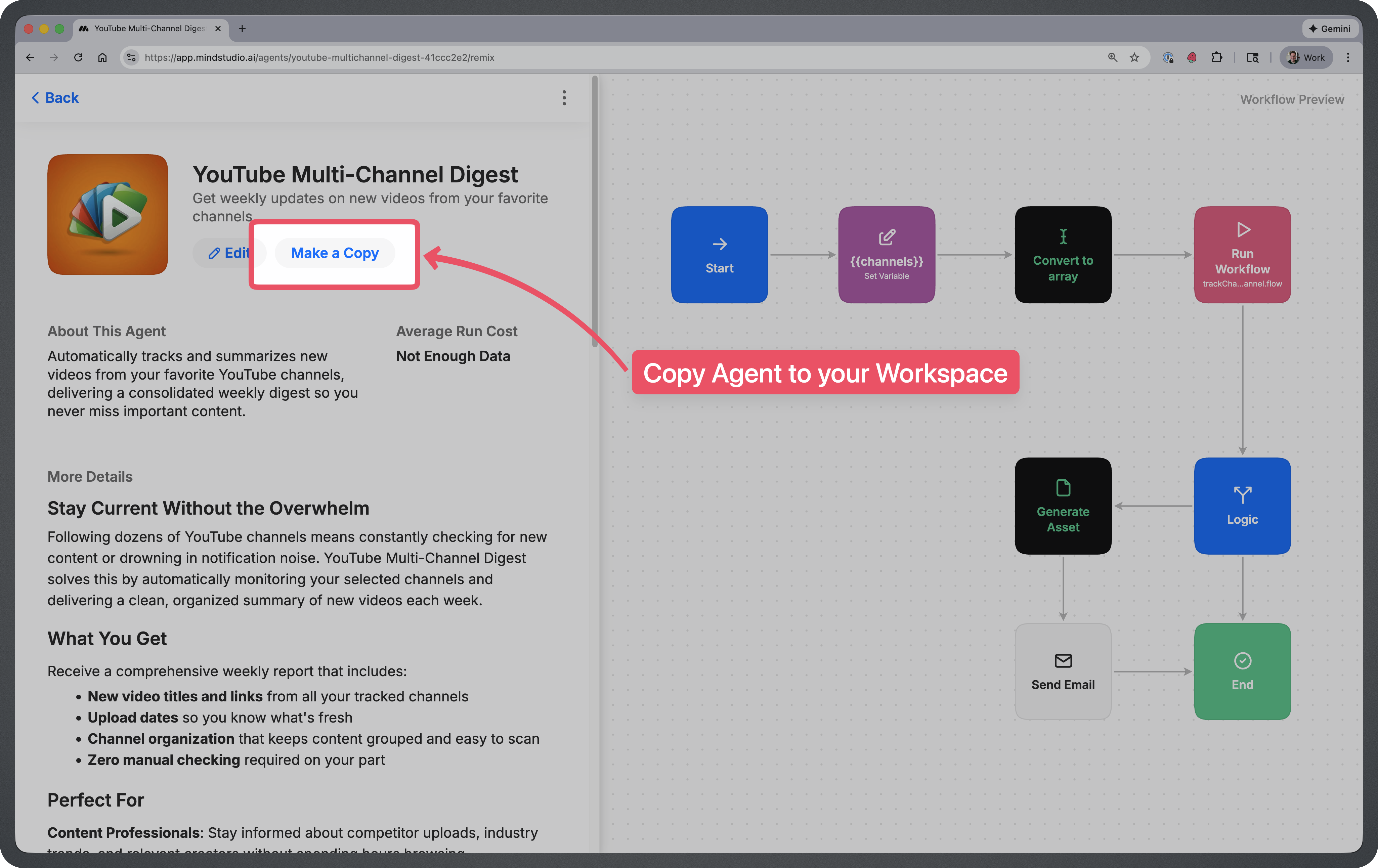
Remix this agent in MindStudio
This will make a copy of the AI Agent into your MindStudio workspace.
Step 3: Add YouTube channels you’d like to track
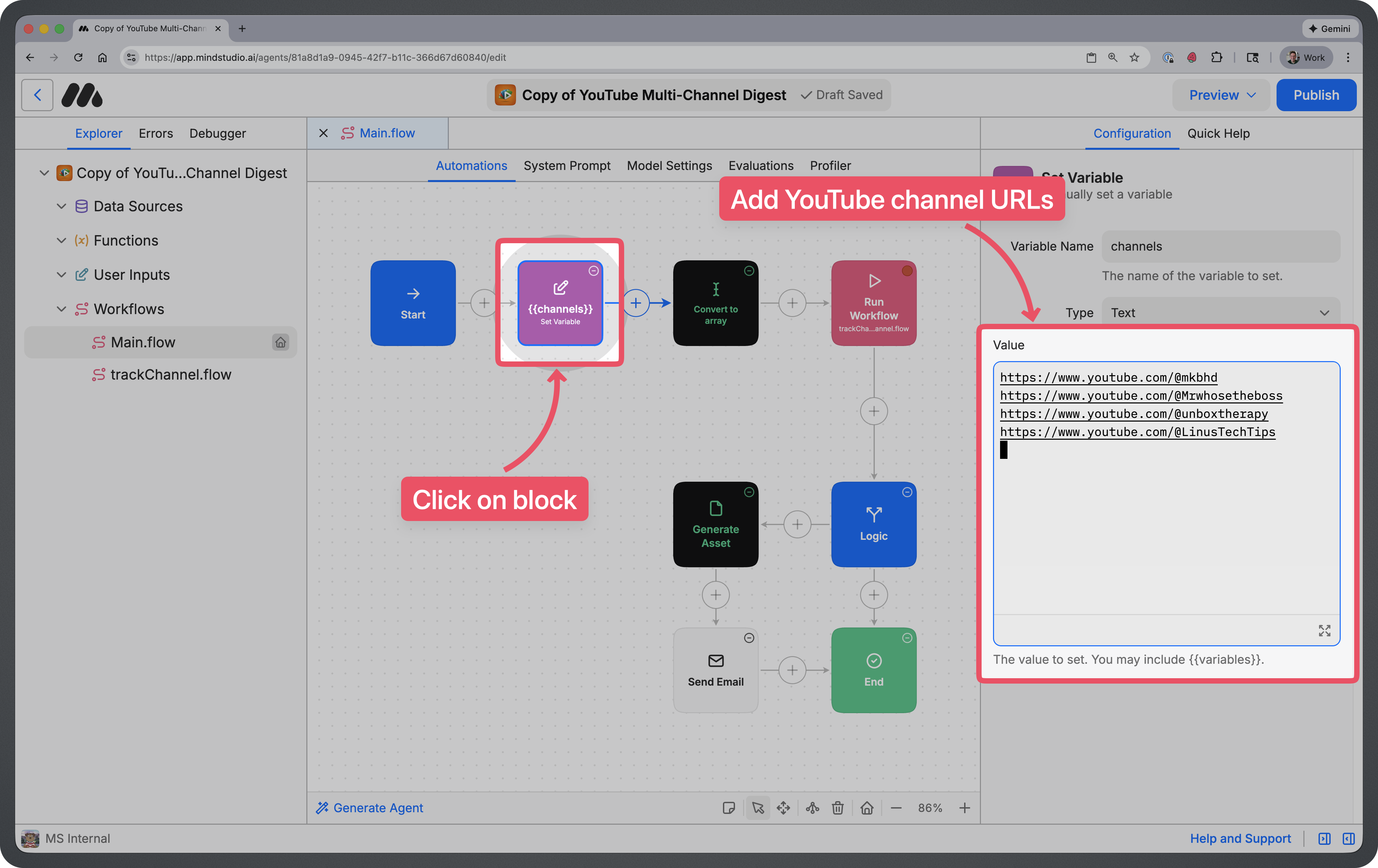
This agent will scan YouTube channel Every Monday. Click on the Set Variable block labeled {{channels}} and add each YouTube channel URL that you’d like to track.
You can add as many YouTube Channels as you’d like and you can update the list at any time.
Step 4: Connect Your Email
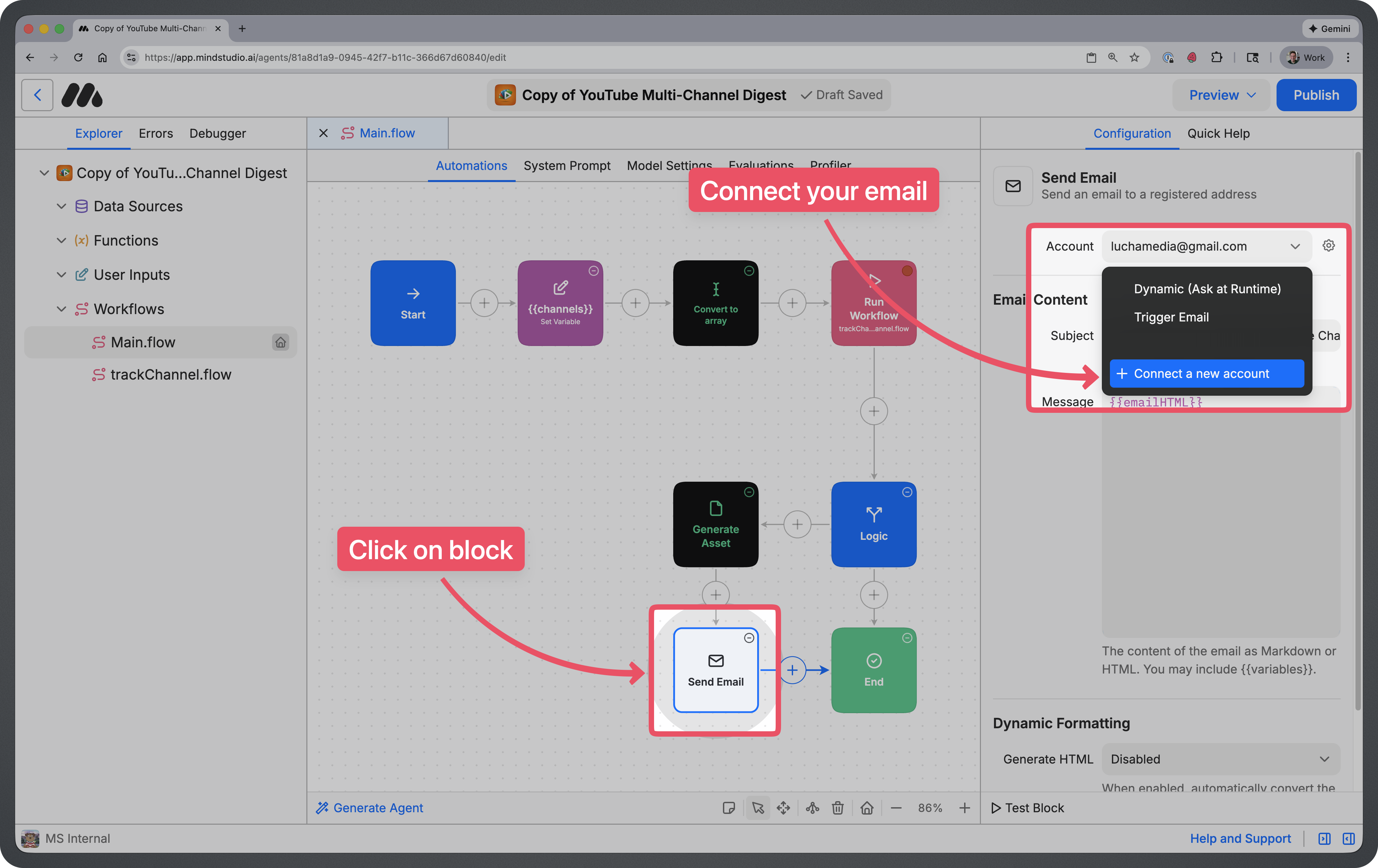
In order to get an email sent to you when new videos are posted, you will need to connect your email address. Click on the “Send Email” block, then click on “+ Connect a new account” to add your email.
Step 5: Rename the Agent
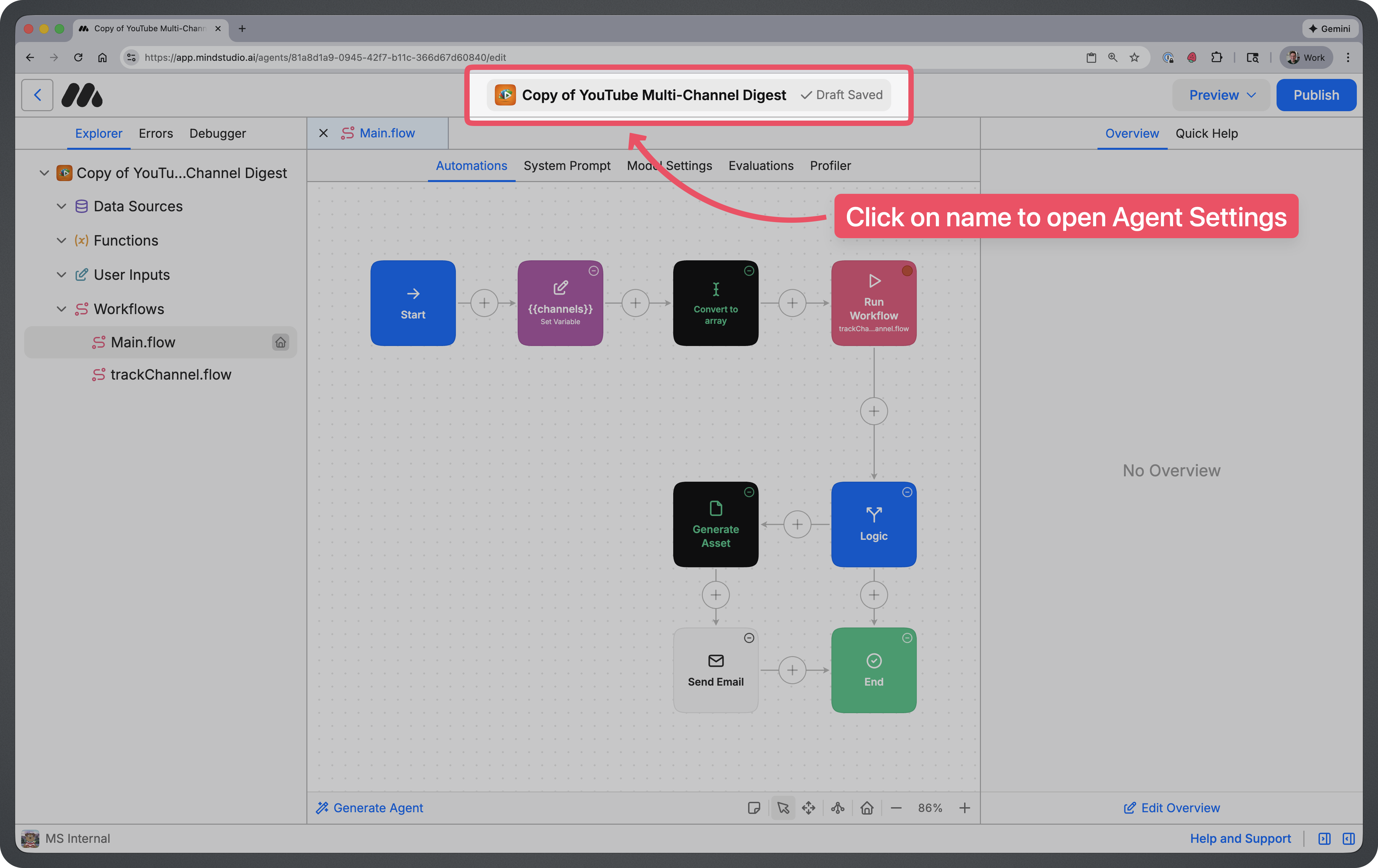
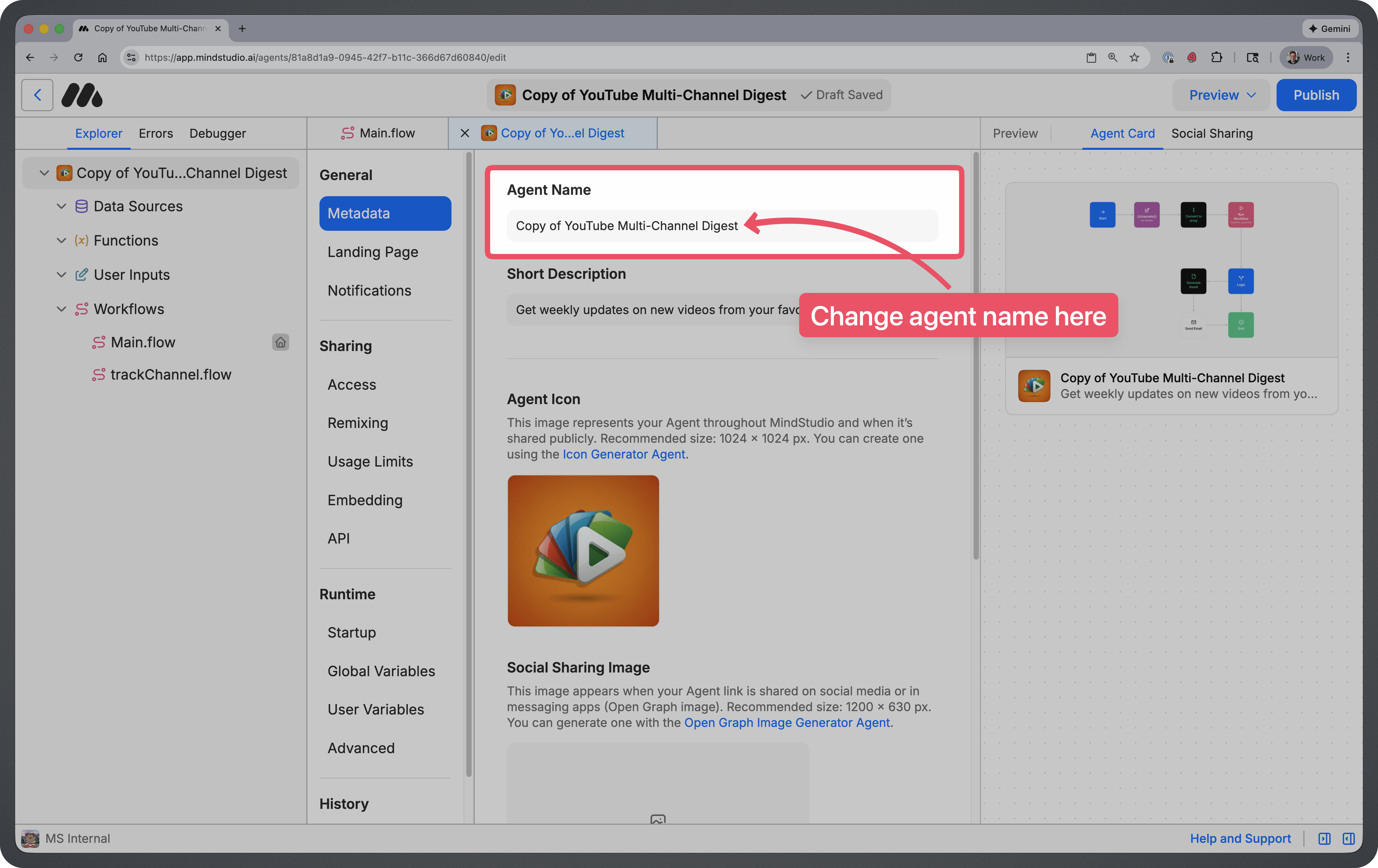
Click on the name at the top of the screen. This will take you to your agent settings where you can update the name of your agent.
You can name your agent whatever you’d like, but most people just remove the “Copy of” text.
Step 7: Publish Your Agent
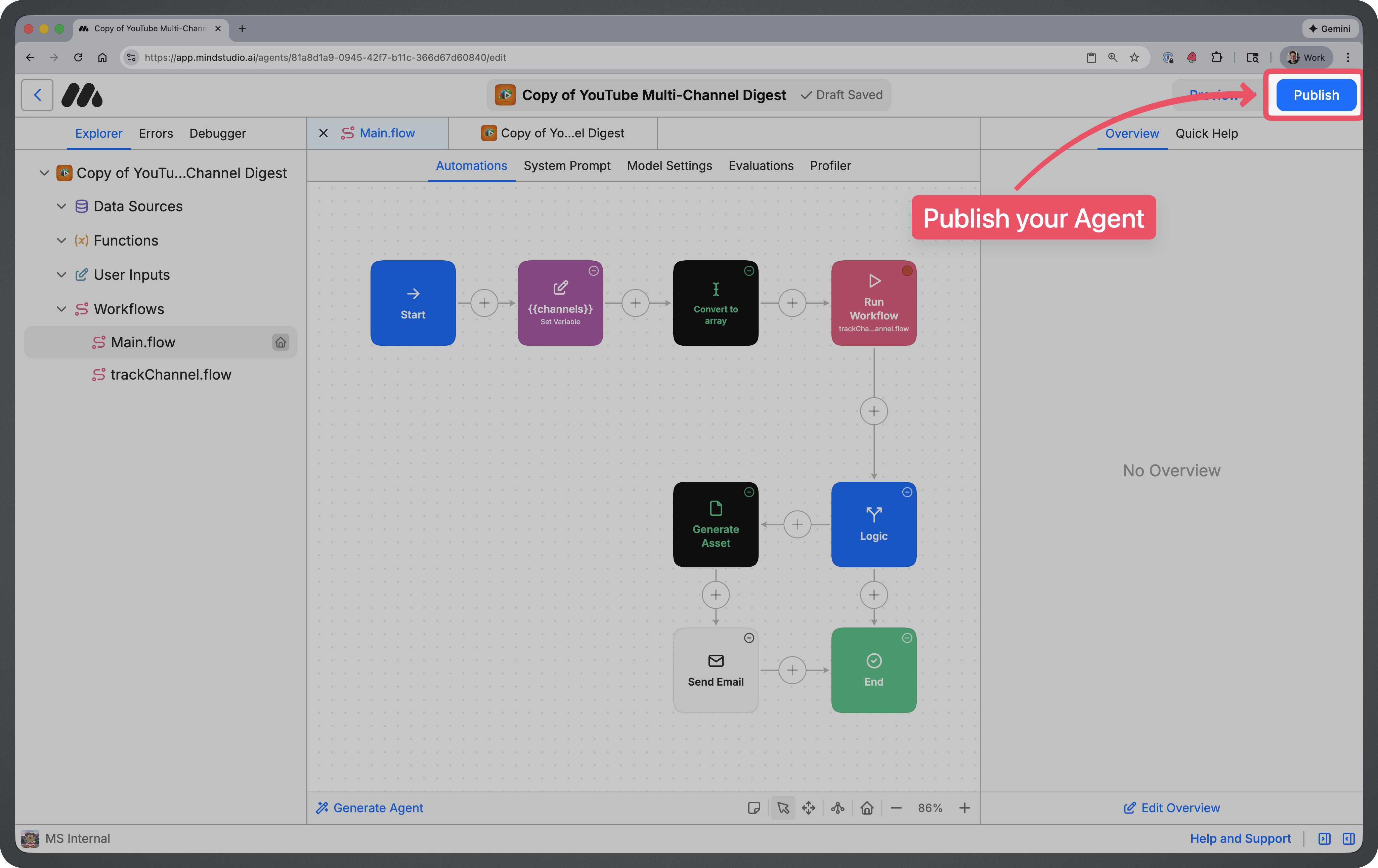
Once you’ve renamed your agent, you can click on the blue “Publish” button at the top right to publish your Agent.
How to Use This Agent
Your agent will run automatically in the background on Every Monday.
If new videos are posted…
Your agent will send you an email with all of the new links from the last 7 days.
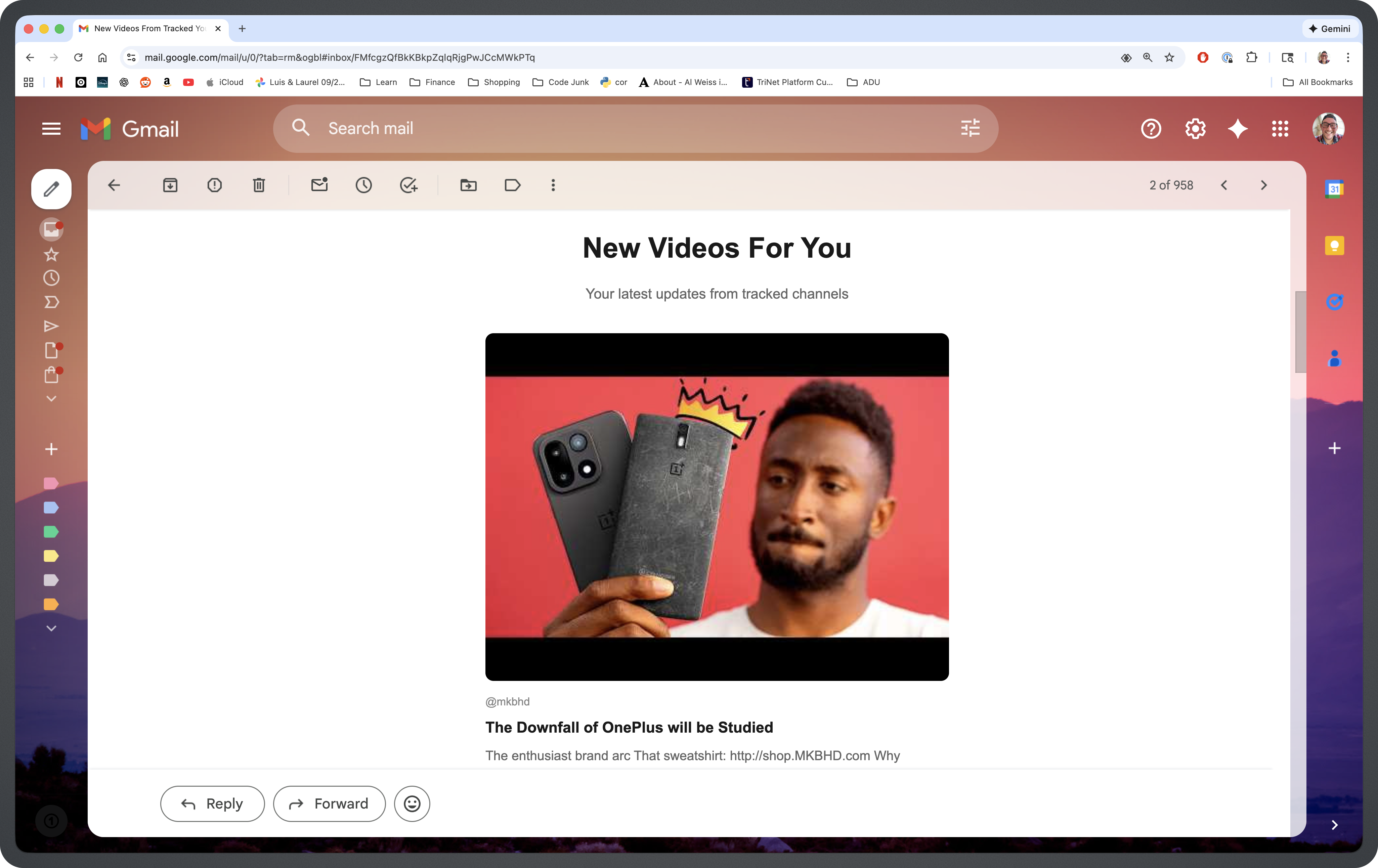
Tips for Using This Agent
- Start with your must-watch channels. Add the channels you never want to miss first. You can always expand your list later as you discover new creators.
- Group channels by theme or interest. Consider creating separate agents for different content categories—one for tech channels, another for fitness, etc.—so your digests are more focused.
- Review and prune your list periodically. If a channel stops posting or no longer interests you, remove it from your list to keep your digest relevant and concise.
- Use the summaries to prioritize your watch time. Scan the digest to identify which videos are worth your time, rather than watching everything or missing hidden gems.
- Pair with a “watch later” playlist. When you see something interesting in your digest, add it to a YouTube playlist so you have a curated queue ready when you have time.
Frequently Asked Questions
How does the agent find new videos?
The agent checks each YouTube channel URL in your list and identifies videos published within the last 7 days. It then compiles summaries of those videos into a single digest.
How many channels can I track?
You can add as many channels as you’d like. Keep in mind that tracking a large number of channels may result in longer digests and slightly higher run costs.
Can I change the schedule from weekly to daily?
Yes, you can modify the schedule in the Start Block settings. However, the default is optimized for weekly digests to give channels time to post new content.
What if a channel hasn’t posted anything new?
Channels with no new videos in the past 7 days simply won’t appear in that week’s digest. You’ll only see updates from channels that have posted recently.
Will I get the full video content in the email?
No, the digest provides summaries and links to new videos. You’ll still watch the actual content on YouTube—the agent just helps you discover what’s new.
Can I track channels that aren’t in English?
Yes, the agent can track channels in any language. Summaries will be generated based on available video information regardless of the channel’s language.
Is my data stored or shared?
The agent processes YouTube channel data to generate your digest. Your data is NOT shared or used for AI Model Training.