AI Agents for Recruiting and Staffing: Complete Guide
Automate recruiting with AI agents. Resume screening, candidate outreach, and interview scheduling made easy.

What AI Agents Can Do for Recruiting
Recruiting teams spend most of their time on repetitive tasks. Screening hundreds of resumes, sending follow-up emails, scheduling interviews across multiple calendars. These tasks eat up hours that could go toward building relationships with top candidates.
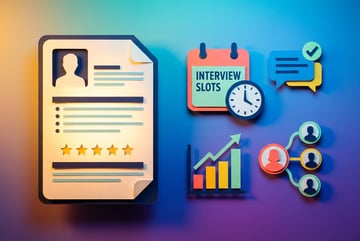
AI agents handle this work automatically. They screen resumes based on your criteria, reach out to candidates with personalized messages, and coordinate interview schedules without back-and-forth emails. The result is faster hiring and more time for recruiters to focus on what matters—talking to people.
Here’s what AI agents do for staffing teams:
- Screen resumes and rank candidates by fit
- Send personalized outreach messages at scale
- Schedule interviews and send calendar invites
- Answer candidate questions 24/7
- Update your ATS with candidate information
- Follow up with candidates automatically
- Generate interview scorecards
- Send rejection emails with empathy
The best part is that you don’t need to hire developers to build these AI agents. No-code platforms like MindStudio let recruiting teams create custom AI workflows in hours, not months.
Resume Screening That Actually Works
Manual resume screening is brutal. A recruiter might spend 30 seconds on each resume, multiply that by 200 applications, and you’ve burned through three hours. And you still might miss good candidates buried in the pile.
AI agents screen resumes faster and more consistently. They parse each resume for specific skills, experience, and qualifications you define. No more skimming or making judgment calls when you’re tired.
How AI Resume Screening Works
Seven tools to build an app. Or just Remy.
Editor, preview, AI agents, deploy — all in one tab. Nothing to install.

An AI agent reads the resume text and extracts key information—job titles, companies, skills, education, years of experience. It compares this data against your requirements and scores each candidate.
For example, if you’re hiring a senior software engineer, your AI agent might look for:
- 5+ years of software development experience
- Proficiency in Python, JavaScript, or similar languages
- Experience with cloud platforms (AWS, Azure, or GCP)
- Bachelor’s degree in Computer Science or related field
- Previous work at tech companies
The agent scores each resume on a scale of 0-100. Candidates above 70 go to your “review” pile. Those between 50-70 might be worth a second look. Below 50 gets an automatic rejection email.
Building a Resume Screening Agent
With MindStudio, you create a resume screening agent by connecting your email or ATS to an AI model. The agent receives new applications, extracts the resume text, and runs it through your scoring criteria.
The setup takes about 30 minutes:
- Connect your email or ATS as the data source
- Define your screening criteria and scoring weights
- Set score thresholds for different actions
- Connect to your ATS or spreadsheet to log results
- Test with sample resumes and adjust criteria
Once it’s running, the agent processes applications as they arrive. You check the dashboard each morning to see your qualified candidates instead of drowning in inbox clutter.
Common Resume Screening Mistakes to Avoid
AI screening is powerful, but it’s not magic. These mistakes will hurt your results:
Being too strict with requirements. If you demand an exact match on 10 criteria, you’ll reject candidates who could excel in the role. Build in some flexibility.
Ignoring soft skills. Technical requirements are easy to screen for, but soft skills matter too. Look for resume language that suggests leadership, collaboration, or problem-solving.
Not reviewing your screening criteria regularly. Job requirements change. Your AI agent should too. Review and update your scoring criteria every few months.
Forgetting about bias. AI agents learn from the criteria you give them. If your criteria have bias (intentional or not), the agent will perpetuate it. Test your screening logic with diverse candidate profiles.
Automated Candidate Outreach That Gets Responses
Sourcing candidates is hard enough. Then you need to write dozens of personalized messages to get anyone to respond. Most recruiters use templates, and candidates can tell.
AI agents send outreach messages that feel personal because they pull specific details from each candidate’s profile or resume. A message that references their current company and recent project will always perform better than “I saw your profile and thought you’d be a great fit.”
What Good Automated Outreach Looks Like
The best AI-powered outreach messages include:
- The candidate’s name (obvious, but worth saying)
- A specific detail from their background
- Why you’re reaching out to them specifically
- What makes the role interesting
- A clear next step
Here’s an example:
Hi Sarah,
I noticed you led the infrastructure migration at DataCorp last year. We’re hiring a senior DevOps engineer to build out our cloud platform, and your experience with large-scale migrations would be valuable here.
Our team is small (12 people), which means you’d have real impact on architecture decisions. Plus we’re fully remote and offer equity.
Are you open to a quick call this week?
Other agents ship a demo. Remy ships an app.
Real backend. Real database. Real auth. Real plumbing. Remy has it all.
This message works because it’s specific. Sarah knows why you contacted her and what she’d be doing.
Building an Outreach AI Agent
Your outreach agent needs three things: a candidate database, message templates, and sending logic.
Start with your candidate source. This might be LinkedIn profiles you’ve saved, a CSV export from your ATS, or candidates who applied for previous roles. Your AI agent pulls data from this source.
Next, create message templates with variables for personalization. Instead of writing “Hi Sarah,” you write “Hi {first_name}.” The agent fills in the actual name. Same for company, job title, and other details.
The agent sends messages based on your schedule. You might send 20 messages per day, spacing them out to avoid looking like spam. If a candidate responds, the agent stops sending follow-ups and notifies you.
MindStudio makes this simple with built-in integrations for Gmail, LinkedIn (via APIs), and most ATS platforms. You can build a working outreach agent in under an hour.
Follow-Up Sequences That Convert
Most candidates won’t respond to your first message. That’s fine. Your AI agent should send follow-ups automatically.
A typical sequence looks like this:
- Day 1: Initial outreach message
- Day 4: Follow-up referencing a specific detail (project, skill, company)
- Day 8: Final follow-up with additional context about the role
If they don’t respond after three messages, the agent stops and marks them as “not interested” in your system. You can always reach out again in six months with a different opportunity.
Interview Scheduling Without the Calendar Chaos
Coordinating interview schedules is painful. You’re juggling the candidate’s availability, multiple interviewers across time zones, and trying to find a slot that works for everyone. It usually takes 5-10 emails to lock in a single interview.
AI agents eliminate this by checking everyone’s calendars, finding available times, and sending invites automatically. The candidate picks a time, and everyone gets a calendar invite with video link and prep materials.
How AI Interview Scheduling Works
Your AI agent connects to your team’s calendars (Google Calendar, Outlook, etc.) and the candidate’s scheduling preferences. When a candidate needs to schedule an interview, the agent:
- Checks interviewer availability for the next week
- Finds times that work for everyone
- Sends the candidate a message with 3-5 available slots
- Books the selected time and sends calendar invites
- Sends reminder emails 24 hours before the interview
- Includes video meeting links and any prep materials
The whole process happens in one email exchange instead of ten.
Multi-Round Interview Coordination
Most roles require multiple interview rounds. Your AI agent can manage the entire sequence:
Phone screen → Agent schedules with recruiter within 48 hours
Technical interview → If candidate passes phone screen, agent schedules with engineering team for the following week
Final interview → Agent coordinates panel interview with 3-4 people across different departments
The agent tracks where each candidate is in the process and automatically triggers the next scheduling step when they advance. You set up the workflow once and let it run.
Handling Reschedules and Cancellations
Candidates reschedule. Interviewers get pulled into urgent meetings. Your AI agent handles this by:
- Detecting calendar changes and notifying affected people
- Offering alternative times when someone cancels
- Updating all calendar invites when the time changes
- Sending updated prep materials if needed
Other agents start typing. Remy starts asking.
Scoping, trade-offs, edge cases — the real work. Before a line of code.
The agent does this without human intervention. You just see the updated calendar invite in your inbox.
24/7 Candidate Support with AI Chat
Candidates have questions. When do I hear back? What’s the salary range? Is this role remote? They often ask these questions at 9 PM on a Tuesday, and they expect fast answers.
An AI chat agent answers common questions instantly. It’s available 24/7, responds in seconds, and escalates complex questions to your recruiting team.
What Candidate Chat Agents Handle
Most candidate questions fall into predictable categories:
- Application status: “When will I hear back about my application?”
- Role details: “Is this position fully remote?”
- Company culture: “What’s the team structure like?”
- Compensation: “What’s the salary range?”
- Process timeline: “How many interview rounds are there?”
- Next steps: “What do I need to prepare for the technical interview?”
Your AI agent answers these based on information you provide about the role and your hiring process. Candidates get instant responses, and your recruiters don’t field the same questions 50 times.
When to Escalate to a Human
Some questions need a human touch. Your AI agent should recognize when to hand off the conversation:
- Negotiating compensation details
- Discussing specific accommodations
- Addressing concerns about the interview process
- Handling complaints or sensitive issues
The agent collects the context and notifies your team with a summary. Your recruiter jumps in with full context instead of asking the candidate to repeat themselves.
Real Use Cases from Recruiting Teams
Agency Recruiting: Processing 500+ Applications Per Week
A staffing agency was drowning in applications. They posted roles on multiple job boards, and each listing got 200-300 applications. Their team of four recruiters couldn’t keep up.
They built an AI agent that screens applications and ranks candidates. The agent filters out unqualified applicants immediately and scores the rest. Top candidates get outreach messages within 24 hours. Lower-scored candidates go into a talent pool for future roles.
Result: The team now reviews 50 qualified candidates per week instead of 500 mediocre applications. Time-to-fill dropped from 45 days to 28 days.
In-House Recruiting: Scaling Without Adding Headcount
A mid-sized tech company was hiring aggressively—20 open roles across engineering, sales, and operations. Their two recruiters were scheduling 40+ interviews per week and couldn’t keep up with candidate communications.
They deployed AI agents for interview scheduling and candidate follow-up. The scheduling agent coordinates all interviews automatically. The follow-up agent sends status updates to candidates every three days so no one feels ghosted.
Result: The recruiting team eliminated 15 hours per week of administrative work. They filled roles 35% faster and improved candidate satisfaction scores.
Volume Hiring: Managing 2,000 Seasonal Applications
A retail company hires 500 seasonal workers every year. They receive about 2,000 applications in a six-week window. Manual screening was impossible at that scale.
They built a screening agent that filters for basic requirements (age, availability, location) and schedules phone screens automatically with qualified candidates. The agent sends text messages with interview times since most candidates don’t check email regularly.
Remy is new. The platform isn't.
Remy is the latest expression of years of platform work. Not a hastily wrapped LLM.
Result: They filled all 500 positions in four weeks instead of eight. The HR team focused on in-person interviews instead of admin work.
How MindStudio Helps Recruiting Teams Build AI Agents
Most recruiting teams don’t have in-house AI expertise. They need tools that work without months of development.
MindStudio lets you build recruiting AI agents visually. You connect your existing tools—ATS, email, calendar, chat platform—and define your workflows. No coding required.
Key Features for Recruiting
ATS Integrations: MindStudio connects to Greenhouse, Lever, Workday, and other popular ATS platforms. Your AI agents pull candidate data directly from your system of record.
Email and Calendar Automation: Connect Gmail or Outlook to automate outreach and scheduling. The AI agent sends emails, checks calendars, and books meetings without leaving your existing tools.
Custom Scoring Logic: Define your own criteria for screening candidates. You control the weights, thresholds, and decision logic. The AI agent executes your recruiting strategy, not someone else’s.
Multi-Channel Communication: Send messages via email, SMS, LinkedIn, or chat. Meet candidates where they are instead of forcing them into one channel.
Real-Time Analytics: See how your AI agents are performing. Track response rates, time-to-fill, and candidate satisfaction. Adjust your workflows based on actual data.
Getting Started in Under an Hour
Building your first recruiting AI agent takes about 45 minutes:
- Connect your ATS or upload a candidate database
- Choose a workflow template (resume screening, outreach, or scheduling)
- Customize the logic and messaging for your needs
- Test with sample candidates
- Activate the agent
You can start with one workflow and expand as you see results. Most teams begin with resume screening or interview scheduling since those show immediate time savings.
Common Questions About AI in Recruiting
Will AI replace recruiters?
No. AI agents handle repetitive tasks so recruiters can focus on relationship-building, employer branding, and strategic hiring decisions. Think of AI as an assistant, not a replacement.
How accurate is AI resume screening?
As accurate as the criteria you define. If you give the AI agent clear requirements, it will screen consistently. But you should always review the agent’s decisions and adjust the logic based on results.
Can AI agents handle high-volume hiring?
Yes. AI agents scale easily. Whether you’re hiring 5 people or 500, the agent processes applications at the same speed. This makes them especially valuable for seasonal hiring, rapid growth periods, or agency recruiting.
What about candidate experience?
AI agents improve candidate experience by responding faster and keeping people informed. Candidates appreciate quick replies and clear communication, even if it’s automated. Just make sure your messaging sounds human and your agent knows when to hand off to a real person.
How much time can AI agents actually save?
Most recruiting teams report saving 10-15 hours per week per recruiter. The savings come from eliminated manual screening, automated scheduling, and reduced email back-and-forth. That time gets reinvested in interviewing, sourcing, and building relationships.
Do I need technical skills to build AI recruiting agents?
Not with no-code platforms like MindStudio. You need to understand your recruiting process and be comfortable with basic workflow logic (if this, then that). The platform handles the technical implementation.
Remy doesn't build the plumbing. It inherits it.
Other agents wire up auth, databases, models, and integrations from scratch every time you ask them to build something.
Remy ships with all of it from MindStudio — so every cycle goes into the app you actually want.
Getting Started with AI Recruiting Agents
Start with the task that takes the most time in your recruiting process. For most teams, that’s resume screening or interview scheduling.
Build one AI agent for that task. Test it with a small batch of candidates. Measure the results—time saved, candidate quality, response rates. Adjust based on what you learn.
Once that agent is working well, add another workflow. Maybe candidate outreach or follow-up communication. Build your AI recruiting system one piece at a time instead of trying to automate everything at once.
The teams seeing the best results with AI recruiting agents share a few traits:
- They document their current process before automating
- They start small and expand gradually
- They review AI agent performance weekly
- They adjust workflows based on data, not assumptions
- They maintain human oversight on hiring decisions
AI agents won’t fix a broken recruiting process. But if you have a solid process that’s just too slow or manual, AI agents will speed it up significantly. You’ll fill roles faster, improve candidate experience, and free up your team to focus on the human side of recruiting.