What Is SDXL LoRA? Custom Fine-Tuned Styles for Stable Diffusion
SDXL LoRA lets you apply custom trained styles to Stable Diffusion XL. Learn how LoRA works, where to find models, and how to use them.
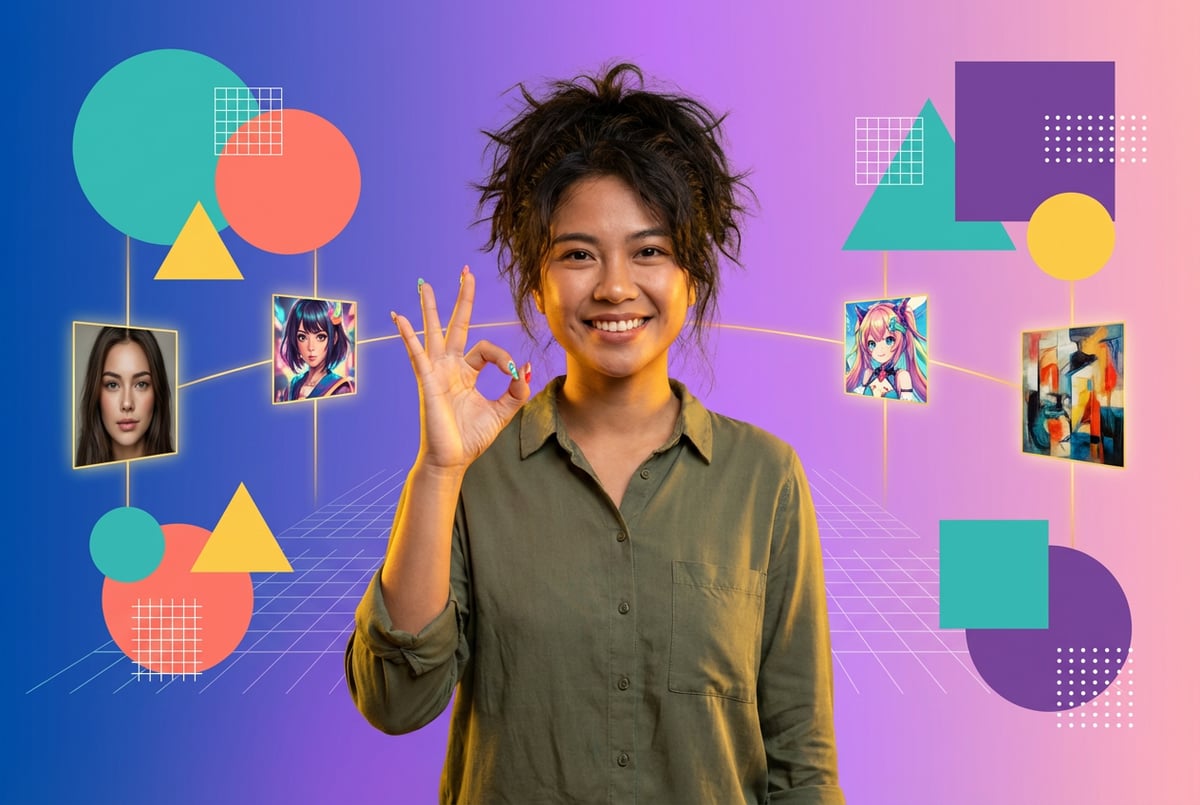
SDXL LoRA has become one of the most important tools in AI image generation, allowing creators to customize Stable Diffusion XL models without the massive computational requirements of full model retraining. If you’ve ever wondered how artists create consistent character designs or apply specific art styles to their AI-generated images, LoRA is likely the answer.
This guide explains what SDXL LoRA is, how it works, and why it matters for anyone working with AI image generation.
What Is SDXL LoRA?
SDXL LoRA (Low-Rank Adaptation) is a fine-tuning technique that allows you to customize Stable Diffusion XL models with specific styles, subjects, or concepts. Instead of retraining the entire 3.5 billion parameter SDXL model—which would require massive computational resources—LoRA adds small, trainable adapter layers that capture your specific customizations.
The original LoRA technique was developed by Microsoft Research in 2021 for natural language processing, but it has since become essential for visual AI workflows. When applied to SDXL, LoRA works by injecting low-rank matrices into the model’s attention layers, enabling efficient adaptation with minimal computational cost.
Think of LoRA as a lightweight plugin for your base SDXL model. The base model provides general image generation capabilities, while LoRA modules add specialized knowledge—like how to draw a specific character, replicate a particular art style, or render certain objects consistently.
How LoRA Differs from Full Fine-Tuning
Traditional fine-tuning requires updating millions or billions of parameters in a model, which demands substantial GPU memory and training time. A full SDXL fine-tune typically needs 24GB+ of VRAM and can take days to complete.
LoRA takes a different approach. It freezes the original model weights and trains small matrices (typically rank 8-128) that sit alongside the existing parameters. These matrices are orders of magnitude smaller than the full model—a typical SDXL LoRA file is 50-200MB compared to the 6GB+ base model.
This efficiency means you can train custom LoRA models with:
- As few as 15-30 training images (compared to thousands for full fine-tuning)
- 12GB VRAM or less (versus 24GB+ for full training)
- 2-3 hours of training time (versus days)
- Standard consumer GPUs like RTX 3060 or 4070
How SDXL LoRA Works Technically
Understanding the technical foundation of LoRA helps explain why it’s so efficient and versatile.
Low-Rank Matrix Decomposition
LoRA operates on the principle that weight updates during fine-tuning often reside in a low-dimensional subspace. When you fine-tune a model for a specific task, you don’t actually need to update all the parameters—most of the adaptation happens in a much smaller space.
For a pre-trained weight matrix W, LoRA expresses weight updates as:
W + ΔW, where ΔW = AB
Here, A and B are small matrices with dimensions that create a low-rank approximation. For example, if W is 1024×1024, you might use A as 1024×8 and B as 8×1024, giving you a rank of 8. This means instead of training 1,048,576 parameters, you train just 16,384—a reduction of over 98%.
Integration with SDXL Architecture
SDXL uses a U-Net architecture with attention layers where image features are processed and refined. LoRA adapters are typically inserted into these attention layers because that’s where most of the model’s understanding of concepts, styles, and relationships exists.
The SDXL architecture includes:
- Dual text encoders (OpenCLIP-ViT/G and CLIP-ViT/L) for superior prompt comprehension
- A U-Net backbone with multiple attention blocks
- A Variational Autoencoder (VAE) for encoding/decoding images
LoRA modules hook into the attention layers of the U-Net, allowing them to modify how the model attends to different features during image generation. This is why LoRA is so effective at controlling style and subject representation—it directly influences the attention mechanisms that determine what the model “pays attention to” when generating images.
Rank and Network Dimension
The “rank” in LoRA refers to the dimensionality of the low-rank matrices. Choosing the right rank involves balancing model capacity with efficiency:
- Rank 8-16: Best for simple subjects like character faces or single concepts. Trains quickly with minimal VRAM.
- Rank 32-64: Suitable for complex subjects with multiple details or moderate style variations.
- Rank 128+: Used for intricate style LoRAs or complex multi-concept training. Requires more VRAM and training time.
Higher ranks give the model more capacity to learn details, but they also increase file size, training time, and the risk of overfitting. Most practical SDXL LoRA models use ranks between 16 and 64.
Types of SDXL LoRA Models
Different types of LoRA serve different creative purposes. Understanding these categories helps you choose or train the right model for your needs.
Character LoRA
Remy doesn't write the code. It manages the agents who do.
Remy runs the project. The specialists do the work. You work with the PM, not the implementers.

Character LoRAs train on images of a specific person, fictional character, or creature to generate consistent representations across different scenes and poses. These are among the most popular LoRA types because they enable creators to maintain character consistency across multiple generated images.
A well-trained character LoRA can:
- Reproduce facial features and expressions accurately
- Maintain character identity across different poses and angles
- Preserve distinctive features like hair color, eye shape, or unique markings
- Work with various prompts and scenarios
Training a character LoRA typically requires 20-40 high-quality images showing the subject from various angles, with different expressions and lighting conditions.
Style LoRA
Style LoRAs capture specific artistic aesthetics, from watercolor paintings to anime art styles to photographic techniques. These models focus on the “how” rather than the “what”—they change how images look without necessarily adding new subjects.
Common style LoRA categories include:
- Art mediums (oil painting, pencil sketch, digital art)
- Genre styles (anime, manga, comic book, photorealism)
- Artist-specific styles (impressionism, pop art, specific illustrators)
- Photography styles (film grain, vintage, HDR, black and white)
Style LoRAs often require larger training datasets (50-200 images) because they need to capture broad aesthetic patterns rather than specific subjects.
Concept LoRA
Concept LoRAs train on specific objects, clothing items, architectural elements, or other recurring visual concepts. Examples include specific types of armor, fashion styles, architectural details, or product designs.
These models are particularly valuable for:
- Product design and visualization
- Fashion and costume design
- Architectural rendering
- Game asset creation
Detail Enhancement LoRA
Some LoRAs focus on improving specific aspects of image generation, such as:
- Hand and finger accuracy
- Facial detail and skin texture
- Lighting and shadow realism
- Material properties (metal, fabric, glass)
These specialized LoRAs help address common weaknesses in base SDXL generation.
Training Your Own SDXL LoRA
Training custom LoRA models has become accessible to creators with consumer-grade hardware. Here’s what you need to know.
Hardware Requirements
You can train SDXL LoRA models with relatively modest hardware:
- Minimum: RTX 3060 12GB or similar (with optimization techniques)
- Recommended: RTX 4070 or 4080 with 12-16GB VRAM
- Optimal: RTX 4090 or 5090 with 24GB+ VRAM
Memory optimization techniques like gradient checkpointing and fused backward pass have dramatically reduced VRAM requirements. With proper optimization, you can train SDXL LoRA on GPUs with as little as 10GB VRAM, though training will be slower.
Dataset Preparation
Dataset quality matters more than quantity for LoRA training. Here’s how to build an effective training dataset:
Image Selection:
- Use high-resolution images (1024×1024 or higher for SDXL)
- Ensure good lighting and sharp focus
- Include variety in poses, angles, and expressions (for character LoRA)
- Avoid duplicate or nearly-identical images
- Remove watermarks, text overlays, or distracting backgrounds when possible
Dataset Size Guidelines:
- Simple subjects: 15-20 images minimum
- Character faces: 20-40 images recommended
- Complex subjects: 40-100 images
- Style training: 50-200 images
Image Captioning:
Each training image needs a text caption describing its content. You can:
- Write captions manually (most control)
- Use automated captioning tools like BLIP or WD14 Tagger
- Combine automated captions with manual refinement
Good captions describe the main subject, pose, expression, clothing, setting, and any distinctive features. For style LoRAs, captions should focus on artistic elements rather than subject matter.
Training Parameters
Key training parameters affect both the quality and efficiency of your LoRA:
Other agents start typing. Remy starts asking.
Scoping, trade-offs, edge cases — the real work. Before a line of code.
Learning Rate: Controls how quickly the model adapts. SDXL LoRA typically uses rates between 1e-4 and 5e-4. Lower rates train slower but more stably; higher rates speed up training but risk instability.
Epochs: The number of times the model sees your entire dataset. Start with 4-6 epochs for small datasets. More epochs increase the risk of overfitting, where the model memorizes your training images instead of generalizing.
Batch Size: Number of images processed simultaneously. Smaller batch sizes (1-2) work better for small datasets and provide more frequent updates. Larger batch sizes speed up training but require more VRAM.
Network Rank: As discussed earlier, choose based on subject complexity. Start with rank 32-64 for most use cases.
Network Alpha: Scales the LoRA’s influence. A common setting is half the network rank (e.g., alpha=32 for rank=64).
Training Tools and Frameworks
Several tools make LoRA training more accessible:
Kohya SS: The most popular SDXL LoRA training toolkit, offering both GUI and command-line interfaces. It includes features like gradient checkpointing, mixed precision training, and various optimization techniques.
AI Toolkit: An alternative training framework with good documentation and community support.
Fluxgym: A user-friendly wrapper around Kohya scripts designed for FLUX and SDXL training.
Cloud Training Services: Platforms like RunPod, Paperspace, and Vast.ai offer rental GPUs for training when local hardware isn’t available. Typical costs range from $0.50-$2.00 per hour depending on GPU type.
Monitoring Training Progress
Track these metrics during training:
- Loss Value: Should gradually decrease. Typical range is 0.1 to 0.01 by the end of training.
- Sample Images: Generate test images every few epochs to check for overfitting and subject consistency.
- Training Speed: Track iterations per second to optimize your configuration.
Stop training if loss plateaus or sample images start looking worse (signs of overfitting).
Using SDXL LoRA Models
Once you have a LoRA model, using it is straightforward across most AI image generation platforms.
LoRA Strength and Weight
LoRA models have adjustable strength/weight settings that control how strongly they influence generation. This is typically a value between 0 and 1 (or sometimes -1 to 2):
- 0.0-0.3: Subtle influence, useful for adding hints of style
- 0.5-0.7: Moderate influence, balanced between base model and LoRA
- 0.8-1.0: Strong influence, emphasizing LoRA characteristics
- Above 1.0: Experimental, can produce interesting or unstable results
Lower weights preserve more of the base model’s capabilities while higher weights emphasize LoRA-specific features. Finding the right balance often requires experimentation.
Combining Multiple LoRAs
One of LoRA’s greatest strengths is modularity—you can use multiple LoRA adapters simultaneously to combine different concepts or styles.
Best practices for combining LoRAs:
- Start with one LoRA at a time to understand its behavior
- Use lower weights when combining multiple LoRAs (e.g., 0.6 each instead of 1.0)
- Two style LoRAs plus one subject LoRA is typically a safe maximum
- Watch for conflicts where one LoRA’s features override another
- Test different weight combinations to find optimal balance
Advanced techniques like K-LoRA use Top-K selection to identify the most important attention components in each LoRA layer, enabling more intelligent merging of content and style LoRAs without additional training.
Platform-Specific Usage
Different platforms handle LoRA integration differently:
ComfyUI: Uses dedicated LoRA Loader nodes. You can load multiple LoRAs and chain them together, adjusting weights individually for fine control. MindStudio offers a more user-friendly alternative that simplifies these workflows without requiring complex node-based configuration.
Automatic1111: LoRAs are loaded via the UI or prompt syntax. Use the format lora:filename:weight in your prompt to activate specific LoRAs.
Cloud Services: Many platforms now support LoRA, though implementation varies. Some require uploading LoRA files, while others connect to repositories like CivitAI.
MindStudio: Provides seamless LoRA integration by automatically handling CivitAI LoRA models—just paste the LoRA URL and the platform handles version compatibility and model loading. This eliminates the technical complexity of manual LoRA management.
Base Model Compatibility
LoRA compatibility depends on the base model used during training. SDXL has branched into several variants:
- Standard SDXL: The original Stability AI model
- Animagine: Optimized for anime and manga styles
- Pony Diffusion: Another anime-focused variant
- Illustrious: Specialized for illustration work
A LoRA trained on one base model may not work well with another. Always check which base model a LoRA was designed for before use.
Where to Find SDXL LoRA Models
Several platforms host community-created LoRA models.
CivitAI
CivitAI is the largest repository of LoRA models, hosting thousands of options across all categories. The platform includes:
- User ratings and reviews
- Example images generated with each LoRA
- Download statistics
- Training details and recommended settings
- Model versioning and updates
Most LoRA models on CivitAI are free, though some creators offer premium versions with additional features or support.
HuggingFace
HuggingFace hosts more research-oriented and experimental LoRA models. It’s particularly useful for finding cutting-edge techniques or specialized applications.
Other Resources
- GitHub repositories often include custom LoRAs with research papers
- Discord communities share experimental models
- Artist Patreon pages sometimes offer exclusive LoRAs
Advanced LoRA Techniques
Beyond basic usage, several advanced techniques push LoRA capabilities further.
LoRA Merging
You can permanently merge LoRA weights into a base model to create a new checkpoint. This is useful when you always want a specific LoRA’s influence without loading it separately.
Merging considerations:
- Increases model file size (merged model = base model + LoRA weights)
- Removes the flexibility of adjusting LoRA strength
- Can’t easily undo or update the merge
- May impact compatibility with other LoRAs
Block-Wise Training
Advanced training techniques allow applying LoRA to specific layers or blocks of the model rather than all attention layers. This provides granular control over which aspects of generation the LoRA affects.
The argument train_blocks=single in some training frameworks restricts LoRA training to specific transformer blocks, significantly speeding up training and reducing VRAM usage while maintaining quality for certain use cases.
LoRA+
LoRA+ is an enhancement that uses different learning rates for the two matrices (LoRA-A and LoRA-B) in the low-rank decomposition. This can provide:
- Up to 16x faster convergence
- Better final quality
- More stable training
AuroRA
AuroRA introduces an Adaptive Nonlinear Layer between the low-rank matrices, enabling more flexible adaptation with fewer parameters. It achieves full fine-tuning performance with only 6-25% of standard LoRA’s parameter count.
DyLoRA
Dynamic LoRA allows training models that work with multiple rank values simultaneously, providing flexibility to adjust capacity at inference time without retraining.
Real-World Applications
SDXL LoRA enables practical solutions across industries.
Content Creation
Remy is new. The platform isn't.
Remy is the latest expression of years of platform work. Not a hastily wrapped LLM.
YouTubers, streamers, and social media creators use character LoRAs to maintain consistent visual identities across thumbnails, channel art, and promotional materials. Style LoRAs help establish distinctive visual branding.
Product Visualization
E-commerce companies train LoRAs on their products to generate marketing images in various contexts and styles without expensive photoshoots. A furniture company might train a LoRA on their sofa line to show the products in different room settings.
Architectural Visualization
Architects and interior designers use LoRAs to explore design variations quickly. Training on specific architectural styles or interior design aesthetics helps clients visualize options before committing to expensive physical implementations.
Game Development
Game studios use LoRAs for concept art and asset generation. Character LoRAs maintain consistency across different scenes and situations, while environment LoRAs establish cohesive visual worlds.
Fashion and Design
Fashion designers experiment with garment designs, fabric patterns, and styling options using LoRAs trained on specific aesthetic directions or fabric types. This accelerates the creative exploration phase.
Medical Imaging
Research applications include training LoRAs on medical imaging datasets to generate synthetic training data for diagnostic AI systems. This addresses data scarcity issues while maintaining patient privacy.
Scientific Visualization
Researchers use LoRAs for materials science, metamaterial design, and microstructure generation. These applications demonstrate LoRA’s versatility beyond artistic use cases.
Performance Optimization
Several techniques improve LoRA training and inference performance.
Quantization
Model quantization reduces precision from 16-bit or 32-bit to lower bit depths:
FP8 (8-bit floating point): Reduces memory requirements by approximately 50% with minimal quality impact. Works well on newer NVIDIA GPUs (40-series and newer).
FP4/INT4 (4-bit): Reduces memory by 75% but requires careful implementation. Techniques like SVDQuant use low-rank branches to absorb outliers, maintaining quality while enabling 4-bit inference.
Quantized LoRAs can run on GPUs with as little as 6GB VRAM, making high-quality image generation accessible to users with budget hardware.
Memory Management
Efficient memory usage enables training and inference on consumer hardware:
- Gradient Checkpointing: Reduces memory usage by 30-50% with a 15-25% speed penalty
- Mixed Precision Training: Uses FP16 or BF16 for computation while maintaining FP32 precision where needed
- Latent Caching: Pre-computes and caches latent representations to avoid repeated encoding
- Text Encoder Caching: Pre-computes text embeddings to reduce VRAM during training
Multi-GPU Training
For users with access to multiple GPUs, data parallelism can accelerate training:
- 2 GPUs typically provide 1.6-1.8x speedup
- 4 GPUs can reach 2.5-3x speedup
- Diminishing returns beyond 4 GPUs for most LoRA training tasks
LoRA training shows better multi-GPU scaling than full fine-tuning due to its smaller parameter count and more efficient communication patterns.
Common Challenges and Solutions
Understanding common issues helps you troubleshoot effectively.
Overfitting
Overfitting occurs when a LoRA memorizes training images instead of learning generalizable patterns. Signs include:
- Generated images look nearly identical to training images
- Poor performance with prompts that differ from training captions
- Loss stops decreasing or starts increasing
Solutions:
- Use more training images (aim for 30+ minimum)
- Reduce epochs (try 3-5 instead of 10+)
- Lower learning rate
- Add regularization images
- Increase training diversity
Underfitting
Underfitting happens when the LoRA doesn’t learn enough from the training data. Signs include:
- Generated images barely reflect training concepts
- LoRA requires very high weights (above 1.0) to have any effect
- Inconsistent subject/style representation
Everyone else built a construction worker.
We built the contractor.
One file at a time.
UI, API, database, deploy.
Solutions:
- Increase training epochs
- Raise learning rate slightly
- Use higher network rank
- Improve dataset quality and variety
- Train for more steps
Training Instability
Loss oscillates wildly or training produces nonsensical outputs:
- Lower learning rate
- Enable gradient clipping
- Use smaller batch sizes
- Check for corrupted training images
- Verify caption quality
VRAM Limitations
Running out of memory during training or inference:
- Enable gradient checkpointing
- Use mixed precision (BF16/FP16)
- Reduce batch size
- Lower resolution during training
- Use quantized models
- Consider cloud GPU rental for training
Future Trends in LoRA Technology
Several developments are shaping the future of LoRA.
Multi-Modal LoRA
Research is extending LoRA beyond images to video, audio, and cross-modal applications. This includes:
- Video generation LoRAs that maintain temporal consistency
- Audio-visual LoRAs that coordinate sound and image generation
- 3D asset LoRAs for game development and virtual environments
Dynamic Rank Adaptation
Future systems may automatically adjust LoRA rank during training or inference based on task complexity, optimizing the efficiency-quality tradeoff without manual tuning.
Improved Merging Techniques
Research into better LoRA merging methods will enable more complex compositions without artifacts or conflicts. Multi-adapter scheduling applies different LoRAs at different stages of the diffusion process for more nuanced control.
Rights and Attribution
As LoRA becomes more widely used commercially, platforms are developing systems for attribution, usage tracking, and revenue sharing. Expect marketplaces that handle licensing, indemnification, and fair compensation for LoRA creators.
Efficiency Improvements
Ongoing research focuses on making LoRA even more efficient:
- Lower parameter counts while maintaining quality
- Faster training methods
- Better initialization techniques
- Automatic hyperparameter optimization
Integration with Newer Models
As new base models emerge (like FLUX, Stable Diffusion 3, and future iterations), LoRA techniques are being adapted and optimized for these architectures. Each new model generation brings opportunities for improved LoRA performance.
Practical Tips for Success
These guidelines help you get better results with LoRA.
Start Simple
Begin with a small, focused dataset and straightforward training parameters. Once you understand how changes affect results, experiment with more complex configurations.
Document Your Process
Keep notes on training parameters, dataset characteristics, and results. This documentation helps you iterate effectively and understand what works for different use cases.
Test Thoroughly
Generate diverse test images during and after training. Use various prompts, weights, and combinations to understand your LoRA’s behavior and limitations.
Leverage Community Resources
The SDXL and LoRA communities are active and helpful. Forums, Discord servers, and platforms like Reddit’s r/StableDiffusion offer valuable advice and troubleshooting help.
Consider Your Use Case
Different applications have different requirements. A LoRA for personal creative projects might prioritize style over consistency, while commercial applications need reliable, repeatable results.
Balance Quality and Efficiency
Higher ranks, more training steps, and larger datasets improve quality but increase time and resource costs. Find the sweet spot for your specific needs and constraints.
Getting Started with SDXL LoRA
If you’re ready to start working with SDXL LoRA, here’s a practical path forward.
For Users
- ✕a coding agent
- ✕no-code
- ✕vibe coding
- ✕a faster Cursor
The one that tells the coding agents what to build.
Start by exploring existing LoRA models on CivitAI. Download a few that match your interests and experiment with different weights and combinations. Pay attention to which LoRAs work well together and which require careful prompting.
Platforms like MindStudio make this exploration easier by handling LoRA integration automatically. You can paste CivitAI URLs directly and start generating without managing files or configuring complex systems.
For Trainers
Begin with a simple project—perhaps a style LoRA based on your own artwork or a character LoRA using photos of a consented subject. Start with default training parameters and a small, high-quality dataset.
As you gain experience, experiment with different parameters, dataset sizes, and training techniques. Track what works and build your understanding through iteration.
Resources for Learning
- Official Kohya SS documentation and guides
- CivitAI tutorials and community wiki
- YouTube channels focused on AI image generation
- Reddit communities like r/StableDiffusion
- GitHub repositories with example configurations
Ethical Considerations
Working with LoRA requires responsible practices.
Consent and Privacy
Only train LoRAs on images you have rights to use. For character LoRAs of real people, obtain explicit consent. Be aware of privacy implications, especially when training on identifiable individuals.
Attribution
When using LoRAs created by others, respect licensing terms and provide attribution where required. Many creators share LoRAs freely but appreciate recognition.
Commercial Use
Understand licensing implications for commercial applications. Some base models and LoRAs have restrictions on commercial use. Verify you have appropriate rights before using generated images commercially.
Content Responsibility
You’re responsible for content generated using LoRAs. Ensure your use complies with relevant laws and platform policies. Be mindful of potentially harmful or misleading content.
Conclusion
SDXL LoRA represents a significant advancement in AI image generation, making customization accessible to creators with consumer hardware and reasonable time investments. By understanding how LoRA works, how to train and use models effectively, and what’s possible with current techniques, you can leverage this technology for creative and practical applications.
The field continues to evolve rapidly, with new techniques, tools, and applications emerging regularly. Whether you’re creating art, developing products, designing environments, or exploring new creative possibilities, LoRA provides a flexible, efficient way to customize AI image generation to your specific needs.
The key to success with LoRA is experimentation combined with understanding. Start with proven configurations, iterate based on results, and gradually expand your knowledge. The community resources available make this learning process more accessible than ever.
As LoRA technology advances and integrates with newer models and platforms, its role in AI-assisted creativity will only grow. The combination of efficiency, flexibility, and quality makes LoRA an essential tool for anyone serious about AI image generation.