What Is FLUX 2 Pro? Black Forest Labs' Next-Gen Image Model
FLUX 2 Pro is the latest flagship image model from Black Forest Labs. Learn about its features, improvements over FLUX 1.1, and what you can create with it.
What Is FLUX 2 Pro?
FLUX 2 Pro is a 32-billion parameter AI image generation model released by Black Forest Labs in November 2025. The model generates and edits images at resolutions up to 4 megapixels while maintaining accurate text rendering, precise color matching, and consistent character identity across multiple outputs.
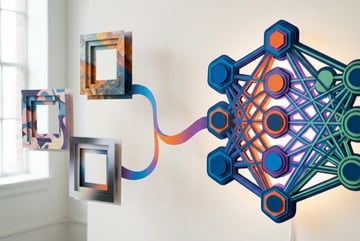
Black Forest Labs built FLUX 2 Pro using a latent flow matching architecture that combines a Mistral-3 24-billion parameter vision-language model with a rectified flow transformer. This approach differs from traditional diffusion models by learning direct mappings between text descriptions and image representations, which results in faster generation times and better prompt adherence.
The model can process up to 10 reference images simultaneously while preserving character features, product details, and style elements across all outputs. This makes it useful for brand consistency work, product visualization, and content that requires visual continuity across multiple images.
Technical Architecture
FLUX 2 Pro uses a flow matching approach rather than the iterative denoising process found in diffusion models. Flow matching learns straight-line paths between noise and clean images in latent space, which enables more efficient sampling and reduces the computational steps needed for generation.
The architecture has three main components:
- A vision-language model based on Mistral-3 that provides semantic understanding and real-world knowledge
- A rectified flow transformer that handles spatial relationships, material properties, and compositional logic
- A redesigned variational autoencoder (VAE) that balances image quality with compression efficiency
Remy is new. The platform isn't.
Remy is the latest expression of years of platform work. Not a hastily wrapped LLM.

The vision-language model processes text prompts and extracts contextual meaning before image generation begins. This allows FLUX 2 Pro to understand complex multi-part instructions and maintain logical consistency across generated scenes.
The rectified flow transformer operates on latent representations rather than raw pixels, which reduces memory requirements and speeds up inference. Full precision inference requires over 80GB of VRAM, but quantized versions using FP8 precision can run on consumer GPUs with 18-24GB of memory.
Multi-Reference Image Generation
FLUX 2 Pro can incorporate up to 10 reference images in a single generation request. Each reference image influences the output while maintaining its distinct contribution to the final result.
The model assigns different priority levels to reference images. The first six images receive high-fidelity processing with maximum attention to detail, while images seven through fourteen serve as supplementary references that influence overall composition without demanding the same level of individual attention.
This capability allows for complex scenarios like maintaining a character’s appearance across different scenes while changing backgrounds, lighting, and camera angles. Product teams use this feature to generate marketing assets that show the same product in multiple contexts while ensuring visual consistency.
Unlike single-reference systems that struggle with identity preservation, FLUX 2 Pro maintains exact facial features, clothing details, and distinctive characteristics across all reference inputs. This reduces the need for manual editing and makes it practical for workflows that require visual continuity.
Text Rendering and Typography
FLUX 2 Pro achieves approximately 60% accuracy on first attempt for complex typography, which represents a significant improvement over earlier AI image models. The model handles fine typography, infographics, UI layouts, and structured text without the garbled letters or misspellings common in previous generation tools.
The model renders text in multiple languages with proper character formation and spacing. This includes complex scripts like CJK (Chinese, Japanese, Korean), Arabic, and Devanagari characters. Text remains legible even at small font sizes and maintains proper kerning and layout alignment.
For design work that requires precise text placement, FLUX 2 Pro accepts JSON-structured prompts that specify exact positions, fonts, and styling for text elements. This allows developers to programmatically generate assets with consistent text formatting across large batches of images.
Color Accuracy and Brand Consistency
FLUX 2 Pro accepts hex color codes directly in prompts and reproduces them with exact accuracy. When you specify #FF6B35, the model generates that precise color without approximation or color drift.
This capability matters for brand work where color accuracy is non-negotiable. Marketing teams can generate hundreds of variations of an asset while maintaining exact brand colors across all outputs. The model understands color in context, applying specified colors to appropriate elements like clothing, backgrounds, product surfaces, or UI components.
The model also handles color relationships correctly. When generating scenes with multiple colored objects, it maintains proper color balance, lighting interactions, and atmospheric effects that would occur in real environments.
Model Variants and Options
Black Forest Labs offers four distinct variants of FLUX 2, each optimized for different use cases and technical requirements:
FLUX 2 Pro
Built like a system. Not vibe-coded.
Remy manages the project — every layer architected, not stitched together at the last second.
The flagship commercial model designed for production workflows. It delivers maximum image quality with zero configuration needed. Teams use this variant when they need reliable, consistent results without parameter tuning. Generation times average under 10 seconds for most outputs.
FLUX 2 Flex
A configurable variant that exposes internal parameters like sampling steps and guidance scale. Developers use Flex when they need to trade speed for extra quality or optimize generation for specific hardware constraints. This variant supports up to 10 reference images and provides the most control over the generation process.
FLUX 2 Dev
The open-weight edition available as downloadable checkpoints and via hosted endpoints. It combines text-to-image and image-to-image editing in a single architecture. Developers can fine-tune Dev locally, deploy it on their own infrastructure, or use it for experimentation without API costs.
FLUX 2 Klein
A compact variant with 4-billion and 9-billion parameter options designed to run on consumer hardware. Klein models achieve sub-second generation times on modern GPUs while maintaining competitive quality. The 4B variant requires approximately 13GB of VRAM, making it accessible on GPUs like the RTX 3090 and RTX 4070.
All variants support the same core features including multi-reference input, text rendering, and image editing. The main differences lie in generation speed, output quality, and deployment flexibility.
Image Editing Capabilities
FLUX 2 Pro handles both generation and editing in a unified architecture. The same model that creates images from text prompts can also modify existing images based on text instructions.
For editing, the model initializes from an existing image’s latent representation and then applies transformations while preserving structural elements you want to keep. This allows for targeted changes like replacing backgrounds, modifying clothing, adjusting lighting, or changing specific objects while maintaining the overall composition.
The editing workflow supports directive editing, which lets you specify changes without manually masking regions. You describe what should change, and the model identifies and modifies the appropriate areas while keeping everything else intact.
Multi-reference editing combines reference images with editing instructions. You can provide a base image to edit plus additional reference images that define style, lighting, or other elements to incorporate into the edit. This makes it possible to consistently apply visual treatments across multiple images.
Use Cases and Applications
Marketing and Advertising
Marketing teams use FLUX 2 Pro to generate campaign assets at scale. The multi-reference capability allows them to create dozens of variations showing the same product in different contexts while maintaining exact brand colors and visual consistency. Teams report 20% higher engagement rates compared to stock imagery.
The model generates social media graphics, video thumbnails, and ad creatives in seconds. This reduces turnaround time from days to hours and enables rapid A/B testing of visual concepts before committing to full production.
Product Photography
E-commerce businesses generate product mockups and promotional imagery without traditional photography costs. FLUX 2 Pro renders materials accurately, including fabric textures, metal reflections, and glass transparency. The model understands how light interacts with different surfaces and creates physically plausible scenes.
Remy doesn't write the code. It manages the agents who do.
Remy runs the project. The specialists do the work. You work with the PM, not the implementers.
Product teams can show items in multiple environments, lifestyle contexts, or seasonal settings by changing backgrounds and lighting while keeping the product appearance identical across all images. This reduces the need for multiple photo shoots and makes it practical to create region-specific marketing assets.
Content Creation
Publishers and content creators use FLUX 2 Pro for blog imagery, article illustrations, and featured images. The text rendering capabilities make it suitable for generating infographics, quote cards, and educational diagrams that previously required manual design work.
Video creators generate thumbnails, title cards, and promotional materials. Character designers use multi-reference input to maintain consistent character appearances across comic panels, storyboards, or animation concepts.
UI/UX Design
Design teams generate UI mockups and prototypes with accurate text, proper layouts, and realistic device frames. The model handles interface elements like buttons, forms, and navigation menus with correct proportions and spacing.
Teams can quickly iterate on design concepts by generating variations of layouts, color schemes, or component styles. This accelerates the early exploration phase before moving to detailed design tools.
Integration with AI Workflows
FLUX 2 Pro works within larger AI automation workflows. Platforms like MindStudio provide no-code interfaces for building AI applications that incorporate image generation alongside other AI capabilities like text processing, data analysis, and content creation.
In MindStudio, you can connect FLUX 2 Pro with other AI models to create automated content pipelines. For example, an AI agent might analyze product data, generate marketing copy, create product images with FLUX 2 Pro, and format everything into ready-to-publish social media posts—all without manual intervention.
This integration capability matters for teams that need image generation as part of a larger workflow rather than as a standalone tool. MindStudio’s visual builder lets non-technical users create these automated systems without writing code, making AI image generation accessible to marketing teams, content creators, and business operations staff.
Comparison with Other Models
FLUX 2 Pro vs Midjourney
Midjourney focuses on artistic and stylized imagery with strong aesthetic appeal. FLUX 2 Pro prioritizes instruction-following, text accuracy, and logical consistency. Midjourney excels at creating mood and atmosphere, while FLUX 2 Pro delivers precise execution of complex prompts.
FLUX 2 Pro offers better text rendering and supports multi-reference input, which Midjourney lacks. Teams that need brand consistency and exact color matching typically prefer FLUX 2 Pro. Creative projects that prioritize artistic interpretation often lean toward Midjourney.
FLUX 2 Pro vs DALL-E
DALL-E provides reliable, safe outputs with strong content moderation. FLUX 2 Pro offers more control through features like hex color codes, JSON prompting, and multi-reference input. DALL-E integrates tightly with ChatGPT for conversational image generation, while FLUX 2 Pro provides more programmatic control for production workflows.
FLUX 2 Pro generally produces more photorealistic results and handles complex prompts with better accuracy. DALL-E remains easier for quick, casual image generation without setup.
FLUX 2 Pro vs Stable Diffusion
Stable Diffusion offers complete control through open-source weights and extensive customization options. FLUX 2 Pro provides better out-of-the-box quality with less need for prompt engineering or parameter tuning.
Teams with technical resources and specific customization needs often choose Stable Diffusion. Organizations that need production-ready results without infrastructure setup prefer FLUX 2 Pro’s managed API.
Getting Started with FLUX 2 Pro
API Access
Plans first. Then code.
Remy writes the spec, manages the build, and ships the app.
Black Forest Labs provides API endpoints for FLUX 2 Pro through their official platform. You can also access the model through third-party providers like Fal.ai, Replicate, and Together AI, which offer different pricing structures and additional features.
Basic API usage requires an API key and a simple HTTP request. Here’s the general structure:
- Send a POST request to the API endpoint
- Include your prompt in the request body
- Optionally specify reference images, resolution, and other parameters
- Receive the generated image as a response
Most API providers offer SDKs in Python, JavaScript, and other languages that simplify integration. Documentation includes example code and common usage patterns.
Prompting Best Practices
FLUX 2 Pro responds well to clear, specific prompts. Describe what you want without overloading the prompt with unnecessary adjectives or style modifiers.
For text rendering, place text instructions at the beginning of your prompt. Specify exact wording in quotes and indicate where text should appear in the composition.
When using multiple reference images, organize them by priority. Place the most important references first, as the model gives higher attention to earlier images in the sequence.
For color specification, include hex codes directly in the prompt like “background color #2C3E50” or “shirt color #E74C3C”. The model interprets these precisely and applies them accurately.
Local Deployment
FLUX 2 Dev and Klein variants support local deployment. This requires downloading model weights from Hugging Face and running inference on your own hardware.
Minimum recommended specifications for local deployment:
- GPU: NVIDIA RTX 4090 or equivalent with 24GB+ VRAM
- RAM: 64GB system memory
- Storage: 100GB for model weights and cache
- CUDA: Version 12.1 or later
Quantized versions reduce these requirements significantly. FP8 quantization cuts VRAM usage by approximately 40% while maintaining similar quality. The Klein 4B variant runs on GPUs with as little as 13GB VRAM.
Pricing and Cost Considerations
FLUX 2 Pro uses megapixel-based pricing. The first generated megapixel costs $0.07, and each subsequent megapixel costs $0.03. A standard 1024×1024 image (1 megapixel) costs $0.07.
Reference images also count toward pricing. Each reference image is charged separately based on its resolution, rounded up to the nearest megapixel.
For high-volume usage, the Klein variants offer significant cost advantages. Local deployment with Klein models eliminates per-image API costs after the initial setup investment.
Third-party API providers often offer different pricing structures. Some charge flat rates per image regardless of resolution, while others bundle credits or offer subscription plans. Compare options based on your specific usage patterns and resolution requirements.
Performance Optimization
Reducing Generation Time
Generation speed varies based on resolution, number of reference images, and model variant. FLUX 2 Klein achieves sub-second generation for most requests, while Pro variants typically complete in 5-10 seconds.
For faster results, consider these approaches:
- Use lower resolutions during iteration and upscale final outputs
- Reduce the number of reference images when possible
- Switch to Klein variants for preliminary concepts
- Batch similar requests to take advantage of caching
Managing VRAM for Local Deployment
When running FLUX 2 locally, VRAM management becomes critical. Several techniques reduce memory requirements:
- CPU offloading moves inactive model components to system RAM
- VAE slicing processes images in smaller chunks
- Attention slicing reduces memory during the attention mechanism
- FP8 quantization cuts VRAM usage by 40% with minimal quality loss
Remy doesn't build the plumbing. It inherits it.
Other agents wire up auth, databases, models, and integrations from scratch every time you ask them to build something.
Remy ships with all of it from MindStudio — so every cycle goes into the app you actually want.
The Klein variants provide the best balance of quality and resource efficiency for local deployment. The 4B variant generates acceptable results on mid-range consumer GPUs while maintaining fast inference times.
Fine-Tuning and Customization
FLUX 2 Dev supports LoRA (Low-Rank Adaptation) fine-tuning, which allows customization without full model retraining. This makes it practical to specialize the model for specific styles, brands, or domains.
Fine-tuning requires 9-50 high-quality training images that consistently represent your target style or subject. The process trains a small adapter that modifies the base model’s behavior while preserving its general capabilities.
Common fine-tuning use cases include:
- Brand style consistency across marketing materials
- Character designs for comics or animation
- Specific artistic styles or techniques
- Product rendering with consistent materials and lighting
- Domain-specific imagery like medical illustrations or technical diagrams
Training a LoRA typically costs $2-3 and takes 5-8 minutes. Once trained, you can apply it to any generation request by specifying the LoRA identifier in your API call.
Limitations and Considerations
Hardware Requirements
Running FLUX 2 Pro locally requires significant hardware investment. Full precision inference needs over 80GB VRAM, which limits deployment to high-end professional GPUs. Even with quantization, you need at least 18-24GB VRAM for acceptable performance.
The Klein variants address this limitation but with some quality tradeoffs. Organizations without GPU infrastructure should use API access rather than attempting local deployment.
Content Moderation
FLUX 2 Pro includes content moderation filters that prevent generation of certain content types. These filters can sometimes trigger false positives on legitimate requests. Black Forest Labs implements moderation at the API level, and local deployments of Dev variants offer more control over moderation settings.
Generation Consistency
While FLUX 2 Pro maintains better consistency than earlier models, some variation still occurs between generations using the same prompt. Using seed values locks in specific random initialization, which helps reproduce exact results when needed.
For workflows that require absolute consistency, save and reuse reference images rather than regenerating from prompts. The multi-reference system provides more reliable consistency than relying on prompt-based generation alone.
Industry Adoption and Case Studies
Black Forest Labs has secured partnerships with major platforms including Adobe, Canva, Meta, and Microsoft. These integrations bring FLUX 2 capabilities into tools that millions of creators already use.
Enterprise adoption has grown rapidly since release. Organizations report significant time savings in content production workflows, with some teams reducing manual editing time by 40% or more.
Marketing teams use FLUX 2 Pro to generate entire campaigns with consistent branding across hundreds of assets. E-commerce businesses create product photography at scale without traditional photo shoots. Game studios and content creators maintain character consistency across multiple scenes and poses.
Future Development
Black Forest Labs continues active development of the FLUX model family. The company raised $300 million in Series B funding in December 2025, bringing total capitalization to $500 million. This funding supports research into next-generation models that unify visual perception, generation, memory, and reasoning.
The company has indicated plans for multimodal models that extend beyond static image generation. This includes text-to-video capabilities and models that can reason about visual content rather than just generating it.
The open-source components of FLUX 2 have seen over 400 million downloads, making them the most widely deployed visual generation systems globally. This community adoption drives ecosystem development including custom tools, integrations, and extensions.
Security and Privacy Considerations
When using FLUX 2 Pro through APIs, your prompts and generated images pass through external servers. This raises privacy concerns for sensitive or proprietary content. Review provider terms of service to understand data retention and usage policies.
For maximum privacy, deploy FLUX 2 Dev or Klein variants locally. This keeps all data on your infrastructure but requires technical expertise and hardware investment.
Black Forest Labs implements safety filters to prevent generation of harmful content. The model includes invisible watermarking capabilities using the invisible-watermark library, and they recommend C2PA metadata marking for generated images to support content authenticity verification.
Comparing Deployment Options
API Services
API access offers the fastest path to production with zero setup. You pay per image and scale automatically with demand. This works well for variable workloads and teams without GPU infrastructure. However, costs can become significant at high volumes, and you depend on external services for availability.
Local Deployment
Local deployment provides complete control and eliminates per-image costs after initial setup. You own the infrastructure and keep all data private. However, this requires significant hardware investment, technical expertise for setup and maintenance, and ongoing costs for electricity and infrastructure.
Hybrid Approaches
Many organizations use both approaches—API access for peak loads and specialized requests, with local deployment handling routine, high-volume generation. This balances cost efficiency with operational flexibility.
Integration Patterns
Synchronous Generation
For real-time applications like image editors or interactive tools, synchronous API calls work well. The client sends a request and waits for the response. FLUX 2 Klein’s sub-second generation times make this practical for interactive experiences.
Asynchronous Processing
For batch processing or applications that can tolerate latency, asynchronous patterns provide better resource utilization. Submit requests to a queue, process them as resources allow, and notify clients when results are ready. This approach handles high volumes efficiently and gracefully manages load spikes.
Webhook Integration
Many API providers support webhooks for asynchronous workflows. Submit a generation request with a callback URL, and the service posts results to your endpoint when ready. This pattern works well for automated pipelines and scheduled batch jobs.
Quality Assurance
Automated quality checks help maintain consistency in production workflows. Common validation steps include:
- Text verification to confirm rendered text matches specifications
- Color accuracy checks against hex values in prompts
- Resolution validation to ensure outputs meet requirements
- Content moderation to flag inappropriate outputs
- Similarity scoring when using reference images to verify consistency
For critical applications, implement human review for final approval. AI generation tools including FLUX 2 Pro occasionally produce unexpected results that automated checks might miss.
Optimizing for Different Use Cases
High Volume Production
For generating thousands of images daily, focus on automation and cost optimization. Use Klein variants locally to eliminate per-image API costs. Implement batch processing to maximize throughput. Cache common elements and reuse them across multiple generations.
Premium Quality Output
Other agents start typing. Remy starts asking.
Scoping, trade-offs, edge cases — the real work. Before a line of code.
When quality matters more than speed or cost, use FLUX 2 Flex with maximum sampling steps. Provide multiple reference images to constrain the output space. Generate multiple variations and select the best results. Consider fine-tuning a custom LoRA for your specific requirements.
Rapid Prototyping
For quick iteration during design exploration, use Klein variants with lower resolutions. Generate many variations quickly and upscale only the selected concepts. This approach minimizes waiting time during the creative process.
Technical Support and Community
Black Forest Labs maintains documentation, example code, and model cards on their website and GitHub repositories. The company provides technical support for API customers through standard support channels.
The open-source community around FLUX models has created numerous resources including tutorials, custom tools, and integrations. Reddit communities like r/StableDiffusion and r/FluxAI discuss technical details, share tips, and help troubleshoot issues.
Third-party API providers typically offer their own support channels and documentation. Quality varies significantly between providers, so evaluate support quality when selecting a service.
Licensing and Commercial Use
FLUX 2 Pro is available for commercial use through API access without additional licensing requirements beyond the API service terms.
FLUX 2 Dev uses a non-commercial license. You can use it for personal projects, research, and experimentation, but commercial use of generated outputs requires appropriate licensing or switching to API access with a commercial-friendly variant.
FLUX 2 Klein includes both Apache 2.0 licensed variants (4B models) and non-commercial licensed variants (9B models). Check the specific model card for licensing details before deployment.
Fine-tuned models inherit the license of their base model. LoRAs trained on Dev variants follow the non-commercial license unless you have separate commercial rights.
Monitoring and Analytics
Production deployments benefit from monitoring key metrics:
- Generation time distribution to identify performance issues
- API error rates and types to catch service problems early
- Cost per image to track budget and optimize spending
- Quality metrics to detect model drift or degradation
- Usage patterns to inform capacity planning
Most API providers include basic analytics in their dashboards. For detailed monitoring, instrument your application code to track these metrics in your own analytics platform.
Alternatives and Complementary Tools
FLUX 2 Pro works well for photorealistic and precise image generation. Other specialized tools serve different needs:
- Midjourney for artistic and stylized imagery
- Stable Diffusion for maximum customization and control
- DALL-E for quick, conversational generation
- Specialized models for specific domains like architectural visualization or medical imaging
Many production workflows use multiple models. Generate initial concepts with one model, refine with another, and use specialized tools for specific requirements. Platforms like MindStudio make it practical to orchestrate complex workflows that leverage multiple AI models without managing each integration separately.
Building Production-Ready Systems
Moving from experimentation to production requires attention to reliability, scalability, and cost management. Key considerations include:
- Error handling for API failures, timeouts, and unexpected outputs
- Retry logic with exponential backoff for transient failures
- Caching strategies to avoid regenerating identical requests
- Rate limiting to stay within API quotas
- Cost controls to prevent budget overruns
- Fallback mechanisms when primary services fail
Design systems to degrade gracefully when image generation fails. Provide fallback options or cached defaults rather than breaking the entire user experience.
Regulatory and Ethical Considerations
- ✕a coding agent
- ✕no-code
- ✕vibe coding
- ✕a faster Cursor
The one that tells the coding agents what to build.
AI-generated images raise questions about copyright, authenticity, and appropriate use. Current regulations vary by jurisdiction and continue to develop.
Best practices for responsible use include:
- Clearly label AI-generated content when required or appropriate
- Respect intellectual property in training data and reference images
- Avoid generating misleading or deceptive content
- Implement age-appropriate content filters
- Comply with platform-specific policies where you distribute content
- Consider implementing visible or invisible watermarks for generated images
Black Forest Labs has implemented extensive usage policies that prohibit harmful or illegal content generation. Review these policies before deployment and implement appropriate safeguards in your application.
Training Your Team
Successful adoption requires training team members on effective prompting, workflow integration, and tool limitations. Key training areas include:
- Prompt engineering basics for consistent results
- When to use reference images vs text-only prompts
- How to evaluate output quality and identify issues
- Cost management and optimization techniques
- Security and privacy best practices
- Integration with existing tools and workflows
Start with limited use cases and expand as team members gain experience. Document successful patterns and share learnings across the organization.
Measuring ROI
Quantify the impact of AI image generation to justify continued investment and identify optimization opportunities. Relevant metrics include:
- Time saved compared to traditional content creation
- Cost per asset generated vs previous methods
- Number of variations tested in design iterations
- Reduction in external vendor spending
- Improvement in campaign performance metrics
- Team capacity freed for higher-value work
Track these metrics before and after implementation to demonstrate value. Many organizations report time savings of 40% or more in content production workflows after adopting FLUX 2 Pro.
Final Thoughts
FLUX 2 Pro represents a significant advance in AI image generation. The model’s multi-reference capabilities, text rendering accuracy, and precise color control address real production workflow requirements rather than just creating impressive demos.
The model family’s range from Klein variants for consumer hardware to Pro for enterprise workflows means you can choose an appropriate option based on your specific needs and resources. The open-source Dev variant and Apache-licensed Klein 4B provide no-cost entry points for experimentation before committing to commercial deployments.
Success with FLUX 2 Pro requires understanding its strengths and limitations. The model excels at precise, controlled generation with clear instructions. It struggles with highly abstract or ambiguous prompts. It produces photorealistic results reliably but may require fine-tuning for specialized styles or domains.
Integration with broader AI automation platforms amplifies the value of image generation capabilities. When FLUX 2 Pro works as one component in a larger automated workflow, it enables entirely new approaches to content creation and digital asset management that weren’t practical with manual processes.
As AI image generation continues to develop, models like FLUX 2 Pro move closer to production-ready tools that complement rather than replace human creativity. They handle routine variations, enable rapid iteration, and free creative teams to focus on strategy and high-level direction rather than mechanical execution.