What Is Qwen Image? Alibaba's AI Image Generation Model
Qwen Image is Alibaba's entry into AI image generation. Learn about its features, visual quality, and what makes it a compelling option.
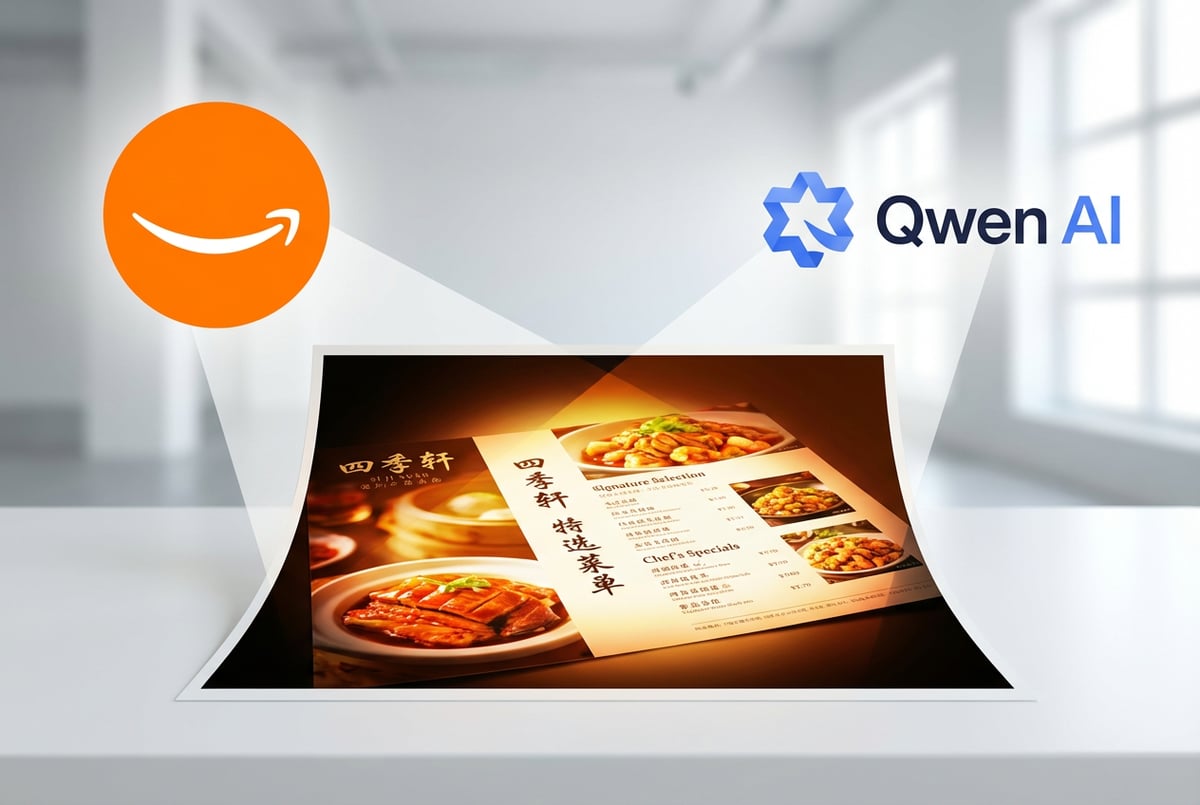
Alibaba’s Qwen Image represents a significant development in AI image generation technology. Released in August 2025 and updated through early 2026, this open-source model addresses one of the most persistent challenges in AI-generated imagery: rendering accurate, legible text within images.
If you’ve tried to generate an image with text using most AI tools, you know the frustration. Words appear garbled, letters get mixed up, or the text becomes completely unreadable. Qwen Image tackles this problem head-on, particularly for complex logographic languages like Chinese alongside English.
What Is Qwen Image?
Qwen Image is a 20-billion-parameter image generation foundation model built on a Multimodal Diffusion Transformer (MMDiT) architecture. Developed by Alibaba’s Qwen team, it’s designed to generate high-quality images from text prompts while maintaining exceptional accuracy in text rendering, image editing, and prompt adherence.
The model stands apart from competitors through three core capabilities:
- Complex text rendering: Handles detailed typography, multi-line layouts, paragraph-level text, and bilingual content (English and Chinese) with high accuracy
- Precise image editing: Performs style transfer, object manipulation, detail enhancement, and human pose adjustments without degrading image quality
- Native high resolution: Generates images up to 3584×3584 pixels directly, without requiring upscaling
The model is released under an Apache 2.0 license, which means you can use it commercially, modify it, and redistribute it with minimal restrictions. This open-source approach has made Qwen Image one of the most widely adopted image generation models in the developer community.
The Evolution to Qwen Image 2.0
Other agents start typing. Remy starts asking.
Scoping, trade-offs, edge cases — the real work. Before a line of code.

In February 2026, Alibaba released Qwen Image 2.0, which represents a major architectural shift. The new version consolidates text-to-image generation and image editing into a single unified model, while dramatically reducing the parameter count from 20 billion to 7 billion.
This reduction doesn’t mean less capable. In fact, Qwen Image 2.0 maintains high performance while becoming more efficient and faster to run. The model can now:
- Generate images at native 2048×2048 resolution with microscopic detail
- Process prompts up to 1,000 tokens long, allowing extremely detailed instructions
- Handle both generation and editing tasks without switching models
- Render professional typography including infographics, movie posters, and calendars
- Perform multi-image compositing and cross-domain editing
The unified approach means you can generate an image from text, then edit that same image using text instructions, all within the same model. This eliminates the workflow friction of switching between different tools for different tasks.
Technical Architecture
Qwen Image uses an encoder-decoder architecture that separates understanding from generation. The encoder is Qwen3-VL, a vision-language model that comprehends both text prompts and input images. This encoder extracts semantic meaning and contextual relationships from your instructions.
The decoder is a diffusion-based model that generates the actual image. This separation enables the unified generation and editing capability that makes Qwen Image distinctive.
For image editing specifically, Qwen Image employs a dual-encoding mechanism:
- Semantic encoding: Qwen2.5-VL processes the input image to extract high-level conceptual content and relationships
- Reconstructive encoding: A Variational Autoencoder (VAE) captures low-level visual details and texture information
This dual approach balances semantic consistency with visual fidelity. When you edit an image, the model preserves the essential character and structure while making the specific changes you requested.
Training Strategy
Qwen Image uses a progressive curriculum learning approach for text rendering. The training starts with simple images containing no text or basic captions, then gradually increases complexity:
- Phase 1: Non-text images and simple captions
- Phase 2: Single words and short phrases
- Phase 3: Complete sentences and multi-line text
- Phase 4: Paragraph-level descriptions and complex layouts
This incremental scaling helps the model develop specialized capabilities for handling linguistic information within visual contexts. The training data includes approximately 55% nature images, 27% design content, 13% human portraits, and 5% synthetic text rendering data.
Text Rendering Capabilities
Text rendering is where Qwen Image truly excels. The model can generate legible, properly formatted text across multiple languages and scripts. This includes:
- Complex typography with accurate font rendering
- Multi-column layouts like newspapers or magazines
- Bilingual content mixing English and Chinese characters
- Specialized text like calligraphy or stylized fonts
- Professional infographics with charts, labels, and annotations
In benchmark testing, Qwen Image achieved over 90% accuracy in bilingual text editing, maintaining font styles and layouts across both English and Chinese characters. This is significantly higher than most competing models, which struggle with non-Latin scripts.
The model’s ability to handle Chinese text is particularly noteworthy. Logographic languages present unique challenges for AI image generation because each character carries meaning and must be rendered precisely. Small errors that might be overlooked in alphabetic text become glaring mistakes in Chinese characters.
Image Quality and Realism
Remy is new. The platform isn't.
Remy is the latest expression of years of platform work. Not a hastily wrapped LLM.
Qwen Image 2512, the December 2025 update, made substantial improvements in image realism. The model reduces the artificial “AI look” that plagues many generated images, particularly in human subjects.
Key improvements include:
- Enhanced human realism: More detailed facial features, accurate skin textures with pores and blemishes, natural lighting and shadows
- Finer natural details: Realistic rendering of landscapes, animal fur, foliage, and water
- Better environmental integration: Subjects interact naturally with their surroundings
The model generates images with fine details like fabric weave, architectural textures, and natural foliage rendered with precision directly during generation, not through post-processing upscaling.
Image Editing Features
Qwen Image Edit Plus extends the base model’s capabilities with specialized editing functions. The API operates in two distinct modes:
Semantic Editing
This mode handles high-level changes to objects, scenes, and concepts:
- Style transfer between different artistic styles
- Object addition or removal
- Scene transformation (day to night, summer to winter)
- Pose adjustment for human figures
- Novel view synthesis (changing camera angle)
Appearance Editing
This mode focuses on pixel-level modifications:
- Text modification while preserving fonts and layouts
- Color adjustments and material changes
- Detail enhancement in specific regions
- Lighting modifications
- Background replacement
The model also supports reference-based multi-image editing. You can provide 2-3 source images and combine their elements into a cohesive output. This is useful for product photography, where you might want to place a product in different settings while maintaining consistent lighting and perspective.
Performance Benchmarks
Qwen Image ranks as the top open-source text-to-image model on Alibaba’s AI Arena platform, which uses an Elo rating system similar to chess rankings. The platform conducted over 10,000 blind human evaluations to compare different models objectively.
In these evaluations:
- Evaluators compare images generated from the same prompt by different models
- They don’t know which model created which image, eliminating bias
- Models gain or lose points based on win/loss ratios
Qwen Image 2512 remains highly competitive even against closed-source commercial models. While it may not match the absolute best proprietary systems in every scenario, it offers compelling performance for an open-source model that you can run on your own infrastructure.
In production testing across 1,200+ API calls, Qwen Image Edit Plus achieved:
- Average response time: 5.2 seconds
- Text accuracy rate: 94.3%
- Identity preservation: 91.7%
- First-try success rate: 87.1%
Hardware Requirements
Running Qwen Image locally requires substantial computational resources. The base model needs approximately 40GB of VRAM, which typically means an A100 or H100 GPU. The full Qwen Image Edit model uses around 58GB of VRAM.
However, quantization techniques can reduce these requirements significantly. GGUF (GPT-Generated Unified Format) quantization allows the model to run on consumer hardware with 8GB to 24GB of VRAM. The Q4_K_M quantization variant offers only about 12% quality reduction while enabling generation on mainstream GPUs like RTX 4060 or 4070.
Different quantization levels provide trade-offs between quality, speed, and memory usage:
- Q2_K: 8GB VRAM, lowest quality but fastest
- Q4_K_M: 16GB VRAM, balanced quality and performance
- Q8_0: 24GB VRAM, near-identical quality to original model
For cloud deployment, the model works well on platforms like RunPod, with cold starts taking 60-120 seconds and warm inference taking 20-40 seconds.
How to Access Qwen Image
You have several options for using Qwen Image:
Remy doesn't write the code. It manages the agents who do.
Remy runs the project. The specialists do the work. You work with the PM, not the implementers.
API Access
Alibaba Cloud offers API access through their Model Studio. Pricing follows a token-based, pay-as-you-go model with no free tier. Costs vary by model complexity:
- Qwen-Flash: $0.05 per million input tokens, $0.40 per million output tokens
- Qwen-Plus: $0.40 per million input tokens, $1.20-$4.00 per million output tokens
- Advanced models: Up to $1.20 per million input tokens and $12 per million output tokens
For image generation specifically, the cost is approximately $0.03 per image with no subscription requirements.
Local Deployment
You can download the model weights from Hugging Face or ModelScope and run it locally. This requires:
- High-end GPU with sufficient VRAM
- Python environment with required dependencies
- Storage space for model weights (approximately 40-60GB)
Local deployment gives you complete control and privacy, with no per-image costs after the initial infrastructure investment.
Third-Party Platforms
Several platforms offer Qwen Image access, including WaveSpeedAI, which provides a unified interface to multiple AI image generation models. This approach lets you switch between different models based on your specific needs without managing separate accounts or integrations.
Use Cases and Applications
Qwen Image works well for several specific scenarios:
E-commerce Product Visualization
Generate product images in different settings, lighting conditions, and styles without expensive photo shoots. The model’s ability to maintain product identity while changing backgrounds makes it useful for creating catalog variations quickly.
Marketing Materials with Text
Create promotional graphics, social media posts, and advertisements that include text overlays. The accurate text rendering means you can generate finished graphics without needing separate text editing software.
Multilingual Content
Produce marketing materials for Chinese and English-speaking audiences without switching tools. The bilingual text rendering capability is particularly valuable for companies operating in Asian markets.
Design Prototyping
Quickly visualize design concepts for presentations, client approvals, or internal reviews. The ability to edit images through text instructions speeds up iterative design processes.
Content Localization
Adapt existing images for different markets by changing text, adjusting cultural elements, or modifying visual style while maintaining brand consistency.
Limitations and Considerations
Qwen Image has some constraints you should consider:
Computational Requirements
The high VRAM requirements make local deployment impractical for many users without access to datacenter-grade GPUs. Even with quantization, you need at least 8GB VRAM, which excludes many consumer devices.
Grid Artifacts
Users have reported grid artifacts in generated images, particularly at higher resolutions. These artifacts appear as subtle patterns or regularities in the image texture.
Complex Anatomical Poses
While the model handles human figures well in standard poses, extremely complex or unusual poses can still produce errors. The model struggles with certain specific details like rendering gore or very intricate hand positions.
Speed
Generation times are slower than some competing models. Depending on your hardware and settings, generating a single image can take 30-100 steps, which translates to several seconds or more per image.
Polished Aesthetic
Some users note that Qwen Image outputs can appear “too polished” or synthetic-looking, even when the model is trying for realism. This might be due to the use of synthetic images in training data.
Built like a system. Not vibe-coded.
Remy manages the project — every layer architected, not stitched together at the last second.
Comparison with Other Models
How does Qwen Image stack up against alternatives?
vs. Midjourney and DALL-E
Commercial models like Midjourney and DALL-E 3 generally offer more polished results and better prompt understanding out of the box. They’re also easier to use through web interfaces. However, Qwen Image provides more control, allows local deployment, and excels at text rendering, particularly for non-Latin scripts.
vs. Stable Diffusion
Stable Diffusion offers more community resources, LoRA models, and tooling. However, Qwen Image’s text rendering capabilities and integrated editing features are superior. The choice depends on whether you prioritize ecosystem maturity or specific capabilities like bilingual text.
vs. Flux
Flux models offer good text handling and are popular for consistency and editing. Qwen Image provides stronger semantic fidelity (changing only what you specify without hallucinating new details) and better multilingual support, particularly for Chinese.
vs. Z-Image
Z-Image Turbo offers superior realism in photographic outputs and faster generation through 8-step distillation. However, Z-Image can produce similar outputs across different seeds (less diversity), while Qwen Image offers more controllability and better text processing.
Professional Workflows
Many professionals use multiple AI image models in sequence, leveraging each model’s strengths:
- Generate character or subject with Z-Image for photorealism
- Create environment with Qwen Image for detailed backgrounds and text elements
- Blend images together with Flux for consistent lighting and scene integration
- Add final details with Nano Banana Pro for micro-editing and contextual refinements
This multi-model approach delivers results that single models struggle to achieve alone. However, it requires knowledge of multiple tools and adds complexity to workflows.
Integration with Automation Platforms
For teams looking to integrate AI image generation into broader workflows, platforms like MindStudio offer the ability to connect image generation with other business processes. You can build workflows that combine image generation with data processing, content management, and distribution systems without writing code.
This matters because AI image generation rarely exists in isolation. You typically need to:
- Pull data from spreadsheets or databases to inform image parameters
- Generate multiple variations based on different inputs
- Process generated images through additional steps
- Distribute images to websites, social media, or other channels
- Track results and iterate based on performance
No-code AI automation platforms handle these integration challenges, letting you build complete end-to-end workflows that include image generation as one component among many.
Future Development
Alibaba’s roadmap for the Qwen family suggests continued development in several directions:
Unified Multimodal Models
The trend is toward models that handle text, images, audio, and video within a single architecture. Qwen3-Omni already demonstrates multilingual capabilities across multiple modalities with real-time interaction.
Context Length Expansion
Plans include scaling context length from the current limits to 100 million tokens, which would enable processing entire books, comprehensive datasets, or extended conversations without losing context.
Improved Physical World Alignment
Future versions aim to better understand and represent physical properties like lighting, shadows, materials, and physics. This should reduce artifacts and improve realism.
Enhanced Controllability
Plans first. Then code.
Remy writes the spec, manages the build, and ships the app.
Development focuses on giving users more precise control over generation outputs through improved prompt understanding, better adherence to instructions, and more sophisticated editing capabilities.
Practical Tips for Using Qwen Image
Based on user experience and testing, here are recommendations for getting good results:
Prompt Engineering
Be specific and descriptive in your prompts. Include details about:
- Subject characteristics (age, appearance, clothing)
- Environment and setting
- Lighting conditions (soft light, golden hour, studio lighting)
- Camera angle and composition (eye-level, waist-up shot, 50mm lens)
- Style and mood (photorealistic, cinematic, documentary)
Longer, more detailed prompts generally produce better results with Qwen Image, since the model supports up to 1,000 tokens.
Generation Parameters
Start with these settings and adjust based on results:
- Steps: 30-50 for good quality, 50-100 for best quality
- CFG Scale: 3.5-5.0 works well for most prompts
- Resolution: 1024×1024 as a baseline, up to 2048×2048 for final outputs
- Seed: Use fixed seeds when you need consistent results across variations
Iterative Refinement
Generate multiple variations (4-6 images) from the same prompt and select the best result. Then use that as a starting point for editing rather than regenerating from scratch.
Text Rendering
When generating images with text:
- Specify font style if you have preferences
- Describe text placement and layout explicitly
- Keep text content reasonable (the model handles short to medium text better than lengthy paragraphs)
- Use quote marks around the exact text you want to appear
Image Editing
For editing existing images:
- Use mask-based editing when you want to change specific regions
- Provide reference images when you want to transfer style or elements
- Be explicit about what should change and what should stay the same
- Start with subtle edits before attempting dramatic transformations
Community and Resources
Qwen Image has an active open-source community contributing tools, tutorials, and extensions:
Official Resources
- GitHub repository with code, documentation, and examples
- Technical paper detailing architecture and training methodology
- Model weights on Hugging Face and ModelScope
- API documentation from Alibaba Cloud
Community Tools
- ComfyUI integration for visual workflow building
- LoRA training tutorials and pre-trained LoRAs
- Quantized model variants for different hardware configurations
- Integration plugins for popular AI frameworks
Learning Resources
- Video tutorials on model training and fine-tuning
- Prompt engineering guides specific to Qwen Image
- Comparison benchmarks with other models
- Use case examples across different industries
Ethical Considerations
Using AI image generation responsibly requires attention to several concerns:
Copyright and Attribution
The Apache 2.0 license allows commercial use of Qwen Image, but you need to consider:
- Attribution requirements for derivative works
- Potential copyright issues with training data
- Intellectual property rights for generated images
- Commercial use limitations in specific jurisdictions
Bias and Representation
Like all AI models trained on internet data, Qwen Image can perpetuate biases present in training data. Consider:
- Testing outputs across diverse demographics
- Monitoring for stereotypical representations
- Adjusting prompts to ensure inclusive content
- Reviewing generated content for problematic elements
Transparency
When using AI-generated images professionally:
- Disclose when images are AI-generated if relevant
- Don’t present AI-generated content as photography without disclosure
- Be transparent about capabilities and limitations with clients
- Consider watermarking or metadata to indicate AI origin
Misinformation Risks
High-quality image generation enables potential misuse:
- Creating misleading or fake imagery
- Impersonating real people or events
- Generating deceptive product images
- Producing misleading news or documentary content
Use these capabilities responsibly and consider implementing safeguards in production systems.
Cost Considerations
The total cost of using Qwen Image depends on your deployment approach:
Cloud API Costs
At approximately $0.03 per image, API access is cost-effective for moderate volumes. For 1,000 images per month, you’d spend about $30. For 10,000 images, around $300.
This works well for:
- Variable workloads with unpredictable demand
- Testing and development before committing to infrastructure
- Small to medium scale production use
Self-Hosted Infrastructure
Local deployment requires upfront investment but eliminates per-image costs:
- GPU rental: $1-$3 per hour on platforms like RunPod
- GPU purchase: $5,000-$30,000 for A100 or H100 hardware
- Storage and bandwidth costs
- Maintenance and management overhead
This makes sense for:
- High-volume production workloads (thousands of images daily)
- Privacy-sensitive applications requiring on-premises processing
- Organizations with existing GPU infrastructure
Break-Even Analysis
If you’re generating more than 30,000 images per month, self-hosting typically becomes more cost-effective than API usage. Below that threshold, APIs offer better economics unless you have other reasons for local deployment.
Looking Ahead
AI image generation is moving from experimental technology to production infrastructure. Qwen Image demonstrates this shift through its focus on controllability, precision, and integration rather than just visual quality.
The model’s strengths in text rendering and bilingual support address real business needs, particularly for companies operating in Asian markets or requiring multilingual content. Its open-source nature and Apache 2.0 license remove barriers to adoption and enable customization for specific use cases.
However, the technology still has limitations. Generation speed, hardware requirements, and occasional artifacts prevent it from being a complete replacement for traditional design and photography workflows. The best approach often combines AI generation with human expertise, using AI to accelerate production while maintaining quality control through human review.
For teams building AI-powered workflows, the key is integration. Individual AI models solve specific problems, but business value comes from connecting those capabilities into end-to-end processes. Platforms that enable this integration without requiring extensive technical expertise make AI accessible to more organizations and use cases.
Qwen Image represents meaningful progress in making AI image generation useful for actual work rather than just impressive demos. Its continued development and the broader ecosystem around it suggest that AI image generation will become increasingly practical and integrated into standard business operations over the coming years.