What Is Luma Ray 2? High-Quality AI Video from Luma Labs
Ray 2 is Luma Labs' flagship AI video model. Discover its visual quality, megapixel-based pricing, and the best ways to use it for content creation.
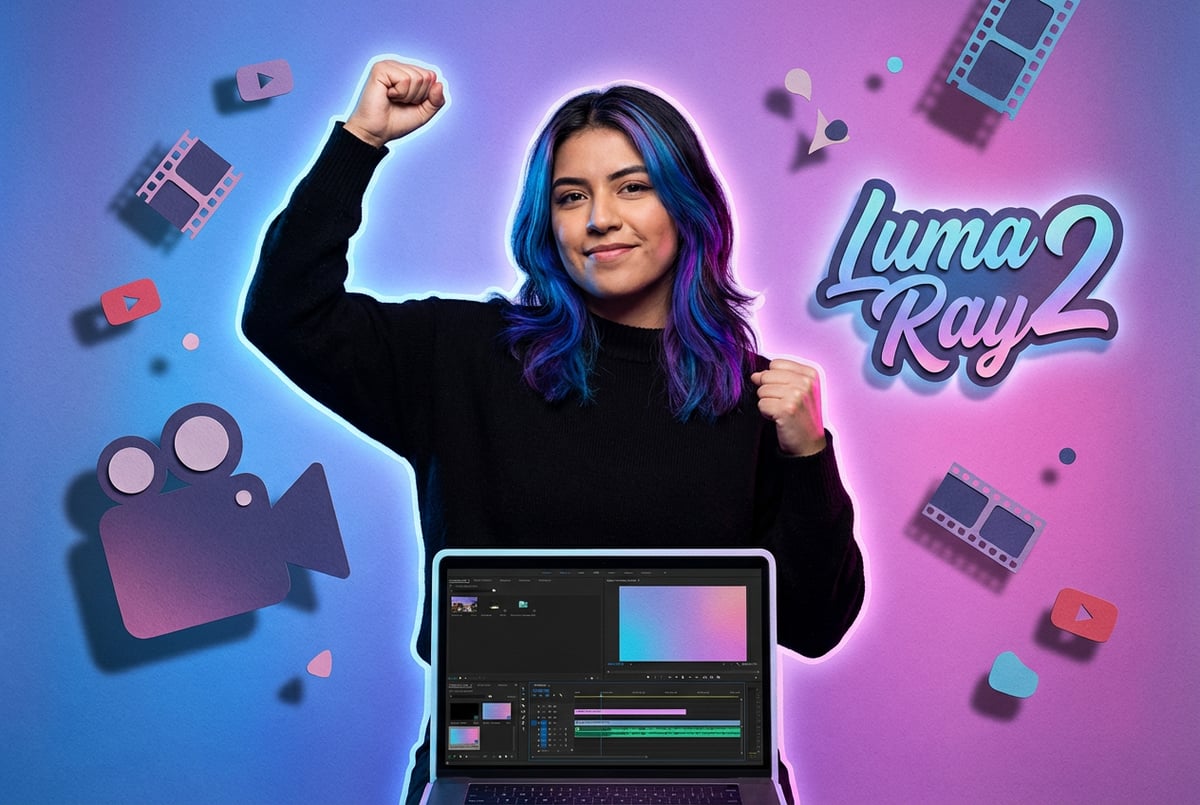
What Is Luma Ray 2?
Ray 2 is Luma Labs’ AI video generation model that creates realistic video clips from text prompts or images. Released in early 2025, it represents a significant step forward in AI video technology with 10x the computational power of its predecessor, Ray 1.6.
The model generates videos between 5 and 10 seconds long at resolutions up to 1080p, with optional 4K upscaling. Unlike earlier AI video tools that struggled with motion consistency and physical realism, Ray 2 was trained directly on video data rather than individual frames. This approach helps it understand natural movement, accurate lighting, and how objects interact in real space.
Luma Labs built Ray 2 using a multi-modal architecture that processes text instructions alongside visual inputs. You can start with just a text description, feed it an image to animate, or provide video as input for modifications. The model handles complex camera movements, maintains scene coherence across frames, and produces motion that looks believable rather than artificial.
Core Technical Specifications
Ray 2 operates with specific technical parameters that define what you can create:
Resolution Options:
- 540p (960 × 540 pixels)
- 720p (1280 × 720 pixels)
- 1080p (1920 × 1080 pixels)
- 4K upscaling available as post-processing
Video Duration:
- Base generation: 5 or 9 seconds per clip
- Extension capability: up to 30 seconds total
- Frame rate: 24 fps standard output
Aspect Ratios Supported:
- 16:9 (standard widescreen)
- 9:16 (vertical/mobile)
- 1:1 (square)
- 21:9 (ultra-wide)
Other agents ship a demo. Remy ships an app.
Real backend. Real database. Real auth. Real plumbing. Remy has it all.

The model processes approximately 921,600 pixels per frame at 720p resolution. When you request 4K upscaling, that jumps to 8.3 million pixels per frame. The upscaling uses AI-powered interpolation algorithms that predict and reconstruct missing pixel data rather than simply stretching the image.
How Ray 2 Actually Works
Most early AI video models approached video generation by creating individual frames and then trying to stitch them together smoothly. This frame-by-frame approach often resulted in flickering, morphing objects, and motion that didn’t follow real-world physics.
Ray 2 takes a different path. Luma Labs trained it directly on video sequences, teaching the model to understand motion as a continuous flow rather than discrete snapshots. The training dataset included videos showing how objects move, how light behaves in different conditions, and how camera perspectives shift naturally.
When you input a text prompt, Ray 2’s transformer architecture breaks down your description into scene components, motion dynamics, lighting conditions, and camera behavior. The model then generates video by predicting the temporal evolution of the scene, frame by frame, while maintaining consistency with the physical properties it learned during training.
The multi-modal architecture means Ray 2 can process different input types simultaneously. You can combine text descriptions with reference images, specify camera movements through prompts, or guide the output using start and end frames. This flexibility makes it useful for different creative workflows.
Ray 2 Flash: Speed-Optimized Variant
Luma Labs released Ray 2 Flash as a faster, more affordable version of the base model. Flash produces similar quality output but completes generation in roughly one-third the time and costs one-third as much per video.
Performance Comparison:
- Ray 2 standard: 47-167 seconds render time
- Ray 2 Flash: 30-53 seconds render time
- Ray 2 standard pricing: $0.50-$1.62 per video
- Ray 2 Flash pricing: $0.17-$0.54 per video
Flash achieves this speed by using accelerated frame interpolation and optimized text-conditioning. The model prioritizes inference speed while maintaining core visual quality. You’ll notice slightly less depth in complex scenes compared to standard Ray 2, but for rapid prototyping, social media content, or quick concept visualization, the quality difference is minimal.
The Flash variant handles the same resolution options and aspect ratios as standard Ray 2. It’s particularly useful when you need to iterate quickly on ideas or generate multiple variations of a concept before committing to a final high-quality render.
Keyframe Control and Video Extension
Ray 2 introduced keyframe support, giving you more precise control over video generation. You can specify start frames, end frames, or both, which helps maintain visual consistency across longer sequences.
Keyframe Capabilities:
- First frame input: Define exactly how your video starts
- Last frame input: Control where your video ends
- Dual keyframe: Set both endpoints and let Ray 2 generate the transition
The extension feature lets you connect multiple 5 or 9-second clips into longer sequences. Ray 2 analyzes the final frames of your initial clip and uses that information to generate a coherent continuation. This maintains character positions, environmental state, lighting conditions, and motion trajectories.
There’s a practical limit to extension quality. Luma Labs documentation notes a cap at 30 seconds before you might see quality degradation. Each subsequent extension can compound small inconsistencies, leading to drift in visual style or physical accuracy. For professional work requiring longer videos, you’ll get better results stitching together multiple independent generations in a video editor.
Pricing Models and Access Plans
Ray 2 uses a megapixel-based pricing system. You pay based on the total pixels generated, which means higher resolution and longer duration cost more.
Calculation Example:
720p video at 5 seconds = 1280 × 720 pixels × 24 fps × 5 seconds = 110.6 million pixels
At $0.01582 per million pixels = approximately $1.75 per generation
Subscription Tiers:
- Free tier: Limited generations per month, watermarked output
- Standard plan: $9.99/month, removes watermarks, commercial use rights
- Pro plan: $29.99/month, higher generation limits, priority queue
- Unlimited plan: $29.99/month, no per-video credit limits
The unlimited plan structure differs from typical credit-based systems. Once you pay the monthly fee, you can generate as many videos as you want without worrying about running out of credits. This makes budgeting simpler for high-volume users.
For API access through platforms like Amazon Bedrock or third-party providers, pricing varies. AWS charges based on compute time and data transfer, while platforms like Replicate and fal.ai often offer lower per-generation costs than official APIs.
Primary Use Cases
Ray 2 works well for specific video creation needs. Understanding where it excels helps you decide if it’s the right tool for your project.
Product Demonstration and Marketing
Product teams use Ray 2 to visualize concepts before physical prototypes exist. You can create videos showing products in different environments, demonstrate features, or test market reception without expensive production costs.
Marketing teams generate multiple versions of product reels quickly. The model handles product placement, rotation views, and dynamic backgrounds. E-commerce businesses create videos from product photos, adding motion to static catalog images for social media posts or website headers.
Content Creation and Social Media
Short-form video creators use Ray 2 Flash for rapid iteration. The 5-9 second output length matches TikTok, Instagram Reels, and YouTube Shorts formats. You can test multiple creative concepts in minutes rather than hours.
The multi-aspect-ratio support means you generate versions optimized for different platforms from one prompt. Create 16:9 for YouTube, 9:16 for Stories, and 1:1 for feed posts without manual reformatting.
Previsualization and Storyboarding
Production studios use Ray 2 for previz work. Before shooting expensive scenes, directors can visualize camera angles, lighting setups, and scene composition. This helps communicate creative vision to crew members and clients.
Special effects teams generate initial versions of VFX sequences. Ray 2 creates placeholder content that gives everyone a sense of timing and composition before committing resources to final renders.
Advertising and Creative Concepting
Ad agencies test concepts with clients using Ray 2-generated videos. The speed of generation allows multiple creative directions in a single meeting. Clients see moving examples rather than static storyboards, making feedback more specific and actionable.
Background generation for commercials speeds up when you need generic environments or establishing shots. Ray 2 creates realistic settings that can be refined later or used as-is for lower-budget productions.
Integration and Workflow Options
Ray 2 is available through multiple platforms, each with different features and pricing structures.
Native Luma Labs Platform
- ✕a coding agent
- ✕no-code
- ✕vibe coding
- ✕a faster Cursor
The one that tells the coding agents what to build.
Luma’s Dream Machine web interface provides the most direct access to Ray 2. You log in through your browser, type prompts or upload images, adjust settings, and generate videos. No API keys or technical setup required.
The platform includes built-in editing tools for basic modifications. You can extend videos, adjust parameters, and download in various formats. The interface is straightforward for non-technical users.
Amazon Bedrock Integration
AWS made Ray 2 available through Amazon Bedrock in January 2025. This marks the first video generation model available through Bedrock’s managed service.
Bedrock integration benefits developers building applications that need video generation capabilities. You use AWS’s infrastructure for scaling, pay-as-you-go pricing, and enterprise security features. The API calls work similarly to other AWS services, making integration simpler if you already use AWS.
Adobe Firefly Access
Adobe integrated Ray 2 into Firefly Video Editor in early 2025. Creative professionals working in Adobe’s ecosystem can generate videos without leaving their workflow.
The integration supports direct export to Premiere Pro and After Effects. You generate videos in Firefly, then immediately begin editing with Adobe’s professional tools. This reduces the friction of moving between platforms.
MindStudio AI Video Workbench
For teams building AI-powered video workflows, MindStudio’s AI Video Workbench provides access to Ray 2 alongside 20+ other video generation models. The platform lets you compare outputs from different models, create automated generation pipelines, and integrate with content distribution channels.
The workbench approach works well when you need to test which model produces the best results for your specific use case. You can generate the same prompt across multiple models simultaneously, then choose the output that matches your requirements. MindStudio also handles API key management and provides unified billing across different AI services.
Ray 2 Compared to Other Video Models
Understanding how Ray 2 stacks up against alternatives helps you choose the right tool.
Ray 2 vs Runway Gen-4
Runway Gen-4.5 currently holds the top position on video quality benchmarks with an Elo score of 1,247. It excels at prompt adherence and motion quality, particularly for complex scenes with multiple moving elements.
Ray 2 focuses more on physics accuracy and natural motion. Where Runway might produce more stylized or cinematic results, Ray 2 aims for realism and physical plausibility. The choice depends on whether you need artistic interpretation or realistic simulation.
Pricing differs significantly. Runway uses a credit system that can become expensive for high-volume use. Ray 2’s unlimited plan at $29.99/month removes per-generation anxiety for consistent users.
Ray 2 vs Pika
Pika specializes in creative effects and customization. It offers extensive control over individual elements, motion parameters, and artistic style.
Ray 2 takes a simpler approach with fewer parameters to adjust. This makes it more approachable for users who want good results without extensive prompt engineering. If you need detailed control over every aspect of generation, Pika provides more options. For straightforward video creation, Ray 2’s simplicity is an advantage.
Ray 2 vs Google Veo 3
Google Veo 3 introduced native audio generation, producing synchronized sound alongside video. This is a significant feature Ray 2 lacks. Veo also supports longer video generation (up to 10 seconds with better quality retention).
Remy doesn't build the plumbing. It inherits it.
Other agents wire up auth, databases, models, and integrations from scratch every time you ask them to build something.
Remy ships with all of it from MindStudio — so every cycle goes into the app you actually want.
Ray 2 generates faster and costs less per video. For workflows where you’ll add custom audio anyway, the lack of built-in audio isn’t a drawback. The speed advantage matters when you’re iterating on concepts or generating high volumes of content.
Ray 2 vs OpenAI Sora
Sora supports longer videos (up to 20 seconds) and produces highly cinematic results. It excels at complex scene composition and narrative flow.
Ray 2 is more accessible and faster to use. Sora requires waitlist access and higher computational resources. For production work requiring immediate access and predictable costs, Ray 2 is the practical choice. Sora makes sense when you need maximum quality and have time for longer generation.
Limitations and Practical Considerations
Ray 2 has specific constraints you should understand before building workflows around it.
Video Length Restrictions
The 5-10 second base generation length limits certain applications. Creating longer videos requires extensions, which can degrade quality. For narrative content or detailed demonstrations, you’ll need to stitch multiple generations together.
This workflow works but adds complexity. You need to carefully plan your shots, ensure visual consistency across cuts, and manually edit the final sequence. The 30-second quality cap means you can’t simply extend indefinitely.
No Native Audio
Ray 2 generates silent video. You add audio in post-production using separate tools. This extra step slows workflows compared to models like Veo 3 that produce audio automatically.
For some use cases, this isn’t a problem. Product demonstrations, background footage, and social media clips often need custom audio anyway. But if you’re creating content where synchronized audio matters, the lack of native audio generation is a real limitation.
Prompt Sensitivity
Ray 2 responds well to clear, specific prompts but can misinterpret vague descriptions. You’ll need to experiment with prompt structure to get consistent results.
Successful prompts typically include: subject description, action or motion, camera angle, lighting conditions, and style references. Generic prompts like “a person walking” produce generic results. Specific prompts like “close-up shot of a woman walking forward on a beach at sunset, smooth camera tracking, cinematic lighting” give Ray 2 more information to work with.
Resolution and Upscaling Trade-offs
Native 1080p generation produces good quality, but 4K upscaling introduces artifacts in some cases. The upscaling algorithm works well for general footage but struggles with fine text, sharp edges, and complex patterns.
For professional work requiring 4K delivery, you might need additional upscaling tools like Topaz Video AI or similar software. The built-in upscaling serves as a first pass, but critical applications benefit from dedicated upscaling workflows.
Physical Accuracy Boundaries
While Ray 2 improved physics simulation compared to earlier models, it still makes mistakes. Water behavior, cloth physics, and object collisions can look wrong in complex scenes.
The model learned from video data, but it doesn’t actually understand physics. It recognizes patterns in how objects moved in its training data. Novel situations or unusual physics scenarios might produce unrealistic results.
The Ray 3 Evolution
Luma Labs released Ray 3 in late 2025, introducing several significant improvements over Ray 2.
Reasoning Capability
Ray 3 is the first video model with reasoning capabilities. Instead of directly translating prompts to pixels, it breaks down creative briefs into logical steps—scene composition, motion planning, lighting design—and evaluates its own output.
This reasoning approach produces more coherent results, especially for complex prompts. The model can identify inconsistencies in its own generations and iterate internally before showing you the final video.
HDR and Professional Output
Ray 3 introduced native 16-bit HDR generation. It can produce videos in high dynamic range with 16-bit EXR file output. This makes it the first AI video model designed for professional post-production workflows.
HDR support matters for VFX integration, color grading, and professional finishing. The expanded color range and luminance information give colorists more latitude to adjust the final look.
Draft Mode
Ray 3’s Draft Mode generates previews 5x faster and 5x cheaper than standard generation. You can explore ideas quickly in draft mode, then upgrade your best shots to full-quality Hi-Fi renders.
This two-stage workflow reduces costs during the creative exploration phase. You only pay full price for the final versions you actually use.
Enhanced Controls
Ray 3 added visual annotation support, character reference consistency, and improved keyframe modification. These features give you more precise control over what gets generated.
Character reference lets you maintain the same character across multiple shots, solving one of the biggest challenges in AI video generation. Visual annotations let you draw or mark areas where you want specific changes.
Getting Started with Ray 2
Starting with Ray 2 is straightforward. Here’s a practical approach:
Initial Setup
Create an account on Luma Labs’ Dream Machine platform. The free tier gives you enough credits to test the system and understand how it responds to different prompts.
Start with simple prompts to build intuition. Generate a few videos using basic descriptions, then gradually add more detail and complexity as you see how the model interprets your instructions.
Prompt Development
Effective prompts follow a structure:
- Subject: What’s in the scene (person, object, environment)
- Action: What’s happening or moving
- Camera: Angle, movement, framing
- Lighting: Time of day, mood, quality
- Style: Aesthetic references or look
Example: “Medium shot of a coffee cup on a wooden table, steam rising from the liquid, slow push-in camera movement, warm morning sunlight through a window, cinematic look”
Test variations of the same prompt with different seeds to see the range of outputs. The seed parameter controls randomness—using the same seed with identical settings produces similar results.
Resolution Selection
Start with 720p for testing. It generates faster and uses fewer credits while showing you if your prompt works. Once you have a prompt that produces good results, regenerate at 1080p for final delivery.
Use 540p for rapid prototyping when you need to test many variations quickly. Reserve 1080p with 4K upscaling for final versions you’ll actually use.
Working with Extensions
When you need videos longer than 10 seconds, plan your extensions carefully. Generate the first segment with a clear ending state. Ray 2 uses the final frames to inform the next segment’s starting conditions.
Avoid extending beyond 30 seconds unless you’re willing to accept quality degradation. For longer content, generate separate 10-second segments and edit them together in video editing software.
Aspect Ratio Strategy
Choose aspect ratios based on your distribution platform:
- 16:9: YouTube, horizontal web video, presentations
- 9:16: TikTok, Instagram Stories, Snapchat, mobile-first content
- 1:1: Instagram feed posts, LinkedIn, square social media
- 21:9: Ultra-wide displays, cinematic presentations
Generate the same prompt in multiple aspect ratios if you need cross-platform distribution. This is faster than manually reformatting or cropping later.
Technical Requirements and Performance
Using Ray 2 through Luma’s web platform requires minimal local resources. You need a modern web browser and stable internet connection. The processing happens on Luma’s servers.
For API integration, your requirements depend on how you’re calling the service. AWS Bedrock handles infrastructure through Amazon’s cloud. Third-party API providers like Replicate or fal.ai manage the technical complexity.
If you’re building applications with Ray 2, consider these factors:
- Generation time: 30-167 seconds per video depending on settings and server load
- API rate limits: Vary by platform and subscription tier
- File storage: Generated videos range from 5-50 MB depending on resolution and length
- Bandwidth: Uploading reference images and downloading results requires reliable connectivity
Quality Optimization Tips
Getting the best results from Ray 2 involves understanding its strengths and working within its capabilities.
Prompt Engineering
Be specific about motion. Instead of “a car driving,” write “a red sedan moving left to right across frame at moderate speed, camera tracking alongside.” The model responds better to detailed motion descriptions.
Specify camera behavior explicitly. “Static shot,” “slow zoom,” “tracking movement,” or “dolly push-in” give Ray 2 clear direction on camera behavior. Without camera instructions, results can be unpredictable.
Include lighting information. “Sunset golden hour,” “overcast daylight,” “dramatic side lighting,” or “soft studio lights” help the model understand the mood and quality of light you want.
Reference Images
When using image-to-video mode, your input image quality matters. High-resolution, well-composed reference images produce better results than low-quality or ambiguous inputs.
Images with clear subject definition work best. Avoid images with lots of small details or complex patterns that might confuse the motion generation.
Scene Complexity
Start with simpler scenes. Ray 2 handles straightforward scenarios better than complex multi-element scenes. A single subject with clear motion works better than crowded frames with multiple moving parts.
Add complexity gradually. Once you understand how Ray 2 interprets basic prompts, you can experiment with more elaborate scenes.
Iteration Strategy
Generate multiple versions of important shots. Ray 2’s output varies between generations even with identical prompts. Create 3-5 versions and pick the best one.
Use seed control for consistency. When you find a seed that produces good results for your use case, reuse it with similar prompts to maintain visual consistency across different shots.
Common Problems and Solutions
Inconsistent Quality
If you’re getting highly variable results, your prompts might be too vague. Add more specific details about what you want. Include camera angle, lighting, motion direction, and style references.
Try different seeds. Some seeds produce better results for certain types of content. If one generation looks wrong, regenerate with a different seed rather than adjusting the prompt first.
Motion Artifacts
When objects morph or movement looks unnatural, simplify the scene. Reduce the number of moving elements. Specify slower, more deliberate motion rather than fast, complex movement.
Physics-heavy scenes (water, cloth, complex interactions) challenge Ray 2. Keep these elements simple or use them as secondary background elements rather than primary focus.
Extended Video Quality Drop
Other agents start typing. Remy starts asking.
Scoping, trade-offs, edge cases — the real work. Before a line of code.
If your extensions look degraded, you’re likely extending too far. Stay within the 30-second limit. For longer content, generate separate clips and edit them together manually.
Consider using keyframes to maintain consistency. Provide both start and end frames when extending to give Ray 2 clearer boundaries for generation.
Upscaling Issues
If 4K upscaling introduces artifacts, the native resolution might have subtle problems that become obvious when enlarged. Regenerate the base video before upscaling.
Use external upscaling tools for critical applications. Topaz Video AI or similar software often produces better results than built-in upscaling for final delivery.
Industry Applications
Real Estate and Architecture
Real estate agents generate property walkthrough videos from still photos. Ray 2 adds motion to exterior shots, creates virtual tours, and animates architectural renderings.
Architects visualize proposed buildings in different lighting conditions and seasons. The model generates videos showing how structures appear throughout the day or in various weather scenarios.
E-commerce and Product Photography
Online retailers create product videos from existing photos. Ray 2 adds rotation, zoom, and environmental context to static product images.
Fashion brands generate model footage showing clothing in motion without photoshoots. The model animates still images to demonstrate fabric movement and fit.
Education and Training
Educational content creators generate explanatory videos more quickly than traditional production. Ray 2 creates visual examples for concepts that are difficult to film.
Training departments produce scenario-based videos for employee education. The model generates safety demonstrations, procedural walkthroughs, and situational examples.
Entertainment and Media
Independent filmmakers use Ray 2 for concept development and pitching. The model creates mood pieces, scene previsualization, and proof-of-concept videos for funding proposals.
Music video producers generate background footage and effects sequences. Ray 2 supplements traditionally filmed content with AI-generated elements.
The Competitive Landscape
The AI video generation market evolved rapidly through 2025. Ray 2 launched when Runway Gen-3 dominated the quality benchmarks. By year end, Runway Gen-4.5, Google Veo 3, and OpenAI Sora had all entered the market.
This competition drove rapid feature development. Models added audio generation, longer videos, better physics simulation, and improved prompt adherence. Ray 2’s release of the Flash variant and subsequent Ray 3 upgrade show Luma Labs responding to market pressure.
The market appears to be segmenting by use case rather than converging on a single winner. Runway focuses on creative professionals. Google Veo targets commercial production. Luma positions Ray 2/Ray 3 for speed and physics accuracy. Pika emphasizes artistic control and effects.
This segmentation benefits users. You can choose tools optimized for your specific needs rather than accepting one-size-fits-all solutions. Understanding which model excels at your particular use case produces better results than simply picking the “best” model.
Future Directions
AI video generation technology continues advancing rapidly. Several trends will likely shape the next generation of models:
Longer Context Windows
Current models struggle with videos longer than 30-60 seconds. Maintaining consistency across extended sequences remains difficult. Future models will likely support multi-minute video generation with better coherence.
This requires architectural changes to how models process temporal information. We’ll probably see hybrid approaches combining multiple techniques to maintain quality across longer durations.
Real-Time Generation
Remy doesn't write the code. It manages the agents who do.
Remy runs the project. The specialists do the work. You work with the PM, not the implementers.
Generation speeds will continue dropping. Real-time video generation would enable live applications—generating video on demand during calls, creating dynamic backgrounds for streaming, or producing personalized content instantly.
Models like Ray 2 Flash show progress toward faster generation. The next step is optimizing for interactive use cases where seconds matter.
Better Physics Simulation
Current models learned patterns from video data but don’t understand physics. Future models might incorporate actual physics engines or simulation to produce more accurate results for complex scenarios.
This would help with challenging cases like fluid dynamics, soft body physics, and complex object interactions that current models handle poorly.
Multi-Modal Integration
Combining video, audio, and text generation into unified models will simplify workflows. Instead of generating video then adding audio separately, next-generation models might produce complete audiovisual content from single prompts.
Ray 3 started adding reasoning capabilities. Future iterations might include more sophisticated understanding of narrative structure, pacing, and emotional arc.
Making the Decision
Ray 2 works well for specific use cases. It makes sense when you need:
- Fast video generation for testing concepts
- Physically accurate motion and realistic dynamics
- Affordable high-volume generation through unlimited plans
- Short-form content for social media and marketing
- Product visualization and demonstration videos
It’s less suitable when you need:
- Videos longer than 30 seconds with consistent quality
- Integrated audio generation
- Absolute maximum visual quality over speed
- Extensive manual control over every generation aspect
- Complex multi-character scenes with detailed interactions
The model occupies a specific position in the AI video generation ecosystem. It’s not trying to be everything to everyone. Understanding its strengths and limitations helps you decide if it matches your requirements.
For teams using multiple AI video tools, platforms like MindStudio provide unified access to Ray 2 alongside other models. This lets you compare outputs and choose the best tool for each specific job rather than committing to a single provider.
Practical Implementation
If you decide to use Ray 2, start with these steps:
1. Test with free tier: Generate 10-20 videos using the free plan to understand how prompts work and what quality to expect.
2. Define your use case: Be specific about what you’re trying to create. Product demos require different approaches than social content or previsualization.
3. Build a prompt library: Save successful prompts that produce good results. Build a reference collection you can adapt for new projects.
4. Establish workflows: Document your generation process, editing steps, and post-processing pipeline. Consistency in workflow produces consistent results.
5. Choose the right tier: If you’re generating regularly, the unlimited plan removes credit anxiety. For occasional use, pay-per-generation makes more financial sense.
6. Integrate with existing tools: Connect Ray 2 with your video editing software, project management systems, and content distribution channels.
7. Monitor quality over time: Models change as providers update them. What works today might produce different results in future versions. Keep samples for comparison.
Ray 2 represents a significant step forward in AI video generation technology. It’s not perfect, but it’s useful right now for real production work. The combination of speed, quality, and affordable pricing makes it practical for many applications where traditional video production would be too slow or expensive.
Seven tools to build an app. Or just Remy.
Editor, preview, AI agents, deploy — all in one tab. Nothing to install.
As the technology continues improving, the gap between AI-generated and traditionally filmed content will keep narrowing. Ray 2 and its successors are part of that evolution—tools that expand what’s possible in video creation while introducing new workflows and creative approaches.