What Is Kling O1? Versatile AI Video Generation from Kuaishou
Kling O1 is a versatile AI video model with source image and video support. Discover its capabilities, strengths, and best use cases.
What Is Kling O1?
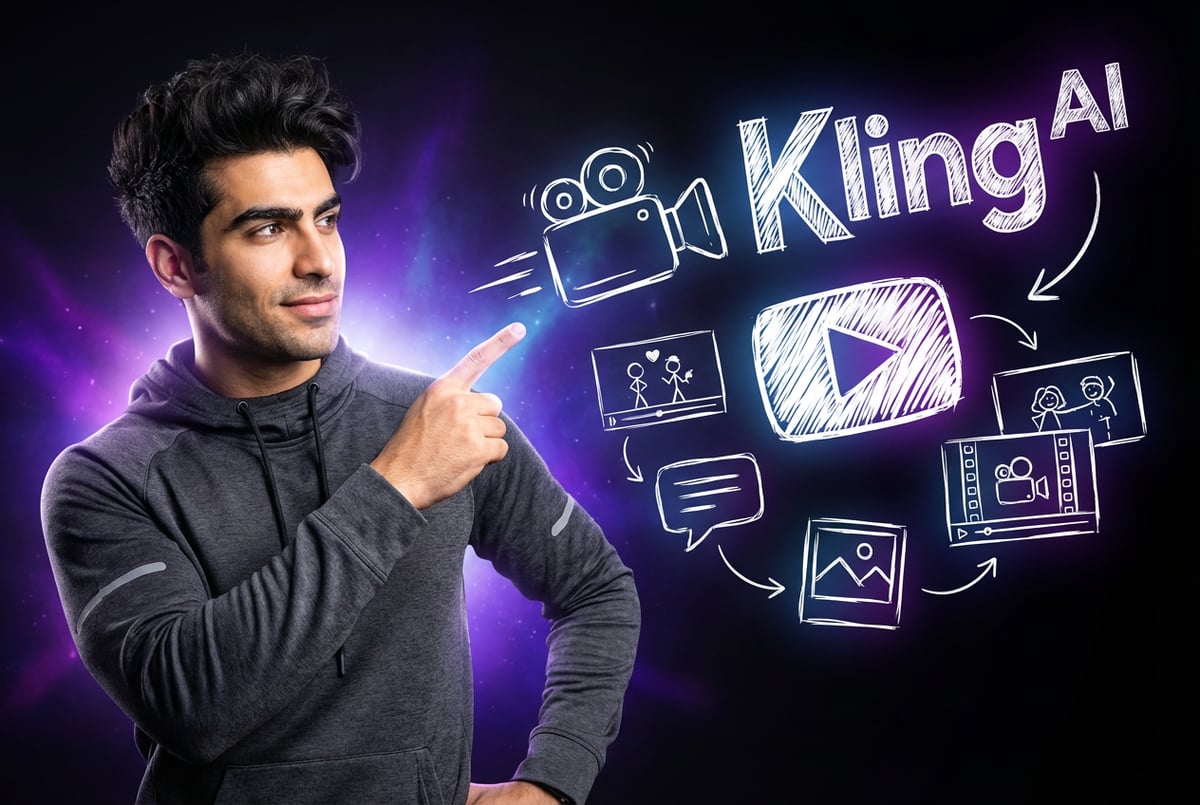
Kling O1 is an AI video generation model developed by Kuaishou Technology that launched in December 2025. It’s the first unified multimodal video model that combines video generation, editing, and transformation into a single system.
Most AI video tools force you to switch between different platforms for generation, editing, and effects. You generate a clip in one tool, edit it in another, and apply effects in a third. Kling O1 consolidates everything into one engine.
The model accepts text, images, videos, and reference materials as inputs. You can describe what you want in natural language, upload reference images, or combine multiple inputs to guide the AI. The system understands how these different inputs relate to each other and generates videos that match your creative vision.
Kling O1 uses a Multimodal Visual Language (MVL) framework. This architecture treats text descriptions, visual references, motion patterns, and editing instructions as a unified language. Instead of processing each input type separately, the model creates a shared semantic space where everything works together.
The result is a system that can handle complex creative tasks in a single pass. You can insert a subject while modifying the background, generate from a reference image while changing the artistic style, or edit existing footage with natural language prompts. Tasks that previously required multiple tools and manual steps now happen automatically.
Core Capabilities
Kling O1 integrates seven video tasks into one platform. Here’s what it can do:
Text-to-Video Generation
Other agents start typing. Remy starts asking.
Scoping, trade-offs, edge cases — the real work. Before a line of code.

The model generates videos from text descriptions. You write what you want to see, and the AI creates a 3-10 second clip. The system interprets complex prompts, plans camera movements, calculates spatial relationships, and generates frames with proper physics.
Unlike basic text-to-video models that produce generic clips, Kling O1 employs Chain-of-Thought reasoning. It breaks down your prompt into logical steps, identifies key elements, determines lighting consistency, and ensures temporal coherence across frames.
Image-to-Video Conversion
Upload a static image and Kling O1 animates it. The model analyzes the image, identifies subjects and backgrounds, and generates motion that feels natural. Characters move realistically, objects interact properly, and camera movements stay stable.
The system uses advanced 3D face and body reconstruction technology. It understands depth, perspective, and how elements should move in three-dimensional space. This prevents the warping and distortion common in simpler image-to-video tools.
Multi-Reference Element Library
You can upload multiple reference images (up to 10) to maintain consistency across generations. The model locks onto specific characters, objects, or styles and preserves them across dynamic camera movements and scene changes.
This solves the consistency problem that plagued earlier AI video tools. Characters no longer change appearance between shots. Props stay recognizable. Scenes maintain visual coherence even as the camera moves.
Start and End Frame Control
Define the first and last frames of your video, and Kling O1 generates the motion in between. This gives you precise control over how scenes begin and end while letting the AI handle the complex interpolation.
The model calculates smooth transitions, maintains proper physics, and ensures the motion flows naturally from start to finish. You get predictable results without manual keyframing.
Natural Language Video Editing
Edit existing videos with text commands. Type “remove the pedestrians” or “change daytime to dusk” and the model executes the edit. No manual masking, no frame-by-frame adjustments.
The system understands video structure and applies transformations that respect camera angles, movement patterns, and spatial relationships. It performs pixel-level semantic reconstruction based on your instructions.
Video Extension and Shot Continuity
Extend existing clips while maintaining visual continuity. The model analyzes the motion, lighting, and style of your source video and generates additional frames that match seamlessly.
This works for shot continuation (extending the same scene) or scene transitions (moving to a new location while preserving character consistency).
Style Transfer and Repainting
Apply artistic styles to generated or existing videos. The model can transform realistic footage into specific art styles, change color palettes, or adjust the overall aesthetic while maintaining motion and composition.
Technical Architecture
Kling O1’s capabilities come from its MVL framework. This architecture differs fundamentally from traditional video generation models.
Unified Semantic Space
Most AI models treat different input types as separate entities. A text prompt goes through one pipeline, an image through another, and video through a third. The model then tries to combine these separate outputs.
MVL creates a shared semantic space where all input types coexist. Text descriptions, visual references, motion patterns, and editing instructions become part of the same language. The model processes them together, understanding how each element relates to the others.
This unified approach enables complex tasks that were previously impossible. You can combine text, images, and video in a single prompt, and the model understands how they should work together.
Chain-of-Thought Reasoning
When you input a prompt, Kling O1 doesn’t immediately start generating pixels. It first breaks down the request into logical steps.
The model identifies key elements in your description, plans camera trajectory, calculates spatial relationships between objects, determines appropriate lighting, and generates frames with proper physics and temporal coherence.
This reasoning process results in videos that feel intentional rather than random. Camera movements serve a purpose, lighting matches the scene, and objects move according to real-world physics.
Three-Component System
The architecture includes three main components:
Prompt Enhancer: Analyzes and improves input prompts. It identifies ambiguities, adds missing context, and structures the request for optimal generation.
Omni-Generator: The core generation engine. It processes multimodal inputs, executes the Chain-of-Thought reasoning, and produces the video frames.
Multimodal Super-Resolution Module: Enhances output quality. It upscales resolution, improves temporal consistency, and refines details across frames.
Key Differentiators
Several features set Kling O1 apart from competing AI video models.
Director-Like Memory
The model maintains “memory” of characters, props, and settings across shots. When you upload reference images, Kling O1 locks onto unique features and preserves them through camera movements and scene changes.
This addresses the critical consistency challenge in AI video generation. Previous models struggled to keep characters looking the same between shots. Features would drift, proportions would change, and visual coherence would break down.
Kling O1’s director-like memory solves this. The model tracks identity across dynamic movements, complex scenes, and multiple subjects. Characters stay recognizable, props remain consistent, and visual stability is maintained.
Skill Combos
You can execute multiple creative operations in a single generation. Insert a subject while modifying the background. Generate from a reference image while shifting artistic style. Remove objects while changing lighting.
Traditional workflows require separate steps for each operation. Generate the base video, export it, import to an editing tool, make changes, export again, import to another tool for style transfer. Each step introduces potential quality loss and takes time.
Kling O1 performs compound operations in one pass. You describe everything you want in a single prompt, and the model executes all transformations together. This exponentially expands creative possibilities while reducing production time.
True Multimodal Input
The model accepts any combination of input types. Text only, image only, video only, or any mixture of the three. You can include multiple images, reference videos, text descriptions, and specific subjects all in the same prompt.
Each input type provides different information. Text gives semantic meaning and creative direction. Images provide visual references and style guidance. Videos supply motion patterns and temporal information.
By processing all inputs together, Kling O1 gains a complete understanding of your creative intent. The model sees how elements should look (images), how they should move (videos), and what story they should tell (text).
Variable Duration Control
Generate videos between 3-10 seconds in the O1 model, with the latest 3.0 version supporting up to 15 seconds. This gives you control over pacing and storytelling.
Other agents ship a demo. Remy ships an app.
Real backend. Real database. Real auth. Real plumbing. Remy has it all.
Short 3-second clips work for quick social media content. Medium 5-7 second generations suit product showcases or scene transitions. Longer 10-15 second videos enable narrative sequences with beginning, middle, and end.
You specify the exact duration you need, and the model adjusts the pacing accordingly. Fast-paced action sequences compress into shorter timeframes, while slower narrative moments expand to fill longer durations.
Performance and Benchmarks
Kling AI’s internal testing shows strong performance against competitors. The O1 model achieved a 247% performance win ratio compared to Google Veo 3.1 Fast for image reference tasks. For video transformation tasks, it showed a 230% performance win ratio over Runway Aleph.
Independent creators report 90% satisfaction with generation quality, compared to 75% for Runway and 80% for Pika. Time savings average 95% compared to traditional video production methods. Editing costs decrease by 85% when using natural language editing instead of manual workflows.
The model ranks consistently in the top 15 AI video generators on independent benchmarking platforms like Artificial Analysis. The Kling 3.0 Pro version achieved an ELO rating of 1,236, placing it third overall among all AI video models tested.
Use Cases
Kling O1 serves multiple industries and creative workflows.
Film and Television Production
Professional creators use the model for previz, concept development, and B-roll generation. Directors can quickly test different camera angles, lighting setups, and scene compositions before shooting.
The multi-reference capability enables consistent character design across episodes. Once you establish a character’s appearance with reference images, the model maintains that look through all subsequent generations.
VFX artists use Kling O1 for background replacement, crowd multiplication, and environmental effects. Tasks that previously required manual rotoscoping and compositing now happen with natural language prompts.
Social Media Content
Content creators generate clips for Instagram, TikTok, YouTube Shorts, and other platforms. The variable duration control matches different platform requirements—15 seconds for Instagram Reels, 60 seconds for TikTok, 10 seconds for YouTube Shorts.
The style transfer capability enables rapid content variation. Generate one base clip, then quickly produce versions in different artistic styles or color palettes for A/B testing.
Advertising and Marketing
Marketing teams create product videos, explainer content, and promotional clips. The image-to-video feature animates product photos, while natural language editing enables quick revisions based on client feedback.
Agencies use Kling O1 for rapid prototyping. Instead of spending days on initial concepts, they generate multiple variations in hours. This accelerates the pitch process and improves client presentations.
E-commerce
Online retailers generate product demonstration videos at scale. Upload product images, describe the desired motion, and the model creates professional showcase videos.
The multi-reference system maintains brand consistency across product lines. Once you establish a visual style with reference materials, all subsequent generations match that aesthetic.
Education and Training
Educators create instructional videos, animated diagrams, and visual explanations. Complex concepts become easier to understand when illustrated with motion and visual examples.
Corporate training departments generate safety videos, process demonstrations, and onboarding content. The natural language editing capability enables quick updates when procedures change.
Comparison with Competitors
Kling O1 competes with several established AI video generation platforms. Here’s how it stacks up.
vs. Google Veo 3.1
Remy is new. The platform isn't.
Remy is the latest expression of years of platform work. Not a hastily wrapped LLM.
Veo 3.1 offers native audio generation—a significant advantage. The model creates synchronized dialogue, sound effects, and ambient noise alongside video. Kling O1 lacks built-in audio, requiring separate audio generation tools.
Veo 3.1 generates videos up to 60 seconds, longer than Kling O1’s 10-15 second limit. For extended content, Veo has the edge.
However, Kling O1 excels at character consistency and multi-reference generation. The Elements system allows up to 10 reference images, while Veo supports only 1-3 “ingredients.” For projects requiring consistent visual identity across multiple shots, Kling O1 delivers better results.
Pricing favors Kling. The credit-based system offers an unlimited plan at $92/month, while Veo’s per-video pricing can exceed $160 for 100 monthly videos.
vs. OpenAI Sora
Sora 2 produces high-quality cinematic output with strong physics simulation. The model understands gravity, momentum, collisions, and material properties better than most competitors.
But Sora’s physics accuracy comes at a cost. Generation times are slower, and wait times can reach several minutes per clip. Kling O1 generates faster, typically completing videos in 1-2 minutes.
Sora also lacks the unified editing capabilities of Kling O1. You can’t perform natural language video editing or complex transformation tasks within Sora. These operations require exporting to separate tools.
For narrative storytelling with realistic physics, Sora wins. For rapid iteration, consistent character work, and integrated editing, Kling O1 provides better workflow efficiency.
vs. Runway Gen-4
Runway Gen-4 offers precise motion control through tools like motion brushes and director mode. You can specify exact movement paths, control camera trajectories, and fine-tune animation curves.
Kling O1 provides less granular motion control. You describe desired motion in text or reference videos, but you don’t paint exact movement paths.
However, Kling O1’s multimodal approach enables broader creative possibilities. You can combine text, images, and video in ways Runway doesn’t support. The skill combo feature allows complex compound operations that require multiple tools in Runway’s ecosystem.
Runway’s pricing is higher. Professional plans start at $76/month for limited credits, while Kling offers an unlimited plan at $92/month.
vs. Pika Labs
Pika focuses on ease of use and rapid generation. The interface is simple, generation times are fast, and the learning curve is minimal.
Kling O1 offers more sophisticated capabilities at the cost of increased complexity. The multimodal input system, element library, and editing features require more learning investment.
For quick social media clips and basic animations, Pika works well. For professional projects requiring consistency, complex compositions, and integrated editing, Kling O1 delivers more powerful tools.
Pricing and Access
Kling O1 uses a credit-based pricing system. Different operations consume different numbers of credits based on complexity and resource requirements.
Free Tier
New users receive 66 daily credits. This allows testing the system and generating several short videos each day. The free tier includes access to all core features but limits total monthly generation volume.
Standard Plan
$15/month provides 500 credits. This supports moderate usage—approximately 50-80 video generations depending on parameters chosen (resolution, duration, input types).
Pro Plan
$60/month includes 2,500 credits. Professional users and small teams typically operate at this tier. It enables around 250-400 generations monthly.
Premier Plan
- ✕a coding agent
- ✕no-code
- ✕vibe coding
- ✕a faster Cursor
The one that tells the coding agents what to build.
$92/month offers unlimited credits. This removes per-video cost anxiety and works well for high-volume content creation or extensive A/B testing.
Enterprise Solutions
Custom pricing for organizations requiring API access, dedicated support, or specialized features. Enterprise clients get volume discounts, priority generation queues, and custom training.
API Pricing
Developers can access Kling models through API. Pricing ranges from $0.10 to $13.44 per minute of generated video depending on model version and quality settings.
The O1 Pro model costs approximately $10.08 per minute. The newer 3.0 Pro version runs $13.44 per minute. Standard quality settings cost roughly 50% less than professional quality.
How to Use Kling O1
The generation process follows a straightforward workflow.
Step 1: Choose Input Type
Decide whether you’re generating from text only, image only, video only, or a combination. Each input type provides different information to guide the model.
Text descriptions give creative direction and semantic meaning. Images provide visual references and style guidance. Videos supply motion patterns and temporal information.
Step 2: Prepare Reference Materials
If using images or videos as references, prepare them first. For character consistency, upload 3-5 images showing the subject from different angles. For motion reference, provide video clips that demonstrate the desired movement style.
The Elements system allows organizing reference materials into reusable packages. Create an Element for each recurring character, prop, or style you’ll use across multiple projects.
Step 3: Write Your Prompt
Describe what you want to generate. Good prompts include:
- Subject description (who or what is in the scene)
- Action (what’s happening)
- Camera work (how the shot is framed and moves)
- Lighting and atmosphere (mood, time of day, weather)
- Style (artistic approach, color palette, aesthetic)
Structured prompts produce better results. Instead of “a person walking,” try “A woman in a red coat walks down a cobblestone street at sunset. The camera tracks alongside her at shoulder height. Warm golden light from street lamps illuminates the scene. Cinematic style with shallow depth of field.”
Step 4: Set Parameters
Choose video duration (3-10 seconds for O1, up to 15 seconds for 3.0). Select resolution (720p or 1080p, with 2K available in newer models). Pick aspect ratio (16:9, 9:16, 1:1, or 21:9).
These technical settings affect credit consumption. Longer videos, higher resolutions, and more complex input combinations require more credits.
Step 5: Generate and Refine
Submit your request and wait for generation to complete. This typically takes 1-2 minutes for standard settings, longer for complex or high-resolution outputs.
Review the result. If it doesn’t match your vision, adjust your prompt and regenerate. The model learns from your refinements, and subsequent generations often improve based on your edits.
Step 6: Edit if Needed
Use natural language editing for modifications. Type commands like “remove the background people,” “change the lighting to blue tones,” or “extend this clip by 3 seconds.”
The model executes edits without requiring manual masking or frame-by-frame work. This accelerates the revision process significantly.
Integration with Workflows
Plans first. Then code.
Remy writes the spec, manages the build, and ships the app.
Kling O1 works within broader content creation pipelines. For teams building AI-powered applications or automating video generation workflows, platforms like MindStudio provide integration capabilities that connect Kling O1 with other tools, databases, and business systems. This enables automated video generation pipelines that can produce content at scale without manual intervention for each generation.
Pre-Production
Use Kling O1 for concept visualization and previz. Generate quick mockups of scenes, test different visual approaches, and communicate creative direction to teams.
The rapid generation speed enables exploring multiple concepts in the time traditional previz would take for one. This improves creative decision-making before expensive production resources are committed.
Production Augmentation
Generate B-roll, background plates, and supplementary footage. The model fills gaps in live-action shoots, creates content that would be dangerous or expensive to capture practically, and provides placeholder footage for editing.
Post-Production
Apply style transfers, perform video editing tasks, and generate effects. The natural language editing capability accelerates the revision process, while style transfer enables rapid visual experimentation.
Limitations and Considerations
Kling O1 has constraints worth understanding.
Duration Limits
The original O1 model caps at 10 seconds per generation. The 3.0 version extends this to 15 seconds. For longer videos, you need to generate multiple clips and combine them in post-production.
This means Kling O1 isn’t a complete replacement for traditional video production on long-form content. You can use it to create compelling sequences and individual shots, but assembling them into longer narratives requires additional editing.
No Native Audio
Unlike Veo 3.1, Kling O1 doesn’t generate audio. Videos output as silent clips. You need separate tools for voiceover, music, and sound effects.
The 3.0 version adds native audio support across multiple languages, but the O1 model lacks this feature. If synchronized audio is critical to your workflow, you’ll need to supplement Kling O1 with audio generation tools.
Physics Simulation Accuracy
While improved over earlier models, physics simulation isn’t perfect. Complex interactions between objects, fluid dynamics, and material properties sometimes behave unrealistically.
For cinematic storytelling where physical accuracy matters less than visual impact, this is manageable. For technical demonstrations or educational content requiring precise physics, you may need to manually correct some generated motion.
Text Rendering
The model struggles with text in videos. On-screen text often appears blurry, distorted, or incorrectly spelled. If your video requires readable text, plan to add it in post-production rather than relying on AI generation.
Content Restrictions
Kling O1 implements content filtering that blocks political content, explicit material, violence, and potentially harmful outputs. The censorship system operates as a hard boundary with no user-accessible settings to reduce filtering.
This protects against misuse but can frustrate creators working on legitimate projects that trigger false positives. If your content involves politically sensitive topics or mature themes, expect some prompts to be rejected.
Learning Curve
The unified multimodal approach offers powerful capabilities but requires learning. Understanding how to combine different input types effectively, structure prompts for best results, and use the Elements system takes practice.
Budget time for experimentation. Early generations may not match your vision, but results improve as you learn the system’s strengths and develop effective prompting strategies.
Recent Updates and Version Evolution
Kuaishou has rapidly iterated on the Kling platform.
Kling O1 (December 2025)
Everyone else built a construction worker.
We built the contractor.
One file at a time.
UI, API, database, deploy.
The first unified multimodal model. Introduced the MVL architecture, Elements system, and integrated editing capabilities. Generated videos up to 10 seconds at 1080p resolution.
Kling 3.0 (February 2026)
Extended duration to 15 seconds. Added native audio generation across multiple languages. Improved element consistency and subject tracking. Introduced multi-scene, multi-shot capabilities with dynamic camera adjustments.
The 3.0 version supports complex dialogue scenes where each character speaks a different language. It handles multi-shot sequences with consistent subject appearance across camera angles—a significant technical breakthrough.
Audio capabilities include speech in English, Chinese, Japanese, Korean, Spanish, and various dialects. The model generates synchronized lip movements, maintains voice characteristics from reference materials, and creates ambient soundscapes.
Performance Improvements
Each version reduces inference costs while improving quality. The 2.5 release cut video generation costs by 30% compared to earlier versions. These efficiency gains make high-volume content creation more economically viable.
API Enhancements
The development team continuously improves API capabilities. Recent updates added support for batch processing, webhook notifications for completed generations, and advanced parameter controls for fine-tuning output.
Future Development Trajectory
Based on announced plans and industry trends, expect these enhancements:
Extended Duration
Future versions will likely support 30-60 second generations in a single pass. This reduces the need for stitching multiple clips and improves narrative flow.
4K Resolution
Kling O3 (anticipated) is expected to support 4K resolution at 60fps. This brings output quality to broadcast and cinema standards.
Real-Time Generation
Current generation takes 1-2 minutes. The trajectory points toward near-real-time generation (10-30 seconds) by late 2026. This enables interactive workflows where you see results almost immediately.
Improved Audio Integration
While 3.0 added native audio, expect more sophisticated audio capabilities. Voice cloning, emotional inflection control, and dynamic music scoring will likely arrive in upcoming releases.
Enhanced Physics Simulation
Physics accuracy improves with each version. Future models will better handle complex interactions, fluid dynamics, and material properties.
Best Practices
These strategies improve results:
Start Simple
Begin with straightforward prompts using single input types. Generate a few videos with text only before combining text, images, and video. This helps you understand how the model interprets different instructions.
Build Element Libraries
Invest time creating reusable Elements for recurring subjects. A well-constructed Element with 5-7 reference images saves time across multiple projects and ensures consistent results.
Iterate Methodically
Change one variable at a time when refining prompts. If a generation doesn’t match your vision, adjust the description, reference material, or parameters individually. This helps identify what drives specific outcomes.
Study Successful Outputs
When a generation works well, analyze why. What aspects of your prompt produced good results? Which reference materials were most effective? Document successful approaches for future use.
Combine with Traditional Tools
Use Kling O1 for what it does best—rapid generation, consistent character work, and integrated editing. Supplement with traditional tools for tasks like precise timing adjustments, color grading, and audio mixing.
Industry Impact
Kling O1 represents a shift in how video content gets created.
Democratization of Production
Professional-quality video no longer requires expensive equipment, large crews, or extensive technical expertise. A single creator with a laptop can generate content that previously needed a production company.
Built like a system. Not vibe-coded.
Remy manages the project — every layer architected, not stitched together at the last second.
This democratization enables new voices, diverse perspectives, and experimental formats. The barriers to video creation have dropped significantly.
Acceleration of Workflows
Tasks that took days now complete in hours. Concept testing that required weeks happens in afternoons. This acceleration enables rapid iteration, more creative exploration, and faster time-to-market for content.
Cost Reduction
Video production costs decrease dramatically. Independent creators report 85% reductions in editing costs and 95% time savings compared to traditional workflows. These economics make video viable for applications where it was previously too expensive.
New Creative Possibilities
The ability to generate and edit video with natural language opens creative avenues that didn’t exist before. Complex effects, consistent character work, and rapid style variations become accessible to everyone.
Conclusion
Kling O1 consolidates video generation, editing, and transformation into a unified system. The multimodal approach enables complex creative operations that previously required multiple tools and manual processes.
The model excels at maintaining visual consistency, processing diverse input types, and executing compound operations in single passes. These capabilities make it particularly valuable for projects requiring consistent character work, rapid iteration, or integrated editing.
Limitations exist. Duration caps, physics simulation accuracy, and content restrictions constrain certain use cases. The learning curve requires investment. But for creators willing to learn the system, Kling O1 provides powerful tools for modern video production.
The technology continues evolving rapidly. Each version brings longer durations, better quality, and new capabilities. The trajectory points toward increasingly sophisticated models that handle more of the production pipeline autonomously.
For teams building content at scale, integrating Kling O1 into automated workflows makes sense. Combining the model’s generation capabilities with orchestration platforms enables producing large volumes of video content without manual intervention for each piece.
Whether you’re a solo creator, marketing team, or production company, Kling O1 offers tools that weren’t available a year ago. The unified multimodal approach represents genuine technical progress in making AI video generation more capable and accessible.