What Is Kling Image 01? AI Image Generation from Kuaishou
Kling Image 01 is an AI image model from the creators of Kuaishou. Learn about its capabilities, visual style, and how to use it on MindStudio.
Introduction to Kling Image 01
Kling Image 01 is an AI image generation model developed by Kuaishou Technology, the Chinese tech company behind the popular short video platform. Launched in December 2025 as part of the broader Kling Omni ecosystem, this model represents Kuaishou’s first dedicated entry into AI image generation after establishing themselves as a leader in AI video creation.
The model stands out for its ability to process both text prompts and multiple reference images simultaneously, making it particularly useful for creators who need consistent visual elements across their work. Unlike traditional text-to-image generators that start from scratch each time, Kling Image 01 can blend features from up to 10 reference images while preserving the unique characteristics of each source.
This multi-modal approach means you can maintain brand consistency, create character variations, or transform existing images while keeping specific details intact. The model uses Multi-modal Visual Language (MVL) technology, which allows it to understand and process different types of visual information as if they were part of a unified language.
For creators working across platforms, Kling Image 01 offers practical solutions to common problems: maintaining character consistency in comic series, creating product variations for e-commerce, or generating marketing materials that match your brand guidelines. The model supports both photorealistic and stylized output, adapting to different aesthetic requirements without switching tools.
Core Capabilities and Features
Remy is new. The platform isn't.
Remy is the latest expression of years of platform work. Not a hastily wrapped LLM.

Kling Image 01’s feature set addresses specific pain points in AI image generation. The model can generate high-resolution images suitable for professional use, with support for 2K and 4K output depending on your needs. This makes it viable for both digital content and print applications.
The multi-reference system is the standout feature. You can upload multiple images of the same subject from different angles, poses, or lighting conditions, and the model will extract consistent features across all of them. This solves one of the biggest challenges in AI image generation: maintaining visual identity across multiple generations.
For image editing, Kling Image 01 offers precise control over modifications. You can change specific elements while maintaining the original lighting, texture, and depth. This includes background swaps, object replacement, material changes, and facial expression adjustments. The model understands which parts of the image should change and which should stay consistent based on your text instructions.
Style transformation is another key capability. The model can convert images across different artistic styles—anime, Pixar-style, realistic, sketch, watercolor, manga, and more—while preserving the subject’s identity. This is particularly useful for content creators who need to adapt their visuals for different platforms or audiences.
The model also handles material and texture transformations across diverse surfaces. You can change an object from glass to wood, silk to ceramic, or any other material combination while maintaining realistic lighting and physics. This level of control over material properties makes it useful for product visualization and design iteration.
Multi-Reference Image Control
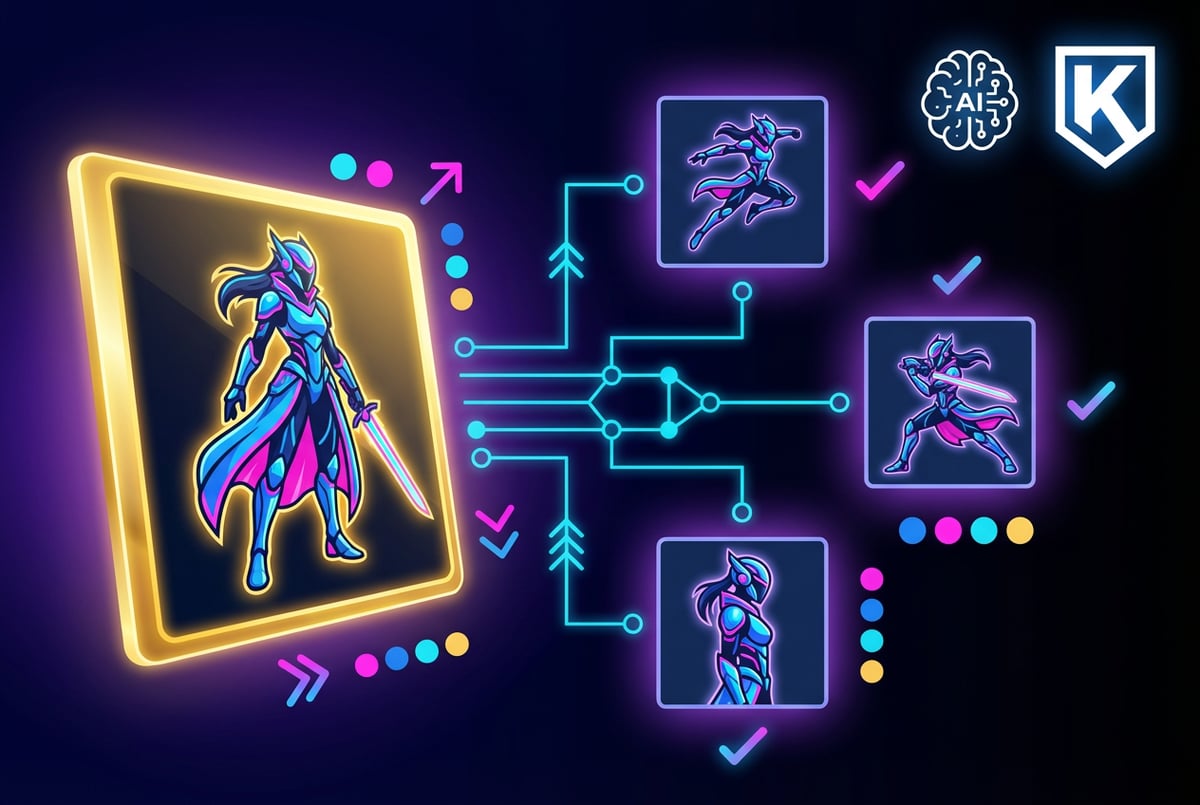
The ability to use up to 10 reference images simultaneously sets Kling Image 01 apart from most AI image generators. This feature addresses a fundamental challenge: how do you maintain consistent visual elements when generating multiple images?
The system works by extracting features from all provided reference images and using them to guide the generation process. If you upload four images of the same character from different angles, the model learns to recognize and preserve that character’s defining features—face shape, eye color, hair style, clothing details—across new generations.
This consistency mechanism works at multiple levels. The model preserves structural elements like contours and proportions, maintains color relationships and material properties, and keeps compositional elements stable while allowing for variations in pose, lighting, or background.
For practical applications, this means you can create comic series where characters look the same across panels, develop product lines with consistent branding elements, or generate marketing materials that maintain visual coherence across campaigns. The model handles both subtle variations and significant transformations while keeping the core identity intact.
The reference system also supports style conditioning. You can provide reference images that demonstrate a particular artistic style, lighting approach, or compositional technique, and the model will apply those characteristics to new generations. This allows for more nuanced control than text prompts alone can provide.
Technical Architecture and MVL Framework
Kling Image 01 is built on a Multimodal Visual Language (MVL) architecture that processes text and visual information through a unified framework. This differs from traditional approaches where text and image processing happen in separate systems that need to be coordinated.
Seven tools to build an app. Or just Remy.
Editor, preview, AI agents, deploy — all in one tab. Nothing to install.
The MVL framework treats visual elements as components of a language. Just as words have relationships and meanings in natural language, visual elements—colors, shapes, textures, compositions—have relationships and meanings in the model’s understanding. This allows for more sophisticated reasoning about how different visual elements should interact.
In practice, this means the model can interpret complex instructions that combine multiple concepts. When you provide a text prompt along with reference images, the model doesn’t just try to match each input separately. It understands how they relate to each other and generates output that reflects those relationships.
The architecture consolidates generation and editing into a single semantic space. You can combine text prompts with image references, video frames, or multiple images in one pass without switching between different tools or running multiple processing steps. This reduces friction in creative workflows and speeds up iteration.
The model uses diffusion transformer technology, similar to other modern AI image generators, but with modifications to support multi-modal input effectively. It processes information through multiple attention layers that can reference different types of input simultaneously, allowing it to maintain coherence across diverse source materials.
Image Editing and Transformation
Kling Image 01 approaches image editing differently than traditional photo editing software. Instead of manual selection and adjustment, you describe what you want changed in natural language, and the model handles the technical implementation.
The editing process maintains context awareness. When you modify one element, the model adjusts surrounding areas to ensure consistency in lighting, shadows, and perspective. If you change an object’s color, the model updates reflections and color cast on nearby surfaces. If you add a new element, it integrates properly with the existing depth and lighting.
For object removal and replacement, the model can identify what should be removed and intelligently fill the space based on surrounding context. This includes reconstructing backgrounds, maintaining patterns, and preserving perspective. The results typically require less manual cleanup than traditional inpainting tools.
Material transformation is particularly sophisticated. The model understands how different materials interact with light—how metal reflects, how fabric drapes, how glass refracts. When you change materials, these properties update accordingly. A wooden table can become glass with appropriate transparency and reflections, or ceramic with correct surface characteristics.
The model also supports iterative editing while maintaining consistency. You can make multiple sequential changes, and the model remembers the context from previous edits. This allows for progressive refinement without losing track of the original intent or introducing inconsistencies between editing steps.
Style Adaptation and Artistic Control
Kling Image 01 demonstrates strong capabilities in style transformation and artistic adaptation. The model can shift between photorealistic rendering and stylized illustration while preserving subject identity and compositional integrity.
For anime and manga styles, the model understands the conventions of these art forms—simplified features, exaggerated expressions, specific line weights, and characteristic color approaches. It can transform photographs into anime-style illustrations while maintaining recognizable features of the original subject.
The Pixar and 3D animation style transformations show similar understanding of artistic conventions. The model applies appropriate stylization, lighting techniques, and material treatments that match professional 3D animation while keeping the essence of the input image.
For more traditional art styles like watercolor, oil painting, or sketch, the model captures medium-specific characteristics. Watercolor transformations show appropriate color bleeding and paper texture. Oil paintings demonstrate brush stroke patterns and paint thickness. Sketches maintain appropriate line quality and shading techniques.
The model also handles commercial photography styles effectively. You can specify lighting setups (golden hour, studio lighting, dramatic shadows), camera effects (depth of field, motion blur), and compositional approaches (rule of thirds, centered subject). This makes it useful for product photography, marketing materials, and professional content creation.
Style control extends to color grading and mood adjustment. The model can shift color palettes, adjust contrast and saturation, and modify the overall tone of an image to match specific aesthetic requirements or brand guidelines.
Practical Applications and Use Cases
Kling Image 01 serves several practical use cases across different industries and creative workflows. Understanding these applications helps identify where the model provides the most value.
For e-commerce and product visualization, the model enables rapid generation of product variations. You can create multiple color options, show products in different environments, or generate lifestyle imagery without physical photoshoots. The multi-reference capability ensures product details remain consistent across all variations.
Content creators use the model for character consistency in webcomics, graphic novels, and social media series. By establishing a character library with multiple reference images, you can generate new scenes and poses while maintaining recognizable features. This significantly reduces the time required to produce consistent visual content.
Marketing teams leverage the model for campaign asset generation. You can create variations of hero images, adapt visuals for different platforms, or generate localized content while maintaining brand consistency. The ability to transform styles and make controlled edits speeds up the creative process.
Designers use it for rapid prototyping and concept exploration. You can quickly generate multiple versions of a design, test different color schemes, or visualize products in various materials and finishes. This accelerates the ideation phase and allows for broader exploration before committing to specific directions.
For social media content, the model helps creators maintain visual consistency across posts while generating fresh content efficiently. You can adapt core visual elements to different formats, add seasonal variations, or create themed content series without starting from scratch each time.
Educational content creators use the model to generate consistent illustrations for courses, textbooks, or instructional materials. The ability to maintain character and style consistency across many images makes it practical for large-scale content projects.
Comparison with Other AI Image Models
Kling Image 01 operates in a competitive landscape with several established AI image generation models. Understanding how it compares helps determine when to use it versus alternatives.
Compared to models like Midjourney or DALL-E, Kling Image 01’s distinctive advantage is multi-reference consistency. While other models excel at single-image generation from text prompts, they struggle to maintain exact consistency across multiple generations. Kling’s system is specifically designed to address this limitation.
For text rendering within images, models like GPT Image 1.5 currently lead the market with superior accuracy for logos, signage, and typography. Kling Image 01 can handle text but doesn’t match the precision of specialized text-rendering models. If your primary need is generating images with clear, accurate text, GPT Image 1.5 remains the stronger choice.
Plans first. Then code.
Remy writes the spec, manages the build, and ships the app.
In terms of photorealism, models like Seedream 4.5 and Gemini 3 Pro Image demonstrate strong capabilities in creating lifelike images. Kling Image 01 produces quality photorealistic output but may not consistently match the absolute realism of these specialized models in single-shot generation.
Where Kling Image 01 excels is in controlled transformation and editing workflows. The ability to make precise changes while maintaining overall coherence makes it more suitable for iterative creative processes than models optimized purely for initial generation quality.
For style transfer and artistic adaptation, Kling Image 01 shows particularly strong performance. The model’s understanding of different artistic conventions and its ability to apply them while preserving subject identity makes it competitive with or superior to most alternatives in this category.
The model’s integration with the broader Kling ecosystem—particularly Kling Video O1—provides workflow advantages if you’re working across both image and video content. You can maintain visual consistency between static and motion content more easily than when using completely separate tools.
Using Kling Image 01 on MindStudio
Kling Image 01 is available through MindStudio, which provides access to multiple AI models through a unified platform. This integration offers several practical advantages for creators working with AI tools.
MindStudio’s multi-model approach means you can use Kling Image 01 alongside other image generation models without managing separate accounts or API keys. This flexibility lets you choose the right model for each specific task within your workflow.
The platform handles technical implementation details like model versioning, API management, and error handling. You can focus on creative work rather than technical integration. For teams, this reduces the overhead of managing multiple AI tools and standardizes how team members access these capabilities.
MindStudio also enables workflow automation with Kling Image 01. You can set up processes that automatically generate image variations, apply consistent transformations, or integrate image generation into larger content creation pipelines. This is particularly valuable for high-volume content needs or repetitive tasks.
The platform’s monitoring and usage tracking helps you understand how you’re using different models and optimize your approach. You can identify which models work best for specific tasks and refine your workflows accordingly.
For developers, MindStudio provides programmatic access to Kling Image 01 through standard APIs. This makes it straightforward to integrate the model into custom applications, automate content generation, or build specialized tools around the model’s capabilities.
Limitations and Considerations
Like all AI image generation models, Kling Image 01 has limitations that affect when and how you should use it. Understanding these constraints helps set appropriate expectations and plan workflows accordingly.
The model can struggle with certain types of complex compositions. When you try to combine many distinct elements or create scenes with intricate spatial relationships, the output may lose coherence. Breaking complex generations into multiple steps or simplifying the initial request often produces better results.
Character consistency, while significantly improved over earlier AI models, isn’t perfect. The model maintains consistency better than most alternatives, but you may still see variations in fine details across generations. This is most noticeable in facial features, where small differences can be visually prominent.
Text rendering within images remains challenging. While the model can include text, it doesn’t match the accuracy of specialized text-rendering models. For professional work requiring clear, accurate text in images, you may need to add or correct text in post-processing.
The model has content restrictions that can sometimes flag benign inputs. Like most AI image generators, it includes safety filters to prevent generation of inappropriate content. These filters occasionally produce false positives, blocking legitimate creative requests. Understanding what triggers these restrictions helps avoid frustration.
Resolution and detail limitations exist even with the model’s 4K support. Very fine details or intricate patterns may not render with perfect clarity. For work requiring extreme detail—technical illustrations, architectural renderings, or highly detailed product photography—you may need to supplement AI generation with manual refinement.
The model’s understanding of physics and spatial relationships, while good, isn’t perfect. Complex interactions between objects, realistic fluid dynamics, or accurate mechanical representations may not always be correct. This matters most when technical accuracy is critical.
Processing time varies based on complexity and the number of reference images used. More complex requests with multiple references take longer to process. For time-sensitive work, factor in generation time when planning workflows.
Best Practices and Optimization Tips
Getting optimal results from Kling Image 01 requires understanding how to structure requests and use the model’s features effectively. These practices emerged from production use and help maximize output quality.
When providing reference images, quality and consistency matter. Use high-resolution source images with good lighting and clear details. The model extracts features from these references, so better input produces better output. If your references are inconsistent—different lighting, angles, or quality levels—the model has more difficulty identifying stable features to preserve.
For character consistency, photograph or create your subject from multiple angles under similar lighting conditions. Include front, side, and three-quarter views. This gives the model comprehensive information about the subject’s appearance and improves consistency across generations.
Text prompts work best when they’re specific but not overly complex. Break down complicated requests into multiple steps rather than trying to achieve everything in a single generation. Sequential refinement often produces better results than attempting to control every detail upfront.
When editing images, start with broader changes before addressing fine details. Adjust composition and major elements first, then refine lighting, colors, and smaller details in subsequent edits. This approach prevents getting lost in details while larger issues remain unaddressed.
For style transformation, provide style reference images alongside text descriptions. The model understands visual examples of style more reliably than text descriptions alone. Show it what you want rather than just describing it.
Test your reference library with simple prompts first. Before using references in complex generations, verify that the model correctly identifies and preserves the key features you care about. This helps you understand how the model interprets your reference material.
Use negative prompts to specify what you don’t want. The model responds to exclusionary guidance, which can help avoid common problems or unwanted elements in output.
Batch similar requests to save time. If you need multiple variations of the same concept, generate them together rather than individually. This is more efficient and helps maintain consistency across the set.
Built like a system. Not vibe-coded.
Remy manages the project — every layer architected, not stitched together at the last second.
Save successful prompts and reference combinations. When you find approaches that work well, document them for reuse. This builds a library of proven techniques for your specific use cases.
Integration with Kling’s Broader Ecosystem
Kling Image 01 is part of a larger ecosystem that includes Kling Video O1 and Kling Video 2.6. Understanding how these tools work together provides opportunities for more sophisticated workflows.
The image model shares the same MVL architecture as the video models, which means visual elements created in Kling Image 01 can serve as references for video generation. You can establish character designs, environment concepts, or style references in the image model, then use them to guide video creation.
This cross-model consistency is particularly valuable for content creators working across formats. You can develop a character in still images, ensure the look is exactly right, then use those images as references when generating animated content. The shared architecture means the video model understands and preserves the visual characteristics established in the image model.
For marketing and brand content, this integration allows for coherent visual identity across static and motion content. Generate hero images, product shots, or brand assets with the image model, then create video content that maintains the same visual language and aesthetic approach.
The unified interface across Kling’s models reduces the learning curve. Concepts and approaches that work in the image model generally translate to the video models. Prompting strategies, reference techniques, and style control methods apply across the ecosystem.
Workflow efficiency improves when using multiple Kling models together. You can work within a single platform rather than switching between different tools for image and video work. This reduces context switching and makes it easier to maintain consistency across all content types.
Pricing and Access Considerations
Kling Image 01 uses a credit-based pricing model where each generation consumes credits based on complexity and resolution. This approach provides flexibility but requires understanding how credits are allocated to manage costs effectively.
Higher resolution outputs consume more credits. A 4K generation will cost significantly more than a standard resolution output. Choose resolution based on actual need rather than always defaulting to maximum quality. For web content or iterative design work, lower resolutions often suffice and save credits.
The number of reference images affects processing time but not necessarily credit cost in the same way as resolution. However, more complex requests generally take longer and may consume more resources. Balance the benefit of additional references against the time cost when working under deadlines.
For production use, estimate your typical monthly credit needs based on expected generation volume. This helps determine which plan tier makes sense. High-volume users benefit from subscription plans with included credits rather than pay-per-generation models.
Test and iterate efficiently to minimize credit usage. Start with lower resolution for concept development and testing, then generate final versions at higher resolution once you’ve refined your approach. This prevents wasting credits on high-resolution outputs that need significant changes.
Some features or capabilities may require higher plan tiers. Commercial use rights, priority processing, or access to certain model versions might be restricted to paid plans. Review licensing terms to ensure your use case is covered.
One coffee. One working app.
You bring the idea. Remy manages the project.
Future Development and Model Evolution
Kling Image 01 represents Kuaishou’s current implementation, but the model is likely to evolve based on the company’s trajectory in AI development. Understanding potential development directions helps plan for longer-term adoption.
The company’s focus on multimodal integration suggests future versions may more deeply connect image, video, and audio generation. The existing ecosystem already shows this direction, with models sharing architectural approaches and supporting cross-modal workflows.
Based on the broader AI image generation market, expect improvements in resolution capabilities, generation speed, and prompt understanding. These are areas where models continuously improve as underlying technology advances.
Character and element consistency will likely see further refinement. This is a key differentiator for Kling’s models, and continued investment in this capability makes strategic sense. Future versions may maintain consistency across even more complex transformations or with fewer reference images required.
Integration with professional creative tools may expand. As AI image generation matures, tighter integration with standard design software, content management systems, and production workflows becomes more valuable. This could include plugins, direct API access, or partnerships with existing creative platforms.
The model may gain capabilities in areas where it currently has limitations. Text rendering, complex spatial reasoning, and handling of specific challenging scenarios will likely improve based on where users push the boundaries and where technical advances make solutions possible.
Getting Started with Kling Image 01
Starting with Kling Image 01 is straightforward, but some initial steps help establish good practices and set you up for effective use.
Begin with simple, single-concept generations to understand how the model interprets prompts. Test basic requests—a portrait, an object, a simple scene—before attempting complex compositions. This builds your intuition about how the model responds to different types of instructions.
Create a reference library for elements you’ll use repeatedly. If you have brand assets, product images, or character designs you need to maintain consistency around, prepare high-quality reference images. Store these in an organized way for easy access when generating content.
Experiment with different prompt structures to find what works for your use cases. Some users prefer detailed, specific prompts, while others get better results with more open-ended directions that let the model interpret creatively. Your optimal approach depends on your specific needs and preferences.
Document successful generations. Save both the output and the prompts/references that produced it. This creates a reference library of techniques that work for your specific use cases. Over time, this becomes a valuable resource for consistent results.
Start with use cases where consistency matters but perfection isn’t critical. Social media content, concept development, and iterative design work are good starting points. As you become more familiar with the model’s capabilities and limitations, expand to more demanding applications.
Join communities of other users if available. User communities often share effective prompting strategies, creative techniques, and solutions to common problems. Learning from others’ experience accelerates your own learning curve.
- ✕a coding agent
- ✕no-code
- ✕vibe coding
- ✕a faster Cursor
The one that tells the coding agents what to build.
Set up a structured workflow for different types of content. Having established processes for common tasks—generating product variations, creating character poses, producing marketing assets—makes you more efficient and ensures consistent quality.
Conclusion
Kling Image 01 addresses specific challenges in AI image generation, particularly around maintaining consistency across multiple generations and providing controlled editing capabilities. The model’s multi-reference system and MVL architecture make it well-suited for workflows where visual coherence matters.
The model works best when you understand its strengths and limitations. It excels at style transformation, controlled editing, and maintaining character consistency—capabilities that matter most when creating series of related images or when working within established brand guidelines.
For creators working across both images and video, Kling Image 01’s integration with the broader Kling ecosystem provides workflow benefits. The shared architecture and consistent approach across models reduces friction when working in multiple formats.
Access through platforms like MindStudio simplifies technical implementation and provides flexibility to use multiple models as needed. This multi-model approach lets you choose the right tool for each specific task rather than forcing all work through a single model.
As AI image generation continues to evolve, models like Kling Image 01 demonstrate the shift from pure generation to more sophisticated editing and consistency control. These capabilities open new possibilities for professional content creation, marketing workflows, and creative projects where maintaining visual identity across many assets is crucial.
Start with clear use cases where the model’s strengths align with your needs. Test different approaches, build your reference libraries, and refine your workflows based on results. With practice, the model becomes a practical tool for specific creative challenges rather than a general-purpose solution for all image needs.