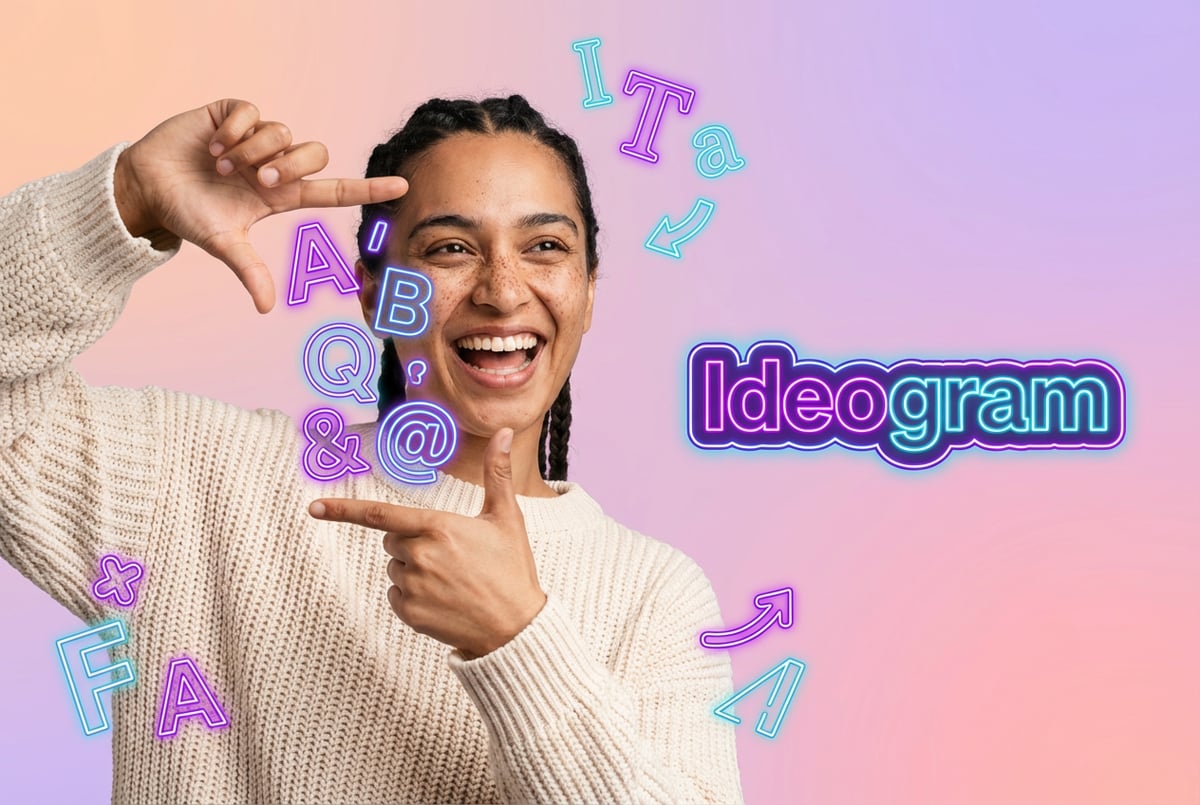
What Is Ideogram V3? The Best AI Model for Text in Images
Ideogram V3 is widely regarded as the top AI model for rendering text in images. Discover its features, typography strengths, and ideal use cases.
The Text Problem That Plagued AI Image Generation
For years, AI image generators had an embarrassing weakness. Ask them to create a poster with text, and you’d get gibberish. Request a logo with your company name, and the letters would melt together like a bad dream. The AI could paint photorealistic landscapes and generate stunning portraits, but it couldn’t spell.
This wasn’t a minor issue. Text is everywhere in visual design. Marketing materials, social media graphics, book covers, product packaging, event posters, website banners. If an AI image generator can’t handle text, it’s basically useless for most commercial work.
That’s the problem Ideogram V3 was built to solve. Released on March 26, 2025, this AI image generation model can render text in images with roughly 90-95% accuracy. That’s not just an improvement. It’s a fundamental shift in what’s possible with AI-generated visuals.
What Is Ideogram V3?
Ideogram V3 is an AI image generation model developed by former Google Brain researchers specifically to handle typography in AI-generated images. While other models like Midjourney and DALL-E focus on artistic quality or general image generation, Ideogram was built from the ground up with text rendering as a core capability.
The model was created by a team that includes Mohammad Norouzi, William Chan, Chitwan Saharia, and Jonathan Ho. These researchers understood that text rendering in AI images wasn’t just a minor feature to add later. It required rethinking how the model processes and understands text at a fundamental level.
Remy doesn't write the code. It manages the agents who do.
Remy runs the project. The specialists do the work. You work with the PM, not the implementers.

Ideogram V3 doesn’t just generate images that happen to include text. It understands typography. It knows about font styles, kerning, alignment, and how text should integrate with the visual elements around it. The result is text that looks like it belongs in the image, not like it was badly photoshopped on afterward.
Why Text Rendering Is So Hard for AI Models
Understanding why Ideogram V3 matters requires understanding why text is so difficult for AI image generators in the first place.
Most AI image models work by learning patterns from millions of images. They’re trained to recognize shapes, colors, textures, and compositions. But text isn’t just a visual pattern. It’s a structured system with specific rules.
Text requires understanding four distinct things at once:
- Letter shapes (orthography): Each character has a specific form that must be rendered correctly.
- Word spacing (typography): Letters need proper spacing and alignment.
- Contextual meaning (semantics): The text should make sense in the context of the image.
- Visual design (aesthetics): The text style needs to match the overall design.
Traditional AI models treat text as just another visual element. They see letters as shapes to recreate, not as components of a linguistic system. This is why you get words that look almost right but spell complete nonsense.
Ideogram’s training specifically addressed this gap. The model was trained to understand both the visual patterns of typography and the linguistic structure of text. It’s not just copying letter shapes. It’s understanding what makes text readable and contextually appropriate.
Core Features of Ideogram V3
Ideogram V3 includes several features that make it particularly useful for design work and commercial applications.
Text Rendering Accuracy
The headline feature is text rendering. Ideogram V3 achieves approximately 90-95% accuracy in rendering text correctly within images. This includes:
- Complex multi-line text layouts
- Stylized typography that matches the image aesthetic
- Text at various sizes and angles
- Text on curved surfaces and 3D objects
- Multiple font styles including handwritten, 3D, and graffiti
For comparison, Midjourney achieves roughly 30-40% accuracy with text rendering. DALL-E 3 is better but still struggles with complex layouts. Ideogram V3 is currently the best option available for text-heavy design work.
Style Reference System
Ideogram V3 lets you upload up to three reference images to control the aesthetic of your generations. This is useful when you need consistent branding across multiple images or when you want to replicate a specific visual style that’s difficult to describe in words.
The Style Reference feature analyzes the reference images and extracts style elements like color palette, texture, lighting, and composition. It then applies these elements to your new generation while maintaining the core content you specified in your prompt.
Random Style Generator
The model includes access to 4.3 billion preset style combinations. You can use the Random Style feature to explore different aesthetic directions quickly. Once you find a style you like, you can save it using a Style Code and reuse it for future generations.
This is particularly useful when you’re in the early stages of a design project and need to explore multiple visual directions quickly.
Magic Prompt
Magic Prompt is an automatic prompt expansion feature. When enabled, it analyzes your input and adds details about typography style, layout instructions, and visual atmosphere. This helps you get better results without needing to write detailed prompts.
- ✕a coding agent
- ✕no-code
- ✕vibe coding
- ✕a faster Cursor
The one that tells the coding agents what to build.
For example, if you input “coffee shop poster,” Magic Prompt might expand that to include specifications about vintage typography, warm color tones, rustic textures, and centered text layout.
Canvas Editor
The Canvas Editor provides interactive editing capabilities. You can make targeted adjustments to generated images, extend image boundaries, or modify specific elements while keeping the rest of the image intact.
This is useful for fixing small issues or making iterative refinements without regenerating the entire image from scratch.
Batch Generation
Ideogram V3 supports generating multiple variations of the same prompt in a single request. This helps you explore different options quickly and choose the best result.
Multiple Render Speeds
The model offers three speed tiers:
- Turbo: Fastest generation, uses 3.5 credits per image
- Balanced: Good balance of speed and quality, uses 7 credits per image
- Quality: Highest quality output, uses 10 credits per image
For most use cases, the Balanced tier provides excellent results at a reasonable speed. The Quality tier is worth using primarily for final outputs where text rendering needs to be absolutely perfect, such as logos or print materials.
How Ideogram V3 Actually Works
Ideogram V3 is built on a diffusion model architecture, similar to other text-to-image AI systems. But it includes specific modifications to handle text rendering.
The model uses a two-stage training approach:
Stage 1: Large-scale synthetic training
The model is trained on a massive synthetic dataset with balanced multilingual coverage. This teaches it to generate basic glyph shapes and understand spatial mapping for different writing systems.
Stage 2: High-quality fine-tuning
The model is then fine-tuned on a curated dataset of high-quality annotated images. This improves both the aesthetic quality of rendered text and how well it integrates with complex scene content.
The key innovation is how Ideogram handles text encoding. Instead of treating text as just another visual element to generate from noise, the model encodes text into specialized font tokens through a variational autoencoder (VAE). These font tokens are concatenated with the denoised latents in the model’s latent space.
This approach leverages the in-context learning capabilities of diffusion transformers, allowing the model to “imitate” text rendering rather than trying to “recall” it from training data. It’s similar to how humans learn to write by copying letterforms before being able to generate them from memory.
Multilingual Text Support
Ideogram V3 includes native support for multiple languages beyond English. This includes Spanish, Italian, French, and even non-Latin scripts like Chinese and Arabic, though performance with non-Latin scripts is still being refined.
This multilingual capability is important for global marketing campaigns or any application where you need to generate visuals for different language markets.
The model maintains font integrity and readability across different writing systems. This is particularly challenging with languages like Chinese, where individual characters have complex stroke patterns that must be rendered precisely.
Use Cases for Ideogram V3
The text rendering capabilities make Ideogram V3 particularly useful for specific types of design work.
Logo Design
Ideogram V3 can generate logo concepts quickly. While you’ll still want a human designer for final refinement, the model can produce dozens of logo variations in minutes. This is useful for initial brainstorming or exploring different visual directions.
The model handles text-based logos especially well. It can render company names cleanly and integrate them with visual elements like icons or abstract shapes.
Marketing Materials
Social media graphics, promotional posters, email headers, and other marketing assets are ideal use cases. These materials typically include both text and imagery, and they need to be produced quickly at scale.
Ideogram V3 can generate multiple variations of the same design concept, making it easy to A/B test different visual approaches or adapt a single design for different platforms.
Book Covers and Publishing
Book covers require clean, readable text combined with compelling imagery. Ideogram V3 can generate cover concepts that include both the title text and appropriate visual themes.
This is particularly useful for indie publishers or authors who need to produce multiple cover variations quickly without hiring a designer for each iteration.
Product Mockups
When you need to visualize how a product might look with different branding or packaging text, Ideogram V3 can generate realistic mockups. This is faster than creating photorealistic 3D renders and more flexible than photographing physical prototypes.
Event and Concert Posters
Event posters need to balance aesthetic appeal with clear communication of event details. Ideogram V3 can handle the complex text layouts required while maintaining a cohesive visual style.
Educational Materials
Infographics, diagrams, and educational posters benefit from Ideogram V3’s ability to integrate text clearly with visual elements. The model can generate materials that explain concepts visually while maintaining readable text.
E-commerce and Product Photography
While not as photorealistic as some competitors, Ideogram V3 can generate product photography concepts that include text overlays, promotional tags, or informational callouts.
Integrating Ideogram V3 Into Workflows
Using Ideogram V3 effectively often means integrating it into a broader creative workflow rather than treating it as a standalone tool.
Many designers use Ideogram V3 for initial concept generation, then refine the output in traditional design software like Figma, Photoshop, or Canva. This combines the speed of AI generation with the precision of manual editing.
For teams that need to generate large volumes of visual content, automation becomes important. This is where platforms like MindStudio can help. You can build AI agents that automatically generate images using Ideogram V3’s API, apply specific style rules, and output results in whatever format your team needs. This is particularly useful for social media teams that need to produce dozens of graphics daily, or e-commerce businesses that need product images at scale.
API Access
Ideogram V3 offers API access for developers who want to integrate image generation directly into their applications. The API supports:
- Text-to-image generation
- Image-to-image editing
- Multiple reference images (up to 10)
- Aspect ratio control
- Quality mode selection (2K basic or 4K high quality)
The API uses simple JSON requests, making it straightforward to integrate into existing development workflows.
Pricing and Plans
Ideogram V3 uses a credit-based pricing model with several tiers:
Free Plan
One coffee. One working app.
You bring the idea. Remy manages the project.
The free tier includes limited monthly generations. All images generated on the free plan are publicly visible by default, which is an important consideration if you’re working on confidential projects.
The free plan is useful for testing the platform or for hobbyist use, but most professional applications will require a paid plan.
Plus Plan ($20/month)
The Plus Plan includes 1,000 priority credits per month. This is enough for moderate use, such as generating graphics for a small business social media account or creating occasional marketing materials.
Pro Plan ($60/month)
The Pro Plan provides 3,500 priority credits per month and includes batch generation capabilities. This tier is appropriate for freelance designers, small agencies, or marketing teams that need to generate substantial visual content regularly.
Teams Plan ($30/user/month)
The Teams Plan provides 1,500 priority credits per user per month. It includes collaboration features, priority rendering, and commercial rights. This is designed for teams that need to coordinate on visual projects.
Enterprise
Enterprise pricing is custom and includes dedicated support, higher rate limits, and additional collaboration features.
Credit Usage
Different generation settings consume different amounts of credits:
- Turbo mode: 3.5 credits per image
- Balanced mode: 7 credits per image
- Quality mode: 10 credits per image
For most users, the Balanced mode provides the best value. It produces excellent results at a reasonable credit cost. The Quality mode is worth the extra credits primarily for final outputs where text accuracy is critical.
Limitations and Considerations
While Ideogram V3 excels at text rendering, it has limitations in other areas.
Photorealism
Ideogram V3 is not the strongest option for photorealistic image generation, particularly when it comes to human faces and complex scenes. If you need highly realistic portraits or photography-style images without text, models like Flux, GPT Image 1.5, or Midjourney might be better choices.
Artistic Sophistication
Midjourney still produces more artistically sophisticated images with better composition, lighting, and color grading. If your primary need is artistic quality rather than text integration, Midjourney remains a strong option.
Multi-Person Scenes
The model struggles with generating accurate multi-person scenes, particularly when it comes to maintaining consistent proportions and spatial relationships between multiple human figures.
Character Consistency
While Ideogram V3 includes character reference features, maintaining perfect consistency across multiple generations is still challenging. This is a limitation of most current AI image models, not just Ideogram.
Complex 3D Rendering
For complex 3D product visualization or architectural rendering, specialized tools may produce better results than Ideogram V3.
How Ideogram V3 Compares to Competitors
Ideogram V3 vs Midjourney
Midjourney excels at artistic quality, cinematic composition, and producing images with a distinctive aesthetic polish. It’s the better choice for concept art, fine art, or any project where artistic merit is the primary concern.
Ideogram V3 is significantly better at text rendering. Where Midjourney achieves roughly 30-40% text accuracy, Ideogram V3 reaches 90-95%. For any project involving logos, posters, or text-heavy graphics, Ideogram V3 is the clear winner.
Price-wise, Ideogram V3 offers better value. Midjourney’s subscription model starts at $30/month for limited generations, while Ideogram’s $20/month Plus Plan provides substantial credits.
Other agents ship a demo. Remy ships an app.
Real backend. Real database. Real auth. Real plumbing. Remy has it all.
Many professional designers use both tools in combination. They generate artistic base images in Midjourney, then add text overlays using Ideogram V3, or use Midjourney for hero images and Ideogram V3 for supporting graphics that need clear text.
Ideogram V3 vs DALL-E 3 / GPT Image 1.5
OpenAI’s image generation models excel at understanding complex prompts and following detailed instructions. GPT Image 1.5 benefits from being built on the same transformer architecture as GPT-5, giving it superior prompt understanding.
However, text rendering is still not DALL-E’s strongest capability. While it handles text better than most alternatives, Ideogram V3 remains superior for typography-focused work.
The advantage of DALL-E 3 and GPT Image 1.5 is integration with ChatGPT. If you’re already using ChatGPT for other work, the ability to generate images directly in the conversation can be convenient.
Ideogram V3 vs Flux
Flux models are known for photorealistic output, particularly Flux 2 Pro, which ranks highly on image quality benchmarks. Flux is the better choice when you need highly realistic images that could pass for photographs.
Ideogram V3 handles text better than Flux. For design work that combines photorealistic elements with clear typography, you might need to use both: Flux for the base image and Ideogram V3 for text integration.
Ideogram V3 vs Stable Diffusion
Stable Diffusion is open-source and highly customizable. If you need complete control over the model and want to train custom variations, Stable Diffusion provides that flexibility.
However, out-of-the-box text rendering in Stable Diffusion is poor. You can improve it with specific LoRAs and control techniques, but this requires technical expertise. For most users who simply need good text rendering without complex setup, Ideogram V3 is more practical.
Ideogram V3 vs Seedream 4.5
Seedream 4.5, developed by ByteDance, is designed as a Chinese-English bilingual model with strong text rendering capabilities. It’s particularly effective for small Chinese characters and complex typography layouts.
Seedream 4.5 can match or exceed Ideogram V3 in text rendering for certain use cases, particularly when working with Chinese text or needing high-resolution outputs up to 2K natively. However, Ideogram V3 has better documentation, a more user-friendly interface, and broader adoption in Western markets.
Getting Started With Ideogram V3
If you’re new to Ideogram V3, here’s how to get the most out of it.
Start With Clear Prompts
Ideogram V3 works best when you’re specific about what you want. Instead of “coffee shop poster,” try “vintage coffee shop poster with bold serif typography, warm brown tones, coffee bean illustrations, centered text layout, retro 1950s aesthetic.”
The Magic Prompt feature can help expand basic prompts, but starting with clear specifications gives you more control over the final output.
Use the Style Reference Feature
If you have existing brand materials or visual references, upload them as style references. This helps Ideogram V3 understand the specific aesthetic you’re targeting.
You can use up to three reference images. Choose references that represent the color palette, typography style, and overall mood you want.
Test Different Style Modes
Ideogram V3 includes multiple style modes like realistic, design, anime, and 3D render. Test different modes to see which produces the best results for your specific use case.
Iterate on Results
Seven tools to build an app. Or just Remy.
Editor, preview, AI agents, deploy — all in one tab. Nothing to install.
Generate multiple variations of each concept. The batch generation feature makes this easy. Even with good prompts, AI image generation involves some randomness. Generating 4-8 variations gives you options to choose from.
Use the Canvas Editor for Refinement
Once you have a generation you like, use the Canvas Editor to make targeted adjustments. This is more efficient than regenerating from scratch when you just need to fix small issues.
Balance Quality Settings With Credit Usage
For initial exploration and iteration, use Turbo or Balanced mode. Save Quality mode for final outputs where you need maximum text clarity.
Understand What Works Well
Ideogram V3 excels at:
- Text-based designs (posters, social media graphics, logos)
- Flat design and illustration styles
- Product mockups with text overlays
- Marketing materials combining text and imagery
- Typography-focused compositions
It’s less effective for:
- Highly photorealistic portraits
- Complex multi-person scenes
- Fine art or concept art where artistic quality is paramount
- Detailed 3D rendering
Advanced Techniques
Prompt Weighting
Ideogram V3 supports dynamic prompt weighting, allowing you to emphasize certain elements of your prompt over others. This gives you more control over which aspects of the image the model prioritizes.
Localized Style Overrides
The model can apply different styles to different regions of the same image. This is useful when you want text in one style and background imagery in another.
Multi-Image Workflows
For complex projects, consider using multiple AI models in sequence. Generate base imagery with Flux or Midjourney, add text with Ideogram V3, then refine in Photoshop. This multi-tool approach often produces better results than relying on a single model.
Character Reference Consistency
When you need to maintain character consistency across multiple images, use the character reference feature. Provide a reference image of the character, and Ideogram V3 will attempt to maintain that likeness across new generations.
Note that consistency isn’t perfect. Expect some variation, particularly in poses, expressions, or complex scenarios.
The Technical Architecture Behind Text Rendering
Understanding the technical approach Ideogram V3 uses provides insight into why it handles text so much better than alternatives.
Font Token Encoding
Traditional diffusion models generate images by starting with random noise and gradually refining it based on the text prompt. This approach treats text as just another visual feature to generate, which is why it often fails.
Ideogram V3 uses a different approach. It encodes text into specialized font tokens using a variational autoencoder. These tokens represent the fundamental characteristics of each character in a way that preserves linguistic structure.
Implicit Character Position Alignment
The model uses an innovative mechanism called Implicit Character Position Alignment (ICPA). This allows precise spatial control of text rendering through positional encoding techniques.
ICPA can handle complex text layouts including curved text, slanted text, and text that follows irregular paths. This is particularly useful for logo design or creative typography.
Two-Stage Training Strategy
The training process uses a curriculum learning approach:
Stage 1: Non-text to text rendering. The model learns basic glyph generation without complex scene integration.
Stage 2: Simple to complex text inputs. The model progressively handles more complex textual scenarios, scaling up to paragraph-level descriptions.
This progressive training makes the model more robust to different types of text rendering challenges.
Cross-Modality RoPE
Plans first. Then code.
Remy writes the spec, manages the build, and ships the app.
The model employs cross-modality Rotary Position Embedding (RoPE) to enhance visual-text token alignment. This improves how well text integrates with surrounding visual elements.
Industry Impact and Adoption
Ideogram V3’s text rendering capabilities are changing how certain industries approach visual content creation.
Small Business and Entrepreneurship
Small businesses that previously couldn’t afford professional design services can now generate marketing materials in-house. This democratizes access to professional-looking visuals.
A single-person business can generate social media graphics, promotional posters, and branding materials without hiring a designer or learning complex design software.
Marketing and Advertising
Marketing teams report productivity gains when using AI image generation for initial concept development and A/B testing. Instead of commissioning multiple design variations, teams can generate dozens of options quickly and then refine the most promising ones.
This speeds up the creative development process and allows for more experimentation.
Publishing
Independent authors and small publishers use Ideogram V3 for book cover concepts. While final covers often still involve human designers, the AI-generated concepts provide a strong starting point and help authors visualize different directions.
E-commerce
E-commerce businesses use Ideogram V3 to generate product promotional graphics, seasonal sale banners, and social media content. The ability to batch generate variations makes it easy to test different messaging and visual approaches.
Ethical Considerations and Best Practices
Using AI image generation tools raises several ethical considerations worth addressing.
Copyright and Commercial Use
Ideogram V3’s paid plans include commercial usage rights, meaning you can use generated images for commercial purposes. However, you should still review the specific terms of service to understand any limitations.
The legal landscape around AI-generated content is still developing. Some jurisdictions have ruled that AI training on copyrighted material falls under fair use, while others are still deliberating.
Attribution and Transparency
Consider being transparent about AI-generated content, particularly in contexts where authenticity matters. Some platforms and publications require disclosure when content is AI-generated.
Quality Control
AI-generated images should go through the same quality control processes as any other content. Just because an image was generated quickly doesn’t mean it should skip editorial review.
Bias and Representation
Like all AI models, Ideogram V3 was trained on existing image datasets, which means it can reflect biases present in that training data. Be mindful of this when generating images that include people or when creating content for diverse audiences.
The Future of Text Rendering in AI Images
Text rendering in AI images is still a relatively new capability. The field is likely to see several developments in the near future.
Improved Multilingual Support
Current models handle Latin-script languages reasonably well, but non-Latin scripts like Chinese, Arabic, and Devanagari remain challenging. Future versions will likely improve performance with these writing systems.
Better Context Understanding
Future models may better understand the semantic relationship between text and imagery. This would allow for more sophisticated text placement that considers the meaning of both the text and the visual context.
Higher Resolution Native Generation
Most current models generate images at relatively modest resolutions and require upscaling for print use. Future iterations will likely support higher native resolution generation.
Real-Time Text Editing
Everyone else built a construction worker.
We built the contractor.
One file at a time.
UI, API, database, deploy.
The ability to edit text in already-generated images in real-time would make AI image generators more practical for iterative design work. Current approaches require regenerating the entire image.
Video Text Rendering
As AI video generation improves, the ability to render animated text that maintains consistency across frames will become important. This would enable AI-generated motion graphics and title sequences.
When to Choose Ideogram V3
Ideogram V3 is the right choice when:
- Text rendering quality is critical to your project
- You need to generate marketing materials, posters, or social media graphics at scale
- Your project involves logos or branding elements with specific text
- You need multilingual visual content
- Budget is limited and you need good value for your credits
- You’re working on commercial projects that require clear licensing
Consider alternatives when:
- Your primary need is photorealistic imagery without text
- Artistic quality and composition are more important than text accuracy
- You need highly realistic human portraits
- The project requires complex multi-person scenes
- You’re working on fine art or concept art where Midjourney’s aesthetic qualities matter more
Measuring ROI on AI Image Generation
When evaluating whether Ideogram V3 is worth the investment, consider these metrics:
Time Savings
How much time does your team currently spend creating visual content? If a designer spends 2-4 hours creating a single social media graphic or poster, and Ideogram V3 can generate a usable starting point in 30 seconds, the time savings are substantial.
Even if you still need human refinement, reducing initial creation time from hours to minutes represents significant efficiency gains.
Volume Scaling
Can your team produce more content with the same resources? If you currently produce 10 graphics per week and Ideogram V3 allows you to produce 50, that’s a 5x increase in output.
Testing and Iteration
How many design variations can you test? Traditional design workflows make it expensive to test multiple approaches. AI generation makes it practical to test dozens of variations, which can improve campaign performance.
Cost Comparison
Compare the cost of Ideogram V3 to your current alternatives. If you’re paying a designer $100 per graphic and generating 50 graphics per month, that’s $5,000. An Ideogram Pro subscription costs $60 per month, even when you factor in time for refinement, the cost savings are substantial.
Conclusion
Ideogram V3 represents a significant step forward in AI image generation, specifically for use cases that require clear, readable text. While it’s not the best choice for every application, it has carved out a clear niche as the top option for typography-focused design work.
The model’s 90-95% text rendering accuracy makes it practical for commercial use in ways that previous AI image generators were not. Marketing teams, small businesses, publishers, and designers can now generate text-based visual content at scale without sacrificing quality.
The pricing is competitive, particularly compared to hiring designers or using other AI platforms. The feature set is comprehensive enough for professional use while remaining accessible to beginners.
As AI image generation continues to improve, we’re likely to see even better text rendering, higher native resolutions, and improved integration with design workflows. For now, Ideogram V3 sets the standard for AI-generated text in images.
Built like a system. Not vibe-coded.
Remy manages the project — every layer architected, not stitched together at the last second.
Whether you’re creating social media graphics, developing brand materials, or producing marketing content at scale, Ideogram V3 deserves consideration as a core tool in your creative workflow.