What Is Ideogram V2 Remix? Advanced AI Image Remixing Capabilities
Ideogram V2 Remix offers enhanced image-to-image transformation. Explore its improvements over V1 Remix and creative applications.
What Is Ideogram V2 Remix?
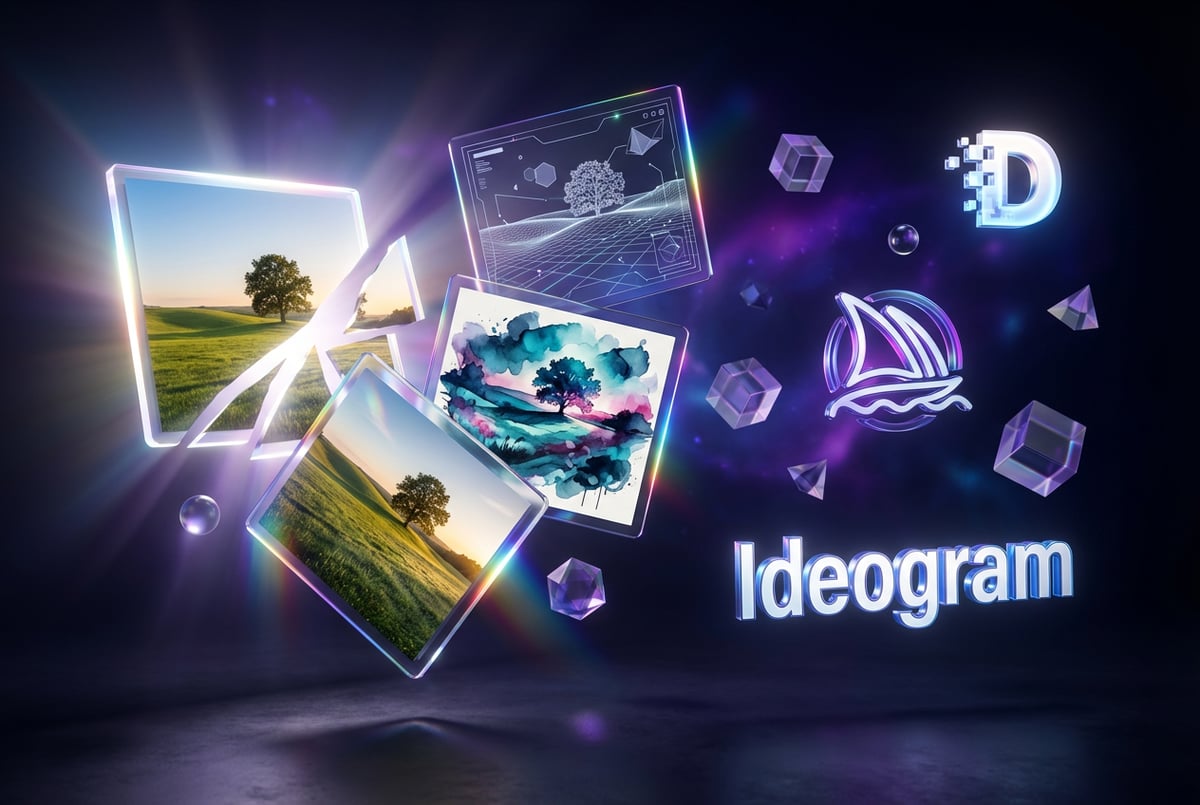
Ideogram V2 Remix is an AI-powered image transformation tool that lets you modify existing images while maintaining control over how much the output resembles the original. Released as part of Ideogram’s V2 model in August 2024, Remix represents a significant step forward in image-to-image generation technology.
Here’s what makes it different: instead of generating images from scratch based solely on text prompts, Remix uses an existing image as a foundation. You can then adjust how much influence that original image has on the final result using a strength slider that ranges from 1 to 100. At lower strength values, the new image stays closer to the original. At higher values, the AI takes more creative freedom.
The tool was developed by Ideogram AI, a company founded by four former Google Brain researchers: Mohammad Norouzi, William Chan, Chitwan Saharia, and Jonathan Ho. Their background in AI research shows in the model’s capabilities, particularly its industry-leading text rendering accuracy of approximately 90%—far better than most competing tools.
Ideogram V2 Remix addresses a common problem in AI image generation: the difficulty of making targeted changes to existing images while preserving their core elements. Whether you generated the original image in Ideogram or uploaded it from another source, Remix lets you iterate on designs without starting from scratch each time.
How Ideogram V2 Remix Actually Works
Other agents start typing. Remy starts asking.
Scoping, trade-offs, edge cases — the real work. Before a line of code.

The mechanics of Ideogram V2 Remix are straightforward. When you select an image to remix, the platform automatically populates the prompt box with either the original prompt used to generate that image or an AI-generated description if you uploaded an external image. You’re not locked into that prompt—you can edit it to guide the transformation in a new direction.
The strength slider is where the real control happens. This parameter determines how much the AI references the original image when creating the new one. Think of it as a dial between “minor adjustments” and “creative reinterpretation.”
Low strength values (1-30): The AI stays very close to the original composition, colors, and overall structure. Good for subtle refinements like adjusting lighting, fixing small details, or slight style shifts.
Medium strength values (31-70): The AI balances between the original image and your new prompt. You’ll see more significant changes while still recognizing the source material. This range works well for style transfers or moderate compositional changes.
High strength values (71-100): The AI prioritizes your prompt over the original image. You’ll get more dramatic transformations, though the basic layout or concept might still echo the source.
At strength 0, you bypass the remix function entirely and generate a completely new image based solely on your prompt and style settings. This can be useful when you want to use a prompt that Ideogram generated from an uploaded image but don’t want that image to influence the output.
The aspect ratio from your parent image carries over automatically, or Ideogram selects the closest available ratio if an exact match isn’t possible. This ensures consistency when you’re working on a series of images or need specific dimensions for a project.
Key Features That Make V2 Remix Stand Out
Ideogram V2 Remix comes packed with capabilities that extend beyond basic image transformation. Understanding these features helps you get better results.
Style Control Options
Ideogram V2 offers five distinct rendering styles that dramatically affect how your remixed images look:
- General: A balanced approach that works for most use cases
- Realistic: Optimized for photorealistic images with improved textures, particularly for human features
- Design: Tailored for graphics and text-heavy compositions like posters or marketing materials
- 3D: Produces three-dimensional rendered aesthetics
- Anime: Generates stylized animated artwork
You can combine these style options with the strength slider to achieve precise control over your output. For example, remixing a photo at medium strength with the Anime style preset will give you an illustrated version that maintains recognizable elements from the original.
Text Rendering Excellence
One of Ideogram’s standout capabilities is its text handling. While most AI image generators struggle to produce readable text—often creating garbled characters that look like text but make no sense—Ideogram V2 achieves roughly 90% text accuracy.
This becomes particularly valuable when using Remix. You can take an image with text elements and modify everything around that text while keeping the typography readable and properly formatted. Or you can change the text itself while maintaining the overall design aesthetic.
For designers working on marketing materials, social media graphics, or any text-heavy visuals, this capability significantly reduces the need for post-generation editing in traditional design tools.
Magic Prompt Enhancement

The Magic Prompt feature automatically expands your simple text descriptions into more detailed, descriptive prompts. When you’re remixing an image, Magic Prompt can help you articulate the changes you want more clearly, which typically leads to better results.
For instance, if you input “make it look vintage,” Magic Prompt might expand that to “vintage aesthetic with sepia tones, film grain texture, slightly faded colors, and retro composition inspired by 1970s photography.” This level of detail gives the AI more specific guidance.
Color Palette Control
Ideogram V2 introduced sophisticated color palette controls. You can specify exact color schemes for your remixed images, which is invaluable for brand consistency or achieving specific artistic effects. This works alongside the strength slider—you can maintain the composition of an image while completely shifting its color treatment.
Improvements Over V1 Remix
Ideogram V1 Remix laid the groundwork, but V2 represents substantial improvements across multiple dimensions.
The most notable upgrade is image quality. V2 produces sharper, more detailed images with better handling of complex scenes. Users report fewer artifacts and more coherent compositions, particularly when working with high strength values that involve significant image transformation.
Prompt comprehension improved significantly. V2 better understands nuanced instructions and maintains consistency across multiple remix iterations. If you’re working on a series of variations, V2 does a better job keeping stylistic elements consistent from one remix to the next.
The processing speed also increased. V2 generates images approximately 50% faster than V1 while producing higher quality output. For professionals working on tight deadlines or agencies producing high volumes of content, this speed improvement makes a practical difference.
Text rendering accuracy went up too. While V1 Remix already handled text better than most alternatives, V2 pushes accuracy closer to the 90% mark. The typography looks more natural, kerning issues are less common, and the AI does a better job matching text styles to the overall image aesthetic.
V2 also introduced more granular control over the remix process through the expanded style options and color palette controls mentioned earlier. These additions give users more ways to guide the transformation without writing increasingly complex prompts.
Practical Applications for Ideogram V2 Remix
Understanding the technical capabilities is one thing. Knowing when and how to use Remix in real-world scenarios is another. Here are practical applications where Remix excels.
Design Iteration and Refinement
Designers frequently need to create multiple variations of a concept. Instead of generating dozens of images from scratch and hoping one works, you can use Remix to iterate on promising designs.
Start with a base image that’s close to what you want. Then remix it with different prompts and strength settings to explore variations. Need to see a product shot in different lighting conditions? Remix with lighting-focused prompts. Want to test different color schemes? Use the color palette controls with medium-strength remixing.
This approach saves time and maintains visual consistency across your variations, which is harder to achieve when generating completely new images each time.
Style Transfer and Artistic Adaptation
Remix makes style transfer more controllable than traditional style transfer tools. You can take a photograph and remix it with anime, watercolor, oil painting, or any other artistic style while maintaining the original composition and subject matter.
Plans first. Then code.
Remy writes the spec, manages the build, and ships the app.
The strength slider lets you dial in exactly how much stylization you want. Low strength gives you subtle artistic touches. High strength produces more dramatic transformations. This level of control is useful for creative projects where you need images that feel related but have different aesthetic treatments.
Marketing Asset Creation
Marketing teams often need to produce multiple versions of similar images for A/B testing or multichannel campaigns. Remix streamlines this process.
You can create one strong hero image, then remix it to produce variations optimized for different platforms or audiences. Change the color scheme for seasonal campaigns. Adjust the composition for different aspect ratios. Add or modify text for different markets—all while maintaining brand consistency.
Ideogram’s text rendering strength makes it particularly valuable for creating text-heavy marketing materials like social media graphics, promotional posters, or email headers.
Product Photography Variations
E-commerce businesses need multiple product shots: different angles, lighting conditions, backgrounds, and contexts. Traditional photography is expensive and time-consuming. CGI rendering requires specialized skills.
Remix offers a middle path. Start with one good product image. Then remix it to show the product in different settings, lighting conditions, or styled environments. The AI maintains the product’s appearance while changing everything around it.
This approach works best when combined with medium strength settings—high enough to change the environment significantly, but low enough that the product itself stays recognizable and accurate.
Character Consistency Across Images
One persistent challenge in AI image generation is maintaining character consistency across multiple images. While Ideogram offers dedicated character consistency features in V3, V2 Remix provides an alternative approach.
Generate your initial character image, then use Remix with low-to-medium strength to place that character in different scenarios. The AI will maintain core visual elements like facial features, hair, and general appearance while changing the background, pose, or situation.
This technique isn’t perfect—you’ll need to cherry-pick successful outputs—but it’s more reliable than trying to maintain consistency through prompting alone.
Pricing and How to Access Ideogram V2 Remix
Ideogram operates on a credit-based pricing model with multiple tiers. Understanding the costs helps you budget appropriately for projects.
The free tier offers 10 slow credits per week. Each image generation typically consumes one credit, though this varies based on resolution and other settings. Slow credits mean your images go into a queue with longer wait times, but the output quality is identical to paid tiers.
The Basic plan costs $7 per month and includes 400 priority credits. Priority credits generate images much faster—usually within seconds rather than minutes. This plan also unlocks higher resolution options and removes the weekly refresh limit, so unused credits roll over.
The Plus plan, at $16 per month, provides 1,000 priority credits plus additional features like unlimited slow generations. For casual users or small projects, this tier offers good value.
Professional users typically opt for the Pro plan at $60 per month, which includes 3,500 priority credits, private mode (your images aren’t publicly visible), and priority support. The Pro plan also removes the Ideogram watermark from generated images.
For teams and enterprises, custom plans are available with dedicated support, higher credit limits, and additional features.
API access is separate from web interface subscriptions. Ideogram V2 Remix through the API costs approximately $0.08 per image, which is competitive with other AI image APIs. However, this is 6-7 times more expensive than the effective per-image cost through a web subscription if you’re generating high volumes.
One consideration: credits expire after one month if unused, so choose a plan that matches your actual usage patterns. Overpaying for credits you won’t use makes no sense, even if higher tiers offer better per-credit value.
Step-by-Step Guide to Using Ideogram V2 Remix
Here’s a practical walkthrough of the Remix process, from start to finish.
Step 1: Select Your Starting Image
You can access Remix in several ways:
- From the image feeds, hover over any image and click the Remix button
- Open an image’s detail panel and select Remix from the options
- Upload an external image using the import function, then choose Remix
When you select an image, Ideogram automatically fills the prompt box with either the original generation prompt or an AI-generated description of the uploaded image. This gives you a starting point, though you can modify or replace this prompt entirely.
Step 2: Configure Your Remix Settings
Click the Remix thumbnail in the prompt box to access the strength slider and other options. This is where you make the key decisions about your transformation.
Set your strength value based on how much change you want. Remember: 1-30 for subtle changes, 31-70 for moderate transformation, 71-100 for dramatic reimagining.
Select your style preset if you want to shift the aesthetic. The default General style works for most situations, but the specialized styles (Realistic, Design, 3D, Anime) can dramatically alter the output.
If you’re working on branded content, set your color palette to match brand guidelines. This ensures consistency across your remixed variations.
Step 3: Refine Your Prompt
Edit the auto-populated prompt to guide the specific changes you want. Be specific about what should change and what should stay the same.
Instead of vague instructions like “make it better,” write specific guidance: “change the background to a sunset beach scene while keeping the same person in the same pose.”
If you’re struggling to articulate what you want, enable Magic Prompt to expand your simple description into something more detailed. This often produces better results than brief, vague prompts.
Step 4: Generate and Evaluate
Click Generate and wait for your remixed image. With priority credits, this usually takes 5-15 seconds.
Evaluate the result against your goals. If it’s not quite right, adjust your settings and try again. Common adjustments include:
- Raising or lowering the strength value
- Adding more specific details to your prompt
- Trying different style presets
- Adjusting color palette settings
Don’t expect perfection on the first try. Plan to generate several variations and pick the best one. This is faster and more reliable than trying to write the perfect prompt from the start.
Step 5: Iterate and Refine
Once you have a promising result, you can remix it again to make further refinements. This iterative approach often produces better final results than trying to nail everything in a single generation.
Each remix builds on the previous one, allowing you to gradually steer the image toward your vision. Just be mindful of your credit usage if you’re on a limited plan.
Ideogram V2 Remix Compared to Other AI Image Tools
Understanding how Remix stacks up against alternatives helps you choose the right tool for specific tasks.
Ideogram V2 Remix vs Midjourney
Midjourney excels at highly artistic, visually stunning images with exceptional detail and atmospheric qualities. It’s the go-to choice for concept art, creative illustrations, and images where artistic merit matters more than practical constraints.
Ideogram V2 Remix prioritizes practical design needs: accurate text rendering, faster iteration, and more predictable results. For marketing materials, social media graphics, or any project involving text, Ideogram typically produces more usable results with less manual editing.
Midjourney’s strength slider (called “Image Weight”) works differently than Ideogram’s, and many users find Ideogram’s implementation more intuitive and predictable. Midjourney also requires Discord for web access, while Ideogram offers a standard web interface.
Cost-wise, Ideogram’s Basic plan at $7/month undercuts Midjourney’s entry tier at $30/month, making it more accessible for casual users or small projects.
Ideogram V2 Remix vs DALL-E 3
DALL-E 3, available through ChatGPT and Microsoft tools, offers tight integration with conversational AI interfaces. You can generate and remix images through natural dialogue, which some users find more intuitive than separate prompt boxes.
However, DALL-E 3 struggles significantly with text rendering compared to Ideogram. If your images need readable text elements, Ideogram produces far more reliable results. DALL-E 3 also has stricter content policies, which can limit certain creative directions.
Image-to-image transformation in DALL-E 3 (called “editing”) requires ChatGPT Plus or API access. Ideogram’s free tier lets you try Remix functionality before committing to a paid plan.
Ideogram V2 Remix vs Stable Diffusion
Stable Diffusion offers maximum control and customization through local deployment or services like ComfyUI. Tech-savvy users can fine-tune models, train custom versions, and create complex workflows that aren’t possible with closed platforms.
This flexibility comes at the cost of complexity. Setting up and optimizing Stable Diffusion requires technical knowledge, GPU resources, and time investment. Ideogram provides a polished, accessible alternative that works immediately through any web browser.
For pure image-to-image transformation, Stable Diffusion’s img2img capabilities are more flexible than Ideogram’s Remix, but also more complicated to use effectively. Ideogram’s strength slider and style presets offer a more streamlined approach that produces good results with less experimentation.
Ideogram V2 Remix vs Adobe Firefly
Adobe Firefly integrates directly into Creative Cloud applications, which makes it convenient for users already working in Photoshop, Illustrator, or Express. The tight integration with professional design tools is Firefly’s main advantage.
However, Firefly’s image generation capabilities lag behind Ideogram in several areas, particularly text rendering and style control. Firefly focuses more on safe, corporate-friendly outputs, while Ideogram offers more creative freedom.
Firefly uses a credit system similar to Ideogram but charges more per credit for equivalent functionality. For standalone image generation and remixing without the Creative Cloud ecosystem, Ideogram typically provides better value.
Integrating Ideogram V2 Remix Into AI Workflows
Ideogram V2 Remix becomes more powerful when integrated into broader AI automation workflows. This is where platforms like MindStudio add significant value.
MindStudio offers a no-code platform for building AI agents that can orchestrate multiple AI services, including image generation tools like Ideogram. Instead of manually generating and remixing images one at a time, you can create automated workflows that handle entire creative processes.
For example, you could build an AI agent that:
- Takes a product description and customer data as input
- Generates initial product images using Ideogram’s text-to-image capabilities
- Uses Remix to create multiple variations optimized for different platforms
- Automatically selects the best variations based on predefined criteria
- Exports the final images to your marketing tools or content management system
This type of workflow automation transforms image generation from a manual creative task into a scalable business process. Marketing teams can produce personalized visual content at scale. E-commerce businesses can generate product images for new inventory automatically. Content creators can maintain consistent visual branding across large volumes of output.
MindStudio provides access to over 200 AI models, including image generation tools, through a unified interface. You don’t need to manage separate API keys, billing systems, or integration code for each service. Build your workflow visually, connect the components you need, and deploy your AI agent as a web app, browser extension, or API endpoint.
For organizations producing high volumes of images or requiring consistent brand execution across many variations, this level of automation delivers substantial time savings and cost efficiency. The initial setup investment pays off quickly when you’re generating dozens or hundreds of images per week.
Known Limitations and Considerations
Ideogram V2 Remix is powerful, but it’s not perfect. Understanding its limitations helps you set realistic expectations and work around constraints.
Complex Scene Handling
Remix can struggle with complex scenes involving multiple people or intricate spatial relationships. While it maintains the general composition well, fine details in busy scenes sometimes become inconsistent or slightly distorted.
This limitation matters most when you’re remixing images with many elements that need to stay precisely coordinated. Simple scenes with fewer elements generally produce more reliable results.
Photorealistic Portrait Challenges
While Ideogram handles photorealistic images reasonably well, truly convincing photorealistic portraits remain challenging. Faces in remixed images sometimes exhibit subtle uncanny valley effects—they look almost right but something feels slightly off.
For professional headshots or images where facial accuracy is critical, you might need to supplement Ideogram with traditional photo editing or use it primarily for concept development rather than final outputs.
Hand and Detail Rendering
Like most AI image generators, Ideogram can struggle with hands, fingers, and other small anatomical details. When remixing images of people, check hands carefully. They’re often the first place where AI limitations become obvious.
The same applies to text at small sizes or complex typographic layouts. While Ideogram’s text rendering is industry-leading, it’s not flawless. Very small text or complex multilingual text can still produce errors that require manual correction.
Consistency Across Major Transformations
High-strength remixing can produce unpredictable results. When you push the strength slider above 80, the AI takes significant creative liberty, and you might get outputs that diverge substantially from your intentions.
This isn’t necessarily a limitation—sometimes happy accidents lead to interesting directions—but it means you should plan for multiple generation attempts when working with high strength values.
API Cost Considerations
The API pricing for Ideogram V2 Remix ($0.08 per image) is reasonable for occasional use but becomes expensive at scale. High-volume applications need to carefully calculate costs and consider whether a web subscription offers better value.
For context: if you generate 500 images per month through the API, you’ll pay $40 just for Ideogram usage. The Pro subscription at $60/month includes 3,500 credits, making it more cost-effective for consistent high-volume use.
Best Practices for Better Remix Results
Getting consistently good results from Ideogram V2 Remix requires understanding how to work with the tool effectively. These practices come from real-world usage by designers and content creators.
Start Conservative with Strength
When you’re unsure what strength value to use, start lower than you think you need. It’s easier to increase strength and generate again than to recover from an overly aggressive transformation that loses important elements.
Begin around 40-50 for most modifications. If that’s too subtle, increase by increments of 10-15 until you find the sweet spot for your specific needs.
Be Specific in Your Prompts
Vague prompts produce vague results. Instead of “make it look professional,” write “corporate office setting with natural window lighting, neutral colors, modern minimalist aesthetic.”
Specify what should stay the same as much as what should change. “Keep the same person and pose, but change the background to a mountain landscape at sunset” gives the AI clear guidance.
Use Style Presets Intentionally
Don’t just stick with the General style preset by default. The specialized styles (Realistic, Design, 3D, Anime) can dramatically improve results for specific use cases.
Design style works best for text-heavy graphics and marketing materials. Realistic style excels at product photography and lifestyle images. Experiment with different presets to find what works for your project type.
Iterate in Small Steps
Rather than trying to accomplish a major transformation in one remix, break it into steps. Make one change, evaluate the result, then remix again to make the next change.
This iterative approach gives you more control and produces more predictable results than trying to specify everything in a single complex prompt.
Keep a Prompt Library
When you find prompt formulations that work well for specific types of remixing, save them. Build a personal library of effective prompts for common tasks: background changes, style transfers, lighting adjustments, and so on.
This saves time and ensures consistency when you’re working on similar projects or need to maintain a particular aesthetic across multiple images.
Understand Your Project Requirements First
Before you start remixing, clarify what you actually need. What aspect ratio? What resolution? What specific elements must be preserved? What level of quality is sufficient?
Having clear requirements helps you choose appropriate settings and evaluate whether outputs meet your needs. It also prevents wasting credits on experiments that were never going to work for your use case.
Remy is new. The platform isn't.
Remy is the latest expression of years of platform work. Not a hastily wrapped LLM.
The Future of AI Image Remixing
AI image remixing technology continues to advance rapidly. Understanding the trajectory helps you plan for future capabilities and limitations.
Current research focuses on improving semantic understanding—making AI better at understanding what objects and concepts actually mean rather than just recognizing visual patterns. Future versions will likely handle complex instructions more reliably and maintain consistency across more dramatic transformations.
Character consistency is another area of active development. While current tools require workarounds to maintain consistent characters across multiple images, dedicated character reference systems are becoming more sophisticated. Expect better tools for creating character libraries and ensuring those characters look the same across different scenes and contexts.
Real-time remixing is on the horizon. Current generation speeds of 5-15 seconds per image are impressive compared to manual editing, but researchers are working toward near-instantaneous generation that would enable truly interactive creative workflows.
Video remixing represents the next frontier. Several companies are developing tools that can apply style transfers and transformations to video content while maintaining temporal consistency. Once these tools mature, the same remix capabilities you use for static images will extend to motion content.
Multimodal integration will blur the lines between different AI capabilities. Imagine describing changes you want to make to an image using voice commands, having an AI analyze the current image and suggest improvements, and then seeing those changes applied in real-time. The technology for each piece exists; integration is the challenge.
Commercial image generation will require better training data transparency and rights management. As legal frameworks develop around AI-generated content, tools will need to provide clear documentation of training data sources and usage rights. This will likely manifest as metadata attached to generated images that verifies their commercial safety.
Making Ideogram V2 Remix Work for Your Projects
Ideogram V2 Remix offers a practical middle ground in AI image generation: powerful enough for professional work but accessible enough for non-technical users to learn quickly.
The tool excels in specific scenarios: iterating on designs, creating variations of existing images, maintaining brand consistency across multiple assets, and producing text-heavy graphics that other AI tools struggle with. Its strength slider provides intuitive control over how much images change during remixing, making it easier to dial in exactly the transformation you need.
Cost and accessibility make Ideogram attractive compared to alternatives. The free tier lets you test functionality before committing money. Paid plans start at reasonable price points. The web interface requires no technical setup or specialized hardware.
Limitations exist, particularly around photorealistic portraits, complex scenes with many elements, and perfect consistency across high-strength transformations. These constraints matter more for some projects than others. Understand your specific requirements and test whether Ideogram can meet them before building entire workflows around it.
For teams and businesses producing images at scale, the real value comes from integrating Remix into broader automation workflows. Platforms like MindStudio let you build AI agents that use Ideogram as one component in larger processes, turning manual creative tasks into automated, repeatable systems.
The future of image remixing points toward faster generation, better semantic understanding, and tighter integration with other AI capabilities. Early adopters who learn these tools now will have a significant advantage as the technology continues improving.
Whether Ideogram V2 Remix fits your needs depends on what you’re trying to create. For text-heavy graphics, marketing materials, and iterative design work, it’s currently one of the best options available. For purely artistic projects or highly photorealistic portraits, other tools might serve you better. Evaluate based on your specific requirements, not general claims about which tool is “best.”