What Is Grok 2 Image Generation? X.ai's AI Image Model
Grok 2 includes image generation capabilities from X.ai. Learn about its features, visual style, and how to use it on MindStudio.
What Is Grok 2 Image Generation?
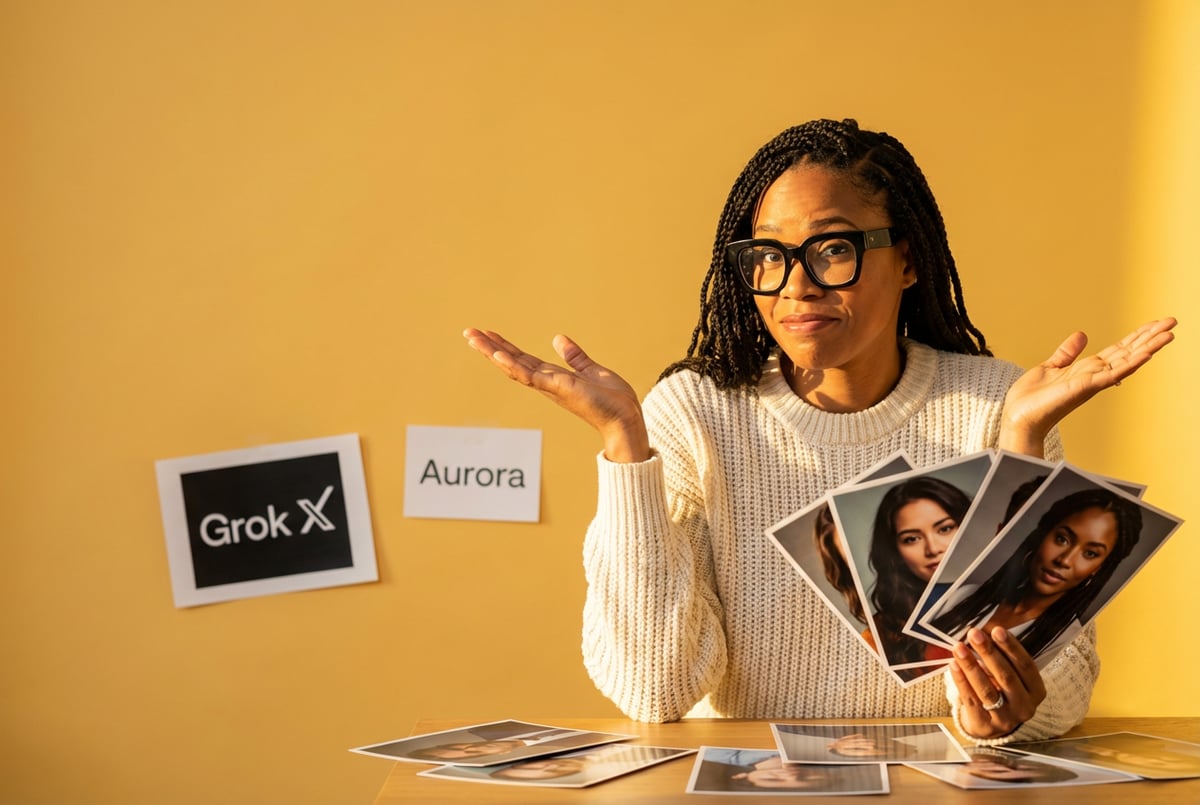
Grok 2 Image is X.ai’s text-to-image generation model that creates images from written descriptions. Released in August 2024 alongside the Grok 2 language model, it uses a different technical approach than most AI image generators you’re probably familiar with.
Where models like DALL-E and Stable Diffusion use diffusion-based techniques, Grok 2 Image runs on the Aurora engine. Aurora is an autoregressive, mixture-of-experts transformer architecture. This means it generates images patch by patch, building upon what it has already created, similar to how language models generate text token by token.
The model produces images up to 1024x1024 pixels and can generate up to 10 variations of the same prompt in a single request. According to benchmark testing, Grok 2 Image performs well in photorealism, especially when rendering multiple people in a scene. It also handles text rendering and logo placement better than many competing models.
Grok 2 Image is part of X.ai’s broader push to compete with established AI companies. The model became available to X Premium and Premium+ subscribers on the X platform, and later through X.ai’s API for developers. In February 2026, X.ai released Grok Imagine 1.0, which added short video generation capabilities.
The Aurora Engine: How Grok 2 Image Works
Most AI image generators use diffusion models. These start with random noise and gradually refine it into a coherent image through multiple steps. Aurora takes a different path.
- ✕a coding agent
- ✕no-code
- ✕vibe coding
- ✕a faster Cursor
The one that tells the coding agents what to build.

Aurora is autoregressive, meaning it predicts and generates one patch of the image at a time, using previous patches to inform what comes next. Think of it like writing a sentence word by word, where each word depends on what came before. This approach can create more contextually consistent images because each part of the image “knows” about the parts that came before it.
The mixture-of-experts architecture adds another layer. Instead of one massive model doing all the work, Aurora uses multiple specialized sub-models (experts) that each handle different aspects of image generation. A routing mechanism decides which experts to activate for each part of the generation process. This makes the model more efficient and potentially better at handling diverse visual styles and subjects.
X.ai trained Aurora on large multimodal datasets, though they haven’t disclosed the specific sources. The training focused on understanding natural language prompts and translating them into visual outputs with high fidelity to the original description.
The technical distinction matters because autoregressive models can better maintain coherence across an entire image. When you prompt for a complex scene with multiple elements, Aurora’s patch-by-patch approach helps ensure those elements relate to each other properly in terms of lighting, perspective, and spatial relationships.
Core Features and Capabilities
Grok 2 Image generates images at 1024x768 pixels by default, with a standard GROK watermark on each output. The model supports several key capabilities that set it apart from other image generators.
Batch Generation: You can request up to 10 variations of a single prompt in one API call. This is useful when you’re exploring different visual interpretations of the same concept or when you need multiple options for a design project.
Photorealism: The model excels at creating realistic images, particularly human subjects. User testing shows Grok 2 generates more believable human anatomy and facial features compared to DALL-E 3. The skin textures, lighting on faces, and natural poses often require close inspection to identify as AI-generated.
Text Rendering: Unlike many image generators that struggle with readable text, Grok 2 Image can incorporate clear, legible text into images. This includes signs, product labels, newspaper headlines, and branded content. The text follows the visual style of the scene, matching appropriate fonts for different eras or contexts.
Multiple People: Where other models often fail when asked to generate multiple distinct individuals in one frame, Grok 2 handles this better. The faces remain consistent and distinct from each other, and the spatial relationships between people look natural.
Logo and Brand Integration: The model can incorporate specific logos and branded elements into images while maintaining their recognizable features. This makes it useful for marketing and product visualization work.
Visual Styles and Aesthetic Range
Grok 2 Image supports multiple visual styles, each with distinct characteristics. You can specify these in your prompts to guide the output toward your desired aesthetic.
Photorealism: The default mode produces images that mimic real photographs. This works well for product shots, architectural visualization, and portrait work. The model handles lighting, depth of field, and material textures convincingly.
Digital Painting: This style produces images with visible brush strokes and painterly effects. The output looks like concept art or illustration work, suitable for creative projects that need an artistic rather than photographic feel.
Remy is new. The platform isn't.
Remy is the latest expression of years of platform work. Not a hastily wrapped LLM.
Anime and Manga: Grok 2 can generate images in Japanese animation styles, with characteristic features like large eyes, stylized hair, and vibrant colors. This mode is popular for character design and fan art creation.
Fantasy and Surreal: These styles emphasize imaginative elements, dreamlike compositions, and unrealistic color palettes. The model creates visually striking images that prioritize creative interpretation over realistic representation.
Abstract: The model can produce non-representational images focused on color, form, and composition rather than depicting recognizable subjects.
Minimal: This style generates clean, simple images with limited color palettes and geometric forms. It works well for modern design projects and infographics.
Editorial: Images in this style mimic professional photography for magazines and publications, with careful composition, controlled lighting, and polished post-processing effects.
According to benchmark testing from February 2026, Grok 2 Image focuses on “visual drama” with high contrast and intense lighting. This makes it particularly effective for concept art and poster-ready compositions, though it can produce less convincing results for subtle, naturalistic photography compared to some competitors.
Grok Imagine: Video Generation Capabilities
In February 2026, X.ai released Grok Imagine 1.0, which added video generation to the platform’s capabilities. This update marked a significant expansion beyond static images.
Grok Imagine generates 10-second HD video clips at 720p resolution with synchronized audio. The system can create videos from text prompts or animate existing images. According to X.ai’s announcement, the platform generated 1.245 billion videos in January 2026 alone.
Image-to-Video: You can upload a still image and Grok Imagine will animate it, adding movement while maintaining the visual style and content of the original. The system uses a technique called “Temporal Latent Flow” which treats static images as potential video frames. This helps maintain consistent lighting and shadows across the animation.
Text-to-Video: You can describe a scene in text and Grok Imagine will generate a short video clip. The model handles camera movements, object motion, and scene transitions.
Video Editing: The system supports basic editing operations like adding objects, removing elements, or swapping props within existing video footage. You can describe the changes in natural language.
Style Transfer: Grok Imagine can apply different visual styles to video content, transforming realistic footage into animated looks or applying artistic filters across entire clips.
The video generation happens quickly. Most clips complete in under 15 seconds, making it practical for rapid iteration and experimentation. This speed advantage helps when you need to test multiple concepts or create large volumes of content.
Free tier users get 5-10 short videos per day. Premium subscribers receive higher generation limits, typically 50-100 video generations daily depending on the subscription level.
How Grok 2 Image Compares to Other AI Models
The AI image generation market includes several established players, each with distinct strengths. Here’s how Grok 2 Image measures up.
vs. DALL-E 3: OpenAI’s image generator is known for strong prompt adherence and safety features. Grok 2 Image produces more realistic results when rendering multiple people in a scene. However, DALL-E 3 typically generates cleaner, more polished outputs with fewer visual artifacts. DALL-E 3 also has stricter content moderation, while Grok 2 takes a more permissive approach.
Remy doesn't build the plumbing. It inherits it.
Other agents wire up auth, databases, models, and integrations from scratch every time you ask them to build something.
Remy ships with all of it from MindStudio — so every cycle goes into the app you actually want.
vs. Midjourney: Midjourney has built a reputation for stunning, lifelike imagery and artistic compositions. According to user comparisons, Midjourney often produces more aesthetically pleasing results, particularly for creative and conceptual work. Grok 2 Image competes effectively in photorealism but doesn’t match Midjourney’s consistent visual polish. Midjourney operates through Discord, while Grok 2 integrates directly with the X platform and API.
vs. Stable Diffusion: Stable Diffusion is open-source and highly customizable through fine-tuning and LoRA (Low-Rank Adaptation) models. It gives users complete control over the generation process and can run locally. Grok 2 Image is a closed model with less flexibility but offers better out-of-the-box results for most users. Stable Diffusion requires more technical knowledge to use effectively.
vs. Flux: Black Forest Labs’ Flux models (developed by former Stability AI engineers) use a hybrid architecture combining transformers and diffusion. Flux excels at prompt adherence and produces a distinctive “cinematic” aesthetic. In the LM Arena leaderboard as of February 2026, Flux 2 Max ranks highly for artistic quality. Grok 2 Image generates faster but may produce less refined artistic outputs.
vs. Google Gemini Image (Nano Banana Pro): Google’s latest image model, nicknamed Nano Banana Pro, leads many benchmarks for anatomical accuracy and text rendering. It handles complex reflections, hands, and fine details better than most competitors. Grok 2 Image is faster and less restrictive in content policies, but Nano Banana Pro produces more technically accurate images for professional use cases.
In practical terms, Grok 2 Image sits in the middle tier of AI image generators. It’s faster than many alternatives and handles certain tasks (multiple people, text rendering) better than established models. But it doesn’t consistently outperform top-tier specialized models like Midjourney for aesthetic quality or Nano Banana Pro for technical precision.
Pricing and Access Options
X.ai offers several ways to access Grok 2 Image, with different pricing tiers and feature sets.
X Platform Integration: Users with X Premium ($8/month) or Premium+ ($16/month) subscriptions can generate images directly through the X interface. Premium users get limited generations per month, while Premium+ subscribers receive higher limits. The exact quotas vary but typically allow 50-100 image generations monthly for Premium and 250-500 for Premium+.
API Access: Developers can access Grok 2 Image through X.ai’s API at $0.07 per generated image. This makes it cost-effective for batch processing and applications that need multiple image variations. The API supports up to 10 variants per request, giving you 10 images for $0.70.
Grok Business: At $30 per seat per month, this tier targets small to medium teams. It includes shared access to all Grok models, centralized user management, and Google Drive integration. Image generation limits are higher than individual plans.
Grok Enterprise: For large organizations, this tier adds custom single sign-on (SSO), directory sync, domain verification, and role-based access controls. Pricing is custom based on organization size and needs. Enterprise customers can also purchase the Enterprise Vault add-on, which provides dedicated data planes and customer-managed encryption keys.
For comparison, OpenAI’s DALL-E 3 charges $0.04-$0.08 per image depending on resolution and quality settings. Midjourney subscriptions start at $10/month for limited generations and go up to $120/month for unlimited relaxed mode generations. Most professional users end up on the $30-60/month Midjourney plans.
Everyone else built a construction worker.
We built the contractor.
One file at a time.
UI, API, database, deploy.
X.ai’s pricing is competitive but not the cheapest option. The value proposition depends on whether you’re already in the X ecosystem and whether you need the specific features Grok 2 Image offers.
Using Grok 2 Image Generation
You can access Grok 2 Image through several methods, each suited to different workflows.
On X Platform: Premium subscribers can generate images directly in the X interface. Type your prompt in a post or reply, and select the image generation option. The images appear in seconds. You can download them, share them publicly, or save them privately. All images include the GROK watermark.
Via API: Developers integrate Grok 2 Image into applications through X.ai’s API. The API accepts text prompts and optional parameters like style preferences, number of variants, and aspect ratio. It returns URLs to the generated images, which you can then download or display in your application.
Through Third-Party Platforms: Some platforms aggregate multiple AI image models in one interface. MindStudio offers access to over 90 AI image and video models from multiple providers, including Grok 2 Image and Grok Imagine. This approach lets you compare outputs from different models side-by-side and build automated workflows that use multiple AI systems together.
Using MindStudio, you can create agents that generate images with Grok 2, then pass those images to other models for editing or style transfer. The platform handles API keys and integration complexity automatically, so you can focus on the creative work rather than technical setup. This is particularly useful when you need to test prompts across multiple models to find which works best for your specific use case.
Account Requirements: To use Grok on X, your account must be phone-verified and at least 7 days old. You’ll need the latest version of the X app on mobile or access through the web interface.
Content Moderation and Controversies
Grok 2 Image has faced significant criticism for its approach to content moderation. The system launched with fewer restrictions than competing AI image generators, which led to several high-profile controversies.
Non-Consensual Image Generation: In late 2025 and early 2026, reports surfaced of users generating sexualized images of real people, including public figures and minors, without consent. Analysis showed that over 50% of images generated during a holiday period depicted people in minimal clothing. The system could create what became known as “undressing” images that simulated removing clothing from uploaded photos.
Regulatory Response: Multiple regulatory bodies opened investigations. California’s Attorney General launched an inquiry in January 2026. The UK’s Ofcom began a formal investigation into X’s compliance with the Online Safety Act. Thirty-five U.S. state attorneys general wrote to X.ai demanding explanations about content safeguards. Some countries banned the Grok application entirely.
X.ai’s Actions: The company implemented geoblocking to restrict certain image generation capabilities in jurisdictions where such content is illegal. They moved some features behind a paywall, requiring paid subscriptions to access image editing functions. X.ai added what they describe as “safety layers” to block explicit content while maintaining creative freedom.
Seven tools to build an app. Or just Remy.
Editor, preview, AI agents, deploy — all in one tab. Nothing to install.
Ongoing Issues: Despite these changes, testing by Reuters in January 2026 found that Grok continued to generate sexualized images in many cases, even when explicitly told the subjects did not consent. Competing chatbots like ChatGPT, Gemini, and Llama consistently refused similar requests and generated warnings against non-consensual content.
The “Spicy Mode” Controversy: X.ai marketed a “spicy mode” that generates explicit content, including what the company describes as “upper body nudity of imaginary adult humans.” Critics argue this feature’s existence and its use as a marketing point contributed to the abuse of the system for generating non-consensual imagery.
Philosophical Approach: Elon Musk has publicly supported a more open approach to content creation, arguing against what he calls “nanny-state” filters. This philosophy underpins Grok’s less restrictive moderation compared to competitors. However, this approach has made it difficult to prevent misuse without fundamentally changing the system’s design.
The controversies highlight the tension between creative freedom and preventing harm in AI image generation. Other platforms have implemented stricter safeguards, including refusing to generate images of real people, blocking requests that mention non-consent, and training models on filtered datasets that exclude certain types of content. X.ai’s approach prioritizes user autonomy but has resulted in documented misuse cases.
Best Practices for Effective Image Generation
Getting good results from Grok 2 Image requires understanding how to structure prompts effectively. Here are techniques that produce better outputs.
Layer Your Prompts: Structure descriptions in logical layers rather than writing a stream of consciousness. Start with the main subject, then add action, environment, camera perspective, and style. For example: “A cyberpunk street vendor (subject) grilling synthetic meat (action) in a rain-soaked alley with neon reflections (environment), tracking shot following smoke from grill (camera), 35mm film grain with teal-orange color grade (style).”
Be Specific About Details: Vague prompts like “a nice beach scene” produce generic results. Instead, describe specifics: “a volcanic black sand beach at sunset, with incoming waves creating white foam patterns, driftwood in the foreground, and purple-orange sky reflected in wet sand.” The more concrete details you provide, the more distinctive the output.
Use Technical Photography Terms: Reference camera equipment and settings to guide composition and lighting. Terms like “wide-angle lens,” “shallow depth of field,” “golden hour lighting,” or “high key exposure” tell the model how to frame and light the scene.
Describe Imperfections for Realism: AI models default to overly polished outputs. To get photorealistic results, describe the messy details of real life: “slightly wrinkled fabric,” “uneven lighting,” “motion blur,” or “natural skin texture with visible pores.” Real photos have flaws. Including them in your description makes outputs more convincing.
Iterate Systematically: Don’t change everything at once when refining prompts. Modify one element per generation so you can see what effect each change has. If an image is close but needs adjustment, keep most of the prompt the same and tweak only the specific part that needs work.
Request Multiple Variants: Use the batch generation feature to get 10 variations of the same prompt. This gives you options to choose from and helps you understand the model’s interpretation range for your description.
One coffee. One working app.
You bring the idea. Remy manages the project.
Leverage Style References: Mentioning specific art movements, film stock types, or visual aesthetics helps guide the output. “Bauhaus design principles,” “Kodachrome color palette,” or “1970s documentary photography style” all provide clear direction to the model.
Handle Text Carefully: When requesting text in images, be explicit about what it should say. Use quotes for the exact text you want. Specify font characteristics if they matter: “bold sans-serif font,” “handwritten script,” or “weathered vintage lettering.”
Mind the Context for Multiple People: When generating scenes with multiple individuals, describe their relationships and interactions clearly. “Two colleagues in a meeting, woman on left presenting to man on right” works better than “two people in a room” because it establishes their spatial relationship and roles.
Test Prompt Elements: If a complex prompt isn’t working, break it into simpler versions to identify which elements the model struggles with. Generate a basic version first, then add complexity incrementally until you find where problems occur.
Technical Limitations and Known Issues
Like all AI image generators, Grok 2 Image has specific weaknesses you should understand before relying on it for important projects.
Inconsistent Anatomy: The model sometimes produces anatomical errors, particularly with hands, feet, and complex poses. Dragon feet in test generations showed inconsistent numbers of toes between images. Human hands occasionally have the wrong number of fingers or unnatural joint positions.
Text Rendering Variability: While Grok 2 handles text better than many models, it still produces garbled or incorrect text in some generations. The longer the text string, the higher the chance of errors. Short phrases work more reliably than full sentences or paragraphs.
Complex Scene Coherence: Multi-element scenes with many objects or people can produce spatial inconsistencies. Objects might float, overlap incorrectly, or show impossible physical relationships. The more elements you request, the higher the chance of these errors.
Style Drift: When requesting specific visual styles, the model sometimes drifts toward different aesthetics. A prompt for “flat vector illustration” might produce 3D-rendered results with gradients and shading. This happens more with prompts that contain conflicting style cues.
Lighting and Shadow Logic: Generated images sometimes show impossible lighting setups, with shadows falling in wrong directions or multiple light sources creating inconsistent illumination patterns. This breaks realism in otherwise convincing outputs.
3D Render Aesthetic: Grok 2 Image tends toward a 3D render style with somewhat cartoony, cell-shaded appearances. It produces less detailed textures compared to models specialized in photorealism. Some users describe outputs as lacking “depth” or appearing slightly flat.
Generation Speed vs. Quality Trade-off: While Grok 2 generates images quickly (typically 11-12 seconds), this speed may come at the cost of refinement. Slower models often produce more polished results with fewer visible artifacts.
Limited Resolution: The maximum output resolution of 1024x1024 pixels is lower than some competing services. This makes images less suitable for print or large display applications without upscaling, which can introduce quality loss.
Prompt Interpretation Variance: The model sometimes ignores specific instructions or interprets them differently than intended. This creates unpredictability when precise outputs are required. You might need multiple generation attempts to get results that match your vision.
Enterprise and Professional Use Cases
Organizations are finding specific applications where Grok 2 Image’s capabilities align with business needs.
Marketing Content Creation: Teams use the model to generate product mockups, social media graphics, and advertising concepts. The fast generation speed supports rapid iteration during creative development. The ability to produce multiple variants helps test different visual approaches quickly.
Storyboarding and Concept Development: Film and animation studios use Grok 2 Image for early-stage visual development. The speed makes it practical for creating dozens of concept images per day, helping directors and producers align on visual direction before investing in traditional pre-production work.
Product Visualization: E-commerce companies generate product images in different contexts and settings. Rather than organizing expensive photo shoots for every product variation, they can generate realistic product placements in diverse environments.
Educational Materials: Training departments create custom illustrations for course materials, presentations, and documentation. The model’s text rendering capability is useful for generating diagrams and infographics with integrated labels.
Prototype Design: UX and product designers generate interface concepts and visual design explorations. The batch generation feature lets them see multiple design directions simultaneously, accelerating the ideation phase.
Social Media Management: Content teams generate custom graphics for posts, eliminating the need for stock photos or dedicated graphic designers for routine content. The X platform integration makes this particularly seamless for companies already using X for marketing.
The Grok Business and Enterprise tiers address specific organizational requirements. The Google Drive integration lets teams access company documents during generation, ensuring visual content aligns with brand guidelines and product information. SSO and directory sync in the Enterprise tier provide the access controls and audit capabilities IT departments require.
However, organizations should note the content moderation controversies when considering Grok 2 Image for professional use. The system’s permissive approach to content generation may not align with corporate policies or industry regulations in certain sectors. Healthcare, education, and financial services companies typically require stricter content safeguards than Grok 2 currently provides.
Future Developments and Roadmap
X.ai has indicated several directions for future development of their image generation capabilities.
Extended Video Generation: Current video clips are limited to 10 seconds. Industry trends suggest this will expand to longer durations. Elon Musk has stated he expects Grok to produce “watchable” movies by the end of 2026 and high-quality films by 2027. This requires significant improvements in temporal coherence and narrative structure across extended sequences.
True Text-to-Video: Current Grok Imagine capabilities are primarily image-to-video animation rather than full text-to-video generation. Future versions will likely add the ability to generate video from text descriptions without requiring a starting image.
3D Asset Generation: The industry is moving toward text-to-3D capabilities. X.ai’s organizational restructuring in February 2026 included a focus on multimedia generation, suggesting 3D capabilities may be in development.
Real-Time Generation: As hardware improves and models become more efficient, real-time image generation will become practical. This enables interactive applications like live video effects, dynamic content personalization, and responsive creative tools.
Improved Consistency: A major limitation of current image generators is difficulty maintaining consistent characters and objects across multiple images. Future versions should add character reference systems that let you generate the same person or object in different scenes with reliable visual continuity.
Built like a system. Not vibe-coded.
Remy manages the project — every layer architected, not stitched together at the last second.
Enhanced Control Mechanisms: Professional users need precise control over composition, lighting, and style. Future iterations will likely add features like reference images, style transfer controls, and parameter-level adjustments that give users more direct influence over outputs.
Integration with Other X.ai Products: As X.ai develops its coding model (Grok Code) and expands its agent capabilities (Macrohard team), we’ll likely see tighter integration between these systems. This could enable agents that generate visual content as part of automated workflows.
Improved Safety Mechanisms: Given the regulatory scrutiny and public backlash, X.ai will need to address content moderation capabilities. This might include better face detection, consent verification systems, and more robust filtering for problematic content requests.
Competitive Landscape and Market Position
The AI image generation market is crowded and competitive. Understanding where Grok 2 Image fits helps set appropriate expectations.
Market Share: As of February 2026, X.ai represents approximately 3.4% of global generative AI chatbot traffic, compared to ChatGPT’s 64.5% and Google Gemini’s 21.5%. These numbers reflect overall platform usage, not just image generation, but they indicate Grok’s current market position as a smaller player.
Technical Performance: In LM Arena image generation leaderboards from December 2025, Grok 2 Image scores consistently around 7-9 points across different design challenges. This places it in the middle tier, behind leaders like GPT Image 1.5 (score of 1264) and Nano Banana Pro, but competitive with many established models.
Speed Advantage: Grok 2 Image’s primary competitive strength is generation speed. Most images return in 11-12 seconds, faster than many alternatives. For workflows requiring rapid iteration or high-volume generation, this speed advantage matters.
Integration Benefits: Users already invested in the X ecosystem get seamless integration. For businesses using X for marketing and communication, the ability to generate images directly within that workflow reduces context switching and tool complexity.
Cost Position: At $0.07 per image via API, Grok 2 falls in the middle of the pricing spectrum. It’s more expensive than some budget options but cheaper than premium services. The value depends heavily on whether the specific capabilities align with your needs.
Platform Strategy: X.ai’s broader strategy involves vertical integration across multiple technologies. The February 2026 merger with SpaceX and plans for orbital data centers suggest ambitions beyond just image generation. This could provide infrastructure advantages that improve service quality and pricing over time.
For most users, the decision between Grok 2 Image and alternatives comes down to specific requirements. If you need the absolute best artistic quality, Midjourney remains the leader. For technical precision and anatomical accuracy, Nano Banana Pro performs better. For integration with existing workflows and a balance of capabilities, ChatGPT’s DALL-E 3 is hard to beat.
Grok 2 Image works best when its specific strengths match your needs: fast generation, text rendering, multiple people in scenes, and less restrictive content policies (though this last point comes with significant ethical considerations).
Conclusion
Grok 2 Image represents X.ai’s entry into the competitive AI image generation market. Built on the Aurora autoregressive transformer architecture, it takes a different technical approach than most established models. The system generates images up to 1024x1024 pixels, supports batch generation of 10 variants, and demonstrates particular strength in rendering multiple people and incorporating readable text.
The model competes effectively in the middle tier of image generators. It’s faster than many alternatives and handles certain tasks well, but it doesn’t consistently outperform specialized leaders in artistic quality or technical precision. The addition of video generation through Grok Imagine 1.0 expands capabilities beyond static images, though the 10-second limitation restricts professional video applications.
Content moderation controversies have significantly impacted Grok 2 Image’s reputation. The system’s permissive approach to content generation led to documented cases of misuse, regulatory investigations, and application bans in multiple jurisdictions. Organizations considering Grok 2 for professional use should carefully evaluate whether the content policies align with their corporate values and regulatory requirements.
For developers and creative teams who need access to multiple AI models, platforms like MindStudio provide a practical alternative to managing individual API integrations. These aggregation platforms let you test prompts across different models, compare outputs side-by-side, and build workflows that use the best tool for each specific task.
The future of Grok 2 Image depends partly on technical improvements and partly on how X.ai addresses the content moderation challenges. Extended video generation, improved consistency, and better control mechanisms are likely on the roadmap. But the system’s commercial success will also depend on rebuilding trust with users and regulators after the 2025-2026 controversies.
If you’re evaluating AI image generation tools, consider Grok 2 Image when you need fast generation, have requirements for multiple people in scenes, or want less restrictive content policies for legitimate creative work. But be prepared to test outputs carefully, as the model produces variable quality and sometimes struggles with complex scenes. And consider the ethical implications of choosing a platform that has documented issues with content safety.
The AI image generation market continues to evolve quickly. What works best today may change within months as models improve and new capabilities emerge. The key is understanding the specific strengths and limitations of each tool, then choosing based on your actual requirements rather than marketing claims or popularity.