What Is Gemini 2.5 Flash Image? Google's Fast AI Image Generator
Gemini 2.5 Flash Image offers rapid AI image generation from Google. Learn what makes it fast, when to use it, and how it fits into your creative workflow.
What Is Gemini 2.5 Flash Image? Google’s Fast AI Image Generator
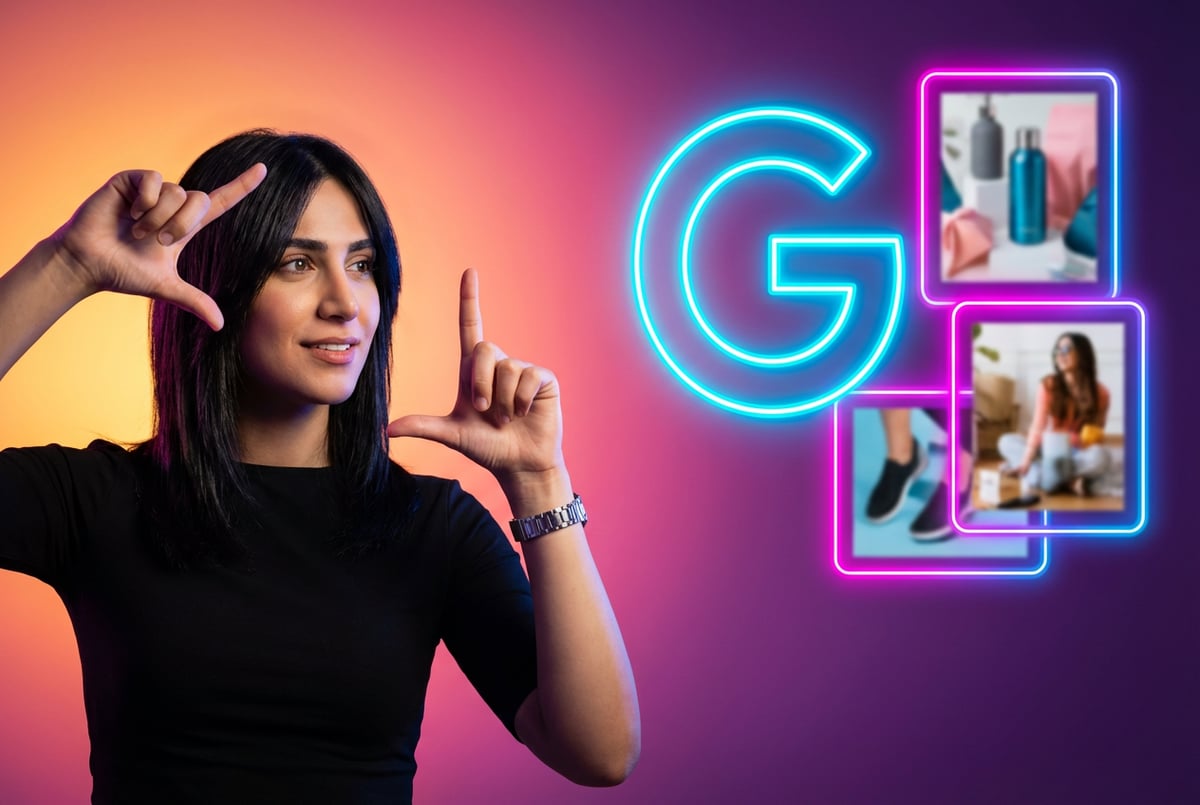
Google’s Gemini 2.5 Flash Image represents a shift in how AI generates and edits images. Released in August 2025 and made generally available in October 2025, this model prioritizes speed and workflow integration over artistic flourish. You might know it by its unofficial name: Nano Banana.
The model generates images in 1-2 seconds for standard requests, with most tasks completing in under 10 seconds. That speed matters when you’re iterating on designs, creating product images, or building applications that need real-time visual generation.
Here’s what makes it different from other image generation tools: it’s designed for conversation. You can upload an image and ask for specific changes using natural language. The model understands context, maintains consistency across edits, and remembers what you’ve asked for in previous turns.
Core Capabilities and Features
Gemini 2.5 Flash Image handles several tasks that typically require separate tools or manual work.
Native Multimodal Understanding
The model was trained from the start to process text and images together. This is not a text model with image capabilities added later. The architecture processes both modalities simultaneously, which means it can understand spatial relationships, lighting conditions, and compositional elements while interpreting your text instructions.
When you ask it to “change the blue sofa to brown leather while keeping the same lighting,” it knows what you mean. It preserves the shadow patterns, maintains the room’s ambient light, and adjusts only the specified object.
Character Consistency Across Generations
You can maintain the same person, product, or object across multiple images. Upload reference images of a specific individual or item, and the model will preserve those features in new contexts.
The model supports up to 14 reference images in a single prompt, with 6 maintaining high fidelity. This matters for brand work, character development, and product photography where consistency is required.
Multi-Image Fusion and Composition
The model can blend elements from different images into a single coherent output. Take a product photo, combine it with a lifestyle scene, add a specific lighting setup from another reference, and the model will integrate these elements while respecting physics and spatial logic.
This capability replaces manual compositing work for many use cases. The model understands perspective, lighting direction, and scale relationships.
Conversational Editing Interface
You don’t start over when the first result is close but not quite right. Tell the model what to adjust. “Make the background darker,” “add more contrast,” or “shift the color temperature warmer” all work as follow-up instructions.
The model maintains context across multiple turns. It remembers the previous state and applies only the requested changes.
Multiple Aspect Ratio Support
The model supports 10 different aspect ratios: 1:1, 3:2, 2:3, 3:4, 4:3, 4:5, 5:4, 9:16, 16:9, and 21:9. This covers social media posts, video thumbnails, website headers, mobile screens, and print layouts without requiring separate tools or manual cropping.
Built-In SynthID Watermarking
Every generated image includes an invisible SynthID watermark. This digital signature persists through crops, resizes, and format conversions. It provides a way to verify whether an image was created by AI.
For enterprise use, this addresses content provenance requirements. Marketing teams can prove their assets are AI-generated when regulations require disclosure. Publishers can verify image sources.
Real-Time Google Search Integration
The model can query Google Search during image generation to access current information. Ask for “the new Tesla Cybertruck” or “the 2026 Paris Olympics logo,” and it uses real-time data to generate accurate visuals.
This reduces hallucinations for time-sensitive content. The model doesn’t rely solely on training data with a fixed cutoff date. It can incorporate recent events, current product designs, and up-to-date visual references.
How the Technology Works
Understanding the technical foundation helps explain what the model does well and where it has limitations.
Architecture and Training
Gemini 2.5 Flash Image uses a Multimodal Diffusion Transformer architecture. The model scales from 450 million to 8 billion parameters depending on the task.
Unlike previous approaches that bolt image generation onto a text model, this architecture was designed for multimodal work from the beginning. The training process used a diverse dataset including web documents, code, images, audio, and video, with a knowledge cutoff of June 2025.
The model uses a sparse mixture-of-experts approach. Different parts of the network activate for different tasks, which improves efficiency without requiring massive parameter counts for every operation.
Inference and Processing
When you submit a prompt, the model converts your text into a multimodal representation that captures spatial layout, lighting, materials, and compositional intent. It then generates the image through an iterative refinement process.
Other agents start typing. Remy starts asking.
Scoping, trade-offs, edge cases — the real work. Before a line of code.

The speed comes from optimizations in the denoising schedule and efficient use of Google’s TPU infrastructure. Standard 1024x1024 pixel images complete in 1-2 seconds. More complex requests with multiple reference images or detailed edits take longer but still finish within 10 seconds for most cases.
Each image generation consumes 1290 tokens, which factors into API pricing and rate limits.
Context Window and Input Limits
The model supports a 32,768 token context window. This allows for detailed prompts, multiple reference images, and conversational editing across several turns before hitting limits.
You can include up to 3 input images and generate up to 10 output images per prompt. Images can be in PNG, JPEG, WebP, HEIC, or HEIF formats. The maximum file size is 7MB per image, though the system may compress larger files, which can reduce detail quality.
Practical Applications and Use Cases
The model works best for specific types of image work. Here’s where it adds real value.
Product Photography and E-Commerce
Generate product images in different contexts without reshoots. Take a single product photo and place it in lifestyle scenes, on different backgrounds, or with various lighting setups.
The model can create variations for A/B testing, seasonal campaigns, or platform-specific requirements. Change backgrounds, adjust lighting, or add props using text instructions.
For e-commerce platforms, this reduces the cost and time of traditional product photography. One initial photo can become dozens of variations without additional studio time.
Marketing and Social Media Content
Create platform-specific images quickly. The aspect ratio support means you can generate the right size for Instagram stories, YouTube thumbnails, LinkedIn posts, or Twitter headers without manual cropping.
Maintain brand consistency by using reference images of your logo, color palette, and brand elements. The model will incorporate these consistently across generated content.
For content teams producing high volumes of visual assets, the speed and consistency matter. Generate multiple variations, test different approaches, and iterate based on performance data.
Video Production and Pre-Visualization
Create storyboard frames, concept art, and pre-visualization images for video projects. The character consistency feature helps maintain the same subjects across different scenes.
Loop Earplugs used Gemini 2.5 Flash Image combined with video generation models to reduce production costs from 60,000-70,000 euros to a fraction of that cost. The workflow allows for rapid creative testing without committing to expensive shoots.
Real Estate and Property Marketing
Transform empty spaces with virtual staging. Upload room photos and add furniture, decor, or different lighting conditions. Generate multiple staging options to show potential buyers different possibilities.
The model understands spatial relationships and lighting, so added furniture appears correctly sized and lit according to the room’s existing conditions.
Education and Training Materials
Create diagrams, illustrations, and visual aids for educational content. The model can render technical concepts, historical scenes, or abstract ideas into visual form.
For training materials that require consistent characters or objects across multiple scenarios, the reference image feature maintains continuity.
Game Development and Creative Projects
Generate concept art, character designs, and environment references. The model handles different art styles and can maintain character consistency across poses and angles.
Developers have used the model for dynamic in-game content. Volley’s dungeon game generates character portraits and scene edits during gameplay.
Pricing Structure and Access Methods
Other agents ship a demo. Remy ships an app.
Real backend. Real database. Real auth. Real plumbing. Remy has it all.
Gemini 2.5 Flash Image uses token-based pricing with several access options.
Standard API Pricing
The standard rate is $0.039 per image for typical 1024x1024 pixel outputs. Images consume 1290 output tokens, priced at $30 per million tokens. Input tokens (text and reference images) cost $0.30 per million tokens.
This pricing is competitive with other enterprise image generation services and significantly cheaper than traditional photography or design work at scale.
Batch Processing Discounts
Batch API processing offers a 50% discount, reducing the cost to $0.0195 per image. This works for non-urgent workloads where you can queue requests and wait for processing.
For high-volume applications like product catalogs or content libraries, batch processing can cut image generation costs in half.
Access Platforms
You can access Gemini 2.5 Flash Image through several channels:
- Google AI Studio provides a web interface for testing and development
- Vertex AI on Google Cloud offers enterprise features, SLAs, and integration with other cloud services
- Third-party API providers like OpenRouter, APIYI, and others offer alternative pricing and routing
- Adobe Firefly and Express have integrated the model directly into creative workflows
For developers building applications, the API provides RESTful endpoints with straightforward image generation and editing capabilities. The OpenAI-compatible interface makes integration simpler for teams already using similar services.
Free Tier and Rate Limits
Google offers free tier access with rate limits for testing and small-scale use. The exact limits vary by access method but typically allow hundreds of images per day for development work.
Production deployments need paid plans to handle higher volumes and get better rate limits.
Integration with Development Workflows
The model works as part of larger automation and application development processes.
API Integration Basics
The API accepts HTTP POST requests with text prompts and optional image inputs. Responses return base64-encoded image data or URLs to generated images.
You can control aspect ratio through the image_config parameter. The API supports both single-shot generation and multi-turn conversations where each request references the previous state.
No-Code Integration Options
For teams without deep technical resources, platforms like MindStudio enable building AI-powered applications that incorporate image generation without writing code. You can create workflows that combine text processing, image generation, and other AI capabilities through a visual interface.
This approach works well for marketing teams, content creators, and small businesses that need custom image generation workflows but don’t want to manage API infrastructure.
Automation Platform Support
The model integrates with automation platforms like Zapier, Make, and n8n. You can trigger image generation from events like form submissions, database updates, or scheduled jobs.
Azure Logic Apps users can build complete workflows that include prompt validation, content filtering, and Gemini image generation with business logic and compliance rules.
Performance Compared to Alternatives
Understanding how Gemini 2.5 Flash Image compares to other tools helps determine when to use it.
Speed and Latency
Gemini 2.5 Flash Image generates images in 1-2 seconds for standard requests. This is faster than most alternatives:
- GPT Image 1.5: 80 seconds for high-quality outputs
- Midjourney: 30-60 seconds depending on queue
- DALL-E 3: 15-30 seconds
- Flux 2 Max: 10-20 seconds
The speed advantage matters for real-time applications, rapid iteration, and user-facing tools where wait time affects experience.
Prompt Understanding and Accuracy
The model excels at understanding complex, natural language prompts. The underlying Gemini architecture provides strong reasoning about what you’re asking for.
Testing across different models shows Gemini 2.5 Flash Image performs well at preserving details and following specific instructions, particularly for photorealistic edits. It tends to be conservative with artistic transformations, especially on human subjects, which can be a limitation for creative work but a benefit for professional applications where accuracy matters more than artistic interpretation.
Character and Object Consistency
The model’s ability to maintain consistent subjects across multiple generations is stronger than most alternatives. Midjourney v6 and DALL-E 3 struggle more with keeping the same person or object identical across different contexts.
This makes Gemini 2.5 Flash Image particularly useful for brand work, character development, and any application requiring visual continuity.
Text Rendering Capabilities
Gemini 2.5 Flash Image handles text within images better than many competitors. It can generate clear, legible text in various styles and languages.
GPT Image 1.5 still leads in text accuracy, but Gemini’s capabilities are strong enough for most use cases including product mockups, posters, and marketing materials.
Cost Efficiency
At $0.039 per image, Gemini 2.5 Flash Image is competitively priced:
- GPT Image 1.5: $0.04 per image
- Midjourney: ~$0.05-0.08 per image depending on plan
- Seedream 4.5: $0.02 per image
The batch processing discount brings costs down to $0.0195 per image, which is among the lowest for high-quality image generation.
Limitations and Constraints
The model has specific weaknesses you should know about.
Artistic Style Range
Gemini 2.5 Flash Image is more conservative with artistic transformations compared to tools like Midjourney or DALL-E 3. It prioritizes accuracy and realism over creative interpretation.
For highly stylized art, abstract compositions, or artistic experimentation, other tools may produce more interesting results. The model works best for professional, production-focused image generation rather than pure creative expression.
Resolution Limitations
The native resolution is 1024x1024 pixels, expandable to 1024x1792 for different aspect ratios. This is suitable for web use and most digital applications but not ideal for large format printing or very high-resolution requirements.
Google’s Gemini 3 Pro Image (sometimes called Nano Banana Pro) supports native 4K generation for cases where higher resolution matters.
Fine Detail Handling
Complex textures, intricate patterns, and very fine details can drift across edits. The model sometimes over-smooths images, reducing texture detail in favor of clean, polished results.
For applications requiring precise texture work or highly detailed surfaces, you may need additional post-processing or a different tool.
Safety Guardrails
The model refuses requests involving race, ethnicity, or gender specifications. It won’t generate images of specific public figures or copyrighted characters.
These safety features prevent misuse but can occasionally block legitimate requests. The content moderation system is conservative, which is appropriate for enterprise use but can frustrate creative projects.
Input Image Size Issues
While the model officially supports images up to 7MB, larger files are automatically compressed by the system. This compression can reduce detail quality in the input, which affects the output.
Remy doesn't write the code. It manages the agents who do.
Remy runs the project. The specialists do the work. You work with the PM, not the implementers.
For best results, optimize input images to 2-3MB with careful compression before uploading.
Getting Started with Gemini 2.5 Flash Image
Here’s how to begin using the model effectively.
Prompt Engineering Basics
Effective prompts provide specific details about composition, lighting, style, and intent. The model responds better to narrative-style prompts than simple keyword lists.
Instead of “red car, sunset, beach,” try “A vintage red convertible parked on a sandy beach at sunset, with warm golden light reflecting off the car’s polished surface and long shadows stretching across the sand.”
According to Google’s documentation, narrative-based prompting improves output quality by 3.2x and reduces generation failure rates by 68%.
Using Reference Images Effectively
Upload clear, well-lit reference images that show the subject from relevant angles. For character consistency, include multiple views showing the subject’s features clearly.
The model maintains high fidelity for up to 6 reference images. Beyond that, influence decreases. Prioritize your most important references.
Iterative Editing Workflow
Start with a general prompt to get close to your goal. Then use conversational edits to refine specific elements. This approach is faster and more efficient than trying to perfect the prompt upfront.
Ask for specific changes: “make the background darker,” “increase contrast on the subject,” “warm up the color temperature.” The model understands these instructions and applies them to the existing image.
Quality Optimization Strategies
Several techniques improve output quality:
- Optimize input images to 2-3MB with careful compression
- Use narrative prompts with specific details about lighting, materials, and composition
- Specify technical parameters like camera angle, lens type, or time of day
- Provide multiple reference images for consistent subjects
- Break complex requests into multiple steps rather than one complicated prompt
Common Mistakes to Avoid
Don’t upload oversized images and expect full detail preservation. The system compresses them.
Don’t rely on keyword lists. The model performs better with natural language descriptions.
Don’t expect perfect text rendering on the first try. Complex text layouts may need iteration.
Don’t ignore aspect ratio when the output size matters. Specify it upfront.
Enterprise Considerations
Organizations using Gemini 2.5 Flash Image at scale need to consider several factors.
Content Rights and Licensing
According to Google’s Terms of Service, users retain ownership of generated content. Google doesn’t claim rights to your images and won’t use them without permission.
This matters for commercial applications. You can license, sell, or commercially exploit generated images. However, purely AI-generated content may not be eligible for copyright protection in some jurisdictions as of early 2026. Consult legal counsel for specific cases.
SynthID and Disclosure Requirements
All images include the SynthID watermark. This invisible signature helps comply with emerging regulations around AI-generated content disclosure.
The EU AI Act and similar legislation increasingly require transparency about AI-generated content. The built-in watermark provides a verification method.
Removing or Modifying Watermarks
While technically possible to attempt watermark removal, this likely violates Terms of Service and may violate regulations in jurisdictions requiring AI content disclosure.
For legitimate use cases, the watermark doesn’t affect visual quality or usability. It’s only detectable through specialized verification tools.
Integration with Existing Workflows
One coffee. One working app.
You bring the idea. Remy manages the project.
The model works well as part of larger content production pipelines. Teams have successfully integrated it with:
- Digital asset management systems for automated image variant generation
- E-commerce platforms for product image creation
- CMS and publishing systems for content creation
- Marketing automation tools for campaign asset generation
- Design tools through Adobe’s integration
Cost Management at Scale
At high volumes, several strategies reduce costs:
- Use batch processing for non-urgent work (50% discount)
- Implement caching for frequently requested variations
- Route simple tasks to Gemini 2.5 Flash-Lite when full capabilities aren’t needed
- Use third-party API providers that offer volume discounts
- Optimize prompt efficiency to reduce retry rates
Quality Consistency and Monitoring
Production deployments should implement quality checks and monitoring. The model can occasionally produce unexpected results, particularly with edge cases or unusual combinations.
Consider implementing automated quality scoring, human review for critical applications, and fallback mechanisms when generation fails or produces low-quality output.
Future Development and Roadmap
Google continues developing the Gemini ecosystem with several announced improvements.
Gemini 3 Pro Image
Released in November 2025 as an upgrade to Gemini 2.5 Flash Image, Gemini 3 Pro Image offers enhanced reasoning, 4K resolution support, and improved text rendering with 94% accuracy.
The Pro version includes a thinking process that decomposes prompts, resolves ambiguity, and dynamically adjusts parameters before generation. This reasoning approach improves complex prompt handling but takes longer to generate images.
Model Evolution
The Gemini family follows a pattern of iterative releases with consistent improvements. Based on past release cycles, expect Gemini 4 in late 2026 with advances in autonomous task completion, longer context windows, and tighter integration with physical-world applications.
Integration Expansion
Google is expanding integration points across its ecosystem. Expect deeper connections with Google Workspace, Android applications, Chrome extensions, and Google Cloud services.
The Gemini agent framework suggests future versions will work as part of autonomous workflows that combine image generation with other capabilities like research, data analysis, and task execution.
Alternative Approaches and Complementary Tools
Gemini 2.5 Flash Image works best as part of a broader toolkit rather than as the only image generation solution.
When to Use Other Models
Choose Midjourney or DALL-E 3 for highly artistic work where creative interpretation matters more than speed or consistency.
Use GPT Image 1.5 when text rendering accuracy is critical and you can accept longer generation times.
Consider Flux 2 Max if you need open-weight models for customization, fine-tuning on custom datasets, or local deployment.
Select Seedream 4.5 for video-to-image capabilities or when specific stylistic approaches align with your needs.
Hybrid Workflows
Many production workflows use multiple models for different stages. Generate initial concepts with one tool, refine with Gemini for consistency, and finalize with specialized editing software.
The multi-model approach lets you use the strengths of each tool while avoiding their weaknesses.
Building Custom Solutions
For specialized use cases, building custom workflows that combine multiple AI capabilities often produces better results than relying on a single model.
Platforms that enable this kind of workflow building, like MindStudio for no-code approaches or custom development using multiple APIs, give you flexibility to optimize for your specific requirements.
Practical Implementation Checklist
Plans first. Then code.
Remy writes the spec, manages the build, and ships the app.
If you’re evaluating Gemini 2.5 Flash Image for a project, work through these considerations:
Technical Requirements
- Do you need real-time or near-real-time image generation?
- What volume of images will you generate monthly?
- What aspect ratios and resolutions do you need?
- Do you need character or object consistency across multiple images?
- Will you need conversational editing or single-shot generation?
Business Requirements
- What’s your budget for image generation per month?
- Do you need commercial rights to generated images?
- Are there regulatory requirements for AI content disclosure?
- How important is brand consistency across generated assets?
- Do you need integration with existing tools and workflows?
Evaluation Process
- Test with representative prompts from your actual use cases
- Compare output quality, speed, and cost across multiple models
- Evaluate ease of integration with your existing stack
- Assess how well the model handles your specific content types
- Consider maintenance and scaling requirements
Final Assessment
Gemini 2.5 Flash Image serves a specific purpose in the image generation landscape. It’s fast, consistent, and designed for production workflows rather than creative exploration.
The model works best when you need to generate multiple variations quickly, maintain consistency across assets, or integrate image generation into automated workflows. The conversational editing interface and reference image support make it practical for professional applications.
For pure artistic work, other tools may be better. For enterprise content production, product photography, marketing assets, and application development, Gemini 2.5 Flash Image offers a solid combination of speed, quality, and cost efficiency.
The technology is improving rapidly. What seems like a limitation today may be addressed in upcoming releases. The foundation is strong enough to build on.