What Is DreamActor V2? AI-Powered Motion Transfer for Video
DreamActor V2 from ByteDance enables realistic motion transfer in AI video. Learn how it works, its use cases, and how to create with it.
What Is DreamActor V2?
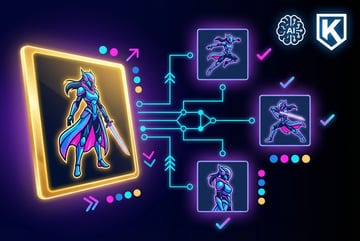
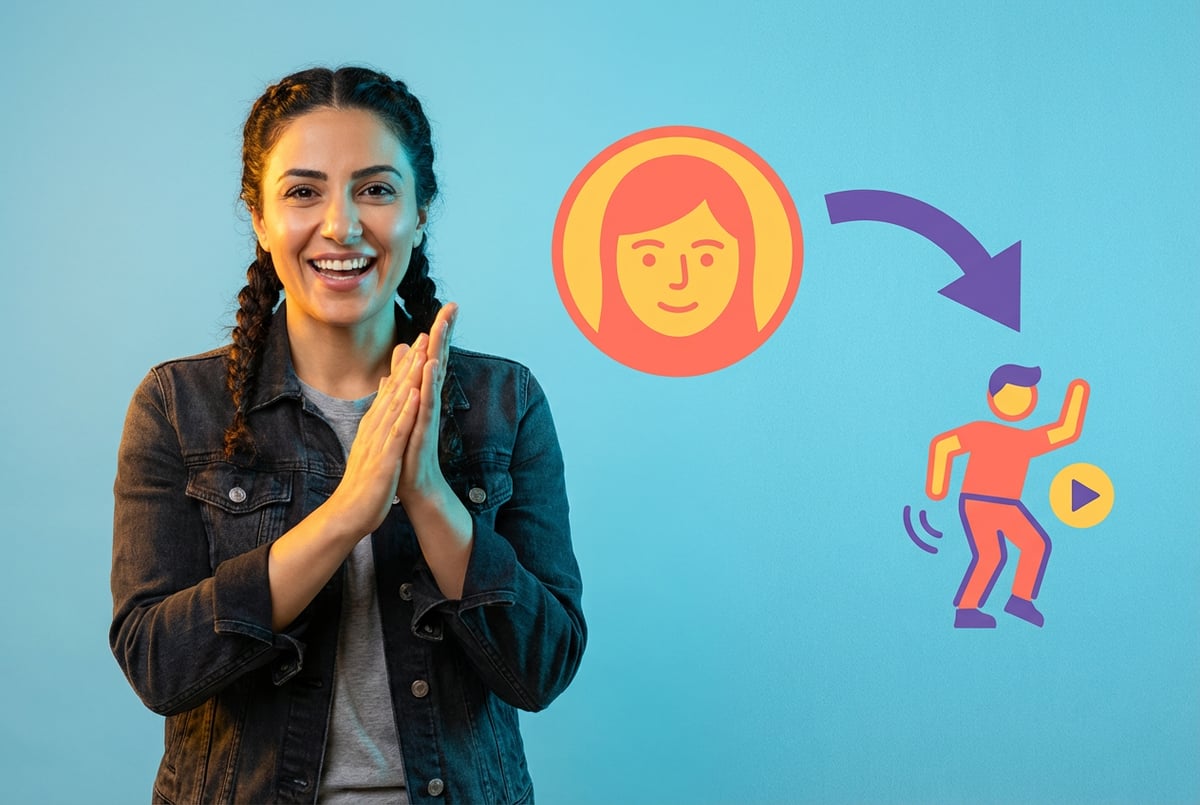
DreamActor V2 is ByteDance’s motion transfer model that animates static images using movement from driving videos. You upload a character image and a reference video, and the model makes your character perform the same movements, expressions, and gestures as the person in the video.
The technology works with photos, illustrations, anime characters, and any portrait-style image. It accurately captures facial expressions, head movements, and body gestures to create smooth, realistic motion that matches the driving video timing.
Unlike earlier motion transfer tools that focused solely on facial animation, DreamActor V2 handles full-body movements and can transfer motion to non-human characters and multiple characters simultaneously. This makes it useful for virtual avatars, content creation, digital humans, social media, and gaming applications.
ByteDance released DreamActor V2 as part of their broader AI video generation suite, which includes models like Seedance 2.0 for text-to-video generation and OmniHuman for avatar creation. The V2 version improves on the original DreamActor-M1 model with better performance for complex scenes and multiple character handling.
How Motion Transfer Technology Works
Motion transfer AI uses diffusion transformer architecture to understand and replicate movement patterns. The process breaks down into several technical steps that happen behind the scenes when you upload your inputs.
The Architecture Behind DreamActor V2
DreamActor V2 uses a Diffusion Transformer (DiT) combined with a 3D Variational Autoencoder (VAE). The DiT architecture processes both spatial and temporal information from videos, while the VAE compresses and reconstructs visual data efficiently.
Plans first. Then code.
Remy writes the spec, manages the build, and ships the app.

The model employs a hybrid guidance system that controls different aspects of motion separately. For body movements, it uses skeleton-based representation to track and transfer poses. For facial animation, it uses raw facial images from the driving video as control signals, which helps separate expression information from identity attributes.
This dual-control approach lets the model handle body movements and facial expressions independently, then combine them for natural-looking results. The skeleton tracking provides accuracy for body poses, while direct facial image input captures subtle expressions that would be hard to encode with predefined facial parameters.
The Generation Process
When you submit an image and driving video to DreamActor V2, the model follows these steps:
Input Processing: The system analyzes your character image to extract appearance features. It identifies facial structure, body proportions, and visual characteristics that need to stay consistent throughout the generated video.
Motion Extraction: The driving video gets processed to extract motion signals. The model tracks skeletal movements for body poses and captures facial expressions frame by frame. This creates a motion template that guides the animation.
Feature Fusion: The model combines appearance features from your character image with motion patterns from the driving video. A masked cross-attention mechanism helps preserve fine-grained details like facial features, clothing textures, and character-specific elements.
Frame Generation: The system generates video frames in short clips, typically around 73 frames at a time. For longer videos, it uses the last frame of each clip to start the next one, which avoids jumps and maintains continuity.
Refinement: Additional processing ensures temporal consistency, reduces artifacts, and maintains character identity across all frames. The model checks that movements stay natural and expressions remain believable.
What Makes V2 Different
DreamActor V2 improves on previous motion transfer models in several ways. It handles non-human characters better, which earlier models struggled with. The V2 version can transfer motion to cartoon characters, animals, stylized avatars, and even inanimate objects that you want to bring to life.
The model also performs better with multiple characters in a single scene. While the original DreamActor-M1 focused on single-subject animation, V2 can handle complex scenarios with several characters moving simultaneously. This capability matters for creators making narrative content or scenes with character interactions.
Processing speed improved compared to V1. The model generates motion-transferred videos faster while maintaining quality, which makes it more practical for production workflows where turnaround time matters.
Key Capabilities and Features
DreamActor V2 offers specific capabilities that determine what you can create with the tool. Understanding these features helps you know when the model works well and when other tools might fit better.
Multi-Character Motion Transfer
The model handles multiple characters in a single frame, which sets it apart from many competing tools. You can animate group photos, scenes with character interactions, or complex compositions with several moving subjects.
Each character gets motion transferred independently based on corresponding movements in the driving video. The system maintains individual character identities while coordinating their movements to match the reference video timing.
This feature works for various scenarios: band performances where each member moves differently, group conversations with distinct gestures and expressions, or action scenes with multiple characters engaged in coordinated movements.
Non-Human Character Support
Built like a system. Not vibe-coded.
Remy manages the project — every layer architected, not stitched together at the last second.
DreamActor V2 excels at animating non-human subjects. You can transfer motion to cartoon characters, animated mascots, animals, robots, or stylized avatars. The model adapts movement patterns to fit the character design rather than requiring humanoid proportions.
For animal characters, the system adjusts skeletal tracking to match different body structures. A quadruped character gets appropriate motion mapping that accounts for four-legged movement patterns. Cartoon characters with exaggerated proportions get motion that respects their unique anatomy.
This flexibility makes the tool useful for animation studios, game developers, and content creators working with stylized characters. You can use real actor performances to drive animated character movements without manual rigging or keyframe animation.
Facial Expression Accuracy
The model captures subtle facial movements including micro-expressions, eye movements, eyebrow raises, mouth shapes for speech, and emotional cues. This level of detail helps create believable character performances.
For portrait-style content, facial expression accuracy matters most. The system preserves character identity while transferring expressions, which means your character’s unique facial features stay consistent even as they adopt new expressions from the driving video.
The model handles different facial types well, from realistic human faces to stylized cartoon faces. It adapts expression transfer based on the character design, so exaggerated cartoon expressions get appropriate mapping when using realistic driving videos.
Full-Body Movement Tracking
Beyond facial animation, DreamActor V2 captures full-body movements including walking and turning, arm gestures and hand movements, posture shifts, dancing and complex choreography, and athletic movements.
The skeleton-based tracking system provides accuracy for body poses while remaining flexible enough to handle different body types and proportions. A character with different dimensions than the person in the driving video still gets natural-looking movement adapted to their proportions.
This full-body capability matters for creating content where body language conveys meaning. Character presentations, dance videos, fitness instruction, or action sequences all benefit from accurate body movement transfer.
Temporal Consistency
The model maintains consistency across video frames, which prevents the flickering, morphing, or identity drift that plagued earlier motion transfer tools. Your character stays recognizable throughout the generated video.
Temporal consistency includes maintaining clothing details, preserving hairstyles and accessories, keeping facial features stable, ensuring smooth motion without jarring transitions, and maintaining background elements when present.
This consistency lets you create longer videos without quality degradation. The model generates video in segments but blends them seamlessly, so viewers don’t notice where one segment ends and another begins.
Practical Use Cases
DreamActor V2 serves specific workflows where motion transfer provides value. These use cases show where the technology fits into content creation pipelines and business applications.
Virtual Avatar Creation
Content creators use DreamActor V2 to bring virtual avatars to life without motion capture equipment. You create a character design, then use yourself or actors as motion sources to animate the avatar for videos.
Virtual YouTubers (VTubers) can record performances using simple video and transfer that motion to their avatar character. This approach costs less than traditional motion capture setups and requires less technical expertise to operate.
The same process works for corporate avatars, educational characters, or brand mascots. Companies create consistent character representations that can deliver messages, present information, or interact with audiences while maintaining brand identity.
Content Creation and Social Media
One coffee. One working app.
You bring the idea. Remy manages the project.
Social media creators use motion transfer to produce engaging content quickly. You can make your character designs dance, react, or perform trending movements by using existing video references as motion sources.
This speeds up content production significantly. Instead of animating characters frame by frame, you shoot reference footage and transfer that motion to your characters. You can create multiple variations using different driving videos with the same character image.
For viral content creation, motion transfer lets you participate in trends using your own characters rather than appearing on camera yourself. This appeals to creators who prefer maintaining privacy or want to build content around character IP rather than personal presence.
Digital Marketing and Advertising
Marketing teams use DreamActor V2 to create product demonstrations, brand character campaigns, and personalized video content. A brand mascot can demonstrate products, deliver messages, or interact with customers through motion-transferred performances.
E-commerce applications include virtual models showcasing products. You can show how clothing moves, demonstrate product use, or create walkthrough videos using character models instead of hiring actors for each variation.
Localization becomes easier when working with character-based content. The same character performing the same movements can deliver messages in different languages or cultural contexts without reshooting source material.
Game Development and Animation
Game developers use motion transfer for character animation previsualization, cutscene creation, and promotional content. You can quickly test how character designs look in motion or create trailer content before final animation production begins.
For indie developers with limited animation resources, motion transfer provides a way to create believable character performances. You shoot reference footage of actors performing scenes, then transfer that motion to game characters.
Animation studios use the technology for rapid prototyping. Directors can see how character designs perform with specific movements before committing to full animation production. This helps identify design issues or movement problems early in development.
Education and Training
Educational content creators use motion transfer to make engaging instructional videos with character hosts. A consistent character can deliver lessons, demonstrate concepts, or guide learners through material while using motion captured from real instructors.
Training simulations benefit from motion-transferred character animations. You can create scenario-based training content with realistic character movements without full motion capture production costs.
Language learning applications use the technology to create characters that demonstrate pronunciation, gestures, and cultural body language. The same character can deliver consistent instruction across different learning modules.
How to Use DreamActor V2
Using DreamActor V2 requires preparing your inputs correctly and understanding what produces good results. The process itself is straightforward, but input quality significantly affects output quality.
Preparing Your Character Image
The character image serves as the appearance source for your animated output. For best results, use a clear, front-facing image with good lighting and minimal background distractions.
Image requirements include sufficient resolution (at least 512x512 pixels, higher is better), clear visibility of the face and body areas you want to animate, good lighting that shows details clearly, and a simple background that doesn’t compete with the character.
Portrait-style images work best. Full-body shots give the model more information for body movement transfer. Close-up portraits limit output to facial animation and upper body movements.
Remy is new. The platform isn't.
Remy is the latest expression of years of platform work. Not a hastily wrapped LLM.
For non-human characters, ensure the character design is clearly visible. The model needs to identify key features to maintain identity during animation. Avoid overly complex designs with fine details that might get lost during motion transfer.
Selecting Your Driving Video
The driving video provides the motion that gets transferred to your character. Choose videos where movements are clearly visible and match what you want your character to do.
Driving video considerations include clear visibility of the person performing movements, good lighting that doesn’t obscure motion, movements that match your intended output, a single person performing (for single-character animation), and minimal camera movement for cleaner results.
The person in the driving video doesn’t need to match your character’s appearance. The model separates motion from identity, so you can use any reference source that performs the movements you want.
Video length affects processing time and cost. Longer driving videos take more time to process and cost more based on per-second pricing. Edit your driving video to include only the movements you need.
Accessing the Model
DreamActor V2 is available through platforms like Fal.ai, which provide API access and web interfaces for using the model. You don’t need to run the model locally or have powerful hardware.
Fal.ai offers a straightforward interface where you drag and drop your character image and driving video. The platform handles file uploads, processing, and returns your generated video when complete.
API access lets developers integrate DreamActor V2 into applications and workflows. You can build custom interfaces, automate batch processing, or combine motion transfer with other AI tools in production pipelines.
Pricing on Fal.ai runs $0.05 per second of driving video. A 10-second reference video costs $0.50 to process. This per-second pricing makes cost predictable and scales based on your actual usage.
Processing and Output
After uploading inputs, the model processes your request and generates output. Processing time varies based on video length and server load, typically ranging from a few minutes for short clips to longer for extended videos.
The platform returns your animated video in standard formats like MP4. You can download the result and use it in editing software, upload it to platforms, or incorporate it into your projects.
Output quality depends on input quality and the complexity of movements. Simple movements with clear driving videos produce the most consistent results. Complex scenes with multiple characters or intricate movements may require iteration to get optimal output.
Tips for Better Results
Getting good results from DreamActor V2 involves following some practical guidelines based on how the model performs:
Lighting matters: Use well-lit reference footage. Poor lighting in driving videos leads to unclear motion extraction and lower quality output.
Match the framing: If your character image shows a full body, use driving videos with full-body visibility. Mismatched framing between character image and driving video can cause issues.
Keep backgrounds simple: Complex backgrounds in either the character image or driving video can distract the model. Clean, simple backgrounds produce better results.
Test different driving videos: The same character image with different driving videos produces different results. Experiment with various motion sources to find what works best for your character.
- ✕a coding agent
- ✕no-code
- ✕vibe coding
- ✕a faster Cursor
The one that tells the coding agents what to build.
Edit driving videos first: Trim driving videos to include only the movements you want. Extra footage at the beginning or end gets processed unnecessarily and affects timing.
Consider character design: Some character styles work better than others. Realistic portraits typically produce more consistent results than highly stylized or abstract character designs.
Comparing Motion Transfer Approaches
Multiple tools and approaches exist for motion transfer and character animation. Understanding how they differ helps you choose the right tool for specific needs.
DreamActor V2 vs Traditional Animation
Traditional character animation requires manual keyframing or motion capture equipment. Animators create each frame of movement or use expensive mocap suits and facilities to capture performance data.
DreamActor V2 eliminates these requirements. You shoot simple reference video with a phone or camera, then transfer that motion to characters automatically. This reduces production time from days or weeks to minutes or hours.
However, traditional animation offers more artistic control. Animators can exaggerate movements, adjust timing, and create motions that are physically impossible. Motion transfer is limited to realistic movements that humans can actually perform.
For many applications, the speed and cost savings of motion transfer outweigh the limitations. You can produce more content more quickly, which matters for social media, marketing, and rapid content production workflows.
Alternative AI Motion Transfer Tools
Several AI models handle motion transfer, each with different strengths. Act-Two from Runway focuses on facial animation with voice integration. Users can animate characters using audio input, which makes it useful for dialogue-driven content.
DreamActor-M1, the predecessor to V2, handled single-character animation well but struggled with multiple characters and non-human subjects. V2 addresses these limitations while maintaining the quality of the original model.
Wan-Animate from Alibaba offers both animation mode and replacement mode. It uses similar technical approaches to DreamActor V2 but includes additional features for character replacement and relighting adjustments.
OmniHuman from ByteDance specializes in creating expressive avatar videos from images and audio. While related to DreamActor V2, OmniHuman focuses more on creating virtual presenters and avatars with synchronized audio rather than pure motion transfer.
When to Choose DreamActor V2
DreamActor V2 works best for specific scenarios. Choose this tool when you need to animate non-human characters, transfer motion to multiple characters simultaneously, work with illustration or cartoon-style characters, or create content where full-body movement matters as much as facial expressions.
The model suits production workflows where you have clear reference footage and want to transfer that exact motion to characters. It works well when you need consistent character animation across multiple videos using different motion sources.
For projects requiring more creative control or artistic interpretation, traditional animation or more specialized tools might fit better. DreamActor V2 excels at accurate motion replication rather than creative movement design.
Building Complete Workflows
Most professional applications combine multiple tools rather than relying on a single solution. You might use DreamActor V2 for character animation, then combine it with video editing software, audio tools, and other AI models for complete content production.
Seven tools to build an app. Or just Remy.
Editor, preview, AI agents, deploy — all in one tab. Nothing to install.
Platforms like MindStudio let you orchestrate these workflows by connecting different AI models and tools. You can build automated pipelines that take raw inputs, process them through multiple steps including motion transfer, and produce final content without manual intervention at each stage.
This orchestration approach matters as AI tools proliferate. Rather than manually switching between tools and platforms, you build systems that handle the complexity while you focus on creative decisions and content strategy.
Technical Limitations and Considerations
DreamActor V2 has specific limitations that affect what you can create and how well it performs. Understanding these constraints helps set realistic expectations and plan projects appropriately.
Motion Complexity Limitations
The model handles standard human movements well but struggles with highly complex or unusual motions. Extreme athletic movements, intricate hand gestures, or very fast motion can produce artifacts or unclear results.
Contact with objects or environments presents challenges. If the driving video shows someone picking up objects or interacting with their surroundings, the motion transfer might not properly represent these interactions in the output.
This limitation stems from how the model learns motion patterns. It recognizes common movements from training data but may not generalize well to rare or unusual motion types it hasn’t seen frequently during training.
Character Design Constraints
Some character designs work better than others for motion transfer. Characters with clear facial features, distinct body proportions, and simple designs tend to produce more consistent results.
Highly stylized characters with unusual proportions may not animate as naturally. If your character has drastically different body proportions than the person in the driving video, the transferred motion might look odd or unnatural.
Character designs with fine details, complex patterns, or intricate textures may lose some detail during animation. The model prioritizes maintaining overall identity and motion quality over preserving every tiny detail.
Video Length and Processing
Longer videos require more processing time and cost more to generate. The per-second pricing model means that creating long-form content can become expensive compared to short clips.
Very long videos may also show quality degradation or consistency issues. While the model maintains identity across frames, subtle drift can occur in extended sequences.
For longer content, consider breaking it into segments, processing each separately, then combining the results in editing software. This approach gives you more control over quality and can actually produce better final results.
Environmental and Lighting Challenges
The model focuses on character animation rather than environmental consistency. If your character image includes a background, that background stays static while the character moves.
Lighting conditions in the character image don’t adapt based on the driving video. If the driving video shows different lighting, the output won’t adjust the character’s lighting to match.
For professional results, plan to composite animated characters into scenes using editing software. This lets you control backgrounds, lighting, and environmental elements separately from character animation.
Hardware and Platform Requirements
Running DreamActor V2 locally would require significant computational resources. The model uses large transformer architectures that demand substantial GPU memory and processing power.
Most users access DreamActor V2 through cloud platforms rather than running it locally. This eliminates hardware requirements but means you depend on platform availability and pricing.
API access requires network connectivity and introduces latency. For real-time applications or interactive use cases, this latency may be prohibitive. The model works better for pre-rendered content than live applications.
The Motion Transfer Ecosystem
DreamActor V2 exists within a broader ecosystem of motion transfer and AI video generation technologies. Understanding this landscape helps you navigate options and combine tools effectively.
ByteDance’s AI Video Suite
ByteDance develops multiple AI video technologies that work together as a comprehensive suite. Seedance 2.0 handles text-to-video generation with multimodal inputs. OmniHuman creates avatar videos from images and audio. DreamActor V2 focuses specifically on motion transfer.
These tools serve different use cases but share underlying technical approaches. They all use diffusion transformer architectures, leverage ByteDance’s extensive training data, and integrate into similar production workflows.
For complete video production, you might use Seedance 2.0 to generate background scenes, DreamActor V2 to animate character elements, and OmniHuman to create presenter avatars. Combining these tools provides more creative options than any single model alone.
Competing Platforms and Models
OpenAI’s Sora 2 excels at physics simulation and world modeling but doesn’t specialize in character-specific motion transfer. Google’s Veo 3.1 offers high-quality video generation with native audio but similarly focuses on scene generation rather than character animation.
Runway’s Act-Two and Gen-4 provide motion capture and video generation capabilities with different trade-offs. Act-Two specializes in facial animation with dialogue, while Gen-4 handles broader video generation tasks.
Alibaba’s Wan-Animate offers similar motion transfer capabilities to DreamActor V2 but includes additional features for character replacement and environmental adaptation. The models compete directly in the character animation space.
Open Source Alternatives
Open source models like X-Dyna provide motion transfer capabilities that you can run locally with sufficient hardware. These models give you more control and avoid per-second pricing but require technical expertise and computational resources.
LTX-2 from Lightricks combines video and audio generation in an open model with 19 billion parameters. While not specifically focused on motion transfer, it provides related capabilities for video manipulation and generation.
Open source options matter for developers who want to modify models, run them locally for privacy, or integrate them deeply into custom applications. However, they typically lag behind commercial models in quality and ease of use.
Integration Platforms
Platforms that aggregate multiple AI models help you access various tools through unified interfaces. Fal.ai, Replicate, and similar services provide API access to many models including DreamActor V2.
These platforms handle infrastructure, scaling, and billing while you focus on using the models. They simplify development by providing consistent API patterns across different models.
For enterprise applications, integration platforms offer reliability guarantees, support, and documentation that individual model providers might not provide. This matters when building production systems that depend on AI capabilities.
Best Practices and Professional Workflows
Professional content creators and production teams use motion transfer as part of comprehensive workflows rather than standalone solutions. These practices help you get consistent, high-quality results.
Pre-Production Planning
Other agents ship a demo. Remy ships an app.
Real backend. Real database. Real auth. Real plumbing. Remy has it all.
Planning before you shoot driving footage or select character images saves time and improves results. Define what movements you need, what emotion or energy you want to convey, how the character will be used in final content, and what technical requirements your output must meet.
Create storyboards or shot lists that specify exact movements and framing for driving videos. This planning ensures you capture everything you need in reference footage without unnecessary retakes.
Test character images early. Generate sample outputs with short test footage to confirm your character design works well with motion transfer before committing to full production.
Shooting Reference Footage
Quality reference footage significantly impacts output quality. Follow these guidelines when capturing driving videos:
Lighting setup: Use consistent, even lighting. Avoid harsh shadows or backlighting that obscures facial features and body movements.
Camera positioning: Keep the camera stable and at an appropriate angle. Match the camera angle to how your character image was captured for better motion mapping.
Performance direction: Guide performers to make clear, deliberate movements. Subtle or minimal movements may not transfer well or might get lost in processing.
Multiple takes: Capture several takes of important movements. Having options lets you choose the best performance for motion transfer.
Context markers: Include clear start and end points in reference footage. This makes editing and processing more straightforward.
Iterative Refinement
Rarely does the first output meet all requirements. Build time into your workflow for iteration and refinement. Generate initial outputs to see how your character responds to the motion. Review for issues like identity drift, unnatural movements, or artifacts.
Make adjustments based on results. You might need different driving footage, modifications to character images, or changes to framing and composition.
Keep notes on what works and what doesn’t for your specific character designs. Building this knowledge base helps you produce better results faster over time.
Post-Processing Integration
Motion-transferred outputs typically require additional post-processing. Plan for editing steps including color correction and grading, background integration or replacement, audio addition and synchronization, and transitions between scenes.
Use professional video editing software to combine motion-transferred elements with other content. After Effects, Premiere Pro, DaVinci Resolve, and similar tools give you control over final output quality.
Consider audio carefully. Motion transfer produces video without sound. You need to add appropriate audio, whether that’s dialogue, sound effects, music, or ambient noise.
Quality Control Processes
Establish quality control checkpoints in your workflow. Review outputs at multiple stages including immediately after motion transfer processing, after initial editing, and before final delivery.
Check for technical issues like frame drops, compression artifacts, color problems, and audio sync issues. Also evaluate creative elements including whether movements convey the intended emotion, if character identity remains consistent, and if the final output serves its intended purpose.
For professional or commercial work, get feedback from stakeholders before considering work complete. Fresh eyes catch issues that you might miss after extensive review.
Ethical Considerations and Responsible Use
Motion transfer technology raises important ethical questions. Understanding these issues helps you use the technology responsibly and avoid potential problems.
Identity and Consent
Motion transfer can animate images of real people without their involvement. This capability creates serious consent and identity rights issues.
Use motion transfer only with images and likenesses you have permission to use. Creating content that appears to show someone performing actions they never performed can constitute identity theft or defamation.
For commercial applications, obtain explicit written consent from anyone whose likeness appears in your work. Model releases should specifically cover AI-based animation and motion transfer.
Be transparent about AI-generated content. When your animated characters are based on real people, disclose that the movements were generated using AI rather than directly performed by the person.
Deepfake Concerns
Motion transfer technology shares technical foundations with deepfake creation. While DreamActor V2 focuses on character animation rather than realistic impersonation, the capabilities could potentially be misused.
Understand the legal landscape around synthetic media in your jurisdiction. Many regions now have laws specifically addressing deepfakes, particularly non-consensual intimate content or political misinformation.
The TAKE IT DOWN Act in the United States criminalizes knowingly publishing non-consensual intimate imagery including AI-generated content. Similar regulations exist in the EU, UK, and other jurisdictions.
Platform policies also restrict certain uses of synthetic media. YouTube, TikTok, Meta platforms, and others require disclosure of AI-generated content in specific contexts and prohibit misleading synthetic media.
Commercial and Copyright Issues
Using motion transfer in commercial contexts requires attention to rights and licensing. If you animate characters based on copyrighted designs, you need appropriate licenses even if you’re generating new movements.
Reference footage may contain copyrighted elements. Music playing in the background, branded clothing, or recognizable locations in driving videos can create clearance issues for commercial use.
ByteDance’s partnership with Disney for Sora 2 (not directly related to DreamActor but indicative of industry trends) shows movement toward licensed character generation. This approach provides legal protection for commercial applications using established IP.
For original characters, clearly establish ownership rights. If multiple people contribute to character design, driving footage, or other elements, document who owns what and what uses are permitted.
Transparency and Disclosure
Best practice involves clear disclosure when content uses AI motion transfer. This transparency builds trust with audiences and protects you from claims of deception.
Disclosure approaches include watermarks identifying AI-generated content, text disclaimers in descriptions or credits, and verbal statements in video content acknowledging AI use.
The Coalition for Content Provenance and Authenticity (C2PA) develops standards for content authentication. Implementing these standards when possible helps establish content provenance and authenticity.
For journalism, education, or other contexts where accuracy matters critically, be explicit about what’s real and what’s AI-generated. Mixing authentic footage with AI-generated content without clear boundaries can mislead audiences.
Data and Privacy
When using cloud-based motion transfer services, consider data privacy implications. Your character images and driving videos get uploaded to platforms and processed by third-party systems.
Review privacy policies and terms of service for platforms you use. Understand what happens to your data, whether it might be used for model training, and how long it’s retained.
For sensitive applications, consider whether self-hosted open source alternatives might better protect privacy even if they require more technical expertise.
If you’re creating content featuring minors, additional protections apply. Many jurisdictions have specific regulations around AI-generated content involving children.
Future Developments and Trends
Remy doesn't write the code. It manages the agents who do.
Remy runs the project. The specialists do the work. You work with the PM, not the implementers.
Motion transfer technology continues evolving rapidly. Understanding emerging trends helps you anticipate capabilities and plan for future applications.
Quality and Realism Improvements
Current models already produce impressive results, but clear paths exist for improvement. Higher resolution outputs will become standard as computational efficiency improves. Models will better handle fine details, complex textures, and subtle movements.
Physical accuracy will improve. Future models will better understand physics, object interactions, and environmental effects. Characters will interact more naturally with virtual props and environments.
Longer video support will expand creative possibilities. Current length limitations will relax as models become more efficient and infrastructure improves.
Real-Time Motion Transfer
Current motion transfer requires pre-processing. Future developments aim for real-time or near-real-time capabilities that enable interactive applications.
Real-time motion transfer would enable live streaming with animated avatars, interactive virtual characters in games or applications, video conferencing with animated personas, and immediate feedback during content creation.
This requires significant improvements in processing efficiency. Models need to run faster while maintaining quality, which involves both algorithmic improvements and hardware advances.
Multimodal Integration
Future motion transfer will integrate more closely with other AI capabilities. Models like OmniHuman already combine motion with audio, but deeper integration will emerge.
Expect motion transfer that responds to text prompts, adjusting movements based on described emotions or actions. Audio-driven motion will become more sophisticated, generating appropriate gestures and expressions based on speech patterns and content.
Environmental understanding will improve. Models will adjust character movements based on virtual environments, handle object interactions automatically, and generate appropriate reactions to scene elements.
Customization and Control
Future tools will offer more granular control over motion transfer. Instead of all-or-nothing animation, you’ll adjust specific aspects of the transfer including intensity of movements, which body parts to animate, style and energy of motion, and temporal aspects like speed and timing.
This control will let creators blend AI-generated motion with manual adjustments for precise creative results. You might use AI for rough animation then refine specific elements manually.
Specialized Models
General-purpose motion transfer models will be supplemented by specialized versions optimized for specific use cases. Sports motion models that understand athletic movements, dance models trained on choreography, acting models that capture dramatic performances, and cartoon models that handle stylized animation better.
These specialized models will produce better results for their specific domains while general models handle broader applications.
Regulatory Evolution
Regulation will shape how motion transfer technology develops and gets deployed. Expect mandatory disclosure requirements for AI-generated content, platform policies that enforce identification of synthetic media, legal frameworks that clarify rights and responsibilities, and technical standards for content authentication.
These regulations will influence platform features and workflows. Tools will need built-in compliance capabilities, and creators will need to understand regulatory requirements in their markets.
Getting Started with Motion Transfer
If you’re new to motion transfer technology, starting with practical experiments helps you understand capabilities and limitations before committing to production workflows.
First Steps
Begin with simple tests using readily available materials. Use a clear photo of yourself or a character you create. Record short video clips showing basic movements like nodding, smiling, or simple gestures.
Access DreamActor V2 through Fal.ai or similar platforms. These services provide straightforward interfaces that don’t require coding or technical expertise.
Generate your first motion-transferred video. Review the results to see how well the motion transferred and what issues arose. This hands-on experience teaches you more than reading documentation.
Learning Resources
Several resources help you learn motion transfer techniques and best practices. Platform documentation from Fal.ai and other services explains technical requirements and parameters. Video tutorials on YouTube demonstrate workflows and troubleshooting.
Community forums and Discord servers focused on AI video generation provide peer support and knowledge sharing. Reddit communities like r/StableDiffusion discuss motion transfer alongside other AI tools.
Following developments in AI research helps you stay current. Papers on arXiv.org and conference proceedings from CVPR, ICCV, and similar venues present cutting-edge research before it reaches commercial products.
Building Skills Progressively
Develop motion transfer skills through progressive challenges. Start with single characters and simple movements. Move to more complex scenarios including multiple characters, full-body movements, and longer videos.
Experiment with different character styles. Try realistic photos, cartoon characters, stylized illustrations, and non-human subjects to understand how each performs.
Learn complementary skills including video editing for post-processing, audio production for sound design, and character design for creating source images.
Workflow Integration
As you become comfortable with motion transfer, integrate it into broader workflows. Build templates and processes that streamline production. Document what works for your specific applications.
Consider how motion transfer fits with other AI tools. Platforms like MindStudio help you orchestrate multiple AI capabilities into automated workflows, which becomes valuable as you scale production.
Connect with other creators working with similar tools. Collaboration and knowledge sharing accelerate learning and help you discover techniques you might not find independently.
Conclusion
DreamActor V2 represents significant progress in making motion transfer accessible and practical for content creation. The technology lets you animate characters using simple video references without expensive motion capture equipment or animation expertise.
The model works well for specific applications including virtual avatar creation, social media content, digital marketing, game development, and educational videos. Its ability to handle non-human characters and multiple subjects simultaneously distinguishes it from many competing tools.
Understanding limitations helps set realistic expectations. Motion transfer works best with clear reference footage, well-designed characters, and appropriate use cases. It complements rather than replaces traditional animation techniques.
Responsible use requires attention to ethical considerations including consent, disclosure, and regulatory compliance. As synthetic media capabilities grow, transparency and proper attribution become increasingly important.
The technology continues evolving rapidly. Improvements in quality, speed, and capabilities will expand what’s possible while new applications emerge across entertainment, business, and creative fields.
For creators and developers, motion transfer tools like DreamActor V2 provide powerful capabilities that were recently unavailable outside professional animation studios. Learning these tools now positions you to take advantage of continued developments in AI-powered content creation.
Start with practical experiments to understand how motion transfer works for your specific needs. Build skills progressively and integrate these capabilities into comprehensive production workflows that combine multiple tools and techniques for optimal results.