Building Custom AI Applications for HR: Use Cases & Getting Started
Discover how custom AI application builders are transforming HR processes—from resume screening to employee engagement and policy compliance.
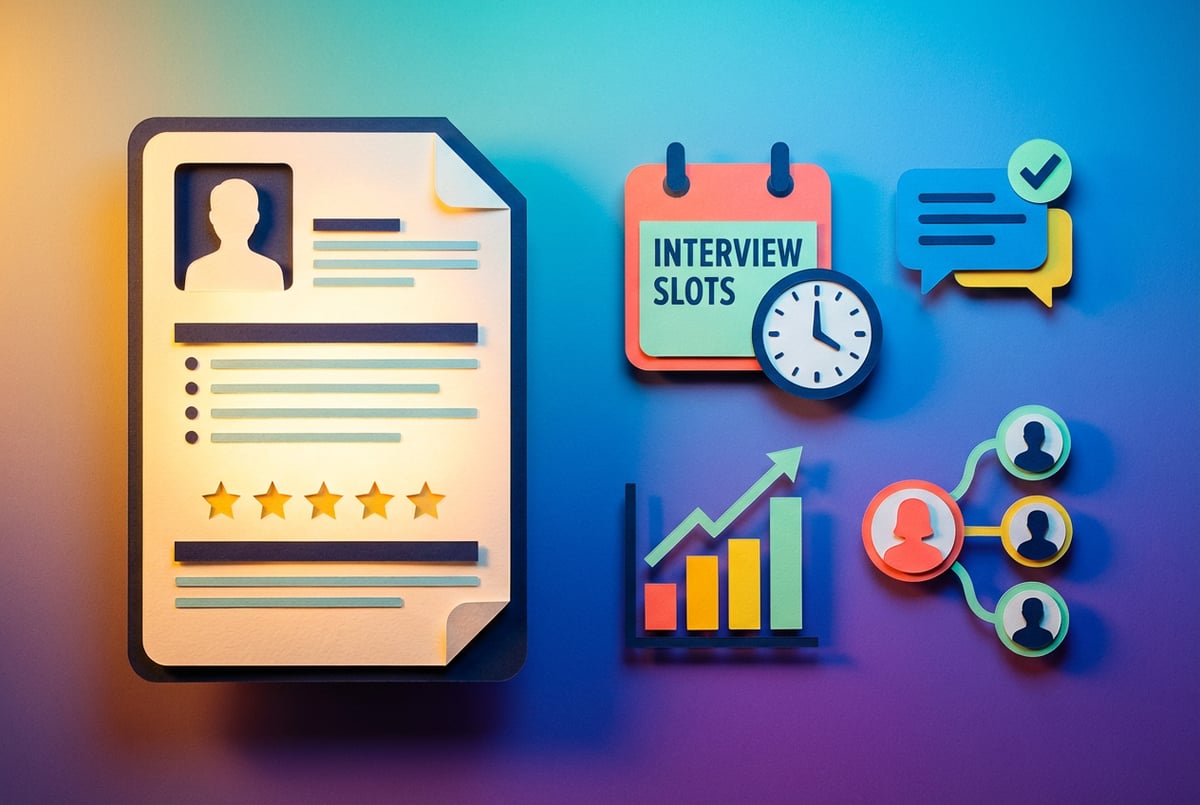
HR teams are buried in repetitive work. Resume screening, answering employee questions, scheduling interviews, tracking onboarding progress—these tasks consume hours every week. The average HR professional spends 14 hours per week on administrative work that could be automated.
AI applications built specifically for HR processes can handle this work. Not generic chatbots or off-the-shelf software that almost fits your needs. Custom AI applications that understand your company’s policies, workflows, and data.
The shift is already happening. Nearly 60% of HR leaders report that AI-powered tools have improved talent acquisition by reducing bias and accelerating hiring. Organizations using AI in recruitment see 40-60% reductions in time-to-fill positions. Companies implementing AI for employee engagement report 20-30% improvements in first-year retention rates.
This article walks through the specific HR use cases where custom AI applications deliver measurable results, what you need to know about compliance and data privacy, and how to actually build these applications without a development team.
Why HR Needs Custom AI Applications Now
HR departments face a unique challenge in 2026. The workload keeps growing—more candidates to screen, more employees to support, more compliance requirements to track. But headcount stays flat or shrinks. Generic software helps, but it doesn’t understand your specific processes, company culture, or employee needs.
Remy doesn't build the plumbing. It inherits it.
Other agents wire up auth, databases, models, and integrations from scratch every time you ask them to build something.
Remy ships with all of it from MindStudio — so every cycle goes into the app you actually want.

Custom AI applications solve this problem. They can be trained on your company’s data, configured for your exact workflows, and adapted as your needs change. The technology that makes this possible—large language models, no-code development platforms, and enterprise integrations—is now accessible to HR teams without technical backgrounds.
Three factors make 2026 the right time to implement custom AI in HR:
The technology is ready. AI models can now understand context, make decisions, and complete multi-step tasks. They’re not just answering simple questions anymore. They can conduct structured interviews, analyze performance trends, and recommend personalized learning paths.
No-code platforms eliminate the technical barrier. You don’t need a development team to build AI applications anymore. Platforms like MindStudio let HR professionals design, test, and deploy AI agents using visual interfaces and plain English instructions.
The business case is clear. Organizations implementing AI in HR report 200-400% ROI within the first two years. The costs are measurable—time saved, hiring efficiency improved, turnover reduced. Bad hires cost 30-200% of annual salary. AI recruiting tools that improve hire quality pay for themselves quickly.
Current State of AI Adoption in HR
AI adoption in HR has accelerated dramatically over the past two years. Here’s where organizations stand in early 2026:
Usage is widespread but shallow. While 88% of organizations now use AI tools in some HR function, only 34% are truly reimagining their processes with AI. Most are still in the experimental phase—using ChatGPT to draft job descriptions or basic chatbots to answer FAQs.
Recruitment leads adoption. Among the 25% of HR departments using AI technologies, 42% apply it to talent acquisition. This makes sense—recruitment is data-intensive, time-consuming, and has clear metrics to measure improvement.
Training and development follow. 36% of AI-using HR departments apply the technology to employee training and development. AI can analyze skill gaps, recommend courses, and personalize learning paths at scale.
People analytics is growing. 21% use AI for workforce analytics—predicting turnover, identifying high performers, and forecasting skill shortages. Deloitte projects that 90% of companies will face skills shortages by 2027, making early planning essential.
Regional differences exist. North America leads AI adoption in HR at 68%, followed by Europe at 54% and Asia at 45%. These numbers reflect both technological infrastructure and regulatory environments.
The skills gap is the biggest barrier. While 70% of enterprises are investing in AI, many struggle to realize its full potential. The AI skills gap—not technology limitations—is the primary obstacle to integration.
High-Impact Use Cases for Custom AI in HR
Custom AI applications deliver the most value when applied to specific, well-defined HR processes. Here are the use cases where organizations see immediate ROI:
Resume Screening and Candidate Evaluation
Manual resume screening is time-intensive and inconsistent. A recruiter might spend 6-8 seconds per resume, leading to qualified candidates being overlooked. AI applications can screen hundreds of resumes in minutes while maintaining consistent evaluation criteria.
A custom resume screening agent can:
- Parse resumes and extract relevant experience, skills, and qualifications
- Match candidates against specific job requirements beyond keyword matching
- Identify transferable skills that humans might miss
- Flag potential red flags like employment gaps (with context consideration)
- Rank candidates based on fit scores
- Generate structured feedback for each candidate
Organizations report 75-90% reductions in resume screening time after implementing AI tools. More importantly, the quality of shortlisted candidates improves because the AI considers more factors than a human reviewer can process quickly.
The key is customization. Off-the-shelf applicant tracking systems use generic matching algorithms. A custom AI application can be trained on your company’s successful hires, understand your industry-specific requirements, and align with your culture and values.
Interview Scheduling and Coordination
Interview scheduling sounds simple but consumes significant recruiter time. Finding times that work for multiple interviewers, sending calendar invites, handling rescheduling requests, sending reminders—these tasks can take 30-45 minutes per candidate.
A custom AI scheduling agent can:
- Access calendars across your organization
- Identify available time slots that work for all participants
- Send personalized invitations to candidates with company information
- Handle rescheduling requests automatically
- Send reminder notifications to all parties
- Update your ATS with interview status
For high-volume hiring, this automation is significant. Companies hiring 100+ candidates annually can save 50-75 hours of coordinator time while providing better candidate experience through faster response times.
Employee Onboarding Assistance
New employees have hundreds of questions during their first few weeks. Where do I submit expense reports? How do I access the VPN? What’s the PTO policy? HR teams spend hours answering these repetitive questions.
A custom onboarding AI agent can:
- Answer policy questions using your employee handbook
- Guide new hires through required paperwork and system setup
- Provide personalized onboarding checklists
- Schedule introductory meetings with team members
- Track completion of onboarding tasks
- Escalate complex issues to HR staff
The benefit isn’t just time saved. New employees get instant answers 24/7, leading to faster ramp-up times and better first impressions. Organizations using AI for onboarding report 20-30% improvements in new hire satisfaction scores.
Performance Review Support
Performance reviews are critical but time-consuming. Managers spend hours writing reviews, calibrating ratings, and comparing feedback across team members. The process is often inconsistent, with different managers applying different standards.
A custom performance review AI agent can:
- Draft initial review content based on documented achievements and feedback
- Identify potential bias in language or ratings
- Compare reviews across managers to ensure consistency
- Suggest specific examples and concrete feedback
- Flag reviews that may need additional context or calibration
- Generate development recommendations based on performance data
This doesn’t replace manager judgment. The AI handles the administrative burden—compiling data, ensuring consistent formatting, identifying bias—so managers can focus on thoughtful evaluation and coaching conversations.
Employee Question Answering
HR teams field the same questions repeatedly. Benefits enrollment, PTO policies, workplace procedures, IT access issues. These queries interrupt workflow and prevent HR from focusing on strategic work.
A custom HR chatbot trained on your company’s policies can:
- Answer 60-80% of routine employee questions instantly
- Provide accurate, consistent information from your policy documents
- Handle multiple conversations simultaneously
- Route complex issues to the appropriate HR specialist
- Track common questions to identify policy gaps or confusion
- Work across channels—Slack, email, your intranet
Organizations implementing AI chatbots for HR support see 50-80% reductions in time spent on basic query resolution. More importantly, employees get immediate answers instead of waiting hours or days for HR to respond.
Exit Interview Analysis
Exit interviews provide valuable feedback, but manually analyzing responses is time-consuming. Patterns and trends get lost when HR reads interviews individually without systematic analysis.
A custom exit interview AI agent can:
- Conduct structured exit interviews via chat or form
- Ask follow-up questions based on initial responses
- Analyze sentiment and identify key themes
- Aggregate data across multiple departures
- Flag concerning patterns (manager issues, compensation problems, culture gaps)
- Generate reports highlighting retention risks
The value is in pattern recognition. An AI can identify that 8 out of 12 departures from a specific team mentioned workload concerns—a signal that might be missed when reviewing interviews individually.
Skills Gap Analysis and Learning Recommendations
Understanding what skills your workforce has versus what skills you need is critical for strategic workforce planning. Manual skills inventories are outdated by the time they’re completed.
A custom skills analysis AI agent can:
- Analyze job descriptions, performance reviews, and project work to map current skills
- Identify skills gaps based on business strategy and industry trends
- Recommend specific training programs for individuals or teams
- Suggest internal mobility opportunities based on skills alignment
- Predict future skill requirements based on company direction
- Track skill development over time
Organizations using AI for skills gap analysis can reduce external hiring by identifying internal candidates who could transition to open roles with targeted training. Some report 20% reductions in external hiring through improved internal mobility.
Predictive Turnover Analysis
Losing key employees is expensive. Beyond replacement costs, there’s lost productivity, knowledge drain, and team disruption. Identifying flight risks early allows HR to intervene.
A custom turnover prediction AI agent can:
- Analyze patterns across tenure, engagement scores, performance ratings, and compensation
- Identify employees at high risk of leaving
- Prioritize intervention efforts based on employee value and retention likelihood
- Suggest specific retention strategies for at-risk employees
- Track effectiveness of retention initiatives
- Forecast turnover trends across departments or roles
Predictive models can identify at-risk employees with 70-85% accuracy when trained on sufficient historical data. Early intervention—career conversations, compensation adjustments, workload changes—can prevent costly turnover.
Measurable Benefits and ROI
Custom AI applications in HR deliver quantifiable benefits. Here’s what organizations actually achieve:
Time Savings
AI reduces time spent on administrative HR tasks by 60-70%. For a 5-person HR team, this translates to 2-3 full-time equivalent positions worth of capacity.
Specific time reductions include:
- Resume screening: 75-90% reduction (from days to minutes)
- Interview scheduling: 80% reduction (from 30-45 minutes to 5 minutes per candidate)
- Employee query response: 50-80% reduction (from hours to instant)
- Onboarding administration: 60% reduction
- Performance review compilation: 40% reduction
Cost Savings
Organizations implementing AI in HR report 30-50% cost savings within 18 months. Average ROI is 340% within the first two years.
Cost reductions come from:
- Reduced need for external recruiting agencies (40-60% savings on agency fees)
- Lower time-to-fill positions (35% reduction on average)
- Improved hire quality reducing replacement costs
- Decreased administrative overhead
- Reduced turnover through early intervention (20-30% improvement in retention)
Bad hires cost 30-200% of annual salary. AI tools that improve hiring quality by even 10% deliver significant financial impact.
Quality Improvements
Beyond time and cost, AI improves HR outcomes:
- Hiring quality: 50% improvement in recruitment accuracy
- First-year retention: 20-30% improvement through better candidate matching
- Employee satisfaction: 15-25% increase in new hire satisfaction scores
- Diversity metrics: 56-61% reduction in hiring bias when properly implemented
- Internal mobility: 20% increase in successful internal placements
Remy doesn't write the code. It manages the agents who do.
Remy runs the project. The specialists do the work. You work with the PM, not the implementers.
Calculating Your ROI
To calculate expected ROI for your organization:
1. Identify time currently spent on target processes. Track how many hours per week your HR team spends on resume screening, answering employee questions, coordinating interviews, and other tasks that could be automated.
2. Estimate time savings from automation. Conservative estimates suggest 50-60% reduction for most HR administrative tasks. Use research benchmarks (75-90% for resume screening, 80% for scheduling) for specific processes.
3. Calculate labor cost savings. Multiply time saved by your HR team’s fully-loaded hourly rate. This is your direct cost reduction.
4. Add indirect benefits. Factor in improved hire quality (reduced replacement costs), faster time-to-hire (reduced vacancy costs), and improved retention (reduced turnover costs).
5. Subtract implementation costs. Include platform costs, training time, and ongoing maintenance. For no-code platforms like MindStudio, implementation costs are significantly lower than custom development.
Most organizations see positive ROI within 6-12 months, with returns accelerating as the system learns and improves.
Getting Started: Practical Implementation Steps
Building custom AI applications for HR doesn’t require a technical team or months of development time. Here’s how to actually implement these solutions:
Step 1: Identify Your Highest-Value Use Case
Don’t try to automate everything at once. Start with one high-impact process where AI can deliver quick wins.
Good first projects have these characteristics:
- Clear, repetitive process with consistent inputs and outputs
- Significant time consumption (5+ hours per week)
- Measurable success criteria
- Low risk if the AI makes mistakes
- Strong buy-in from the team that will use it
For most organizations, employee question answering or resume screening makes sense as a first project. Both deliver fast results and build confidence in AI capabilities.
Step 2: Map Your Current Process
Document exactly how the process works today:
- What triggers the process?
- What information is needed?
- What decisions are made along the way?
- What systems need to be accessed?
- What’s the desired output?
- Where does human judgment remain essential?
This mapping helps you identify what the AI needs to do and where human oversight should remain. It also establishes baseline metrics for measuring improvement.
Step 3: Prepare Your Data and Documentation
AI applications need access to your company information to function effectively. Gather and organize:
- Policy documents (employee handbook, benefits guides, PTO policies)
- Process documentation (how to complete common tasks)
- Historical data (past resumes and hiring decisions, performance reviews, exit interview responses)
- Job descriptions and requirements
- Organizational structure and team information
Data quality matters more than quantity. Clean, accurate information produces better AI results than large volumes of messy data.
Step 4: Build Your AI Application
Using a no-code platform like MindStudio, you can build custom AI agents without programming:
Define the agent’s role and capabilities. What should it do? What information does it need access to? What actions can it take?
Connect your data sources. Upload policy documents, connect to your HRIS or ATS, link relevant databases. The AI needs access to accurate information to provide helpful responses.
Seven tools to build an app. Or just Remy.
Editor, preview, AI agents, deploy — all in one tab. Nothing to install.
Design the workflow. Map out how the AI should process requests, make decisions, and route tasks. Visual workflow builders let you create complex logic without code.
Set guardrails and escalation rules. Define when the AI should handle tasks independently versus when it should involve a human. Establish clear boundaries around what the AI can and cannot do.
Configure integrations. Connect to Slack, email, your HRIS, calendar systems, and other tools the AI needs to access. APIs and webhooks allow seamless data flow.
MindStudio’s visual builder and pre-built templates reduce development time from months to days or weeks. The platform supports multiple AI models (GPT-4, Claude, Gemini) so you can choose the best model for each task.
Step 5: Test Thoroughly Before Launch
Test your AI application extensively before deploying to your organization:
- Run through common scenarios to verify correct responses
- Test edge cases and unusual requests
- Check that escalation rules work properly
- Verify data accuracy and source citations
- Test integrations with other systems
- Have HR team members review outputs for accuracy and tone
Start with a small pilot group—maybe one department or team—before rolling out organization-wide. This allows you to identify issues and make adjustments with limited impact.
Step 6: Launch with Clear Communication
When you deploy your AI application, communicate clearly about:
- What the AI can and cannot do
- How to access and use it
- When to expect human assistance instead
- How feedback and issues should be reported
- Data privacy and security measures
Transparency builds trust. Employees are more likely to use and trust AI tools when they understand how they work and their limitations.
Step 7: Monitor, Measure, and Iterate
Track performance against your baseline metrics:
- Time saved on targeted processes
- Accuracy rates and error frequency
- User satisfaction and adoption rates
- Cost savings achieved
- Quality improvements in outcomes
Use this data to refine the AI application. Update training data, adjust workflows, add new capabilities based on user feedback. AI applications improve over time as they learn from more interactions and you optimize their configuration.
Compliance and Governance Requirements
AI in HR involves sensitive employee data and high-stakes decisions. Compliance and governance aren’t optional—they’re essential for legal protection and employee trust.
Key Regulations to Understand
The EU AI Act classifies AI systems used in HR as high-risk when they make or significantly influence employment decisions. This includes resume screening, candidate evaluation, performance assessment, promotion decisions, and termination recommendations.
High-risk AI systems must meet strict requirements:
- Risk management system documentation
- Data quality and governance measures
- Technical documentation of how the system works
- Transparency about AI-assisted decisions
- Human oversight and intervention capabilities
- Accuracy and robustness testing
- Logging and traceability of decisions
Non-compliance can result in fines up to €35 million or 7% of global annual turnover.
GDPR applies to all processing of employee personal data in the EU. Key requirements include:
- Legal basis for data processing (usually contract performance or legitimate interest)
- Clear purpose limitation—data collected for one purpose can’t be used for unrelated purposes
- Data minimization—collect only what’s necessary
- Employee rights to access, correct, and delete their data
- Restrictions on automated decision-making that significantly affects individuals
Everyone else built a construction worker.
We built the contractor.
One file at a time.
UI, API, database, deploy.
California’s Automated Decision Systems (ADS) regulations require employers using AI for hiring or employment decisions to provide notice to applicants and employees, document the system’s purpose and data used, and conduct regular bias testing.
Workplace Fairness Act 2025 in Singapore requires AI systems used in employment to produce outputs that are traceable and can be sufficiently checked by the employer before any employment decision is taken.
Building Compliant AI Applications
Compliance should be built into your AI applications from the start, not added later:
Document everything. Maintain records of how your AI system works, what data it uses, how decisions are made, and what safeguards are in place. This documentation is required under most regulations and essential for audits.
Implement human oversight. No AI system should make final employment decisions without human review. Design clear handoff points where humans evaluate AI recommendations before acting.
Test for bias regularly. Run bias audits comparing AI outputs across protected characteristics (gender, race, age). Monitor for disparate impact and adjust the system if bias is detected.
Provide transparency. Employees and candidates should know when AI is involved in employment decisions. Explain what factors the AI considers and how decisions are made.
Enable explainability. The AI should be able to explain its reasoning. Why was this candidate ranked higher? What factors contributed to this performance score?
Maintain data security. Employee data requires strong protection. Use encryption, access controls, and secure storage. Limit data access to only what’s necessary for the AI to function.
Respect employee rights. Provide mechanisms for employees to access, correct, or delete their data. Allow them to contest AI-assisted decisions and request human review.
Setting Up AI Governance
Effective AI governance requires clear policies and cross-functional oversight:
Create an AI governance committee. Include representatives from HR, Legal, IT, Compliance, and DEI. This group reviews AI use cases, approves implementations, and monitors ongoing performance.
Establish usage policies. Define acceptable and prohibited uses of AI in HR. Specify data handling requirements, approval processes, and escalation procedures.
Provide AI literacy training. HR staff need to understand how AI works, its limitations, and potential biases. Training ensures they can properly interpret AI outputs and maintain appropriate oversight.
Implement review cycles. Conduct regular audits of AI system performance, bias testing, and compliance with policies. Technology and regulations change—your governance should adapt.
Document ethical guidelines. Beyond legal compliance, establish principles for responsible AI use. How will you balance efficiency with fairness? What role does human judgment play?
How MindStudio Simplifies Custom AI Development for HR
Building custom AI applications traditionally requires technical expertise and months of development time. MindStudio changes this by providing a no-code platform specifically designed for creating AI agents.
No Programming Required
HR professionals can build AI applications using visual workflow builders and plain English instructions. You describe what you want the AI to do, and MindStudio generates the underlying logic. No Python coding, no API documentation to read, no infrastructure to manage.
This accessibility means HR teams can iterate quickly. Need to adjust how the resume screening agent evaluates candidates? Change the criteria in the visual builder. Want to update the onboarding chatbot with new policy information? Upload the updated documents. Changes take minutes, not weeks.
One coffee. One working app.
You bring the idea. Remy manages the project.
Access to Leading AI Models
MindStudio provides access to over 200 AI models from OpenAI, Anthropic, Google, and Meta. You can choose the best model for each specific task:
- GPT-4 for complex reasoning and analysis
- Claude for processing long documents and maintaining context
- Specialized models for specific tasks like sentiment analysis or language translation
You’re not locked into a single provider. Use different models for different parts of your application based on their strengths.
Pre-Built HR Templates
MindStudio offers over 100 templates for common business use cases, including several specifically for HR:
- Resume screening and candidate evaluation
- Employee onboarding assistant
- HR policy chatbot
- Interview scheduling coordinator
- Performance review support
Templates provide a starting point. You can use them as-is or customize them for your specific needs. This reduces development time from weeks to days or hours.
Enterprise Integrations
AI applications need to connect to your existing systems. MindStudio supports integrations with common HR platforms through APIs and webhooks:
- HRIS systems (Workday, BambooHR, ADP)
- Applicant tracking systems (Greenhouse, Lever, JazzHR)
- Communication platforms (Slack, Microsoft Teams, email)
- Calendar systems (Google Calendar, Outlook)
- Document storage (Google Drive, SharePoint)
These integrations allow your AI agents to access data, update records, and trigger actions across your HR technology stack without manual data entry.
Built-In Compliance Features
MindStudio includes features that help maintain compliance with AI regulations:
- Audit logging of all AI decisions and actions
- Explainability features showing how decisions were made
- Human-in-the-loop workflows ensuring oversight
- Data security and encryption
- Access controls limiting who can view sensitive information
- Version control for tracking changes to AI configurations
These features align with requirements in the EU AI Act, GDPR, and other regulations governing AI use in employment.
Scalable Architecture
Start small with a single use case, then expand. MindStudio handles increased usage without requiring infrastructure changes. An agent that processes 50 resumes per month can scale to handle 500 or 5,000 without code changes or capacity planning.
This scalability matters for growing organizations and seasonal hiring surges. Your AI applications grow with your needs.
Fast Deployment and Iteration
Traditional custom development takes 3-6 months from requirements to deployment. MindStudio reduces this to days or weeks:
- Week 1: Define requirements and build initial workflow
- Week 2: Test with sample data and refine
- Week 3: Pilot with small user group
- Week 4: Gather feedback and optimize
- Month 2: Roll out organization-wide
Fast iteration means you can respond quickly to changing needs and learn from real usage rather than spending months on upfront design.
Common Challenges and How to Address Them
Implementing AI in HR isn’t without obstacles. Here’s how to handle common challenges:
Data Quality Issues
Challenge: AI applications require clean, accurate data. Many organizations have inconsistent records, missing information, or outdated documentation.
Solution: Start with data cleanup before building AI applications. Focus on the specific data needed for your first use case rather than trying to perfect everything. For a resume screening agent, ensure job descriptions and evaluation criteria are well-documented. For an onboarding chatbot, update policy documents to current standards.
Employee Skepticism
Built like a system. Not vibe-coded.
Remy manages the project — every layer architected, not stitched together at the last second.
Challenge: Employees may distrust AI, worry about job security, or resist using new tools.
Solution: Communicate clearly about AI’s role. Emphasize that AI handles administrative work so HR can focus on strategic, human-centered tasks. Show concrete examples of how AI helps rather than replaces. Involve employees in testing and feedback to build buy-in.
Integration Complexity
Challenge: Connecting AI to legacy systems or proprietary platforms can be technically challenging.
Solution: Start with standalone applications that don’t require deep integration. An employee chatbot can work in Slack without connecting to your HRIS. As you prove value, invest in proper integrations. Use platforms like MindStudio that handle integration complexity through standardized connectors.
Bias and Fairness Concerns
Challenge: AI can perpetuate or amplify bias if trained on historical data that reflects past discrimination.
Solution: Test for bias regularly. Compare AI outputs across protected characteristics. Use diverse training data. Implement human oversight for high-stakes decisions. Consider using AI to reduce bias—it can remove demographic information from resumes or flag potentially biased language in job descriptions.
Compliance Complexity
Challenge: Regulations like the EU AI Act impose strict requirements that seem overwhelming.
Solution: Focus on foundational practices: document how your AI works, maintain human oversight, test for bias, provide transparency to employees. These practices satisfy most regulatory requirements while also building trust. Work with Legal to ensure specific compliance needs are met.
Measuring ROI
Challenge: Demonstrating financial return on AI investments can be difficult when benefits include intangible factors like improved employee experience.
Solution: Establish baseline metrics before implementation. Track both quantitative measures (time saved, cost reduced, positions filled) and qualitative indicators (employee satisfaction, hire quality). Use simple calculations: hours saved × hourly rate = cost savings. Factor in avoided costs like bad hires or turnover.
The Future of AI in HR
AI capabilities in HR will continue advancing rapidly. Here’s what’s coming:
Agentic AI with Greater Autonomy
Current AI applications follow predefined workflows with human oversight at key decision points. Agentic AI will handle entire processes autonomously—sourcing candidates, conducting initial screenings, scheduling interviews, and maintaining communication without human intervention for routine cases.
CHROs globally expect 327% increase in agentic AI adoption by 2027. These systems will independently plan, execute, and adapt hiring workflows based on outcomes and changing conditions.
Predictive Workforce Planning
AI will shift from analyzing current state to predicting future workforce needs. Advanced models will forecast skills shortages, predict organizational restructuring impacts, and recommend proactive talent strategies.
Organizations will use AI to model different scenarios—what happens to our talent if we enter a new market? How will automation affect skill requirements? Where should we invest in development?
Personalized Employee Experiences
AI will enable truly individualized HR support. Each employee will have a personalized learning path, career recommendations based on their skills and interests, and customized benefits guidance.
This personalization scales what only small companies could provide manually—individual attention and tailored support for every employee.
Multimodal AI Capabilities
Remy is new. The platform isn't.
Remy is the latest expression of years of platform work. Not a hastily wrapped LLM.
AI systems will process multiple data types simultaneously—analyzing text from interviews, evaluating video interactions for communication skills, and assessing work samples. This multimodal approach provides richer candidate evaluation than any single data source.
Continuous Learning Systems
AI applications will improve automatically based on outcomes. A resume screening agent will learn which characteristics predict successful hires in your organization. An onboarding chatbot will identify common confusion points and proactively address them.
This continuous improvement happens without manual retraining—the systems adapt based on real-world performance.
Taking Action: Your Next Steps
Custom AI applications for HR are no longer experimental. The technology works, the business case is proven, and implementation is accessible to non-technical teams. Here’s how to start:
1. Identify your biggest time drain. What HR process consumes the most hours while delivering the least strategic value? That’s your first target for automation.
2. Calculate potential impact. Estimate time saved, cost reduced, and quality improved. This creates your ROI baseline and helps prioritize use cases.
3. Gather your data. Collect policy documents, process documentation, and relevant historical data. Clean and organize this information so it’s ready to feed into AI applications.
4. Build a pilot. Use a no-code platform like MindStudio to create your first AI agent. Start with a template if available. Focus on getting something working quickly rather than perfection.
5. Test thoroughly. Verify accuracy, check for bias, ensure proper escalation to humans. Test with a small pilot group before organization-wide deployment.
6. Launch and learn. Deploy your AI application with clear communication about capabilities and limitations. Collect feedback, measure performance, and iterate based on results.
7. Expand gradually. Once your first application delivers results, apply the same approach to additional use cases. Build on your success and lessons learned.
The organizations that implement AI in HR now will have significant competitive advantages in talent acquisition, employee retention, and operational efficiency. They’ll attract better candidates through faster, fairer hiring processes. They’ll retain top performers by identifying flight risks early and intervening effectively. They’ll free HR teams to focus on strategic work that drives business results.
The technology is ready. The question is whether your HR team will lead or follow.