AI Real Estate Listing Photo Templates
Ready-to-use templates for generating and enhancing real estate listing photos with AI-powered staging and lighting adjustments.
Why Real Estate Photos Matter More Than Ever
Every home buyer starts their property search online. Not most buyers—all of them. When a potential buyer scrolls through listings at 11 PM on their phone, they make snap judgments in seven seconds or less. Your listing photo either stops the scroll or gets skipped.
The numbers back this up. Properties with professional photography sell 32% faster than those with standard photos. Homes with high-quality images receive 118% more online views. Listings with 20+ photos get significantly more engagement than those with fewer images.
But here’s the problem: professional real estate photography is expensive and time-consuming. Traditional staging costs between $7,200 and $8,800 per property. Physical staging requires coordination, furniture rental, installation, and removal. The process takes days or weeks, and you’re locked into one design style.
AI photo templates solve this problem. They let you transform empty rooms, enhance lighting, replace skies, and stage properties in minutes instead of days. The cost drops from thousands of dollars to under $100 per listing. You can generate multiple design styles for the same space and update photos instantly when market preferences shift.
What Are AI Real Estate Listing Photo Templates?
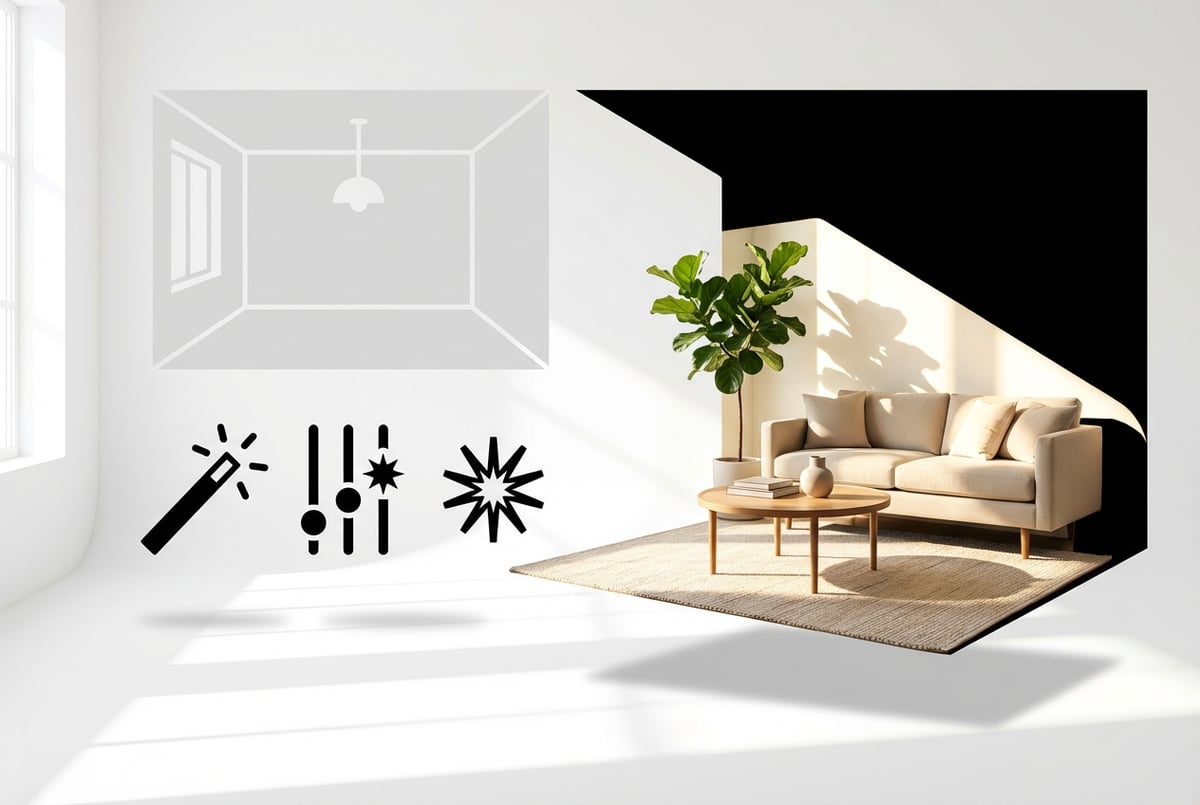
AI real estate photo templates are pre-built workflows that apply specific enhancements to property photos using artificial intelligence. Think of them as digital blueprints that tell AI tools exactly how to process your images.
These templates handle specific tasks:
- Virtual staging that adds furniture and decor to empty rooms
- Lighting enhancement that balances interior and exterior exposure
- Sky replacement that swaps overcast weather for blue skies
- Object removal that cleans up clutter and distractions
- Color correction that ensures accurate, appealing colors
- Perspective correction that straightens walls and eliminates distortion
- Day-to-dusk conversion that creates twilight ambiance from daytime photos
One coffee. One working app.
You bring the idea. Remy manages the project.

The AI analyzes your photo, understands the room layout, recognizes architectural features, and applies the template’s instructions. It accounts for lighting conditions, shadows, perspective, and scale to generate realistic results.
Modern AI photo templates use computer vision models trained on millions of real estate images. They understand concepts like “modern farmhouse kitchen” or “minimalist bedroom” and can recreate these styles with photorealistic accuracy. The AI places furniture at the correct scale, casts realistic shadows, and matches lighting conditions to the original photo.
Types of AI Photo Enhancement Templates
Virtual Staging Templates
Virtual staging templates add furniture and decor to empty rooms. These templates come in different design styles: modern, traditional, contemporary, minimalist, luxury, industrial, Scandinavian, bohemian, and dozens more.
The AI analyzes the room dimensions, identifies architectural features like windows and doors, and places furniture that fits the space proportionally. It generates shadows, reflections, and lighting that match the original photo. The result looks like a professional interior designer furnished the space.
Virtual staging costs $29 to $75 per photo compared to $7,200+ for physical staging. Properties with virtual staging sell 73% faster and can command 5-23% higher sale prices. The average time on market drops from 90 days to 24 days for staged properties.
HDR and Exposure Blending Templates
Real estate photography deals with extreme lighting differences. Bright windows blow out to white. Dark corners disappear into black. Our eyes adjust naturally, but cameras capture a much narrower range.
HDR templates solve this by combining multiple exposures. The AI merges a properly exposed interior shot with a correctly exposed window view. You get detail in the shadows, clarity through the windows, and balanced lighting throughout the room.
Professional photographers shoot bracketed sequences (typically 3-7 exposures per shot) and use AI to blend them. The AI identifies and corrects for mixed lighting conditions—cool daylight from windows, warm tungsten from lamps, and neutral LED from ceiling fixtures.
Sky Replacement Templates
Weather doesn’t cooperate with photo shoots. Overcast skies make properties look dull. Gray clouds drain energy from exterior shots.
Sky replacement templates swap cloudy skies for blue ones, add dramatic sunset colors, or insert twilight ambiance. The AI detects the sky region, removes the old sky, inserts the new one, and adjusts the lighting and color of the entire image to match.
Good sky replacement templates maintain realistic lighting. If you add a sunset sky, the AI should warm up the overall color temperature and adjust shadow directions. The goal is believability, not obvious manipulation.
Decluttering and Object Removal Templates
Properties rarely photograph perfectly. Trash cans sit by curbs. Cars block driveways. Power lines cross the frame. Personal items clutter countertops.
Object removal templates clean up these distractions. The AI identifies unwanted elements, removes them, and fills in the background seamlessly. It understands context—what belongs in the scene and what doesn’t.
The technology uses content-aware fill and inpainting algorithms. The AI analyzes surrounding textures, patterns, and structures to reconstruct the hidden areas. Modern tools can remove complex objects like vehicles, furniture, or people while maintaining natural-looking results.
Day-to-Dusk Conversion Templates
- ✕a coding agent
- ✕no-code
- ✕vibe coding
- ✕a faster Cursor
The one that tells the coding agents what to build.
Twilight photos create emotional appeal. The golden hour glow suggests warmth and luxury. Interior lights shine through windows. The sky displays rich blue and purple tones.
But shooting at twilight is difficult. You have a 20-minute window. Weather might not cooperate. Multiple properties mean multiple shoots on different evenings.
Day-to-dusk templates convert daytime photos to twilight scenes in seconds. The AI darkens the sky, turns on interior lights, adjusts color temperature, adds warm glows, and balances the overall exposure. The result mimics professional golden hour photography without the scheduling complexity.
Floor Plan and Layout Templates
Floor plans are the second most important listing feature after photos. 93% of buyers spend more time on listings that include floor plans.
AI floor plan templates convert photos or rough sketches into professional 2D and 3D floor plans. The AI measures rooms, identifies walls and doors, recognizes furniture placement, and generates scaled layouts with measurements.
Some templates create interactive 3D floor plans that buyers can explore virtually. The AI converts static images into navigable spaces, adding depth, dimension, and a sense of scale that helps buyers understand the property layout.
How AI Photo Templates Actually Work
AI photo templates combine several technologies to process real estate images. Understanding how they work helps you use them effectively.
Computer Vision and Image Recognition
The AI first analyzes your photo using computer vision. It identifies objects, rooms, architectural features, lighting conditions, and spatial relationships. The AI can distinguish between a kitchen and a bedroom, recognize appliances and furniture, and understand the room’s dimensions.
This analysis uses deep learning models trained on millions of labeled images. The AI learned what kitchens look like, how furniture should scale in different rooms, and what makes a space feel inviting or cramped.
Generative AI and Style Transfer
Once the AI understands your image, it applies the template’s instructions. For virtual staging, this means generating furniture, decor, and styling elements that match the specified design aesthetic.
Generative AI models like Stable Diffusion, DALL-E, or specialized real estate models create these elements. They don’t copy-paste furniture from a library. They generate new, unique furniture pieces that fit your specific room’s dimensions, lighting, and perspective.
The AI uses ControlNet or similar guidance systems to maintain spatial consistency. It respects room boundaries, places furniture at correct scales, and ensures objects don’t float or clip through walls.
Lighting Analysis and Synthesis
Realistic AI staging depends on accurate lighting. The AI analyzes light sources in your original photo—windows, lamps, ceiling fixtures. It determines the direction, color temperature, and intensity of each light source.
When adding furniture, the AI casts shadows that match the existing lighting. It creates highlights, reflections, and ambient occlusion that make virtual objects appear physically present in the space. This attention to lighting detail separates photorealistic staging from obviously fake results.
Post-Processing and Refinement
After generating the initial result, the AI applies refinement steps. It adjusts color balance, sharpens details, removes artifacts, and ensures consistency across the entire image. Some templates use multi-pass processing, gradually improving quality with each iteration.
Other agents start typing. Remy starts asking.
Scoping, trade-offs, edge cases — the real work. Before a line of code.
Advanced templates include quality scoring. The AI evaluates its own output, identifies problems like unnatural shadows or unrealistic textures, and regenerates those areas until they meet quality standards.
Benefits of Using AI Photo Templates
Dramatic Cost Reduction
Physical staging costs $7,200 to $8,800 per property. Virtual staging costs $29 to $75 per photo. For a typical 25-photo listing, you’ll spend $725 to $1,875 instead of nearly $8,000. That’s a 90% cost reduction.
The savings compound across multiple listings. A real estate agency with 10 agents can save approximately $10,000 per year by switching to AI staging. An individual agent saves 5-10 hours per month in coordination time with staging companies.
Speed and Flexibility
Traditional staging takes days or weeks. AI templates process images in 30 seconds to 5 minutes. You can stage a property the same day you photograph it. Listings go live faster, reducing time on market.
You can also generate multiple design styles instantly. Show the same living room in modern, traditional, and minimalist styles. Let buyers visualize different possibilities without additional cost or effort.
Consistency and Quality Control
AI templates produce consistent results. Every photo receives the same quality of enhancement. No variation in editing styles between different photographers or editors. Your entire portfolio maintains a professional, cohesive look.
The AI doesn’t get tired, rush, or make careless mistakes. It applies the same attention to detail whether it’s processing the first photo or the hundredth.
Scalability Without Additional Resources
As your listing volume grows, AI templates scale effortlessly. You don’t need to hire more editors, photographers, or staging coordinators. The same tools process 10 listings or 100 listings with equal efficiency.
This scalability is particularly valuable for property management companies, real estate investment firms, and high-volume agents who handle dozens of properties simultaneously.
Competitive Advantage in Online Listings
Enhanced photos stand out in search results and listing feeds. Staged rooms attract more clicks than empty ones. Professional lighting makes properties look move-in ready. Updated skies create appealing first impressions.
Listings with 20+ high-quality photos receive significantly more engagement. Virtual staging increases viewing requests by up to 74%. Properties with professional photos generate 403% more inquiries when paired with video content.
Best Practices for AI Photo Enhancement
Start with Good Source Photos
AI templates enhance photos, but they can’t fix fundamentally bad images. Start with well-composed shots using proper camera equipment.
Use a wide-angle lens (16-24mm) to capture entire rooms. Shoot from corner angles to show depth and space. Include multiple exposures for HDR processing. Ensure adequate lighting throughout the space.
The AI needs clean, high-resolution input to generate quality output. Blurry, underexposed, or poorly composed photos will produce disappointing results even with the best templates.
Choose Appropriate Design Styles
Match staging styles to your target market and property type. A luxury penthouse needs different styling than a suburban starter home. Research local preferences and current design trends.
Modern and minimalist styles work well for contemporary properties. Traditional and transitional styles suit classic homes. Industrial and loft aesthetics fit urban properties. Coastal and farmhouse styles match regional preferences.
Plans first. Then code.
Remy writes the spec, manages the build, and ships the app.
Avoid over-styling. The goal is to help buyers imagine themselves in the space, not showcase interior design expertise. Keep furniture appropriate to room size. Don’t overfill small spaces or leave large rooms looking sparse.
Maintain Realistic Proportions and Placement
The biggest giveaway of poor virtual staging is incorrect furniture scale. Oversized sofas, floating chairs, or furniture that doesn’t respect room dimensions destroy credibility.
Good AI templates handle this automatically, but review results carefully. Furniture should fit comfortably in the space with appropriate clearances. Coffee tables should align with sofas. Rugs should extend under furniture, not float in the center of rooms.
Pay attention to perspective. Furniture should follow the same vanishing points as architectural elements. Objects closer to the camera should appear larger than distant ones.
Preserve Architectural Integrity
Never alter permanent fixtures or architectural features. Don’t remove support columns, change window sizes, or modify floor plans. These alterations misrepresent the property and can create legal problems.
Acceptable enhancements include lighting correction, color balance, clutter removal, and adding furniture to empty spaces. Unacceptable alterations include removing walls, adding windows, hiding structural damage, or changing room dimensions.
Use Consistent Editing Styles
Apply the same enhancement approach across all photos in a listing. If you brighten kitchen photos, brighten all interior shots. If you replace skies in one exterior photo, replace them in all exterior shots.
Inconsistent editing confuses buyers and looks unprofessional. Mix of staged and unstaged rooms creates questions about which representation is accurate. Use templates to maintain consistent quality and style throughout the listing.
Legal and Ethical Considerations
Disclosure Requirements
California’s AB 723, effective January 1, 2026, requires disclosure when listing photos are digitally altered. Real estate professionals must clearly label enhanced images and provide access to original, unaltered versions.
Other states are following California’s lead. Wisconsin will implement similar requirements in 2027. New York’s Department of State issued warnings about AI-generated listings in late 2025.
The law distinguishes between routine editing and substantive alterations. Basic adjustments like exposure, white balance, and perspective correction don’t require disclosure. Virtual staging, sky replacement, object removal, and day-to-dusk conversion do.
Best practice: Always disclose AI enhancements. Add watermarks to virtually staged images stating “Virtually Staged” or “Digitally Enhanced.” Include original, unedited photos in the listing. Note AI enhancements in the property description.
Fair Housing Compliance
The Fair Housing Act prohibits discrimination based on race, color, religion, sex, national origin, familial status, or disability. This extends to how you market properties and use AI tools.
Ensure your AI photo enhancements don’t inadvertently target or exclude protected classes. Don’t use AI to alter neighborhood characteristics, remove people from photos based on demographics, or selectively enhance properties in certain areas.
Choose AI tools that have been tested for bias. Avoid platforms that allow discriminatory targeting in ad placement or lead generation. Document your enhancement procedures to demonstrate consistent, non-discriminatory practices.
Truth in Advertising Standards
The National Association of Realtors Code of Ethics requires agents to present a “true picture” in advertising. Article 2 prohibits exaggeration, misrepresentation, or concealment of pertinent facts.
AI enhancements must improve presentation without misrepresenting the property’s actual condition. You can make a space look its best, but you can’t show what isn’t there.
Remy doesn't build the plumbing. It inherits it.
Other agents wire up auth, databases, models, and integrations from scratch every time you ask them to build something.
Remy ships with all of it from MindStudio — so every cycle goes into the app you actually want.
Acceptable: Adding furniture to an empty room, improving lighting, removing temporary clutter, replacing cloudy skies.
Unacceptable: Hiding property defects, removing permanent fixtures, altering square footage, changing structural features, adding amenities that don’t exist.
Managing Buyer Expectations
The best legal protection is managing expectations from the start. When buyers see the property in person, it should match or exceed the listing photos. Disappointment leads to complaints and potential legal issues.
Be transparent about enhancements. If you virtually staged photos, mention it in conversations and showings. Remind buyers that furnished photos show one possible configuration. Provide both staged and unstaged versions when possible.
The goal is to attract serious buyers who understand what they’re viewing, not to lure skeptical visitors who feel deceived when they arrive.
Building Your AI Photo Template Workflow
Selecting the Right Tools
Dozens of AI photo enhancement platforms serve real estate professionals. They differ in features, quality, pricing, and ease of use.
Virtual Staging AI leads in photorealistic quality. Furniture looks real, shadows are accurate, and perspective matches room geometry. Upload a photo, choose a style, and receive MLS-ready results in under 30 seconds. Pricing starts at $29 per photo.
REimagineHome offers virtual staging plus renovation visualization. Show buyers how dated kitchens could look with modern finishes or how bathrooms would appear refreshed. Useful for properties that need updates but aren’t renovated yet.
Collov AI provides budget-friendly staging at $0.23 per image. Quality is good for most applications, though not quite as polished as premium alternatives. Good choice for high-volume agents processing dozens of listings monthly.
AutoEnhance.ai focuses on photo correction—HDR blending, color correction, perspective straightening, and object removal. Particularly strong at handling mixed lighting conditions and exposure challenges in real estate photography.
For agents looking to build custom AI workflows that combine multiple enhancement steps, platforms like MindStudio enable you to create no-code AI agents that process photos through your specific enhancement pipeline. Connect multiple AI models, add quality checks, and automate your entire photo editing workflow without writing code.
Creating Standard Enhancement Protocols
Develop consistent protocols for different property types and situations. Document your enhancement steps so you can replicate successful approaches and train team members.
Example protocol for vacant properties:
- Shoot bracketed exposures (3-5 per angle)
- Apply HDR template to merge exposures
- Run decluttering template to remove any remaining items
- Apply virtual staging in 2-3 style options
- Replace exterior sky if needed
- Export in MLS-compliant format with disclosure watermarks
Example protocol for occupied properties:
- Shoot single properly exposed shots
- Apply lighting enhancement template
- Remove personal items and clutter digitally
- Correct perspective distortion
- Enhance colors and sharpness
- Export with standard formatting
Quality Control Checkpoints
Review AI-enhanced photos before publishing. Check for common issues:
- Furniture scale—does everything fit proportionally?
- Shadow direction and intensity—do they match light sources?
- Color consistency—are all rooms balanced similarly?
- Perspective—do furniture and architectural elements align correctly?
- Artifacts—are there any obvious AI glitches or unrealistic elements?
- Resolution—is image quality sufficient for large displays?
Most AI platforms generate multiple versions per template. Review all options and select the best result. Many tools allow regeneration if the first attempt isn’t satisfactory.
Batch Processing for Efficiency
Process entire listings in batches rather than one photo at a time. Upload all photos from a property simultaneously. Apply templates to all interior shots, all exterior shots, etc.
Batch processing reduces total time from 90 minutes per property to under 10 minutes. The AI handles repetitive tasks while you focus on quality review and final selection.
Some platforms offer automatic batch processing. Upload a folder, specify which templates to apply to which photos, and let the AI process everything overnight. Review results the next morning and push completed listings live.
Measuring ROI and Performance
Time Savings
AI photo templates reduce editing time by 70-90% compared to manual methods. A property that required 90 minutes of photo editing now takes under 10 minutes.
For a real estate photographer processing 20 properties per month, this saves approximately 25 hours monthly or 300 hours annually. At a typical hourly rate of $75, that’s $22,500 in recovered time value.
Real estate agents save coordination time too. No scheduling with staging companies, no furniture installation supervision, no delays waiting for staging completion. Properties go to market days faster.
Increased Engagement Metrics
Track listing performance before and after implementing AI photo templates. Measure:
- Online views per listing
- Click-through rates from search results
- Time spent viewing listing photos
- Showing request rate
- Days on market
- Final sale price relative to asking price
Properties with AI-enhanced photos typically see 118% more views, 74% more inquiry requests, and 73% faster sales. These improvements translate directly to higher transaction velocity and increased commission income.
Cost Per Acquisition
Calculate your cost per closed transaction with and without AI photo templates. Include direct costs (staging, photography, editing) and opportunity costs (agent time, carrying costs, delayed commissions).
Example: An agent closes 24 transactions annually. Traditional staging costs average $7,500 per listing. Annual staging budget: $180,000. Switching to AI staging at $75 per listing reduces annual costs to $1,800—a $178,200 savings.
Even after accounting for photography and editing time, the cost per transaction drops significantly. The savings can fund additional marketing, technology investments, or simply improve profit margins.
Advanced AI Photo Template Techniques
Seasonal Adaptation
Some AI platforms offer seasonal templates that adjust landscaping and outdoor elements. Transform summer photos to show fall foliage or winter snow. Add holiday decorations for seasonal marketing pushes.
This feature helps properties that photograph in off-seasons. A home shot in brown, dormant winter landscaping can be shown with lush green grass and blooming flowers. Buyers respond more positively to verdant landscapes regardless of actual season.
Demographic Targeting Through Design
Different buyer demographics prefer different design aesthetics. Young professionals respond to modern, minimalist staging. Families prefer warm, traditional styles. Empty nesters like transitional designs that balance contemporary and classic elements.
Create multiple staged versions of the same property targeting different demographics. Use demographic data from your MLS or CRM to display the most appropriate style to each prospect.
This personalization increases emotional connection and conversion rates without requiring multiple physical stagings or separate listings.
Everyone else built a construction worker.
We built the contractor.
One file at a time.
UI, API, database, deploy.
Before-and-After Presentation
Show both unstaged and staged versions of rooms in your listing. This transparency builds trust while demonstrating the property’s potential.
Create side-by-side comparisons or slider tools that let buyers toggle between empty and furnished views. This presentation technique satisfies both disclosure requirements and buyer curiosity about the actual space.
Integration with Virtual Tours
Combine AI-enhanced photos with 360-degree virtual tours. Use AI to stage the virtual tour scenes, creating a fully immersive staged experience buyers can explore remotely.
Some platforms integrate virtual staging directly into 3D walkthrough tools. Buyers navigate through staged environments that feel like physically furnished spaces. This technology is particularly effective for new construction and pre-sale marketing.
Common Mistakes to Avoid
Over-Enhancement
The most common error is excessive editing. Overly bright images, unrealistic colors, and heavily stylized staging create skepticism. Buyers wonder what you’re hiding.
Enhance photos to look their best, not to look fake. If someone viewing the listing would say “that doesn’t look real,” you’ve gone too far. The goal is to make properties look professionally presented, not magazine-cover perfect.
Inconsistent Quality
Don’t mix professional AI-enhanced photos with amateur smartphone shots. Don’t stage only some rooms. Don’t apply different color grading to different photos in the same listing.
Inconsistency signals carelessness. Buyers notice when photo quality varies wildly within a listing. It suggests you put effort into some areas while neglecting others.
Ignoring Room Function
Don’t stage a bedroom like a living room or a home office like a dining room. AI templates sometimes misidentify room types or suggest inappropriate furniture arrangements.
Review AI suggestions before accepting them. Make sure staged furniture serves the room’s actual function. A bedroom should have a bed, not just decorative seating. A home office should show a desk and chair, not just bookshelves.
Neglecting Outdoor Spaces
Many agents focus enhancement efforts on interior photos while leaving exterior shots untouched. Outdoor spaces—patios, decks, yards, pools—benefit equally from AI enhancement.
Use AI to improve landscaping, add outdoor furniture, enhance lighting, and replace skies. Show buyers how outdoor areas can be used for entertaining, relaxing, or recreation.
Forgetting Mobile Optimization
Most buyers view listings on mobile devices. Ensure your AI-enhanced photos display well on small screens. Avoid tiny details that disappear on mobile. Make sure enhanced lighting and colors remain appealing on various screen types.
Test your listings on multiple devices before publishing. What looks perfect on a desktop monitor might appear dark or oversaturated on a phone.
The Future of AI Real Estate Photography
Predictive Design AI
Next-generation AI will analyze buyer preferences and local market trends to suggest optimal staging styles automatically. Instead of manually selecting “modern farmhouse” or “minimalist,” the AI will determine which style generates the most interest for your specific property and target demographic.
Machine learning models will track which staged photos generate the most showings and offers. They’ll identify patterns in buyer behavior and adjust staging recommendations accordingly.
Real-Time Customization
Emerging augmented reality tools will let buyers customize staging in real-time during virtual tours. They’ll change furniture styles, wall colors, and flooring with a tap. The AI will render these changes instantly while maintaining photorealistic quality.
This interactivity transforms passive viewing into active engagement. Buyers spend more time exploring properties and develop stronger emotional connections when they can visualize their personal style preferences.
Video and Motion Integration
AI tools are expanding from static photos to video enhancement. You’ll soon be able to shoot walkthrough videos in empty properties and have AI add furniture, decor, and staging throughout the video in real-time.
Motion-consistent AI requires maintaining object position, lighting, and perspective across hundreds of video frames. Current technology handles this reasonably well. Within 18 months, expect video staging quality to match static image quality.
Automated Compliance
As disclosure requirements spread, AI platforms will build compliance features directly into their workflows. Templates will automatically add required disclosures, watermarks, and links to original photos.
The AI will track which enhancements require disclosure in each jurisdiction and apply appropriate labeling. This automation reduces compliance risk and administrative burden as regulations evolve.
Integration with Property Data
Future AI templates will integrate with MLS data, property tax records, and neighborhood information to provide context-aware enhancements. The AI will understand property values, neighborhood characteristics, and buyer demographics to suggest appropriate staging approaches.
For example, the AI might detect that a property is in a family-oriented suburban neighborhood with good schools and automatically suggest staging that emphasizes play areas, homework spaces, and family gathering zones.
Getting Started with AI Photo Templates
Start small. Don’t try to implement every AI tool and template simultaneously. Pick one specific enhancement that addresses your biggest pain point.
If you’re spending hours manually editing photos, start with an automated HDR template. If staging costs are eating your budget, try virtual staging on one listing. If properties aren’t generating enough online interest, experiment with sky replacement and lighting enhancement.
Process a single listing through your chosen AI template. Measure the results. Compare engagement metrics, time savings, and cost reduction to your baseline. If results are positive, expand usage gradually.
Most AI platforms offer free trials or low-cost starter plans. Test several options before committing to annual subscriptions. Different tools excel at different tasks. You might use one platform for virtual staging and another for lighting enhancement.
Document your processes as you develop them. Record which templates work best for different property types. Note settings, styles, and quality control steps. Build a playbook you can reference and share with team members.
Invest time in learning your chosen tools. Most platforms offer tutorials, webinars, and support resources. Better understanding leads to better results. The difference between amateur and professional AI-enhanced photos often comes down to operator skill, not tool capabilities.
Conclusion: The New Standard for Real Estate Listing Photos
AI photo templates aren’t experimental technology anymore. They’re standard tools in professional real estate marketing. Properties with AI-enhanced photos sell faster, generate more interest, and command higher prices than those with basic photography.
The cost savings are substantial—90% reduction compared to traditional staging. The time savings are even more impressive—hours reduced to minutes. The quality improvements are visible—professional presentation at scale.
Built like a system. Not vibe-coded.
Remy manages the project — every layer architected, not stitched together at the last second.
But success requires more than just using AI tools. You need good source photography, appropriate enhancement choices, consistent quality control, and transparent disclosure practices. Think of AI templates as power tools that amplify your skills, not autopilot systems that replace judgment.
The real estate professionals who thrive in 2026 and beyond will be those who master these tools while maintaining ethical standards and buyer trust. They’ll use AI to handle technical work while focusing their time on relationships, negotiation, and service.
Start implementing AI photo templates today. Your listings will look better. Your marketing costs will drop. Your properties will sell faster. And you’ll have more time to focus on what actually matters—helping clients successfully buy and sell homes.
Frequently Asked Questions
How much does virtual staging cost compared to physical staging?
Physical staging runs between $7,200 and $8,800 per property, while virtual staging costs $29 to $75 per photo. For a typical 25-photo listing, that means spending $725 to $1,875 instead of nearly $8,000 — roughly a 90% cost reduction. Budget options exist as well, such as Collov AI at $0.23 per image.
Do I have to tell buyers that listing photos were AI-enhanced?
California’s AB 723, effective January 1, 2026, requires disclosure when listing photos are digitally altered, including labeling enhanced images and providing access to original versions. Wisconsin will implement similar requirements in 2027, and New York’s Department of State issued warnings about AI-generated listings in late 2025. Basic adjustments like exposure, white balance, and perspective correction don’t require disclosure, but virtual staging, sky replacement, object removal, and day-to-dusk conversion do.
What kinds of edits cross the line from enhancement into misrepresentation?
Acceptable enhancements include adding furniture to empty rooms, improving lighting, removing temporary clutter, and replacing cloudy skies. Unacceptable alterations include hiding property defects, removing permanent fixtures or support columns, altering square footage, changing structural features, or adding amenities that don’t exist. The NAR Code of Ethics requires agents to present a “true picture” in advertising, and Article 2 prohibits exaggeration, misrepresentation, or concealment of pertinent facts.
Can AI templates fix a badly shot photo?
No — AI templates enhance photos but can’t fix fundamentally bad images. Blurry, underexposed, or poorly composed shots will produce disappointing results even with the best templates. Start with a wide-angle lens (16-24mm), shoot from corner angles to show depth, capture multiple exposures for HDR processing, and ensure adequate lighting throughout the space.
How much time do AI photo templates actually save?
AI templates process images in 30 seconds to 5 minutes and reduce editing time by 70-90% compared to manual methods, turning a 90-minute editing job into under 10 minutes. Batch processing an entire listing at once brings a property from 90 minutes down to under 10. For a photographer handling 20 properties monthly, that’s roughly 25 hours saved per month or 300 hours annually.