AI Image and Video for Gaming: Concept Art, Trailers, and Marketing
Discover how game studios use AI image and video models to accelerate concept art creation, trailer production, and marketing assets.
The Current State of AI Visual Generation in Game Development
Game studios are using AI image and video tools differently than most people think. In 2026, roughly 50% of studios have integrated AI into their production pipelines, but not in the way headlines suggest. Instead of replacing entire art departments, most teams use AI for specific, targeted tasks that make human artists more productive.
The shift happened fast. Two years ago, AI-generated art was mostly experimental. Now it’s production infrastructure. The key difference is how studios deploy these tools. Smart teams treat AI as a force multiplier for human creativity, not a replacement for it.
The numbers tell part of the story. Studios report reducing asset production time by up to 40% in certain workflows. Development costs for art assets can drop 15-20% when AI handles repetitive tasks. But these gains come with trade-offs that require careful management.
What Tools Studios Actually Use
The AI image generation landscape splits into three categories: cloud-based platforms, local deployment tools, and enterprise solutions. Each serves different needs.
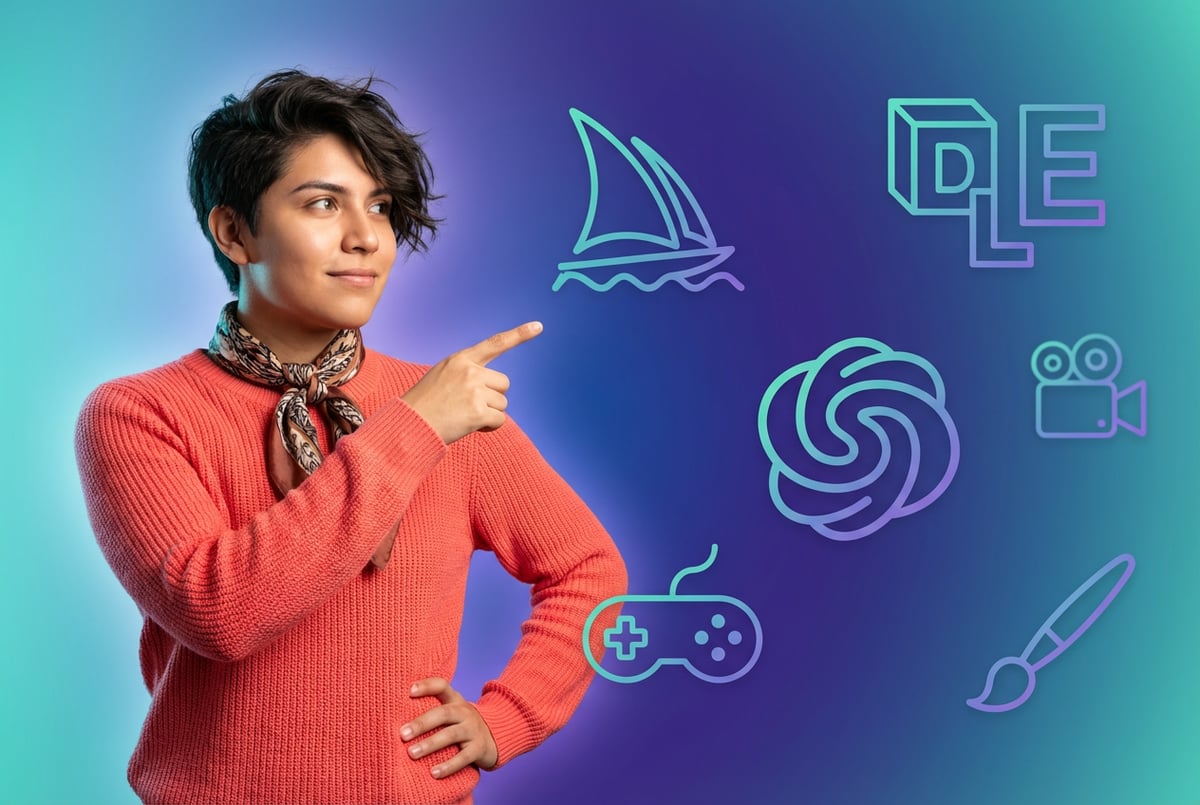
Midjourney dominates for visual quality and artistic aesthetics. Studios use it during pre-production to establish visual benchmarks and explore style directions. The platform excels at generating atmospheric concept art and mood boards that help teams align on creative vision.
DALL-E 3 integrated through ChatGPT gets used for rapid ideation. Teams generate dozens of variations quickly, then human artists refine the promising directions. The speed helps during early brainstorming when exploring multiple visual approaches makes sense.
Stable Diffusion remains the choice for IP-sensitive work. Studios can run it locally, keeping proprietary designs and character concepts in-house. This matters more for AAA studios protecting flagship franchises than for indie teams working on new properties.
Adobe Firefly occupies a unique position. It’s the only tool most legal departments approve for final production assets without additional vetting. Training exclusively on licensed content means fewer copyright concerns, which matters when shipping commercial games.
For video generation, the field is evolving faster. Runway Gen-4 handles short clips with consistent characters and objects. Google Veo 3.1 generates synchronized audio alongside visuals. Kling 2.6 produces cinematic-quality footage with realistic physics. These tools are transforming how studios create trailers and marketing materials.
Concept Art and Pre-Production Workflows
Concept art is where AI makes the most impact, but not how you might expect. The goal isn’t creating final artwork. It’s solving design problems faster.
Studios use AI to generate reference material and explore design space. A concept artist might create 50 character variations in an afternoon using AI, then spend the next week refining the three most promising directions by hand. This approach combines machine speed with human judgment.
The process typically starts with hand-drawn sketches. Artists rough out basic forms and compositions traditionally, then use AI to fill in details or generate variations. This maintains creative control while accelerating iteration cycles.
Environment design benefits particularly from AI assistance. Artists generate dozens of landscape variations, test different lighting conditions, and experiment with atmospheric effects. The AI handles the tedious work of filling in background elements while artists focus on establishing mood and composition.
One indie developer launched a successful visual novel using this hybrid approach. They created initial character sketches by hand, then used Midjourney and Sora to refine the artwork while maintaining their artistic vision. The result looked professional despite being a solo project. The game shipped on Steam with positive reviews, proving the approach can work at scale.
The Reality of AI Concept Art
AI-generated concept art comes with significant limitations. The most critical issue is technical accuracy. AI often produces visually striking images that are impossible to build in 3D. Structures lack proper support, proportions don’t make sense, and details contradict each other.
Professional concept artists solve this problem through understanding. They know how objects are constructed, how materials behave, and what can actually be modeled and rendered. AI lacks this knowledge, generating pretty pictures without understanding why certain design choices matter.
This creates extra work for 3D artists downstream. They spend time translating AI concept art into buildable assets, often requiring significant modifications. For complex projects, this overhead can negate the time saved during concept phase.
Studios handle this by keeping human concept artists in the loop. AI generates options, humans select and refine them with technical constraints in mind. The best concept artists now act as creative directors, guiding AI output toward solutions that work in production.
Copyright concerns remain unresolved. AI-generated images currently lack copyright protection in most jurisdictions. Studios must document human creative input to protect their IP. This means tracking which elements were human-created versus AI-generated, adding administrative overhead to the workflow.
Marketing and Trailer Production
Game trailers have transformed from simple marketing materials into sophisticated storytelling experiences. AI video generation is changing how studios produce these assets, particularly for smaller teams with limited budgets.
Traditional trailer production requires significant resources. Capturing in-game footage, editing sequences, adding effects, and producing final cuts takes weeks of specialized work. AI tools compress these timelines dramatically.
Studios now use AI video generators to create marketing materials at multiple scales. A small indie team might generate an entire announce trailer using AI-generated visuals combined with in-game footage. A larger studio might use AI for specific shots or effects that would be expensive to capture traditionally.
The technology enables new creative approaches. Studios can generate cinematic sequences that would be impractical to shoot with traditional methods. Complex camera movements, impossible lighting scenarios, and stylized visuals become accessible to teams of any size.
AI Video Generation Tools in Practice
Runway Gen-4 enables studios to generate short clips with consistent characters and environments. The tool uses reference images to maintain visual coherence across shots. This works well for establishing shots and atmospheric sequences in trailers.
Google Flow adds narrative timeline capabilities. Studios can stitch multiple AI-generated clips together, maintaining consistent visual elements throughout. This helps create longer-form content that feels cohesive rather than disjointed.
Sora 2 represents the current state of the art. The model generates synchronized audio alongside video, including sound effects and dialogue that match visual content. This eliminates significant post-production work, though human oversight remains essential for quality control.
ElevenLabs handles voice work and audio production. Studios generate voiceovers, sound effects, and musical elements that complement visual content. The integration of audio and video generation creates complete marketing packages faster than traditional methods allow.
Real production workflows combine these tools strategically. A typical trailer might use AI for establishing shots and atmospheric sequences, traditional capture for gameplay footage, and human editing to tie everything together. The result looks professional while reducing production time and costs.
The Trailer Production Reality Check
AI-generated trailers face quality challenges. Current tools produce clips lasting 5-20 seconds at most. Creating a full 2-3 minute trailer requires stitching many short clips together, which introduces continuity issues.
Physics simulation remains imperfect. Objects move unnaturally, character animations lack weight, and interactions between elements feel off. Viewers might not consciously notice these issues, but they register as “something’s not quite right.”
Studios handle this by reserving AI for specific use cases. Abstract sequences, atmospheric shots, and stylized visuals work well. Action sequences, character interactions, and anything requiring precise timing still needs traditional approaches.
The economics are compelling despite these limitations. Generating a marketing trailer traditionally might cost $50,000-100,000 for an indie studio. Using AI tools, the same studio might produce comparable quality for under $5,000, with most costs going to human editing and refinement rather than generation.
Asset Creation and Production Pipelines
Game asset creation is where AI shows both its greatest promise and its current limitations. Studios are experimenting with AI across the entire pipeline, from initial concept to final polished assets.
- ✕a coding agent
- ✕no-code
- ✕vibe coding
- ✕a faster Cursor
The one that tells the coding agents what to build.

Texture generation sees widespread adoption. AI tools like Stable Diffusion or Midjourney generate base textures that artists then refine in Photoshop or Substance Painter. This hybrid approach speeds up the tedious parts of texture work while maintaining artistic control.
The workflow typically involves generating multiple texture variations, selecting the best candidates, then manually adjusting colors, patterns, and details to fit the specific asset. Artists spend less time creating textures from scratch and more time on creative decisions about how textures support the overall visual design.
3D asset generation is more experimental. Tools like DALL-E can generate images from multiple angles, which artists use as reference for modeling. Some platforms attempt to generate 3D meshes directly, but quality remains inconsistent. Most studios stick with traditional modeling workflows, using AI primarily for reference and inspiration.
Character design benefits from AI in specific ways. Studios generate costume variations, facial feature options, and color palette ideas quickly. Human artists then select the best combinations and refine them into final designs. This explores design space more thoroughly than traditional approaches allow in similar timeframes.
Procedural Generation and AI Assistance
Procedural content generation using AI represents a different approach than direct asset creation. Instead of generating specific textures or models, AI helps create systems that generate content based on rules and parameters.
Environment design particularly benefits from this approach. Studios use AI to generate terrain variations, place vegetation, distribute props, and populate game worlds with appropriate details. The AI learns patterns from existing levels, then generates new content following similar design principles.
Level design tools incorporate AI to suggest layouts, test player flow, and identify potential issues. These systems run thousands of simulated playthroughs, gathering data about which designs work best. This feedback helps designers make better decisions about level structure and pacing.
The most sophisticated systems combine multiple AI capabilities. They might use image generation for textures, procedural algorithms for geometry, and machine learning for placement and distribution. The result feels hand-crafted despite being largely automated.
Quality Control and Human Oversight
AI-generated assets require careful quality control. Common issues include inconsistent style, technical problems, and subtle artifacts that undermine visual quality.
Studios develop custom workflows for reviewing and refining AI output. Artists batch-generate assets, then manually review each one for quality and consistency. Promising assets get refined further, while problematic ones are discarded or regenerated with adjusted parameters.
Documentation becomes critical. Teams track which assets are AI-generated, which contain AI elements, and which are entirely human-created. This information matters for copyright protection, marketing transparency, and platform requirements.
Steam and other platforms now require disclosure of AI usage in game development. Studios must document their AI workflows and explain how AI was used in creating game assets. This transparency helps players make informed decisions while protecting studios legally.
Localization and Marketing Assets
AI is transforming game localization and the creation of region-specific marketing materials. Studios can now generate localized assets at scale without proportionally increasing costs.
Traditional localization requires translating text, adapting visuals, and sometimes creating entirely new marketing materials for different regions. This process is expensive and time-consuming. AI tools compress these timelines significantly.
One coffee. One working app.
You bring the idea. Remy manages the project.
Text translation uses large language models to generate initial drafts. Human translators review and refine these translations, ensuring cultural appropriateness and maintaining the game’s intended tone. This hybrid approach is 2-4 times faster than pure human translation while maintaining quality.
Image localization becomes more complex. Marketing materials might need different visuals for different regions based on cultural preferences or regulatory requirements. AI tools can generate region-specific variations while maintaining brand consistency.
Voice localization is advancing rapidly. AI voice synthesis now generates convincing dialogue in multiple languages. While not yet perfect, the technology handles background character dialogue and secondary content acceptably. Main character voice acting still requires human actors for quality and emotional authenticity.
Multi-Language Marketing Campaigns
Studios now generate marketing assets for dozens of regions simultaneously. AI tools create localized trailers, social media content, and promotional materials adapted for specific markets.
The workflow starts with master assets created for the primary market. AI tools then generate variations for other regions, adjusting visuals, text, and sometimes narrative elements to fit local preferences. Human oversight ensures quality and cultural appropriateness.
This approach makes previously impractical markets accessible. An indie studio might generate marketing materials for 20+ regions without hiring specialized localization teams for each. The democratization of access helps smaller studios compete globally.
Social media content particularly benefits from AI generation. Studios create dozens of posts daily, each optimized for specific platforms and regions. AI handles the bulk generation while human community managers refine and schedule posts strategically.
Workflow Automation and No-Code Solutions
The technical complexity of AI tools creates barriers for many game developers. No-code platforms are emerging to bridge this gap, making AI capabilities accessible without programming expertise.
MindStudio represents this new category of no-code AI platforms. Instead of writing code to integrate multiple AI models, developers use visual workflows to connect capabilities. This approach works particularly well for marketing automation and asset generation pipelines.
Studios build custom AI agents that handle specific tasks. A marketing agent might monitor social media, generate response content, and schedule posts automatically. An asset generation agent might batch-process textures, apply consistent styling, and organize output files.
These no-code solutions reduce the technical overhead of AI integration. Smaller studios can build sophisticated AI workflows without hiring specialized AI engineers. The platforms handle the complexity of model integration, API management, and scaling.
The real value comes from automation of repetitive tasks. AI agents can process hundreds of assets overnight, generate localized variants automatically, and maintain consistent styling across large asset libraries. This frees human artists to focus on creative decisions rather than mechanical work.
Building Practical AI Workflows
Effective AI workflows balance automation with human oversight. The best implementations use AI for well-defined tasks with clear success criteria, while keeping humans in the loop for creative decisions and quality control.
A typical asset generation workflow might work like this: an artist creates a master asset, the AI generates variations with different colors or styles, a human reviews the variations and selects promising candidates, the AI refines selected variations based on feedback, and a human performs final quality checks and adjustments.
This iterative approach maintains creative control while leveraging AI speed. The AI handles the tedious work of generating options, while humans make the creative judgments that determine final quality.
Documentation and version control become more important with AI in the pipeline. Studios track which assets contain AI-generated elements, document the prompts and parameters used, and maintain clear records of human modifications.
Technical Considerations and Infrastructure
Running AI tools at production scale requires significant technical infrastructure. Studios must decide between cloud-based solutions and local deployment based on their specific needs and constraints.
Cloud platforms like Midjourney or DALL-E offer convenience and power without local hardware requirements. Studios pay per generation or via subscription, scaling usage up and down as needed. This works well for smaller teams and variable workloads.
Local deployment using tools like Stable Diffusion provides more control and privacy. Studios run models on their own hardware, keeping sensitive IP internal. This approach requires more technical expertise and upfront hardware investment but offers better long-term economics for high-volume users.
GPU requirements vary significantly by use case. Image generation needs less compute than video generation. Real-time applications demand more powerful hardware than batch processing. Studios balance these requirements against budget constraints and production timelines.
Performance and Latency Considerations
Latency matters more for some applications than others. Interactive tools need near-instant responses, while batch processing can tolerate longer generation times.
Cloud AI introduces network latency, typically 50-100 milliseconds for each request. This delay is acceptable for most asset generation but problematic for interactive applications or real-time editing tools.
On-device AI eliminates network latency but requires more powerful local hardware. The trade-off makes sense for studios with high-volume workflows or strict privacy requirements.
Edge computing represents a middle ground. Processing happens closer to the user, reducing latency while maintaining some cloud benefits. This approach is gaining traction for real-time applications like AI-powered game testing or player behavior analysis.
Cost Management and ROI
AI tools cost money in direct and hidden ways. Direct costs include subscriptions, API usage, and hardware. Hidden costs include learning time, workflow adjustment, and quality control overhead.
Studios track return on investment carefully. Time saved on asset creation must exceed the costs of AI tools and the additional overhead they introduce. For many teams, this equation works out favorably, but not universally.
Smaller studios often see better ROI from AI tools than larger ones. A solo developer might gain weeks of productive time by using AI for asset generation. A large studio with established pipelines and specialized artists might see smaller relative gains.
The economics shift as AI tools improve. More capable models require less human refinement, improving the value proposition. But they also tend to cost more, requiring careful analysis of whether upgraded capabilities justify increased costs.
Ethical Considerations and Industry Impact
AI in game development raises questions beyond technical capabilities. Issues around training data, copyright, job displacement, and creative authenticity affect how studios approach AI adoption.
Training data concerns remain contentious. Many AI models trained on copyrighted artwork without explicit permission from original creators. This creates legal uncertainty and ethical discomfort for some developers.
Remy doesn't write the code. It manages the agents who do.
Remy runs the project. The specialists do the work. You work with the PM, not the implementers.
Studios respond in various ways. Some use only AI models trained on licensed content, accepting reduced capability in exchange for legal certainty. Others proceed with mainstream models, documenting their usage carefully to minimize legal risk. The industry awaits clearer legal precedent.
Job displacement worries persist despite evidence suggesting AI augments rather than replaces skilled artists. Entry-level positions face the most pressure, as AI can now handle tasks that previously went to junior artists learning the craft.
The industry is adapting. Art education increasingly incorporates AI tools, teaching students to direct AI rather than compete with it. Job roles are evolving to emphasize creative direction, technical artistry, and AI workflow management rather than pure production work.
Creative Authenticity and Player Perception
Players increasingly notice and care about AI usage in games. Some actively avoid titles using AI-generated art, viewing it as cutting corners. Others don’t mind as long as the final experience feels polished and complete.
Studios must navigate these varied reactions carefully. Transparency helps build trust. Documenting how AI was used, what human oversight was applied, and how it served the creative vision frames AI as a tool rather than a replacement for artistry.
The most successful AI implementations are invisible. When AI-generated assets are refined enough to be indistinguishable from human work, player concerns largely disappear. The issue isn’t AI per se but quality and care in execution.
Marketing presents challenges. Some studios promote AI usage as innovative, while others avoid mentioning it entirely. Platform requirements for AI disclosure are changing this dynamic, forcing more transparency about development practices.
Current Limitations and Future Directions
AI image and video generation in 2026 remains imperfect. Understanding current limitations helps studios set realistic expectations and avoid costly mistakes.
Consistency across assets remains challenging. Generating a character that looks identical in multiple poses or scenes requires careful prompt engineering and often manual refinement. This limits AI utility for character-focused games requiring consistent appearances.
Technical accuracy in generated images is improving but still problematic. AI produces visually appealing results that ignore practical constraints. Structures lack proper support, mechanical designs don’t function, and proportions often need adjustment.
Long-form video generation remains out of reach. Current models max out at 20-30 seconds per clip. Creating longer sequences requires stitching multiple clips together, introducing continuity challenges that require manual editing to resolve.
Emerging Capabilities and Trends
AI video generation is advancing toward longer, more coherent sequences. Models are improving at maintaining consistent characters, environments, and visual style across clips. This will enable more ambitious AI-generated content in coming years.
On-device AI processing is accelerating. Newer GPUs include dedicated AI cores that handle image and video generation locally. This reduces latency and cloud costs while improving privacy and control.
Multi-modal AI systems combine text, image, video, and audio generation in unified workflows. These tools will enable more sophisticated content creation, handling entire marketing campaigns or game assets with minimal human intervention.
Controllability is improving through better interfaces and more sophisticated prompting systems. Artists gain finer control over generated output, making AI tools more practical for production work requiring precision.
Legal frameworks are evolving. Clearer copyright rules around AI-generated content will reduce uncertainty and help studios make more confident decisions about AI adoption and usage.
Practical Recommendations for Studios
Other agents ship a demo. Remy ships an app.
Real backend. Real database. Real auth. Real plumbing. Remy has it all.
Studios approaching AI image and video generation should start small, measure results carefully, and scale what works. Avoid trying to transform entire pipelines at once.
Begin with low-risk applications. Use AI for mood boards, reference generation, and early concept exploration. These use cases benefit from AI speed without requiring production-quality output. Teams can learn the tools while building useful work products.
Establish clear quality standards before scaling AI usage. Define what “good enough” means for different types of assets. Not everything needs the same quality bar. Background textures might tolerate more AI generation than hero characters.
Document everything. Track which assets use AI, how they were generated, and what human modifications were applied. This protects IP, satisfies platform requirements, and helps teams learn what approaches work best.
Invest in training. Artists need time to learn AI tools and develop effective workflows. This investment pays off through improved productivity and better integration of AI into existing processes.
Building Effective AI Workflows
The best AI workflows combine multiple tools strategically. No single platform handles every use case well. Studios that succeed with AI typically use several tools, each for its strengths.
Create template workflows for common tasks. Standardizing how AI gets used for specific asset types reduces decision overhead and ensures consistent quality. Teams can execute these workflows reliably without extensive planning each time.
Maintain human oversight at critical decision points. AI generates options, humans make choices. This division of labor plays to each strength while avoiding AI limitations.
Iterate workflows based on results. What works for one project might not work for another. Treat AI integration as an ongoing optimization problem rather than a one-time implementation.
Share learnings across teams. AI adoption succeeds faster when studios pool knowledge about what works and what doesn’t. Internal documentation, shared prompts, and workflow templates help teams avoid repeating mistakes.
The Real State of AI in Game Visual Production
AI image and video generation tools are production-ready for specific use cases while remaining experimental for others. Studios need honest assessment of where AI helps and where it creates more problems than it solves.
The technology excels at generating options, exploring design space, and handling repetitive tasks. It struggles with technical accuracy, consistency, and anything requiring deep understanding of how objects work in reality.
Smart studios use AI strategically. They identify tasks where AI speed and variety matter more than perfection, then apply appropriate quality control to ensure output meets production standards. They keep humans in creative decision-making loops while letting AI handle mechanical work.
The economics work out when AI reduces time spent on tasks that don’t require human creativity. Texture variations, background elements, and marketing asset generation all benefit from AI assistance. But trying to use AI for everything leads to quality problems that negate time savings.
Looking ahead, AI capabilities will improve. Models will generate longer videos, maintain better consistency, and produce more technically accurate output. The challenge for studios is adopting AI at appropriate pace while maintaining quality and creative authenticity.
Everyone else built a construction worker.
We built the contractor.
One file at a time.
UI, API, database, deploy.
The studios succeeding with AI treat it as a production tool, not a magic solution. They measure results carefully, iterate workflows based on data, and maintain honest assessment of what AI can and cannot do. This pragmatic approach delivers real benefits without falling for hype or resistance based on fear.
AI image and video generation represents a fundamental shift in how visual content gets created for games. Studios that learn to use these tools effectively gain competitive advantages through faster iteration, reduced costs, and expanded creative possibilities. Those that ignore AI or adopt it carelessly will struggle to keep pace with the changing production landscape.
The key is maintaining balance. AI should augment human creativity, not replace it. The best results come from teams that combine AI speed with human judgment, using each for what it does best. This hybrid approach defines the future of game visual production.
Frequently Asked Questions
How much time and money can AI actually save on game art production?
Studios report reducing asset production time by up to 40% in certain workflows, and art asset development costs can drop 15-20% when AI handles repetitive tasks. On the marketing side, a trailer that might traditionally cost an indie studio $50,000-100,000 could be produced for under $5,000 using AI tools, with most of that going to human editing and refinement. These gains come with trade-offs that require careful management, and they don’t apply uniformly across every task.
Which AI tool should a studio use for concept art?
It depends on the need. Midjourney dominates for visual quality and atmospheric concept art during pre-production, DALL-E 3 through ChatGPT suits rapid ideation and generating many variations quickly, and Stable Diffusion is the choice for IP-sensitive work because it can run locally. Adobe Firefly is the only tool most legal departments approve for final production assets without extra vetting, since it trains exclusively on licensed content. Studios that succeed typically use several tools, each for its strengths.
Why can’t AI generate a full game trailer on its own?
Current tools produce clips lasting only 5-20 seconds, with models generally maxing out around 20-30 seconds, so a full 2-3 minute trailer requires stitching many short clips together and that introduces continuity issues. Physics simulation is also imperfect: objects move unnaturally, character animations lack weight, and interactions feel slightly off. Studios reserve AI for abstract sequences, atmospheric shots, and stylized visuals, while action sequences and anything requiring precise timing still uses traditional approaches.
Do studios have to disclose AI usage in their games?
Yes. Steam and other platforms now require disclosure of AI usage in game development, meaning studios must document their AI workflows and explain how AI was used in creating game assets. Documentation also matters for copyright protection, since AI-generated images currently lack copyright protection in most jurisdictions and studios need to record human creative input to protect their IP. Tracking which assets are AI-generated, partially AI-assisted, or entirely human-created adds administrative overhead to the workflow.
Is AI replacing game artists?
Seven tools to build an app. Or just Remy.
Editor, preview, AI agents, deploy — all in one tab. Nothing to install.
Evidence suggests AI augments rather than replaces skilled artists, though entry-level positions face the most pressure since AI can handle tasks that previously went to junior artists learning the craft. The best concept artists now act as creative directors, guiding AI output toward solutions that work in production, and job roles are shifting toward creative direction, technical artistry, and AI workflow management. Art education is adapting too, teaching students to direct AI rather than compete with it.