AI Email Parsing: Automate Data Entry from Inbox to ERP
Learn how AI agents can read, classify, and extract information from emails to eliminate manual ERP data entry.
Introduction
Your team receives hundreds of emails every day. Purchase orders arrive as PDFs. Vendors send invoices with inconsistent formats. Customers submit requests buried in long message threads. And someone on your team manually reads each one, extracts the relevant data, and types it into your ERP system.
This process burns 15 to 30 minutes per document. Your finance team spends half their week transcribing invoice details. Your operations staff loses hours copying purchase order information. And despite all this effort, manual data entry introduces error rates as high as 3.6%, costing enterprises approximately $12.9 million per year in poor data quality.
AI email parsing solves this problem by automatically reading emails, extracting structured information, and pushing that data directly into ERP systems without human intervention. The technology uses natural language processing, machine learning, and intelligent document processing to understand email content the same way a human would—but with 99% accuracy and processing times measured in seconds instead of minutes.
This guide explains how AI email parsing works, shows real-world applications across industries, and provides a practical roadmap for implementing this technology in your organization.
The Manual Email Processing Problem
The average professional receives 117 emails per day. Across organizations, teams send and receive 376.4 billion emails every day. Hidden inside these messages is crucial business information that companies depend on: invoice totals, purchase order numbers, customer IDs, delivery dates, vendor codes, and payment terms.
Plans first. Then code.
Remy writes the spec, manages the build, and ships the app.

But this information arrives in inconsistent formats. One vendor puts the PO number in the subject line. Another buries it three paragraphs into the email body. A third includes it only in an attached PDF. Your team has to manually open each email, scan for the relevant information, and transcribe it into your ERP system.
The Real Cost of Manual Processing
Manual email data entry creates four major problems:
Time waste: Processing a single invoice manually takes 10 to 30 minutes. For organizations handling 250 invoices per week, that’s 62 to 187 hours of manual work every month. Research shows that 40% of workers spend at least a quarter of their week on manual, repetitive work like email handling and data entry.
High error rates: Manual data entry introduces errors in 88% of spreadsheet documents. Even small mistakes compound through your system. A misread invoice number delays payment. An incorrect delivery date disrupts your supply chain. Email is involved in 61% of data breaches, often because sensitive data gets manually copied to the wrong place.
Processing delays: Manual workflows create bottlenecks. Your team can only process documents during business hours. Emails that arrive after 5pm sit unread until the next morning. Orders received on Friday don’t get entered until Monday. This delay costs you speed and responsiveness.
Scaling limitations: Hiring more people to handle more emails is expensive and unsustainable. As your business grows, manual processes become increasingly difficult to manage. You can’t triple your data entry staff every time your email volume doubles.
Why Traditional Solutions Fall Short
Many organizations have tried to solve this problem with traditional optical character recognition (OCR) or rule-based automation. These approaches fail for three reasons:
First, traditional OCR requires consistent document templates. When vendor formats change, your OCR rules break. You end up maintaining hundreds of custom templates just to handle format variations.
Second, rule-based systems can’t handle context. They look for exact patterns but don’t understand what they’re reading. If a vendor writes “Net 30” instead of “Payment Terms: 30 days,” your rules miss it.
Third, these systems can’t learn or improve. Every new document format requires manual rule updates. You’re constantly playing catch-up as vendors change their email formats.
How AI Email Parsing Works
AI email parsing uses machine learning to read and understand emails the same way humans do. Instead of following rigid rules, these systems recognize patterns, understand context, and adapt to format variations automatically.
The Technology Stack
Modern email parsing relies on four core technologies working together:
Natural Language Processing (NLP): NLP enables systems to understand human language in context. It recognizes that “Net 30,” “30 days,” and “payment due in one month” all mean the same thing. The system identifies entities like company names, product codes, and dollar amounts regardless of how they’re formatted.
Intelligent Document Processing (IDP): IDP handles the full range of document types your team encounters. It processes PDFs, scanned images, Excel files, and plain text. The system understands document structure, recognizes tables, and extracts data from attachments without requiring template definitions.
Optical Character Recognition (OCR): Modern OCR goes beyond simple text recognition. It handles skewed scans, low-resolution images, and handwritten text. When multiple documents appear in a single attachment, the system identifies document boundaries and processes each one separately.
Machine Learning Models: Machine learning enables continuous improvement. The system learns from corrections, adapts to new document formats, and gets better over time. Unlike rule-based systems that stay static, AI models improve with every document they process.
The Email Processing Workflow
AI email parsing follows a structured workflow that converts unstructured email content into clean, validated data ready for your ERP system:
Step 1: Email Ingestion
The system monitors designated email accounts or accepts forwarded messages. When new emails arrive, the parser immediately begins processing. It captures the full email thread, including metadata like sender, timestamp, and subject line. All attachments get extracted automatically.
Step 2: Classification
The AI classifies each email by type and intent. Is this an invoice? A purchase order? A customer service request? The system identifies the document type based on content, not just subject line keywords. This classification determines which extraction rules apply and where the data should flow.
Step 3: Data Extraction
The parser extracts structured fields from unstructured content. For an invoice, it captures vendor name, invoice number, line items, subtotals, tax amounts, and payment terms. For a purchase order, it pulls customer details, product codes, quantities, delivery addresses, and due dates. The system understands relationships between fields and validates that extracted data makes logical sense.
Step 4: Validation
Before pushing data to your ERP, the system validates extracted information. It checks that invoice totals match line item sums. It verifies that dates are formatted correctly. It flags duplicate invoices or missing required fields. Validation rules can be customized based on your business logic.
Step 5: System Integration
Validated data flows directly into your ERP system through API connections. The parser creates or updates records automatically. It can trigger workflows like sending approval notifications, updating inventory counts, or generating shipping labels. Integration happens in real-time—data enters your ERP within seconds of email arrival.
Handling Edge Cases
Real-world email parsing must handle situations that break simple automation:
Multiple documents in one email: A vendor sends three invoices as separate PDF attachments. The parser processes each document independently and creates three separate ERP records.
Missing information: A purchase order arrives without a required delivery date. The system flags the incomplete record and routes it to a human reviewer instead of creating a broken ERP entry.
Confidence scoring: When the parser isn’t certain about extracted data, it assigns a confidence score. Low-confidence fields get flagged for human review. High-confidence data flows through automatically. This dual-validation approach prevents silent errors while minimizing manual work.
Format variations: The same vendor sends invoices formatted differently each time. Machine learning models recognize the vendor and adapt to format changes without requiring template updates.
Real-World Applications Across Industries
AI email parsing delivers measurable value across multiple business functions. Here’s how different teams use this technology:
Finance and Accounting
Finance teams process invoices, expense reports, and payment confirmations through email. Manual processing takes 15 to 25 minutes per invoice. AI automation reduces this to under 30 seconds.
A typical implementation handles:
- Vendor invoices with line-item extraction and automatic GL coding
- Payment confirmation emails that update accounts payable records
- Bank statements sent as PDF attachments
- Expense report submissions from employees
- Tax documents requiring specific field extraction
Other agents ship a demo. Remy ships an app.
Real backend. Real database. Real auth. Real plumbing. Remy has it all.
Organizations report 70% reduction in invoice processing time and costs dropping from $22.75 per invoice to $2 to $4 per invoice. Error rates fall from 3.6% to under 0.5%. High-performing teams achieve 60% to 80% touchless processing, where invoices flow from email to ERP payment without human intervention.
Procurement and Supply Chain
Procurement teams receive purchase orders, delivery confirmations, and quote requests via email. These documents arrive in dozens of different formats from suppliers who each use their own templates.
AI parsing extracts:
- PO numbers, line items, and quantities from purchase orders
- Tracking numbers and estimated delivery dates from shipping notifications
- Pricing, terms, and product specifications from supplier quotes
- Inventory updates sent by vendors
- Quality certificates and compliance documents
One logistics company processing hundreds of purchase orders daily reduced order entry time from 2+ hours to under 5 minutes. Their operations team previously spent hours manually extracting PO numbers, service types, and delivery dates from inconsistent email formats. With AI parsing, every order enters their ERP automatically, enabling same-day order entry for time-sensitive production.
Sales and Customer Service
Sales teams handle order requests, customer inquiries, and contract modifications through email. Customer service processes support tickets, returns, and account updates.
Email parsing automates:
- Order placement from customer emails
- Support ticket creation and categorization
- Customer information updates
- Product return requests with reason extraction
- Contract renewal notifications
AI agents can reduce email handling time from 4.5 minutes to 1.5 minutes per message. Systems classify incoming emails by intent, route them to the appropriate team, and pre-populate CRM fields with extracted information. Customer service teams see 30% productivity gains as agents spend less time on data entry and more time solving customer problems.
Manufacturing and Operations
Manufacturing teams receive production orders, quality reports, and material requests via email. These documents contain specifications in unstructured text and images.
AI parsing handles:
- Production order specifications including part numbers, materials, and quantities
- Quality control reports with defect descriptions and measurements
- Equipment maintenance requests from facility managers
- Material requisitions from production floor
- Engineering change orders with revision details
One manufacturer reduced order processing delays from 2 to 4 hours to under 5 minutes. Customer emails arrived with specifications in unstructured text and image attachments. Teams spent 15 to 30 minutes per order transcribing data into ERP systems. Automated order intake platforms now extract structured data from unstructured email content, parsing text specifications, image attachments, and web links into standardized data schemas. Natural language processing identifies customer names, part numbers, material specifications, quantities, and delivery requirements, then routes validated data directly into ERP without manual transcription.
Healthcare and Insurance
Healthcare organizations process patient records, insurance claims, and medical reports sent via secure email. Insurance companies handle policy applications, claims submissions, and supporting documentation.
Email parsing extracts:
- Patient information from referral emails
- Claim details including policy numbers, dates of service, and diagnosis codes
- Medical records from external providers
- Prior authorization requests with supporting documentation
- Explanation of benefits documents
The AI in insurance claims processing market is estimated at $172.65 million in 2024 and expected to grow at 17.7% annually through 2034. Insurers implementing workflow automation report an average 65% reduction in operational costs. Claims operations costs decrease by 40% to 70% while data accuracy improves by 67%.
Integration with ERP Systems
Remy doesn't write the code. It manages the agents who do.
Remy runs the project. The specialists do the work. You work with the PM, not the implementers.
AI email parsing creates value when it connects seamlessly with your existing ERP infrastructure. Integration determines whether parsed data actually enters your system reliably or creates a new bottleneck.
ERP Integration Approaches
Four primary integration methods connect email parsing systems with ERPs:
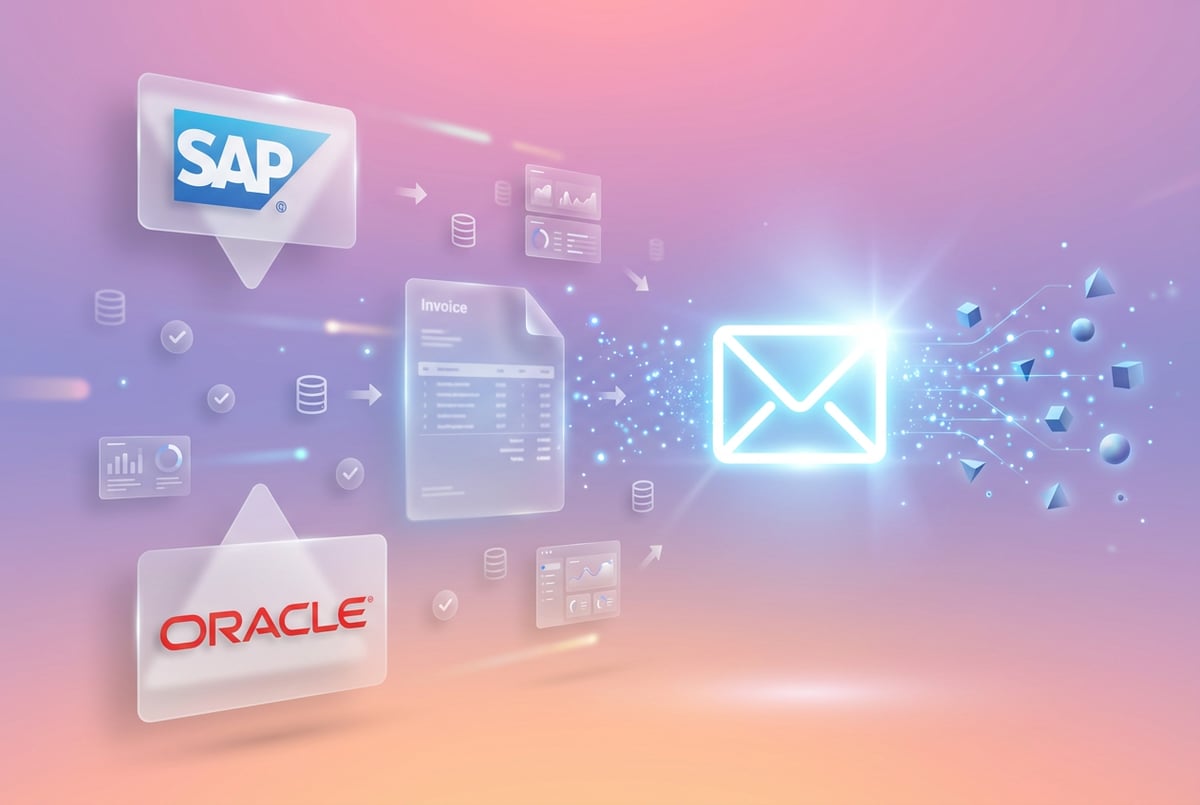
Direct API Integration: Modern ERP systems like SAP, Oracle, NetSuite, and Microsoft Dynamics expose APIs for creating and updating records. Email parsing platforms connect directly to these APIs, pushing validated data into appropriate ERP modules. Direct API integration provides real-time synchronization, strong data validation, and detailed error handling. This approach works well when your ERP has robust, well-documented APIs.
Middleware and iPaaS: Integration Platform as a Service (iPaaS) solutions like MuleSoft, Dell Boomi, or Celigo sit between email parsing and ERP systems. They handle data transformation, routing logic, and error handling. Middleware is useful when you need to sync data across multiple systems or when your ERP’s native APIs are limited. The iPaaS market is projected to grow from $3.4 billion in 2021 to $37.9 billion by 2031, with a 27.5% compound annual growth rate.
Event-Driven Architecture: Event buses and streaming platforms like Oracle Integration Cloud or Apache Kafka enable asynchronous, real-time integration. Email parsing publishes events when data is extracted. ERP systems subscribe to these events and process them when ready. Event-driven architectures scale well because components are loosely coupled. Services don’t call each other directly—they publish and subscribe to events they care about.
Robotic Process Automation (RPA): For legacy ERP systems without APIs, RPA bots can automate UI interactions. The bot logs into the ERP, navigates to the appropriate screen, and enters data as a human would. While less elegant than API integration, RPA works with any system that has a user interface. This approach is often necessary for older on-premises ERPs that haven’t been modernized.
Data Mapping and Transformation
Email data rarely maps one-to-one with ERP fields. Integration requires transformation logic:
Field mapping: Define how extracted email fields correspond to ERP fields. Invoice number from email becomes document ID in ERP. Vendor name maps to supplier master record. Due date converts to payment terms code.
Data normalization: Standardize format variations. Convert “Net 30” and “30 days” to the same payment term code. Map various date formats to ERP’s required format. Normalize vendor names to match master data records.
Validation rules: Implement business logic before data enters ERP. Verify that GL codes exist. Check that product codes are valid. Ensure invoice totals match line item sums. Flag duplicate documents before creating duplicate ERP records.
Enrichment: Add information not present in the email. Lookup customer credit limit based on account number. Apply default GL codes based on vendor category. Calculate currency conversions using current exchange rates.
Handling Integration Failures
Robust integration includes error handling and recovery:
Retry logic: When API calls fail due to temporary network issues, the system retries automatically with exponential backoff. This handles transient failures without manual intervention.
Error queues: Failed integrations go to an error queue for review. Operations teams see which records failed, why they failed, and can reprocess them after fixing the underlying issue.
Everyone else built a construction worker.
We built the contractor.
One file at a time.
UI, API, database, deploy.
Human escalation: When the system can’t resolve an issue automatically, it escalates to a human reviewer. Low-confidence extractions, validation failures, and integration errors get flagged for manual review.
Audit trails: Complete logging tracks every step from email receipt through ERP posting. You can trace exactly what happened to each document, which fields were extracted, how they were transformed, and when they entered your ERP.
Real-Time vs. Batch Processing
Choose processing mode based on business requirements:
Real-time processing: Each email triggers immediate parsing and ERP posting. Customers get instant order confirmations. Finance sees invoices as they arrive. Real-time works well for time-sensitive workflows where immediate action creates value.
Batch processing: Emails accumulate and process together at scheduled intervals. This approach reduces API calls, enables better error handling, and works well for high-volume scenarios where immediate processing isn’t required. Many organizations batch-process invoices overnight, giving finance teams clean data when they arrive in the morning.
Hybrid approach: High-priority emails process immediately while routine documents batch process. Rush orders go straight to ERP. Standard invoices batch every hour. This balances responsiveness with efficiency.
Building Your AI Email Parsing Solution
Implementing AI email parsing requires strategic planning, not just technology deployment. Successful projects follow a structured approach that delivers quick wins while building toward comprehensive automation.
Phase 1: Identify High-Impact Use Cases
Start by mapping your current email-to-ERP workflows. Document:
- Which email types consume the most manual effort
- Where errors occur most frequently
- Which processes create the longest delays
- What manual work provides the least value
Focus initial implementation on workflows that combine high volume with consistent format. Invoice processing is often the best starting point because invoices arrive frequently, follow predictable patterns, and deliver measurable ROI. Don’t try to automate everything at once. Target one document type, prove value, then expand.
Prioritize use cases using three criteria:
Business impact: How much time and cost does this workflow consume? A process that takes 50 hours per week delivers more value than one taking 5 hours weekly.
Technical feasibility: How consistent is the data format? Documents with clear structure are easier to automate than highly variable free-text emails.
Error cost: What happens when manual processing introduces mistakes? Errors in customer orders may cost more than errors in internal reports.
Phase 2: Prepare Your Data Environment
AI email parsing quality depends on the data you feed it. Before implementation:
Clean ERP master data: Vendor records, product codes, and GL accounts must be accurate and consistent. The AI will reference this data to validate extracted information. Inconsistent master data leads to validation failures and integration errors.
Define data standards: Document required fields, format requirements, and validation rules. What information is mandatory versus optional? What format do dates use? What GL codes apply to different transaction types?
Establish data governance: Assign ownership for data quality. Who resolves validation failures? Who updates master data when new vendors appear? Clear ownership prevents integration issues from becoming permanent bottlenecks.
Document current state: Measure baseline metrics before automation. How long does manual processing take? What’s your current error rate? What does processing cost per document? You need baseline numbers to prove ROI.
Phase 3: Choose the Right Platform
Email parsing platforms vary significantly in capabilities. Evaluate based on:
AI capabilities: Does the platform use modern NLP and machine learning? Can it handle your document formats? What accuracy does it achieve? Systems using large language models generally outperform traditional template-based approaches.
Integration options: What ERP systems does it connect to natively? Does it provide APIs for custom integration? Can it trigger workflows in other systems? The best parsing is useless if data can’t reach your ERP reliably.
Customization: Can you define custom extraction rules? Add validation logic? Create specialized workflows for different document types? One-size-fits-all platforms rarely fit complex business requirements.
Scalability: How many emails can it process? What happens when volume spikes? Does pricing scale linearly or become prohibitive at high volume? Make sure the platform can grow with your business.
Monitoring and audit: What visibility does it provide into processing? Can you see which documents failed and why? Does it maintain audit trails for compliance? Operational transparency is critical for production systems.
Phase 4: Implement with Human Oversight
Don’t flip a switch and go fully automated on day one. Use a phased approach:
Assist mode: The AI extracts data and presents it to human reviewers who validate before ERP posting. This builds confidence in the system while identifying edge cases that need better handling. Reviewers see extracted fields and either approve or correct them.
Validate mode: The system posts to ERP automatically but flags all transactions for human review. Finance teams spot-check results and identify patterns that need improvement. This phase reveals integration issues and validation gaps.
Automate mode: High-confidence extractions flow through without human review. Low-confidence cases still escalate to reviewers. This hybrid approach maximizes efficiency while maintaining accuracy.
Move through phases based on measured performance. When accuracy consistently exceeds 99% and integration failures drop below 1%, increase automation level. Never sacrifice accuracy for speed.
Phase 5: Continuous Improvement
AI email parsing improves over time when you actively manage it:
Review error patterns: Which document types cause the most failures? What fields get extracted incorrectly? Are certain vendors’ formats problematic? Use this analysis to tune extraction rules and train machine learning models.
Expand document coverage: Start with one document type, then add others. After mastering invoices, add purchase orders. Then quotes. Then shipping confirmations. Each new document type improves ROI.
Refine validation rules: As you process more documents, you’ll identify business logic that should be validated automatically. Add these rules to catch errors before they reach your ERP.
Optimize performance: Monitor processing speed, accuracy, and integration reliability. When bottlenecks appear, investigate and resolve them. Performance should improve over time, not degrade.
MindStudio Email-Triggered AI Agents
MindStudio provides a practical approach to email parsing through email-triggered AI agents. These agents automate email-to-ERP workflows without requiring complex integration projects or custom development.
How MindStudio Email Agents Work
Each MindStudio AI agent receives a unique email address. When you forward or CC an email to this address, the agent automatically processes the content according to the workflow you’ve defined.
Other agents start typing. Remy starts asking.
Scoping, trade-offs, edge cases — the real work. Before a line of code.
The agent accesses comprehensive email data including sender information, subject line, message body, and all attachments. You can configure the agent to extract specific fields, validate data, and trigger actions in connected systems.
Common workflows include:
- Parsing invoices from vendor emails and creating records in your ERP
- Extracting purchase order details and updating inventory systems
- Reading customer service emails and creating support tickets
- Processing document attachments and routing data to appropriate systems
- Generating follow-up emails based on extracted information
Integration Capabilities
MindStudio connects with over 100 SaaS tools and enterprise systems. The platform includes native integrations with major ERPs, CRMs, databases, and business applications. When native integration isn’t available, you can use MindStudio’s API capabilities to connect with any system that provides REST APIs.
The integration page provides centralized management of all connected systems. You control which team members can access specific integrations, monitor connection status, and manage authentication tokens. This granular access control ensures security while enabling collaboration.
Building Email Parsing Workflows
MindStudio uses a visual workflow builder that doesn’t require coding. You define the steps your agent should take when processing an email:
Extract specific fields from the email body or attachments. Apply validation rules to ensure data quality. Transform data into the format your ERP requires. Create or update records in connected systems. Send confirmation emails or notifications. Route exceptions to human reviewers when needed.
The platform includes pre-built templates for common use cases like invoice processing, order intake, and document management. These templates provide starting points you can customize for your specific requirements.
Validation and Error Handling
MindStudio agents include built-in validation logic. You define required fields, format requirements, and business rules. The agent checks extracted data against these rules before posting to your ERP.
When validation fails or the agent encounters low-confidence extractions, it escalates to human review. You see exactly what the agent extracted, why it flagged the record, and can approve or correct the data before it enters your ERP.
All processing includes complete audit trails. You can track exactly what happened to each email: when it was received, what fields were extracted, how data was transformed, and where it was posted. This transparency supports compliance requirements and troubleshooting.
Deployment and Scaling
MindStudio agents deploy instantly. Once you configure the workflow, the agent is ready to process emails. No infrastructure setup, no deployment pipelines, no waiting for IT approval. You can build and test agents in minutes instead of months.
The platform handles scaling automatically. Whether you process 10 emails per day or 10,000, the system adjusts resources accordingly. You pay based on usage, not infrastructure capacity.
Team collaboration is built in. Multiple team members can work on the same agent, with version control and role-based permissions. Operations teams can monitor processing while IT teams manage integrations, all within the same platform.
Security and Compliance Considerations
Email parsing systems access sensitive business data, making security and compliance critical components of any implementation.
Data Protection Requirements
Email often contains personally identifiable information (PII), financial data, and confidential business information. Your parsing system must protect this data throughout processing:
Encryption: All data should be encrypted in transit and at rest. Email content, extracted data, and API communications require encryption using current standards like TLS 1.3 and AES-256.
Access controls: Implement role-based access to restrict who can view, process, or modify data. Finance team members shouldn’t access HR emails. Operations staff don’t need visibility into financial documents. Granular permissions prevent unauthorized data access.
Data retention: Define how long email data and extracted information are stored. Many regulations require specific retention periods while prohibiting unnecessary data hoarding. Balance compliance requirements with privacy principles.
Data minimization: Extract and store only the fields necessary for business operations. Don’t collect information you don’t need. More data creates more risk with minimal additional value.
Regulatory Compliance
Different industries face specific compliance requirements:
GDPR (General Data Protection Regulation): European regulations require explicit consent for data processing, the right to data deletion, and clear data handling policies. Email parsing systems processing EU citizen data must support these requirements. Cross-border data transfers require specific legal mechanisms.
HIPAA (Health Insurance Portability and Accountability Act): Healthcare organizations must ensure email parsing systems meet HIPAA requirements for protected health information (PHI). This includes access controls, audit trails, and business associate agreements with technology vendors.
PCI DSS (Payment Card Industry Data Security Standard): When emails contain payment card information, parsing systems must comply with PCI DSS requirements. This includes encrypted storage, access logging, and regular security assessments.
SOX (Sarbanes-Oxley Act): Financial data processing requires audit trails demonstrating who accessed data, when they accessed it, and what changes were made. Email parsing systems must maintain detailed logs supporting compliance audits.
EU AI Act: As of October 2025, automated document processing systems must provide explainability for extracted data when used in high-stakes applications. Systems must maintain complete processing histories and support data lineage tracking.
Audit and Traceability
Comprehensive logging supports both security and compliance:
Processing logs: Record every email received, fields extracted, validation results, and integration status. These logs prove what the system did and when it did it.
Access logs: Track who viewed, modified, or approved parsed data. This creates accountability and helps identify unauthorized access.
Change history: When human reviewers correct extracted data, log what changed, who made the change, and why. This supports quality improvement and compliance reporting.
Integration logs: Document every API call to external systems. When data enters your ERP, you need proof of when it was sent, what was sent, and whether the integration succeeded.
Error Handling and Data Quality
Security includes preventing bad data from entering your systems:
Validation before posting: Never push unvalidated data to ERP. Check field formats, verify totals, confirm required fields exist. Catch problems before they corrupt your data.
Duplicate detection: Email systems often generate duplicate messages. Your parser should identify and prevent duplicate ERP records. This protects data integrity and prevents payment errors.
Anomaly detection: Flag unusual patterns like invoices with extremely high amounts, transactions from new vendors, or data that doesn’t match historical patterns. Human review of anomalies prevents fraud and catches processing errors.
One coffee. One working app.
You bring the idea. Remy manages the project.
Data validation: Verify extracted data against master records. Does this vendor code exist? Is this product code valid? Do these numbers make mathematical sense? Validation catches extraction errors before they cause problems.
Measuring ROI and Success Metrics
Successful email parsing implementations deliver measurable business value. Track these metrics to prove ROI and guide optimization:
Time Savings
Calculate hours saved by comparing manual processing time to automated processing:
Baseline: Manual invoice processing takes 15 minutes per document. Your team processes 1,000 invoices monthly, consuming 250 hours of manual work.
With automation: Processing drops to 30 seconds per invoice (for exceptions requiring human review). 90% of invoices flow through automatically. Only 100 invoices need review, taking 50 hours monthly.
Time saved: 200 hours monthly, worth $6,000 at $30 per hour burdened rate. Annual savings: $72,000 in labor cost.
Error Reduction
Manual data entry introduces errors in 1% to 5% of records. AI parsing reduces error rates to 0.1% to 0.5%:
Baseline: 3% error rate on 1,000 monthly invoices means 30 invoices with mistakes. Each error costs $50 to research and correct, totaling $1,500 monthly or $18,000 annually.
With automation: 0.3% error rate means 3 invoices with mistakes monthly. Error correction costs drop to $150 monthly or $1,800 annually.
Savings: $16,200 annually in error correction costs, plus intangible benefits like better vendor relationships and faster payments.
Processing Speed
Measure cycle time from email receipt to ERP posting:
Baseline: Manual processing takes 24 hours average. Emails received after business hours wait until the next day. Urgent orders get delayed.
With automation: Processing happens in seconds. Emails arriving at 6pm get processed immediately. Orders placed Friday evening enter your ERP before Monday morning.
Business impact: Faster processing enables same-day order fulfillment, improves cash flow through faster invoicing, and increases customer satisfaction with immediate confirmations.
Throughput Improvement
Track volume processed per hour:
Baseline: Manual processing handles 4 to 6 documents per hour, depending on complexity.
With automation: Systems process 30 to 50 documents per hour with minimal human oversight. This 10x throughput improvement enables business growth without proportional staff increases.
Cost Per Document
Calculate fully loaded cost per document processed:
Manual processing: Include direct labor, supervision overhead, error correction, and system costs. Organizations typically spend $12 to $23 per document processed manually.
Automated processing: Include platform fees, integration costs, and exception handling. Automated processing costs $2 to $4 per document, an 80% cost reduction.
Leading Indicators
Monitor operational health through leading indicators:
Automation rate: What percentage of documents process without human intervention? Target 80% or higher for mature implementations.
Confidence scores: How confident is the AI in its extractions? Declining confidence scores signal data quality issues or format changes requiring attention.
Exception volume: Are exceptions increasing or decreasing over time? Increasing exceptions suggest process problems. Decreasing exceptions indicate continuous improvement.
Integration reliability: What percentage of parsed documents successfully post to ERP? Track failures by type to identify integration issues.
Common Implementation Challenges
Understanding potential obstacles helps you avoid them or prepare mitigation strategies.
Data Quality Issues
Poor ERP master data causes validation failures and integration errors. Inconsistent vendor names, invalid product codes, and missing account records prevent automated processing.
Remy doesn't build the plumbing. It inherits it.
Other agents wire up auth, databases, models, and integrations from scratch every time you ask them to build something.
Remy ships with all of it from MindStudio — so every cycle goes into the app you actually want.
Solution: Clean master data before implementing email parsing. Assign data stewards to maintain data quality. Implement validation rules that catch problems early rather than failing silently.
Format Variability
Vendors constantly change email formats. New suppliers use different templates. Same vendor sends multiple format variations.
Solution: Choose AI systems that handle format variability through machine learning rather than rigid templates. Expect to tune extraction rules as new formats appear. Plan for ongoing system refinement, not one-time configuration.
Integration Complexity
Legacy ERP systems lack modern APIs. On-premises installations require VPN connections. Different systems use incompatible data formats.
Solution: Assess integration requirements early. Budget for middleware if necessary. Consider RPA for systems without APIs. Test integration thoroughly before production deployment.
Change Management
Staff worry about job security. Teams resist new workflows. Existing processes have hidden assumptions that break when automated.
Solution: Involve end users in implementation planning. Communicate that automation eliminates tedious work, not jobs. Train staff on exception handling and system monitoring. Position automation as freeing people to do higher-value work.
Security and Compliance Concerns
IT teams raise valid security questions. Compliance teams need audit capabilities. Legal teams want data protection guarantees.
Solution: Address security proactively with detailed technical documentation. Demonstrate compliance features through documentation and testing. Involve security, compliance, and legal teams early in vendor selection.
Future Directions in Email Automation
Email parsing technology continues to advance rapidly. Understanding coming capabilities helps you prepare for future opportunities.
Agentic AI
Current systems extract data and execute predefined workflows. Emerging agentic AI goes further by reasoning about what actions to take based on email content.
Instead of rigid “if this, then that” logic, agentic systems understand business goals and determine appropriate actions dynamically. An agentic AI processing a customer complaint email might extract issue details, check order history, evaluate resolution options, and automatically issue a refund if warranted—all without explicit programming for that scenario.
Gartner predicts that by 2028, one-third of enterprise software will include agentic AI, making up to 15% of daily decisions autonomous. By 2029, AI is expected to handle 80% of common customer service issues without human intervention.
Multimodal Processing
Advanced systems now process text, images, and structured data together. An email containing a photo of a damaged product can be analyzed visually to assess damage severity, with findings automatically incorporated into the warranty claim.
Models like GPT-5 Multimodal process complex documents with 99.8% extraction accuracy across 40 languages. They handle financial statements, multi-page contracts, handwritten forms, and mixed-format documents without requiring format-specific configuration.
Continuous Learning
Machine learning models improve through feedback loops. When humans correct extraction errors, models learn from those corrections. Over time, accuracy improves and exceptions decrease without manual retraining.
Modern systems achieve 95% to 99.5% accuracy through continuous learning. They adapt to new document formats automatically, reducing the maintenance burden associated with template-based systems.
Predictive Capabilities
Future systems will predict needs before emails arrive. Analyzing historical patterns, they’ll anticipate when vendors will send invoices, proactively identify missing purchase orders, and flag unusual transaction patterns before they become problems.
These predictive capabilities transform email processing from reactive to proactive, enabling organizations to address issues before they impact operations.
Built like a system. Not vibe-coded.
Remy manages the project — every layer architected, not stitched together at the last second.
Getting Started with Email Parsing
Ready to implement AI email parsing? Follow these steps to launch your first project successfully:
Step 1: Assess Current State
Document your existing email-to-ERP workflows. Count monthly volume for each document type. Measure time spent on manual processing. Calculate current error rates and correction costs. This baseline proves ROI and identifies best starting points.
Step 2: Select Pilot Use Case
Choose one high-volume, high-consistency workflow for initial implementation. Invoice processing is often ideal because invoices arrive frequently, follow predictable patterns, and deliver clear ROI. Avoid trying to automate complex, low-volume, or highly variable processes first.
Step 3: Evaluate Solutions
Compare platforms based on AI capabilities, integration options, customization flexibility, and vendor support. Request demonstrations using your actual documents. Test accuracy on your data, not vendor samples. Verify integration with your specific ERP version.
Step 4: Run Controlled Pilot
Implement with a small subset of documents—perhaps one vendor’s invoices or one product line’s orders. Process documents through both manual and automated paths initially. Compare results to validate accuracy and identify issues. Expand gradually as confidence builds.
Step 5: Measure and Refine
Track actual time savings, error rates, and processing speed. Compare against baseline metrics. Identify patterns in exceptions and failures. Refine extraction rules and validation logic based on real-world performance. Plan next phases based on lessons learned.
Step 6: Scale Strategically
After proving value with one document type, expand to others. Add purchase orders after mastering invoices. Include shipping confirmations once orders are automated. Each new document type builds on previous experience and accelerates time-to-value.
Conclusion
AI email parsing eliminates the manual data entry that consumes hours of staff time, introduces costly errors, and limits business growth. By automatically reading emails, extracting structured information, and posting data directly to ERP systems, organizations reduce processing time by 70% to 90% while improving accuracy to 99% or better.
The technology works by combining natural language processing, intelligent document processing, and machine learning to understand email content the same way humans do—but faster, more accurately, and at scale. Modern systems handle format variations, validate extracted data, and integrate seamlessly with ERP platforms from SAP to NetSuite to Microsoft Dynamics.
Real-world implementations show measurable results: invoice processing costs dropping from $23 to $3 per document, order entry time reducing from hours to minutes, and error rates falling from 3.6% to under 0.5%. Organizations save hundreds of hours monthly while enabling staff to focus on strategic work instead of data transcription.
Success requires more than technology. Clean master data, clear business rules, phased implementation with human oversight, and continuous improvement all contribute to outcomes. Start with high-volume, high-consistency workflows. Prove value quickly. Expand methodically. Measure results rigorously.
Platforms like MindStudio make email parsing accessible through email-triggered AI agents that require no custom development. Forward an email to your agent, and it automatically extracts data, validates information, and updates your ERP—all through visual workflows you can configure in minutes.
- ✕a coding agent
- ✕no-code
- ✕vibe coding
- ✕a faster Cursor
The one that tells the coding agents what to build.
The question isn’t whether to implement AI email parsing, but when and how. Organizations that automate email processing today gain immediate operational benefits while building capabilities for tomorrow’s more sophisticated AI applications. Those that delay fall further behind as competitors process documents faster, cheaper, and more accurately.
Your team receives hundreds or thousands of emails every day. Each one contains valuable business information trapped in unstructured text. AI email parsing liberates that information, automatically flowing it into your ERP systems where it drives better decisions, faster operations, and stronger results.
The technology is proven. The ROI is clear. The implementation path is straightforward. The time to act is now.
Frequently Asked Questions
How is AI email parsing different from traditional OCR or rule-based automation?
Traditional OCR requires consistent document templates, so vendor format changes break your rules and force you to maintain hundreds of custom templates. Rule-based systems match exact patterns without understanding context, so they miss variations like “Net 30” versus “Payment Terms: 30 days.” AI parsing uses natural language processing and machine learning to recognize patterns, understand context, and learn from corrections, improving with every document it processes.
Which document type should I automate first?
Start with one high-volume, high-consistency workflow rather than automating everything at once. Invoice processing is often the best starting point because invoices arrive frequently, follow predictable patterns, and deliver measurable ROI. After proving value with one document type, expand methodically to purchase orders, quotes, and shipping confirmations.
What happens when the system can’t read a field correctly?
The parser assigns a confidence score to extracted data, and low-confidence fields get flagged for human review while high-confidence data flows through automatically. Missing required information, such as a purchase order without a delivery date, causes the record to be routed to a human reviewer instead of creating a broken ERP entry. Failed integrations go to an error queue where operations teams can see why they failed and reprocess them.
How do I connect email parsing to an older ERP without APIs?
For legacy ERP systems that lack APIs, robotic process automation bots can automate user interface interactions by logging in, navigating to the right screen, and entering data as a human would. Middleware and iPaaS platforms are another option when native APIs are limited or you need to sync data across multiple systems. Assess integration requirements early, budget for middleware if needed, and test thoroughly before production deployment.
Should I automate everything immediately once the system is set up?
No. A phased approach starts in assist mode, where the AI extracts data and humans validate before ERP posting, then moves to validate mode, where the system posts automatically but flags transactions for review. Only after that does high-confidence data flow through without review while low-confidence cases still escalate. Move between phases based on measured performance, increasing automation when accuracy consistently exceeds 99% and integration failures drop below 1%.