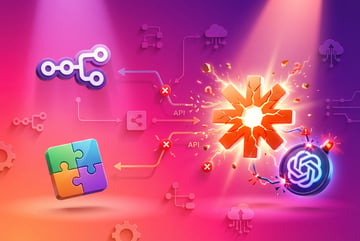
Migrating from Zapier + GPT to an All-in-One AI Workflow Platform
A practical migration guide for teams replacing their Zapier and GPT integration stack with a unified AI logic workflow tool.

The Reality of Running Zapier + GPT in 2026
Your team adopted Zapier early. You connected it to GPT through custom API calls. You built workflows that felt powerful at first. Then the bills started climbing. The maintenance became constant. Your workflows broke when OpenAI updated their API. Again.
You’re not alone. Research shows that 70% of enterprises haven’t moved beyond basic AI integration, and 76% have experienced at least one negative outcome from disconnected AI tools. The Zapier + GPT combination that seemed efficient six months ago now feels like a house of cards.
This guide walks through the practical steps of migrating from a Zapier + GPT stack to an all-in-one AI workflow platform. We’ll cover what you need to know before starting, how to plan the migration, and what to expect during and after the transition.
Why Teams Started with Zapier + GPT
The combination made sense at the time. Zapier offered connections to thousands of apps. GPT provided AI capabilities through API calls. Together, they created workflows that automated tasks while adding intelligence.
A typical setup might include:
- Zapier triggering when a new form submission arrives
- Custom code step calling GPT API to analyze the submission
- Conditional logic based on GPT’s response
- Actions in Slack, Google Sheets, or your CRM
- Error handling through email notifications
This approach worked for proof of concepts. It helped teams experiment with AI without major commitments. But as usage grew, the limitations became clear.
Remy doesn't build the plumbing. It inherits it.
Other agents wire up auth, databases, models, and integrations from scratch every time you ask them to build something.
Remy ships with all of it from MindStudio — so every cycle goes into the app you actually want.

The Hidden Costs of Zapier + GPT Integration
The first surprise is usually the bill. Zapier’s task-based pricing means every single step counts as a task. A workflow that analyzes customer feedback might use:
- 1 task for the trigger
- 1 task for data formatting
- 1 task for the GPT API call
- 1 task for parsing the response
- 1 task for conditional logic
- 2 tasks for updating two different systems
That’s 7 tasks for what feels like a single operation. At scale, teams report spending $500 to $2,000 monthly just on Zapier, before counting GPT API costs.
The maintenance burden grows faster than expected. GPT API changes require updating custom code across multiple workflows. Zapier’s interface makes it hard to see dependencies between workflows. One change can break three other automations.
Error handling becomes a full-time job. When GPT times out or returns unexpected formats, Zapier workflows fail. Someone needs to manually retry failed tasks, clean up partial completions, and fix data inconsistencies.
Security and compliance teams start asking questions. API keys stored in Zapier’s code steps. Data flowing through multiple external services. No clear audit trail of what AI decisions were made or why. These concerns delay new projects and create technical debt.
Signs Your Zapier + GPT Stack Has Hit Its Limits
Several warning signs indicate it’s time to consider migration:
Your workflows are too complex to understand. When team members can’t confidently explain what a workflow does without opening it and tracing every step, you’ve hit a complexity ceiling. This happens when workflows have more than 10 steps or include multiple conditional branches.
You’re spending more time maintaining than building. If your team spends 40% or more of their automation budget on maintaining existing workflows rather than creating new ones, the platform is working against you. Industry data shows this is a common pattern with fragmented automation stacks.
Errors cascade across workflows. A failure in one workflow triggers problems in three others. You’re not sure which workflows depend on which data sources. Changes feel risky because you can’t predict the downstream impact.
Your AI capabilities feel stuck. You want AI agents that can make decisions, use multiple tools, and handle complex reasoning. But implementing this in Zapier + GPT means more custom code, more API calls, and more tasks to pay for.
Onboarding new team members takes weeks. New hires need extensive documentation to understand your workflow architecture. They make changes that break things because the system’s behavior isn’t obvious from its structure.
You’re manually transferring data between AI tools. Nearly a quarter of enterprises report manually moving data between disconnected AI systems. If your team copies results from one tool to paste into another, you’re losing the efficiency that automation should provide.
What All-in-One AI Workflow Platforms Offer
Modern AI workflow platforms take a different approach. Instead of connecting separate services through API calls, they provide native AI capabilities alongside workflow automation. This architecture changes what’s possible.
Built like a system. Not vibe-coded.
Remy manages the project — every layer architected, not stitched together at the last second.
Unified model access. Access to 200+ AI models from one interface, without managing separate API keys for each provider. Switch between GPT-5, Claude 4, Gemini, Llama, and specialized models without rewriting workflows.
Agentic behavior. AI agents that can decide which tools to use based on context, not just follow predetermined paths. An agent can determine whether to use web search, database queries, or document analysis to answer a question.
Visual workflow building. Create complex AI workflows through drag-and-drop interfaces. See the entire logic flow at a glance. Understand dependencies without digging through code.
Built-in observability. Track every decision an AI agent makes. See which models were used, what prompts were sent, and how responses were processed. Audit trails come standard, not as an afterthought.
Transparent pricing. Pay for what AI models actually cost, without markup for task counts. Many platforms charge exactly what providers charge, removing the layer of metering that makes costs unpredictable.
Evaluating All-in-One Platforms: Key Features
Not all unified platforms are equal. Here’s what to look for when evaluating options:
AI Model Flexibility
The platform should support multiple AI providers without vendor lock-in. Look for:
- Access to major model families (GPT, Claude, Gemini, Llama)
- Ability to switch models without rebuilding workflows
- Support for specialized models (vision, speech, code generation)
- Transparent model pricing without markup
- Easy testing of different models for the same task
Ask the vendor: “If I want to switch from GPT-5 to Claude 4 for a specific workflow, how many changes do I need to make?” The answer should be “change one setting.”
True Agentic Capabilities
Agent-native platforms differ from workflow automation with AI steps. True agents can:
- Decide which tools to use based on the task at hand
- Break complex goals into subtasks autonomously
- Adapt their approach when the first attempt fails
- Use tools in combination to solve problems
- Learn from context across multiple interactions
Test this by asking: “Can your agents handle a task that requires using three different tools in an order they determine, not an order I specify?” If the answer requires writing custom code, it’s not truly agentic.
Integration Architecture
Moving from Zapier means you’ll need connections to the same apps and services. But the architecture matters:
- Pre-built connectors for your existing tools
- API access for custom integrations
- Webhook support for real-time triggers
- Database connections for direct data access
- Support for on-premise systems if needed
More important than the number of integrations is how they work. Can the AI agent use your CRM data to make decisions, or can it only trigger predetermined actions?
Development Experience
Your team will spend significant time building and maintaining workflows. The development experience affects velocity:
- Visual workflow builder with clear logic flow
- Testing environment for workflows before deployment
- Version control for tracking changes
- Debugging tools that show exactly what happened
- Documentation that explains concepts, not just features
Request a trial and build a real workflow, not just follow a tutorial. The friction you feel during the trial multiplies across your team over time.
Security and Compliance
Enterprise AI introduces new security considerations. Essential features include:
- SOC 2 Type II certification
- GDPR and data privacy compliance
- Role-based access control
- Audit logs for all AI decisions
- Data residency options
- Self-hosting capability if required
Ask about AI-specific security: “How do you prevent prompt injection attacks? How do you ensure AI agents can’t access data they shouldn’t?”
Observability and Monitoring
You need to understand what your AI agents are doing and why. Look for:
- Real-time monitoring of workflow execution
- Detailed logs of AI model interactions
- Cost tracking per workflow or team
- Performance metrics (latency, success rates)
- Error tracking with context
- Usage analytics to identify optimization opportunities
During evaluation, run a workflow and ask to see the complete execution trace. If you can’t easily understand what happened and why, operational support will be difficult.
Planning Your Migration: Before You Start
Successful migrations start with thorough preparation. Rush this phase and you’ll discover gaps mid-migration when it’s too late to adjust.
Audit Your Current Workflows
Document every workflow currently running in Zapier. For each one, record:
- What triggers it
- What systems it connects
- What AI capabilities it uses
- How often it runs
- Who depends on its output
- What data it processes
This audit reveals hidden dependencies. A workflow you thought was simple might feed data to three other workflows. Migrating it first could break everything downstream.
Categorize workflows by complexity:
Simple workflows have linear logic with no branches. They might send data from one system to another with basic GPT analysis. These are migration candidates for early phases.
Medium workflows include conditional logic, multiple AI calls, or error handling. They work but require careful testing to ensure the new platform handles edge cases.
Complex workflows have multiple branches, use advanced GPT features, or integrate with many systems. These need redesign, not just migration. The new platform likely offers better ways to accomplish the same goals.
Identify Quick Wins
Not all workflows need migration at once. Start with ones that will show immediate value:
- High task count workflows costing significant money
- Frequently breaking workflows requiring constant maintenance
- Workflows your team wants to expand but can’t due to Zapier limitations
- New workflows you’ve been delaying due to complexity concerns
These quick wins build momentum and prove the platform’s value before tackling harder migrations.
Design Your Target Architecture
The new platform isn’t just a Zapier replacement. Think about how you want to structure automation:
- Will you use AI agents for decision-making or just workflow steps?
- How will you organize workflows by team or function?
- What data should be centrally accessible versus workflow-specific?
- How will you handle errors and retries differently?
- What governance and approval processes do you need?
This is your chance to fix architectural problems you’ve been living with. Don’t just recreate your Zapier setup in a new tool.
Set Success Metrics
Define what success looks like beyond “workflows work.” Consider:
- Cost reduction (compare total cost, not just platform subscription)
- Maintenance time (hours per week spent on workflow upkeep)
- Time to build new workflows
- Error rates and resolution time
- Team velocity (how quickly you ship new automation)
- User satisfaction (if workflows serve other teams)
Baseline these metrics before migration. They justify the project and help optimize the new system.
Migration Strategy: Parallel Running vs Big Bang
Two main approaches exist for migration. Each has tradeoffs.
Parallel Running
One coffee. One working app.
You bring the idea. Remy manages the project.
Run both systems simultaneously during migration. New workflows go to the new platform. Old workflows stay in Zapier until migrated.
Advantages:
- Lower risk - old system continues working
- Time to learn the new platform thoroughly
- Can migrate workflows in priority order
- Easy rollback if problems arise
Disadvantages:
- Pay for both platforms during transition
- Team splits attention between two systems
- May need data synchronization between platforms
- Migration can drag on for months
This approach works well for teams with many complex workflows or limited engineering resources. The extended timeline allows thorough testing and gradual team training.
Big Bang Migration
Set a cutover date. Migrate all workflows before that date. Turn off Zapier after cutover.
Advantages:
- Forces completion within a fixed timeframe
- Lower total cost - no overlap in subscriptions
- Team fully commits to new platform
- Clear “before and after” for measuring impact
Disadvantages:
- Higher risk if migration has issues
- Intense work period before cutover
- Less time to discover and fix platform gaps
- Harder to roll back after cutover
Big bang works for teams with simpler workflows, strong engineering capabilities, or urgent cost pressures. It requires careful planning and testing before cutover.
Recommended: Phased Parallel Approach
Most teams benefit from a hybrid: parallel running with aggressive phase deadlines.
Phase 1 (Weeks 1-2): Foundation
- Set up new platform
- Migrate one simple workflow
- Validate core integrations work
- Train team on basic concepts
Phase 2 (Weeks 3-4): Quick Wins
- Migrate 3-5 high-impact workflows
- Start building new workflows on new platform
- Establish monitoring and alerting
- Document common patterns
Phase 3 (Weeks 5-8): Bulk Migration
- Migrate remaining medium complexity workflows
- Redesign complex workflows to use agent capabilities
- Decommission redundant Zapier workflows
- Scale team access and governance
Phase 4 (Weeks 9-10): Cleanup
- Migrate final edge case workflows
- Cancel Zapier subscription
- Document new architecture
- Review metrics and optimize
This approach gives you parallel running’s safety with big bang’s momentum. Set clear phase deadlines to prevent migration drift.
Step-by-Step Migration Process
Here’s the detailed process for migrating individual workflows from Zapier + GPT to a unified platform.
Step 1: Map the Workflow Logic
Don’t start by recreating the Zapier workflow. Instead, write down what the workflow is supposed to accomplish:
- What business problem does it solve?
- What’s the ideal outcome?
- What decisions does it need to make?
- What errors might occur?
This clarity helps you use the new platform’s capabilities rather than just translating Zapier steps.
Step 2: Identify Data Dependencies
Document what data the workflow needs access to:
- What triggers it? (webhook, schedule, database change)
- What external data does it read?
- What data does it write or update?
- What format transformations are needed?
Data issues cause most migration problems. Validate that the new platform can access all required data sources before building the workflow.
Step 3: Design Agent Behavior
This is where unified platforms excel. Instead of:
“When X happens, call GPT with this exact prompt, parse the response, then do Y”
You can design:
“When X happens, have an agent analyze it and take the appropriate action from these tools”
Plans first. Then code.
Remy writes the spec, manages the build, and ships the app.
The agent decides which AI model to use, what tools to employ, and how to handle errors. This requires a shift in thinking from scripting to goal-setting.
Step 4: Build and Test
Create the workflow in the new platform. Start with the happy path - the scenario where everything works perfectly. Then add:
- Error handling for API failures
- Data validation before processing
- Retry logic for transient failures
- Notifications for human review when needed
Test with real data from production, not synthetic examples. Edge cases in production data reveal problems that test data misses.
Step 5: Parallel Run
Run both versions simultaneously for 1-2 weeks:
- Keep Zapier workflow active
- Run new platform workflow on same triggers
- Compare outputs
- Fix discrepancies
This parallel run catches subtle differences in behavior. Maybe the new platform handles timestamps differently. Or formats currency values in another way. Better to find these issues before decommissioning Zapier.
Step 6: Cutover
Once parallel running shows identical results:
- Disable the Zapier workflow
- Monitor the new workflow closely for 24-48 hours
- Keep the Zapier workflow available for emergency rollback
- Document the migration for future reference
Don’t migrate multiple workflows to cutover on the same day. Stagger them so you can identify which migration caused any issues.
Step 7: Optimize
After cutover, optimize the workflow using the new platform’s capabilities:
- Can an agent handle decisions you’re still scripting?
- Are you using the most cost-effective AI models?
- Can workflow steps run in parallel instead of serially?
- Are you logging enough information for debugging?
This optimization phase often yields the biggest benefits. You’re no longer constrained by Zapier’s task-counting model.
How MindStudio Addresses Common Migration Challenges
MindStudio’s architecture specifically addresses the pain points teams experience with Zapier + GPT stacks.
Unified Model Access
MindStudio provides access to 200+ AI models through a single interface. You don’t manage API keys for each provider. Switch between GPT-5, Claude 4, Gemini, Llama, and specialized models without code changes.
This means your migrated workflows aren’t locked into GPT. If a different model handles a task better or more cheaply, change one setting. In Zapier, this requires rewriting custom code and updating API configurations across multiple workflows.
True Agent Capabilities
MindStudio’s agents can dynamically choose which tools to use. Instead of programming “call this API, then that API,” you give the agent tools and let it decide the sequence.
For example, a customer support agent might need to:
- Check if a question can be answered from documentation
- Query the order database if it’s about a specific order
- Search for similar past support tickets
- Generate a response using the most relevant context
In Zapier + GPT, you’d write conditional logic to handle each scenario. In MindStudio, the agent evaluates the question and uses the appropriate tools. This adaptive behavior is what true agentic AI offers.
Visual Workflow Builder
Complex logic becomes clear when you can see the entire workflow. MindStudio’s visual builder shows:
- How agents connect to tools
- What data flows between steps
- Where decisions branch
- What happens when errors occur
This visibility makes workflows easier to understand and maintain. New team members can contribute without weeks of ramp-up time.
Transparent Cost Model
- ✕a coding agent
- ✕no-code
- ✕vibe coding
- ✕a faster Cursor
The one that tells the coding agents what to build.
MindStudio charges exactly what AI providers charge, with no markup. You’re not paying per task or per step. A workflow that makes 100 AI calls costs the same whether those calls happen in one workflow or split across ten.
This eliminates the cost optimization games Zapier requires. You don’t need to compress workflows to reduce task counts. Design workflows for clarity and maintainability, not to minimize billing.
Built-in Observability
Every AI decision is logged automatically. You can see:
- What prompt was sent to which model
- What response was received
- How the agent interpreted the response
- What actions it decided to take
- Why it made those decisions
This audit trail helps with debugging, compliance, and optimization. In Zapier, you need custom logging in code steps. In MindStudio, it’s standard.
Enterprise Security
MindStudio maintains SOC 2 certification and GDPR compliance. Data handling follows enterprise security standards. For teams with strict requirements, self-hosting options provide complete control over data residency.
This matters more as AI workflows process sensitive data. Having security built into the platform removes a layer of risk compared to custom code in Zapier handling API calls.
Common Migration Challenges and Solutions
Every migration hits obstacles. Here’s what to expect and how to handle it.
Challenge: Custom GPT Prompts Don’t Work the Same
Prompts you carefully tuned for GPT-4 may perform differently in the new platform, even when using the same model.
Why this happens: Context handling, system messages, and response parsing might differ from your Zapier implementation.
Solution: Retest and retune prompts in the new environment. Don’t assume they’ll work identically. Most teams find they can simplify prompts because the new platform handles context better.
Challenge: Workflow Dependencies Are Hard to Track
You migrate Workflow A, then Workflow B breaks because it expected data from A in a specific format.
Why this happens: Zapier doesn’t enforce data contracts between workflows. Dependencies are implicit, not explicit.
Solution: During your audit phase, map data flows between workflows. Document what data each workflow produces and what formats other workflows expect. Migrate dependent workflows together or ensure the new implementations maintain compatible outputs.
Challenge: Error Handling Changes
Your Zapier workflows had specific error handling through email notifications and retry logic. The new platform handles errors differently.
Why this happens: Different platforms have different error handling philosophies.
Solution: Redesign error handling using the new platform’s capabilities. Many teams find they need less custom error handling because agent-based systems handle more errors autonomously. Focus error notifications on true failures that need human intervention.
Challenge: Integration Timing Differs
A webhook that triggered instantly in Zapier seems delayed in the new platform. Or vice versa.
Why this happens: Different queueing and execution models affect timing.
Solution: Identify which workflows have strict timing requirements. Test them thoroughly during parallel running. Most workflows can tolerate delays of a few seconds. For those that can’t, work with the platform vendor to understand the execution model and optimize for low latency.
Challenge: Team Adoption Is Slow
Team members keep going back to Zapier because it’s familiar, even for new workflows.
Why this happens: People resist change, especially when they’ve invested time learning a tool.
Other agents start typing. Remy starts asking.
Scoping, trade-offs, edge cases — the real work. Before a line of code.
Solution: Make the new platform the path of least resistance. Disable Zapier access for new workflow creation after Phase 2. Provide clear documentation and examples. Pair experienced users with those still learning. Celebrate wins when someone builds something they couldn’t have done in Zapier.
Challenge: Cost Expectations Don’t Match Reality
You expected lower costs, but initial bills are higher than anticipated.
Why this happens: Parallel running means you’re paying for both platforms. Or you’re running more AI calls during testing and optimization.
Solution: Set clear expectations about transition costs. Most teams see cost benefits 4-6 weeks after completing migration, not immediately. Track costs by phase to understand where money is going. Optimize workflows after cutover to reduce unnecessary AI calls.
Data Migration Considerations
Workflow logic migration is only part of the challenge. Data handling requires attention too.
Historical Data
If your Zapier workflows stored data in tables or used storage features, you’ll need to migrate that data or establish access to it.
Options include:
- Export data from Zapier and import to the new platform
- Keep data in its current location and connect both platforms to it
- Migrate data to a proper database and connect the new platform
The right choice depends on data volume and access patterns. For large datasets, migration to a database often provides better long-term performance.
API Credentials
You’ve accumulated dozens of API credentials in Zapier. These need to be recreated in the new platform.
This is tedious but necessary work. Use it as an opportunity to audit what integrations you actually use. Many teams discover they have credentials for services they no longer use.
Rate Limits
Different platforms make API calls differently. Zapier might have batched requests to stay under rate limits. The new platform might need different handling.
Test workflows that make many API calls to the same service. Ensure you’re not hitting rate limits that Zapier avoided through its execution model.
Post-Migration Optimization
Migration completion isn’t the finish line. The new platform likely enables workflows you couldn’t build before.
Identify Expansion Opportunities
Look for workflows you wanted to build but couldn’t in Zapier:
- Multi-step AI reasoning that would have been too expensive
- Agents that need to use 5+ different tools dynamically
- Complex decision trees that would have taken 50+ Zapier tasks
- Real-time data processing that Zapier’s execution model couldn’t handle
These are the workflows that justify migration. They deliver value impossible in the old architecture.
Consolidate Fragmented Workflows
Teams often split workflows in Zapier to reduce task counts or work around limitations. With those constraints gone, consolidate:
- Five small workflows into one agent with multiple capabilities
- Duplicate logic across workflows into shared functions
- Manual data transfers into automated flows
This consolidation reduces maintenance burden and improves system clarity.
Implement Better Monitoring
Use the new platform’s observability features to understand system behavior:
- Which workflows are most used?
- Which agents make the best decisions?
- Where are errors concentrated?
- What’s the cost per workflow execution?
This data drives optimization. You can’t improve what you don’t measure.
Train More Team Members
With better visibility and easier building, more people can contribute to automation. Expand who can create and modify workflows:
- Product managers building customer-facing agents
- Operations staff automating their own processes
- Support teams creating better response workflows
Remy doesn't write the code. It manages the agents who do.
Remy runs the project. The specialists do the work. You work with the PM, not the implementers.
Democratizing workflow creation multiplies the platform’s value. This was harder in Zapier where task costs discouraged experimentation.
Cost-Benefit Analysis: What to Expect
Let’s look at real numbers from teams that completed migration.
Typical Cost Comparison
Before Migration (Zapier + GPT):
- Zapier subscription: $500-2,000/month depending on task volume
- GPT API costs: $200-800/month
- Maintenance time: 20-40 hours/month at $100/hour = $2,000-4,000
- Total: $2,700-6,800/month
After Migration (Unified Platform):
- Platform subscription: $500-1,500/month
- AI model costs: $200-800/month (same usage)
- Maintenance time: 5-10 hours/month = $500-1,000
- Total: $1,200-3,300/month
Most teams see 30-50% cost reduction within 6 months of completing migration. The savings come primarily from reduced maintenance burden and elimination of Zapier’s task-based pricing.
Time Savings
Beyond direct costs, teams report significant time savings:
- Building new workflows: 40-60% faster
- Debugging issues: 50-70% faster due to better observability
- Onboarding new team members: 60% faster due to clearer architecture
- Responding to changes: 70% faster due to centralized model management
These time savings compound. The team can ship more features with the same resources.
Capability Expansion
The hardest benefit to quantify is what becomes possible:
- AI agents that handle complex customer inquiries end-to-end
- Multi-step research workflows that gather and synthesize information
- Automated content creation pipelines with quality control
- Predictive workflows that anticipate problems before they occur
Teams often find these new capabilities deliver more value than cost savings. They enable business models that weren’t viable before.
When NOT to Migrate
Migration isn’t always the right answer. Consider staying with Zapier + GPT if:
You have very simple workflows. If you’re only using 5-10 simple workflows with low task counts, the migration effort might not be justified. The complexity and cost of your current setup need to be high enough to warrant change.
Your team lacks technical capacity. Migration requires dedicated engineering time. If your team is underwater with other priorities, adding a migration project could hurt more than help.
You’re not ready for agentic AI. Unified platforms excel at agent-based workflows. If you just need simple trigger-action automation, the additional capabilities might be overkill.
You have extensive Zapier-specific customization. Some teams have built complex systems around Zapier’s API and webhooks. If you’ve invested heavily in Zapier-specific infrastructure, migration costs could be prohibitive.
Your workflows are temporary. If you’re using Zapier for short-term projects or experiments, the stability of your current setup might matter more than long-term optimization.
Implementation Timeline: What to Expect
Here’s a realistic timeline for migration based on workflow complexity and team size:
Small Team (1-2 people), Simple Workflows (10-20):
- Planning and audit: 1 week
- Platform setup and training: 1 week
- Migration execution: 2-3 weeks
- Optimization: 1-2 weeks
- Total: 5-7 weeks
Medium Team (3-5 people), Moderate Complexity (20-50):
- Planning and audit: 2 weeks
- Platform setup and training: 1-2 weeks
- Migration execution: 4-6 weeks
- Optimization: 2-3 weeks
- Total: 9-13 weeks
Large Team (6+ people), Complex Workflows (50+):
- Planning and audit: 3-4 weeks
- Platform setup and training: 2-3 weeks
- Migration execution: 8-12 weeks
- Optimization: 3-4 weeks
- Total: 16-23 weeks
These timelines assume the team can dedicate time to migration while maintaining existing workflows. Add 20-30% if migration is a side project alongside regular work.
Building Organizational Support
Technical execution is only part of successful migration. You need organizational support.
Executive Sponsorship
Get a senior leader to sponsor the migration. They should:
- Understand the strategic value of better AI workflow automation
- Remove obstacles when the team encounters them
- Communicate the importance to other stakeholders
- Celebrate milestones and wins
Without executive support, migration gets deprioritized when urgent issues arise. With it, the team has air cover to complete the work.
Stakeholder Communication
Identify everyone who depends on current workflows:
- Teams that receive workflow outputs
- Systems that integrate with workflows
- Customers who interact with automated processes
Keep them informed about:
- What’s changing and why
- When changes will happen
- What they need to do differently (if anything)
- Who to contact with problems
Regular updates prevent surprises. Surprises create resistance.
Change Management
Help people adapt to the new platform:
- Provide hands-on training, not just documentation
- Create a Slack channel for questions and tips
- Record video walkthroughs of common tasks
- Pair experienced users with those still learning
- Recognize and celebrate people who embrace the change
The technical migration succeeds when the team successfully adopts the new platform. That’s about people, not technology.
Measuring Success After Migration
Track metrics that prove the migration delivered value:
Cost Metrics
- Total automation platform spend (before vs after)
- Cost per workflow execution
- Maintenance hours required per month
- Time spent on error resolution
Capability Metrics
- Number of workflows automated
- Complexity of workflows (can track this by number of decision points or tools used)
- New use cases enabled
- Integration coverage
Team Metrics
- Time to build new workflows
- Time to modify existing workflows
- Number of team members who can contribute
- Team satisfaction with automation tools
Business Impact
- Processes automated that weren’t before
- Time saved for end users
- Errors reduced in automated processes
- Response times improved
Share these metrics with stakeholders quarterly. They demonstrate the migration’s ongoing value and justify continued investment in optimization.
Future-Proofing Your AI Workflow Architecture
Technology will continue evolving. Build an architecture that adapts:
Avoid vendor lock-in. Choose platforms that support multiple AI providers. When GPT-6 or Claude 5 arrives, you should be able to use it without rebuilding workflows.
Design for modularity. Create reusable components and agents that can be combined in different ways. This makes it easier to adapt to new requirements.
Invest in documentation. Document not just how workflows work, but why they’re designed that way. Future team members will thank you.
Monitor the AI landscape. New capabilities emerge constantly. Schedule quarterly reviews to identify opportunities to improve existing workflows with new techniques.
Build governance early. As AI workflows become more capable and autonomous, governance becomes critical. Establish approval processes, monitoring standards, and escalation procedures before you need them urgently.
Real-World Migration Example
A mid-sized company ran 45 workflows in Zapier + GPT handling customer support, content generation, and data analysis. Their Zapier bill had grown to $1,800/month plus $600 in GPT API costs. The team spent 30 hours per month maintaining workflows.
Migration approach: Phased parallel running over 10 weeks
Other agents ship a demo. Remy ships an app.
Real backend. Real database. Real auth. Real plumbing. Remy has it all.
Phase 1 (Weeks 1-2): Migrated a simple customer feedback analysis workflow. This proved the platform could handle their core use case and trained the team on basic concepts.
Phase 2 (Weeks 3-4): Migrated five high-cost workflows that were consuming 40% of their Zapier tasks. These were complex multi-step processes that benefited most from the unified platform’s agent capabilities.
Phase 3 (Weeks 5-8): Migrated the remaining 35 workflows in batches of 5-7 per week. They redesigned 8 workflows to use agent-based decision making rather than rigid conditional logic.
Phase 4 (Weeks 9-10): Completed final migrations, optimized all workflows using the new platform’s observability features, and canceled the Zapier subscription.
Results after 6 months:
- Monthly costs reduced from $2,400 to $1,200
- Maintenance time dropped from 30 hours to 8 hours per month
- Built 12 new workflows that would have been too complex in Zapier
- Team reported 60% faster workflow development
- Customer support response times improved by 35% due to better AI agent capabilities
The migration cost them approximately 200 engineering hours across the team. At $100/hour, that’s $20,000 in migration cost. With $1,200/month savings plus reduced maintenance hours worth ~$2,200/month, they achieved payback in 6 months.
Common Questions About Migration
Can I migrate some workflows and keep others in Zapier?
Yes, and this is often the right approach during transition. Keep simple, stable workflows in Zapier while migrating complex or high-cost ones first. Just be aware you’re maintaining two systems until migration completes.
Will I lose my workflow history?
Workflow execution history in Zapier stays in Zapier. You can export it before canceling your subscription, but most platforms don’t import historical runs. The new platform starts fresh with its own execution history.
How do I handle workflows that depend on Zapier-specific features?
Identify these early in planning. Some Zapier features (like their email parser or specific integrations) might not have direct equivalents. You’ll need to redesign these workflows or find alternative approaches. This is where platform vendors can help during evaluation.
What if the migration uncovers problems with our current workflows?
This happens often. Migration forces you to understand what your workflows actually do versus what you think they do. Treat this as an opportunity to fix problems rather than a migration failure. The new platform probably enables better solutions.
Should I migrate during a slow period?
If you have predictable busy/slow periods, schedule migration for slower times. But don’t wait indefinitely for the perfect moment. The cost and complexity of your current setup compounds while you wait.
Getting Started with Your Migration
Ready to move beyond Zapier + GPT? Start with these concrete steps:
Week 1: Audit and Assess
- Document all current workflows
- Calculate your total cost (platform + API + maintenance time)
- Identify the 5 workflows causing the most problems
- List the workflows you want to build but can’t with current tools
Week 2: Evaluate Platforms
- Research 3-4 unified AI workflow platforms
- Request demos focused on your specific use cases
- Get trial access to your top choice
- Build one real workflow in the trial environment
Week 3: Plan Migration
- Create detailed migration plan with phases and deadlines
- Set success metrics you’ll track
- Get executive sponsorship
- Communicate the plan to stakeholders
Remy is new. The platform isn't.
Remy is the latest expression of years of platform work. Not a hastily wrapped LLM.
Week 4: Execute Phase 1
- Migrate your first workflow
- Run it in parallel with Zapier for validation
- Document what you learn
- Adjust your plan based on experience
The first four weeks tell you whether migration is viable and what challenges you’ll face. This limited investment de-risks the full project.
The Path Forward
The Zapier + GPT combination served its purpose. It helped teams experiment with AI automation when unified platforms didn’t exist or weren’t mature enough.
But the landscape has changed. Teams need AI agents that can reason, adapt, and coordinate across multiple tools. They need workflows that scale without linear cost increases. They need observability into what their AI systems are doing and why.
These capabilities require architecture that was purpose-built for agentic AI, not automation platforms retrofitted with AI features.
Migration involves work. It requires planning, execution, and organizational change. But the alternative - continuing with a fragmented stack that gets more expensive and complex every month - costs more in the long run.
The teams seeing the most success are those who view migration not as replacing Zapier, but as fundamentally rethinking how they approach AI automation. They’re not just moving workflows. They’re building the foundation for the next generation of intelligent systems.
Start with one workflow. Prove the value. Build momentum. The path from Zapier + GPT to unified AI workflow automation isn’t a single leap. It’s a series of steps, each one demonstrating that better approaches exist.
Ready to see what’s possible beyond Zapier + GPT? Try MindStudio and experience true agentic AI workflow automation. Build your first AI agent in minutes, not weeks. Access 200+ AI models without managing separate API keys. Create workflows that adapt and reason, not just follow scripts. Start your free trial today.