How to Generate Onboarding Bots with a No-Code AI Platform
Create powerful onboarding bots in minutes using a no-code AI platform—no developers needed. Perfect for HR and customer success teams.
The Traditional Onboarding Problem
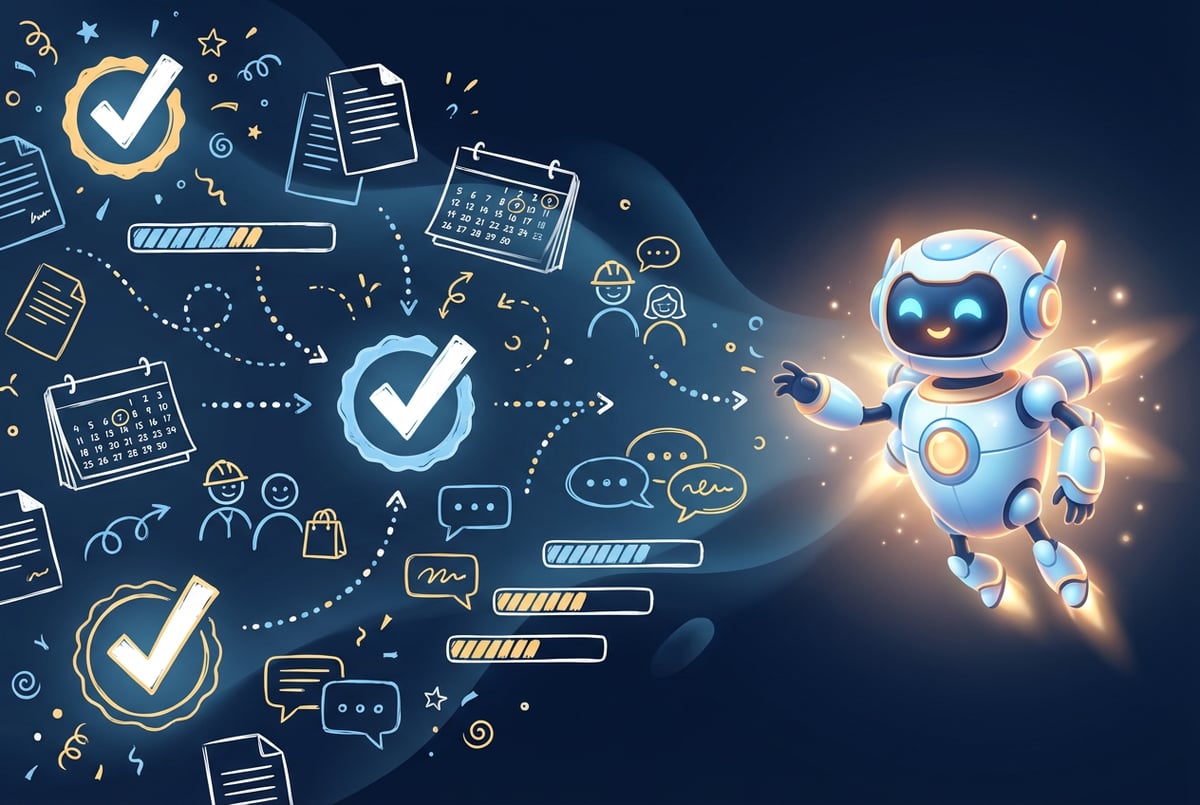
Manual onboarding wastes time. HR teams spend 14 hours per week on administrative tasks. New employees sit through generic training that doesn’t match their role. Customer success teams send the same emails hundreds of times. The average company takes 8-11 hours to onboard a single new hire.
This approach doesn’t scale. When you hire 10 people, that’s 80-110 hours of manual work. When you onboard 1,000 new customers, your team drowns in repetitive questions. Traditional onboarding creates bottlenecks that slow growth and frustrate everyone involved.
Onboarding bots solve this problem. An AI-powered onboarding bot handles repetitive tasks automatically. It answers common questions instantly. It personalizes the experience for each person. And you can build one without writing a single line of code.
By 2026, 88% of organizations use AI for at least one business function. Companies using AI onboarding report 53% faster completion times and 82% better retention rates. The technology is here. The question is how to implement it.
What Is an Onboarding Bot?
An onboarding bot is an AI agent that guides new employees or customers through the onboarding process. It’s not a simple chatbot that follows scripts. Modern onboarding bots understand context, make decisions, and complete multi-step tasks without constant human supervision.
These bots handle tasks like:
- Answering questions about company policies, product features, or account setup
- Collecting required documents and information
- Scheduling training sessions or onboarding calls
- Tracking completion of onboarding tasks
- Providing personalized guidance based on role or use case
- Escalating complex issues to human team members
- Sending reminders and check-ins at key milestones
Seven tools to build an app. Or just Remy.
Editor, preview, AI agents, deploy — all in one tab. Nothing to install.

The difference between an onboarding bot and a traditional chatbot comes down to autonomy. A basic chatbot matches keywords and serves pre-written responses. An AI-powered onboarding bot processes natural language, accesses your company data, integrates with your existing tools, and takes actions based on context.
Why No-Code Matters for Onboarding Bots
Traditional AI development requires data scientists, machine learning engineers, and months of development time. A custom onboarding bot built from scratch can cost $100,000 or more.
No-code AI platforms change this equation. You don’t need to hire developers. You don’t need to understand Python or TensorFlow. You build workflows visually, connect to your data sources, and deploy in days instead of months.
The no-code approach offers several advantages for onboarding bots:
Speed: Build and deploy a functional onboarding bot in hours or days, not months. Test different approaches quickly. Iterate based on real user feedback.
Cost: No-code platforms typically cost $50-500 per month instead of six-figure development projects. You pay for usage, not engineering time.
Control: HR teams and customer success managers can build and modify bots themselves. No waiting for engineering resources. No technical bottlenecks.
Flexibility: Change your onboarding process? Update the bot in minutes. Add new questions or workflows without starting from scratch.
Integration: Connect to your existing tools through pre-built connectors. Pull data from your HRIS, CRM, or knowledge base without custom API development.
The Business Case for Onboarding Bots
Companies implementing AI onboarding see measurable results. The numbers speak for themselves.
Hitachi reduced onboarding time from 10-15 days to 4 days. They cut HR staff time from 20 hours to 12 hours per new hire. That’s 40% less time spent on administrative work.
Organizations using AI onboarding automation save approximately $18,000 annually. They reduce administrative tasks by 75%. Employee data collection errors drop by 73%.
The impact extends beyond time savings. Companies using AI onboarding report 30% longer employee tenure during the first year. New hires reach full productivity 30-50% faster. Customer onboarding bots reduce support tickets by 20% or more.
For customer-facing onboarding bots, the ROI is even clearer. Companies with structured video-based onboarding see 50% higher customer retention and 34% faster time-to-value. Support teams using AI triage bots handle 60-80% more tickets without increasing headcount.
The global HR technology market is growing at 7.5% annually and will reach $39.90 billion by 2029. The digital onboarding market specifically is projected to surge from $1.62 billion in 2024 to $8.33 billion by 2033. Early adopters gain competitive advantages through improved efficiency and better user experiences.
How to Build an Onboarding Bot: Step-by-Step Guide
Building an onboarding bot with a no-code platform follows a straightforward process. Here’s how to create your first bot in under a day.
Step 1: Define Your Onboarding Workflow
Start by mapping your current onboarding process. Document every step, decision point, and common question. Talk to people who recently went through onboarding. Identify pain points and bottlenecks.
For employee onboarding, your workflow might include:
- Pre-boarding: Collecting tax forms, emergency contacts, and personal information
- Day one: Building access, equipment setup, team introductions
- First week: Policy reviews, training modules, initial tasks
- First month: Regular check-ins, skill assessments, feedback collection
- First 90 days: Performance reviews, career path discussions, culture integration
For customer onboarding, consider:
- Account setup and configuration
- Product feature walkthroughs
- Integration setup with existing tools
- Training on key workflows
- Success milestones and achievements
One coffee. One working app.
You bring the idea. Remy manages the project.
Break each stage into specific tasks. Identify which tasks the bot should handle automatically and which need human involvement. Clear workflow documentation makes the implementation process much faster.
Step 2: Choose Your No-Code AI Platform
Select a platform that fits your needs and technical comfort level. Look for these key features:
Visual workflow builder: Drag-and-drop interface for creating bot logic without code
Natural language processing: Understanding user intent, not just keyword matching
Data integration: Connect to your HRIS, CRM, documentation, and other systems
Multi-channel deployment: Support for web, email, Slack, Microsoft Teams, and mobile
Analytics and monitoring: Track bot performance, completion rates, and user satisfaction
Customization options: Match your brand, create role-specific experiences
MindStudio offers a particularly strong option for onboarding bots. The platform provides model-agnostic AI orchestration, letting you mix and match over 90 AI models in a single workflow. You can build sophisticated onboarding agents that understand context, access company data through RAG (Retrieval-Augmented Generation), and execute multi-step processes.
The visual workflow builder lets you design complex logic without writing code. Connect to data sources like Notion, Google Drive, Zendesk, or your internal systems. Deploy as a web app, browser extension, or integrate via API. Pricing starts with a free tier offering up to 10,000 runs, making it accessible for testing and small deployments.
Other platforms like Zapier, Make, and n8n focus more on workflow automation than conversational AI. They work well for simple task automation but require more manual configuration for natural language understanding. Bubble and similar app builders offer more control but have steeper learning curves.
Step 3: Build Your Bot’s Knowledge Base
Your onboarding bot needs access to relevant information. Gather all the content new employees or customers need:
- Company policies and procedures
- Training materials and documentation
- FAQ documents
- Product guides and tutorials
- Contact information for key people
- Compliance and legal documents
Upload this content to your no-code platform’s knowledge base. Most platforms use RAG to ground AI responses in your actual documentation. This prevents hallucinations and ensures accurate information.
Organize content by role, department, or use case. A sales representative needs different onboarding materials than a software engineer. A basic customer needs different guidance than an enterprise client. Tag and categorize content so the bot can serve relevant information to each user.
Keep your knowledge base current. Assign someone to review and update content quarterly. Remove outdated information. Add new policies or procedures as they emerge. An outdated knowledge base leads to confused users and increased support tickets.
Step 4: Design Conversational Flows
Map out how conversations should progress. Start with common paths users take through onboarding. Then add branches for different scenarios.
A basic employee onboarding flow might look like:
Welcome message → Collect basic information → Schedule first day → Send equipment order → Assign first-week tasks → Check in after day one → Provide training materials → Schedule manager meeting → Collect feedback
Each step can branch based on user responses. If someone indicates they’re remote, skip the office tour and add home office setup guidance. If they’re in a technical role, prioritize system access and development environment setup.
Design your bot to:
Plans first. Then code.
Remy writes the spec, manages the build, and ships the app.
Ask clarifying questions: Instead of making assumptions, have the bot ask users what they need help with specifically.
Provide options: Give users clear choices. “Would you like to schedule your first day orientation, review company policies, or set up your equipment?”
Confirm understanding: Have the bot summarize what it heard and ask for confirmation before taking actions.
Escalate when needed: If the bot can’t answer a question or a situation is complex, route to a human team member with full context.
Maintain context: Remember what users said earlier in the conversation. Don’t ask for the same information twice.
Step 5: Integrate With Your Systems
Connect your bot to the tools your team already uses. This is where no-code platforms really shine compared to custom development.
For employee onboarding, integrate with:
- HRIS systems (Workday, BambooHR, Namely)
- Identity providers (Okta, Azure AD)
- Communication tools (Slack, Microsoft Teams, email)
- Document management (Google Drive, SharePoint, Dropbox)
- Calendar systems (Google Calendar, Outlook)
- Learning management systems (Lessonly, Docebo)
For customer onboarding, connect to:
- CRM systems (Salesforce, HubSpot)
- Product analytics (Mixpanel, Amplitude)
- Support platforms (Zendesk, Intercom)
- Payment processors (Stripe)
- Communication channels (in-app chat, email, SMS)
Most no-code platforms offer pre-built connectors for popular tools. MindStudio supports connections to over 50 data sources and applications. If a pre-built connector doesn’t exist, you can usually connect via webhooks or API endpoints.
Integration enables powerful automation. When a new employee is added to your HRIS, the bot automatically starts the onboarding sequence. When a customer completes account setup, the bot triggers the next phase of training. Actions in one system update others in real time.
Step 6: Personalize the Experience
Generic onboarding frustrates users. An engineering manager shouldn’t see the same content as a junior marketer. An enterprise customer has different needs than a small business owner.
Use variables and conditional logic to personalize:
Role-based content: Show different training modules, policies, and tasks based on job title or customer segment.
Pacing adjustments: Some people want to complete onboarding quickly. Others prefer to take their time. Let users set their own pace.
Learning style preferences: Offer content in multiple formats—video, text, interactive tutorials. Let users choose how they want to learn.
Language support: If you have a global workforce or customer base, provide onboarding in multiple languages. Modern AI models handle multilingual conversations well.
Context awareness: Reference the user’s specific team, manager, product plan, or account details in conversations.
Employees who receive personalized onboarding are 3X more engaged at work and become productive 50% faster. The effort to personalize pays off in better outcomes.
Step 7: Add Human Oversight
Bots should augment human teams, not replace them entirely. Build in multiple points where humans can intervene or oversee the process.
Set up escalation paths for:
- Complex questions the bot can’t answer
- Sensitive topics that require human judgment
- User requests to speak with a person
- Technical issues or errors
- Compliance-related decisions
Create notification systems so managers or team members receive alerts about important milestones. A manager should know when their new report completes onboarding day one. Customer success should be notified when a high-value account hits a setup milestone.
Implement review processes for bot-generated content. If your bot drafts emails or creates documents, have a human approve them before sending. This is especially important for compliance-sensitive industries.
Under the EU AI Act, high-risk AI systems (which include HR and customer-facing bots) require human oversight. Build this into your design from the start, not as an afterthought.
Step 8: Test Thoroughly Before Launch
Run your bot through extensive testing before exposing it to real users. Create test scenarios that cover:
Happy paths: The ideal user journey when everything goes right
Edge cases: Unusual situations or inputs
Error conditions: What happens when integrations fail or data is missing
Multilingual inputs: If you support multiple languages
Malicious inputs: Test for prompt injection and other security issues
Have team members who didn’t build the bot test it. They’ll find issues you missed because you know the system too well.
Measure key metrics during testing:
- Response accuracy: Does the bot provide correct information?
- Completion rate: Do test users finish the onboarding flow?
- Response time: How quickly does the bot respond?
- Escalation rate: How often does the bot need to hand off to humans?
- User satisfaction: Do test users find the experience helpful?
Fix issues before launch. A buggy onboarding experience damages your employer brand or customer relationships. Better to delay launch than to release something that frustrates users.
Step 9: Launch and Monitor
Start with a soft launch to a small group. Choose 10-20 new employees or customers who will provide honest feedback. Monitor their interactions closely.
Track these metrics from day one:
Usage metrics: How many people interact with the bot? How often? At what times?
Completion metrics: Do users complete onboarding tasks? Where do they drop off?
Performance metrics: Response time, uptime, error rates
Quality metrics: User satisfaction scores, escalation rates, accuracy of responses
Business metrics: Time to productivity, retention rates, support ticket volume
Use analytics to identify problems quickly. If users consistently drop off at a certain step, investigate why. If a specific question gets escalated frequently, improve the bot’s ability to handle it.
Collect user feedback actively. Ask users to rate interactions. Send follow-up surveys after onboarding completes. Create channels for users to report issues or suggest improvements.
Step 10: Iterate Based on Data
Your first version won’t be perfect. Plan to iterate continuously based on real usage data.
Review bot performance weekly for the first month. Look at:
- Common questions the bot struggles to answer
- Workflow steps that cause confusion
- Integration points that fail frequently
- Feedback from users and team members
Add new content to the knowledge base as gaps emerge. Refine conversation flows based on how users actually interact with the bot. Fix bugs and performance issues.
After the first month, shift to monthly review cycles. Track how changes impact key metrics. A/B test different approaches when possible.
Successful onboarding bots evolve constantly. Your onboarding process will change as your company grows. Your bot should change with it.
Employee Onboarding Bots: Specific Use Cases
Employee onboarding involves 54 separate tasks on average. Bots can handle most of these automatically while improving the experience for new hires.
Pre-Boarding Automation
Other agents ship a demo. Remy ships an app.
Real backend. Real database. Real auth. Real plumbing. Remy has it all.
The period between offer acceptance and first day is critical. New hires are excited but also anxious. A pre-boarding bot keeps them engaged and prepared.
Pre-boarding bots can:
- Collect tax forms, bank details, and emergency contacts
- Schedule equipment delivery or office setup
- Provide information about the first day (what to wear, where to go, what to bring)
- Share company culture content and team introductions
- Answer questions about benefits, policies, or logistics
- Send reminders and check-ins leading up to day one
This reduces day-one administrative burden. HR teams spend less time on paperwork and more time on meaningful welcome activities. New hires feel prepared and valued.
First Week Guidance
The first week overwhelms most new employees. They’re trying to remember names, learn systems, and understand their role simultaneously. A bot provides just-in-time support without bombarding them with information.
First-week bots assist with:
- System access and password resets
- Navigation of company tools and resources
- Scheduling meetings with key team members
- Tracking completion of required training
- Answering policy questions as they arise
- Providing reminders about important tasks or deadlines
Instead of forcing new hires through generic training modules, the bot delivers information when they need it. Trying to set up your development environment? The bot walks you through it step by step. Wondering about the vacation policy? Ask and get an immediate answer.
90-Day Check-Ins
The first 90 days determine whether new hires stay or leave. Regular check-ins help identify issues before they become problems. Bots can conduct structured check-ins at 30, 60, and 90 days.
These check-ins might ask about:
- Role clarity and understanding of responsibilities
- Relationship with manager and team
- Access to resources and tools needed to succeed
- Training gaps or skill development needs
- Overall satisfaction and engagement
The bot analyzes responses for red flags. If someone indicates they’re struggling with their role or manager relationship, it alerts HR for intervention. Patterns across multiple new hires might reveal systemic onboarding issues.
This approach scales. HR can’t personally check in with every new hire multiple times per quarter. A bot can, while ensuring consistent evaluation across all employees.
Ongoing Support After Onboarding
Onboarding doesn’t end at 90 days. Employees have questions about policies, procedures, and company resources throughout their tenure. An onboarding bot transitions into an ongoing support resource.
As an always-available assistant, the bot handles:
- Time-off requests and policies
- Benefits questions and open enrollment
- Performance review processes
- Career development resources
- IT support for common issues
- Navigation of company directories and org charts
This reduces support ticket volume dramatically. Instead of emailing HR or IT with basic questions, employees get immediate answers from the bot. Human teams focus on complex issues that require expertise and judgment.
Customer Onboarding Bots: Specific Use Cases
Customer onboarding determines whether users adopt your product or churn. Companies with effective onboarding see 50% higher retention and 34% faster time-to-value.
Account Setup and Configuration
Technical setup frustrates many new customers. They sign up for your product, then face a complex configuration process. Many abandon at this stage.
Setup bots guide users through:
- Account creation and verification
- User role assignment and permissions
- Payment method setup
- Integration with existing tools (CRM, calendar, email)
- Import of existing data
- Customization of settings and preferences
Remy doesn't build the plumbing. It inherits it.
Other agents wire up auth, databases, models, and integrations from scratch every time you ask them to build something.
Remy ships with all of it from MindStudio — so every cycle goes into the app you actually want.
The bot detects where users get stuck and provides targeted help. Can’t connect your CRM? The bot walks you through authentication step by step. Confused about pricing tiers? It explains the differences and helps you choose.
This reduces support burden while improving activation rates. Users who complete setup are far more likely to become paying customers.
Feature Discovery and Training
Most users only discover a fraction of your product’s features. They learn the basics, then stick with what they know. This limits the value they get from your product.
Training bots introduce features progressively based on user behavior:
- Detect what features the user has tried
- Suggest relevant features they haven’t discovered
- Provide contextual tutorials when users seem stuck
- Send tips and best practices via email or in-app messages
- Create personalized learning paths based on role or industry
The bot adapts to each user’s pace. Power users get advanced tips quickly. Casual users receive simpler guidance spread over weeks. This personalization increases engagement without overwhelming anyone.
Proactive Support and Issue Resolution
Don’t wait for users to ask for help. Proactive bots detect potential issues and intervene before users become frustrated.
Monitor for signals like:
- Repeated failed actions (clicking the same button multiple times)
- Long periods of inactivity on key screens
- Error messages or failed integrations
- Abandonment of critical workflows
- Decreased usage after initial activity
When the bot detects these patterns, it reaches out: “I noticed you’re having trouble connecting your calendar. Would you like help with that?” This prevents users from leaving in frustration.
Companies using proactive support bots reduce churn by 25-30%. Users feel supported without having to constantly ask for help.
Milestone Celebration and Expansion
Recognize and celebrate user achievements. When someone completes important milestones, acknowledge it. This builds positive associations with your product.
Milestones might include:
- First successful project or workflow completion
- Inviting team members
- Reaching usage thresholds
- Exploring advanced features
- Achieving business outcomes (closing a deal, launching a campaign)
After celebrating a milestone, suggest the next logical step. Completed your first project? Here’s how to automate similar projects. Invited your first team member? Consider upgrading to a plan with more seats.
This gentle expansion nudges users toward higher-value plans without aggressive sales tactics. The bot becomes a trusted advisor helping users get more value from your product.
Compliance and Security for Onboarding Bots
Onboarding bots handle sensitive data. Employee bots process personal information, tax documents, and health records. Customer bots access account details, payment information, and usage data. Strong security and compliance aren’t optional.
EU AI Act Requirements
The EU AI Act classifies most HR and customer-facing bots as high-risk AI systems. If your bot influences employment decisions or customer outcomes, strict requirements apply.
High-risk AI systems must include:
Risk management systems: Identify potential risks throughout the AI lifecycle. Document how you mitigate these risks. Update assessments as the system evolves.
Data governance: Use relevant, representative datasets. Implement measures to prevent bias. Document data sources and preparation methods.
Technical documentation: Maintain detailed records of how the system works, its capabilities, its limitations, and its testing results.
Transparency: Users must know when they’re interacting with AI. Explain how the system makes decisions. Provide information about human oversight.
- ✕a coding agent
- ✕no-code
- ✕vibe coding
- ✕a faster Cursor
The one that tells the coding agents what to build.
Human oversight: Implement mechanisms for humans to intervene, override AI decisions, or stop the system.
Accuracy and robustness: Test the system thoroughly. Monitor for errors. Ensure it performs consistently across different user groups.
Non-compliance carries heavy penalties. Fines can reach €35 million or 7% of global annual turnover for the most serious violations. Even if you’re not based in the EU, the Act applies if your bot serves EU users.
The first major deadline passed in February 2025, banning specific AI practices like social scoring and untargeted biometric surveillance. High-risk system requirements take full effect in August 2026. If you’re building onboarding bots now, design for compliance from the start.
Data Privacy and GDPR
Beyond AI-specific regulations, standard data protection laws apply. Onboarding bots must comply with GDPR, CCPA, and similar regulations worldwide.
Key requirements include:
Purpose limitation: Only collect data necessary for onboarding. Don’t gather information “just in case” you need it later.
Consent and transparency: Inform users what data you collect, how you use it, and who has access. Get explicit consent where required.
Data minimization: Collect the minimum data needed. If you don’t need someone’s birthday for onboarding, don’t ask for it.
Right to access and deletion: Users can request their data or ask for deletion. Your bot must support these requests.
Security measures: Encrypt data at rest and in transit. Use strong authentication. Implement access controls. Audit who accesses data and when.
Cross-border transfers: If your bot serves users in multiple countries, understand restrictions on transferring data across borders.
Choose no-code platforms that prioritize security. MindStudio uses AES-256 encryption for data at rest and TLS 1.2+ for data in transit. The platform is SOC II compliant, meeting enterprise security standards.
Configure your bot to handle sensitive data appropriately. Don’t store credit card numbers or health information unless absolutely necessary. Use tokenization or hashing for sensitive fields. Implement retention policies that automatically delete data after it’s no longer needed.
Bias Testing and Fairness
AI systems can perpetuate or amplify existing biases. In HR contexts, this creates serious legal and ethical problems. An onboarding bot that treats people differently based on protected characteristics violates discrimination laws.
Test your bot for bias across:
- Gender and gender identity
- Race and ethnicity
- Age
- Disability status
- National origin
- Religion
Run the bot through scenarios with different demographic profiles. Does it provide the same quality of information? Does it escalate to humans at similar rates? Does it complete onboarding tasks consistently?
Pay special attention to any bot features that make recommendations or decisions. Resume screening agents, for example, require extensive bias testing. Under the EU AI Act and California’s ADS rules, these systems are considered high-risk and need detailed documentation of fairness measures.
Establish regular audit schedules. Don’t just test before launch—monitor continuously. Bias can creep in as the system learns from real-world data. Monthly reviews help catch problems early.
If you discover bias, act immediately. Disable the problematic feature. Analyze what caused the bias. Fix the underlying issue. Document everything for regulatory purposes.
Vendor Due Diligence
When using a no-code platform, you’re trusting a vendor with your data and compliance. Choose carefully.
Ask potential vendors:
Where is data stored? If you serve EU users, data should stay in the EU or use approved transfer mechanisms.
How is data encrypted? Both at rest and in transit. What encryption standards are used?
What certifications do you have? SOC II, ISO 27001, GDPR compliance. Ask to see attestation reports.
How do you handle security incidents? What’s the notification process? How quickly will you inform customers?
What training data do you use? For AI models that power your bot. Where did this data come from? Was it properly licensed?
Can I delete all data? If we stop using your service, what happens to our data? How long does deletion take?
Who can access our data? Which vendor employees have access? Under what circumstances?
Review the vendor’s terms of service and data processing agreements carefully. Don’t rely on verbal assurances—get compliance commitments in writing.
Measuring Success: Key Metrics for Onboarding Bots
Track specific metrics to understand if your onboarding bot delivers value. Generic “engagement” metrics don’t tell you much. Focus on outcomes that matter to your business.
For Employee Onboarding
Time to productivity: How long until new hires reach full performance? Compare before and after implementing the bot. Companies using AI onboarding see 30-50% faster productivity gains.
Retention rates: What percentage of new hires stay past 90 days, 6 months, 1 year? Poor onboarding is a leading cause of early turnover. Organizations with AI onboarding report 82% better retention.
HR time savings: How many hours does HR spend per new hire? Hitachi reduced this from 20 hours to 12 hours—a 40% improvement.
Completion rates: What percentage of new hires complete all onboarding tasks? Where do they drop off? High abandonment at specific steps indicates problems.
Manager satisfaction: Survey hiring managers about onboarding quality. Are new hires prepared? Do they have the knowledge and tools needed?
New hire satisfaction: Survey new employees about their onboarding experience. Would they recommend your company to others? The onboarding experience shapes their entire perception of your organization.
Support ticket reduction: How many HR support tickets come from new hires? A good bot should reduce this substantially.
For Customer Onboarding
Time to first value: How long until customers achieve their first meaningful outcome? This might be completing a project, closing a deal, or launching a campaign. Faster time-to-value predicts higher retention.
Activation rate: What percentage of new signups complete key setup steps? Companies with structured onboarding see 50% higher activation rates.
Feature adoption: How many features do customers use in their first 30 days? Broader adoption indicates better onboarding.
Support ticket volume: How many support tickets come from customers in their first 90 days? Effective onboarding should reduce this by 20% or more.
Time to upgrade: For freemium products, how long until users upgrade to paid plans? Better onboarding accelerates this timeline.
Churn rate: What percentage of new customers cancel within 90 days? First-quarter churn is often tied to poor onboarding. Companies with AI onboarding see 25-30% lower churn.
Remy doesn't write the code. It manages the agents who do.
Remy runs the project. The specialists do the work. You work with the PM, not the implementers.
Net Promoter Score: Would customers recommend your product based on their onboarding experience? This predicts long-term retention.
Bot-Specific Metrics
Track metrics specific to the bot’s performance:
Containment rate: What percentage of questions does the bot handle without escalating to humans? Aim for 70-80% for mature bots.
Resolution rate: When users ask questions, does the bot provide satisfactory answers? Track this through user ratings or follow-up surveys.
Response time: How quickly does the bot respond to queries? Sub-second response times create better experiences.
Conversation length: How many messages does it take to resolve a query? Shorter conversations usually indicate better bot design.
Escalation rate: When and why does the bot hand off to humans? Patterns here reveal training gaps in the bot’s knowledge base.
User satisfaction: Ask users to rate their interaction after each conversation. Track trends over time.
Accuracy rate: When you review bot responses, how often is the information correct? Aim for 95%+ accuracy.
Calculating ROI
Quantify the financial impact of your onboarding bot. This helps justify continued investment and expansion.
Calculate costs:
- Platform subscription fees
- Time spent building and maintaining the bot
- Integration development (if needed)
- Training and change management
- Ongoing optimization and updates
Calculate benefits:
- HR or support team time saved (hours × hourly rate)
- Improved retention (cost of replacement hires × retention improvement percentage)
- Faster time to productivity (days saved × employee daily compensation)
- Reduced support tickets (tickets saved × average handling cost)
- Increased customer activation (activated users × average lifetime value increase)
- Reduced churn (churned users prevented × average customer value)
Organizations implementing onboarding bots typically see 10-40x ROI within the first year. The math works strongly in favor of automation.
Best Practices for Onboarding Bots
Follow these practices to maximize the effectiveness of your onboarding bot.
Start Small, Then Scale
Don’t try to automate everything at once. Pick one specific use case—pre-boarding document collection, for example. Build that, test it thoroughly, and learn from real usage.
After the first use case succeeds, expand to adjacent areas. Maybe add first-day guidance next, then 30-day check-ins. This iterative approach reduces risk and builds organizational confidence in the technology.
Companies that try to boil the ocean from the start usually fail. They spend months building a comprehensive system that’s too complex to maintain. By the time it launches, requirements have changed. Start small and iterate.
Prioritize User Experience
Your bot represents your company. A clunky, frustrating bot creates a terrible first impression. An excellent bot becomes a competitive advantage.
Focus on:
Response quality: Accurate, helpful answers beat fast but wrong responses. Test thoroughly.
Conversation flow: Natural, logical progression. Avoid making users repeat themselves.
Personality: Match your company culture. Formal? Casual? Professional but friendly? Be consistent.
Error handling: When the bot doesn’t understand, acknowledge it gracefully. Offer alternatives or escalate to a human.
Visual design: Clean, professional interface. Match your brand guidelines.
Accessibility: Support screen readers. Use proper contrast ratios. Provide keyboard navigation.
Test your bot with actual users, not just your team. Watch how they interact with it. Where do they get confused? What works well? Incorporate this feedback continuously.
Maintain Human Connection
Bots automate tasks, but onboarding is still fundamentally about human relationships. Don’t let automation replace personal connection.
Use the bot to create space for meaningful human interactions. If the bot handles administrative tasks, managers can spend more time on:
- One-on-one conversations about career goals
- Team building and relationship development
- Mentorship and coaching
- Strategic guidance on projects
- Cultural integration and belonging
The bot should enhance human connection, not replace it. Schedule key touchpoints with managers, mentors, or customer success representatives. The bot handles logistics; humans provide empathy, judgment, and relationship building.
Keep Content Fresh
Outdated information destroys trust in your bot. If the bot references an old policy or provides incorrect instructions, users stop relying on it.
Implement a content review schedule:
- Weekly: Check for reported inaccuracies
- Monthly: Review most-accessed content for updates
- Quarterly: Comprehensive content audit
- Ongoing: Update immediately when policies change
Assign clear ownership. Someone specific should be responsible for content accuracy. This can’t be “whoever has time”—make it someone’s explicit responsibility.
Version control helps. Track when content was last reviewed and by whom. This makes audits easier and ensures nothing falls through the cracks.
Plan for Multilingual Support
If you have a global workforce or customer base, plan multilingual support from the start. Adding languages later is harder than building multilingual capability into your initial design.
Modern AI models handle multiple languages well. GPT-4, Claude, and similar models understand 50+ languages without special training. Your bot can automatically detect the user’s language and respond appropriately.
Considerations for multilingual bots:
Translation quality: AI translation is good but not perfect. Have native speakers review critical content.
Cultural nuances: Direct translation misses cultural context. Adapt content for each market.
Language detection: Let users choose their language explicitly. Don’t rely solely on automatic detection.
Mixed conversations: Some users switch languages mid-conversation (code-switching). Your bot should handle this gracefully.
Character sets: Ensure your UI properly displays non-Latin alphabets—Arabic, Chinese, Hebrew, etc.
Multilingual support isn’t optional for global companies. 75% of consumers prefer buying in their native language. 60% rarely purchase from English-only websites. If you’re serious about global markets, your onboarding must speak their languages.
Document Everything
Maintain comprehensive documentation of your bot’s design, capabilities, and limitations. This serves multiple purposes:
Compliance: Regulators may request documentation of AI systems. Have it ready.
Knowledge transfer: When team members change, documentation ensures continuity.
Troubleshooting: When issues arise, documentation helps diagnose root causes.
Improvement: Reviewing documentation highlights areas for enhancement.
Document:
- Overall bot architecture and design decisions
- Workflow diagrams showing conversation flows
- Data sources and integration points
- Testing procedures and results
- Known limitations and edge cases
- Change log of updates and modifications
- Bias testing results and mitigation measures
- Incident reports and resolutions
Store documentation in a centralized, version-controlled location. Keep it current—outdated documentation is worse than no documentation.
Common Challenges and Solutions
Building onboarding bots presents predictable challenges. Here’s how to overcome them.
Challenge: Resistance from Staff
HR teams or customer success managers may fear the bot will replace them. This resistance undermines adoption.
Everyone else built a construction worker.
We built the contractor.
One file at a time.
UI, API, database, deploy.
Solution: Frame the bot as a tool that handles repetitive work so staff can focus on strategic, high-value activities. Involve team members in the bot’s design. Make them stakeholders in its success. Show how the bot improves their daily work, not threatens their job.
The data supports this framing. AI doesn’t replace HR teams—it multiplies their effectiveness. HR professionals spend 14 hours per week on administrative tasks. Bots handle those tasks, freeing HR to focus on talent strategy, culture building, and employee development.
Challenge: Integration Complexity
Connecting your bot to legacy systems can be technically challenging, even with no-code platforms.
Solution: Start with systems that have good APIs and pre-built connectors. If a critical system lacks modern APIs, consider a middleware solution that bridges old and new systems. Alternatively, have the bot handle what it can and use forms or manual processes as a temporary bridge for legacy system data.
Sometimes the best approach is prioritizing integration with newer systems first. As you prove value, build the business case for modernizing legacy systems.
Challenge: Scope Creep
Once people see what’s possible, they request endless additional features. The bot’s scope expands until it’s unmanageable.
Solution: Maintain a strict feature roadmap. Capture all requests in a backlog, but implement systematically based on priority. Ask for each new feature: Does this directly support our primary onboarding goals? How many users will benefit? What’s the implementation effort?
Say no to most feature requests, at least initially. A focused bot that does a few things extremely well beats a sprawling bot that does many things poorly.
Challenge: Maintaining Accuracy at Scale
As your knowledge base grows, ensuring accuracy becomes harder. Contradictory information creeps in. Content becomes outdated.
Solution: Implement structured content management. Tag all content with metadata: last reviewed date, owner, topic, audience, status. Create workflows for content review and approval. Set up alerts when content hasn’t been reviewed in six months.
Consider appointing content stewards for different domains. The benefits team owns benefits content. IT owns technical documentation. This distributes the maintenance burden and ensures domain expertise.
Challenge: Handling Edge Cases
Your bot works great for common scenarios, but edge cases cause problems. Unusual requests, complex situations, or unexpected inputs lead to poor responses.
Solution: Design explicitly for graceful degradation. When the bot encounters a situation it can’t handle confidently, it should acknowledge this and escalate to a human. “I’m not sure about this specific situation. Let me connect you with someone who can help.”
Track edge cases systematically. Review escalations weekly. Identify patterns. Some edge cases actually aren’t that rare—they’re just not in your knowledge base yet. Add content to handle common “edge” cases.
For truly rare situations, accept that human handling is appropriate. Not everything needs automation. A bot that handles 80% of cases autonomously and escalates 20% thoughtfully is a success.
Challenge: Measuring True Impact
Proving ROI for onboarding bots can be tricky. Benefits are often indirect or hard to quantify.
Solution: Establish baseline metrics before implementing the bot. How long does onboarding take now? What’s current retention? How many support tickets do new hires or customers generate? Track the same metrics after launch to show improvement.
Other agents start typing. Remy starts asking.
Scoping, trade-offs, edge cases — the real work. Before a line of code.
Use both quantitative and qualitative data. Numbers show efficiency gains. User testimonials show experience improvements. Combine them for a complete picture.
Don’t oversell immediate returns. Some benefits—improved retention, stronger culture—take months to materialize. Set realistic expectations about when you’ll see different types of impact.
The Future of Onboarding Bots
Onboarding bots will become more sophisticated as AI technology advances. Several trends are emerging.
Proactive and Predictive Onboarding
Future bots won’t wait for users to ask questions. They’ll predict needs based on behavior patterns and intervene proactively.
Imagine a bot that notices a new employee hasn’t logged into the benefits portal by day five. It proactively reaches out: “I see you haven’t reviewed your benefits options yet. The enrollment deadline is Friday. Would you like me to walk you through the available plans?”
Or a customer onboarding bot that detects confusion through behavioral signals—repeated clicks on the same button, long pauses—and offers help before the user explicitly asks.
This requires more sophisticated analytics and real-time monitoring, but the technology exists now. Expect to see widespread adoption by 2027.
Multimodal Interactions
Current onboarding bots primarily use text. Future bots will seamlessly integrate text, voice, video, and visual interfaces.
Instead of reading a text explanation of how to set up your development environment, the bot might screen-share and walk you through it visually. Instead of typing questions, you could speak them naturally. The bot might send a personalized video explaining your specific benefits package.
By 2027, Gartner projects that 40% of generative AI solutions will process multiple input types. No-code platforms are already adding multimodal capabilities. Daily Bots, for example, enables voice-to-voice AI agents with sub-second latency.
Emotional Intelligence
Advanced NLP will enable bots to detect user sentiment and emotional state. A frustrated user gets different support than a confident one. An anxious new hire receives more reassurance.
Emotional intelligence doesn’t mean the bot pretends to have feelings. It means the bot recognizes human emotions and adjusts its approach accordingly. This leads to more appropriate, helpful interactions.
True Agentic Behavior
Current bots follow predefined workflows with some flexibility. Future agentic AI will autonomously plan multi-step processes to achieve goals.
You might tell the bot: “Get this new customer fully onboarded and productive by Friday.” The bot would then:
- Analyze what “fully onboarded” means for this specific customer
- Create a customized plan with specific milestones
- Execute setup tasks automatically
- Schedule training sessions at optimal times
- Monitor progress and adjust the plan as needed
- Escalate blockers to humans when necessary
- Report back when complete
This level of autonomy requires trust and strong guardrails. But the underlying technology is rapidly maturing. Gartner predicts that 40% of enterprise applications will use task-specific AI agents by the end of 2026, up from less than 5% in 2025.
Multi-Agent Orchestration
Instead of one monolithic onboarding bot, future systems will use multiple specialized agents that coordinate to handle complex workflows.
A document collection agent gathers required paperwork. A scheduling agent coordinates meetings and training. A support agent answers questions. A monitoring agent tracks progress and identifies issues. A reporting agent generates insights for leadership.
Remy is new. The platform isn't.
Remy is the latest expression of years of platform work. Not a hastily wrapped LLM.
These agents work together seamlessly, sharing context and handing off tasks. The user experiences a single cohesive system, even though multiple specialized agents operate behind the scenes.
MindStudio already supports multi-agent workflows, letting you chain together different AI models and specialized agents within a single solution. This architecture will become standard industry-wide.
Choosing the Right No-Code Platform
Platform choice significantly impacts your success with onboarding bots. Evaluate options carefully.
Key Evaluation Criteria
Ease of use: Can your team actually build and maintain bots on this platform? If it requires extensive technical knowledge, it’s not truly no-code. Look for visual builders that make workflows obvious.
AI capabilities: Does the platform use modern language models? Can it understand natural language, not just keywords? Can you choose between different AI models for different tasks?
Integration options: What systems can you connect to? Pre-built connectors save enormous time. API flexibility allows custom integrations when needed.
Deployment flexibility: How can users access the bot? Web app, mobile, Slack, Teams, email, browser extension? More channels mean better user reach.
Analytics and monitoring: What data can you access about bot performance? Can you see conversation transcripts? Track user satisfaction? Monitor for errors?
Security and compliance: What certifications does the platform have? Where is data stored? How is it encrypted? What’s the compliance story for your industry?
Pricing model: Is pricing based on users, conversations, or another metric? Can you start small and scale? Are there hidden costs for integrations or advanced features?
Vendor stability: Is this a well-funded company likely to be around in five years? What’s their customer retention? How often do they ship updates?
Support and community: When you get stuck, can you get help? Is there good documentation? An active community? Responsive support team?
Why MindStudio Works Well for Onboarding Bots
MindStudio addresses the specific needs of onboarding bot development in several ways.
The platform’s model-agnostic approach gives you flexibility. Use GPT-4 for complex reasoning, Claude for thoughtful responses, specialized models for specific tasks—all within the same workflow. This lets you optimize for both cost and performance.
Visual workflow building makes complex logic manageable. You can see the entire onboarding journey visually, understand decision points, and modify flows without digging through code. This accessibility means HR teams or customer success managers can build and maintain bots directly.
RAG capabilities let you ground bot responses in your actual documentation. Upload your employee handbook, training materials, or product guides. The bot pulls accurate information from these sources instead of generating potentially incorrect responses.
Multi-step workflow support enables sophisticated automation. Your bot doesn’t just answer questions—it can trigger actions in other systems, schedule meetings, update databases, send notifications. This end-to-end automation is essential for effective onboarding.
The platform supports over 50 data source integrations, including common HR systems like BambooHR, customer platforms like Salesforce and HubSpot, and communication tools like Slack and Microsoft Teams. This reduces integration complexity significantly.
Deployment options are flexible. Launch as a web app, embed in your website, deploy as a browser extension, or integrate via API. This flexibility helps you meet users where they already work.
Built like a system. Not vibe-coded.
Remy manages the project — every layer architected, not stitched together at the last second.
From a compliance perspective, MindStudio uses industry-standard encryption (AES-256 at rest, TLS 1.2+ in transit) and maintains SOC II certification. The platform’s architecture supports the human oversight and documentation requirements of the EU AI Act.
Pricing starts with a generous free tier (10,000 runs), making it easy to test and prototype before committing budget. Paid plans scale based on usage, not user count, which aligns costs with value delivered.
Teams using MindStudio report 50-70% faster deployment times compared to custom development or other platforms. The combination of powerful capabilities and genuine ease of use is rare in the AI tooling space.
Getting Started Today
You don’t need months of planning to start with onboarding bots. Here’s how to move forward this week.
Week One Action Plan
Day 1: Map your current onboarding process. Document every step, stakeholder, and common question. Identify the biggest pain points.
Day 2: Choose one specific problem to solve first. Don’t try to automate everything. Pick something concrete and important.
Day 3: Sign up for a no-code AI platform trial. MindStudio, Zapier, or similar. Spend a few hours exploring the interface and capabilities.
Day 4: Gather the content your bot needs. Collect FAQs, documentation, policies—whatever information the bot will need to reference.
Day 5: Build a simple prototype. Focus on one specific workflow. Get something working, even if it’s basic.
Days 6-7: Test your prototype with 5-10 people. Watch how they interact with it. Collect feedback. Identify quick improvements.
By the end of week one, you’ll have a working prototype and real user feedback. That’s enough to decide whether to move forward or pivot your approach.
Building Organizational Support
Technology alone doesn’t guarantee success. You need organizational buy-in.
Start with champions who see the value immediately. Find the HR person frustrated with repetitive questions. The customer success manager drowning in onboarding emails. Give them early access to the bot. Let them experience the time savings firsthand. They become your advocates.
Present benefits in terms leadership cares about. Don’t lead with “cool AI technology.” Lead with “reduce time-to-productivity by 40%” or “cut support costs by $50,000 annually.” Connect the bot to business outcomes.
Address concerns proactively. “Will this replace jobs?” No—it handles repetitive tasks so your team can focus on strategic work. “What about data security?” Here are our security measures and compliance certifications. “How much will this cost?” Here’s the ROI calculation showing 15x return in year one.
Start small and demonstrate success. Pilot with one team or one use case. Show measurable results. Then expand. Trying to get approval for a company-wide rollout from day one is much harder than proving value first, then scaling.
Avoiding Common First-Time Mistakes
Learn from others who’ve built onboarding bots before you.
Don’t overengineer: Your first version doesn’t need every feature. Get basic functionality working first. Add sophistication later.
Don’t skip user testing: What makes sense to you might confuse users. Test early and often with real people.
Don’t ignore escalation paths: Your bot won’t handle everything perfectly. Have clear processes for getting humans involved when needed.
Don’t assume technology alone is enough: Change management matters. Train people on how to use the bot. Set expectations about what it can and can’t do.
Seven tools to build an app. Or just Remy.
Editor, preview, AI agents, deploy — all in one tab. Nothing to install.
Don’t neglect maintenance: Onboarding processes change. Company policies update. Product features evolve. Plan ongoing maintenance from the start.
Don’t forget to measure: If you don’t track metrics, you can’t prove value. Establish baseline measurements before launch.
Conclusion
Onboarding bots represent a significant opportunity to improve efficiency, reduce costs, and deliver better experiences for new employees and customers. The technology is mature enough for production use. No-code platforms make implementation accessible to teams without technical expertise.
The most successful implementations start small, focus on specific problems, and iterate based on real usage data. They balance automation with human connection. They prioritize user experience over feature completeness. And they approach compliance and security as core requirements, not afterthoughts.
The organizations that move first will gain competitive advantages through faster onboarding, lower costs, and better retention. Those that wait will eventually need to catch up as AI-powered onboarding becomes table stakes.
The question isn’t whether to build onboarding bots. It’s how quickly you can start and what value you can demonstrate. The tools exist. The benefits are proven. The time to start is now.