Choosing the Right AI Model for Image Generation
Compare AI image generation models. FLUX, Stable Diffusion, DALL-E, and Ideogram compared for different use cases.
Choosing an AI image generation model isn’t about finding the “best” tool. It’s about matching capabilities to your specific needs. Generate product mockups with legible text? You need one model. Create photorealistic marketing images? That’s a different model. Rapid prototyping with artistic flair? Yet another.
The AI image generation landscape in early 2026 offers unprecedented quality across multiple models. But each excels at different tasks. Here’s how to pick the right one.
What Makes AI Image Models Different
AI image generation models work by learning patterns from millions of images paired with text descriptions. When you give a prompt, the model generates something new based on that training.
Most current models use one of two approaches:
- Diffusion models start with noise and gradually refine it into a clear image
- Flow-based models process text and images together in the same neural network
The difference matters for speed, consistency, and how well the model follows complex prompts. But what really separates models is their training data, architecture optimizations, and specialized capabilities.
FLUX Models: Speed and Photorealism
Black Forest Labs created FLUX after former Stability AI researchers left to build something better. They succeeded. FLUX models dominate professional image generation in 2026.
FLUX.1.1 Pro leads the pack with remarkable 4.5-second generation times and near-perfect photorealistic quality. Images are almost indistinguishable from professional photographs.
The FLUX family offers four variants:
- FLUX 2 Max: Highest quality, best for commercial work requiring absolute precision
- FLUX 2 Flex: Balance of quality and speed for most professional use cases
- FLUX 2 Pro: Fast generation without sacrificing photorealism
- FLUX 2 Dev: Open-weight model for developers who need customization
One coffee. One working app.
You bring the idea. Remy manages the project.

FLUX excels at maintaining consistency across multiple images. Generate a character in one image, use it as reference for future generations. The model keeps the same face, clothing, and style intact.
Where FLUX struggles: artistic interpretation and stylized work. If you need whimsical illustrations or abstract concepts, other models perform better.
Pricing: $0.04 to $0.08 per image depending on the variant. FLUX 2 Dev is open-weight and can be self-hosted.
Stable Diffusion: Open-Source Flexibility
Stable Diffusion 3.5 represents the latest open-source option for image generation. It replaced older models like SDXL and Stable Cascade as the flagship release.
The real advantage: complete control. You can train custom models, use advanced techniques like ControlNet, and modify every aspect of the generation process. No platform restrictions or usage limits.
Stable Diffusion works best for:
- Teams with technical expertise who need customization
- Projects requiring fine-tuning on specific visual styles
- Businesses wanting to self-host for privacy or cost reasons
- Developers building image generation into their own products
Under the Community License, creators and businesses earning under $1 million annually can self-host core models at no cost. API access through providers typically costs $0.02 to $0.04 per image.
The downside: requires technical setup and GPU infrastructure. Not plug-and-play like commercial alternatives.
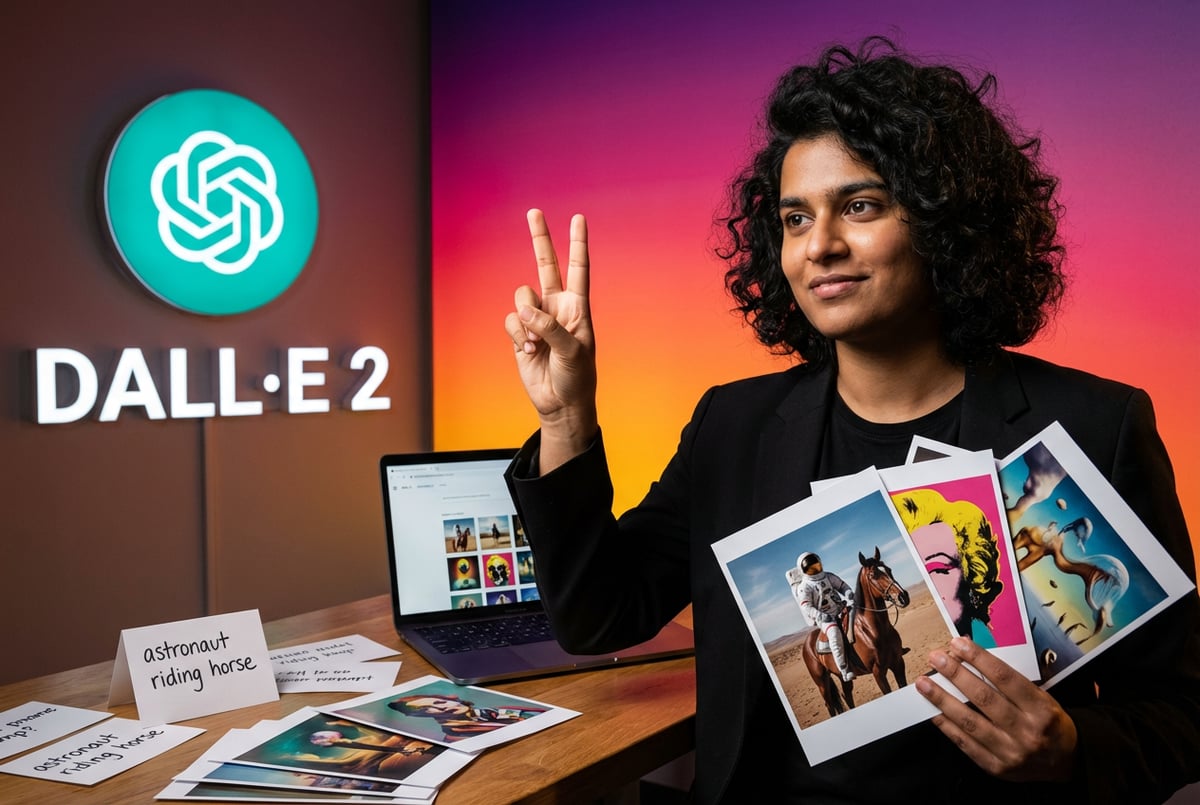
GPT Image and DALL-E: Text Rendering Excellence
OpenAI’s GPT Image 1.5, released in late 2025, uses a native multimodal approach. Unlike DALL-E 3 which relied on separate diffusion models, this version processes text and images in the same neural network.
The result: exceptional text rendering capabilities that exceed any competitor. If your work involves generating images with readable text, logos, signage, or typography, GPT Image 1.5 is the clear choice.
GPT Image 1.5 currently leads the LM Arena leaderboard with an Elo rating of 1264. This ranking comes from blind human preference testing where thousands of users compare images without knowing which model created them.
The model handles complex prompts better than most alternatives. Describe a detailed scene with multiple elements, specific lighting conditions, and exact text placement. GPT Image understands and executes.
Where it excels:
- Marketing materials requiring brand messaging
- Social media graphics with text overlays
- Product mockups showing interface text
- Educational content with labels and annotations
Pricing: Approximately $0.06 to $0.12 per image depending on resolution and quality settings through the OpenAI API.
Ideogram: Built for Text Integration
Ideogram was founded by four former Google Brain researchers specifically to solve the text rendering problem that plagued other AI image generators.
Ideogram achieves approximately 90% text rendering accuracy. Compare that to Midjourney’s 30% success rate with short phrases. The difference is substantial for professional work.
Ideogram 3.0 introduced Style References, letting creators upload up to three reference images to control generation aesthetics. The model has a library of 4.3 billion style presets.
It works particularly well for:
- Logos and brand graphics
- Promotional posters with headline text
- Landing page concepts with integrated copy
- Product photography showing packaging text
- Social media templates requiring consistent text styling
The Canvas Editor enables quick image modifications without generating from scratch. Change colors, adjust text placement, or modify specific elements while preserving the overall composition.
Everyone else built a construction worker.
We built the contractor.
One file at a time.
UI, API, database, deploy.
Pricing: Basic plan at $7 monthly provides 400 priority credits. Plus plan at $20 monthly includes 1,000 priority credits and private generations.
Midjourney: Artistic Excellence
Midjourney remains dominant for artistic and stylized work more than a year after its v6 release. The model understands aesthetics in ways others don’t.
It excels at:
- Concept art and illustration
- Character design with unique visual flair
- Fantasy and science fiction imagery
- Stylized marketing visuals
- Creative explorations requiring aesthetic coherence
The personalization system learns your preferences. When you first use v7, you rate about 200 images. This takes five minutes and trains the model to match your style.
Where Midjourney falls short: precise control and technical accuracy. If you need exact brand colors, specific text rendering, or photorealistic product shots, other models perform better.
Pricing: No free plan. Basic at $10 monthly, Standard at $30 monthly. Offers both Fast GPU time and unlimited Relax mode.
Google Imagen: Photorealism and Text Precision
Google’s Imagen 4 by late 2025 achieved impressive progress in both photorealism and text rendering. The model offers first-class text rendering in every image—one of its greatest strengths.
Imagen 4 Ultra works through the Gemini API and Google AI Studio. Pricing ranges from $0.02 to $0.06 per image depending on quality settings and prompt alignment requirements.
The model particularly shines for:
- Product photography requiring realistic lighting
- Marketing images needing photographic authenticity
- Complex scenes with multiple subjects
- Images requiring precise text integration
Adobe Firefly: Commercial Safety
Adobe Firefly Image 3 trains exclusively on Adobe Stock images, openly licensed content, and public domain materials. This makes it the safest choice for commercial projects where copyright matters.
The model integrates directly with Adobe Creative Cloud, making it natural for designers already working in Photoshop, Illustrator, or other Adobe tools.
Adobe offers the strongest copyright indemnification since training data comes entirely from licensed sources. Most other models grant rights to use generated images commercially, but the legal landscape continues changing.
For designers and creative professionals embedded in the Adobe ecosystem, Firefly offers the best integration and legally secure commercial use options.
Choosing Based on Use Case
The right model depends on what you’re creating. Here’s how to match capabilities to needs:
Marketing and Brand Content
Use GPT Image 1.5 or Ideogram for materials requiring text integration. Both handle typography, brand messaging, and readable text significantly better than alternatives.
Switch to FLUX Pro for photorealistic product shots without text. The speed and quality combination makes it ideal for high-volume content production.
Social Media Graphics
Ideogram works well for templates and repeated formats. The Style Reference feature maintains consistency across multiple images.
For one-off artistic posts, Midjourney creates eye-catching visuals that stand out in feeds.
E-commerce Product Images
FLUX 2 Max generates the most convincing product photography. Lighting, materials, and details look professional without extensive post-processing.
Imagen 4 serves as a strong alternative with slightly lower cost but comparable photorealism.
Character and Concept Art
Midjourney v7 remains the top choice for stylized character work and concept exploration. The aesthetic quality and creative interpretation exceed technical competitors.


FLUX 2 Dev offers an alternative for projects needing fine-tuning on specific character styles or visual references.
Technical Illustrations and Diagrams
GPT Image 1.5 handles labels, annotations, and technical accuracy better than artistic models. The text rendering precision matters for educational and technical content.
Rapid Prototyping
FLUX 2 Schnell generates images in seconds, making it ideal for quick iterations and concept testing. Quality trades off slightly for speed.
Pricing Models Across Platforms
AI image generation pricing varies significantly across platforms and models.
Subscription-Based Services
Most platforms offer tiered monthly subscriptions:
- Midjourney: $10-30 monthly for different GPU time allocations
- Ideogram: $7-20 monthly for credit-based generation
- Leonardo AI: Free tier available, paid plans from $10 monthly
Subscriptions work well for consistent usage but can become expensive if you only need occasional generation.
Pay-Per-Image API Access
API pricing typically ranges from $0.015 to $0.14 per image:
- FLUX variants: $0.04-0.08 per image
- Stable Diffusion: $0.02-0.04 per image through providers
- GPT Image: $0.06-0.12 per image
- Imagen 4: $0.02-0.06 per image
API access makes sense for moderate usage (under 1,000 images monthly) or when building image generation into applications.
Open-Source Self-Hosting
Stable Diffusion and FLUX 2 Dev can be self-hosted. Initial setup requires GPU infrastructure, but eliminates per-image costs.
Businesses earning under $1 million annually can use Stable Diffusion under the Community License at no cost.
How MindStudio Simplifies Model Access
Managing multiple image generation platforms becomes complex quickly. Different API keys, separate billing systems, varying interfaces—it adds friction to workflows.
MindStudio provides access to over 200 AI models and services through a single platform. This includes image generation models from multiple providers with transparent, metered usage pricing.
Instead of maintaining accounts with Black Forest Labs, OpenAI, Stability AI, and others, you access everything through one interface. No markup on model costs—you pay exactly what the underlying model charges.
The visual workflow builder lets you combine image generation with other AI capabilities. Generate an image with FLUX, add text with GPT-4, analyze the result with a vision model—all in one workflow without switching platforms.
For teams building AI-powered applications, MindStudio’s no-code approach means you can create sophisticated image generation workflows without writing code or managing infrastructure.
Current image generation models available through MindStudio include:
- FLUX variants (1.1 Pro, 1.1 Pro Ultra, Kontext Pro, Kontext Max)
- Stable Diffusion 3.5
- DALL-E 3 and GPT Image models
- Ideogram (multiple versions)
- Other specialized models for specific use cases
The platform provides full version history and guardrails, making it easier to track what works and iterate on successful prompts.
Text Rendering: The Critical Differentiator
Text rendering has become a benchmark capability separating professional-grade models from the rest. Early AI image generators struggled with legible text, producing garbled letters or nonsensical words.
By 2026, several models solved this problem through specialized architectural changes:
GPT Image 1.5 leads with exceptional text rendering across all scenarios. The native multimodal approach treats text as linguistic information, not just visual patterns.
Ideogram 3.0 achieves 90% text rendering accuracy through dedicated text-processing mechanisms built by former Google Brain researchers.

Imagen 4 from Google delivers first-class text rendering consistently, handling even complex typography and multi-line layouts.
Models like Midjourney and Stable Diffusion still struggle with precise text rendering. They work better for images where text isn’t the primary element or where minor text errors don’t matter.
Speed Considerations
Generation speed matters for interactive workflows and high-volume production.
FLUX 1.1 Pro generates images in 4.5 seconds—the fastest among quality-focused models. This enables rapid iteration and real-time exploration of concepts.
FLUX 2 Schnell prioritizes speed above all else, producing results in 2-3 seconds. Quality trades off slightly but remains professional for many use cases.
Most other models require 10-30 seconds per image depending on complexity and queue times.
For batch generation of hundreds of images, speed differences compound significantly. Choose faster models for high-volume production work.
Style Control and Consistency
Professional projects require visual consistency across multiple images. Brand campaigns, character designs, and product launches need cohesive aesthetics.
FLUX 2 excels at multi-reference conditioning, using up to 10 images to maintain consistency. Generate a character once, then produce variations maintaining the same visual identity.
Ideogram 3.0 offers Style References with up to three reference images to control generation aesthetics. The 4.3 billion style presets provide extensive options.
Midjourney v7 includes a personalization system that learns your aesthetic preferences through initial image ratings.
Models without strong style control require more manual prompt engineering and often produce inconsistent results across generations.
Copyright and Commercial Use
Legal considerations around AI-generated content continue evolving. Different models have different training data sources and licensing implications.
Adobe Firefly trains exclusively on licensed content, providing the strongest copyright indemnification for commercial projects.
Most models (GPT Image, Gemini, FLUX, Ideogram) explicitly permit commercial use of generated images. Users receive rights to use outputs commercially.
The underlying legal landscape remains unsettled. Courts are still determining whether AI training constitutes fair use and what rights exist in AI-generated content.
For risk-averse commercial projects, prioritize models with clear licensing terms and training data provenance.
Integration and Workflow Factors
How models integrate into your existing tools and processes matters as much as generation quality.
Adobe Firefly works seamlessly with Creative Cloud applications, appearing directly in Photoshop, Illustrator, and Premiere Pro workflows.
API access through platforms like MindStudio, Replicate, or direct provider APIs enables building image generation into custom applications.
Browser-based interfaces like Midjourney and Ideogram require no installation but limit workflow automation.
Self-hosted models like Stable Diffusion offer maximum control but require infrastructure management.
Consider where image generation fits in your broader workflow. Models that integrate naturally save time and reduce friction.
The Role of Prompting
Different models respond differently to prompt structure and detail. Understanding model-specific prompting improves results significantly.
GPT Image 1.5 handles long, detailed prompts with multiple clauses and specific requirements. Describe exactly what you want.
Midjourney responds better to artistic direction and mood descriptors. Focus on style, feeling, and aesthetic rather than technical specifics.
FLUX models work well with both approaches but particularly excel when you specify lighting, camera angles, and photographic details.
Ideogram requires careful attention to text content. Specify exact text, formatting, and placement in prompts for best results.
All models benefit from iteration. Generate, analyze what works, refine prompts, generate again. The learning curve differs by model but applies universally.
Emerging Trends and Future Developments
AI image generation continues evolving rapidly. Several trends are shaping the 2026 landscape:
Video Integration
Models are adding video generation capabilities. Static images become starting points for motion and animation.
Better 3D Understanding
Newer models show improved spatial reasoning and 3D object consistency. This enables more realistic scenes with proper perspective and lighting.
Faster Generation
Speed improvements continue. Real-time generation (under 1 second) is becoming feasible for lower-resolution outputs.
Fine-Tuning Options
More models offer fine-tuning on custom datasets without requiring deep technical expertise or massive compute resources.
Multimodal Capabilities
Integration of voice, text, and image inputs creates more intuitive interfaces. Describe what you want conversationally while showing reference images.
Making Your Decision
No single model handles every use case perfectly. The best approach often involves using multiple models for different tasks:
- Use GPT Image 1.5 or Ideogram when text rendering matters
- Switch to FLUX Pro for photorealistic images without text
- Choose Midjourney for artistic and stylized work
- Select Stable Diffusion when you need customization and control
- Pick Adobe Firefly for projects requiring copyright safety
Consider your specific requirements:
- What type of images do you generate most frequently?
- Do you need text rendering capabilities?
- Is photorealism or artistic style more important?
- How many images do you generate monthly?
- Do you need API access for integration?
- What’s your technical expertise level?
- Are there commercial use or copyright concerns?
Start with free tiers or trials. Test multiple models with your actual use cases. Quality differences become apparent quickly when working with real projects.
Platforms like MindStudio that provide access to multiple models through one interface reduce the friction of testing and comparing different options. You can experiment without managing separate accounts and billing for each provider.
The AI image generation landscape in 2026 offers unprecedented choice and quality. The challenge isn’t finding capable models—it’s matching specific capabilities to your unique requirements. Focus on what you need to create, test the models that align with those needs, and build workflows around the ones that deliver results.