Build a No-Code Onboarding Bot in Minutes
Step-by-step tutorial on creating an AI onboarding bot without writing a single line of code using a no-code AI platform.
Employee onboarding creates a first impression that sticks. New hires who experience smooth, organized onboarding are 82% more likely to stay past their first year. But most companies still use manual processes that waste time and create inconsistent experiences.
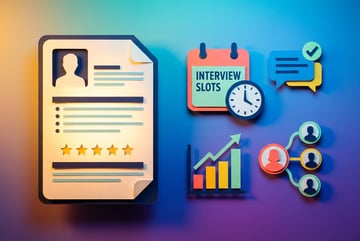
The typical onboarding process involves dozens of repetitive tasks: sending welcome emails, scheduling orientation meetings, collecting documents, answering the same questions repeatedly, and tracking completion status. HR teams spend 3-5 hours per new hire on administrative work that could be automated.
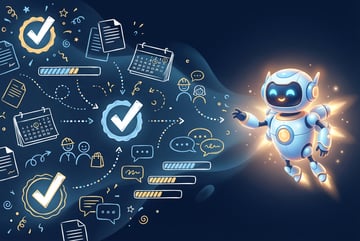
An AI onboarding bot handles these tasks automatically while providing new hires with instant support. You can build one without writing code, deploy it in under an hour, and integrate it with your existing systems.
This guide walks through creating a functional onboarding bot using a no-code AI platform. By the end, you’ll have a working system that answers questions, guides new hires through paperwork, schedules meetings, and tracks progress.
Why Automate Employee Onboarding With AI
Manual onboarding creates problems that compound over time. HR teams answer the same questions from every new hire. Important tasks get forgotten. New employees wait hours or days for simple information. The process feels impersonal despite requiring significant human effort.
AI onboarding automation solves these issues by handling routine tasks while freeing HR staff for meaningful interactions. Organizations implementing automated onboarding report 50% reduction in administrative work and 35% faster time-to-productivity for new hires.
Remy doesn't build the plumbing. It inherits it.
Other agents wire up auth, databases, models, and integrations from scratch every time you ask them to build something.
Remy ships with all of it from MindStudio — so every cycle goes into the app you actually want.

An onboarding bot provides consistent information to every new hire. It remembers to send reminders, tracks document submissions, and escalates issues that need human attention. New employees get instant answers to common questions instead of waiting for email responses.
The business case is straightforward. A company hiring 50 people annually spends roughly 200 hours on onboarding administration. At an average HR salary of $60,000, that’s $6,000 in labor costs for repetitive tasks. An automated system recovers this investment within months while improving the new hire experience.
What an Onboarding Bot Actually Does
A functional onboarding bot handles four core responsibilities:
- Information delivery: Answers questions about benefits, policies, first-day logistics, and company processes without human intervention
- Task coordination: Reminds new hires to complete required forms, upload documents, and finish training modules
- Scheduling automation: Books orientation sessions, IT setup appointments, and manager check-ins based on availability
- Progress tracking: Monitors completion status and alerts HR when intervention is needed
The bot operates through multiple channels. New hires can interact via email, Slack, Microsoft Teams, or a dedicated web interface. The system maintains conversation context, so it remembers previous interactions and provides relevant follow-up information.
Advanced onboarding bots also personalize the experience based on role, department, and location. A sales hire receives different information than an engineering hire. Remote employees get virtual onboarding resources while on-site employees receive office access instructions.
Planning Your Onboarding Bot Strategy
Successful automation starts with clear goals. Before building anything, identify which onboarding tasks consume the most time and which questions new hires ask most frequently.
Audit your current onboarding process. List every task HR completes for each new hire. Note how long each task takes and how often it requires customization. This audit reveals automation opportunities.
Common high-value automation targets include:
- Welcome email sequences with company information and resources
- First-day logistics and building access instructions
- Benefits enrollment guidance and deadlines
- IT equipment setup and account creation
- Training module assignments and completion tracking
- Manager introduction and first-week scheduling
- Policy acknowledgment collection
- 30-60-90 day check-in scheduling
Start with one high-impact workflow rather than trying to automate everything immediately. A bot that handles first-day questions perfectly is more valuable than a complex system that handles everything poorly.
Choosing the Right No-Code Platform
No-code AI platforms vary in complexity, capability, and cost. The right choice depends on your technical comfort level, integration requirements, and budget.
MindStudio stands out for onboarding automation because it offers access to 200+ AI models through a visual workflow builder. You can create sophisticated conversation flows without coding, connect to existing HR systems, and deploy across multiple channels from a single platform.
Key evaluation criteria for any no-code AI platform:
- Conversation quality: Can the bot understand variations in how people ask questions?
- Integration capabilities: Does it connect to your HRIS, calendar system, and communication tools?
- Customization options: Can you tailor responses based on employee attributes?
- Deployment flexibility: Where can employees interact with the bot?
- Analytics and monitoring: Can you track bot performance and identify improvement areas?
- Pricing model: Do costs align with your expected usage?
One coffee. One working app.
You bring the idea. Remy manages the project.
MindStudio uses transparent pricing with no markup on AI model costs. You pay the same rate as direct API access, which keeps costs predictable as usage scales. The platform also includes enterprise-grade security features like SOC 2 certification and GDPR compliance.
Building Your First Onboarding Bot: Step-By-Step
This section walks through creating a basic onboarding bot that answers common questions, tracks document collection, and schedules orientation meetings. The process takes 30-60 minutes and requires no coding knowledge.
Step 1: Define Your Bot’s Scope and Personality
Before opening any tools, write down exactly what your bot should accomplish. Be specific about which questions it will answer and which tasks it will perform.
Example scope for a basic onboarding bot:
- Answer questions about benefits enrollment deadlines
- Provide first-day arrival instructions (time, location, parking)
- Explain IT equipment setup process
- Send reminders for incomplete onboarding tasks
- Schedule orientation session based on calendar availability
- Escalate complex questions to HR team
Next, define the bot’s personality. Should it be formal and professional, or friendly and casual? Match the tone to your company culture. A tech startup might use a relaxed, conversational style while a financial services firm might prefer professional language.
Write sample responses for common scenarios. This establishes consistency before you start building.
Step 2: Set Up Your Account and Workspace
Sign up for a MindStudio account at mindstudio.ai. The free tier includes enough usage for testing and small-scale deployment.
After creating your account, set up a new workspace for your onboarding bot. Workspaces organize related AI agents and keep projects separate.
Navigate to the workspace dashboard and click “Create New Agent.” Name it something descriptive like “Employee Onboarding Assistant” or “New Hire Support Bot.”
Select your preferred AI model. For onboarding bots, Claude 3.5 Sonnet offers the best balance of conversation quality and cost. It handles complex questions well and maintains context throughout multi-turn conversations.
Step 3: Build the Conversation Flow
MindStudio uses a visual workflow builder where you create conversation flows by connecting blocks. Each block represents an action or decision point.
Start with a welcome message that greets new hires and explains what the bot can help with:
Welcome Message Example:
“Hi [Employee Name], welcome to [Company Name]. I’m here to help you through the onboarding process. I can answer questions about benefits, first-day logistics, IT setup, and more. What would you like to know?”
Add a user input block to capture the new hire’s question or request. Connect this to a generate text block where the AI processes the input and formulates a response.
Use the prompt engineering field to give the AI context about your company and instructions for how to respond:
System Prompt Example:
“You are an onboarding assistant for [Company Name], a [industry description]. Answer questions about employee onboarding using the following information:
Benefits enrollment deadline: [date]
First day start time: [time]
Office location: [address]
Parking instructions: [details]
IT setup process: [steps]
Keep responses concise and friendly. If asked a question you cannot answer with the provided information, tell the employee you’ll connect them with the HR team.”
Add conditional logic blocks to route different types of questions. For example, benefits questions might trigger detailed information while IT questions connect to a separate workflow that creates support tickets.
Step 4: Add Data Sources and Integrations
Connect your bot to company knowledge bases so it can access current information. MindStudio supports multiple data source types:
- Upload PDF documents with policies and procedures
- Connect to Notion, Confluence, or SharePoint for dynamic content
- Link Google Drive folders with onboarding materials
- Integrate your HRIS for employee-specific information
To add a data source, create a “Query Data Source” block in your workflow. Select the source type and configure authentication. The bot will search these sources when answering questions.
For document collection, integrate with your form or document management system. If you use DocuSign, HelloSign, or similar tools, connect them so the bot can check completion status and send reminders.
Calendar integration enables meeting scheduling. Connect Google Calendar or Microsoft Outlook so the bot can check availability and book orientation sessions automatically.
Step 5: Create Task Tracking Logic
Onboarding involves multiple tasks that new hires must complete. The bot should track progress and send reminders for incomplete items.
Create a data structure to store onboarding tasks and their completion status. In MindStudio, use variables or connect to an external database like Airtable or a simple spreadsheet.
Example task list structure:
- Complete I-9 form: Not Started / In Progress / Complete
- Review employee handbook: Not Started / In Progress / Complete
- Enroll in benefits: Not Started / In Progress / Complete
- Complete cybersecurity training: Not Started / In Progress / Complete
- Schedule 1-on-1 with manager: Not Started / In Progress / Complete
Add workflow blocks that check task status when employees ask about their progress. If tasks are incomplete after a certain time period, trigger reminder messages.
Build a simple reminder system using time-based triggers. For example, if the benefits enrollment task remains incomplete 3 days before the deadline, send a gentle nudge:
“Hi [Name], just a reminder that benefits enrollment closes on [date]. You can access the enrollment portal at [link]. Let me know if you have questions about your options.”
Step 6: Implement Escalation Paths
Not every question has a simple answer. The bot needs to recognize when human help is required and route those situations appropriately.
Create an escalation workflow that triggers when:
- The bot cannot find relevant information to answer a question
- The employee explicitly requests to speak with a person
- The question involves sensitive topics like accommodations or complaints
- An urgent issue is detected based on keywords
Build an escalation block that collects context about the employee’s question and sends it to the appropriate HR team member via email or Slack. Include the conversation history so the team member understands what the employee needs.
Set expectations with the employee about response time: “I’ve sent your question to the HR team. You should hear back within 2 business hours.”
Step 7: Add Scheduling Capabilities
Automate meeting scheduling by connecting the bot to calendar systems and using simple logic to find available times.
Create a scheduling workflow that:
- Checks the company orientation calendar for available sessions
- Presents available options to the new hire
- Books the selected time when confirmed
- Sends calendar invitations to all participants
- Updates the employee’s onboarding task list
Remy doesn't write the code. It manages the agents who do.
Remy runs the project. The specialists do the work. You work with the PM, not the implementers.
In MindStudio, use the calendar integration block to query availability and the API call block to create events. Most calendar systems provide APIs that the platform can access.
Example scheduling conversation:
Bot: “Let’s schedule your orientation session. I have availability on Tuesday at 10am, Wednesday at 2pm, or Thursday at 9am. Which works best for you?”
Employee: “Wednesday at 2pm”
Bot: “Perfect, I’ve scheduled your orientation for Wednesday, March 15 at 2pm. You’ll receive a calendar invitation shortly with the meeting link. See you there!”
Step 8: Test the Bot Thoroughly
Testing reveals gaps in your bot’s knowledge and identifies areas for improvement. Run through multiple scenarios before deploying to real employees.
Create a testing checklist that covers:
- Common questions new hires typically ask
- Edge cases and unusual requests
- Different ways of phrasing the same question
- Multi-turn conversations that require context
- Error scenarios and how the bot recovers
- Integration points with other systems
MindStudio includes a built-in testing environment where you can simulate conversations without affecting production data. Use this to refine responses and fix issues.
Pay attention to response quality. The bot should provide accurate, helpful information in a natural conversational style. If responses feel robotic or miss the point, adjust your prompts and add more context.
Test integrations by verifying that data flows correctly between systems. Confirm that document uploads trigger the right notifications, calendar events get created properly, and task status updates reflect in your tracking system.
Deploying Your Onboarding Bot
Once testing confirms the bot works reliably, deploy it where new hires can access it. Most companies use multiple deployment channels for flexibility.
Deployment Options
Email Integration: New hires receive an email with a link to the bot interface. This works well for preboarding when employees haven’t yet received company accounts.
Slack or Teams: Deploy the bot as a workspace app that employees can message directly. This integration feels natural for companies already using these platforms.
Web Portal: Embed the bot on your company intranet or onboarding portal. Employees access it through their browser without installing anything.
Mobile App: For companies with mobile workforces, deploy the bot as a progressive web app that works on any device.
MindStudio supports all these deployment methods from a single agent. You build once and deploy everywhere without reconfiguring the core logic.
Launch Strategy
Avoid the “big bang” approach where you suddenly deploy to all new hires. Instead, phase the rollout to catch issues early and gather feedback.
Phase 1: Pilot with a small group of new hires. Gather detailed feedback about their experience and make improvements based on their input.
Phase 2: Expand to all new hires while keeping human support readily available. Monitor conversations to identify gaps in the bot’s knowledge.
Phase 3: Gradually reduce human intervention as the bot proves reliable. HR staff shift from answering routine questions to handling complex cases.
Communicate clearly with new hires about the bot’s capabilities and limitations. Set realistic expectations: “This bot can answer common onboarding questions instantly. For complex issues, it will connect you with our HR team.”
Monitoring and Improving Bot Performance
Seven tools to build an app. Or just Remy.
Editor, preview, AI agents, deploy — all in one tab. Nothing to install.
Deployment is not the finish line. Successful onboarding bots improve continuously based on real usage data.
Key Metrics to Track
Response accuracy: What percentage of questions get satisfactory answers without human intervention? Target 80% or higher for well-defined onboarding topics.
Resolution time: How quickly does the bot resolve employee questions? Track average time from first message to issue resolution.
Escalation rate: How often does the bot need to hand off to humans? High escalation rates indicate knowledge gaps or unclear prompts.
Task completion rate: Are new hires finishing required onboarding tasks on time? The bot should improve completion rates compared to manual processes.
User satisfaction: Ask new hires to rate their bot interactions. Simple thumbs up/down feedback provides quick insight into experience quality.
MindStudio provides analytics dashboards that track these metrics automatically. Review them weekly during the first month, then monthly once performance stabilizes.
Continuous Improvement Process
Schedule regular review sessions to analyze bot conversations and identify improvement opportunities. Look for patterns in questions the bot struggles to answer or topics that generate multiple clarifying questions.
Update the bot’s knowledge base quarterly or whenever company policies change. Outdated information destroys trust and creates more work for your team.
Expand capabilities gradually based on usage data. If new hires frequently ask about specific topics the bot can’t handle, add that knowledge. If certain workflows require constant human intervention, automate them.
Collect feedback from HR staff who handle escalations. They see the bot’s limitations firsthand and can suggest valuable enhancements.
Common Onboarding Bot Mistakes to Avoid
Most onboarding bot failures stem from predictable mistakes. Avoid these issues to improve your success rate.
Mistake 1: Trying to Automate Everything
New hires need human connection during onboarding. An overambitious bot that handles every interaction creates an impersonal experience.
Reserve complex, sensitive, or strategic conversations for humans. Use the bot for routine information delivery and task coordination, not relationship building.
Mistake 2: Insufficient Testing
Deploying a bot that provides wrong information or breaks mid-conversation damages trust immediately. Employees abandon broken systems and revert to emailing HR.
Test exhaustively with realistic scenarios. Include edge cases and unusual questions. Verify that integrations work under various conditions.
Mistake 3: Static Knowledge Base
Company policies change, benefits programs evolve, and procedures get updated. A bot with outdated information causes confusion and extra work.
Establish a process for updating bot knowledge when changes occur. Assign responsibility for maintaining accuracy to a specific team member.
Mistake 4: Poor Escalation Handling
Employees get frustrated when they need help but the bot keeps them in an automated loop. Always provide clear paths to human assistance.
Make escalation easy and obvious. Include phrases like “Would you like me to connect you with our HR team?” in situations where the bot cannot fully resolve an issue.
Mistake 5: No Success Measurement
You cannot improve what you don’t measure. Without tracking key metrics, you won’t know if the bot delivers value or needs refinement.
Define success criteria before launching. Track relevant metrics from day one and use data to guide improvements.
Advanced Onboarding Bot Features
Remy is new. The platform isn't.
Remy is the latest expression of years of platform work. Not a hastily wrapped LLM.
Once your basic bot runs reliably, consider adding advanced capabilities that increase value.
Personalization Based on Role and Department
Different employees need different onboarding information. A sales hire cares about CRM access and territory assignments while an engineer needs development environment setup.
Configure the bot to adjust its knowledge and responses based on employee attributes pulled from your HRIS. When a new hire logs in, the bot references their role, department, and location to provide relevant information.
Multi-Language Support
For global companies, support multiple languages automatically. Modern AI models handle translation well, allowing employees to interact in their preferred language.
MindStudio’s language models understand and respond in dozens of languages without requiring separate bot versions for each one.
Proactive Check-Ins
Instead of waiting for questions, have the bot reach out proactively at key milestones. Send a message on day 1, day 7, day 30, and day 90 to check in and surface any issues.
Example proactive message on day 7: “Hi [Name], you’ve been with us for a week now. How’s onboarding going? Do you have questions about anything we covered so far?”
Integration with Learning Management Systems
Connect the bot to your LMS to track training completion and recommend relevant courses. When employees complete modules, the bot acknowledges progress and suggests next steps.
Manager Enablement
Extend the bot to support hiring managers, not just new hires. Managers can ask about onboarding best practices, get reminders for check-ins, and receive alerts when their new hires need help.
Measuring ROI of Your Onboarding Bot
Demonstrate value by quantifying the bot’s impact on time savings, costs, and employee experience.
Time Savings Calculation
Track how many questions the bot answers without human intervention. Multiply that number by the average time HR staff would spend answering each question manually.
Example: If the bot handles 200 questions per month and each would take 5 minutes of HR time, that’s 1,000 minutes (16.7 hours) saved monthly. At an HR hourly rate of $30, the monthly savings equals $500.
Improved Completion Rates
Measure onboarding task completion rates before and after bot deployment. Automated reminders and easy access to information should increase completion rates and reduce missed deadlines.
Faster Time-to-Productivity
New hires become productive faster when they get instant answers to questions instead of waiting for email responses. Track the time it takes for new hires to complete onboarding and reach full productivity.
Enhanced Employee Experience
Survey new hires about their onboarding experience. Compare satisfaction scores before and after bot implementation. Higher scores indicate improved experience.
Companies implementing AI onboarding see an average 82% improvement in new hire retention rates and 35% reduction in time-to-productivity. Even capturing a fraction of these benefits delivers significant ROI.
Scaling Beyond Onboarding
Once you prove success with an onboarding bot, apply the same approach to other HR workflows.
Common expansion areas include:
- Benefits support: Answer questions about health insurance, retirement plans, and other benefits year-round
- IT helpdesk: Handle common technical issues like password resets and software access requests
- Policy information: Provide instant access to company policies and procedures
- Leave management: Help employees understand PTO policies and submit time-off requests
- Performance review support: Guide managers and employees through the review process
Built like a system. Not vibe-coded.
Remy manages the project — every layer architected, not stitched together at the last second.
Build incrementally using the same methodology. Start with high-impact, well-defined workflows and expand gradually based on results.
Why No-Code Matters for Onboarding Automation
Traditional custom development requires months of work and ongoing technical maintenance. No-code platforms compress this timeline dramatically while maintaining flexibility.
A custom-coded onboarding bot might cost $50,000-$100,000 and take 3-6 months to build. Changes require developer time and go through lengthy release cycles.
No-code platforms let HR teams build and modify bots directly. You iterate quickly based on feedback without technical dependencies. Total cost drops by 80-90% compared to custom development.
MindStudio specifically addresses the challenges of enterprise onboarding automation. The platform provides enterprise-grade security required for handling employee data while maintaining ease of use for non-technical builders.
Access to 200+ AI models means you can optimize for cost and quality without managing multiple API keys or subscriptions. Switch between models based on specific needs without rebuilding your bot.
Getting Started With Your Onboarding Bot Project
Building an effective onboarding bot follows a clear process: define scope, build core workflows, test thoroughly, deploy gradually, and improve continuously.
Start small with a focused use case that delivers clear value. A bot that handles first-day questions exceptionally well is more valuable than a complex system that handles everything poorly.
Use existing no-code platforms rather than building from scratch. MindStudio and similar tools provide pre-built capabilities that would take months to develop manually.
Plan for iteration from the beginning. Your first version will not be perfect. That’s expected and acceptable. Deploy something functional, gather feedback, and improve based on real usage.
Involve stakeholders early. Get input from HR staff who handle onboarding, managers who receive new hires, and recent employees who experienced your current process. Their insights identify pain points and opportunities.
Set realistic timelines. A basic bot handling essential onboarding questions can launch in 2-4 weeks. More sophisticated systems with extensive integrations may take 2-3 months.
The Future of Onboarding Automation
AI onboarding capabilities continue advancing rapidly. Expect these trends to shape the next generation of systems:
Predictive support: Bots will anticipate questions before employees ask them based on behavior patterns and onboarding stage.
Emotional intelligence: Advanced models detect when new hires feel overwhelmed or confused and adjust support accordingly.
Voice interaction: Employees will interact via voice commands in addition to text, making support even more accessible.
Autonomous learning: Systems will improve automatically by analyzing successful interactions and updating their knowledge without manual intervention.
Cross-system orchestration: Bots will coordinate actions across multiple platforms automatically, handling complex multi-step workflows without human oversight.
The organizations that build onboarding automation now will refine their systems as these capabilities emerge. Starting simple and improving continuously beats waiting for perfect technology.
Start Building Your Onboarding Bot Today
Employee onboarding represents a clear automation opportunity. The process involves repetitive tasks, common questions, and well-defined workflows that AI handles effectively.
No-code platforms have eliminated technical barriers to building onboarding bots. Anyone with domain knowledge about your onboarding process can create a functional system in hours, not months.
Other agents ship a demo. Remy ships an app.
Real backend. Real database. Real auth. Real plumbing. Remy has it all.
The business case is compelling. Organizations report 50% reduction in administrative work, 82% improvement in retention, and 35% faster time-to-productivity with automated onboarding.
MindStudio provides the tools to build, deploy, and scale onboarding automation without coding. The visual workflow builder, extensive model library, and enterprise integrations let you create sophisticated systems while maintaining control over costs and security.
Start with a pilot project focused on one high-impact workflow. Build something simple that works, gather feedback from real users, and expand from there. Success with onboarding automation opens opportunities to automate other HR workflows using the same approach.
Sign up for MindStudio to begin building your onboarding bot. The platform includes templates for common HR workflows that you can customize for your specific needs. Most teams deploy their first bot within a week of starting.
Transform your onboarding process from a manual, time-consuming effort into an automated system that delivers consistent, high-quality experiences to every new hire. Your HR team will thank you, your new hires will appreciate the improved experience, and your organization will benefit from faster time-to-productivity and better retention.