AI-Powered Forms: Smarter Data Collection with Webhook Integration
Learn how AI forms go beyond traditional surveys by understanding context and delivering structured JSON data via webhooks.
Introduction
Traditional forms collect data, but they don’t understand it. You get responses, but then the real work begins: cleaning, categorizing, routing, and manually entering information into your systems. This process costs time and introduces errors.
AI-powered forms change this. They analyze responses as they come in, extract structured data, and send it directly to your systems through webhooks. Instead of storing responses in a database for later processing, these forms trigger immediate actions based on what users submit.
This article shows you how AI forms work with webhook integration to create smarter data collection systems. You’ll learn how to build forms that understand context, validate data in real-time, and automatically route information to the right places without manual intervention.
What Makes AI Forms Different From Traditional Forms
Traditional forms are static. You create fields, set validation rules, and collect responses. The form doesn’t understand what people are saying or why they’re submitting information.
AI forms add intelligence to this process. They can:
- Understand the meaning and intent behind responses
- Extract structured data from free-text answers
- Adapt questions based on previous responses
- Validate information against multiple criteria
- Route submissions to appropriate systems or teams
- Enrich data by pulling information from external sources
Seven tools to build an app. Or just Remy.
Editor, preview, AI agents, deploy — all in one tab. Nothing to install.

The difference shows up in practice. A traditional contact form collects a name, email, and message. An AI-powered form can read that message, determine if it’s a sales inquiry or support request, extract key details like product interest or issue type, validate the information, and send structured data to your CRM or support system.
How AI Processes Form Data
AI forms use natural language processing to analyze text responses. When someone submits a form, the AI model reads their input and extracts relevant information.
For example, if a user writes “I’m interested in your enterprise plan for my team of 50 people,” the AI can extract:
- Product interest: Enterprise plan
- Team size: 50
- Intent level: High (using specific product name)
- Lead score: Qualified
This structured data gets formatted as JSON and sent through a webhook to your systems. No manual data entry required.
Context-Aware Data Collection
AI forms understand context in ways traditional forms cannot. They can identify relationships between different pieces of information and flag inconsistencies.
If someone selects “Small Business” but mentions a team of 200 people in their message, the AI notices this mismatch. It can either ask a clarifying question or flag the submission for review.
This context awareness reduces errors and improves data quality from the start. You get clean, structured information instead of messy responses that need manual cleanup.
Understanding Webhooks for Real-Time Data Processing
Webhooks enable real-time communication between systems. When an event occurs in one application, a webhook sends data to another application immediately.
For AI forms, webhooks eliminate the delay between data collection and action. Instead of periodically checking for new submissions, your systems receive data the moment someone completes a form.
How Webhooks Work
A webhook is an HTTP callback. You configure a destination URL where you want to receive data. When a form submission occurs, the system sends an HTTP POST request to that URL with the form data as the payload.
The payload typically uses JSON format because it’s structured, lightweight, and compatible with most systems. Here’s what a basic webhook payload looks like:
Basic Form Submission Payload:
- Submission ID: Unique identifier for tracking
- Timestamp: When the form was submitted
- User data: Name, email, and other collected fields
- AI analysis: Extracted insights and categorization
- Metadata: Source, device type, location data
Event-Driven vs. Polling Architecture
Traditional systems use polling. They check for new data at regular intervals, like every few minutes. This creates delays and wastes resources checking when nothing has changed.
Webhooks use event-driven architecture. Data moves immediately when an event occurs. This approach is faster, more efficient, and enables real-time workflows.
For high-volume form applications, the difference matters. Polling 1,000 times to catch 10 submissions wastes computational resources. Webhooks send exactly 10 requests when those 10 submissions occur.
Webhook Security Considerations
Webhooks create security requirements because they expose endpoints that accept incoming data. You need to verify that requests actually come from your form system and haven’t been tampered with.
The most common security method is HMAC signatures. The sending system creates a hash of the payload using a shared secret key. It sends this signature in the request header. Your receiving system generates its own hash using the same secret and payload. If the hashes match, the request is authentic.
Other security measures include:
- Using HTTPS to encrypt data in transit
- Implementing IP allowlisting to restrict sources
- Adding request signing with timestamps to prevent replay attacks
- Rate limiting to protect against denial-of-service attempts
- Validating payload structure before processing
Other agents ship a demo. Remy ships an app.
Real backend. Real database. Real auth. Real plumbing. Remy has it all.
Building AI Forms With Structured JSON Output
The value of AI forms comes from their ability to output structured, consistent data. Raw form responses are messy. AI-processed data is clean and ready to use.
Designing JSON Schema for Form Data
Before building an AI form, define your data structure. What information do you need? How should it be formatted? What fields are required versus optional?
A good JSON schema for a lead capture form might include:
- Contact information: name, email, phone, company
- Classification data: industry, company size, role
- Intent signals: product interest, budget range, timeline
- Enriched data: company details, LinkedIn profile, website
- Lead scoring: qualification level, priority, next action
This structure ensures every submission provides the same data fields in the same format. Your receiving systems can process the data without conditional logic for different formats.
AI-Powered Data Extraction
AI models can extract structured data from unstructured input. This capability is particularly useful for open-ended questions where users provide detailed information.
Consider a form with the question “Tell us about your project.” A user responds: “We’re a healthcare startup with 25 employees building a patient portal. We need to implement this by Q3 and have a budget of around $50K.”
AI can extract:
- Industry: Healthcare
- Company size: 25 employees
- Project type: Patient portal
- Timeline: Q3 (3-6 months)
- Budget: $50,000
- Company stage: Startup
This extraction happens automatically. The AI understands context, identifies relevant information, and formats it consistently.
Data Validation and Enrichment
AI forms can validate data beyond basic format checking. They can verify that information makes sense in context and enrich submissions with additional data.
For email validation, an AI form can check format, verify the domain exists, and even assess if it’s a valid business email versus a disposable address. For company names, it can look up the company, verify it exists, and add details like industry, size, and website.
This enrichment happens before the webhook fires. Your receiving system gets complete, validated data instead of partial information that requires additional lookups.
Real-World Use Cases for AI-Powered Forms
AI forms with webhook integration solve practical problems across different industries and use cases.
Lead Qualification and Routing
Sales teams waste time on unqualified leads. AI forms can score and route leads automatically based on submission content.
When a prospect fills out a contact form, the AI analyzes their responses to determine qualification level. It considers factors like company size, budget, timeline, and specific needs mentioned. The webhook sends this scored lead directly to your CRM with a priority level and recommended next action.
High-value leads go to senior sales reps immediately. Lower-priority leads enter nurture campaigns. This routing happens in seconds, not hours or days.
Match rates for this type of enrichment can reach 92% for business contacts and 71% for consumer contacts. The AI pulls data from multiple sources to build complete lead profiles.
Customer Support Ticket Classification
Support forms often ask customers to describe their issue. AI can read these descriptions, classify the problem type, assess urgency, and route tickets to the right team.
A customer writes “My payment failed three times and now my account is locked.” The AI recognizes this as a high-priority billing issue requiring immediate attention. It extracts the key details, creates a structured ticket, and sends it via webhook to your support system with the correct priority and assignment.
This classification reduces response time and ensures urgent issues get immediate attention. It also improves the customer experience by routing requests correctly the first time.
Medical Intake and HIPAA Compliance
Healthcare organizations need to collect patient information while maintaining strict privacy standards. AI forms can process medical intake data, extract relevant information, and ensure secure transmission through encrypted webhooks.
A patient fills out a pre-appointment form describing their symptoms and medical history. The AI extracts structured data like chief complaint, symptom severity, relevant medical conditions, and current medications. This information flows through a HIPAA-compliant webhook to the electronic health record system.
The AI can also flag inconsistencies or potential issues. If a patient mentions taking medications that have dangerous interactions, the system can alert clinical staff before the appointment.
Event Registration and Personalization
Event registration forms collect attendee information and preferences. AI can process this data to create personalized experiences.
When someone registers for a conference, they mention their role, interests, and what they hope to learn. The AI analyzes this information and sends a webhook to your event platform with personalized session recommendations, relevant sponsor matches, and networking suggestions.
This personalization happens automatically based on the registration data. Attendees receive a customized experience without manual curation.
Job Applications and Candidate Screening
Recruitment teams process hundreds of applications. AI forms can screen candidates and identify top matches based on requirements.
A job application form includes open-ended questions about experience and qualifications. The AI reads these responses, extracts relevant skills and experience, matches them against job requirements, and calculates a fit score.
The webhook sends structured candidate data to your applicant tracking system with the matching score and key qualifications highlighted. Recruiters can focus on the most promising candidates instead of manually reviewing every application.
How MindStudio Enables AI-Powered Forms
Building AI forms with webhook integration used to require significant development work. You needed to set up AI model access, handle authentication, build data processing logic, and configure webhook delivery.
MindStudio simplifies this process by providing a no-code platform for building AI-powered applications with built-in webhook support.
Unified Access to AI Models
MindStudio provides access to over 200 AI models from providers like OpenAI, Anthropic, Google, and Meta through a single interface. You don’t need separate API keys or manage multiple accounts.
This model flexibility matters for forms because different AI models excel at different tasks. You might use one model for text analysis, another for data extraction, and a third for classification. MindStudio lets you combine these models in a single workflow.
The platform charges only the base model costs without markup. You pay the same rate you’d pay directly to the model provider, but with the convenience of unified access and management.
Visual Workflow Builder
MindStudio uses a drag-and-drop interface for building AI workflows. You don’t write code to connect form inputs to AI processing to webhook outputs.
The workflow for an AI form might look like:
- Form submission trigger
- AI text analysis to extract key information
- Data validation and enrichment
- Classification and scoring logic
- JSON formatting of structured output
- Webhook delivery to destination system
Each step connects visually. You can test the workflow at each stage to ensure the data transforms correctly.
Built-In Webhook and API Support
MindStudio includes native webhook functionality. You can deploy your AI form as a web application, API endpoint, or webhook-triggered automation.
For form processing, you typically want the form to trigger a webhook when submitted. MindStudio handles the HTTP request, processes the data through your AI workflow, and sends the structured output to your destination systems.
The platform supports common authentication methods including API keys, OAuth, and HMAC signatures. You can securely connect to CRM systems, databases, support platforms, and other business applications.
Integration With 1,000+ Applications
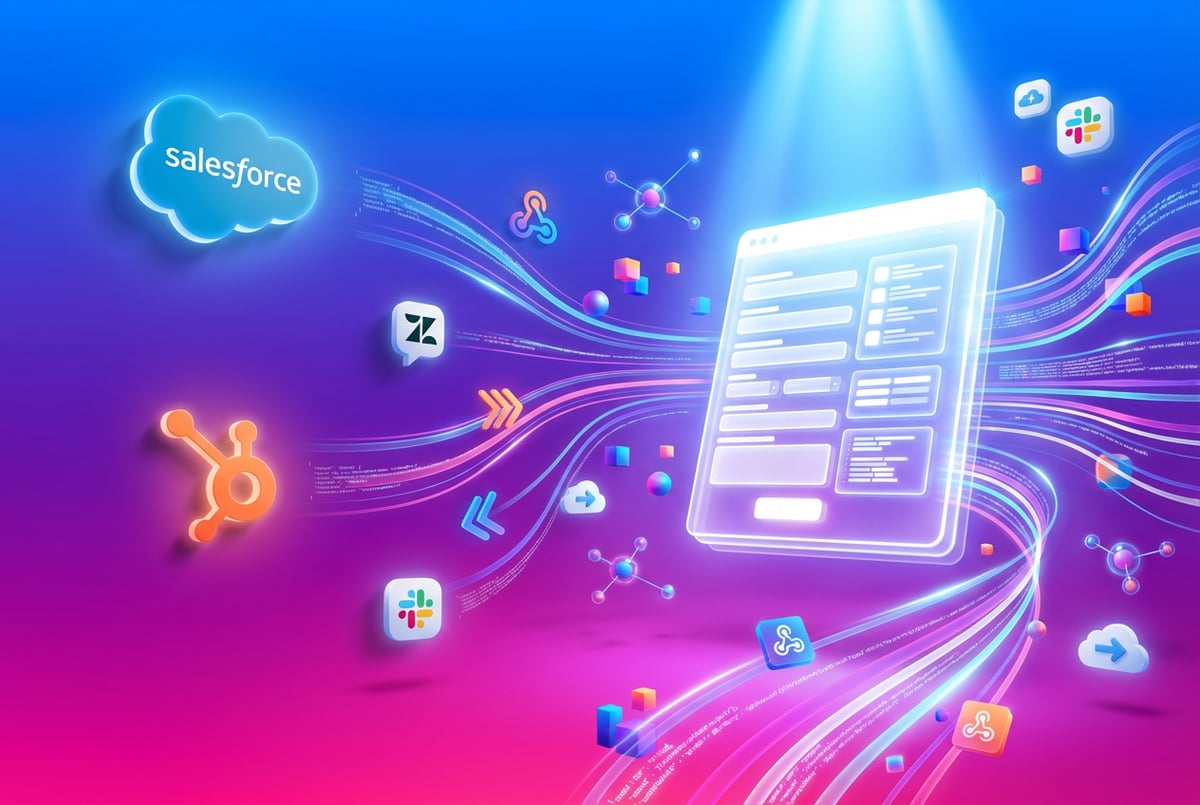
MindStudio integrates with major business platforms including Salesforce, HubSpot, Zendesk, Slack, and cloud storage services. These pre-built connectors make it easy to send form data where it needs to go.
You can also connect to any system with a REST API. If your destination platform supports webhooks or API calls, MindStudio can send data to it.
This integration capability means your AI forms fit into existing workflows. You don’t need to rebuild your technology stack to add intelligent data collection.
Enterprise-Grade Security
MindStudio is SOC 2 certified and GDPR compliant. The platform encrypts data in transit and at rest using AES-256 encryption and TLS 1.2+.
For organizations handling sensitive data like healthcare information or financial records, MindStudio offers self-hosted deployment options. You can run the entire platform on your own infrastructure while still accessing the unified AI model interface.
Role-based access control lets you manage who can build, edit, and deploy forms. Audit logs track all changes and access for compliance purposes.
Implementing Webhook Security Best Practices
Webhooks expose endpoints that accept data from external sources. This creates security requirements beyond typical application security.
Signature Verification With HMAC
HMAC (Hash-based Message Authentication Code) verification prevents unauthorized webhook requests. The sending system and receiving system share a secret key. When sending a webhook, the sender creates a hash of the payload using this secret and includes it in the request header.
Your receiving system recalculates the hash using the same secret and payload. If the hashes match, the request is authentic and hasn’t been tampered with.
HMAC supports different hash algorithms including SHA-256, SHA-384, and SHA-512. SHA-256 provides a good balance of security and performance for most applications.
To implement HMAC verification:
- Generate a secure random secret during webhook setup
- Store the secret securely (use a secrets manager, not plain text)
- Configure your form system to sign requests with the secret
- Verify the signature on every incoming webhook request
- Reject requests with invalid or missing signatures
Using HTTPS and TLS
All webhook endpoints must use HTTPS with TLS 1.2 or higher. This encrypts data in transit and prevents interception attacks.
HTTP webhooks expose form data to anyone monitoring network traffic. This is particularly dangerous for forms collecting personal information, health data, or financial details.
Configure your webhook receiver to reject HTTP requests. Only accept connections over HTTPS.
Implementing Rate Limiting
Plans first. Then code.
Remy writes the spec, manages the build, and ships the app.
Rate limiting protects webhook endpoints from abuse and denial-of-service attacks. Set reasonable limits on how many requests your endpoint accepts from a single source within a time period.
For form submissions, you might allow 100 requests per minute from a single IP address. This is enough for legitimate usage but blocks automated attacks.
Implement exponential backoff for retry attempts. If a webhook delivery fails, the sending system should wait before retrying. Each subsequent retry should wait longer than the previous one.
Validating Payload Structure
Before processing webhook data, validate that the payload matches your expected structure. This prevents injection attacks and ensures data quality.
Check that:
- Required fields are present
- Field values match expected types (string, number, boolean)
- Enumerated fields contain valid values
- Dates and timestamps use expected formats
- Numeric values fall within acceptable ranges
Reject payloads that fail validation. Don’t attempt to process malformed data.
Handling Duplicate Deliveries
Webhooks may deliver the same event multiple times due to network issues or retry logic. Your receiving system needs to handle duplicates gracefully.
Implement idempotency by tracking processed webhook IDs. When a webhook arrives, check if you’ve already processed that specific event ID. If yes, acknowledge receipt but don’t process it again.
Store processed IDs in a database or cache with an appropriate expiration time. You don’t need to keep IDs forever, just long enough to catch duplicate deliveries from retry attempts.
Rotating Secrets and Certificates
Security credentials have a limited lifespan. Rotate webhook secrets at least every 90 days and immediately after any suspected compromise.
Implement a rotation process that minimizes downtime:
- Generate a new secret
- Configure your systems to accept both old and new secrets
- Update the form system to use the new secret
- After confirming the new secret works, disable the old one
TLS certificates also need rotation before expiration. Monitor certificate expiry dates and renew well in advance.
Optimizing Form Performance and Reliability
AI-powered forms with webhook integration need to handle varying loads while maintaining fast response times and reliable delivery.
Asynchronous Processing
Webhook receivers should acknowledge receipt quickly and process data asynchronously. Don’t make users wait while AI analysis completes and data syncs to multiple systems.
The pattern looks like:
- Webhook arrives
- Validate signature and structure
- Store payload in a queue
- Return 200 OK immediately
- Process payload from queue asynchronously
This approach keeps form submission fast even when AI processing takes several seconds. Users don’t experience delays, and your system can handle spikes in traffic.
Message Queues and Retry Logic
Use message queues to buffer webhook payloads between receipt and processing. Systems like Amazon SQS, Google Cloud Pub/Sub, or Redis queues provide reliable message delivery.
If processing fails, the message stays in the queue for retry. You can configure retry limits, backoff strategies, and dead letter queues for messages that repeatedly fail.
This architecture prevents data loss during system outages or processing errors. Form submissions get processed eventually even if downstream systems are temporarily unavailable.
Monitoring and Alerting
Track key metrics for your AI form and webhook infrastructure:
- Form submission rate
- Webhook delivery success rate
- AI processing latency
- Queue depth and processing lag
- Error rates by type
- Data validation failure rate
Everyone else built a construction worker.
We built the contractor.
One file at a time.
UI, API, database, deploy.
Set up alerts for anomalies. If webhook delivery success drops below 95%, you need to investigate. If AI processing latency spikes, you may need to scale capacity.
Log all webhook deliveries with enough detail for debugging but without exposing sensitive data. Include request IDs, timestamps, status codes, and error messages.
Graceful Degradation
Design your system to handle failures gracefully. If AI analysis fails, fall back to simpler processing. If webhook delivery fails after retries, store the data locally and alert your team.
Users should never see errors due to backend processing issues. The form submission should succeed even if downstream processing has problems. You can fix processing issues without losing submitted data.
Data Privacy and Compliance Considerations
AI forms that collect personal information must comply with privacy regulations like GDPR, CCPA, and HIPAA depending on your location and industry.
Data Minimization
Only collect and process data you actually need. AI models are powerful, but they shouldn’t extract and store every possible piece of information from form submissions.
Define clear data retention policies. How long do you keep form submissions? When do you delete personally identifiable information? Automated retention policies help maintain compliance.
Be particularly careful with data sent through webhooks. Minimize what you transmit. Consider sending identifiers instead of full personal data when possible.
Obtaining Proper Consent
Forms collecting personal data need clear consent mechanisms. Users should understand what data you collect, how you use it, and where it goes.
For AI-powered forms, explain that AI analyzes responses. Users should know that automated processing occurs and what decisions the system makes based on their data.
Under GDPR, users have the right to object to automated decision-making. Provide a way for people to request human review of automated decisions.
Secure Data Transmission
Encrypt all data in transit using TLS 1.2 or higher. This applies to form submissions, AI processing, and webhook delivery.
For particularly sensitive data like health information, consider additional encryption layers. Healthcare organizations often encrypt webhook payloads at the application level before transmission.
Access Controls and Audit Logs
Limit who can access form data and webhook configurations. Use role-based access control to ensure only authorized personnel can view sensitive information or modify system settings.
Maintain comprehensive audit logs of all access to personal data. Record who accessed what data when. These logs are often required for compliance audits.
Vendor Due Diligence
If you use third-party platforms for AI processing or webhook delivery, verify their compliance posture. Review their security certifications, data processing agreements, and privacy policies.
For HIPAA compliance, you need Business Associate Agreements with any vendor that processes protected health information. For GDPR, verify that vendors have appropriate data protection measures.
Advanced AI Form Patterns
Beyond basic data collection and webhook delivery, AI forms can implement sophisticated patterns for complex use cases.
Multi-Step Conditional Forms
AI can determine which questions to ask based on previous responses. Instead of showing all fields upfront, the form adapts dynamically.
A customer support form might start by asking about the issue type. Based on that response, the AI determines relevant follow-up questions. Technical issues get questions about system configuration. Billing issues ask about payment methods and transaction dates.
- ✕a coding agent
- ✕no-code
- ✕vibe coding
- ✕a faster Cursor
The one that tells the coding agents what to build.
This conditional logic reduces form length and improves completion rates. Users only answer relevant questions.
Real-Time Data Validation
AI can validate form inputs as users type, providing immediate feedback about issues. This validation goes beyond format checking to semantic understanding.
If someone enters a company name, the AI can verify it exists and suggest corrections for typos. If they provide a phone number, it can check that the format matches the country they selected.
This real-time validation improves data quality by catching errors before submission.
Predictive Form Completion
AI models can predict likely responses based on partial information. If a user enters their email address, the AI might predict their company name, role, and industry based on the email domain and available data sources.
The form can pre-fill these predictions and ask the user to confirm or correct them. This reduces typing and speeds up form completion.
Multi-Language Support
AI models can process form submissions in multiple languages and output structured data in a consistent format. A user submits a form in Spanish, and your webhook receives English-language structured data.
This capability is valuable for global organizations that need to process forms from different regions but want standardized data formats for their systems.
Sentiment and Intent Analysis
Beyond extracting facts, AI can analyze the sentiment and intent behind form responses. This helps prioritize submissions and route them appropriately.
A frustrated customer writing an angry support request gets flagged as high priority and routed to experienced staff. An enthusiastic inquiry about a product feature goes to sales as a warm lead.
Measuring Success With AI-Powered Forms
Track metrics to understand how AI forms and webhook integration improve your data collection processes.
Data Quality Metrics
Measure the accuracy and completeness of collected data:
- Percentage of submissions with complete required fields
- Data validation failure rate
- Manual correction rate for AI-extracted data
- Duplicate submission rate
- Invalid contact information percentage
Compare these metrics before and after implementing AI processing. You should see improvements in data completeness and accuracy.
Processing Efficiency
Track how much time AI forms save:
- Time from submission to data availability in destination systems
- Manual data entry time saved
- Staff hours spent on data cleanup and validation
- Time to first response for support requests
- Lead qualification and routing time
Organizations typically report saving 15-20 minutes per form submission when AI handles data extraction and routing automatically.
User Experience Metrics
Forms should be easier and faster for users too:
- Form completion rate
- Average time to complete form
- Form abandonment rate
- Error rate during submission
- User satisfaction scores
Well-designed AI forms with features like predictive completion and adaptive questions can improve completion rates by 40-60%.
Business Impact
Connect form improvements to business outcomes:
- Lead conversion rate from form submissions
- Customer support resolution time
- Revenue from form-generated leads
- Customer satisfaction scores
- Operational cost reduction
The goal isn’t just better forms—it’s better business results from improved data collection.
Common Implementation Challenges and Solutions
Building AI-powered forms with webhook integration comes with challenges. Here’s how to address common issues.
Handling AI Model Limitations
AI models sometimes extract incorrect information or miss key details. Build validation layers that catch these errors before data reaches your systems.
Use confidence scores from AI models. If the model isn’t confident about extracted data, flag the submission for human review. Set appropriate confidence thresholds based on the criticality of the data.
Implement feedback loops where humans can correct AI mistakes. Use these corrections to improve prompts and validation logic over time.
Managing API Rate Limits
AI model APIs have rate limits. If your form receives high traffic, you might hit these limits.
Implement request queuing to smooth out traffic spikes. Buffer submissions and process them at a controlled rate that stays within API limits.
Consider using multiple AI providers for redundancy. If one provider’s API is overloaded, fail over to another provider’s model.
Dealing With Webhook Failures
Webhooks fail sometimes due to network issues, downtime of receiving systems, or authentication problems.
Implement robust retry logic with exponential backoff. If a webhook fails, retry after 1 second, then 2 seconds, then 4 seconds, and so on.
Store failed webhooks in a dead letter queue after maximum retries. Monitor this queue and investigate recurring failures.
Provide visibility into webhook delivery status. Your operations team needs to know when webhooks are failing consistently.
Maintaining Data Consistency
When webhooks deliver data to multiple systems, ensure consistency across all destinations. If a webhook succeeds for your CRM but fails for your analytics platform, you have incomplete data.
Use transaction patterns where possible. Only mark a submission as fully processed after all webhooks succeed.
For systems that don’t support transactions, implement eventual consistency patterns with reconciliation jobs that identify and fix mismatches.
Scaling for High Volume
As form submission volume grows, your infrastructure needs to scale.
Use cloud-native services that auto-scale based on load. Message queues, serverless functions, and managed AI APIs scale automatically as traffic increases.
Implement caching for frequently accessed data like enrichment information. Don’t look up the same company details for every submission from that company.
Monitor performance metrics and set up auto-scaling triggers before you hit capacity limits.
Future Trends in AI-Powered Forms
The technology behind AI forms and webhook integration continues to advance. Several trends will shape the future of intelligent data collection.
Multimodal Data Collection
Forms are expanding beyond text to include voice, images, and video inputs. AI models can now process these different data types and extract structured information.
A customer support form might let users upload a photo of a defective product. AI analyzes the image, identifies the issue, and creates a structured support ticket with visual evidence.
Voice-enabled forms let users speak responses instead of typing. The AI transcribes speech, extracts key information, and generates structured output—all through a webhook.
Proactive Forms
Future forms won’t wait for users to submit. They’ll actively help complete information by pulling data from available sources.
When you start filling out a form, the system recognizes you from previous interactions or connected accounts. It pre-fills known information and only asks for new or changed data.
This reduces friction and makes forms faster to complete while maintaining data accuracy.
Agentic Form Processing
Remy doesn't write the code. It manages the agents who do.
Remy runs the project. The specialists do the work. You work with the PM, not the implementers.
AI agents can handle the entire workflow after form submission. Instead of just extracting data and sending webhooks, agents take actions based on form content.
A sales inquiry form might trigger an AI agent that researches the company, enriches the lead, checks for existing relationships, schedules a meeting, and sends personalized outreach—all automatically.
These agentic workflows combine AI understanding with practical actions across multiple systems.
Privacy-Preserving AI
New techniques like federated learning and differential privacy enable AI analysis without centralizing sensitive data.
Forms could process data locally using edge AI models. Only anonymized, aggregated insights get sent through webhooks. Personal information never leaves the user’s device.
This approach addresses privacy concerns while maintaining the benefits of AI-powered data collection.
Getting Started With AI Forms and Webhooks
Building your first AI-powered form with webhook integration requires planning but doesn’t need to be complex.
Start With a Clear Use Case
Pick one specific form that would benefit from AI processing. Don’t try to rebuild your entire form infrastructure at once.
Good starting points include:
- Lead capture forms that need qualification
- Support request forms that need categorization
- Application forms that require screening
- Registration forms that benefit from enrichment
Choose a use case where AI can provide clear value and where you can measure improvement.
Define Your Data Structure
Before building, define what structured data you need from form submissions. What fields should the JSON output include? What format should each field use?
Document your schema clearly. This becomes the contract between your form system and receiving systems.
Build a Minimum Viable Form
Start simple. Build a basic version that collects essential information and processes it through AI to generate structured output.
Test thoroughly with sample data. Verify that AI extraction works correctly and webhooks deliver reliably.
Implement Security and Monitoring
Don’t skip security even for initial implementations. Use HMAC signatures, HTTPS, and proper authentication from the start.
Set up basic monitoring and logging before going live. You need visibility into what’s happening when things go wrong.
Iterate Based on Results
Launch your AI form and monitor performance. Collect feedback from users and review the quality of extracted data.
Refine AI prompts based on actual submissions. Adjust validation rules as you discover edge cases. Improve the form based on real-world usage.
Conclusion
AI-powered forms with webhook integration transform data collection from a manual process into an automated, intelligent workflow. Instead of collecting responses for later processing, these forms understand submissions in context, extract structured information, and immediately trigger actions in your systems.
The combination of AI analysis and webhook delivery creates several key benefits:
- Immediate data availability in destination systems
- Consistent, structured JSON output regardless of input format
- Automatic validation and enrichment of submitted data
- Real-time routing and classification of submissions
- Reduced manual data entry and processing time
Implementation requires attention to security, especially webhook authentication and data privacy. But platforms like MindStudio make it practical to build sophisticated AI forms without extensive development work. The visual workflow builder, unified AI model access, and built-in webhook support handle the technical complexity.
Other agents start typing. Remy starts asking.
Scoping, trade-offs, edge cases — the real work. Before a line of code.
Start with a single high-value use case. Pick a form where AI processing provides clear benefits and where you can measure improvement. Build a simple version, test thoroughly, and iterate based on results.
As AI models and integration capabilities continue to improve, forms will become more intelligent and automated. The future includes multimodal data collection, proactive completion assistance, and agentic workflows that take action based on form submissions.
The organizations that adopt intelligent data collection now will be better positioned to handle increasing volumes of information while maintaining quality and speed.
Ready to build AI-powered forms with webhook integration? Try MindStudio free and create your first intelligent form in minutes.
Frequently Asked Questions
How is an AI form different from a regular contact form?
A traditional form collects a name, email, and message using static fields and basic validation rules, leaving you to clean, categorize, and route the data afterward. An AI form reads the response, determines whether it’s a sales inquiry or support request, extracts details like product interest or issue type, validates the information, and sends structured data to your CRM or support system. It can also adapt questions based on previous answers and enrich data from external sources.
Why use webhooks instead of polling for form submissions?
Polling checks for new data at regular intervals, which creates delays and wastes resources checking when nothing has changed. Webhooks use event-driven architecture, so data moves the moment a submission occurs. Polling 1,000 times to catch 10 submissions wastes computational resources, while webhooks send exactly 10 requests when those 10 submissions happen.
What security measures should I put in place for webhook endpoints?
HMAC signature verification is the most common method: the sender hashes the payload with a shared secret, and your receiver recalculates the hash to confirm authenticity. Beyond that, use HTTPS with TLS 1.2 or higher, IP allowlisting, request signing with timestamps to prevent replay attacks, rate limiting, and payload structure validation before processing. Rotate webhook secrets at least every 90 days and immediately after any suspected compromise.
What happens if AI extraction or webhook delivery fails?
Use confidence scores from AI models and flag low-confidence submissions for human review, with feedback loops so humans can correct mistakes over time. For delivery failures, implement retry logic with exponential backoff and send messages to a dead letter queue after maximum retries. Design for graceful degradation so users never see errors from backend issues, and store data locally with an alert to your team if webhooks keep failing.
What should my first AI form project be?
Pick one specific form rather than rebuilding your entire form infrastructure at once. Good starting points include lead capture forms needing qualification, support requests needing categorization, application forms requiring screening, and registration forms that benefit from enrichment. Define your JSON schema first, build a minimum viable version, test with sample data, and implement HMAC signatures, HTTPS, and monitoring before going live.