
AI Image Generation
New image models, how to use them, side-by-sides — GPT Image 2, Grok Imagine, Krea, prompt techniques for creators. Demo-forward, generative-art-friendly.
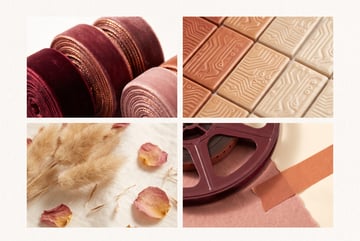
MiniMax H3 Turbo LoRA: Faster Local Video Gen in ComfyUI
MiniMax H3 Turbo LoRA cuts local video generation from 20 steps to 6 in ComfyUI. Here's what it is, what it needs, and how to set it up.
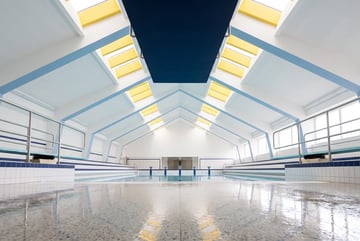
Trippo 2.0: Turn Any Image Into a Free 3D Model
Trippo 2.0 converts photos or AI-generated images into 3D meshes with textures, ready for Blender, Unreal Engine, or 3D printing.

ComfyUI's Official MCP: Let Claude or Codex Build Your Node Workflows
ComfyUI now has an official MCP server, letting Claude or Codex build and run node workflows for you. Here's how it works and how to set it up.
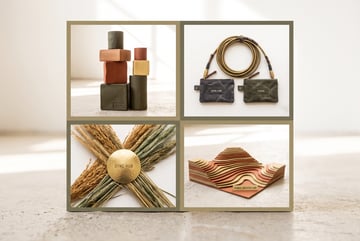
ComfyUI Remote API Nodes: Mixing Local and Cloud Models Explained
ComfyUI's remote API nodes let you call closed-source models like Seedance and Grok Imagine from local workflows. Here's how the hybrid setup works.
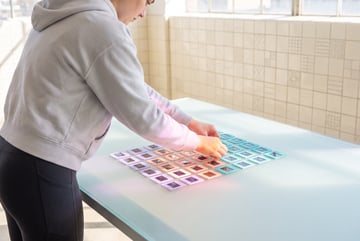
What Is Stills Lab? A Free Film-Still Database for AI Prompting
Stills Lab is a free film-still database with color palettes, lens data, and visual search, built to help AI filmmakers write better prompts.
Google Earth Now Lets You Reimagine Any Place With AI
Google added Nano Banana image generation to Google Earth, letting anyone visualize real locations in the past, future, or reimagined for free.

Flux 3: Black Forest Labs' Open-Source Answer to Sora 2 and Robotics AI
Black Forest Labs' Flux 3 unifies image, video, audio, and robot action prediction in one model. Here's what it is and why it matters.
Seeddream 5.0 Pro vs GPT Image 2: Which AI Image Model Wins for Design Work?
ByteDance's Seeddream 5.0 Pro accepts 10 reference images and generates infographics and UI mockups. See how it stacks up against GPT Image 2.
What Is Seeddream 5.0 Pro? ByteDance's Multimodal Image Generator With 10 Reference Inputs
Seeddream 5.0 Pro accepts up to 10 reference images and generates infographics, UI mockups, and ads with readable text. Here's what it can and can't do.
What Is Seeddream 5.0 Pro? ByteDance's AI Image Model With Layer-Based Editing
Seeddream 5.0 Pro generates photorealistic images with Photoshop-style layers, interactive editing, and dense infographic support. Here's what it can do.
Meta Muse Image vs GPT Image 2: Which Thinking Image Model Wins?
Meta's free Muse image model uses autoregressive thinking like GPT Image 2. Compare quality, text rendering, prompt adherence, and when to use each.
Recraft V4.1 vs Midjourney vs GPT Image 2: Which AI Image Model Wins for Professional Design?
Compare Recraft V4.1, Midjourney, and GPT Image 2 on photorealism, vector output, design usability, and pricing for professional brand and marketing work.

What Is Recraft V4.1? The AI Image Model Built for Editable Design Assets
Recraft V4.1 generates photorealistic images, real SVG vectors, and utility shots. Learn what makes it different from Midjourney and GPT Image for design work.
Ideogram 4.0 vs Recraft 2.0 vs GPT Image 2: Best Open and Closed Image Models
Compare Ideogram 4.0, Recraft 2.0, and GPT Image 2 on quality, open weights, text rendering, and commercial use to find the right image model for your workflow.
Ideogram 4.0: The Best Open-Weight Image Model You Can Fine-Tune
Ideogram 4.0 is the highest-ranked open-weight image model available. Learn what makes it stand out, its strengths, and how to use it in workflows.
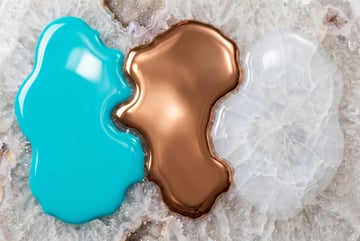
Recraft 2.0 vs GPT Image 2 vs Ideogram 4.0: Which AI Image Model Wins?
Compare Recraft 2.0, GPT Image 2, and Ideogram 4.0 across realism, text rendering, editing, and open-weight availability to find the right model.
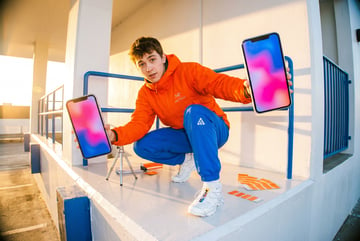
Recraft 2.0 vs GPT Image 2: Which AI Image Model Wins in 2026?
Recraft 2.0 is now ranked #2 overall in AI image generation, beating MAI Image and Midjourney. See how it stacks up against GPT Image 2 across key categories.

Microsoft MAI Image 2.5 vs GPT Image 2 vs Gemini: Which AI Image Model Wins?
Microsoft's MAI Image 2.5 is now ranked third on Arena.ai. Compare it against GPT Image 2 and Gemini on text rendering, instruction following, and branding.
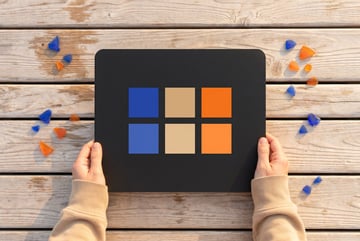
Krea 2 Mood Boards: How to Lock In a Visual Style for Consistent AI Image Generation
Krea 2's mood board feature analyzes uploaded images to extract a style profile. Learn how to use it for brand-consistent AI image generation at scale.
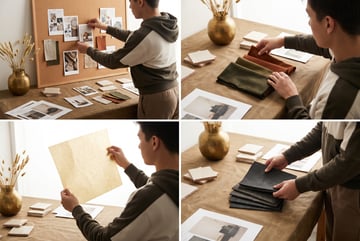
Krea 2 Mood Boards: How to Lock In a Visual Style for AI Image Generation
Krea 2's mood board feature analyzes your reference images and generates a taste profile so every new image matches your brand's aesthetic automatically.
How to Use ChatGPT to Reverse-Engineer Any Image Prompt in 30 Seconds
Upload any image to ChatGPT and ask it to reverse-engineer the prompt. This one-sentence trick teaches you prompt engineering by doing, not reading.
How to Use Mood Boards in AI Image Generation: Krea 2 and Recraft Explained
Learn how mood boards in Krea 2 and Recraft work as instant fine-tunes, letting you lock in a visual style from a single reference image.
Krea 2 vs GPT Image 2 vs Gemini Imagen: Which AI Image Model Wins for Creative Work?
Compare Krea 2, GPT Image 2, and Gemini Imagen on style adherence, coherence, and creative output to find the best model for your workflow.
What Is Krea 2 (K2)? The Aesthetic-First AI Image Model Explained
Krea 2 is a diffusion model built for artistic exploration, style adherence, and mood boards. Learn what makes it different from GPT Image 2 and Gemini.