What Is Krea 2 (K2)? The Aesthetic-First AI Image Model Explained
Krea 2 is a diffusion model built for artistic exploration, style adherence, and mood boards. Learn what makes it different from GPT Image 2 and Gemini.
A Different Kind of Image Model
Most AI image models optimize for one thing: doing exactly what you tell them. You describe a scene, they render it. The more precise your prompt, the more literal the output.
Krea 2 — also called K2 — takes a different approach. It’s a diffusion model built primarily for aesthetic coherence, meaning it’s designed to understand mood, style, and visual feel rather than just transcribe prompts into pixels.
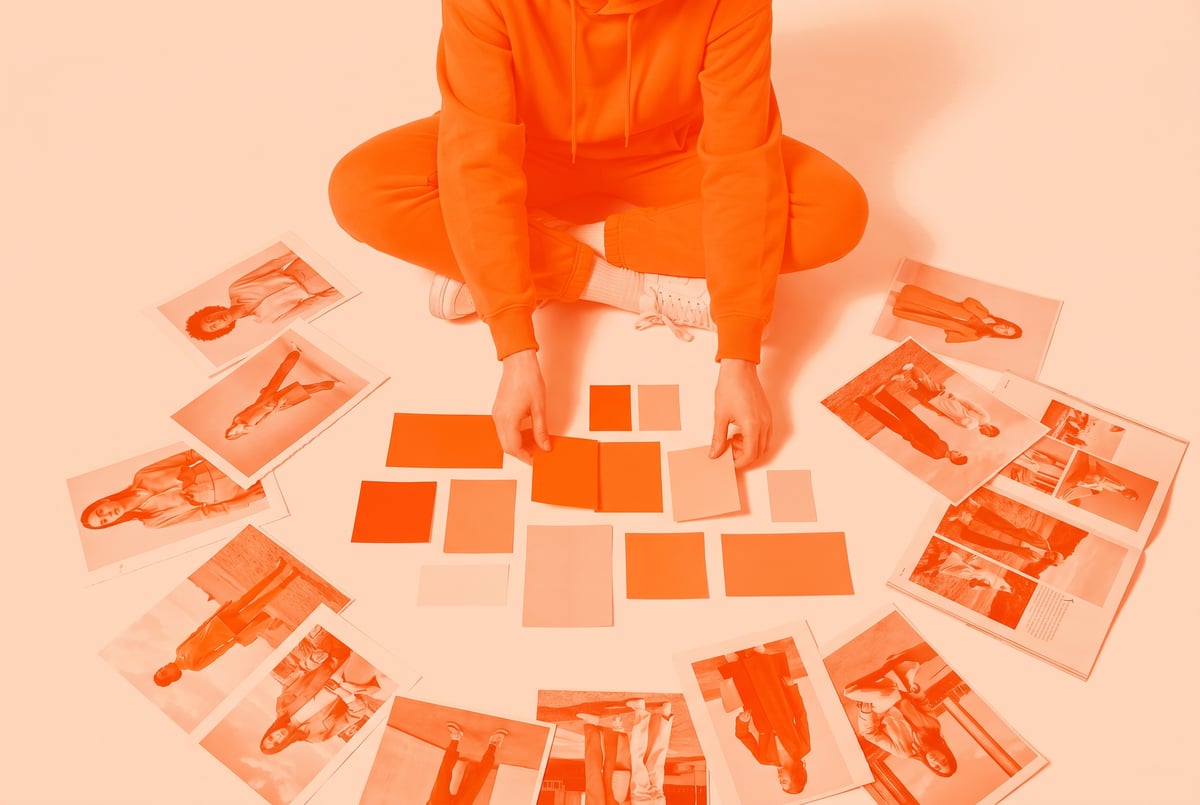
If you’ve ever tried to use a text-to-image model to recreate the look of a specific editorial shoot or mood board, and come out with something technically correct but visually flat, you already understand the problem Krea 2 is trying to solve.
This article explains what Krea 2 is, how it works, what sets it apart from models like GPT Image 2 and Gemini Imagen, and when it’s actually the right tool to reach for.
What Krea 2 Actually Is
Krea 2 is the in-house foundation model developed by Krea AI, a platform focused on creative and visual AI tools. K2 is a latent diffusion model — the same general architecture family as Stable Diffusion, FLUX, and other widely-used image generators — but trained with a distinct emphasis on visual aesthetics, style transfer, and artistic coherence.
- ✕a coding agent
- ✕no-code
- ✕vibe coding
- ✕a faster Cursor
The one that tells the coding agents what to build.

Where most image models are optimized to be prompt-accurate (produce exactly what the user described), K2 is trained to be aesthetically opinionated. It has a strong internal “taste” that guides outputs toward images that feel composed and visually intentional, even when the prompt is vague.
This makes it notably different from general-purpose models. It’s less of a literal transcription engine and more of a creative collaborator.
The Core Architecture
K2 uses a diffusion process, which means it starts with random noise and progressively refines it into an image over a series of steps. This is the same basic mechanism behind most modern image generators.
What differentiates K2 at the training level is the data curation and objective function. Krea has trained it heavily on aesthetically curated visual content — editorial photography, fine art, design, concept work — and has tuned the reward signals to prioritize visual harmony, coherent lighting, and style consistency over raw prompt adherence.
The result is a model that interprets prompts through an aesthetic lens rather than a literal one.
What “Aesthetic-First” Means in Practice
The phrase “aesthetic-first” can sound vague, so it’s worth making it concrete.
Style Adherence
When you give K2 a style reference — a mood board image, an aesthetic reference, a style description — it holds onto that visual language with unusual consistency. If you describe “muted tones, film grain, soft shadows, editorial fashion aesthetic,” K2 produces outputs that genuinely feel like they belong to that visual world.
Other models can technically understand those words but often apply them inconsistently or lose the aesthetic thread when the prompt includes other details.
Mood Over Literalism
K2 will sometimes make compositional choices that aren’t explicitly in your prompt because they serve the aesthetic. A shot that’s “slightly off-center,” a color grade that “reads as golden hour,” a depth-of-field choice that wasn’t specified — these emerge from the model’s trained aesthetic sensibility rather than from your instructions.
For creative directors and designers, this is useful. For people who need pixel-perfect prompt adherence, it can be frustrating.
Consistency Across Generations
Because K2 has strong aesthetic priors, a series of images generated with the same style parameters tends to look like it came from the same shoot or creative vision. This is particularly valuable for mood boards, brand concepts, and campaign mockups where visual consistency matters.
Krea 2 vs. GPT Image 2 vs. Gemini: A Direct Comparison
These three models represent genuinely different philosophies about what an image generator should do. None of them is universally better — they’re optimized for different outcomes.
Defining the Comparison Criteria
To compare fairly, it helps to look at:
- Prompt adherence — How closely does the output match the exact prompt?
- Aesthetic quality — Do outputs look visually coherent and “good” in an artistic sense?
- Style transfer — How well does the model capture a defined visual style?
- Photorealism — How lifelike and technically accurate are outputs?
- Instruction-following — Can it handle complex, multi-part prompts with text, layout, or structural requirements?
- Best use cases — What types of tasks is each model best suited for?
Krea 2 (K2)
| Criteria | K2 Performance |
|---|---|
| Prompt adherence | Moderate — interprets rather than transcribes |
| Aesthetic quality | High — strong compositional sensibility |
| Style transfer | Excellent — core strength |
| Photorealism | Moderate — stylized realism |
| Instruction-following | Moderate — less reliable for complex multi-part prompts |
| Best for | Mood boards, concept art, editorial aesthetics |
Other agents start typing. Remy starts asking.
Scoping, trade-offs, edge cases — the real work. Before a line of code.
K2’s weakness is precision. It’s not the right model for complex instructional prompts like “create a product photo of [item] on a white background with [specific lighting conditions] at [exact angle].” Its aesthetic opinionatedness can work against you in those scenarios.
GPT Image 2 (from OpenAI)
GPT Image 2 — OpenAI’s latest image model — is built for instruction-following. It’s deeply integrated with GPT-4-class language understanding, which means it can handle complex, multi-part prompts, text rendering, compositional instructions, and nuanced descriptive details reliably.
| Criteria | GPT Image 2 Performance |
|---|---|
| Prompt adherence | Very high — strong literal interpretation |
| Aesthetic quality | Good — technically excellent but less opinionated |
| Style transfer | Good, but less consistent than K2 |
| Photorealism | Very high |
| Instruction-following | Excellent — core strength |
| Best for | Product visuals, accurate scene construction, text-in-image |
The tradeoff: GPT Image 2’s outputs can feel “correct but cold.” They accurately represent what you described, but they don’t carry the editorial warmth or stylistic personality that K2 produces naturally.
Gemini Imagen 3
Google’s Gemini image generation (via Imagen 3) is a strong general-purpose model that sits somewhere between the two. It produces high-quality, photorealistic outputs with solid prompt adherence, and it has strong safety filtering built in.
| Criteria | Gemini Imagen 3 Performance |
|---|---|
| Prompt adherence | High |
| Aesthetic quality | High — clean and polished |
| Style transfer | Good, but more generic |
| Photorealism | Very high |
| Instruction-following | High |
| Best for | General-purpose commercial imagery, diverse representation |
Gemini tends to produce polished, clean results that work well across many use cases. It doesn’t have K2’s opinionated aesthetic personality, and it’s less specialized for artistic or editorial work. But it’s a reliable all-rounder.
The Summary
| K2 | GPT Image 2 | Gemini Imagen 3 | |
|---|---|---|---|
| Best at | Aesthetic style | Instruction-following | General-purpose |
| Weakest at | Literal precision | Artistic personality | Distinctive style |
| Primary use case | Creative/editorial | Commercial/product | Versatile/general |
Who Should Actually Use Krea 2
K2 isn’t the right model for every creative task. But for certain workflows, it’s clearly the best option available.
Creative Directors and Brand Teams
If you’re generating visual concepts for a campaign, developing a moodboard for a client presentation, or exploring aesthetic directions early in a project, K2 is probably the most useful model right now. Its ability to hold a visual mood across multiple generations saves significant iteration time.
Concept Artists and Illustrators
K2 handles artistic styles, textural choices, and compositional aesthetics better than most models. For concept exploration — not final delivery, but ideation — it’s a strong tool.
Fashion and Editorial Work
The model has a particular affinity for editorial aesthetics. Lookbooks, editorial concepts, fashion mood boards — these are among its strongest use cases.
What K2 Is Not Great For
- E-commerce product photography requiring precise background control
- Images containing specific, readable text
- Technical diagrams or infographics
- Outputs that need to match exact compositional specs
For those tasks, GPT Image 2 or a specialized model is a better fit.
How Krea AI’s Platform Uses K2
K2 isn’t just available as a standalone API call — it’s integrated into Krea’s broader creative platform, which includes real-time generation tools, an AI canvas, image enhancement, and more.
Real-Time Generation
One of Krea’s signature features is real-time image generation, where outputs update as you adjust the prompt or visual inputs. K2 powers this with fast inference that allows near-instant visual feedback.
Enhancement and Upscaling
Krea offers enhancement workflows that use K2’s aesthetic sensibility to upscale and improve images — not just adding resolution, but making the image look more like a K2 native output. This works well for refining rough generations or improving images from other sources.
Canvas and Style Controls
Krea’s interface includes style sliders, reference image inputs, and other controls that let you shape K2’s aesthetic output more precisely than text alone. These controls expose the model’s aesthetic parameters in a way that’s accessible to non-technical users.
Using Krea 2 in Automated Workflows
If you’re generating images for regular creative production — social content, ad creative, brand assets, product concepts — running K2 manually every time doesn’t scale well.
This is where MindStudio’s AI Media Workbench is worth knowing about. MindStudio gives you access to major image and video generation models — including aesthetic-focused models like those in K2’s class — in a single workspace, without needing separate accounts or API setups for each one.
More usefully, MindStudio lets you chain image generation into automated workflows. You can build a workflow that takes a product brief, generates multiple aesthetic concept images, routes them for review, and delivers final assets to a Slack channel or Google Drive folder — all without touching a single line of code.
If you’re a creative director who wants K2-style aesthetic generation without manually running prompts, MindStudio’s visual workflow builder makes that straightforward. You can also mix models within a single workflow — use an aesthetic model for concept work, then route to a different model for the final production version.
You can try MindStudio free at mindstudio.ai.
Frequently Asked Questions
What is Krea 2 and how is it different from other image models?
Krea 2 (K2) is a diffusion-based AI image model developed by Krea AI, trained specifically for aesthetic coherence and style adherence. Unlike models like GPT Image 2 or Stable Diffusion XL that prioritize literal prompt accuracy, K2 interprets prompts through an aesthetic lens — producing images that feel visually intentional and stylistically consistent rather than just descriptively accurate.
Is Krea 2 better than DALL-E or Stable Diffusion?
“Better” depends on the task. K2 outperforms most models for editorial aesthetics, mood board creation, and style-consistent outputs. DALL-E (GPT Image 2) is better for precise instruction-following, text rendering, and complex compositional prompts. Stable Diffusion-based models are more customizable at the fine-tuning level. K2 occupies a distinct niche rather than being universally superior.
What is Krea 2 best used for?
K2 is best suited for creative and editorial work: mood boards, campaign concept exploration, brand identity visuals, fashion and editorial aesthetics, and concept art. It excels when visual feel and stylistic consistency matter more than pixel-precise prompt adherence.
Can you access Krea 2 via API?
Seven tools to build an app. Or just Remy.
Editor, preview, AI agents, deploy — all in one tab. Nothing to install.
Krea AI offers API access to its models for developers and teams who want to integrate K2 into external workflows or applications. Access and pricing tiers for API use are available through Krea’s developer documentation. Some platforms — like MindStudio — also aggregate access to aesthetic image models without requiring separate API management.
How does Krea 2 handle style references and mood boards?
K2 is specifically strong at holding a visual style across multiple generations when given reference images or detailed aesthetic descriptions. This is one of its core design goals. When you input a style reference or describe a mood in detail, K2 maintains that aesthetic thread more reliably than most general-purpose models.
What are the limitations of Krea 2?
K2’s main limitations are: moderate performance on complex multi-part instructional prompts, less reliable text rendering within images, and reduced precision for technical or product photography use cases where exact specifications matter. Its aesthetic opinionatedness — a strength in creative contexts — can be a liability when you need strict prompt adherence.
Key Takeaways
- Krea 2 (K2) is a diffusion model built for aesthetic coherence, not just prompt accuracy. It prioritizes visual feel, style adherence, and mood over literal transcription.
- It’s best suited for creative and editorial work: mood boards, concept art, campaign ideation, fashion aesthetics, and brand identity exploration.
- Compared to GPT Image 2, K2 is more artistically opinionated but less precise. Compared to Gemini Imagen 3, it’s more specialized but more visually distinctive.
- K2 holds style references and aesthetic language better than most models, making it especially useful for work that requires visual consistency across multiple images.
- If you want to integrate K2-style aesthetic generation into repeatable creative workflows, MindStudio’s AI Media Workbench lets you chain image generation into automated pipelines across multiple models — no API management required.