What Is Recraft V4.1? The AI Image Model Built for Editable Design Assets
Recraft V4.1 generates photorealistic images, real SVG vectors, and utility shots. Learn what makes it different from Midjourney and GPT Image for design work.
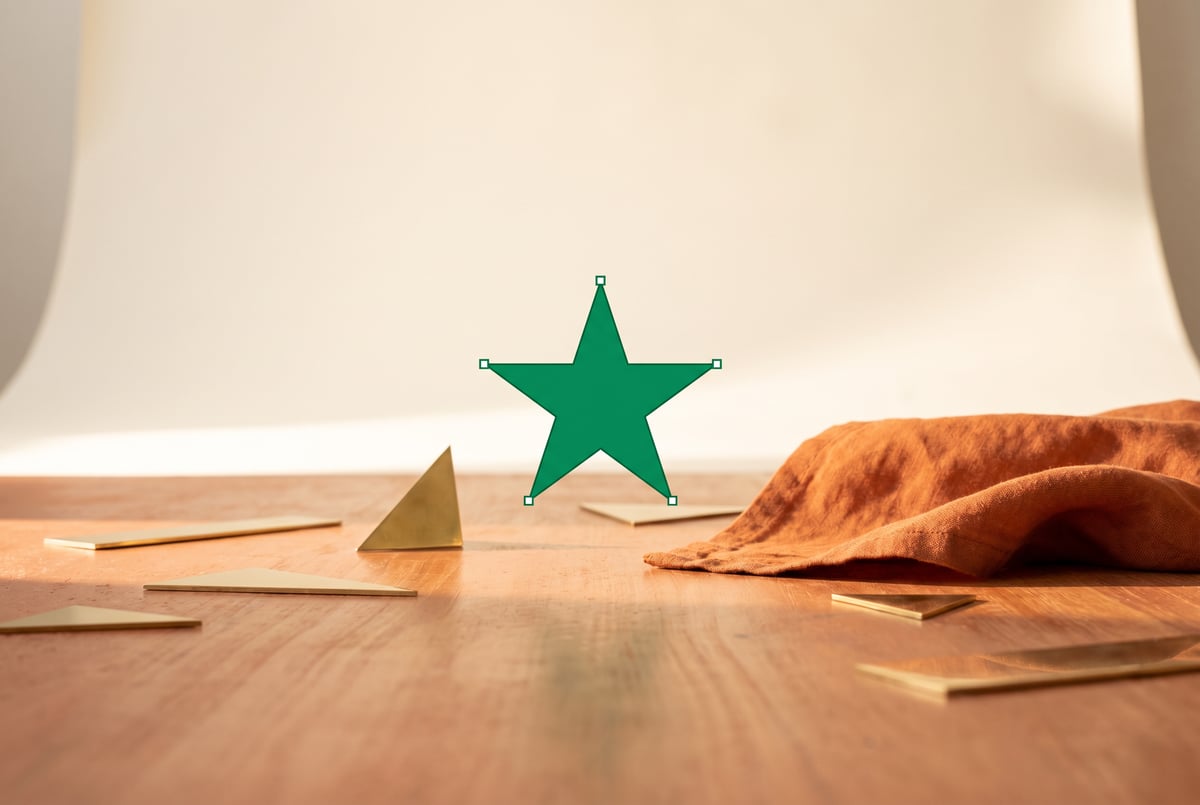
Recraft V4.1 at a Glance
If you’ve been frustrated by AI image generators that produce beautiful results you can’t actually use in production design work, Recraft V4.1 was built with you in mind.
Most image generation tools — Midjourney, DALL-E, Stable Diffusion — output flat raster images. They’re great for inspiration or social content, but they hit a wall when you need scalable vectors, editable assets, or consistent brand visuals at scale. Recraft V4.1 takes a different approach entirely. It’s an AI image model designed specifically for professional design output: photorealistic photos, true SVG vectors, icons, and what the team calls “utility shots.”
This guide breaks down exactly what Recraft V4.1 is, what it can generate, how it compares to competing models, and where it fits in a real design workflow.
What Is Recraft V4.1?
Recraft V4.1 is the latest version of Recraft’s flagship AI image generation model. Recraft (the company) has been building toward a specific niche: AI-generated design assets that are actually production-ready, not just visually impressive previews.
The V4.1 release refines the generation quality and output fidelity introduced in V3 and V4, with particular improvements in:
- Photorealistic image generation — clean, commercial-grade photography output
- SVG vector generation — real, editable vector files (not rasters converted to SVG)
- Text rendering — accurate, clean text within generated images
- Style consistency — maintaining visual identity across multiple generations
- Utility shots — product-style photography with controlled backgrounds and lighting
The model sits on top of Recraft’s broader platform, which includes a style system, brand kit tools, and a canvas editor. But the model itself is also accessible via API, meaning it can be integrated into external tools and automated workflows.
The Key Differentiator: Real SVG Output
This is the feature that makes Recraft genuinely different from every other major AI image model.
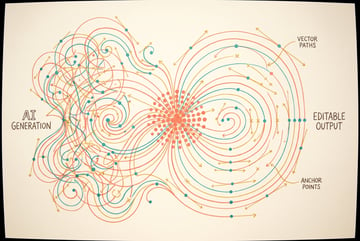
When you ask Midjourney, GPT Image, or Firefly to generate a logo or icon, you get a raster PNG. Some tools will let you run that image through a vectorization tool afterward, but the result is a traced approximation — messy anchor points, inconsistent paths, unusable for clean design work.
Recraft V4.1 generates actual SVG files. That means:
- Scalable to any size without quality loss
- Editable paths in tools like Figma, Illustrator, or Inkscape
- Smaller file sizes for icons and simple graphics
- Print-ready output without upscaling artifacts
This matters enormously for designers who need icons, logos, illustrations, or UI elements. You’re not post-processing a pixel image — you’re starting with a real vector asset.
What Kinds of SVG Can It Generate?
Recraft V4.1 handles several SVG output types:
- Icons — clean, single-color or multi-color icons suitable for UI/UX work
- Illustrations — flat or semi-detailed vector illustrations
- Logos — text and mark combinations, though complex brand logos still benefit from human refinement
- Decorative elements — patterns, borders, dividers, and graphic accents
The model performs best on simpler geometric and semi-geometric forms. Highly complex photorealistic SVG rendering is still an emerging area, but for the vast majority of icon and illustration use cases, the output is genuinely usable.
Photorealistic Image Generation
Beyond vectors, Recraft V4.1 produces high-quality photorealistic images that compete with the top raster-focused models.
The model is tuned for commercial photography aesthetics: clean lighting, accurate proportions, and consistent depth of field. This makes it particularly strong for:
- Product photography — objects on clean or contextual backgrounds
- Lifestyle imagery — people using products, in environments
- Marketing visuals — hero images, banners, editorial shots
Where Recraft’s photorealism shines compared to some competitors is in consistency and controllability. The style system (explained below) lets you lock in a look across multiple generations, which is critical for brand campaigns.
Utility Shots: Product Photography Without a Studio
“Utility shots” is Recraft’s term for a specific generation mode designed to produce commercial-grade product photography.
You provide a product image — or generate one — and the model places it in a controlled scene: a surface, a background, specific lighting conditions. The output looks like a professional studio photograph without the studio cost.
Why This Matters for Designers
Product teams and e-commerce designers spend real money on photography. Even with good AI tools, getting a product to look naturally placed in a scene — with correct shadows, reflections, and lighting — has been difficult. Utility shots in Recraft V4.1 handle this more reliably than general-purpose models because the model was specifically trained for it.
Use cases include:
- E-commerce product listings
- Ad creative variations
- Packaging mockups
- Social media content for physical products
The Style System and Brand Consistency
One of Recraft’s most practically useful features is its style system, which V4.1 inherits and improves on.
Remy doesn't write the code. It manages the agents who do.
Remy runs the project. The specialists do the work. You work with the PM, not the implementers.

Rather than writing lengthy style prompts every time, Recraft lets you define a style reference — a set of visual characteristics derived from example images or manual settings. Once set, every generation you run through that style will match the visual language: color grading, lighting style, illustration treatment, and aesthetic tone.
Brand Kits
Recraft’s brand kit feature takes this further. You can:
- Upload brand colors and have them applied consistently
- Define logo placement rules
- Lock typographic styles within generated images
- Store style references per brand or project
For agencies managing multiple clients, or in-house teams maintaining brand standards, this is a significant practical advantage over general-purpose models that require re-prompting visual style from scratch each time.
How Recraft V4.1 Compares to Midjourney and GPT Image
These three models are the most frequently compared options for design-adjacent AI image generation. Here’s how they stack up across the criteria that matter most for design work.
Output Format
| Capability | Recraft V4.1 | Midjourney | GPT Image |
|---|---|---|---|
| Raster (PNG/JPG) | ✓ | ✓ | ✓ |
| Real SVG vector | ✓ | ✗ | ✗ |
| Editable paths | ✓ | ✗ | ✗ |
Recraft wins clearly on format flexibility for design work.
Photorealism Quality
Midjourney V6 and GPT Image (built on DALL-E 3 / GPT-4o) both produce excellent photorealistic images. Recraft V4.1 is competitive in this space, particularly for commercial and product photography aesthetics. Midjourney still leads for artistic, highly stylized photorealism. GPT Image is strong for quick, conversational image generation from complex prompts.
Recraft’s advantage here is its combination of quality and the style system — you can maintain photorealistic output that’s consistent across a campaign, not just a single striking image.
Text in Images
Text rendering has historically been one of AI image generation’s worst failure modes — garbled letters, made-up words, inconsistent fonts.
Recraft V4.1 handles text significantly better than Midjourney and comparably to GPT Image. This matters for:
- Generating social media graphics with readable copy
- Creating mockups with placeholder text
- Producing presentation slides or ad banners
Prompt Following
GPT Image (via GPT-4o’s vision-language integration) is arguably the strongest at following complex, detailed natural language prompts. Recraft and Midjourney both require more intentional prompt crafting for best results.
That said, Recraft’s explicit parameter controls — style references, output format selection, utility shot mode — reduce reliance on complex prompting. You configure the output type upfront rather than engineering it through text.
Best For Summary
- Recraft V4.1 — Best for professional design assets, vectors, brand-consistent campaigns, product photography, and design teams who need production-ready output
- Midjourney — Best for artistic and stylized photography, concept art, creative exploration
- GPT Image — Best for quick generation from conversational prompts, integrating image creation into chat-based workflows
Accessing Recraft V4.1: API and Integration Options
Recraft V4.1 is available through Recraft’s own web platform at recraft.ai, where you can generate images directly in a canvas-based editor.
For developers and teams building automated workflows, Recraft also offers an API. This is where things get interesting: you can integrate V4.1’s generation capabilities into custom tools, batch processing pipelines, or content automation systems — not just use it as a standalone web app.
The API supports:
- Photorealistic image generation
- SVG vector generation
- Style reference application
- Utility shot generation
- Image editing and variation
Rate limits and pricing vary by plan, so check Recraft’s documentation for current details.
Remy doesn't build the plumbing. It inherits it.
Other agents wire up auth, databases, models, and integrations from scratch every time you ask them to build something.
Remy ships with all of it from MindStudio — so every cycle goes into the app you actually want.
Using Recraft V4.1 in Automated Design Workflows
Recraft V4.1 as a standalone tool is genuinely useful. But the more interesting story for production design teams is using it as a component in larger automated workflows.
Here’s an example: an e-commerce team needs 50 product images styled consistently for a seasonal campaign. Manually generating and reviewing each one in a web interface is slow. Feeding a batch of product references through an automated pipeline — applying a brand style, generating utility shots, exporting the results — is orders of magnitude faster.
This is exactly where a platform like MindStudio’s AI Media Workbench fits. MindStudio gives you access to Recraft alongside other major image and video models — FLUX, Stable Diffusion, Veo, Sora — in one place, without needing separate API accounts for each. You can chain image generation steps with other tools: pull product data from Airtable, generate images with Recraft, upscale with a dedicated upscaler, remove backgrounds, and deliver final assets to a Google Drive folder — all in a single automated workflow.
For teams doing high-volume design asset production, this kind of pipeline removes the manual coordination that slows everything down. You can build this kind of workflow on MindStudio’s no-code builder in under an hour.
Practical Limitations to Know
Recraft V4.1 is genuinely strong, but it has real limitations worth knowing before you build around it.
Complex Logo Generation
Recraft can produce logomarks and wordmarks, but for complex brand logos requiring precise typographic control, human refinement is still necessary. The SVG output for logos sometimes needs path cleanup in Illustrator or Figma.
Highly Detailed Scenes
For photorealistic scenes with many interacting elements — crowded environments, complex architectural interiors — Recraft V4.1 can struggle with spatial coherence. Models like Midjourney tend to handle complex scene compositions better at the high end.
Animation and Video
Recraft is a static image model. It doesn’t generate video or animate its SVG outputs. For motion content, you’d need to pair it with a separate video generation model.
Style Generalization
The style system is powerful, but it works best when your reference images have a clearly defined aesthetic. Applying a style reference from a loosely defined or mixed set of images produces inconsistent results.
Frequently Asked Questions
What types of files does Recraft V4.1 output?
Recraft V4.1 outputs raster images (PNG, JPG) for photorealistic generations and genuine SVG files for vector outputs. The SVG files contain real editable paths, not rasterized images wrapped in SVG containers. This makes them directly usable in Figma, Adobe Illustrator, and other vector editing tools.
Is Recraft V4.1 better than Midjourney for design work?
For strictly design-focused output — especially anything requiring vectors, consistent brand styling, or product photography — Recraft V4.1 is generally more practical than Midjourney. Midjourney produces higher-quality artistic and stylized imagery, but its output is always raster PNG, and it lacks Recraft’s brand consistency tools. The right choice depends on what you’re making.
Can Recraft V4.1 generate logos?
Everyone else built a construction worker.
We built the contractor.
One file at a time.
UI, API, database, deploy.
Yes, Recraft V4.1 can generate logomarks and simple wordmarks as SVG files. For production-ready brand logos, the output usually needs human refinement — path cleanup and typography adjustment — but it gives designers a strong starting point compared to raster-only alternatives.
How does Recraft handle text in images?
Recraft V4.1 performs well on text rendering compared to most competing models. It can generate legible, clean text in images — useful for ad creatives, banners, and social graphics. Complex typographic layouts with multiple font weights and sizes are less reliable, but single-line and short headline text accuracy is notably good.
What are utility shots in Recraft?
Utility shots are a dedicated generation mode for product photography. You provide a product image, and the model composites it into a studio-quality scene with controlled lighting, surface, and background. The output mimics professional product photography without physical setup. It’s particularly useful for e-commerce, advertising, and packaging mockups.
Does Recraft V4.1 have an API?
Yes. Recraft V4.1 is accessible via API, which allows developers and workflow builders to integrate its generation capabilities into custom applications and automated pipelines. The API supports photorealistic generation, SVG output, style reference application, and utility shot mode.
Key Takeaways
- Recraft V4.1 fills a specific gap in the AI image generation market: production-ready design assets, not just visually impressive renders.
- The SVG vector output is genuinely unique — real editable paths, not raster conversions. This alone makes it worth evaluating for UI/UX and brand design work.
- The style system and brand kit tools solve the consistency problem that makes general-purpose models frustrating for campaign-level design work.
- Utility shots offer a practical, cost-effective alternative to product photography for e-commerce and marketing teams.
- Compared to Midjourney and GPT Image, Recraft wins on format flexibility and brand consistency; it trades some ground on artistic quality and complex prompt following.
- Via API or platforms like MindStudio, Recraft V4.1 can be embedded into automated design pipelines — moving from single-image generation to high-volume, brand-consistent asset production at scale.
If you’re building automated content or design asset workflows, MindStudio lets you access Recraft alongside 200+ other AI models — no separate accounts or API keys required. It’s worth exploring if you’re looking to go beyond one-off generation and into repeatable, scalable creative production.