Krea 2 Mood Boards: How to Lock In a Visual Style for AI Image Generation
Krea 2's mood board feature analyzes your reference images and generates a taste profile so every new image matches your brand's aesthetic automatically.
Why Visual Consistency Is Hard in AI Image Generation
Anyone who’s spent serious time with AI image generation tools knows the frustration: you nail a look in one image, then spend the next hour trying to recreate it. You tweak prompts, swap models, add style modifiers — and still can’t quite get back to what you had.
This is one of the core problems Krea 2’s mood board feature is designed to solve. Instead of chasing a style through trial-and-error prompting, you give the model reference images and let it infer the aesthetic. The result is a taste profile that shapes every generation going forward.
If you work in brand content, social media, or any visual-heavy workflow, the ability to lock in a visual style for AI image generation is genuinely useful. Here’s how Krea 2’s approach works and what you can do with it.
What Krea 2 Actually Is
Krea is an AI creative platform built around image and video generation. Krea 2 is its latest model release, with significantly improved quality over the original — sharper details, better coherence, and more reliable style transfer.
What makes Krea distinct from tools like Midjourney or Leonardo is its focus on creative control. Rather than just offering a text-to-image interface, Krea emphasizes tools for designers and brand teams who need repeatable, directed outputs. The mood board feature is the clearest expression of that philosophy.
Krea 2 is available through Krea’s web app. Pricing is subscription-based, with a free tier that gives limited generations and paid plans that unlock full access to Krea 2, the mood board feature, and higher-resolution outputs.
How Krea 2’s Mood Board Feature Works
The mood board feature sits inside Krea’s image generation interface. The workflow is straightforward, but the underlying logic is worth understanding.
Step 1: Upload Your Reference Images
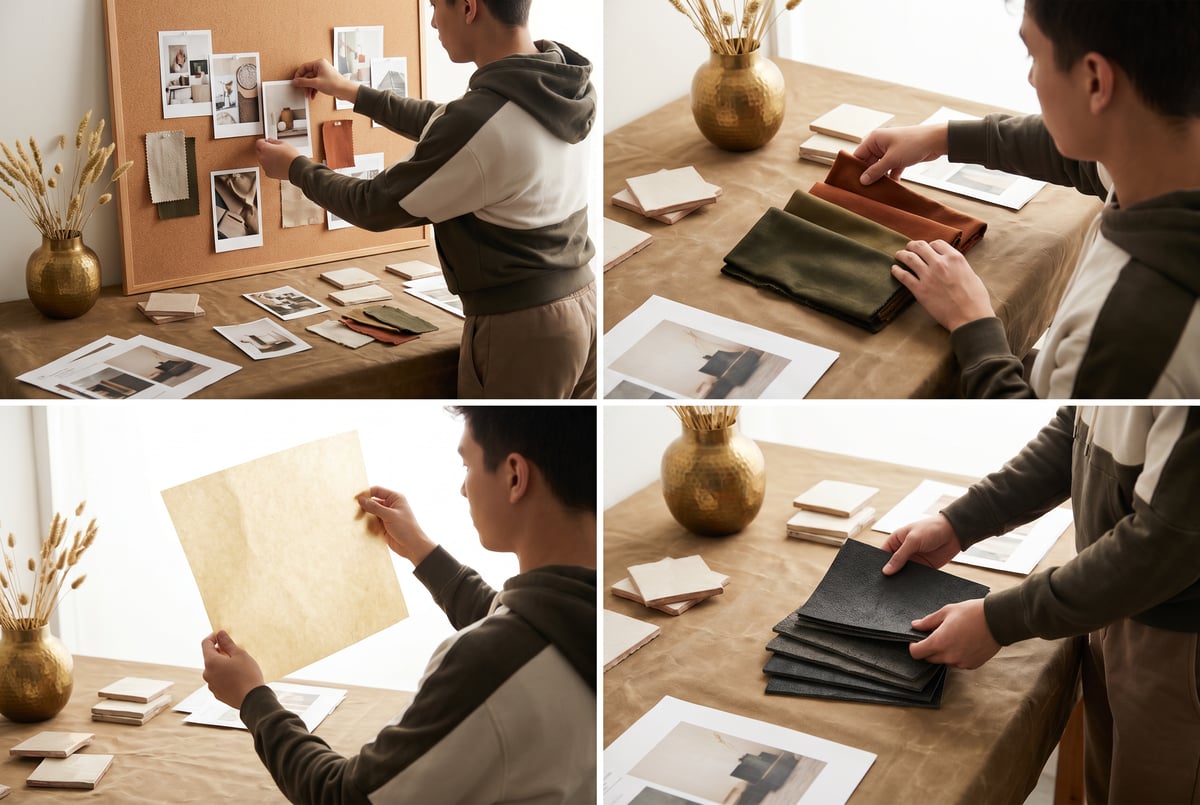
You start by uploading a set of images that represent the visual style you want to work in. These can be:
- Product photos with a consistent lighting style
- Brand campaign images from your portfolio
- Stock photos, editorial images, or screenshots that capture a mood
- Your own past AI-generated images that landed right
There’s no strict limit on the number of images, but more isn’t always better. Six to twelve tightly curated references tend to outperform a loosely assembled collection of thirty. The goal is to show the model a coherent signal, not a noisy dataset.
Step 2: The Model Builds a Taste Profile
Once you upload your references, Krea 2 analyzes them to extract style dimensions — things like:
- Color palette: dominant hues, saturation level, contrast ratio
- Lighting style: harsh vs. soft, directional vs. ambient, warm vs. cool
- Composition tendencies: rule of thirds, symmetry, negative space usage
- Texture and grain: film grain, smoothness, painterly vs. photorealistic
- Subject treatment: how figures, objects, or environments are rendered
This isn’t just embedding the images as LoRA-style fine-tuning data. Krea 2 performs a semantic analysis of the collection and generates a style vector that represents the aesthetic as a whole. That vector then conditions all subsequent generations.
Step 3: Generate with Style Lock Active
With the mood board active, you write prompts as you normally would. The style parameters from your references are applied automatically — you don’t have to include style descriptors in every prompt.
So instead of writing: “Product shot on white background, warm golden hour lighting, muted earth tones, soft shadows, high-end editorial feel, shot on Kodak Portra” — you just write: “Product shot on white background.” The mood board carries the aesthetic weight.
Step 4: Iterate and Refine
You can adjust how strongly the mood board influences each generation using a style strength slider. At lower values, the prompt has more control. At higher values, the mood board aesthetic dominates. This lets you dial in the right balance between following your references closely and still generating new creative directions.
You can also update the mood board mid-session by adding or removing reference images, which lets you steer the aesthetic gradually rather than rebuilding from scratch.
Why This Matters for Brand and Marketing Work
The pain point here isn’t just aesthetic preference — it’s operational. Brand teams and content creators who rely on AI image generation face a real consistency problem at scale.
The Prompt Drift Problem
Prompts are fragile. Even with the same base prompt, AI image models produce different outputs across sessions, after model updates, or when prompts are written by different team members. “Warm, editorial, muted” means something slightly different to every person who types it.
Mood boards replace verbal style descriptions with visual ones. Images are far more precise than adjectives.
Team Alignment
When multiple people are generating content for the same brand, mood boards act as a shared style standard. Instead of writing and enforcing a multi-page prompt guide, you share a mood board. Everyone generates from the same visual baseline.
This is especially valuable in agencies or larger marketing teams where AI image generation is being used at volume — product launches, social content calendars, email campaigns.
Faster Iteration Cycles
With a mood board locked in, creative review cycles get shorter. Outputs are more predictable, so fewer rounds of revision are needed. Time that used to go into prompt engineering goes toward actual creative decisions.
Practical Use Cases for Krea 2 Mood Boards
E-commerce Product Photography
If you’re generating lifestyle or product images for an e-commerce brand, visual consistency across a catalog is non-negotiable. A mood board built from existing brand photography ensures that AI-generated images look like they belong in the same catalog — same color temperature, same rendering style, same feel.
Social Media Content at Scale
Social teams often need 20–30 images per week across multiple channels. Mood boards make it possible to batch-generate content that holds together visually, even across different subjects and formats.
Visual Development for New Brands
For studios or freelancers doing brand identity work, Krea 2 mood boards are a fast way to explore visual directions with clients. Build three mood boards with different aesthetic profiles, generate sample images from each, and present visual directions before committing to photography or illustration work.
Architecture and Interior Design
Designers use AI image generation for client presentations. A mood board of a client’s existing space or reference images they’ve shared lets you generate proposal visuals that actually feel aligned with their taste — not just technically competent, but stylistically on-target.
Editorial and Publishing
Photo editors and art directors can define a visual style for a publication’s AI-assisted imagery using mood boards built from back issues or editorial references. Outputs stay consistent with house style.
Tips for Building Effective Mood Boards
Not all reference sets produce equally strong style locks. A few principles that tend to improve results:
Prioritize stylistic coherence over subject variety. If you want a “golden hour portrait” aesthetic, don’t include landscape shots just because you like them. The model extracts patterns across all your references — inconsistencies dilute the signal.
Use images with similar technical properties. Mixing phone snapshots with medium-format studio photography creates conflicting signals about resolution, grain, and depth of field.
Avoid references with strong compositional gimmicks. An extreme lens flare or a highly unusual crop in one reference can pull the entire profile in a strange direction. Keep references grounded.
Start with fewer images and add if needed. Six focused references usually outperform twenty loosely curated ones. Once the style is locked in adequately, adding more references rarely helps and can introduce drift.
Remy doesn't build the plumbing. It inherits it.
Other agents wire up auth, databases, models, and integrations from scratch every time you ask them to build something.
Remy ships with all of it from MindStudio — so every cycle goes into the app you actually want.

Build separate mood boards for different contexts. If your brand uses a dark, moody aesthetic for one product line and a clean, bright aesthetic for another, maintain separate mood boards rather than blending them.
Common Mistakes to Avoid
Over-relying on the Mood Board for Subject Matter
The mood board defines aesthetic style, not subject composition. If you want a specific framing or arrangement, that still needs to come from your prompt. Some users assume the mood board handles everything and write minimal prompts — the results tend to be stylistically correct but compositionally vague.
Using Copyrighted Material as References
This is worth flagging explicitly. If your mood board consists of images you don’t own — stock photos you haven’t licensed, images scraped from other brands, or published editorial photography — you’re generating outputs derived from those works. The legal landscape here is unsettled, but the practical risk is reputational and potentially legal. Stick to references you own or have licensed appropriately.
Not Adjusting Style Strength
The default style strength works reasonably well, but it’s not universal. For prompts where the subject needs to override aesthetic considerations — say, a specific technical diagram or a product shot that needs strict neutrality — pulling back the style strength prevents the mood board from over-coloring the output.
Treating the Mood Board as Permanent
Brands evolve. Seasonal campaigns shift tone. Build mood boards for specific projects or time windows, not forever. Revisiting and rebuilding your taste profile regularly keeps outputs aligned with current creative direction.
Frequently Asked Questions
What is a mood board in Krea 2?
A mood board in Krea 2 is a collection of reference images you upload to define a visual style. The model analyzes the collection and extracts a taste profile — covering elements like color palette, lighting, texture, and composition — that conditions subsequent image generations. It’s a way of communicating aesthetic intent visually rather than through text prompts alone.
How is Krea 2’s mood board different from a LoRA or style reference in other tools?
LoRAs are fine-tuned model weights trained on a specific dataset — a more technically intensive approach typically used for character or product consistency. Style references in tools like Midjourney work similarly to Krea’s mood boards but are often applied per-prompt rather than as a persistent session profile. Krea 2’s mood board is designed as a session-level style lock that persists across multiple generations without re-specifying references each time.
Can I use Krea 2 mood boards for commercial brand work?
Yes, and this is one of the primary use cases Krea targets. Brand teams and agencies use mood boards to generate commercially usable images that match existing brand photography. As with any AI image generation tool, make sure your reference images consist of assets you own or have licensed, and review Krea’s terms of service for commercial usage rights on outputs.
How many images should I include in a Krea 2 mood board?
Remy is new. The platform isn't.
Remy is the latest expression of years of platform work. Not a hastily wrapped LLM.
Krea doesn’t impose a hard limit, but six to twelve tightly curated, stylistically coherent images tend to produce the strongest results. The key is consistency among your references — the model extracts patterns, so conflicting styles across your reference set will produce inconsistent or muddled outputs.
Does Krea 2 work with video generation as well?
Krea has video generation capabilities, and style consistency features extend to video in some form. The mood board feature as described here is primarily associated with image generation in Krea 2, though Krea continues to expand its video tools. Check Krea’s current documentation for the most up-to-date scope of mood board support across output types.
Is Krea 2 free to use?
Krea offers a free tier with limited generations. Access to Krea 2 (the latest model), the mood board feature, and higher-resolution outputs typically requires a paid subscription. Pricing tiers vary — check Krea’s current pricing page for details, as subscription structures in AI tools change frequently.
Key Takeaways
- Krea 2’s mood board feature analyzes reference images to build a taste profile that shapes all subsequent AI image generation — replacing fragile text-based style prompts with a visual standard.
- Uploading six to twelve tightly curated, stylistically coherent reference images produces stronger results than large, loosely assembled collections.
- The style strength slider lets you balance prompt control against mood board influence — useful when some generations need to deviate from the established aesthetic.
- Brand teams, social media managers, and designers benefit most from mood boards as a consistency tool, especially when multiple people are generating content from the same brand.
- Pairing Krea 2 with a workflow automation layer — like MindStudio’s AI Media Workbench — lets you move generated images through post-processing, copy generation, and distribution automatically, rather than handling each step manually.
If you’re already generating images with AI tools and struggling with visual consistency, Krea 2’s mood board approach is one of the more practical solutions available right now. And if those images need to flow into a broader content production pipeline, MindStudio is worth a look — you can start building for free.