
AI Design & Creative Tools
Tools that let you generate or refine design output with AI — Claude Design, Google Stitch, design.md systems, AI-driven UI consistency.
How to Use Claude Design Without Burning Through Your Token Limit
Claude Design's token usage is steep if you skip the setup. Learn how to build a design system first and use external tools to protect your quota.
How to Build a Design System in Claude Design That Doesn't Look Like AI
Claude Design defaults to generic AI aesthetics. Here's how to build a real design system using reference screenshots, Skill UI, and the Taste skill.

Claude Design: How to Build Branded Interfaces Without Generic AI Aesthetics
Claude Design builds code-based UIs fast, but defaults to AI slop. Here's how to set up a design system that actually looks like your brand.
Claude Design vs Claude Code: Which Should You Use for UI and Prototypes?
Claude Design gives you a visual interface for iteration. Claude Code gives you custom skills and full control. Here's how to choose between them.

Claude Design vs Google Stitch: Which AI Design Tool Wins?
Claude Design outputs production-ready code. Google Stitch bets on open standards. Compare both tools to find the right fit for your workflow.

The Death of the Mockup: How AI Is Collapsing the Design-to-Code Handoff
Claude Design, Google Stitch, and AI coding tools are eliminating the gap between prototype and production. Here's what this means for product teams.

What Is Claude Design? Anthropic's New Visual Prototyping Tool Explained
Claude Design generates pitch decks, animations, dashboards, and admin tools as production-ready code. Here's what it does and who it's built for.

How to Deploy a Website Built with Claude Design to Vercel
Build a website in Claude Design, export it to Claude Code, push to GitHub, and deploy to Vercel in under an hour. Step-by-step guide for beginners.
What Is Claude Design? Build 3D Websites Without Writing Code
Claude Design turns prompts and sketches into interactive websites with scroll animations and video backgrounds. Here's what it can do and how to use it.
Claude Design: How to Build Animated Prototypes and Slide Decks With AI
Claude Design lets you create branded prototypes, slide decks, and animations from a prompt. Here's how it works and when to use it.

Claude Design vs Figma: Can Anthropic's New Tool Replace Your Design Stack?
Claude Design lets you build prototypes, slides, and landing pages by chatting with Claude. See how it compares to Figma and Canva for real projects.

Build Dynamic Visualizations With Gemini's Interactive Simulations
Gemini's interactive simulations output runnable HTML with canvas, SVG, and live controls. A walkthrough of generating dynamic visualizations that just work.

Gemini Interactive Simulations: Education and Prototyping
Use Gemini's interactive simulations for physics demos, growth models, and rapid prototypes. A look at where the feature shines for educators and analysts.

How to Use Google Stitch's Voice Mode to Build a Full App Without Typing
Google Stitch's live voice mode lets you design entire web applications by speaking. Learn how to use it to go from idea to interactive prototype in minutes.
What Is Google Stitch? The AI-Native Design Canvas That Competes With Figma
Google Stitch is a free AI-native design tool that lets you build web apps and mobile interfaces by talking to it. Here's what it can do and how to get started.

Google Stitch vs Figma: Is AI-Native Design Ready to Replace Traditional Design Tools?
Google Stitch brings AI-native design with voice control and design.md files. Compare it to Figma to see which tool fits your workflow.
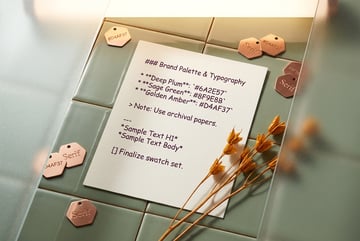
What Is Google Stitch's Design.md File? How AI Design Systems Work
Google Stitch's design.md file stores your brand's color palette, fonts, and styling rules so every AI-generated design stays consistent.
How to Use Google Stitch's Design.md File with Claude Code for Consistent UI
Google Stitch's design.md file captures your full design system in a format AI agents can read. Here's how to use it with Claude Code for consistent UI output.

How to Use Google Stitch with Google AI Studio: The Full Design-to-Code Workflow
Learn how to design in Google Stitch, export to AI Studio, and build a fully functional web app in minutes using Gemini's vibe coding experience.
What Is Vibe Design? Google Stitch's AI-Native Canvas Explained
Vibe design is Google's answer to AI-powered UI creation. Learn how Stitch's design canvas, voice control, and Design.md files work together.
How to Export Google Stitch Designs to Google AI Studio for Full-Stack App Building
Learn how to design in Google Stitch, export to AI Studio, and build a working full-stack app from a single prompt using Gemini models.

What Is the Design.md File in Google Stitch? How AI Design Systems Work
Google Stitch's Design.md is a markdown file that encodes your entire design system for AI agents to read and apply. Here's how it works.

What Is Vibe Design? How Google Stitch Brings AI to the Design Canvas
Google Stitch introduces vibe design — AI-powered design iteration using voice, Design.md files, and a Figma-like canvas. Here's what it can do.
How to Use Google Stitch to Build a Website Design System in Minutes
Google Stitch can extract a design system from any URL, generate multi-page prototypes, and export to React or AI Studio. Here's a step-by-step walkthrough.