Claude Design vs Claude Code: Which Should You Use for UI and Prototypes?
Claude Design gives you a visual interface for iteration. Claude Code gives you custom skills and full control. Here's how to choose between them.
Two Tools, One Goal, Very Different Approaches
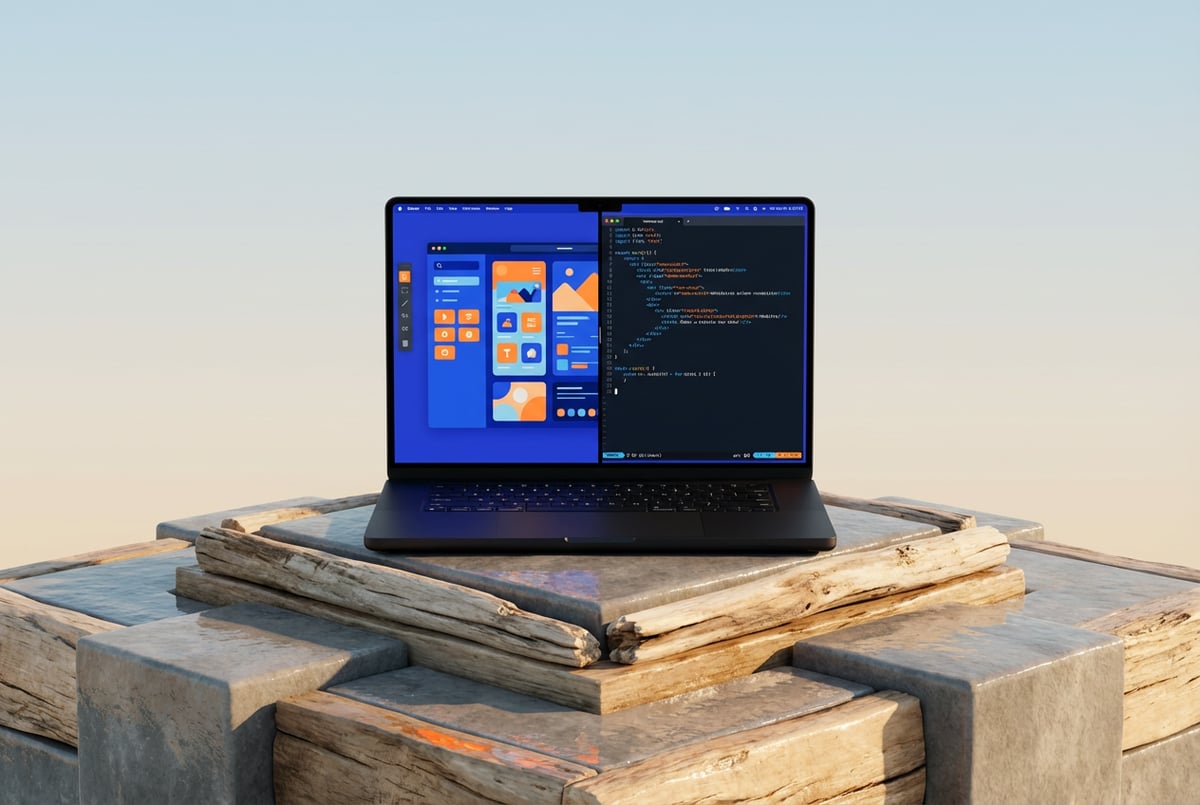
Anthropic now has two products that can build UI and prototypes with AI: Claude Design and Claude Code. Both use Claude’s underlying intelligence. Both can produce working interfaces from natural language. But they approach the problem from completely different angles, and picking the wrong one will slow you down.
Claude Design is a visual, browser-based tool built for iteration without writing code. Claude Code is a terminal-based agentic coding environment built for developers who want full control over their codebase. The overlap exists, but the use cases are distinct.
This article breaks down exactly what each tool does, where each one excels, and how to decide which fits your workflow — whether you’re a designer prototyping a product concept or an engineer building frontend UI for a real app.
What Claude Design Actually Does
Claude Design is Anthropic’s visual prototyping tool. You describe what you want in plain language and Claude generates a rendered, interactive UI — CSS animations, 3D effects, and all.
The core workflow looks like this:
- Open Claude Design in your browser
- Describe the interface you want (or upload a reference image)
- Claude generates HTML, CSS, and JavaScript and renders it live
- Iterate by typing follow-up instructions in the chat panel
- Export or deploy when you’re happy
Other agents ship a demo. Remy ships an app.
Real backend. Real database. Real auth. Real plumbing. Remy has it all.

The tool is opinionated toward visual output. It handles layout, color, typography, animation, and composition well. You don’t touch code unless you want to. The focus is on what it looks like and how it feels, not what it does at a systems level.
Claude Design works particularly well for:
- Landing pages and marketing sites where aesthetics matter most
- Interactive prototypes for stakeholder review or user testing
- Slide decks and presentations with motion and polish
- Quick visual explorations before committing to a design direction
- Designers and PMs who want to produce working mockups without handing off to engineering
One notable capability: Claude Design can produce genuinely sophisticated visual work — animated prototypes, 3D transforms, scroll effects — that would take a front-end developer meaningful time to build by hand. For pure visual iteration speed, it’s hard to beat.
The constraint is depth. Claude Design generates self-contained HTML/CSS/JS. That’s fine for a prototype or a static site. It’s not a path to a full-stack app with a backend, database, and auth system.
What Claude Code Actually Does
Claude Code is a terminal-based agentic coding tool. You run it from the command line inside an existing project, and it reads your codebase, writes and edits files, runs tests, and commits changes. It’s not a chat interface for generating snippets — it’s an agent that operates autonomously within your repo.
When it comes to UI and frontend work, Claude Code approaches the problem as a developer would:
- It understands your existing component library and design system
- It can read your
package.json, your existing styles, your routing logic - It writes components that fit your actual codebase conventions
- It handles the full frontend-backend connection: data fetching, state management, API calls
- It can run your build and fix errors it introduces
This matters for UI work because most real UI work isn’t “generate this page.” It’s “add a filter to this table,” “wire up this modal to the API,” “make this component responsive,” or “refactor these five pages to use the new design tokens.” Those tasks require understanding what already exists — and that’s exactly what Claude Code is designed for.
If you compare it to alternatives like Cursor or GitHub Copilot, the key difference is autonomy. Claude Code isn’t completing your code. It’s running as an agent through a task — reading files, making changes across multiple files, running commands, and iterating until the task is done.
Claude Code works well for:
- Frontend development inside an existing codebase
- Building UI components that need to connect to a backend
- Maintaining design consistency across a large project
- Developers who want to move faster without leaving their repo
- Teams with established design systems where generated code needs to match conventions
The tradeoff: Claude Code requires a development environment. You need Node, Git, a terminal, and ideally an existing project to work within. There’s no visual canvas. You see what you build in your app, not in Claude Code itself.
Side-by-Side Comparison
| Claude Design | Claude Code | |
|---|---|---|
| Interface | Visual browser canvas | Terminal / CLI |
| Who it’s for | Designers, PMs, non-engineers | Developers |
| Codebase awareness | None — generates fresh | Full — reads your repo |
| Output | Self-contained HTML/CSS/JS | Files in your project |
| Backend support | No | Yes |
| Design system support | Limited | Strong — matches your conventions |
| Iteration style | Chat in canvas UI | Agentic tasks via CLI |
| Best for | Visual prototypes, static sites | Production UI in real apps |
| Learning curve | Very low | Moderate (requires dev environment) |
| Export / deploy | Yes, direct to Vercel | Part of your normal dev workflow |
Other agents start typing. Remy starts asking.
Scoping, trade-offs, edge cases — the real work. Before a line of code.
The honest summary: Claude Design is faster for visual exploration. Claude Code is better for building UI that has to actually work inside a real system.
Where Claude Design Wins
Speed of visual iteration
If you need to produce five interface concepts in an afternoon, Claude Design is the right tool. The feedback loop is tight — you describe, it renders, you refine. There’s no build step, no terminal, no dependency management. Just visual output.
This is genuinely useful when the goal is alignment. Showing a stakeholder a rendered, interactive mockup beats a static wireframe or a Figma screen. Avoiding the generic AI aesthetic takes some prompt work, but the output quality ceiling is high.
Non-engineer workflows
Not everyone building products is a developer. Claude Design gives designers and product managers the ability to produce working visual prototypes without writing code or setting up an environment. That’s a meaningful capability expansion for people who previously depended on engineering time for even basic prototyping.
Visual complexity with low effort
3D transforms, scroll animations, gradient effects, layered motion — these things are time-consuming even for skilled front-end developers. Claude Design handles them well from plain language descriptions. If visual sophistication is the goal, it’s the faster path.
Static sites and marketing pages
For sites that don’t need a backend — a product landing page, a portfolio, a conference event page — Claude Design’s output is often production-ready. You can deploy directly to Vercel without touching the code.
Where Claude Code Wins
Working inside an existing codebase
This is the defining advantage. If you have a React app with a component library, a design system, and existing patterns, Claude Code can write new UI that matches what you already have. It reads your files before writing anything. Claude Design can’t do this — it starts from scratch every time.
Full-stack UI
Real UI work usually involves more than markup. A dashboard needs to fetch data. A form needs to submit to an API. A table needs pagination connected to a database query. Claude Code handles all of this because it’s operating in a real development environment, not generating a static artifact.
Long-running projects
Agentic coding tools like Claude Code are designed for ongoing work. Claude Design is better suited for point-in-time generation. If you’re building something over days or weeks and need the AI to understand accumulated context, Claude Code has a clear advantage.
Developer-native output
The code Claude Code produces lives in your Git repo, follows your conventions, and gets reviewed like any other code. There’s no import/export step, no conversion from a generated artifact to something your team can maintain. It’s just code in your project.
The Workflow That Combines Both
The most interesting use case isn’t choosing one or the other — it’s using them in sequence.
Claude Design is a great tool for early-stage visual exploration. You can quickly generate several interface directions, iterate on typography and layout, and arrive at a visual direction without writing code. Once you have something you like, that design becomes an input for implementation.
Remy is new. The platform isn't.
Remy is the latest expression of years of platform work. Not a hastily wrapped LLM.
At that point, you hand the visual direction to Claude Code. If you’ve been working with Google Stitch (which outputs a design.md file), you can use that design spec directly with Claude Code to maintain visual consistency while building the real thing.
The pattern:
- Claude Design → explore and validate the visual direction
- Export/document the design decisions (colors, typography, spacing, component structure)
- Claude Code → implement those decisions inside a real codebase with working logic
This sidesteps the main limitation of both tools. Claude Design can’t build a working app. Claude Code isn’t optimized for visual exploration. Used together, they cover the full design-to-code workflow that increasingly replaces the traditional mockup-handoff process.
How Remy Fits Into This Picture
There’s a third option worth knowing about: Remy.
Where Claude Design generates visual prototypes and Claude Code helps developers work within existing codebases, Remy takes a different approach entirely. You write a spec — a markdown document that describes what your app does, including data types, logic, and edge cases — and Remy compiles that into a full-stack application with a real backend, SQL database, auth system, and deployed frontend.
The spec is the source of truth. The code is derived from it. That means the frontend isn’t just a generated artifact that lives on its own — it’s connected to a real system that persists data, handles authentication, and runs actual business logic.
For UI and prototype work specifically, this matters in a few ways:
- If your prototype needs to demonstrate real data flows (not just static mockups), Remy gives you that without manually wiring up a backend
- If you want to move from prototype to production without rebuilding, the spec format means iteration is structured rather than ad hoc
- If your team is evaluating whether to build a feature, a Remy-generated prototype with real functionality is more useful signal than a clickable mockup
Remy isn’t trying to replace Claude Design’s visual exploration strength or Claude Code’s ability to work inside mature codebases. It’s built for when you want a complete, deployed application from a structured description — not just a UI layer.
You can try Remy at mindstudio.ai/remy.
Choosing the Right Tool: A Quick Decision Guide
Use Claude Design if:
- You’re a designer, PM, or non-engineer
- You’re doing early-stage visual exploration
- You need a polished prototype for a demo or stakeholder review
- You’re building a static site or marketing page
- Visual sophistication is the primary goal
Use Claude Code if:
- You’re a developer working in an existing codebase
- Your UI needs to connect to a backend or database
- You need generated code to match your existing component conventions
- You’re working on a long-running project where accumulated context matters
- You need production-ready code, not a prototype artifact
Use both if:
- You want to explore visually first, then implement properly
- You’re working on a product that has both a design phase and a development phase
- You have a team with both designers and engineers
Use Remy if:
- You want a working full-stack app, not just a UI prototype
- You’re early-stage and need to move from idea to deployed product fast
- You want a spec that stays in sync with the app as it evolves
Frequently Asked Questions
Everyone else built a construction worker.
We built the contractor.
One file at a time.
UI, API, database, deploy.
Can Claude Design produce production-ready code?
For self-contained static sites — landing pages, portfolio sites, event pages — Claude Design’s output can be production-ready. You can export it and deploy directly. But for anything that requires a backend, user authentication, or a database, Claude Design’s output is a prototype, not a production app. The HTML/CSS/JS it generates has no connection to server-side logic.
Does Claude Code support frontend frameworks like React or Vue?
Yes. Claude Code works inside any existing codebase and can write components for React, Vue, Svelte, or any other framework you’re already using. It reads your existing files to understand your setup before writing anything, so the output should match your conventions and imports. For comparison with other tools in this space, see the breakdown of Windsurf vs Cursor vs Claude Code.
Is Claude Design better than Figma for prototyping?
Different strengths. Claude Design vs Figma is a longer conversation, but the short version: Claude Design produces working interactive HTML faster, especially for motion-heavy or 3D designs. Figma is better for systematic design work — building component libraries, maintaining design tokens, collaborating at scale. They’re not direct replacements for each other. Many teams use Figma for design systems and Claude Design for rapid one-off prototypes.
Can I use Claude Design and Claude Code together?
Yes, and it’s often the right approach. Build the visual direction in Claude Design, document it, then use Claude Code to implement it properly inside your codebase. You can also use tools like Google Stitch that export a structured design.md file, which Claude Code can then use as a reference for visual consistency. This kind of design-to-code workflow is increasingly common and replaces the traditional designer-to-developer handoff.
What about alternatives like Vercel v0, Bolt, or Lovable?
Vercel v0 is the closest comparison to Claude Design — it generates UI components from prompts, with strong integration into the Vercel ecosystem. Bolt and Lovable go further by generating full app scaffolds, though still with limited backend depth. Claude Code sits in a different category from all of these — it works inside your existing codebase rather than generating from scratch.
Which is better for a non-technical founder building an MVP?
Claude Design is more accessible for non-engineers, but it only gets you to a visual prototype. If you need a working app with data persistence, user accounts, or any backend logic, you’ll need to go further. Tools like Bolt or Lovable or Remy are better options for non-technical founders who need a functional product — not just a prototype.
Key Takeaways
- Claude Design is a visual canvas for rapid UI prototyping — best for designers, PMs, and anyone who needs polished interactive mockups without writing code.
- Claude Code is an agentic coding tool for developers — best for building real frontend UI inside existing codebases, connected to actual backend logic.
- The tools are complementary, not competing. Use Claude Design to explore, Claude Code to implement.
- Neither tool produces a full-stack application with persistent data, auth, and a backend. For that, Remy takes a different approach — compiling a spec into a complete, deployed app.
- The decision usually comes down to one question: are you trying to show what something looks like, or are you trying to build something that actually works?
Seven tools to build an app. Or just Remy.
Editor, preview, AI agents, deploy — all in one tab. Nothing to install.
If you’re ready to go beyond prototypes and ship something real, try Remy at mindstudio.ai/remy.