
AI Design & Creative Tools
Tools that let you generate or refine design output with AI — Claude Design, Google Stitch, design.md systems, AI-driven UI consistency.

How to Use Ox Alpha with Open Design for Free AI UI Generation
A step-by-step guide to connecting the free Ox Alpha model to Open Code and Open Design to generate real, exportable HTML/CSS interfaces.
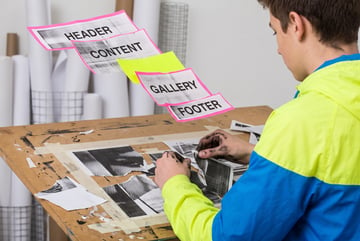
ScrollCraft: The Free Claude Skill That Fixes Boring AI Websites
ScrollCraft is a free Claude Skill that turns basic Claude-built sites into scroll-animated, premium-feeling pages. Here's how it works.

How to Make the Viral Dithered Website Effect for Under $1
Learn how the viral dithered animated website effect is made using AI image and video tools, then coded into a live site for pocket change.
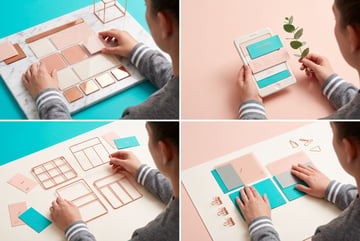
How to Use ChatGPT Work Mode to Build a Live Website in Minutes
ChatGPT Work Mode can build and host a complete website from a single prompt. Learn the context sandwich method and how to get the best first draft.

How to Use ChatGPT Sites to Build and Host Web Apps Without a Backend
ChatGPT Sites lets you prompt a web app into existence and host it instantly at a clean URL. Learn how to build, publish, and share apps without infrastructure.
GLM 5.2 vs Claude Opus 4.8: Which Model Wins for UI Generation and Agentic Coding?
GLM 5.2 beats Claude Opus 4.8 on design taste and costs up to 10x less. Compare both models on 3D scenes, dashboards, landing pages, and mini games.

How to Use Recraft V4.1 for Brand Design: Logos, Icons, and Editable Vector Assets
Recraft V4.1 Vector generates SVG files you can open in Figma or Illustrator. Here's how to use it for logos, icons, and brand identity work.
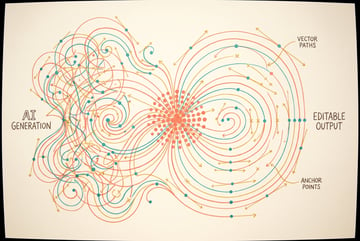
How to Generate Editable SVG Files with AI: Recraft V4.1 Vector Model Explained
Recraft V4.1 Vector generates real editable SVG files you can open in Figma or Illustrator. Learn how it works and when to use it over raster image models.

How to Use Claude Artifacts to Build Shareable Web Apps from a Single Prompt
Claude Artifacts turn interactive visuals into standalone web apps with shareable URLs. Learn the brainstorm-first prompt strategy that gets better results.

How to Use AI for Brand Voice Extraction: Build a Voice Profile in 15 Minutes
Learn how to extract your brand voice using AI interviews, podcast transcripts, and writing samples to create a reusable voice profile for all your content.

How to Build a Body of Work File for Your AI Agent: Extract Your Core Ideas
A body of work file captures your 7–12 foundational concepts so AI agents generate content anchored to your real opinions—not generic takes on your topic.
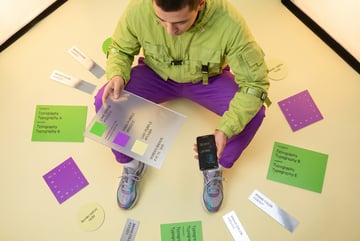
What Is a Design Token System for AI Agents? How to Lock In Consistent Brand Visuals
Design tokens store your brand colors, fonts, and layout rules in a JSON file that AI agents reference every time they generate visual content.

How to Build an AI Brand Voice System: Voice Profile, Body of Work, and Design Tokens
Build three reusable brand context files so every AI output sounds and looks like your brand—without re-explaining yourself every session.

How to Use Design Tokens with AI Agents: Consistent Brand Visuals Across Every Output
Design tokens stored in a JSON file let AI agents apply your brand colors, fonts, and layouts consistently across carousels, slides, and ads.

How to Build a Brand Voice Profile for AI: Extract Your Voice in 15 Minutes
Learn how to create a brand voice file that makes every AI output sound like you—using skills, interviews, and real content samples.

How to Use AI for Brand Identity: Voice, Body of Work, and Visual Design Tokens
Build three brand context files—voice, body of work, and design tokens—so every AI output looks and sounds like your brand automatically.

Awesome Design MD Hit 71K Stars: 4 Ways Builders Are Using It with Claude Code Right Now
Awesome Design MD hit 71K GitHub stars in weeks. Here are four real workflows builders are using with Claude Code — from slide decks to landing pages.

Claude's PowerPoint Add-In Can't Actually See Your Slides — And 4 Other Limitations to Know Before You Use It
Claude processes PowerPoint files as markdown internally, which means it can hallucinate chart values and miss graphics. Here are all four key limitations.

Claude's PowerPoint Add-In Has Built-In Web Search — Here's How to Generate a Pitch Deck from Any URL
Paste a website URL into Claude's PowerPoint add-in and it generates a pitch deck matching the site's color scheme. Here's how to use this hidden capability.

How to Install and Use Claude's Official PowerPoint Add-In: Step-by-Step Setup Guide
Claude's official PowerPoint add-in is in beta. Here's how to install it, pick the right model, and set persistent instructions for consistent slide output.

How to Install 57 Brand Design Systems into Claude Code in 30 Seconds (No Packages Required)
The Awesome Design MD repo gives Claude Code 57 brand systems as plain markdown. Install takes 30 seconds with zero dependencies. Here's the full workflow.

The 71K-Star GitHub Repo That Gives Claude Code 57 Brand Design Systems as Plain Markdown
Awesome Design MD has 71K stars and 57 brand systems as markdown. Claude Code reads them as context — no npm, no config, no install.

How to Build a Branded Slide Deck with Claude Code and Awesome Design MD in Under 10 Minutes
One prompt, one markdown file, and Claude Code outputs an animated HTML slide deck in your chosen brand style — no PowerPoint needed.

Claude for PowerPoint vs Manual Slide Building: Is It Worth It?
Claude's PowerPoint add-in reads your template and generates editable slides from data sources. See what it does well, where it falls short, and best practices.