What Is Claude Design? Build 3D Websites Without Writing Code
Claude Design turns prompts and sketches into interactive websites with scroll animations and video backgrounds. Here's what it can do and how to use it.
Claude Design Turns Plain Prompts Into Polished Interactive Sites
Most people still associate Claude with text: answering questions, writing copy, summarizing documents. But Anthropic has been quietly expanding what Claude can build — and Claude Design is one of the most striking examples of that.
Claude Design is a feature within Claude that generates interactive, visually rich websites from natural language prompts and uploaded sketches. We’re not talking about static HTML with some inline CSS. Claude Design produces sites with parallax scroll effects, 3D visual elements, video backgrounds, and animated transitions — the kind of frontend work that typically requires a skilled developer and a handful of libraries.
If you’ve been watching the broader AI app-building space — tools like Bolt, Lovable, and Vercel v0 — Claude Design sits in a specific lane: it’s optimized for the visual and experiential side of frontend work, with a particular emphasis on motion, depth, and presentation quality.
This article covers what Claude Design actually does, how it works, who it’s built for, where it fits alongside other tools, and what it can’t do yet.
What Claude Design Actually Is
Claude Design is accessible directly inside Claude.ai. When you describe a website or upload a rough sketch, Claude doesn’t just hand back a wall of HTML. It produces a full, interactive web experience that you can preview in a live iframe, iterate on with follow-up prompts, and export for deployment.
Built like a system. Not vibe-coded.
Remy manages the project — every layer architected, not stitched together at the last second.

The feature is part of Anthropic’s broader push to make Claude a generative UI tool — not just a text assistant. If you’ve seen Claude’s on-demand generative UI features, Claude Design is the design-focused extension of that same idea: Claude generating real interactive output, not just describing what a website could look like.
What It Generates
Claude Design produces:
- 3D visual elements — using CSS transforms and WebGL-based libraries like Three.js
- Scroll-triggered animations — content that fades in, slides, or transitions as the user scrolls
- Video backgrounds — full-bleed video sections behind text and UI components
- Parallax effects — layered movement that gives depth to the page
- Responsive layouts — sites that work across screen sizes, not just desktop
- Interactive components — hover states, click effects, animated buttons
The output is real HTML, CSS, and JavaScript — not a screenshot, not a mockup. You can take what Claude generates and deploy it.
Sketch-to-Site
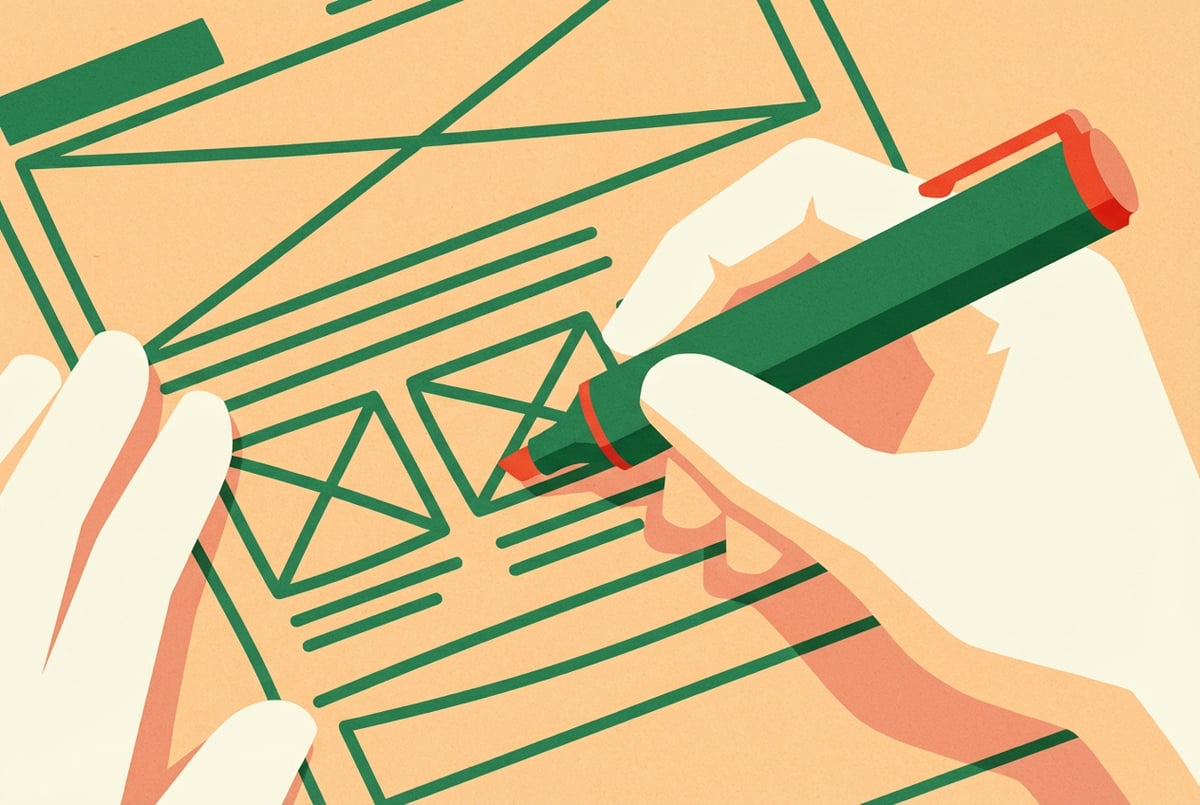
One of the more compelling capabilities is sketch input. You can draw a rough wireframe — even a photo of a whiteboard sketch — upload it to Claude Design, and it will interpret the layout and produce a working website from it.
This is meaningful because it bypasses the translation step that normally exists between “I have an idea” and “I have something on a screen.” Instead of describing a layout in words and hoping the output reflects it, you can draw what you mean and let Claude fill in the execution.
How to Use Claude Design
Starting From a Prompt
The simplest entry point is a text description. Open Claude.ai and describe the site you want. Be specific about the visual style, the sections you need, and the kind of interaction you’re after.
Some prompts that work well:
- “Build a product landing page for a luxury skincare brand. I want a dark background, a fullscreen video hero, and scroll animations that reveal product cards as the user moves down.”
- “Create a portfolio site for a photographer with a 3D gallery, minimal navigation, and a parallax effect on the hero image.”
- “Generate a startup homepage with a gradient background, animated headline text, and floating 3D shapes.”
Vague prompts produce generic output. Specific prompts produce specific output. Give Claude a visual reference point — a style, a mood, a brand — and the results improve considerably.
Starting From a Sketch
If you have a layout in mind:
- Draw it on paper or a whiteboard. It doesn’t need to be clean — boxes, labels, and arrows are enough.
- Take a photo or screenshot.
- Upload it to Claude with a prompt like: “Here’s a rough sketch of a landing page layout. Build this as a real site with a dark theme and scroll animations.”
Claude will interpret the structure and translate it into working code. You’ll typically need to iterate a few times to nail the details, but the sketch gives Claude a spatial layout to work from — which is often more precise than describing a layout in words.
Iterating on the Output
Claude Design is conversational. Once you have an initial output, you can refine it:
- “Make the hero section taller and add a particle animation behind the headline.”
- “Swap the video background for a looping gradient.”
- “The scroll animations feel too fast — slow them down.”
- “Add a sticky navigation bar that appears after scrolling past the hero.”
Plans first. Then code.
Remy writes the spec, manages the build, and ships the app.
Each follow-up builds on the previous output rather than regenerating from scratch. This is where most of the real work happens — the first pass gives you a foundation, and the conversation shapes it into something polished.
What Claude Design Is Good At
Visual-First Websites
Claude Design excels at sites where aesthetics and motion are the primary value. Think:
- Product launch pages
- Portfolio and creative agency sites
- Event and conference landing pages
- Personal brand pages
- Music or film project sites
These are contexts where the visual experience IS the message. Claude Design produces the kind of output that would normally require a frontend developer comfortable with GSAP, Three.js, or Framer Motion.
Rapid Prototyping
For designers and marketers who need to show something quickly — a concept for a client, a mockup for stakeholder approval, a test for a campaign — Claude Design removes the code-writing step entirely.
You can go from a rough idea to a live, interactive prototype in a single session. That’s genuinely useful for anyone who’s ever waited on a developer to turn a Figma file into a working page. If you’re curious how Claude Design stacks up against more traditional design tools, the comparison between Claude Design and Figma covers that in depth.
Animated Slide Decks and Presentations
Claude Design isn’t limited to websites. The same capability extends to scroll-driven presentations and animated slide decks. If you’ve needed a presentation that feels more like a web experience than a PowerPoint, Claude Design’s animated prototype and slide deck capabilities are worth exploring.
Creative Exploration
Sometimes the goal isn’t a final deliverable — it’s exploration. Claude Design lets you generate multiple visual directions quickly, compare aesthetics, and find the right look before committing to a direction. For designers, this is a useful ideation layer on top of their existing process.
What Claude Design Is Not
Not a Full-Stack Builder
Claude Design produces frontends. Impressive, interactive frontends — but frontends only. There’s no backend, no database, no authentication, no server-side logic. If you need a site that stores user data, handles logins, processes payments, or pulls from an API, Claude Design alone won’t get you there.
This puts it in the same category as other frontend-focused generators. Vercel v0 is a useful comparison: great for UI generation, not a full application builder.
Not a Replacement for a Design System
The output is code, not design tokens or component libraries. If you’re building something that needs to stay in sync with a broader design system, you’ll need to manage that manually. Claude Design generates one-off outputs; it doesn’t maintain a persistent design language across projects unless you’re deliberate about feeding it style constraints in each prompt.
Not Always Production-Ready
The code Claude Design produces is real and deployable, but “deployable” isn’t the same as “production-ready.” Performance, accessibility, SEO, and browser compatibility all require review. For a landing page on a side project, the output might be fine as-is. For a brand’s primary web presence, you’d want a developer to review and refine it.
Claude Design vs. Other AI Frontend Tools
The AI frontend generation space has gotten crowded fast. Here’s how Claude Design sits relative to the main alternatives.
Claude Design vs. Vercel v0
Vercel v0 is optimized for generating UI components — buttons, forms, tables, layouts — in React with Tailwind CSS. It’s precise and developer-friendly. Claude Design is optimized for visual experience and motion. If you need a polished component to drop into an existing app, v0 is more useful. If you need a full-page experience with animation and 3D, Claude Design is the better starting point.
Claude Design vs. Bolt and Lovable
Bolt and Lovable are closer to full-stack generators — they can wire up backends, databases, and auth alongside the frontend. Claude Design doesn’t do that. But for pure visual output quality, Claude Design’s strength in animation and 3D effects is a differentiation worth noting. These tools aren’t really competing for the same use case.
Claude Design vs. Google Stitch
Google Stitch is Anthropic’s most direct competitor in the AI-native design space. Stitch focuses on building design systems and UI components within a canvas-based interface — it’s closer to Figma’s territory. Claude Design’s strength is in generating complete, motion-rich web experiences rather than component-level design work. Both are part of the broader vibe design trend, but they serve different points in the workflow.
If you’re choosing between AI design tools for different parts of your workflow, this comparison of Google Stitch and Figma provides useful context on how the category is evolving.
Deploying What Claude Design Builds
Once Claude produces an output you’re happy with, you’ll want to get it onto a real URL. The most common path is exporting the code and deploying to Vercel, which has a simple drag-and-drop deploy for static sites.
There’s a full walkthrough available on deploying a Claude Design website to Vercel if you want step-by-step instructions. For more complex sites with 3D features, this guide on building animated 3D websites with Claude Code and AI video generation shows how to extend Claude’s output further.
Where Remy Fits When You Need More Than a Frontend
Claude Design is excellent at producing the visual layer. But a lot of real applications need more than that — they need data persistence, user accounts, business logic, and APIs that connect different services.
That’s where Remy comes in. Remy builds full-stack applications: backend, database, auth, and frontend together. Where Claude Design stops at the visual experience, Remy builds the entire application around it.
The workflow can even be complementary: use Claude Design to nail the visual concept and interaction design, then use Remy to build the full application with a real backend behind it. Remy’s spec-driven approach means you’re not re-prompting from scratch when requirements change — you’re updating a structured document that stays in sync with the codebase.
If you’re coming at this from a “I want to build something complete without writing code” angle, this guide on building a full-stack app without writing code gives a broader picture of the options available. And if you’re a non-developer looking to ship something real, Remy is designed for exactly that. You can try Remy at goremy.ai.
Who Claude Design Is Actually For
Designers who want to prototype interactive concepts without depending on a developer. Claude Design removes the gap between Figma and a working browser experience.
Marketers and founders who need landing pages, campaign sites, or product launch pages fast. The visual quality of Claude Design’s output is high enough for real use, and the iteration speed is dramatically faster than a traditional build process.
Developers who want a fast starting point for visually complex work. Generating a 3D scene or a scroll animation sequence from scratch takes time. Claude Design can produce a working baseline in minutes — and real code that’s editable.
Non-coders who want web presences that don’t look like templates. If you’ve ever felt limited by website builders with rigid layouts, Claude Design gives you a way to describe exactly the site you want and get something close to it without learning CSS or JavaScript. This is part of a broader trend of domain experts becoming builders with AI — people who know what they want to build and no longer need to outsource the execution entirely.
Frequently Asked Questions
What is Claude Design?
Claude Design is a feature within Claude.ai that generates interactive websites from text prompts and sketch uploads. It produces real HTML, CSS, and JavaScript — including 3D elements, scroll animations, parallax effects, and video backgrounds — without requiring the user to write any code.
Does Claude Design write real code, or is it just a mockup?
It writes real code. The output is functional HTML, CSS, and JavaScript that runs in a browser. You can preview it live inside Claude, then export and deploy it to any static hosting service. It’s not a screenshot or a design file — it’s a working website.
Can I deploy a site built with Claude Design?
Yes. The most common approach is exporting the generated code and deploying to Vercel, Netlify, or GitHub Pages. For a detailed walkthrough, see the guide on deploying Claude Design sites to Vercel.
What kinds of websites is Claude Design best for?
Claude Design excels at visual-first sites: product landing pages, creative portfolios, event pages, personal brand sites, and campaign microsites. It’s particularly strong when the design goal involves motion, depth, and scroll-driven interaction. It’s not designed for sites that require a backend, database, or user authentication.
How is Claude Design different from tools like Bolt or Lovable?
The main difference is scope. Bolt and Lovable are more focused on full-stack application building — they can generate backends, databases, and auth alongside the frontend. Claude Design is optimized for the visual frontend experience, with stronger output for animation and 3D. If you need a complete application, those tools are more appropriate. If you need a visually polished site with motion effects, Claude Design is the stronger choice.
Is Claude Design the same as Claude Code?
No. Claude Code is a command-line tool and agentic coding assistant that works within your existing codebase. Claude Design is specifically about generating visual web experiences through the Claude.ai interface. They can be used together — Claude Code can extend or modify what Claude Design produces — but they serve different primary purposes.
Key Takeaways
- Claude Design generates interactive websites — with 3D elements, scroll animations, parallax effects, and video backgrounds — from prompts and sketch uploads.
- The output is real code, not a mockup. It’s deployable HTML, CSS, and JavaScript.
- It’s optimized for visual-first frontends, not full-stack applications. There’s no backend or database layer.
- Sketch-to-site capability lets you draw a rough layout and get a working website from it, skipping the verbal description step.
- It sits in a specific lane relative to other AI tools: stronger on visual polish and animation than competitors like v0, but without the full-stack capabilities of Bolt or Lovable.
- For complete applications, Remy fills the gap — building backend, database, auth, and frontend together from a structured spec.
One coffee. One working app.
You bring the idea. Remy manages the project.
If Claude Design surfaces the need to build something with real application logic behind it, try Remy to take the next step from visual prototype to full-stack product.