What Is a Design Token System for AI Agents? How to Lock In Consistent Brand Visuals
Design tokens store your brand colors, fonts, and layout rules in a JSON file that AI agents reference every time they generate visual content.
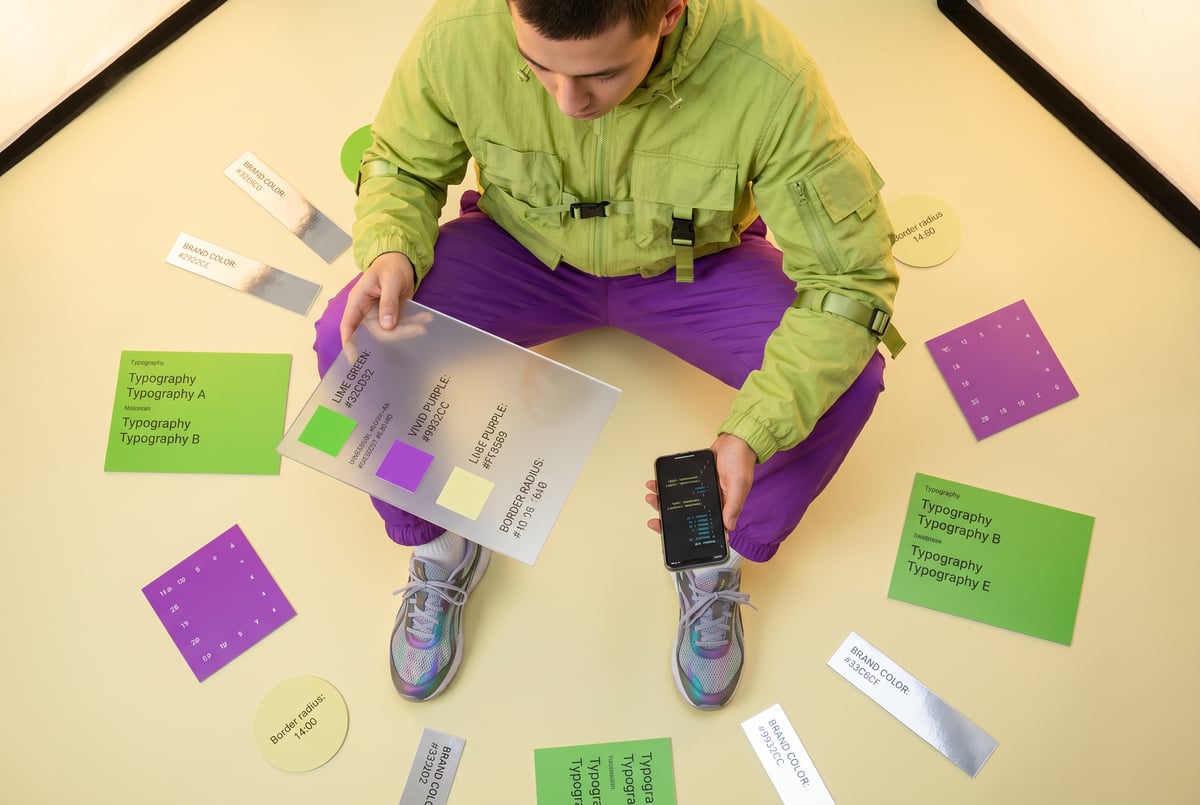
The Brand Consistency Problem AI Agents Create
If you’ve started using AI agents to generate marketing visuals, social posts, or product images, you’ve probably noticed a pattern: the outputs look fine individually but don’t look like each other. One image uses a slightly different shade of blue. Another uses a font that’s close but not quite right. The layout spacing is off by enough to matter.
This is the brand consistency problem that a design token system for AI agents solves. Design tokens store your brand’s visual rules — colors, typography, spacing, border radii — in a structured format that AI agents can read and apply every time they generate content. The result is visual output that actually looks like your brand, not just a reasonable approximation of it.
This guide explains what design tokens are, how to structure them for AI use, and how to wire them into automated workflows so every piece of generated content stays on-brand.
What Design Tokens Actually Are
Design tokens started as a concept in design systems engineering. Instead of hardcoding values like #1A73E8 or 16px throughout a codebase, teams store those values once in a shared source of truth. Any component, page, or tool that needs those values pulls from the same place.
The canonical definition from the Design Tokens Community Group describes a design token as “a design decision, represented as data.” That’s worth unpacking.
It’s not just a color value. It’s the decision that “primary button background = brand blue = #1A73E8.” The token captures intent, not just the raw number.
The Difference Between a Token and a Variable
A CSS variable like --color-blue: #1A73E8 is close, but it’s not a design token unless it’s part of a structured, platform-agnostic system. True design tokens are:
- Stored in a format any tool can read (usually JSON or YAML)
- Named semantically — the name describes what the value does, not what it is
- Organized hierarchically — from raw values up to component-specific decisions
- Version-controlled — changes are tracked and intentional
A variable says “here’s a color.” A design token says “here’s what this color means and where it applies.”
Token Categories
A complete design token system typically covers:
- Color — brand palette, semantic colors (success, warning, error), surface and text colors
- Typography — font families, weights, sizes, line heights, letter spacing
- Spacing — padding and margin scales (usually 4px or 8px increments)
- Layout — max widths, grid columns, breakpoints
- Border — radii, widths, styles
- Shadow — elevation levels, blur values
- Motion — duration and easing curves (less relevant for static image generation)
- Iconography — icon styles, sizes, stroke weights
Why AI Agents Need Design Tokens
AI models that generate images, write code, or produce visual content don’t have any inherent knowledge of your brand. They know what “blue” is in a general sense. They don’t know that your blue is #0057FF, that it should never appear on a background lighter than #F5F5F5, and that it should only pair with your specified sans-serif typeface at 600 weight.
Without tokens, every prompt you write to an image generation model has to carry all of that context. That creates several problems:
- Prompt drift — Over time, prompts change slightly. Whoever writes them next month may describe the brand differently than the person who wrote them last month.
- Inconsistency across agents — If you have separate agents handling social images, email headers, and product thumbnails, each one may have slightly different brand context.
- No single source of truth — When the brand updates (new accent color, new font), you have to find and update every prompt manually.
- Context window waste — Pasting brand guidelines into every prompt consumes tokens and leaves less room for actual task instructions.
A design token system solves all of this. You define the brand once. Every agent reads from the same file. When something changes, you update it in one place.
How to Structure a Design Token JSON File
JSON is the most portable format for design tokens used in automation workflows. It’s readable by virtually every programming language, API, and AI tool.
Here’s a practical structure for a brand design token file:
{
  "brand": {
    "color": {
      "primary": {
        "value": "#0057FF",
        "description": "Main brand blue. Use for CTAs, links, and primary buttons."
      },
      "secondary": {
        "value": "#FF6B35",
        "description": "Accent orange. Use for highlights and badges only."
      },
      "neutral": {
        "100": { "value": "#F8F9FA" },
        "200": { "value": "#E9ECEF" },
        "800": { "value": "#343A40" },
        "900": { "value": "#212529" }
      },
      "text": {
        "primary": { "value": "#212529" },
        "secondary": { "value": "#6C757D" },
        "inverse": { "value": "#FFFFFF" }
      },
      "surface": {
        "default": { "value": "#FFFFFF" },
        "elevated": { "value": "#F8F9FA" },
        "brand": { "value": "#EEF3FF" }
      }
    },
    "typography": {
      "fontFamily": {
        "heading": { "value": "Inter, sans-serif" },
        "body": { "value": "Inter, sans-serif" },
        "mono": { "value": "JetBrains Mono, monospace" }
      },
      "fontSize": {
        "xs": { "value": "12px" },
        "sm": { "value": "14px" },
        "base": { "value": "16px" },
        "lg": { "value": "18px" },
        "xl": { "value": "20px" },
        "2xl": { "value": "24px" },
        "3xl": { "value": "30px" },
        "4xl": { "value": "36px" }
      },
      "fontWeight": {
        "regular": { "value": "400" },
        "medium": { "value": "500" },
        "semibold": { "value": "600" },
        "bold": { "value": "700" }
      },
      "lineHeight": {
        "tight": { "value": "1.2" },
        "normal": { "value": "1.5" },
        "relaxed": { "value": "1.75" }
      }
    },
    "spacing": {
      "1": { "value": "4px" },
      "2": { "value": "8px" },
      "3": { "value": "12px" },
      "4": { "value": "16px" },
      "6": { "value": "24px" },
      "8": { "value": "32px" },
      "12": { "value": "48px" },
      "16": { "value": "64px" }
    },
    "borderRadius": {
      "sm": { "value": "4px" },
      "md": { "value": "8px" },
      "lg": { "value": "12px" },
      "xl": { "value": "16px" },
      "full": { "value": "9999px" }
    },
    "logo": {
      "primary": { "value": "https://cdn.brand.com/logo-primary.svg" },
      "white": { "value": "https://cdn.brand.com/logo-white.svg" },
      "minWidth": { "value": "120px", "description": "Never display the logo smaller than this." }
    }
  }
}Semantic Naming vs. Raw Naming
Notice the structure uses semantic names like primary, surface.elevated, and text.inverse rather than raw names like blue or gray-100. This matters when AI agents use the tokens.
When you tell an agent “use color.surface.elevated for the card background,” it knows what that surface is for, not just its hex value. Semantic tokens give AI agents the intent behind each value, which produces better results than raw color codes alone.
Adding Usage Rules to Tokens
The description field is underused but valuable for AI contexts. You can add rules directly:
"secondary": {
  "value": "#FF6B35",
  "description": "Accent orange. Use sparingly — maximum one instance per visual. Never use as a background color for large areas."
}
When the token file gets injected into a prompt or system context, those descriptions become instructions the AI model can follow.
Building a System That AI Agents Can Use
Having a well-structured JSON file is step one. Getting AI agents to actually use it consistently is step two.
Method 1: Inject Tokens into System Prompts
The most direct approach is to read your token file and inject relevant sections into the system prompt of each AI agent.
Instead of a system prompt that says:
“Use our brand colors and fonts when generating content.”
You write one that says:
“Use these exact brand values for all visual content generation. Primary color:
#0057FF. Secondary color:#FF6B35(use sparingly, max once per visual). Heading font: Inter at 700 weight. Body font: Inter at 400 weight. Card backgrounds:#F8F9FA. Text:#212529. All cards use 12px border radius.”
But instead of hardcoding this, your workflow reads from the token file and constructs the system prompt dynamically. When the brand updates, the prompt updates automatically.
Method 2: Pass Tokens as Structured Context
For more complex workflows — especially those using image generation models with structured inputs — you can pass the token file (or a subset of it) as a JSON parameter. The agent uses it as reference data when formulating prompts for image models like FLUX or Midjourney.
This works well when you have a reasoning model that translates brand tokens into specific visual generation instructions.
Method 3: Reference Tokens in Template Strings
If your agents generate HTML, CSS, or SVG content (for email templates, web banners, or dynamic graphics), you can store tokens as variables and render them into templates:
background-color: {{brand.color.surface.default}};
font-family: {{brand.typography.fontFamily.heading}};
color: {{brand.color.primary}};
The agent fills in token values at generation time, producing output that’s pixel-accurate to your brand spec.
Setting Up a Token-Driven Visual Workflow
Here’s how a complete brand-consistent content generation workflow looks when it’s built around a design token system:
Step 1: Create and Host Your Token File
Store your brand-tokens.json in a location your workflow can access — a CDN, a private GitHub repository, an S3 bucket, or a database table. The key requirement is that it’s retrievable by your automation at runtime.
Other agents ship a demo. Remy ships an app.
Real backend. Real database. Real auth. Real plumbing. Remy has it all.

Version control it. Every change to the token file should be a tracked commit with a note about what changed and why.
Step 2: Build a Token-Fetch Step
Your workflow’s first step fetches the current token file before any content generation happens. This ensures every run uses the latest version of your brand spec, not a cached copy that might be out of date.
Step 3: Transform Tokens into Agent Context
Raw JSON isn’t always the most useful format to hand directly to a language model. Build a transformation step that converts your token file into:
- A concise brand style summary — a paragraph or bullet list the AI can read quickly
- A color and typography reference block — just the values, formatted for prompt injection
- Usage rules — the descriptions and constraints from your token descriptions, pulled out and formatted as instructions
Step 4: Route Tokens to the Right Agent
Different agents need different token subsets. Your social image agent needs color, typography, and spacing tokens. Your email template agent also needs layout tokens. Your product thumbnail agent might need iconography and shadow tokens.
Build your workflow so each agent receives only the token categories relevant to its task. Smaller context = cleaner results.
Step 5: Validate Output Against Tokens
This is optional but powerful. After an AI agent generates output, you can run a validation step that checks whether the output adheres to brand tokens. For code output (HTML/CSS), this is straightforward — parse the styles and compare to token values. For image output, this requires a vision model review step with brand compliance criteria.
Token Tiers: Global, Alias, and Component Tokens
Professional design token systems use a three-tier hierarchy. Understanding this helps when building systems that need to support multiple products or visual contexts from one base set of tokens.
Global (Primitive) Tokens
These are the raw values — every color your brand uses, the full type scale, all spacing increments. Nothing contextual yet.
"global.color.blue.500": { "value": "#0057FF" }
"global.color.orange.400": { "value": "#FF6B35" }
Alias (Semantic) Tokens
These reference global tokens by name and assign meaning. This is the layer AI agents interact with most.
"color.action.primary": { "value": "{global.color.blue.500}" }
"color.feedback.warning": { "value": "{global.color.orange.400}" }
Component Tokens
Specific to a UI component or content type. Most relevant for teams generating templated content at scale.
"component.card.background": { "value": "{color.surface.elevated}" }
"component.card.border-radius": { "value": "{border-radius.lg}" }
"component.button.primary.background": { "value": "{color.action.primary}" }
For AI agent use cases, you often only need global and alias tiers unless you’re generating templated component-level content at volume.
Common Mistakes to Avoid
Overloading the Token File
Don’t put every possible brand rule into one monolithic JSON file. Keep tokens focused on visual primitives. Brand voice, messaging guidelines, and content rules belong in separate reference documents — not mixed into design tokens.
Using Color Names as Token Names
Naming a token blue instead of action.primary is a common mistake. When you update your primary blue to teal, the token named blue now contains a teal value. Semantic names stay accurate through brand changes.
Forgetting Image Asset References
Seven tools to build an app. Or just Remy.
Editor, preview, AI agents, deploy — all in one tab. Nothing to install.
Include logo URLs, approved illustration styles, and icon library references in your token file. AI agents generating visuals need to know not just the color of your brand but also which visual assets they can use and how.
Not Versioning the Token File
A token file with no version history is a liability. When a visual regression appears, you need to be able to trace it to a specific token change. Use Git or any version control system.
Tokens With No Descriptions
An AI agent that reads a token without a description has to infer usage from context. Add descriptions to every token that has a non-obvious constraint or exception.
How MindStudio Makes Token-Driven Workflows Practical
Building this kind of system from scratch — token fetching, transformation, prompt injection, and output validation — usually means custom code and a lot of infrastructure. MindStudio handles the workflow layer so you can focus on the brand logic.
You can build a token-driven visual content agent in MindStudio without writing a line of code. Here’s how the pieces fit together:
Token fetching — Use MindStudio’s HTTP request step to pull your brand-tokens.json from wherever it’s hosted. This runs at the start of every workflow execution.
Token transformation — A language model step (your choice of GPT-4, Claude, or others from 200+ available models) takes the raw JSON and formats it into a concise style brief for downstream agents.
Visual generation — MindStudio’s AI Media Workbench connects directly to FLUX, Stable Diffusion, and other image models. Your token-derived style brief gets injected into each generation prompt automatically.
Validation — A vision model step reviews the output against your brand criteria before the asset gets delivered or stored.
Delivery — Built-in integrations with Google Drive, Notion, Airtable, Slack, and 1,000+ other tools mean generated assets go exactly where your team needs them.
The whole workflow can run on a schedule, trigger from a webhook, or be called from another tool via API. When your brand tokens update, every workflow that reads from them automatically uses the new values — no manual prompt editing required.
You can try building this kind of automated brand content workflow at mindstudio.ai.
Frequently Asked Questions
What is a design token in simple terms?
A design token is a named value that represents a visual design decision — like “primary button background color = #0057FF” — stored in a format any tool can read. Instead of hardcoding color or font values in multiple places, you define them once in a token file and reference them by name everywhere they’re needed.
How do design tokens help AI agents stay on brand?
AI agents don’t have built-in knowledge of your brand. Without explicit instructions, they’ll generate content that looks generically reasonable but inconsistent with your actual brand. Design tokens solve this by giving every agent access to the same precise brand values — exact colors, fonts, spacing, and usage rules — at every generation step.
What file format should I use for design tokens?
Remy doesn't write the code. It manages the agents who do.
Remy runs the project. The specialists do the work. You work with the PM, not the implementers.
JSON is the best choice for AI agent workflows because it’s universally supported, easy to parse, and readable by both humans and machines. YAML is a valid alternative if your team prefers it, but JSON integrates with more tools out of the box and is the format used by most design token tooling.
Can I use design tokens with image generation models like FLUX or Stable Diffusion?
Yes, but it requires an intermediary step. Image generation models accept natural language prompts, not JSON. You use a language model to translate your design tokens into specific visual instructions — “solid #0057FF background, Inter typeface, 12px rounded corners, white text at 24px” — which then get passed to the image model. The token file is the source of truth; the language model is the translator.
How often should I update my design token file?
Update it whenever your brand standards change — a new color palette, a font change, updated spacing rules. Because your AI agents read from the file at runtime, a single update propagates to every workflow automatically. This is exactly why centralizing brand values in tokens is worth the setup effort.
Do I need a developer to build a design token system for AI agents?
Not necessarily. Creating the JSON file itself requires only basic formatting knowledge. Connecting it to AI agent workflows depends on your tooling — no-code platforms like MindStudio handle the workflow logic visually, so you don’t need to write code to fetch, transform, and apply tokens across multiple agents.
Key Takeaways
- A design token system stores your brand’s visual rules — colors, fonts, spacing, and more — in a structured JSON file that AI agents can read and reference at runtime.
- Semantic token naming (like
color.action.primaryinstead ofblue) keeps tokens accurate through brand changes and gives AI agents intent context, not just raw values. - Three-tier token hierarchies (global, alias, component) give you flexibility to support multiple products or content types from one base definition.
- The workflow pattern is: fetch tokens → transform into agent context → inject into generation prompts → validate output.
- When tokens are centralized, a single brand update propagates to every AI agent and workflow automatically — no manual prompt editing required.
Consistent AI-generated brand visuals aren’t a matter of writing better prompts. They’re a matter of better architecture. A well-structured design token system is that architecture — and platforms like MindStudio make it straightforward to wire it into production workflows without engineering overhead.