
AI Video Generation
AI video generation tools, motion graphics, editing workflows — Seedance, LTX Desktop, Hyperframes, Grok Imagine Video, Runway, Google Flow. Includes integrations with Claude Code for code-driven video.

Seedance 2.5 vs Gemini Omni Flash: Which AI Video Model Wins in 2026?
Compare Seedance 2.5 and Gemini Omni Flash on clip length, reference inputs, quality, and cost to find the best AI video model for your workflows.
What Is Seedance 2.5? ByteDance's Next-Gen AI Video Model Explained
Seedance 2.5 generates 30-second native clips with 50 multimodal references. Learn what's new, when it launches, and how it changes AI video workflows.
What Is Google Flow Tools? How to Build Custom AI Workflows Without Code
Google Flow Tools lets you build and remix AI-powered creative tools using plain English. Learn how to create custom image, video, and prompting workflows.

What Is Real-Time AI Video Generation? Happy Oyster and MaineCoon Explained
Happy Oyster and MaineCoon are real-time directable AI video generators that stream video as you prompt. Here's how they work and where they're headed.

Seedance 2.0 Mini vs Flagship: When to Use the Cheaper Model for AI Video
Seedance 2.0 Mini costs half as much as the flagship and works well for simple shots and prompt testing. Here's when to use each model in your video workflow.
How to Build an AI Workflow That Generates a Complete YouTube Video from One Prompt
Claude Fable 5 wrote the script, cloned the voice, rendered the avatar, built motion graphics, and edited the video autonomously. Here's the full workflow.

How to Build an AI Video Production Workflow with Claude Code and HeyGen MCP
Use Claude Code with HeyGen's MCP to automate script writing, voice cloning, avatar rendering, and video editing in a single agentic workflow.
How to Build a One-Prompt AI Video Workflow: Script, Voice, Avatar, and Edit
Claude Fable 5 can generate a complete YouTube video from a single prompt using ElevenLabs, HeyGen, and FFmpeg. Here's the full workflow breakdown.
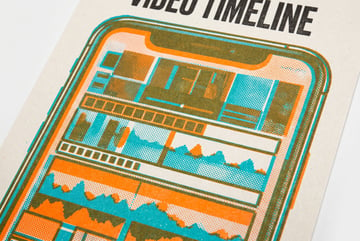
How to Build an AI Video Production Workflow with Claude Code and HeyGen
Learn how to use Claude Code and HeyGen to automate AI video production from script to final render, including voice cloning and motion graphics.

What Is HeyGen Avatar V? How to Build a Digital Twin from 15 Seconds of Video
HeyGen Avatar V creates a digital twin from a single 15-second clip. Learn how it works, what it can do, and how to use it in an AI content pipeline.

How to Build an AI Digital Twin for Content Creation Using HeyGen
Create a digital avatar from 15 seconds of video, then use it to publish scripts, change outfits, and deliver content in 15+ languages without re-filming.
How to Build an AI Film Production Workflow with Claude Code and MCP
Learn how to use Claude Code as a production office for AI filmmaking—story breakdowns, character references, scene generation, and asset tracking via MCP.

How to Build an AI Animated Short Film with Seedance 2.0: Full Workflow and Cost
One person built a 3-minute animated short film using Seedance 2.0, GPT Image 2, and ElevenLabs in 20-30 hours. Here's the complete workflow and cost breakdown.

How to Use AI Avatars for Content Creation: HeyGen Voice Mirroring and Agent Features
Learn how to build AI avatars with HeyGen, including voice mirroring, LoRA training, and agent features for automated content creation workflows.

Seedance 2.0 vs Gemini Omni for AI Animated Film Production: Which Wins?
Compare Seedance 2.0 and Gemini Omni for creating animated short films. See which model handles character consistency, style, and references better.
How to Use AI for One-Person Short Film Production: Seedance 2.0, ElevenLabs, and GPT Image 2
One creator built a 3-minute animated sci-fi short film solo using Seedance 2.0, GPT Image 2, and ElevenLabs. Here's the full production workflow.
How to Build an AI Short Film with Seedance 2.0: Workflow, Voice Swap, and Cost
One person can produce a 3-minute animated short film with Seedance 2.0 in 20-30 hours. Here's the full workflow from character sheets to final audio.
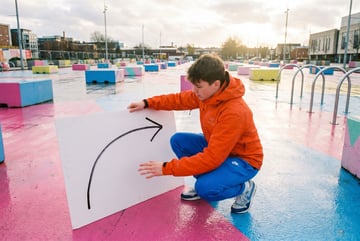
How to Use Google Gemini Omni to Generate Video from a Sketched Camera Path
Gemini Omni can turn a hand-drawn map route or camera path into a driving or drone POV video. Here's how filmmakers and creators are using this feature.
Seedance 2.0 vs Gemini Omni for AI Short Film Production: Which Wins?
Seedance 2.0 excels at consistent 2D animated characters. Gemini Omni wins at editing real footage. Compare both for short film and content creation workflows.
How to Use AI Video Editing Tools: Google Omni vs Runway Aleph vs Seedance 2.0
Google Omni, Runway Aleph 2, and Seedance 2.0 each handle AI video editing differently. Compare strengths, weaknesses, and best use cases for each.

What Is MCP for AI Video Workflows? How Claude Code Controls Generative Video Tools
MCP connectors let Claude Code control AI video platforms like Flora and Martini. Learn how to set up an MCP-powered video generation workflow.

How to Use Google Gemini Omni for Storyboard-Driven Video Creation
Google Gemini Omni lets you direct video scenes using image storyboards and timestamp prompts. Learn how to control camera angles, terrain, and character swaps.
How to Use Google Flow for AI Video Editing: Omni Flash Tutorial
Google Flow is the professional platform for Gemini Omni video editing. Learn how to generate, edit, and remix videos using scene control and camera angles.

What Is Google Gemini Omni? The Any-Input-to-Video AI Model Explained
Gemini Omni takes any input—text, images, video, audio—and generates or edits video output. Learn how it works and how to use it for content creation.