Seedance 2.0 Mini vs Flagship: When to Use the Cheaper Model for AI Video
Seedance 2.0 Mini costs half as much as the flagship and works well for simple shots and prompt testing. Here's when to use each model in your video workflow.
Two Models, One Clear Tradeoff
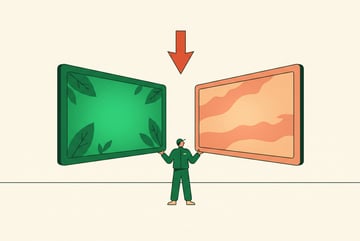
AI video generation costs add up fast. When ByteDance released Seedance 2.0 with both a Mini and a flagship variant, it gave creators and developers a meaningful choice: pay more for higher quality, or stretch your budget with a lighter model that handles the right jobs well.
The comparison between Seedance 2.0 Mini and the flagship isn’t really about which model is better. It’s about knowing which one fits the task in front of you. Use the flagship for everything and you’ll burn through budget on shots that didn’t need it. Lean too hard on Mini and you’ll end up with output that falls short when quality actually matters.
This guide breaks down the differences in video generation quality, speed, cost, and use cases — so you can make the right call without trial and error.
What Seedance 2.0 Is (and Why the Tier Split Matters)
Seedance 2.0 is ByteDance’s second-generation video generation model family. Like most major AI video systems, it supports both text-to-video and image-to-video generation, with strong motion consistency and relatively natural-looking subject movement compared to earlier-generation models.
Built like a system. Not vibe-coded.
Remy manages the project — every layer architected, not stitched together at the last second.

The split into Mini and flagship tiers follows a pattern we now see across most serious AI video providers — Runway has its tiers, Kling has its modes, and Hailuo differentiates by resolution class. The logic is straightforward: not every video generation task requires the same compute, and pricing models that charge a flat rate for everything push creators toward using expensive horsepower on shots that don’t need it.
Seedance 2.0 Mini is optimized for speed and cost efficiency. It handles shorter clips, simpler compositions, and prompt iteration well. The flagship model is built for production-quality output: higher resolution, better motion fidelity, more stable rendering across complex scenes.
The pricing gap between them is roughly 2x. Mini costs approximately half what the flagship charges per second of generated video. That’s a meaningful difference if you’re generating dozens of clips per project or running automated workflows at volume.
Side-by-Side Comparison: Mini vs. Flagship
Before getting into specific use cases, here’s a direct comparison of the two models across the dimensions that matter most.
| Feature | Seedance 2.0 Mini | Seedance 2.0 Flagship |
|---|---|---|
| Relative cost | ~50% lower | Full price |
| Generation speed | Faster | Slower |
| Max resolution | 720p | Up to 1080p |
| Max clip length | ~5 seconds | Up to 10 seconds |
| Motion quality | Good for simple shots | Stronger for complex motion |
| Text rendering | Limited | Better |
| Photorealism | Moderate | High |
| Best for | Drafts, testing, simple B-roll | Final delivery, hero shots |
These aren’t absolute performance specs so much as practical tendencies. Your results will vary based on prompt quality, source image, and scene complexity. But the pattern holds reliably: Mini does the job on simpler tasks, and the flagship earns its cost when the output needs to be final-quality.
When Seedance 2.0 Mini Is the Right Choice
Mini isn’t a downgrade — it’s a different tool. There are entire categories of video production work where Mini is the correct first choice, not a fallback.
Prompt Testing and Iteration
Before committing to a final shot, you usually need to iterate. Is the camera angle right? Does the motion direction make sense? Is the subject rendering the way you intended?
Running these tests on the flagship model is expensive. Running them on Mini isn’t. Most iteration-stage questions — composition, motion type, subject behavior — are answerable at Mini’s quality level. Once you’ve confirmed the prompt structure works, you can generate the final version on the flagship with confidence.
This workflow alone can cut your video generation costs significantly without affecting final output quality.
Short-Form Social Content
Not all video needs to be cinematic. TikToks, Instagram Reels, YouTube Shorts, and similar formats are consumed quickly, often on mobile screens, often muted. The quality ceiling you need for these formats is lower than for broadcast or long-form content.
Mini handles short-form social content well. If you’re generating:
- Quick product demonstrations
- Motion graphics-style clips
- Simple talking head b-roll cutaways
- Ambient background loops
…then Mini’s resolution and motion quality are more than sufficient. You don’t need flagship rendering for content that’s going to be watched once at 75% screen brightness on a phone.
B-Roll and Filler Footage
Hero shots — the ones that carry emotional weight or define a scene — need to be good. B-roll doesn’t. B-roll is context. It fills time while a voiceover plays. It breaks up talking head footage. It establishes environment.
Seven tools to build an app. Or just Remy.
Editor, preview, AI agents, deploy — all in one tab. Nothing to install.
Generating b-roll on the flagship is like using professional lighting for a shot nobody’s going to notice. Mini handles ambient, environmental, and transitional b-roll cleanly. Save flagship credits for the moments that anchor the video.
High-Volume Automated Pipelines
If you’re building automated content systems — AI agents that generate personalized video at scale, product videos updated from a catalog, or news clips generated from text summaries — cost per unit matters a lot. Mini’s lower price point makes these pipelines viable where flagship pricing would make them prohibitive.
For automated workflows, the economics almost always favor Mini unless you have specific quality requirements baked into the brief.
Concept Visualization and Storyboarding
Creative directors and video producers often need to communicate a vision before a shoot. Animatics and storyboard sketches don’t need to be high quality — they need to be fast and clear enough to communicate the intent.
Mini generates concept-quality video quickly, which makes it useful for pre-production visualization, client alignment, and internal review. No one expects a pitch deck animatic to look like finished footage.
When the Flagship Is Worth the Cost
There are specific scenarios where Mini’s limitations become visible and the quality difference between the two models actually matters for the deliverable.
Final Delivery for Premium Formats
If the video is going into a commercial, a brand film, a product launch, an event keynote, or any context where it will be scrutinized — use the flagship. The resolution advantage matters on large screens. The motion quality difference becomes noticeable when movement is central to the shot.
Mini’s 720p ceiling becomes a problem if the content is going to be displayed at 4K on a conference screen or on a connected TV. The flagship’s higher output resolution gives you room to deliver confidently.
Complex Motion and Multi-Subject Scenes
Mini handles simple, predictable motion well: a person walking, a product rotating, a landscape with gentle movement. It starts to struggle when:
- Multiple subjects need to move independently
- Camera motion is aggressive (fast pan, drone-style sweep)
- The scene has detailed background elements that also need to move
- Cloth, hair, or fluid dynamics are important
The flagship model’s better motion rendering makes a real difference in these cases. If the motion is the point of the shot — not just context — the flagship earns its cost.
Text and Logo Integration
Neither model is perfect at rendering text within video, but the flagship is substantially more reliable. If your shot needs to include readable text — a product name, a location card, a sign — use the flagship and build in a review step to catch errors.
Mini’s text rendering is inconsistent enough that any text-forward shot is a gamble.
Photorealistic Human Subjects
If your video requires a realistic human face, expression, or body movement at center frame, the flagship produces noticeably better results. Mini can approximate human subjects, but faces in particular tend to show artifacts, inconsistent lighting, or subtle motion errors that are hard to ignore once you see them.
For any shot where a person is the clear subject of attention, the flagship is worth the premium.
Client-Facing and Externally Published Work
Everyone else built a construction worker.
We built the contractor.
One file at a time.
UI, API, database, deploy.
When the output represents your brand or your client’s brand, downgrading quality to save a few dollars is rarely worth the risk. If something goes wrong with a Mini generation — unexpected artifacts, low-quality motion, resolution that looks soft — it reflects on the finished product.
Use Mini for everything internal and iterative. For anything that leaves your control, default to the flagship unless you’ve already validated the prompt at Mini quality.
A Practical Workflow That Uses Both
The smartest approach isn’t choosing one model — it’s using both at the right stages of your process.
Step 1: Prototype with Mini Draft your prompts and test compositions at Mini quality. Run 3–5 variations per concept. This costs a fraction of flagship pricing and identifies problems before they become expensive.
Step 2: Select and Refine Pick the strongest outputs from your Mini tests. Refine your prompts based on what worked and what didn’t. You now have a validated direction.
Step 3: Generate Final Versions on Flagship With a confirmed prompt and composition, run your final shots on the flagship. You’re not guessing anymore — you know the concept works. The flagship output is now going toward a deliverable, not the trash.
Step 4: Use Mini for Supporting Footage B-roll, transitions, ambient clips, and supplementary footage can still be generated on Mini. Only hero shots and final delivery content need flagship treatment.
This approach typically reduces total generation costs by 40–60% on a project without affecting the quality of what ends up in the finished video.
Common Mistakes When Choosing Between Models
A few patterns come up repeatedly when people are new to working with tiered video generation models.
Using flagship for everything by default. It feels safer, but it’s expensive and unnecessary. Most of the work in a video project doesn’t require the best possible output.
Using Mini for final client deliverables to save money. This is the opposite mistake. The cost difference on a handful of hero shots is small relative to the risk of delivering below-standard work.
Not testing before generating. Both models benefit from prompt validation. Generating final shots without iteration wastes flagship credits when a prompt doesn’t work as expected.
Ignoring resolution requirements until the end. If you know a video is going to a large-format display, confirm you’re using the flagship early. Discovering a resolution mismatch after generating 20 clips is painful.
Treating Mini as a fallback. Mini isn’t the model you use when you can’t afford better — it’s the model you choose intentionally for tasks that fit its strengths. Reframing it this way leads to better decisions.
Frequently Asked Questions
Is Seedance 2.0 Mini good enough for professional use?
Yes, for the right tasks. Mini is suitable for social content, b-roll, concept visualization, and any shot where the output won’t be closely scrutinized on a large screen. It’s not ideal for hero shots, complex motion, or content that will be displayed at high resolution. Many professional workflows use Mini for the majority of their generation tasks and reserve the flagship for final deliverables.
How much cheaper is Seedance 2.0 Mini compared to the flagship?
Other agents start typing. Remy starts asking.
Scoping, trade-offs, edge cases — the real work. Before a line of code.
Mini is roughly half the cost of the flagship on a per-second basis. The exact pricing varies by platform, but the approximately 2x cost difference is consistent across most providers. For high-volume workflows, this difference compounds significantly — generating 100 seconds of video on Mini versus the flagship can save a meaningful amount depending on your platform’s pricing structure.
Can I use Seedance 2.0 Mini for image-to-video generation?
Yes. Both Mini and the flagship support image-to-video. The same quality considerations apply: Mini handles simpler subjects and lighter motion well, while the flagship performs better with complex scenes, detailed subjects, and aggressive camera movement. For image-to-video prompt testing, Mini is still the recommended starting point.
What’s the maximum resolution for Seedance 2.0 Mini?
Seedance 2.0 Mini generates at up to 720p. The flagship supports up to 1080p. If your deliverable requires 1080p or above, the flagship is required. If you’re generating for mobile-first social platforms, 720p from Mini is generally sufficient.
How do I access Seedance 2.0 models without building my own integration?
Several platforms provide access to Seedance 2.0 models through a managed interface. MindStudio’s AI Media Workbench includes Seedance alongside other major video generation models in a single workspace, with no API key setup required. This is the easiest path for users who want access to both Mini and flagship in the same environment.
Does Seedance 2.0 Mini support longer clips?
Mini is optimized for shorter clips, typically up to around 5 seconds. The flagship supports clips up to 10 seconds. For projects that need longer continuous motion — a slow product reveal, an extended environmental shot — the flagship is better suited. For most social content and b-roll, the 5-second ceiling on Mini is not a limiting factor.
Key Takeaways
- Seedance 2.0 Mini costs roughly half as much as the flagship and is the right choice for prompt testing, b-roll, social content, and high-volume automated pipelines.
- The flagship model earns its cost for final deliverables, complex motion, photorealistic human subjects, text integration, and premium format outputs.
- A two-stage workflow — Mini for iteration, flagship for finals — typically cuts project costs 40–60% without affecting output quality.
- Avoid the mistake of defaulting to one model for everything; use each deliberately based on the task.
- Tools like MindStudio’s AI Media Workbench give you access to both models in a single environment, with the ability to automate model selection within a workflow.
The right model is almost never the same one every time. Once you start treating Mini and flagship as complementary tools rather than competing options, both become more useful.