
AI Video Generation
AI video generation tools, motion graphics, editing workflows — Seedance, LTX Desktop, Hyperframes, Grok Imagine Video, Runway, Google Flow. Includes integrations with Claude Code for code-driven video.
How to Build an AI Video Generation System with Multi-Agent Workflows
Learn how to use parallel agent workflows to generate marketing videos for an entire product catalog automatically—from image validation to final render.

AI Video Generation for E-Commerce: How to Turn Product Images Into Marketing Videos
Use AI video tools and agent workflows to automatically generate product videos, UGC-style ads, and B-roll from your existing product catalog images.
How to Generate AI B-Roll for Videos Using Claude Code and Gemini Omni
Use Claude Code and Gemini Omni to generate custom B-roll, animated web page highlights, and background effects for your videos without stock footage.

AI Video Effects for Content Creators: Runway, Seedance, and Gemini Omni Compared
Compare Runway, Seedance 2.0, and Gemini Omni for creating AI video intros, transitions, and background effects. Real-world results and workflow tips.

How to Build AI Video Intros and Location Transitions Using Runway and Seedance
Learn how to create cinematic video intros and seamless location transitions using Runway's keyframe feature and Seedance 2.0. Step-by-step workflow.

How to Use AI Video Effects to Make Your Videos Stand Out: Runway, Seedance, and Gemini Omni
Learn how creators use Runway keyframes, Seedance 2.0, and Gemini Omni to add intros, transitions, and visual effects to human-made videos.

How to Use AI for Video Transitions Between Locations: Runway and Seedance Techniques
Learn how to create seamless AI-powered location transitions using keyframe animation in Runway and Seedance 2.0—with exact prompts and tips.

How to Use Remotion with Claude Code to Generate Animated Logo Reveals and Motion Graphics
Install the Remotion Best Practices skill in Claude Code to generate particle logo reveals, lower thirds, and animated motion graphics from a prompt.

How to Use Video-to-Video AI Editing to Create Viral Hooks and Ad Creative
Learn how to use video-to-video AI models like Gemini Omni to add outfit changes, lighting shifts, and effects to existing footage for ads.
What Is Gemini Omni Flash? Google's Conversational Video Editing API Explained
Gemini Omni Flash lets developers edit existing videos conversationally via API. Learn what it can do, how it compares to Seedance, and how to use it.
How to Use Gemini Omni Flash for Conversational Video Editing via the API
Gemini Omni Flash lets you edit video through natural language in multi-turn sessions. This guide covers the Interactions API and key use cases.
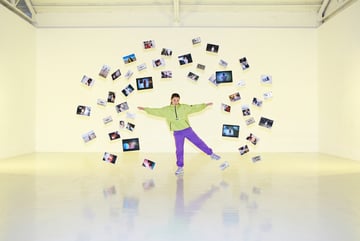
What Is Seedance 2.5's Multimodal Reference System? 50 Inputs, One Consistent Video
Seedance 2.5 supports up to 50 image, video, and audio references in a single generation. Here's how the reference system works and when to use it.
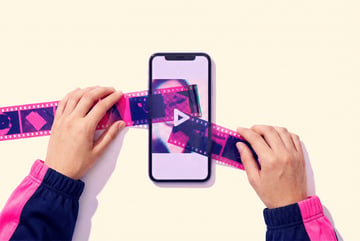
What Is Gemini Omni Flash? Google's Conversational Video Editing Model Explained
Gemini Omni Flash is Google's multimodal video model that lets you edit video through conversation—changing characters, lighting, and style iteratively.

How to Use the Gemini Omni Flash API for Conversational Video Editing
Learn how to use Google's Gemini Omni Flash Interactions API to edit videos with text prompts, swap characters, and restyle scenes programmatically.
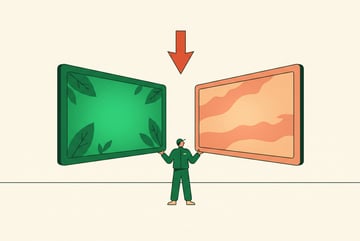
Gemini Omni Flash vs Seedance 2.5: Which AI Video Model Wins for Content Creation?
Compare Gemini Omni Flash and Seedance 2.5 on editing capabilities, pricing, output quality, and use cases for AI-powered content creation.

How to Use Seed Audio as a Reference for Seedance Video Generation
Generating audio first with Seed Audio and using it as a Seedance reference produces better voice acting and ambient sound while reducing expensive re-rolls.

What Is Seedance 2.5? ByteDance's Volcano Arc IP Licensing Platform Explained
Seedance 2.5 adds 4K video, 30-second outputs, and a licensed IP platform that lets creators generate content using real film assets with revenue sharing.

ByteDance Volcano Arc: How Seedance Is Solving the IP Problem for AI Video
ByteDance's Volcano Arc platform licenses real actor likenesses and film assets for AI video generation with revenue sharing. Here's how it works.

Seedance 2.5: 30-Second Video, 4K Output, and 50 Multimodal References Explained
Seedance 2.5 doubles video length to 30 seconds, adds 4K output, and supports 50 multimodal references. Here's what it means for AI video workflows.
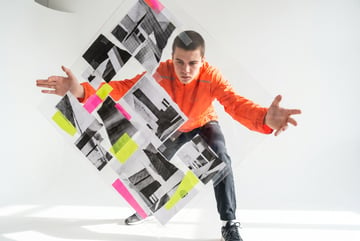
Seedance 2.5: 30-Second Video, 4K, and 50 Multimodal References Explained
Seedance 2.5 doubles video length to 30 seconds, supports 50 reference inputs, and adds 4K output. Here's what the upgrade means for AI video workflows.

What Is Seedance 2.5's 50-Reference Multimodal Input? How It Solves Consistency in Long AI Videos
Seedance 2.5 accepts 50 multimodal references including images, video, audio, and 3D assets to keep characters and scenes consistent across 30-second clips.

Seedance 2.5 vs Kling Omni Director: What the Next Generation of AI Video Control Looks Like
Seedance 2.5 brings 30-second clips and 50 references while Kling's Omni Director matches camera movements from reference video. Compare what's coming next.
What Is Seedance 2.5? ByteDance's 30-Second AI Video Model Explained
Seedance 2.5 generates native 30-second clips with 50 multimodal references. Learn what's new, when it launches, and how it compares to Seedance 2.0.

What Is Seedance 2.0 4K? Cost, Speed, and Whether It's Worth It
Seedance 2.0 now generates native 4K video but costs 5x more than 720p. Here's a real cost breakdown and whether upscaling with Topaz is a better option.