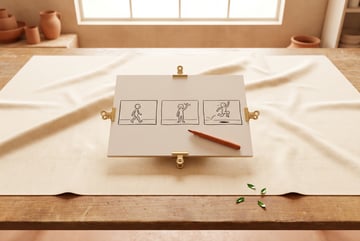
How to Use Timeline Prompting with Seedance 2.0 for Cinematic AI Video
Learn how to structure Seedance 2.0 prompts with timestamps and camera directions to produce professional, multi-shot AI video sequences.

Why Most AI Video Prompts Fall Flat
The gap between a mediocre AI video and a cinematic one usually comes down to one thing: structure. Most prompts for video generation are written like image prompts — a dense description of a scene, maybe with an aesthetic qualifier at the end. The model interprets this as a static reference point and generates something technically correct but narratively inert.
Seedance 2.0 can do significantly better than that, but only if you give it temporal structure to work with. Timeline prompting — the practice of organizing your prompt around timestamps and camera directions — is the technique that separates scattered clips from actual video sequences.
This guide covers the full process: what timeline prompting is, how Seedance 2.0 interprets structured inputs, and how to write prompts that produce multi-shot, cinematically coherent output.
What Seedance 2.0 Brings to AI Video Generation
Seedance 2.0 is ByteDance’s video generation model built for high-quality, motion-coherent output. Unlike earlier generation models that struggled to maintain subject consistency or translate camera instructions into visible motion, Seedance 2.0 handles both notably well.
Key capabilities relevant to timeline prompting:
- Temporal coherence — Subjects remain visually consistent as scenes progress through a clip
- Camera simulation — The model responds to cinematographic movement instructions like dolly, pan, tilt, and tracking
- Scene progression — It can handle a described sequence of events within a single generation
- Cinematic vocabulary — Film-grammar terms like depth of field, rack focus, and motivated camera movement register meaningfully
The model generates clips in the 5–10 second range. That’s enough to execute a meaningful shot sequence when the prompt is well-structured.
What Is Timeline Prompting?
Timeline prompting is a prompt engineering technique where you explicitly mark what should happen at each point in time, rather than describing everything at once.
Instead of writing:
A camera slowly approaches a man sitting at a table in a neon-lit diner at night, then moves to a close-up of his hands.
You write something like:
[0s] Wide shot: A man sits alone at a table in a neon-lit diner. Night exterior visible through rain-streaked windows. Camera is static. [3s] Dolly forward toward the table, motion steady, rack focus from background to subject. [6s] Close-up on his hands wrapped around a coffee cup, steam rising, shallow depth of field.
The second version gives the model a sequence with explicit temporal anchors, camera instruction at each stage, and shot-type language that corresponds to how cinematographers actually describe shots.
The output won’t always follow instructions with perfect fidelity — no video model does. But structuring prompts this way significantly increases the chance the model distributes elements across the clip rather than cramming them into a static frame.
The Anatomy of a Seedance 2.0 Timeline Prompt
A well-structured timeline prompt has four layers working together.
Timestamp Markers
Use brackets with a second marker: [0s], [3s], [6s], [8s]. These tell the model where in the clip each described event or camera change should occur.
For a 10-second clip, a useful structure is:
- [0s] — Establish the scene
- [3s–4s] — First camera move or subject action
- [6s–7s] — Second beat or emotional shift
- [8s–10s] — Hold or exit movement
For shorter 5-second clips, compress to three beats: [0s], [2s], [4s].
Shot Type
Name the shot at each timestamp using standard cinematography terms:
- Wide shot (WS) or establishing shot — Orients the viewer in a space
- Medium shot (MS) — Waist-up framing, conversational scale
- Close-up (CU) — Face or object detail
- Extreme close-up (ECU) — Texture, eyes, small objects
- Over-the-shoulder (OTS) — Anchors a point of view
Camera Movement
Name the specific movement if one occurs:
- Dolly in/out — Camera physically moves toward or away from subject
- Pan left/right — Camera rotates on vertical axis
- Tilt up/down — Camera rotates on horizontal axis
- Tracking shot — Camera moves alongside a moving subject
- Crane/jib up — Camera ascends for height reveal
- Handheld — Slight organic shake for realism
- Rack focus — Focus shifts between subjects or planes
Scene Description and Mood
At each timestamp, include what the subject is doing and any atmospheric detail. Lighting, color, and texture descriptors land particularly well with Seedance 2.0.
Good descriptors to use:
- Lighting: golden hour, practical tungsten, hard side-lighting, motivated neon
- Color: desaturated, high-contrast, cool blue tones, amber-tinted
- Texture/atmosphere: fog, rain, dust particles, heat haze
- Tone: tense, melancholic, urgent, serene
Camera Direction Vocabulary Reference
This is a quick reference for camera and cinematography terms that translate reliably in Seedance 2.0 prompts. Use these exactly as written — the model responds to standard film vocabulary.
Movement terms:
| Term | Effect |
|---|---|
| Slow dolly in | Gradual approach, builds intimacy or tension |
| Quick pan left/right | Fast reorientation, suggests action or urgency |
| Tracking shot (left to right) | Follows lateral movement |
| Tilt down | Reveals below-frame content |
| Pull back reveal | Starts close, widens to show context |
| Arc shot (orbit) | Camera circles the subject |
| Steadicam walk | Smooth forward movement following a character |
Other agents ship a demo. Remy ships an app.
Real backend. Real database. Real auth. Real plumbing. Remy has it all.

Lens and focus terms:
| Term | Effect |
|---|---|
| Shallow depth of field | Background blur, subject isolation |
| Rack focus (foreground to background) | Attention shift between planes |
| Anamorphic lens flare | Horizontal light streaks, cinematic look |
| Long lens compression | Flattened perspective, subjects appear closer together |
Lighting and mood terms:
| Term | Effect |
|---|---|
| Motivated lighting from practical source | Realism — lamp or window as visible light source |
| Hard rim light | Edge separation, dramatic contrast |
| Low-key lighting | Dark scene, selective illumination |
| Silhouette against background light | Dramatic, mysterious feel |
| Color grade: teal and orange | Classic cinematic film look |
| Color grade: bleach bypass | Desaturated, gritty texture |
Step-by-Step: Writing a Cinematic Timeline Prompt
Here’s a practical process for building a timeline prompt from scratch.
Step 1: Define the Shot’s Purpose
Before writing anything, answer these:
- What is this clip about? Not just what’s in it — what emotion or story beat does it serve?
- What’s the subject doing at the start? At the end?
- Is this a static mood shot, a movement-driven sequence, or a character beat?
This prevents prompts that describe a scene but have no narrative logic.
Step 2: Choose a Duration and Divide It
Decide whether you’re generating a 5-second or 10-second clip. Divide that runtime into 2–3 beats.
For 10 seconds:
- Beat 1 (0–3s): Establish
- Beat 2 (4–7s): Action or camera movement
- Beat 3 (7–10s): Resolution or hold
For 5 seconds:
- Beat 1 (0–2s): Establish
- Beat 2 (2–4s): Movement
- Beat 3 (4–5s): Land
Step 3: Write the Scene at Each Timestamp
For each beat, write:
- The timestamp marker:
[0s] - The shot type:
Wide shot: - The subject and action:
A woman walks through a fog-covered forest at dawn - The camera instruction:
Camera is static, low angle - A detail or mood note:
Soft morning light filters through birch trees, pale blue tones
Keep each beat to 2–3 sentences. Precision matters more than length.
Step 4: Add Transition Logic
Between beats, add a brief connective instruction to guide the camera movement or scene change:
Slow push in beginsCamera begins tracking rightRack focus from background to subjectCut to:
These cues help the model understand that a deliberate change is happening, not random motion.
Step 5: Close With a Style Line
End your prompt with a brief global aesthetic note that applies to the whole clip:
Cinematic 4K, film grain, anamorphic aspect ratio, color grade: warm shadows and cool highlights, shallow depth of field.
This functions like a filter applied to the entire generation — the model reads it as a consistent visual style directive.
Three Cinematic Timeline Prompt Examples
Example 1: Dramatic Character Reveal
Scenario: A thriller-style scene introducing a character from behind.
[0s] Wide shot: A figure in a long coat stands at the end of an empty rain-slicked city street at night. Camera is static, framed from behind the figure. Neon signs reflect in puddles. High-contrast, low-key lighting.
[3s] Slow dolly forward begins, camera closing in on the figure from behind. Rain falls in foreground, shallow depth of field with bokeh streetlights.
[6s] Camera continues push in, now at medium shot. The figure turns their head slightly — profile barely visible. Tension holds.
[8s] Rack focus: background city blur sharpens briefly, then returns to subject.
Cinematic, 35mm film grain, desaturated with cold blue tones, anamorphic lens flare from streetlights.
Remy doesn't write the code. It manages the agents who do.
Remy runs the project. The specialists do the work. You work with the PM, not the implementers.
Example 2: Nature Documentary Style
Scenario: An establishing shot of a mountain landscape transitioning to close detail.
[0s] Establishing wide shot: A vast mountain range at golden hour. Snow-capped peaks against a gradient sky, amber to deep blue. Camera is static, slightly elevated angle.
[3s] Slow tilt down: Camera tilts from peaks toward an alpine meadow below. Motion smooth, deliberate.
[6s] Cut to: Extreme close-up of wildflowers in the meadow. Shallow depth of field. Wind causes gentle motion in frame. Warm side-lighting.
[8s] Slow dolly back from close-up, revealing more of the meadow, mountain silhouettes in the distant background.
Documentary-style 4K, no grain, high dynamic range, color grade: warm highlights, teal shadows.
Example 3: Commercial Product Sequence
Scenario: A polished commercial-style sequence for a physical product.
[0s] Extreme close-up: A glass bottle sits on a marble surface. Backlit, product in sharp focus, background completely blurred. Cool, clean lighting.
[2s] Slow pull back: Framing widens to reveal the full bottle and a minimal table setting — a single green branch beside it. Camera motion precise, no handheld shake.
[5s] Arc shot begins (right to left): Camera slowly orbits the product at waist height. Light catches glass at different angles, showing its form.
[8s] Camera settles into medium shot. Static. Product centered.
Commercial photography aesthetic, 4K, no film grain, clinical but warm. Color grade: slightly warm whites, deep clean shadows.
Common Mistakes and How to Fix Them
Overloading a Single Timestamp
Putting too much into one beat confuses the model about what to prioritize. Keep each timestamp focused on one action and one camera instruction.
Instead of: [0s] A woman runs down a corridor while a man follows, the camera tracks them both, there are flashing lights, the doors are opening, she looks back over her shoulder, close-up on her face
Try: [0s] Wide shot: A woman sprints down a fluorescent-lit corridor, camera tracking from behind. [3s] Quick pan — a man bursts through a door behind her. [5s] Close-up on her face, over-the-shoulder angle, fear, slight motion blur.
Skipping the Style Line
Without a global style note, Seedance 2.0 defaults to its own aesthetic, which may not match your intent. Always close the prompt with a style line.
Using Vague Movement Descriptions
“The camera moves toward the subject” is less effective than “slow dolly in.” Use specific cinematographic terms. Vagueness produces vague output.
Inconsistent Subject References
If you describe the subject differently at each timestamp — “a man,” then “the detective,” then “him” — the model may generate inconsistent characters across beats. Keep the subject noun consistent throughout the prompt.
Mismatching Clip Length to Beat Count
Describing six distinct events for a 5-second clip is unrealistic. Match the number of beats to the clip duration. More events require a longer clip.
Frequently Asked Questions
What is timeline prompting in AI video generation?
One coffee. One working app.
You bring the idea. Remy manages the project.
Timeline prompting is a technique where you structure your video generation prompt with explicit timestamps — like [0s], [3s], [6s] — and describe what should happen at each point in the clip. This gives the model a sequential structure rather than treating the entire video as a single static scene. The result is more controlled pacing, planned camera movement, and purposeful visual storytelling compared to unstructured prompts.
How do I write camera directions that Seedance 2.0 understands?
Use standard cinematography vocabulary: dolly in, dolly out, pan left/right, tilt up/down, tracking shot, rack focus, crane up, arc shot. Seedance 2.0 is trained on video content with associated descriptions, so film-grammar terms are generally understood. Avoid vague language like “the camera moves around the subject” — the more specific the instruction, the more likely the output reflects it.
How many timestamps should I use per clip?
For a 5-second clip, 2–3 timestamps is ideal. For a 10-second clip, 3–4 timestamps gives you enough structure without overcrowding the prompt. Each timestamp should represent a clear beat — establish, develop, land. Trying to fit too many events into a short clip typically results in the model blending or skipping some of them.
Can Seedance 2.0 generate true multi-shot sequences in a single clip?
Seedance 2.0 handles scene progression within a single generation, but it doesn’t produce hard cuts the way editing software does. What timeline prompting enables is a flowing sequence — a clip that moves through different camera positions, focal points, and subject actions over its duration. If you need true cuts between distinct shots, the standard approach is to generate each shot separately and merge them in post-production using a tool like the clip merging feature in MindStudio’s AI Media Workbench.
What’s the difference between Seedance 2.0 and other video generation models?
Most current video generation models support some degree of temporal instruction, but they differ in motion quality, subject consistency, and prompt-following accuracy. Seedance 2.0 is built for high-quality, motion-coherent output with strong response to cinematic vocabulary. If you want to compare it directly with models like Kling, Sora, or Veo, generating the same timeline prompt across multiple models is the fastest way to evaluate which fits your use case. Video generation benchmarks from the research community offer some technical comparisons, though practical testing often tells you more.
Do I need technical skills to use timeline prompting?
No. Timeline prompting is a writing technique — it requires no code, no video editing background, and no film school experience. The main skill it demands is precision in language. If you can describe a scene clearly and use specific words for camera movements, you have everything you need. Most people develop a working feel for how the model responds after 5–10 iterations.
Key Takeaways
- Timeline prompting structures video generation prompts with timestamp markers, shot types, and camera directions to produce coherent multi-beat clips — not single static scene renders.
- Seedance 2.0 responds well to standard cinematographic vocabulary. Terms like dolly in, rack focus, and shallow depth of field produce measurably better output than vague descriptions.
- Each timestamp should cover one camera position, one action, and one atmospheric detail. Simplicity per beat yields cleaner output than packing everything into one marker.
- A global style line at the end of your prompt applies a consistent aesthetic across the entire clip — don’t skip it.
- Common mistakes — overloaded timestamps, vague movement language, inconsistent subject references — account for most poor results. Address those before regenerating.
- MindStudio’s AI Media Workbench puts Seedance 2.0 alongside other video and image models in a single workspace, with post-production tools and workflow automation built in. Try it free at mindstudio.ai.