What Is Wan 2.5 Image? Open-Source AI Image Generation Explained
Wan 2.5 is an open-source AI image model with impressive quality. Learn about its features, community adoption, and what you can create with it.
What Is Wan 2.5 Image? Open-Source AI Image Generation Explained
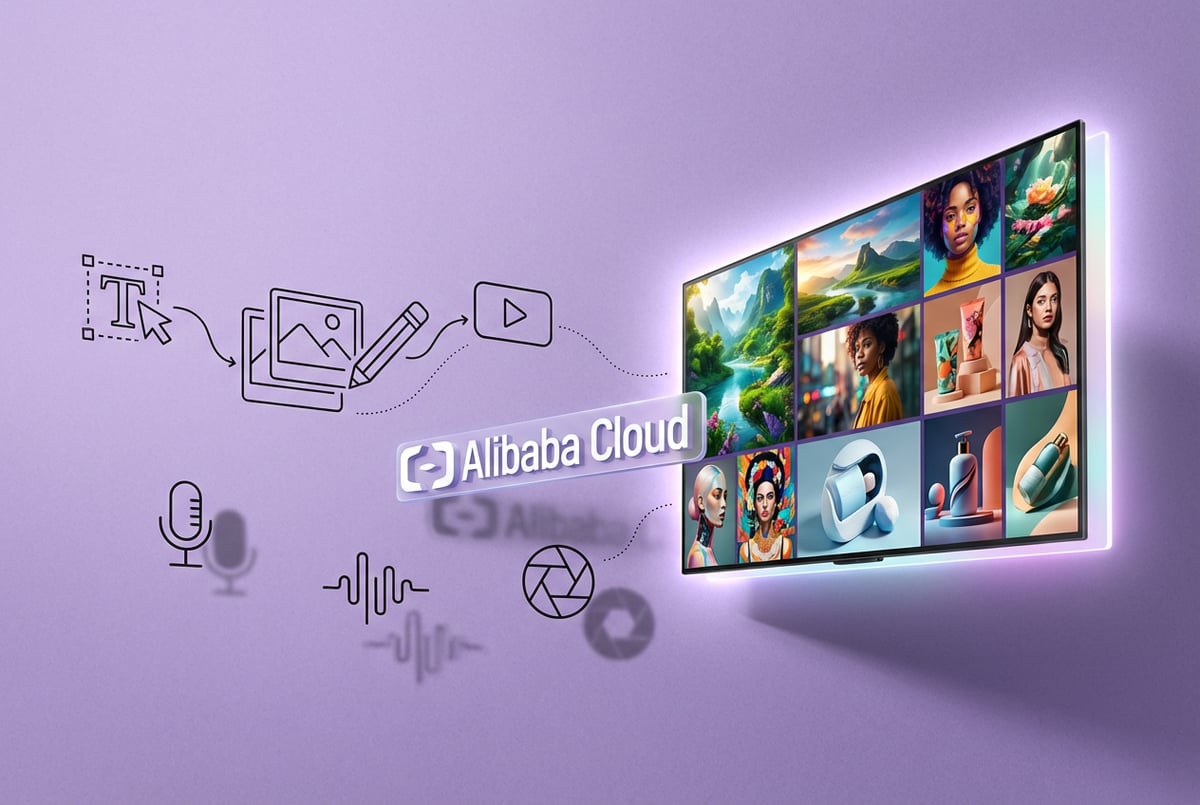
Wan 2.5 is a multimodal AI model from Alibaba that generates high-quality images and videos from text prompts. Unlike most AI image generators that focus on one task, Wan 2.5 handles both image creation and video generation in a single unified system. The model supports resolutions up to 1440x1440 for images and 1080p for video, making it competitive with leading tools like Midjourney and Stable Diffusion.
What makes Wan 2.5 different is its native audio generation capability. When you create a video, the model generates synchronized sound effects, background music, and even dialogue with proper lip-sync. This removes the need for separate audio editing tools and speeds up content production.
The Wan model series started with version 2.1 in early 2025, followed by 2.2, and then 2.5 later that year. Each version brought improvements in image quality, motion dynamics, and prompt understanding. Version 2.6 followed in late 2025, adding extended video length and better character consistency.
Core Features of Wan 2.5
Wan 2.5 supports multiple generation modes within one model. You can generate images from text descriptions, create videos from text prompts, or animate static images into short video clips. The model also handles image-to-image transformations, allowing you to modify existing images while preserving their composition.
Other agents ship a demo. Remy ships an app.
Real backend. Real database. Real auth. Real plumbing. Remy has it all.

The text-to-image capability produces images with strong prompt adherence. When you describe specific lighting conditions, camera angles, or artistic styles, the model follows those instructions accurately. This matters for professional work where you need precise control over the output.
For video generation, Wan 2.5 creates clips up to 10 seconds long. The model understands cinematographic language, so you can specify camera movements like pans, zooms, and tracking shots. It also handles multi-character scenes with distinct actions and interactions.
The audio generation runs in parallel with video creation. The model produces sound effects that match on-screen actions, generates background music that fits the mood, and creates voice-over with synchronized lip movements. This happens in one process rather than requiring multiple tools.
Technical Architecture and Design
Wan 2.5 uses a Diffusion Transformer architecture with a Mixture-of-Experts design. The MoE approach activates different expert networks for different parts of the generation task. This keeps computational costs manageable while maintaining high quality.
The model includes specialized expert networks for high-noise and low-noise denoising stages. During early denoising, the high-noise expert focuses on overall composition and layout. In later stages, the low-noise expert refines details and textures. This division of labor improves both efficiency and output quality.
A custom Variational Autoencoder handles video compression and decompression. The Wan-VAE achieves compression ratios that allow 720p video generation on consumer GPUs. This matters because it makes the technology accessible beyond data centers with expensive hardware.
The model processes images and video in a unified latent space. This design choice allows smooth transitions between different generation tasks. You can start with an image, animate it into video, then use the final frame as input for another generation cycle.
Image Generation Capabilities
Wan 2.5 handles text-to-image generation across multiple artistic styles. You can request photorealistic images, illustrated artwork, or stylized renderings. The model maintains consistent quality across these different modes.
Text rendering within images is a standout feature. Many AI image generators struggle with legible text, producing garbled letters or incorrect words. Wan 2.5 generates clean, readable text in various fonts and styles. This makes it useful for creating marketing materials, social media graphics, and product mockups.
The model supports aspect ratios up to 21:9 and maximum resolution of 1440x1440 pixels. You can generate square images for social media, landscape images for presentations, or portrait-oriented graphics for mobile content. The quality remains consistent across these formats.
Image-to-image editing allows you to modify existing images through text instructions. You can change lighting, adjust colors, add or remove elements, or alter the artistic style. The model preserves the original composition while applying your requested changes.
Seed control enables reproducible results. When you find a generation you like, you can note the seed value and reuse it to create variations with consistent style and composition. This helps when you need multiple related images for a project.
Video Generation Features
Wan 2.5 generates video from text prompts with detailed motion control. You can specify how characters move, how cameras should behave, and how scenes should transition. The model interprets these instructions and creates coherent motion.
The image-to-video mode animates static images. Upload a photo or AI-generated image, describe the motion you want, and the model creates a short video clip. This works for product demos, character animation, and visual storytelling.
Camera control is granular. You can request specific cinematographic techniques like dolly shots, crane movements, or orbital arcs. The model understands these terms and applies them correctly, giving you professional-looking camera work without manual animation.
Temporal coherence means objects and characters maintain consistency across frames. Unlike some video generators that produce flickering or morphing artifacts, Wan 2.5 keeps visual elements stable throughout the clip.
The model generates multiple resolution options: 480p, 720p, and 1080p. Lower resolutions render faster and require less VRAM, while 1080p provides broadcast-quality output. You choose based on your hardware and quality needs.
Native Audio Generation
Audio generation happens simultaneously with video creation. The model analyzes the visual content and generates matching sound effects, ambient audio, and music. This synchronization is automatic rather than requiring manual audio editing.
Dialogue generation includes proper lip-sync. When you specify that a character should speak, the model creates both the audio and matching mouth movements. The timing stays accurate, avoiding the uncanny valley effect that comes from poor synchronization.
The model handles multilingual audio. You can generate dialogue in Chinese, English, or other languages, with appropriate lip movements for each language’s phonetics. This expands the model’s usefulness for international content.
Background music generation adapts to scene mood and pacing. The model creates musical elements that complement the visual content without overwhelming it. You can specify genre preferences or let the model choose based on the scene’s characteristics.
Sound effects match on-screen actions with millisecond precision. When objects collide, doors open, or footsteps occur, the audio timing aligns with the visual events. This attention to detail makes the output feel more polished and professional.
Open-Source Status and Licensing
The open-source status of Wan models is complex. Earlier versions like Wan 2.1 and 2.2 were released under permissive open-source licenses. These versions included full model weights, training code, and inference scripts that anyone could download and run locally.
Wan 2.5 took a different approach. Alibaba initially released it as an API-only service through Alibaba Cloud. No downloadable weights or source code became available at launch. This represented a shift from the fully open previous versions.
The commercial strategy involves offering managed API access for professional users who need guaranteed uptime and support. Meanwhile, the possibility of releasing community versions remains open for future dates, similar to how other companies release older models when newer versions launch.
For developers wanting to run models locally, Wan 2.2 remains the most advanced fully open-source option. It provides similar core capabilities to 2.5, though with some quality and feature differences. The 2.2 model weights are available through Hugging Face and can be deployed on consumer hardware.
Several third-party implementations and optimizations have emerged. Projects like WanGP and various ComfyUI nodes make it easier to run Wan models with reduced VRAM requirements. These community efforts help make the technology more accessible.
Hardware Requirements and Performance
Everyone else built a construction worker.
We built the contractor.
One file at a time.
UI, API, database, deploy.
Running Wan 2.5 locally requires significant computational resources. For basic image generation at 512x512 resolution, you need at least 8GB of VRAM. Higher resolutions and video generation demand more memory.
Video generation at 720p for 5-second clips typically requires 12-16GB of VRAM. For 1080p video or longer durations, you need 24GB or more. These requirements put the full capabilities beyond reach for many consumer GPUs.
Memory optimization techniques can reduce these requirements. Techniques like gradient checkpointing, attention slicing, and VAE tiling allow generation on GPUs with less VRAM, though at the cost of slower generation times.
Quantization methods compress model weights to lower precision formats. Using INT8 or FP8 quantization can reduce memory needs by 50% or more. The quality impact is minimal for most use cases, making this an effective way to run models on limited hardware.
Cloud-based access removes hardware constraints. Using API services means you don’t need a powerful local GPU. You pay per generation instead of investing in hardware. This works well for occasional users or those who need quick results without setup time.
Practical Use Cases
Marketing teams use Wan 2.5 for rapid content creation. Generate product visualizations, social media graphics, and advertising materials in minutes rather than hours. The text rendering capability makes it useful for creating promotional images with embedded text.
Content creators produce video clips for platforms like YouTube, TikTok, and Instagram. The 10-second length fits social media formats perfectly. Native audio generation eliminates the need for separate music licensing and voice recording.
E-commerce businesses create product demonstrations and lifestyle imagery. Start with a product photo and animate it to show different angles or use cases. This produces engaging content without expensive photo shoots or video production.
Educators generate visual aids and explanatory animations. Complex concepts become easier to understand when shown visually. The model’s ability to follow detailed instructions ensures accurate representation of educational content.
Game developers prototype characters and environments. Quick visual iterations help during the early design phase. Once concepts are approved, artists can refine them for final production quality.
Film and animation studios use it for pre-visualization. Directors can test camera angles, lighting setups, and scene compositions before committing to expensive production. This reduces wasted effort and improves planning.
Comparison with Alternative Models
Wan 2.5 competes with several established AI image and video generators. Stable Diffusion 3.5 offers similar image quality and is fully open-source. However, it lacks native video and audio generation, requiring separate tools for those tasks.
Midjourney produces excellent artistic images but operates only through Discord and doesn’t offer video generation. Wan 2.5’s unified approach handles more use cases in one system.
For video generation, models like Google’s Veo 3.1 and Runway’s Gen-3 compete directly with Wan 2.5. Veo offers higher cinematic quality but at significantly higher cost. Runway provides more editing features but doesn’t include native audio generation.
FLUX models focus purely on image generation with strong text rendering. They excel at typography but don’t handle video. Wan 2.5’s broader feature set makes it more versatile for mixed-media projects.
Seven tools to build an app. Or just Remy.
Editor, preview, AI agents, deploy — all in one tab. Nothing to install.
Pricing varies significantly across platforms. Wan 2.5 typically costs $0.02-0.05 per image and $0.08-0.15 per second of video. This positions it as more affordable than Veo or Midjourney while offering comparable or better features than similarly priced alternatives.
Prompt Engineering for Best Results
Effective prompts for Wan 2.5 follow a clear structure. Start with the main subject, add descriptive details, specify the setting and atmosphere, include camera or artistic direction, and finish with technical parameters.
For images, describe lighting conditions explicitly. Instead of “good lighting,” specify “soft diffused backlight with warm golden hour tones” or “harsh overhead fluorescent lighting creating strong shadows.” This precision helps the model understand your intent.
Video prompts benefit from cinematographic language. Use terms like “tracking shot following the subject,” “slow zoom into close-up,” or “static wide angle establishing shot.” The model recognizes these terms and applies them correctly.
Character descriptions need detail about appearance, expression, and action. Rather than “a person walking,” try “a middle-aged woman in a blue jacket walking confidently forward, slight smile, making eye contact with camera.” This specificity produces more intentional results.
Negative prompts help avoid common issues. Specify what you don’t want: “no text, no watermarks, no distortion, no extra limbs.” This reduces the chance of generating unwanted elements.
Prompt length affects results. For Wan 2.5, optimal prompts run 80-120 words. Shorter prompts may lack necessary detail, while very long prompts can confuse the model or dilute important information.
Integration with AI Workflows
Wan 2.5 works well as part of larger AI-powered workflows. You can combine it with other AI tools to create complete content production pipelines. For example, use a language model to generate script ideas, Wan 2.5 to create the visuals, and editing tools to polish the final output.
API access enables automation. Write scripts that generate images or videos based on data inputs, user requests, or scheduled triggers. This turns content creation from a manual process into an automated system.
For teams building more complex AI applications, platforms like MindStudio offer visual workflow builders that connect multiple AI models together. You can create applications that use Wan 2.5 for visual generation alongside other specialized models for text, data processing, or analysis. This no-code approach makes it easier to build sophisticated AI tools without extensive programming knowledge.
Integration with asset management systems streamlines production. Connect Wan 2.5 to digital asset libraries so generated content automatically goes to the right storage location with proper metadata. This keeps projects organized as volume scales up.
Quality control workflows benefit from AI assistance too. Use vision models to check generated images for specific criteria before final approval. This catches issues early and reduces manual review time.
Limitations and Considerations
Wan 2.5 has practical limits that affect its suitability for different projects. The 10-second video length restricts it to short clips. For longer content, you need to generate multiple clips and stitch them together, which can create continuity challenges.
Character consistency across multiple generations remains difficult. If you need the same character to appear in several separate videos, getting identical appearance requires careful prompt engineering and often some trial and error.
Other agents start typing. Remy starts asking.
Scoping, trade-offs, edge cases — the real work. Before a line of code.
Fine motor control and detailed hand movements are challenging for the model. Shots requiring precise finger positions or complex hand gestures may not render accurately. Plan around this limitation when possible.
Text generation within images works well for short phrases but becomes less reliable for longer passages. Paragraphs of text may have occasional errors or formatting issues. Review and potentially correct text-heavy outputs.
The model occasionally produces artifacts or unexpected elements. Even with good prompts, some generations include unwanted details or visual glitches. Generate multiple variations and select the best result rather than expecting perfection on the first try.
Ethical considerations matter when using AI-generated content. Disclose that content is AI-generated when appropriate. Respect copyright and don’t try to recreate specific copyrighted characters or scenes. Use the technology responsibly and within legal boundaries.
Community and Ecosystem
A growing community surrounds Wan models. Forums, Discord servers, and Reddit communities share prompts, techniques, and optimizations. These communities provide support for new users and advanced tips for experienced ones.
Third-party tools extend Wan’s capabilities. Custom user interfaces, workflow integrations, and optimization scripts make the models more accessible and powerful. Projects on GitHub offer implementations that run more efficiently than official releases.
LoRA (Low-Rank Adaptation) models fine-tune Wan for specific styles or subjects. Community members create and share these adapted models, expanding the range of possible outputs. Popular LoRAs cover specific art styles, character types, or visual effects.
Educational resources help users learn effective techniques. Tutorial videos, written guides, and prompt databases teach best practices for getting quality results. The community actively shares knowledge rather than keeping successful methods secret.
Feedback to developers shapes future versions. Alibaba’s team monitors community discussions and incorporates popular feature requests into new releases. This collaborative development approach benefits both users and developers.
Future Development and Roadmap
The Wan model series continues to develop rapidly. Version 2.6 arrived in late 2025 with improvements to video length, character consistency, and prompt understanding. This pattern of frequent updates suggests ongoing advancement.
Future versions will likely support longer video generation. The 10-second limit is a technical constraint that will ease as models become more efficient. Expect 30-second or 60-second clips in upcoming releases.
Resolution increases are probable. As computational efficiency improves, 4K video generation will become feasible on consumer hardware. This would make Wan competitive with professional video production tools.
Better character consistency across multiple generations would solve a current pain point. Techniques like reference-guided generation and improved identity preservation will help maintain character appearance across separate video clips.
Interactive editing capabilities may arrive. Instead of generating once and accepting the result, future versions might allow frame-by-frame adjustments or mid-generation course corrections.
The relationship between open-source releases and commercial services will continue to be interesting. Alibaba may follow a pattern of keeping the newest version commercial while eventually open-sourcing older versions after newer models launch.
Getting Started with Wan 2.5
Start by choosing your access method. If you want to experiment without setup, use API access through platforms that offer Wan 2.5. This gets you generating immediately without hardware concerns.
For local deployment, check your hardware first. Ensure you have sufficient VRAM for the generation modes you need. If your GPU falls short, look into optimized implementations that reduce memory requirements.
Begin with simple prompts to understand how the model interprets instructions. Create basic images before attempting complex video generations. This builds intuition about what works and what doesn’t.
Study examples from experienced users. Look at prompts that produced good results and understand why they worked. Notice patterns in successful prompt structure and apply those patterns to your own work.
Experiment with different parameters. Try various aspect ratios, resolutions, and generation settings. Understanding how these choices affect output quality and generation time helps you work more efficiently.
Keep a library of successful prompts. When you generate something good, save the exact prompt and parameters. Build a personal prompt collection that you can reference and adapt for future projects.
Join community spaces to learn from others. Ask questions, share your results, and contribute what you learn. The collective knowledge of the community accelerates individual learning.
Cost Considerations
Understanding the economics of using Wan 2.5 helps with project planning. API usage typically costs $0.02-0.05 per image depending on resolution. Video costs more, usually $0.08-0.15 per second of generated content.
For high-volume users, local deployment may be more economical despite upfront hardware costs. A capable GPU costs $1,500-3,000 but provides unlimited generations after that investment. Calculate your expected usage to determine which approach makes financial sense.
Credit systems on various platforms offer bulk discounts. Buying larger credit packages reduces per-generation cost. This matters if you know you’ll generate substantial content over time.
Free tiers and trials exist on some platforms. Use these to test whether Wan 2.5 fits your needs before committing to paid access. This prevents wasted spending on tools that don’t match your requirements.
Consider generation efficiency in your workflow. Refining prompts to get better first-try results reduces the need for multiple attempts. This saves both time and money compared to generating many variations.
Legal and Ethical Considerations
Copyright questions surround AI-generated content. In many jurisdictions, AI-generated works may have different copyright status than human-created content. Understand the laws in your area before using generated content commercially.
Training data sources affect ethical considerations. Alibaba hasn’t fully disclosed the training datasets for Wan models. This raises questions about whether copyrighted materials were used without permission. Consider these concerns when deciding whether to use the technology.
Disclosure practices matter for transparency. Many professional contexts require disclosure when content is AI-generated. News organizations, for example, typically require labeling AI-created images. Know your industry’s standards and follow them.
Deepfakes and misinformation are serious concerns. Using AI to create misleading content that appears to show real people or events can cause harm. Use the technology responsibly and don’t create deceptive content.
Commercial usage rights vary by platform. Some API services restrict commercial use or require specific licenses. Read terms of service carefully before using generated content in commercial projects.
Attribution requirements depend on licensing. While generated content may not require attribution to the AI model, respecting any applicable licenses protects you legally. When in doubt, consult legal advice for your specific situation.
Conclusion
One coffee. One working app.
You bring the idea. Remy manages the project.
Wan 2.5 represents a significant step forward in AI image and video generation. Its unified approach to visual and audio content creation removes friction from production workflows. The model’s strong prompt adherence and quality output make it competitive with established alternatives.
The open-source status remains somewhat uncertain. Earlier Wan versions provide a fully open option, while 2.5 operates primarily through API access. This creates options for different user types, from hobbyists running models locally to professionals needing reliable service.
Understanding Wan 2.5’s capabilities and limitations helps you decide if it fits your needs. The tool excels at short-form content with synchronized audio. It works well for social media, marketing materials, and rapid prototyping. For longer videos or projects requiring frame-perfect control, other tools may be better suited.
The technology continues advancing rapidly. Future versions will likely address current limitations while adding new capabilities. Staying informed about developments helps you take advantage of improvements as they arrive.
Whether you’re a content creator, marketer, developer, or designer, Wan 2.5 offers powerful tools for visual content production. The key is understanding how to use it effectively and integrating it appropriately into your workflow. With practice and experimentation, you can generate professional-quality visual content more efficiently than traditional methods allow.