
Prompt Engineering Articles
Browse 176 articles about Prompt Engineering.

The Context Sandwich: The Prompting Method That Gets Better AI Results
The Context Sandwich structures prompts with who you are, the task, and what good looks like. Learn how to use it for better AI outputs.

How to Use Depth Maps as Storyboards for AI Video Generation
Using depth maps instead of traditional storyboards improves foreground-background separation in AI video. Here's how to apply this technique.

What Is the Context Sandwich? The Prompting Method That Gets Better AI Results
The context sandwich wraps your task with who you are and what good looks like. Learn this simple prompting framework for ChatGPT Work and Claude agents.

AI Agent Harness Bloat: How to Audit and Clean Your Claude or ChatGPT Setup
Discover how accumulated rules, skills, and instructions degrade AI agent performance—and learn a 6-principle framework to clean your harness before it breaks.

What Is the 'Fable Mode' Skill? How to Make Cheaper Models Think Like Frontier AI
The Fable Mode skill extracts Claude Fable 5's reasoning habits and injects them into cheaper models like Opus. Here's how it works and how to build it.
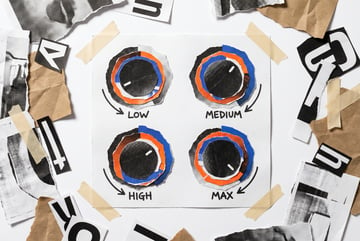
How to Use Effort Levels in Claude to Get Better Results Without Overspending
Claude's effort levels—low, medium, high, max—dramatically affect cost and quality. Learn when each level helps and when max effort actually hurts.

What Is the 'Fable Mode' Skill? How to Make Cheaper AI Models Think Like Frontier Models
The Fable Mode skill injects Claude Fable 5's reasoning habits into cheaper models like Opus, using five gates: scope, evidence, attack, verify, report.

What Is Semantic Compression? How to Cut AI Token Costs by 75% Without Losing Quality
Semantic compression rewrites prompts and system files to maximum information density. Learn how to reduce token usage by 75% with zero quality loss.

How to Prompt Claude Fable 5 for Maximum Output Quality: 6 Rules That Actually Work
Claude Fable 5 works best with short prompts, open-ended goals, and rich context. Learn 6 prompting rules from real usage to get the most out of the model.
How to Use Claude Fable 5 Without Triggering the Opus 4.8 Safety Fallback
Claude Fable 5 silently routes certain requests to Opus 4.8. Learn which prompts trigger the fallback and how to avoid it in your agent workflows.

How to Prompt Claude Fable 5 for Maximum Output Quality: 6 Rules from Anthropic
Anthropic's own documentation reveals six prompting rules for Claude Fable 5—including effort levels, negative prompting, and avoiding Opus fallback.

How to Build a Brand Context Folder for AI Agents: Voice Profile, Visual Identity, and Positioning
Stop getting generic AI outputs. Build a brand context folder with voice profile, design tokens, and positioning files that every agent session inherits.

How to Prompt Claude Fable 5 Like an Anthropic Engineer: 6 Rules That Actually Work
Anthropic's own best practices for Claude Fable 5 include giving context, negative prompting, effort levels, and avoiding reasoning requests that trigger Opus.
How to Build a Multi-Perspective AI Research Workflow Using the STORM Method
Stanford's STORM method uses five expert agent personas to produce research 25% more organized than single-prompt approaches. Here's how to build it.

How to Prevent AI Sycophancy in Your Workflows: The Multi-Persona Council Method
AI models agree with you 88% of the time. Learn how to use a multi-persona council—contrarian, buyer, researcher—to stress-test ideas before you build.

How to Prevent AI Sycophancy: Why Your Agent Agrees With Everything and How to Fix It
AI models agree with users 88% of the time. Learn how to use adversarial councils, devil's advocate prompts, and structured critique to get honest AI feedback.

GLM 5.2 Architecture Deep Dive: Index Share, Sparse Attention, and Multi-Token Prediction
GLM 5.2 achieves 2.9x fewer compute operations at 1M token context using Index Share sparse attention. Here's the technical breakdown for AI builders.

Static Context vs Dynamic Context in AI Agents: How to Manage What Your Agent Knows
Static context loads every session; dynamic context loads on demand. Learn how to balance both for token efficiency and reliable AI agent performance.

How to Design Agent Loops with Verifiable Stop Conditions
The best agent loops use objective stop criteria, not subjective ones. Learn how to define done conditions that agents can check deterministically.

Agentic Loop Design: How to Define Goals and Verification Criteria That Actually Work
The quality of an agentic loop depends entirely on its stop condition. Learn how to write objective, verifiable goals that prevent runaway agent sessions.