
Video Generation Articles
Browse 164 articles about Video Generation.

How to Use Depth Maps as Storyboards for AI Video Generation
Using depth maps instead of traditional storyboards improves foreground-background separation in AI video. Here's how to apply this technique.

What Is Real-Time AI Video Editing? Lucy 2.5 and the Self-Anchoring Model
Lucy 2.5 edits video live at 1080p 30fps using self-anchoring to stay consistent. Learn how real-time AI video compositing works and what it costs.

How to Build an AI Agent Workflow That Generates a Complete YouTube Video from One Prompt
Use a multi-agent pipeline to go from a single prompt to a finished YouTube video: script, storyboard, AI-generated visuals, voice, and editing—all automated.

How to Use AI for One-Person Short Film Production: Full Workflow and Cost Breakdown
Produce a complete AI short film solo using Seedance, ElevenLabs, GPT Image, and Claude Code. Includes script, voice, video generation, and editing workflow.

How to Use AI Video Generation for Content Marketing: A Multi-Agent Workflow
Build a multi-agent content pipeline that turns a single prompt into scripted, voiced, and edited video content using AI video tools and Claude Code.
Seedance 2.5 vs Gemini Omni Flash for AI Video Production: Which Wins?
Compare Seedance 2.5 and Gemini Omni Flash across video length, consistency, multimodal inputs, and cost to find the best AI video model for your workflow.

What Is Seedance 2.5? ByteDance's 30-Second AI Video Model With 50 Multimodal References
Seedance 2.5 generates 30-second 4K videos from up to 50 multimodal reference inputs. Learn what's new, how it solves consistency, and when to use it.
How to Generate AI B-Roll for Videos Using Claude Code and Gemini Omni
Use Claude Code and Gemini Omni to generate custom B-roll, animated web page highlights, and background effects for your videos without stock footage.

AI Video Effects for Content Creators: Runway, Seedance, and Gemini Omni Compared
Compare Runway, Seedance 2.0, and Gemini Omni for creating AI video intros, transitions, and background effects. Real-world results and workflow tips.

How to Build AI Video Intros and Location Transitions Using Runway and Seedance
Learn how to create cinematic video intros and seamless location transitions using Runway's keyframe feature and Seedance 2.0. Step-by-step workflow.

How to Use AI Video Effects to Make Your Videos Stand Out: Runway, Seedance, and Gemini Omni
Learn how creators use Runway keyframes, Seedance 2.0, and Gemini Omni to add intros, transitions, and visual effects to human-made videos.

How to Use AI for Video Transitions Between Locations: Runway and Seedance Techniques
Learn how to create seamless AI-powered location transitions using keyframe animation in Runway and Seedance 2.0—with exact prompts and tips.

How to Use Video-to-Video AI Editing to Create Viral Hooks and Ad Creative
Learn how to use video-to-video AI models like Gemini Omni to add outfit changes, lighting shifts, and effects to existing footage for ads.
What Is Gemini Omni Flash? Google's Conversational Video Editing API Explained
Gemini Omni Flash lets developers edit existing videos conversationally via API. Learn what it can do, how it compares to Seedance, and how to use it.
How to Use Gemini Omni Flash for Conversational Video Editing via the API
Gemini Omni Flash lets you edit video through natural language in multi-turn sessions. This guide covers the Interactions API and key use cases.
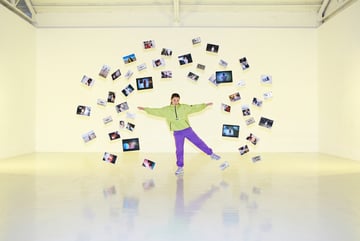
What Is Seedance 2.5's Multimodal Reference System? 50 Inputs, One Consistent Video
Seedance 2.5 supports up to 50 image, video, and audio references in a single generation. Here's how the reference system works and when to use it.
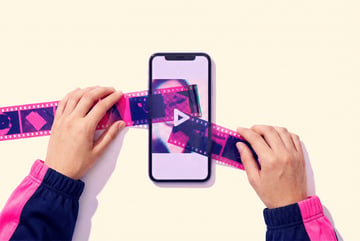
What Is Gemini Omni Flash? Google's Conversational Video Editing Model Explained
Gemini Omni Flash is Google's multimodal video model that lets you edit video through conversation—changing characters, lighting, and style iteratively.

How to Use the Gemini Omni Flash API for Conversational Video Editing
Learn how to use Google's Gemini Omni Flash Interactions API to edit videos with text prompts, swap characters, and restyle scenes programmatically.
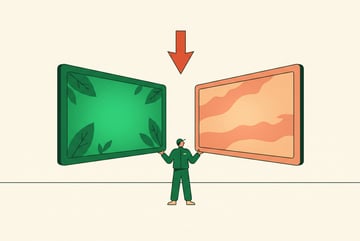
Gemini Omni Flash vs Seedance 2.5: Which AI Video Model Wins for Content Creation?
Compare Gemini Omni Flash and Seedance 2.5 on editing capabilities, pricing, output quality, and use cases for AI-powered content creation.
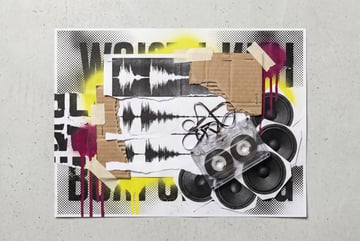
What Is Seed Audio 1.0? ByteDance's Audio Scene Generator for AI Workflows
Seed Audio 1.0 generates full audio scenes with dialogue, ambient sound, and effects. Learn how it works and how to use it in AI video workflows.