What Is Luma Boards and Agents? How to Build AI Storyboards with Thinking Image Models
Luma's Boards and Agents feature combines Uni1 image generation with an agentic canvas for building storyboards, character sheets, and video sequences.
The Case for AI-Powered Visual Storytelling
Storyboarding is one of the most time-consuming parts of pre-production. A single scene can require dozens of rough frames, each needing a clear sense of composition, character, lighting, and mood. Traditional storyboarding takes hours — sometimes days — even for experienced artists.
Luma Boards and Agents is a direct response to that problem. By combining an agentic canvas with Uni1, Luma’s thinking image model, it lets creators build storyboards, character sheets, and visual sequences using AI that actually reasons about what it’s generating. The result is something closer to a creative collaborator than a standard image generator.
This article breaks down how Luma Boards and Agents works, what makes Uni1 different from conventional image models, and how to use the system to build AI storyboards from scratch.
What Is Luma Boards?
Boards is Luma AI’s canvas-based workspace for visual creation. Think of it as an infinite whiteboard where you can generate, organize, and iterate on AI images in a structured layout.
Unlike a standard image generator — where you type a prompt and get a single output — Boards is built for multi-image workflows. You can arrange generated images spatially, side by side or in sequences, and work with them as a cohesive set rather than as isolated outputs.
- ✕a coding agent
- ✕no-code
- ✕vibe coding
- ✕a faster Cursor
The one that tells the coding agents what to build.

That spatial organization is what makes Boards practical for storyboarding. A storyboard isn’t one image; it’s a series of frames that tell a story. Boards gives you the place to build and view that series as a whole.
The Canvas Interface
The Boards canvas works similarly to tools like Figma or Miro, except the content is AI-generated imagery rather than shapes and text. From the canvas, you can:
- Create new image nodes and prompt for content directly on the board
- Arrange frames into rows or narrative sequences
- Zoom in on individual shots or pull back to view the full storyboard
- Attach text annotations for production notes, dialogue cues, and camera directions
- Regenerate specific frames without touching the rest of your sequence
The interface is built for iteration. If a frame isn’t working, you can adjust the prompt, regenerate, or ask the Agent to suggest alternatives without losing the rest of your work.
What Is Luma Agents?
The Agents layer is what separates Boards from a standard image canvas. Within Boards, an AI agent works alongside you to help build visual content based on high-level direction — not just individual prompts.
Instead of manually prompting for each image, you can describe what you need at a scene level — “a five-frame sequence showing a character walking through a rain-soaked city at night” — and the Agent generates a coherent set of frames that work together.
The Agent handles several things a standard image generator doesn’t:
- Sequence planning — Breaking a visual idea into individual frames with logical flow
- Style consistency — Maintaining visual coherence across multiple generations
- Character continuity — Keeping a character’s appearance, costume, and design stable across frames
- Iterative refinement — Adjusting specific frames based on feedback without losing overall coherence
This is where the “agentic” label earns its place. The Agent isn’t just passing your prompt to an image model — it’s reasoning about how the frames relate to each other and making decisions to maintain visual consistency across the board.
Uni1: What Makes a Thinking Image Model Different
Most image generation models work in a fairly direct way: you give them a prompt, they process it through a diffusion or transformer pipeline, and an image comes out. The model doesn’t deliberate about the prompt — it maps words to visual features learned during training.
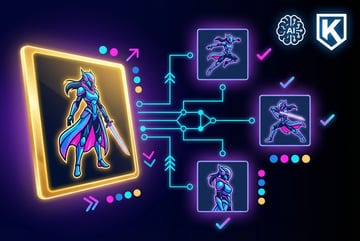
Uni1, Luma’s thinking image model, adds a reasoning step before generation. Before producing an image, the model works through contextual questions:
- What is the most important visual element in this prompt?
- What lighting, composition, and style best serve the intent?
- How does this frame relate to adjacent frames in the sequence?
- What details need to stay consistent with previous outputs?
This internal reasoning — structurally similar to chain-of-thought reasoning in language models — results in outputs that are more contextually aware. The model isn’t just responding to the literal words in a prompt; it’s interpreting the intent behind them.
Why This Matters for Storyboarding
Standard image models struggle with storyboarding for one fundamental reason: they have no memory of previous outputs. Each generation is independent. If you generate a character in frame one and then generate frame two separately, there’s no guarantee the character looks the same.
Everyone else built a construction worker.
We built the contractor.
One file at a time.
UI, API, database, deploy.
Thinking models address this by building consistency into the generation process. Uni1 can take prior frames as context and reason about how the next frame should relate to them. This doesn’t eliminate variation entirely, but it significantly reduces the manual correction work that makes AI storyboarding frustrating with conventional tools.
For filmmakers, game designers, and advertising creatives, this is a practical improvement. A storyboard where the hero’s costume keeps changing between frames isn’t usable. One where visual continuity is maintained — even if imperfect — is.
How to Build AI Storyboards: A Step-by-Step Workflow
Here’s a practical walkthrough of using Luma Boards and Agents for storyboard creation.
Step 1: Set Up Your Board
Create a new Board and give it a clear project name. Before generating anything, spend a few minutes on setup:
- Define your visual style — Cinematic realism, illustrated storyboards, anime, graphic novel? Establish this before your first generation.
- Document your character descriptions — Include specific physical details: hair color, length, and style; build; age; clothing. Vague descriptions lead to inconsistent results.
- Outline the scene — Know the narrative arc you’re storyboarding, not just the individual shots. The Agent works better when it understands the story context.
Step 2: Give the Agent a Scene-Level Prompt
Open a conversation with the Agent and describe the full scene rather than individual frames. A strong scene prompt includes:
- The setting (location, time of day, interior or exterior, weather)
- The characters and their detailed physical descriptions
- The key action or emotional beat the scene communicates
- The number of frames you want
- Specific shot types needed (wide shot, close-up, over-the-shoulder, POV)
Example prompt: “Generate a six-frame storyboard for a scene where a detective enters an abandoned warehouse at night. She has chin-length straight red hair, wears a grey trench coat, and carries a flashlight. Start with a wide exterior establishing shot. Then show her pushing open the heavy door, walking through the dark interior, crouching to examine a clue on the floor, a close-up of her reaction, and a final wide shot revealing how large and dark the space is.”
Step 3: Review and Iterate
The Agent will generate an initial set of frames and place them on your canvas. Review each one for:
- Narrative logic — Do the frames read in the right order? Does the sequence tell the story?
- Visual consistency — Does the character look the same across frames? Is lighting consistent?
- Shot purpose — Does each frame fulfill its intended role (establishing, reaction, reveal)?
For frames that need work, give the Agent specific feedback (“the character’s coat should be grey in frame three, not dark brown”) or regenerate individual frames without touching the others.
Step 4: Add Production Annotations
Once you have a working sequence, annotate each frame. Use text notes for:
- Camera movement (push in, pan left, handheld, static)
- Dialogue or voiceover copy
- Sound cues or music direction
- Approximate shot duration
- Action or blocking notes
This turns an image sequence into a proper storyboard your production team can work from.
Step 5: Export and Move into Production
When the board is complete, export frames for use downstream. Common outputs include:
- Individual frames as PNG or JPEG files for inclusion in pre-production documents
- Full board exports as image grids or PDFs for client or crew presentations
- Individual frames as reference images for video generation in Dream Machine, Luma’s video model
Other agents ship a demo. Remy ships an app.
Real backend. Real database. Real auth. Real plumbing. Remy has it all.
Using Luma Boards storyboards as input to Dream Machine is a natural workflow extension — moving from a static storyboard into rough animatics without leaving the Luma platform.
Maintaining Consistency Across Frames
Character and visual consistency is one of the harder problems in AI storyboarding. Here are the most effective techniques when working in Boards:
Be specific in character descriptions. “Red hair” produces inconsistent results. “Chin-length straight red hair, slightly textured, no bangs, worn behind one ear” gives the model much more to anchor on.
Generate a hero frame first. Create one frame that captures exactly the visual style and character design you want. Reference it explicitly in subsequent prompts (“maintain the same visual style as frame one”).
Work in small batches. Rather than generating 12 frames at once, work in sequences of 3–4 frames. Review and refine before continuing. Fewer frames to fix if something goes wrong.
Reference prior frames as context. When prompting for new frames, explicitly tell the model to maintain consistency with previous outputs. Uni1 uses this context information rather than generating from scratch.
Accept imperfection and plan for manual touch-ups. Even with thinking models, AI storyboards will have inconsistencies. Treat AI-generated boards as working drafts, not finished artwork. A few manual corrections are faster than generating everything from scratch.
Practical Use Cases Beyond Film
Luma Boards and Agents isn’t limited to film pre-production. Here’s where else teams are putting it to work:
Advertising Creative Development
Ad agencies use AI storyboards to pitch concepts to clients before committing to production budgets. A Boards sequence can show a 30-second commercial from opening frame to close — quick enough to produce overnight, detailed enough to communicate the creative direction clearly.
Game Concept Art
Game developers use Boards to explore character designs, environment concepts, and scene compositions early in development. The Agent can generate multiple variations of a character or setting quickly, giving art directors a fast way to explore and compare directions.
Animation Planning
Animators use Boards to establish key frames and pose sequences before moving into animation software. A rough AI sequence helps lock down timing, staging, and character posing before the labor-intensive frame-by-frame work begins.
Content Creation and Serialized Media
Creators making serialized content for YouTube, Instagram, or TikTok use Boards to plan visual narratives and maintain consistent visual branding across episodes or posts. It’s particularly useful for creators who want a scripted visual identity without hiring a design team.
How MindStudio Extends AI Visual Workflows
Luma Boards and Agents covers the storyboarding phase well, but most real production workflows extend beyond a single platform. That’s where MindStudio’s AI Media Workbench fits in.
MindStudio gives you access to 200+ AI models — including image models like FLUX and video models like Veo and Sora — in one place, without separate API keys or accounts. You can run image generation alongside your Luma workflow, compare outputs across models, and chain media tasks into automated pipelines.
The AI Media Workbench includes 24+ media tools that complement visual production work:
- Upscaling — Bring AI storyboard frames to production resolution for client presentations
- Background removal — Isolate characters for compositing into different environments
- Face swap and character consistency tools — Useful for maintaining character appearance when working across multiple models
- Clip merging and subtitle generation — For turning storyboard animatics into rough cuts
One coffee. One working app.
You bring the idea. Remy manages the project.
Beyond individual tools, MindStudio’s no-code agent builder lets you automate steps around your visual workflow. For example, you could build an agent that takes a script, breaks it into scenes, generates a storyboard image for each scene, and assembles the results into a formatted PDF — running automatically without manual prompting for each step.
If you’re doing AI-powered visual production at any scale, it’s worth exploring as a complement to Luma’s native tools.
For teams already integrating AI image and video generation into production workflows, MindStudio’s unified approach reduces the friction of working across multiple platforms and tools.
Frequently Asked Questions
What is the difference between Luma Boards and Luma Dream Machine?
Dream Machine is Luma’s video generation model — you provide a text prompt or reference image, and it generates a short video clip. Boards is a canvas interface that works primarily with image generation (powered by Uni1) to help build storyboards and visual sequences. The two are complementary: use Boards to create a storyboard, then feed individual frames into Dream Machine to generate video clips for each shot.
What is a thinking image model?
A thinking image model adds a reasoning step to the generation process. Before producing output, the model internally works through questions about the prompt — considering composition, context, consistency with prior frames, and visual intent. Uni1 is Luma’s implementation of this approach. The practical result is images that are more contextually appropriate and consistent than what standard prompt-to-image models produce, particularly across multi-frame sequences.
Can Luma Boards maintain character consistency across frames?
Luma Boards and Agents is specifically designed to help with character consistency, and Uni1’s reasoning step improves on what standard models can do. In practice, consistency isn’t perfect — AI models still vary in how they render details across separate generations. Using detailed character descriptions, establishing a reference frame early, and iterating in small batches are the most effective ways to improve consistency within the platform.
Is Luma Boards free to use?
Luma AI offers a free tier for their platform, though access to Boards, Agents, and Uni1 generation capacity is subject to usage limits that vary by plan. Paid tiers offer higher generation limits and priority access. Check Luma AI’s current pricing page directly for up-to-date plan details, as these change with new feature releases.
What file formats can I export from Luma Boards?
Luma Boards supports exporting frames as standard image files (PNG or JPEG). Full board exports are typically available as image grids or PDFs suitable for sharing in pre-production documents or client decks. Individual frames can also be used as reference images or starting frames when generating video clips in Dream Machine.
How does Luma Boards compare to other AI storyboarding tools?
Luma Boards stands out for its tight integration between an agentic canvas, a reasoning image model (Uni1), and a native path into video generation via Dream Machine. Tools like Midjourney or DALL-E can generate individual frames but lack a canvas interface and agentic consistency layer. Dedicated storyboarding tools like Boords or StudioBinder offer stronger production workflow features but don’t include AI generation natively. Luma sits at the intersection of AI image generation and structured storyboard workflow in a way that most current tools don’t.
Key Takeaways
- Luma Boards is an agentic canvas for building AI-generated image sequences, including storyboards, character sheets, and shot plans — organized spatially on an infinite whiteboard.
- Luma Agents work within the canvas to generate multi-frame sequences, maintain visual consistency, and iterate on concepts from high-level direction rather than individual prompts.
- Uni1 is Luma’s thinking image model, which adds a reasoning step before generation to produce more contextually aware and consistent outputs — especially valuable across multi-frame sequences.
- The core storyboarding workflow involves setting up a Board, giving the Agent a scene-level prompt, reviewing and refining frames, annotating with production notes, and exporting for downstream use.
- Beyond film, the toolset is useful for advertising pitches, game concept art, animation planning, and serialized content creation.
- Tools like MindStudio extend this workflow further, providing access to multiple AI image and video models, 24+ media processing tools, and the ability to automate visual production pipelines — all without code.