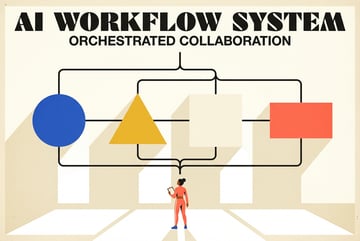
What Is Parallel Agentic Development? A Playbook for 10x AI Coding Output
Run multiple Claude Code sessions simultaneously using git worktrees, database branching, and port isolation to ship features in parallel without conflicts.

The Problem With One Agent at a Time
Most developers using AI coding tools are still working sequentially. One Claude Code session. One task. Wait for it to finish. Start the next one.
That’s not how engineering teams work. And it’s not how AI agents need to work either.
Parallel agentic development means running multiple AI coding sessions simultaneously — each working on a different feature or module — so your total shipping time compresses dramatically. Instead of feature A → feature B → feature C taking three days, all three run in parallel and land the same afternoon.
The idea sounds simple. The execution has a few sharp edges. This playbook covers what parallel agentic development actually is, why the naive approach breaks down, and the specific infrastructure patterns — git worktrees, database branching, port isolation — that make it work reliably.
What Parallel Agentic Development Actually Means
Sequential development, AI-assisted or not, is fundamentally linear. One context, one branch, one dev server, one agent working through a task list. You finish a feature, review it, merge it, then start the next.
Parallel agentic development breaks that constraint. You define multiple independent work units, spin up a separate agent context for each, and let them run concurrently. When each finishes, you review and merge.
This maps directly to how engineering teams already think about work. Separate branches for separate features. Different engineers working on different parts of the codebase. PR reviews running while new work starts. Parallel agentic development just applies that same model to AI agents instead of human engineers.
The payoff is significant. If each feature takes two hours for an agent to complete, and you have five features ready to build, sequential execution takes ten hours. Running them in parallel takes roughly two hours plus coordination overhead. That’s the math that makes this approach worth learning.
The challenge is that agents don’t naturally stay out of each other’s way. Without the right setup, they write to the same files, conflict on database schemas, and fight over the same dev server port. The three-layer isolation stack — worktrees, database branches, port namespacing — is what prevents that.
For a deeper look at how this plays out in Claude Code specifically, the parallel agentic development guide covering Claude Code and worktrees is worth reading alongside this one.
Layer 1: Git Worktrees for File System Isolation
The most fundamental conflict in parallel development is file system conflict. Two agents working in the same directory will overwrite each other’s changes, create merge disasters, and leave your codebase in an undefined state.
Git worktrees solve this cleanly.
A worktree is a separate checkout of your repository — its own directory on disk, pointing to its own branch — but sharing the same .git history. You don’t clone the repo multiple times (which wastes disk space and breaks shared git objects). You create lightweight working directories that each have their own branch state.
Setting Up Worktrees
Start from your main project directory:
# Create a worktree for a new feature branch
git worktree add ../project-feature-auth feature/auth-system

# Create another for a different feature
git worktree add ../project-feature-payments feature/payment-integration

# List all active worktrees
git worktree list
Now you have three separate directories: your main checkout, ../project-feature-auth, and ../project-feature-payments. Each has its own working tree, its own branch, and its own staged/unstaged changes. You can run a separate Claude Code session in each directory without any risk of file conflicts.
Why This Beats Branching Alone
If you switch branches in a single directory, you can only work on one branch at a time. You’d need to stash changes, switch, work, switch back — a constant context-switching tax. Worktrees eliminate that. Each directory stays on its branch permanently until you remove the worktree.
When an agent finishes its task in a worktree, you review the output, merge the branch, then clean up:
git worktree remove ../project-feature-auth
git branch -d feature/auth-system
For a step-by-step walkthrough of using git worktrees with Claude Code for parallel development, including the exact workflow from branch creation to merge, that guide covers the mechanics in detail.
Layer 2: Database Branching for State Isolation
File system isolation keeps agents from overwriting each other’s code. But if they’re all hitting the same database, you still have a conflict problem — just at the data layer.
Seven tools to build an app. Or just Remy.
Editor, preview, AI agents, deploy — all in one tab. Nothing to install.

Consider two agents running simultaneously: one building a user permissions feature that adds a roles column to the users table, and another building an analytics module that adds an events table with a foreign key back to users. If they’re both running schema migrations against the same database, one migration will block or corrupt the other.
The solution is to give each agent its own database state.
Options for Database Isolation
SQLite (lightest weight): If your app uses SQLite, each worktree gets its own .db file automatically — as long as your database path is relative to the project directory (e.g., ./db/app.sqlite). Since each worktree is a separate directory, there’s no shared database at all.
PostgreSQL with schemas: For Postgres, you can create a separate schema per feature branch. Schemas act as namespaces within a single Postgres instance:
-- For the auth feature agent
CREATE SCHEMA feature_auth;
SET search_path TO feature_auth;

-- For the payments feature agent
CREATE SCHEMA feature_payments;
SET search_path TO feature_payments;
Each agent runs its migrations within its own schema. When you’re ready to merge, you apply the schema changes to the main database and drop the feature schema.
Database branching tools: Tools like Neon (Postgres) support actual database branching — creating a copy-on-write snapshot of the database state that an agent can migrate and modify independently. This is the cleanest option for teams with more complex state requirements.
In-memory databases for testing: For agents that are primarily building and testing new features rather than migrating existing data, spinning up an in-memory database per session is fast and requires zero cleanup.
The Configuration Pattern
Set your database connection string in the agent’s environment, not in shared config:
# In worktree for feature/auth-system
DATABASE_URL=postgres://localhost/myapp_feature_auth

# In worktree for feature/payments
DATABASE_URL=postgres://localhost/myapp_feature_payments
Each agent reads its own environment. No shared state. No migration conflicts.
Layer 3: Port Isolation for Local Dev Servers
The third conflict surface is network ports. Your main app probably runs on port 3000. If you start a dev server in two different worktrees, the second one fails with “port already in use.”
The fix is straightforward: assign each worktree a unique port range.
Assigning Ports Systematically
The simplest approach is a naming convention:
| Branch | Frontend Port | Backend Port | Database Port |
|---|---|---|---|
| main | 3000 | 4000 | 5432 |
| feature/auth-system | 3001 | 4001 | 5433 |
| feature/payments | 3002 | 4002 | 5434 |
You can encode this in each worktree’s .env.local:
# feature/auth-system/.env.local
PORT=3001
API_PORT=4001
When you tell your agent to start the dev server in its worktree, it reads the local environment and binds to a unique port. You can have three dev servers running simultaneously and access each at its own address.
For more complex setups — particularly where agents need to interact with browsers or run end-to-end tests — running parallel browser agents across multiple Claude Code instances covers how to handle browser context isolation alongside port isolation.
Coordinating Multiple Agents: Patterns That Work
Isolation prevents conflict. Coordination is what makes parallel work productive. You need to think about how agents communicate their progress, how you divide work, and how you handle dependencies between tasks.
The Task Board Pattern
The simplest coordination mechanism is a shared task file that all agents can read (but not write to simultaneously). This is typically a TASKS.md or .agent-tasks/ directory in the main repo — not in any worktree.
Other agents ship a demo. Remy ships an app.
Real backend. Real database. Real auth. Real plumbing. Remy has it all.
Each agent is assigned a task from the board before starting. Once assigned, it owns that task. No two agents work on the same task.
## Active Tasks

- [ ] feature/auth-system — Agent A — Build user authentication with session management
- [ ] feature/payments — Agent B — Integrate Stripe checkout flow
- [ ] feature/analytics — Agent C — Add event tracking and dashboard

## Completed

- [x] feature/search — Agent A — Full-text search on products table
This approach maps well to Claude Code agent teams, where parallel agents share a task list in real time. The details of how task claiming and status updates work in practice are worth understanding before you scale to more than a few agents.
The Operator Pattern
For larger parallel setups, an operator agent manages the overall workflow. The operator doesn’t write code — it breaks down the project into independent tasks, spawns sub-agents, monitors their progress, and handles handoffs.
This is the Claude Code operator pattern for running multiple agents in parallel terminals. The operator maintains awareness of the whole project state while each sub-agent maintains deep focus on its specific task.
The separation matters because individual agents have limited context windows. An agent focused on the payment integration feature doesn’t need to know everything about the auth system. The operator holds the project-level view; the sub-agents hold the feature-level view.
Handling Dependencies Between Tasks
Not every feature is independent. Sometimes feature B depends on an API that feature A is building. You have two options:
Stub the dependency: Feature B’s agent works against a mock implementation of feature A’s API. When feature A merges, feature B replaces the stub with the real implementation. This keeps both agents unblocked.
Sequence the dependent work: If feature B genuinely can’t be stubbed, keep it on the sequential queue and only start it after feature A merges. Not every task should run in parallel.
A related pattern — the split-and-merge approach where sub-agents run in parallel within a single session — handles this at a lower level of granularity. Instead of parallel sessions for separate features, sub-agents handle parallel subtasks within a single feature.
What Work Parallelizes Well (and What Doesn’t)
Not all development tasks are equally suited to parallel execution. Choosing what to parallelize is as important as knowing how.
High-Parallelization Candidates
- Independent features — UI components, separate API endpoints, new integrations that don’t touch shared core logic.
- Testing and quality checks — Running a test suite, linting, security scanning, and generating documentation can all run simultaneously against separate worktrees. The builder-validator chain pattern applies well here.
- Refactoring separate modules — If you’re cleaning up the database layer and the API serialization layer independently, both can run in parallel.
- Research and analysis — One agent can analyze the codebase for potential improvements while another builds a new feature. Analysis agents typically read-only, so conflict risk is zero.
Poor Parallelization Candidates
- Shared core infrastructure — If two features both require changing the core auth middleware, they’ll conflict. Pick one order and sequence them.
- Database schema changes to shared tables — Adding columns to a table that another agent is also modifying creates migration conflicts that are painful to untangle.
- Tightly coupled logic — Features that call each other heavily are better built in sequence, with clear interfaces defined first.
Built like a system. Not vibe-coded.
Remy manages the project — every layer architected, not stitched together at the last second.
Understanding where your project sits on the spectrum of agentic coding levels helps here. Early-stage projects with loose coupling are easier to parallelize than mature codebases with lots of shared state.
A Practical Parallel Workflow: Step by Step
Here’s a concrete workflow you can follow for a sprint’s worth of features.
Step 1: Break down the work
Identify 3–5 features or tasks that are reasonably independent. Write a one-paragraph spec for each, including acceptance criteria. If two tasks touch the same files or tables, note the dependency.
Step 2: Create worktrees
For each feature, create a worktree from your current main branch:
git worktree add ../project-feature-search feature/search
git worktree add ../project-feature-notifications feature/notifications
git worktree add ../project-feature-export feature/export
Step 3: Configure isolation
In each worktree, set up the local environment:
- Unique port numbers in
.env.local - Separate database connection string
- Any feature flags or environment-specific configuration
Step 4: Start agents
Open separate terminal sessions (or tmux panes), navigate to each worktree, and start a Claude Code session with the feature spec. You can run Claude Code in headless mode if you want the agents to run without interactive terminals.
Step 5: Monitor progress
Check in on each session periodically. For longer-running tasks, agents can write status updates to a shared log file. Fix blockers as they arise — the key is not letting one blocked agent hold up your attention when others are making progress.
Step 6: Review and merge
As each agent finishes, review the diff in its worktree. Run the tests. If it looks good, merge to main and remove the worktree:
cd ../project-feature-search
git push origin feature/search
# Open PR, review, merge
cd ../project
git worktree remove ../project-feature-search
Step 7: Repeat
Once a slot frees up from a merged feature, start the next task. You maintain a rolling pipeline of parallel work.
For teams that want a more structured management layer over this process, building an AI command center for managing multiple Claude Code agents covers how to add tooling around this workflow.
Common Mistakes and How to Avoid Them
Parallelizing too aggressively
Starting ten simultaneous agent sessions when you’ve never run two before is a bad idea. Start with two or three. Learn the coordination overhead. Then scale.
Skipping the isolation setup
Running parallel agents in the same directory without worktrees, sharing a database, using the same port — this fails quickly and messily. The setup takes fifteen minutes. Do it.
Specs that are too vague
An agent working on “improve the user experience” in parallel with another agent will inevitably conflict with something. Tasks need clear scope boundaries. “Add server-side pagination to the /api/products endpoint” is good. “Make the app faster” is not.
No checkpoints
Long-running agents can drift in the wrong direction. If an agent has been running for two hours and you haven’t checked in, it may have built the wrong thing entirely. Set a personal rule to check agent progress every 20–30 minutes.
Forgetting to pull before creating worktrees
Create all worktrees from the same commit on main. If some worktrees branch from older commits, your merges will be messier than necessary.
Where Remy Fits
- ✕a coding agent
- ✕no-code
- ✕vibe coding
- ✕a faster Cursor
The one that tells the coding agents what to build.
Parallel agentic development at the code level — managing worktrees, ports, and database schemas — requires nontrivial coordination overhead. It’s powerful, but the scaffolding is real work.
Remy approaches this from a different angle. Instead of coordinating multiple agents against a shared TypeScript codebase, Remy starts from a spec — a structured markdown document that defines what the app does, including data types, validation rules, and business logic. The spec is the source of truth. The code is compiled output.
That separation has a direct bearing on parallel work. When multiple agents contribute to a spec-driven project, they’re editing a structured document with clear section boundaries rather than files in a shared codebase. Conflicts are more explicit and easier to resolve because the spec itself encodes intent, not implementation.
And because Remy compiles a full-stack application — backend, database, auth, deployment — from the spec on every build, you don’t need to manually coordinate database migrations or dev server ports. The compilation handles that.
If you’re spending significant energy on the coordination infrastructure around parallel agentic development, it’s worth asking whether the underlying development model is the right starting point. Remy is a different level of abstraction — one where the agent works on the spec, not the code. You can try it at goremy.ai.
Frequently Asked Questions
What is parallel agentic development?
Parallel agentic development means running multiple AI coding agents simultaneously, each working on a separate feature or task, so that total development time compresses rather than accumulating sequentially. Instead of AI helping you with one task at a time, you have several AI agents working in parallel on independent parts of the codebase.
How do I prevent agents from conflicting with each other?
The standard approach is a three-layer isolation stack: git worktrees give each agent its own file system working directory and branch; database branching or separate databases give each agent its own state layer; and port assignment gives each agent’s dev server a unique local address. With all three in place, agents can run simultaneously without interfering.
How many parallel agents can I run at once?
This depends on your machine’s resources and your API rate limits more than any fundamental constraint. Most developers find 3–5 parallel sessions manageable. Beyond that, the coordination overhead (reviewing outputs, handling blockers, merging results) starts to saturate your attention. The goal is to stay slightly ahead of your review capacity, not to maximize agent count.
Does parallel agentic development work for all types of projects?
It works best for projects with clear module boundaries and independent features. Monolithic codebases with lots of shared state are harder to parallelize. Newer projects, or projects with a clean service-oriented architecture, are easier. The more independent your tasks are, the more cleanly parallel execution works.
What’s the difference between parallel agents and agent teams?
Remy is new. The platform isn't.
Remy is the latest expression of years of platform work. Not a hastily wrapped LLM.
Parallel agents typically refers to completely separate Claude Code sessions, each in its own worktree, working on independent tasks. Agent teams are a more tightly coordinated pattern where multiple agents operate within a shared context and divide subtasks of a single larger task. Both patterns have their place — see the Claude Code agent teams documentation for how the coordinated team approach works in detail.
Do I need special tooling to run parallel agents?
No. You can implement the core pattern with standard git commands (for worktrees), environment variables (for ports and database URLs), and multiple terminal windows. More sophisticated setups — dashboards, automated task assignment, monitoring — add convenience but aren’t required to start.
Key Takeaways
- Parallel agentic development runs multiple AI coding sessions simultaneously, compressing total build time significantly.
- The three-layer isolation stack — git worktrees, database branching, and port assignment — prevents agents from conflicting with each other.
- Task division is as important as the technical setup. Independent, well-scoped tasks parallelize well; tightly coupled tasks should stay sequential.
- Coordination patterns like task boards and operator agents help manage multiple simultaneous sessions without losing visibility.
- Start with two or three parallel sessions to learn the workflow before scaling further.
- If the coordination overhead feels like it’s eating the gains, spec-driven tools like Remy approach the problem from a higher level of abstraction — worth exploring as a complement or alternative.