ChatGPT Images 2.0: What It Can Do and How to Use It for Content and Apps
ChatGPT Images 2.0 tops LM Arena with thinking-enabled image generation. Here's what it can do and how to use it in real workflows.

OpenAI’s Most Capable Image Model Yet
ChatGPT Images 2.0 is the version of ChatGPT’s image generation that actually makes you stop and pay attention. It topped the LM Arena image generation leaderboard — a benchmark driven by real human preference votes — and the reason is pretty straightforward once you understand what changed: it thinks before it draws.
That might sound like a small thing. It isn’t. Most image generation models treat a prompt as a set of keywords to pattern-match against training data. ChatGPT Images 2.0 applies a reasoning step first, interpreting what you actually want, considering spatial relationships, text placement, and visual logic, before a single pixel is generated. The results are noticeably different, especially on complex prompts.
This article covers what ChatGPT Images 2.0 can do, where it fits into real content workflows, how to use it in apps via the API, and where its limits are. If you’ve been watching the AI image space and wondering when it would get good enough to replace a meaningful portion of your creative work — this is worth reading.
What’s New in ChatGPT Images 2.0
To understand the upgrade, it helps to know what came before. GPT Image 1 was OpenAI’s first natively integrated image model — built directly into ChatGPT rather than bolted on via DALL-E. It was a significant step forward from DALL-E 3, with better instruction following and stronger text rendering. But it still struggled with complex layouts, multi-element compositions, and anything requiring genuine visual reasoning.
ChatGPT Images 2.0 closes most of those gaps.
Thinking-Enabled Generation
The headline feature is thinking integration. Before generating an image, the model reasons through the prompt — identifying potential ambiguities, planning element placement, and flagging where the request might produce something inconsistent or off-brand. You can actually see this reasoning chain in the ChatGPT interface before the image appears.
This matters most when your prompt has multiple conditions: “a product photo of a blue water bottle on a white marble surface with soft shadows and a succulent in the background, shot from a 45-degree angle.” A non-thinking model often fails on one or two of those constraints. The 2.0 model handles them together because it’s treating the prompt as a problem to reason through, not a bag of tokens to decode.
Better Text Rendering
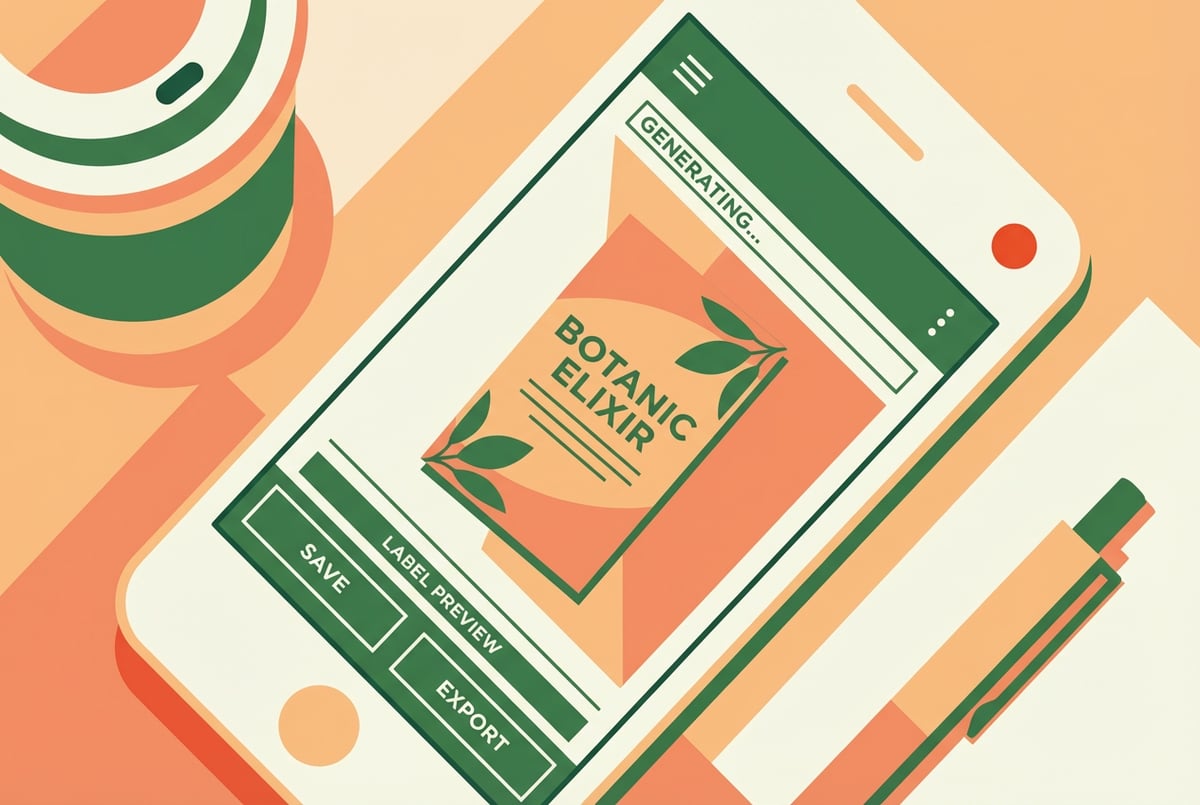
Text in AI-generated images has been notoriously unreliable — misspellings, warped letterforms, made-up words. ChatGPT Images 2.0 is substantially better here. Short strings of text on signs, labels, banners, and UI mockups render correctly most of the time. Longer passages still get shaky, but for common use cases like ad creative and social graphics, it’s finally reliable enough to use in production.
Instruction Following and Editing
The model handles multi-turn editing much more cleanly. You can say “make the background darker” or “move the logo to the top right” without the model forgetting the rest of the image. Previous versions often regenerated the entire image from scratch on each edit, losing established elements. The 2.0 version preserves context across refinements, which is what makes it actually useful in a real workflow rather than a demo.
Style and Brand Consistency
You can upload reference images — brand guidelines, existing photos, mood boards — and the model will extract style signals from them. Colors, lighting style, and composition language carry forward into generated images. This is where it starts competing seriously with more specialized tools. For teams that need visual consistency across content formats without hiring a designer for every asset, this is the practical unlock.
The LM Arena Result: What It Actually Means
LM Arena’s image generation leaderboard is crowdsourced from thousands of side-by-side comparisons where real users pick the image they prefer without knowing which model produced it. ChatGPT Images 2.0 reaching the top spot means people consistently preferred its outputs over alternatives — not that it scored well on automated metrics.
This matters because image quality is inherently subjective. Automated scoring doesn’t capture whether an image feels right for a given context. Human preference benchmarks are noisier, but they’re more honest about what people actually want to use.
That said, “best on a benchmark” doesn’t mean “right for every job.” Comparing GPT Image 2 against Imagen 3 and other leading models shows that different tools still have different strengths depending on the use case. The 2.0 version tends to win on commercial realism and instruction fidelity. It’s not always the top pick for pure artistic or painterly outputs.
What ChatGPT Images 2.0 Can Actually Do
Here’s a practical breakdown of where this model delivers and where it still has edges.
Product Photography and E-Commerce Visuals
Drop in a product image, describe a scene, and get a clean product photo with a proper background, lighting, and staging. AI product photography for e-commerce has gotten genuinely viable with this generation of models. The thinking step helps here because it reasons about lighting direction and shadow consistency rather than just applying a generic “studio look.”
Real output quality varies with product complexity. Simple objects — bottles, boxes, cosmetics, electronics — work very well. Products with irregular shapes or highly reflective surfaces are still harder.
Marketing and Ad Creative
Banner ads, social posts, email headers, and display ads are all in scope. The model understands aspect ratios, can handle overlaid text, and follows compositional conventions for different ad formats. If you pair it with AI banner and ad creative templates, you can systematize this across campaigns at significant scale.
Social Media Visuals
Social media managers using AI image generation have been asking for a model that can reliably handle branded content at volume. ChatGPT Images 2.0 handles the format variety well — square for Instagram, tall for Stories, wide for LinkedIn covers — and maintains stylistic consistency when you give it references.
Infographics and Data Visualization
This is newer territory. The model can produce clean infographic layouts, icon sets, and simple charts when prompted carefully. It’s not a data visualization tool — you’re not feeding it CSV files — but for illustrative infographics and conceptual diagrams, it does the job faster than a design tool.
UI Mockups and App Screens
The thinking capability is especially useful for UI mockups. Ask for a mobile app screen with a specific layout and the model reasons through the component placement. These aren’t production-ready designs, but they’re useful for ideation, client presentations, and prototyping. Developers and product teams can get realistic-looking wireframes in seconds.
Before-and-After Images
Before-and-after AI images for marketing — think home renovation, skincare, or fitness — are a genuinely useful format that ChatGPT Images 2.0 handles well. The model maintains character and scene consistency across both panels, which older models struggled with badly.
How to Use ChatGPT Images 2.0
In the ChatGPT Interface
Access is straightforward. In ChatGPT with GPT-4o or later, image generation is built in. To use the thinking-enabled version specifically, you’ll want to confirm you’re on the Images 2.0 model — look for the model selector in the interface.
Basic generation: Type your prompt like you’re describing what you want to a photographer or designer. Be specific. Include lighting, angle, style, background, and any text elements. The more precise you are, the more the reasoning step has to work with.
Editing existing images: Upload an image first, then describe the change you want. “Remove the background,” “change the jacket to red,” “add a logo in the bottom right corner” all work. Multi-step edits work better when you do them sequentially — one clear instruction at a time — rather than stacking multiple changes in a single prompt.
Style references: Upload a reference image alongside your prompt. Use phrasing like “in the style of this image” or “match the color palette and lighting of the reference.” The model extracts visual signals from the reference rather than copying it literally.
Via the API
For developers and teams building image-generation into products or workflows, the ChatGPT Images 2.0 model is accessible through the OpenAI images API. Key parameters to know:
- Model: Specify the image model version in your API call
- Quality setting: Higher quality settings produce better results but cost more tokens and take longer
- Response format: You can receive base64-encoded images or URLs
- Image editing endpoint: Supports uploading source images for inpainting and editing operations
Latency is higher than older DALL-E models because of the reasoning step. Plan for 10–20 seconds for a generation at higher quality settings. For batch workflows, queue your requests and handle them asynchronously.
If you want to go deep on batch AI image generation at scale — generating hundreds of product images from a spreadsheet, for example — the API is the right path. Rate limits apply, so build retry logic into your pipeline.
Building Image Generation Into Apps
The API opens up some genuinely useful application patterns:
Dynamic content personalization: Generate images on the fly based on user data — personalized event invites, custom product mockups, location-specific ad creative.
E-commerce automation: Connect your product catalog to the image generation API and produce multiple lifestyle photos per SKU automatically. AI image generation with Shopify is a working pattern that several brands are already running.
Content pipeline automation: Route content briefs through the API as part of a larger content workflow — connecting AI image generation with Airtable or similar tools makes this manageable at team scale.
Internal tools: Product teams building internal design tools, brand asset generators, or marketing content dashboards can embed ChatGPT Images 2.0 generation directly into those workflows.
Real Content Workflow Examples
Social Content at Scale
A typical brand content workflow looks like this: write a content calendar with topics and formats, generate images per post using the API or ChatGPT interface, review, publish. The images don’t need to be perfect — they need to be good enough and on-brand.
With ChatGPT Images 2.0, the review rate drops significantly compared to earlier models because the instruction following is cleaner. Less time fixing broken prompts, more time reviewing actual outputs.
If you’re managing this at team scale, AI content calendar automation for images and video covers how to structure these pipelines so they don’t become a manual bottleneck.
E-Commerce Creative
A D2C brand can take 20 product SKUs and produce 4–5 lifestyle photos per SKU in a morning instead of a studio shoot that takes a week and costs thousands. How brands cut creative costs with AI image generation illustrates what this actually looks like in practice, including the quality tradeoffs you’ll encounter.
The setup: upload product photos, define scene descriptions for each SKU, run through the API. Spot-check outputs, and you’re done.
YouTube and Blog Thumbnails
Thumbnails are one of the highest-leverage places to invest design time. ChatGPT Images 2.0 handles them well — the text rendering is reliable for short copy, and the composition reasoning helps it understand what “thumbnail” means visually. AI thumbnail generator templates for YouTube and blogs walks through how to structure prompts for consistent, click-worthy results.
Where It Still Falls Short
Honest assessment of the current limits:
- Complex text: Anything beyond a short headline or label is risky. Long body copy in images still garbles.
- Consistent characters across multiple images: Generating the same person or character across a series of images isn’t reliable without specific techniques. Consistency in product shots is better; human consistency is harder.
- Abstract concepts: The model is better at literal interpretations than abstract metaphors. “Show a feeling of loneliness” produces predictably generic results.
- Speed: The thinking step adds latency. For real-time applications, this is a constraint you’ll need to design around.
- Photorealistic human portraits: Skin, hands, and detailed facial features are still occasionally wrong. Better than earlier models, but not something you’d use for professional headshots.
For a broader look at how this model compares to alternatives, choosing the right AI model for image generation covers the decision framework in detail.
Where Remy Fits
If you’re building an app that generates images — a product mockup tool, a brand asset generator, a personalized content system — you’ll eventually want to wrap the API in a real application with a backend, user auth, storage, and a clean frontend.
That’s exactly where Remy is useful. You write a spec describing what the app does: how users upload reference images, what generation parameters they can control, how outputs get stored and organized, who can access what. Remy compiles that spec into a full-stack application — backend, database, auth, frontend — ready to deploy.
You’re not wiring up API calls manually or stitching together five different services. You describe the application, and the code follows from that description. The ChatGPT Images 2.0 API becomes one integration in a real product rather than a script you run from your terminal.
If you’re building something like a custom image generation tool for a client or team, try Remy at mindstudio.ai/remy.
Frequently Asked Questions
What is ChatGPT Images 2.0 and how is it different from DALL-E?
ChatGPT Images 2.0 is a thinking-enabled image generation capability built natively into ChatGPT. Unlike DALL-E, which generates images from prompts directly, ChatGPT Images 2.0 applies a reasoning step before generating — it interprets the prompt, plans the composition, and then produces the image. This leads to better instruction following, cleaner text rendering, and more consistent multi-element compositions.
Does ChatGPT Images 2.0 have an API?
Yes. OpenAI’s images API supports the updated model. Developers can call it with standard API requests, passing prompts and optional reference images. The API supports both generation and image editing endpoints. Latency is higher than older models due to the reasoning step, so asynchronous handling is recommended for production use.
How much does ChatGPT Images 2.0 cost?
Image generation costs depend on output quality settings and image dimensions. Higher-quality outputs cost more tokens per generation. API pricing follows OpenAI’s standard image generation pricing structure, which is billed per image based on resolution and quality tier. ChatGPT subscribers with Plus or Pro plans get access in the ChatGPT interface as part of their subscription.
Can ChatGPT Images 2.0 edit existing photos?
Yes. You can upload an existing image and describe changes you want made. Common edits — background removal, color changes, adding elements, text overlays — work reliably. The model maintains the unedited parts of the image while applying the requested change, rather than regenerating everything from scratch as older models tended to do.
How does it compare to Gemini’s image generation?
Both are strong models, but they make different tradeoffs. GPT Image 2 vs Gemini image generation covers this in detail. The short version: ChatGPT Images 2.0 tends to win on commercial and product realism, and on following specific compositional instructions. Gemini has strengths in certain creative and painterly styles.
What’s the difference between ChatGPT Images 2.0 and GPT Image 2?
“GPT Image 2” refers to the underlying model; “ChatGPT Images 2.0” refers to the experience built around it in the ChatGPT product. The thinking integration is the key differentiator in the ChatGPT interface — the model reasons visibly before generating. For more on the model itself, see our breakdown of what GPT Image 2 is and what it can do.
Key Takeaways
- ChatGPT Images 2.0 topped LM Arena because it applies a thinking step before generating — leading to better instruction following, text rendering, and compositional accuracy than previous models.
- It’s production-viable for product photography, ad creative, social content, thumbnails, UI mockups, and before-and-after images.
- The API supports both generation and editing, making it embeddable in real applications and automated pipelines.
- Real limits remain: complex text, consistent characters across a series, and abstract concepts still cause problems.
- For building actual applications around the API, Remy compiles a spec-driven description of your app into a full-stack product — try it at mindstudio.ai/remy.