
AI Computer Use & Remote Control
Letting AI agents drive your computer or be driven by you remotely — Claude Code Dispatch, Computer Use, browser automation, Telegram channels, 24/7 agent setups.

How to Set Up Grok Bot and Build Your First AI Agents
A practical guide to setting up Grok Bot, creating specialized agents, connecting plugins, and building routines and triggers that run on their own.

Abacus AI Supercomputer: Run Agents, Apps, and Games 24/7 for $10
Abacus AI's Supercomputer hosts OpenClaw and Hermes agents plus prompt-built apps with databases and URLs, running always-on in the cloud.

Stop Your AI Coding Agent From Wiping Your Computer: A Sandbox Guide
Learn why Claude Code's Yolo mode is risky and how Docker sandboxes let AI coding agents run autonomously without touching your real files.

Claude 1Password Integration: How AI Agents Can Log Into Websites Automatically
Claude can now use 1Password credentials to log into websites autonomously. Learn how it works, what stays private, and when to use it in your agents.

How to Use AI Screen Monitoring to Optimize Your Workflow: A Practical Guide
Use AI to screenshot your screen every 5 seconds, identify inefficiencies, and get actionable suggestions. Recover 2+ hours per day with this simple system.

OpenAI Codex Record and Replay: How to Automate Repetitive Computer Tasks Without Code
Codex's record-and-replay feature lets you demonstrate a workflow once and have AI repeat it. Learn how it works, its limits, and how to use it effectively.

OpenAI Codex Record and Replay: How to Automate Repetitive Computer Tasks
OpenAI Codex's record-and-replay feature lets you record any workflow and replay it automatically. Learn how it works, its reliability, and best practices.

How to Run Claude Code on a VPS with Mobile Access: T-Max and Telegram Setup
Claude Code sessions die when you disconnect. Run it on a $15/month VPS with T-Max to keep sessions alive and dispatch tasks from your phone via Telegram.

How to Run Claude Code on a VPS with Mobile Access via Telegram
Run Claude Code on a VPS with Tmux for always-on sessions and control it from your phone via Telegram. Here's the full setup guide for 24/7 AI workflows.
How to Deploy AI Agents to Google Cloud Using the Google Agent CLI
Google's Agent CLI lets you scaffold, evaluate, and deploy AI agents to GCP in minutes using Claude Code. Learn the full workflow from idea to production.

How to Run Claude Code on a VPS with Telegram Mobile Access
Run Claude Code 24/7 on a VPS and control it from your phone via Telegram. Step-by-step SSH, Tmux, and Channels plugin setup guide.

How to Run Claude Code on a VPS: 24/7 Always-On AI Workflows
Running Claude Code on a VPS keeps your AI workflows alive when your laptop sleeps. Learn how to set up SSH, install Claude, and connect via Telegram.

How to Use Telegram with Claude Code for Mobile AI Agent Access
Connect Claude Code to Telegram using the official channels plugin and Tmux to dispatch AI tasks from your phone and walk away while they run.

What Is Microsoft Scout? The AI Autopilot Agent for Windows Explained
Microsoft Scout is an always-on AI agent that manages your Windows OS, Teams, Outlook, and calendar. Here's how it works and who it's designed for.

How to Use Perplexity Computer for Business Automation: Connectors, Skills, and Tasks
Perplexity Computer connects to Gmail, Notion, GitHub, and 100+ tools out of the box. Learn how to set up skills and run automated business tasks.

Perplexity Computer vs OpenClaw: Which AI Agent Platform Should You Use?
Compare Perplexity Computer and OpenClaw across setup complexity, integrations, security, cost, and use cases to find the right agent platform.

What Is Perplexity Computer? The Hosted AI Agent Alternative to OpenClaw
Perplexity Computer is a fully hosted AI agent with pre-built connectors, skills, and multi-model support. Learn how it compares to self-hosted agents.

How to Use Perplexity Computer Inside Microsoft 365 for Complex Agentic Tasks
Perplexity Computer is now available inside Word, Excel, and Outlook for multi-step tasks. Learn how it differs from standard Copilot and when to use it.
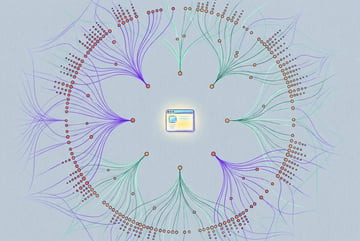
How to Use AWS Workspaces for AI Agents: Automating Legacy Desktop Software
AWS Workspaces now lets AI agents operate desktop apps inside managed cloud environments—unlocking ERP systems, mainframes, and legacy software for automation.

How to Manage Multiple AI Agents Across VPS Servers: A Claude Code Organization System
Running multiple AI agents across different servers gets messy fast. Learn how to use a Claude Code project to track passwords, configs, and agent setups.

Claude Code with Playwright CLI: Browser Automation via Shell Commands
Drive Playwright from Claude Code using shell commands — no MCP server required. Setup, QA testing loops, scraping patterns, and session storage explained.
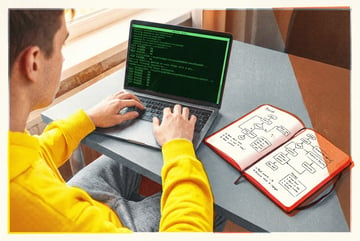
How to Use Playwright CLI with AI Agents for Automated QA Testing
AI agents can test your web app, find bugs, fix them, and retest automatically using Playwright CLI. Here's the setup and workflow that makes it work.

Automate Browser Tasks with Claude Code and the Playwright MCP Server
Use the Playwright MCP server to give Claude Code real browser control with structured DOM access — for QA, scraping, and authenticated sessions.

What Is Cursor Remote Access? How to Control Your AI Coding Agent from Your Phone
Cursor now lets you run agents on your dev box and control them from anywhere, including your phone. Learn how to set it up and what it enables.