
AI Computer Use & Remote Control
Letting AI agents drive your computer or be driven by you remotely — Claude Code Dispatch, Computer Use, browser automation, Telegram channels, 24/7 agent setups.
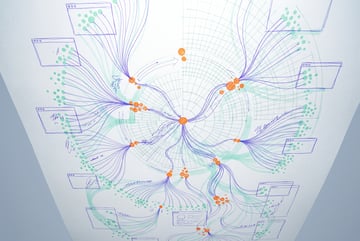
How to Use Claude Co-work's Built-In Browser for Real Work
Claude Co-work now ships a built-in browser that can audit subscriptions, pull analytics, and research products. Here's how it works.

ChatGPT vs Claude vs Grok: Which Cloud Browser Actually Works?
OpenAI, Anthropic, and xAI all shipped cloud browser or computer-use features in the same week. Here's how the three actually compare.

Build a Free AI Business Dashboard with ChatGPT Codex
How to build a personal AI dashboard with ChatGPT Codex, combining news, brand mentions, tasks, and newsletters into one control tower app.

Docker Sandboxes: How to Safely Run AI Coding Agents
Docker Sandboxes isolate AI coding agents in micro VMs with network policies, credential proxying, and file limits. Here's how they work.

What Is Ego Lite? The Fast Open-Source Browser for AI Agents
Ego Lite is an open-source browser that hands AI coding agents like Codex and Claude Code control of your logged-in browser session locally.

What Is ChatGPT Computer History? OpenAI's Screen-Tracking Feature Explained
ChatGPT's Computer History feature tracks your desktop activity to build context and suggest automations. Here's how it works and what it means for privacy.

ChatGPT Computer History: Hands-On Setup Guide and Privacy Risks
A hands-on look at ChatGPT's Computer History feature: how app inclusion settings work, what it actually captures, and the privacy trade-offs to weigh.

How to Use Codex's Browser Agent and Computer Use Features
A practical guide to Codex's browser agent for QA testing, password-protected logins, and turning repeated browser tasks into reusable automation skills.

How to Set Up Grok Bot and Build Your First AI Agents
A practical guide to setting up Grok Bot, creating specialized agents, connecting plugins, and building routines and triggers that run on their own.

Abacus AI Supercomputer: Run Agents, Apps, and Games 24/7 for $10
Abacus AI's Supercomputer hosts OpenClaw and Hermes agents plus prompt-built apps with databases and URLs, running always-on in the cloud.

Stop Your AI Coding Agent From Wiping Your Computer: A Sandbox Guide
Learn why Claude Code's Yolo mode is risky and how Docker sandboxes let AI coding agents run autonomously without touching your real files.

Claude 1Password Integration: How AI Agents Can Log Into Websites Automatically
Claude can now use 1Password credentials to log into websites autonomously. Learn how it works, what stays private, and when to use it in your agents.

How to Use AI Screen Monitoring to Optimize Your Workflow: A Practical Guide
Use AI to screenshot your screen every 5 seconds, identify inefficiencies, and get actionable suggestions. Recover 2+ hours per day with this simple system.

OpenAI Codex Record and Replay: How to Automate Repetitive Computer Tasks Without Code
Codex's record-and-replay feature lets you demonstrate a workflow once and have AI repeat it. Learn how it works, its limits, and how to use it effectively.

OpenAI Codex Record and Replay: How to Automate Repetitive Computer Tasks
OpenAI Codex's record-and-replay feature lets you record any workflow and replay it automatically. Learn how it works, its reliability, and best practices.

How to Run Claude Code on a VPS with Mobile Access: T-Max and Telegram Setup
Claude Code sessions die when you disconnect. Run it on a $15/month VPS with T-Max to keep sessions alive and dispatch tasks from your phone via Telegram.

How to Run Claude Code on a VPS with Mobile Access via Telegram
Run Claude Code on a VPS with Tmux for always-on sessions and control it from your phone via Telegram. Here's the full setup guide for 24/7 AI workflows.
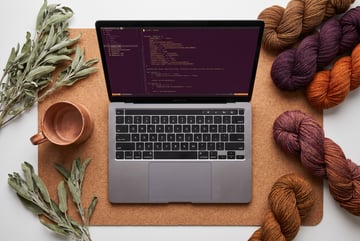
How to Deploy AI Agents to Google Cloud Using the Google Agent CLI
Google's Agent CLI lets you scaffold, evaluate, and deploy AI agents to GCP in minutes using Claude Code. Learn the full workflow from idea to production.

How to Run Claude Code on a VPS with Telegram Mobile Access
Run Claude Code 24/7 on a VPS and control it from your phone via Telegram. Step-by-step SSH, Tmux, and Channels plugin setup guide.

How to Run Claude Code on a VPS: 24/7 Always-On AI Workflows
Running Claude Code on a VPS keeps your AI workflows alive when your laptop sleeps. Learn how to set up SSH, install Claude, and connect via Telegram.

How to Use Telegram with Claude Code for Mobile AI Agent Access
Connect Claude Code to Telegram using the official channels plugin and Tmux to dispatch AI tasks from your phone and walk away while they run.

What Is Microsoft Scout? The AI Autopilot Agent for Windows Explained
Microsoft Scout is an always-on AI agent that manages your Windows OS, Teams, Outlook, and calendar. Here's how it works and who it's designed for.

How to Use Perplexity Computer for Business Automation: Connectors, Skills, and Tasks
Perplexity Computer connects to Gmail, Notion, GitHub, and 100+ tools out of the box. Learn how to set up skills and run automated business tasks.

Perplexity Computer vs OpenClaw: Which AI Agent Platform Should You Use?
Compare Perplexity Computer and OpenClaw across setup complexity, integrations, security, cost, and use cases to find the right agent platform.