
Tutorials Articles
Browse 29 articles about Tutorials.

How to Build a Design System in Claude Design That Doesn't Look Like AI
Claude Design defaults to generic AI aesthetics. Here's how to build a real design system using reference screenshots, Skill UI, and the Taste skill.

How to Use Git Worktrees with Claude Code for Parallel Development
Git worktrees let multiple Claude Code agents work on separate branches simultaneously. Learn how to set them up, isolate databases, and avoid port conflicts.

How to Build a ChatGPT Workspace Agent: Step-by-Step Tutorial
ChatGPT Workspace Agents let you automate multi-step tasks across Slack, Gmail, and Linear. Here's how to build, test, and deploy one from scratch.

Parallel Agentic Development: How to Run Multiple Claude Code Sessions at Once
Use Git worktrees, database branching, and isolated environments to run 5+ Claude Code agents in parallel and ship features faster without conflicts.

How to Build Self-Improving AI Skills in Claude Code
Claude Code skills can get better over time with feedback loops and learnings files. Here's how to build skills that refine themselves with every use.

How to Use Claude Code for Video Editing: Motion Graphics Without Coding
Claude Code and Hyperframes let you add animated text, motion graphics, and subtitles to videos using natural language prompts alone.

The Case for Browser-Based Development Environments
Local dev environments are painful to set up and share. Here's why browser-based environments are becoming the default for modern app development.

From Idea to Deployed App: What the Build Process Actually Looks Like
Most tutorials skip the messy middle. Here's an honest look at what building and shipping a real web app actually involves, step by step.

How to Install Claude Code on Mac and Windows (One-Line Command)
The one-line installer is curl -fsSL https://claude.ai/install.sh | bash. Here's what that command does, the npm alternative, and the full Mac and Windows setup.

What Is a Backend? A Plain-English Explanation for Non-Developers
The backend is what makes an app work behind the scenes. Here's what it actually is, what it does, and why it matters for apps you want to ship.
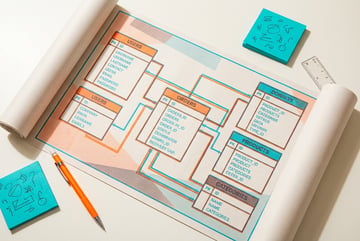
What Is a Database Schema? How App Data Is Structured
A database schema defines how your data is organized. Here's what it is, how it works, and why getting it right early matters for your app.

What Is a REST API? How Apps Talk to Each Other
REST APIs are how most web apps communicate. Here's what they are, how they work, and what you need to know when building or consuming one.

What Is Continuous Deployment? How Apps Ship Automatically
Continuous deployment means code goes live automatically when you push. Here's how it works, why it matters, and how to set it up for your app.

What Is Git? Version Control Explained for Non-Developers
Git tracks changes to code so you can collaborate and roll back mistakes. Here's what it is, how it works, and why every app should use it.

What Is SQLite? The Database That Runs Inside Your App
SQLite is a self-contained database that runs without a server. Here's what it is, how it works, and when it's the right choice for your app.
What Is TypeScript? Why Developers Use It Instead of JavaScript
TypeScript adds types to JavaScript to catch errors before runtime. Here's what it is, why developers use it, and what it means for full-stack apps.

What Is User Authentication? How Login Systems Actually Work
Authentication is how apps verify who you are. Here's how login systems work under the hood — sessions, tokens, verification codes, and roles.

How to Build a Full-Stack App Without Writing Code
A practical guide to going from idea to deployed full-stack app — covering spec writing, backend setup, auth, database, and deployment without TypeScript.

How to Build an Internal Tool Without a Dev Team
A practical guide to building internal tools for your business — covering what to build first, data models, user roles, and how to ship without engineers.

How to Deploy a Web App: A Beginner's Guide to Going Live
A step-by-step guide to deploying a web app — covering hosting options, environment variables, custom domains, and what to check before launch.