How to Use Storyboards and Character Sheets to Get Better AI Video Results
Learn how to use character reference sheets, storyboards, and location docs to improve consistency and control in AI video generation with Seedance 2.0.
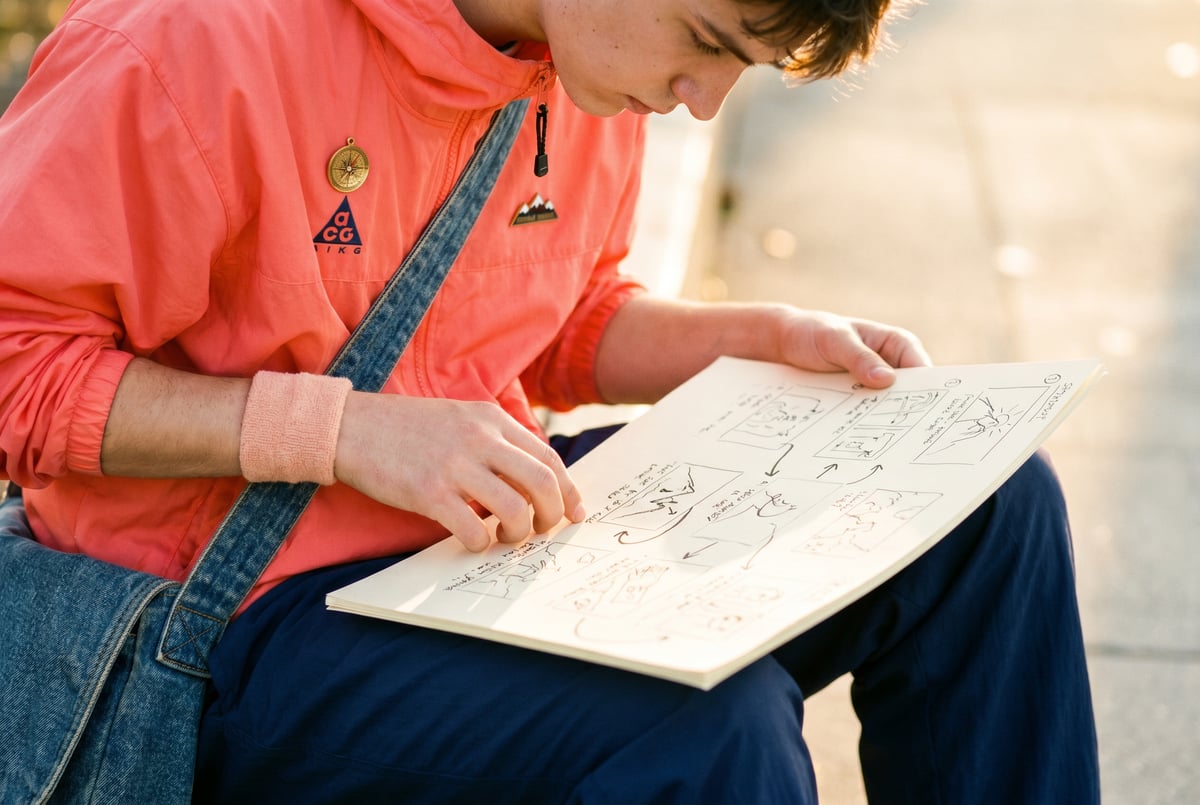
Why Most AI Videos Fall Apart After the First Scene
Anyone who has spent time generating AI video knows the frustration: your protagonist looks completely different in shot two. The location changes color temperature between cuts. The camera angle you carefully described gets ignored. You end up with a beautiful first clip and a chaotic mess from there.
This is the core challenge of AI video generation — not the individual shot quality, but consistency across shots. Models like Seedance 2.0 have made huge strides in video quality and motion realism, but they still need significant guidance to stay coherent across a longer narrative.
The solution that professional video creators are converging on borrows from traditional filmmaking: character reference sheets, storyboards, and location documents. These aren’t new concepts — they’ve been used in animation and live-action production for decades. Applying them to AI video prompt engineering dramatically improves coherence, reduces wasted generations, and gives you something closer to creative control.
This guide walks through exactly how to build and use these documents to get better results from AI video models, with specific techniques for prompt engineering, scene structure, and workflow.
The Consistency Problem in AI Video Generation
Before getting into solutions, it’s worth understanding what’s actually happening when AI video models lose track of your characters or settings.
Plans first. Then code.
Remy writes the spec, manages the build, and ships the app.

Text-to-video models treat each generation as a largely independent task. Even when you reference the same character description in multiple prompts, the model interprets those words freshly each time. The output varies because natural language is inherently ambiguous — “tall woman with dark hair” produces different results depending on dozens of model-internal factors.
Image-to-video models (where you supply a reference frame) handle consistency much better, but they still drift over longer sequences. A 5-second clip that starts from a reference image can look quite different by the end of that clip.
The consistency problem compounds when you’re producing multi-scene content:
- Character drift — Facial features, proportions, clothing, and hair change subtly or dramatically between scenes
- Environment drift — Lighting, color palette, and spatial layout vary even with identical location descriptions
- Style drift — The cinematic treatment shifts between shots, making cuts jarring
Reference documents solve this by giving you a stable source of truth that you can translate into tight, specific prompts for every scene.
What Is a Character Reference Sheet (and Why You Need One)
A character reference sheet is a document that precisely defines every consistent visual attribute of a character. In traditional animation, these sheets show the character from multiple angles with annotated notes. For AI video, you’re building the same kind of canonical definition — but in written form, or with a combination of reference images and text.
What to Include in a Character Reference Sheet
A useful character sheet for AI video work covers these categories:
Physical attributes:
- Height and build (use specific comparisons: “athletic build, approximately 5’10”, lean but broad-shouldered”)
- Skin tone (use descriptive but precise language: “medium brown skin with warm undertones”)
- Face shape, jawline, and defining features (“square jaw, prominent cheekbones, slightly hooked nose”)
- Eye color and shape
- Hair color, texture, and specific styling (“shoulder-length natural hair, coiled, usually worn loose”)
Clothing and costume:
- Primary outfit with specific detail (“worn dark denim jacket over a white crew-neck tee, black slim-fit jeans, white sneakers with a red stripe”)
- Secondary or alternate costumes if needed
- Accessories and their consistent placement (“silver hoop earrings, always present; simple black watch on left wrist”)
Character-specific motion and posture:
- Posture defaults (“slightly slouched, hands often in pockets”)
- Movement style (“walks deliberately, rarely hurries”)
- Expressions that define them (“default expression is focused and slightly skeptical”)
Style notes:
- How the character should be lit (“natural lighting flatters this character; avoid heavy rim lighting”)
- Camera proximity preferences (“medium shots emphasize the jacket; close-ups should avoid direct frontal framing”)
How to Use the Sheet in Prompts
The character sheet isn’t meant to be pasted verbatim into prompts. Instead, pull the most distinguishing and visually specific attributes for each shot and include them in compressed form.
A character description embedded in a prompt might look like:
“A tall woman in a worn dark denim jacket and white tee, medium brown skin, shoulder-length natural coiled hair worn loose, square jaw, focused expression…”
Keep it tight. The model doesn’t need every attribute every time — it needs the two or three features that will lock in visual identity most reliably. Through testing, you’ll learn which attributes your chosen model responds to most consistently.
Building a Storyboard for AI Video
Everyone else built a construction worker.
We built the contractor.
One file at a time.
UI, API, database, deploy.
A storyboard for AI video serves a different purpose than in traditional filmmaking. You’re not drawing thumbnails to communicate with a crew — you’re creating a structured plan that helps you write consistent, purposeful prompts and manage the generation workflow.
The Storyboard as a Prompt Planning Document
Think of your storyboard as a scene-by-scene breakdown with these fields for each shot:
- Shot number — Sequential reference (helps when iterating)
- Shot type — Wide, medium, close-up, extreme close-up, establishing, etc.
- Camera movement — Static, pan, dolly, handheld, drone, etc.
- Characters present — Which character(s) appear and what they’re doing
- Action description — What happens during the clip (keep this to 5–10 seconds of action)
- Environment — Location reference (pulled from your location doc, covered below)
- Lighting/time of day — Specific lighting conditions
- Tone/mood — The emotional register of the scene
- Prompt draft — Your working prompt for this shot
Having this in a spreadsheet or document makes the iteration process much more systematic. When a shot isn’t working, you can trace the problem back to specific fields and adjust.
Shot Types That Work Well with AI Video Models
Not all shot types perform equally across current models. Here’s a practical breakdown:
High success rate:
- Medium shots (waist-up) with limited character movement
- Establishing shots with no characters or background characters
- Close-ups focused on a single subject
- Slow dolly-in or dolly-out movements
- Static wide shots with environmental motion (trees, water, wind)
Moderate success rate:
- Two-character dialogue scenes (positioning and consistency are harder)
- Walking shots (character motion often degrades after 2–3 seconds)
- Complex camera movements (orbits, crane moves)
Lower success rate / use with care:
- Crowd scenes with more than 3–4 defined characters
- Fast action with multiple moving elements
- Precise continuity-dependent shots (the character picks up an object in shot 3; it must be in their hand in shot 4)
Planning your storyboard around what the model handles well dramatically reduces failed generations.
Sequencing for Continuity
One effective technique: generate your “anchor shots” first — the establishing shots, key character moments, and scenes that define the visual tone. Use the outputs from these anchor shots as reference images for dependent shots. This creates a visual chain where later shots inherit the look from earlier ones, maintaining continuity naturally rather than relying entirely on text description.
With Seedance 2.0’s image-to-video capability, you can extract a strong frame from one clip and use it as the starting frame for the next, building continuity shot by shot. This requires planning — your storyboard should flag which shots need to connect directly to adjacent clips.
Creating Location and Environment Documents
Characters aren’t the only thing that drifts. Environments can shift dramatically between shots even when you use nearly identical location descriptions. A location document stabilizes your settings the same way a character sheet stabilizes your cast.
What to Include in a Location Document
For each location in your project, document:
Physical description:
- Scale and type (“small apartment living room, low ceilings, approximately 12x14 feet”)
- Key furniture and objects and their placement (“dark grey sofa against the left wall, small wooden coffee table centered, large window directly opposite the camera”)
- Color palette (“muted olive greens, warm browns, aged white walls with visible texture”)
- Architectural details (“exposed brick on one wall, parquet flooring, industrial pendant lights”)
Remy doesn't build the plumbing. It inherits it.
Other agents wire up auth, databases, models, and integrations from scratch every time you ask them to build something.
Remy ships with all of it from MindStudio — so every cycle goes into the app you actually want.
Lighting defaults:
- Natural light source location and quality (“morning light from the left-side window, soft and warm”)
- Artificial lighting if relevant
- Time-of-day variations if the location appears in different scenes (“evening version: warm lamp light, no daylight through window”)
Atmosphere notes:
- Ambient elements (“light dust particles visible in window light,” “slightly lived-in with a few objects on the coffee table”)
- Sound/mood keywords that correlate to visual tone (“intimate, low-key, slightly melancholic”)
Camera anchor:
- Default camera position (“medium-low angle from the corner opposite the window”)
- Any fixed perspective notes
Using Location Docs in Prompts
Like character sheets, you pull from these docs rather than pasting them wholesale. A tight location reference in a prompt might be:
“…in a small apartment living room, low ceilings, muted olive and brown tones, morning light through a left-side window, exposed brick wall visible in background…”
The goal is enough specificity that the model produces recognizable variation of the same space, not an entirely different environment each time.
Prompt Engineering for Consistent AI Video
With your reference documents built, the actual prompt engineering becomes more methodical. Here’s a framework for constructing video generation prompts that lean on your documents effectively.
The Layered Prompt Structure
A well-structured AI video prompt has distinct layers, each pulling from your reference documents:
1. Shot foundation Start with the shot type and camera behavior.
“Static medium shot, waist-up framing…”
2. Subject and action Who is in the shot and what are they doing — pull from character sheet.
“…of a tall woman in a worn dark denim jacket and white tee, medium brown skin, shoulder-length natural coiled hair worn loose, standing still with arms crossed, slight skeptical expression…”
3. Environment Where the shot takes place — pull from location doc.
“…in a small apartment living room, muted olive and warm brown tones, morning light through a window to her left, exposed brick wall in soft focus behind her…”
4. Technical style Cinematic treatment, lens feel, color grade.
“…cinematic color grade, shallow depth of field, natural film grain, 24fps…”
5. Mood/atmosphere One or two words that tune the model’s emotional register.
“…tense, quiet.”
Combined, that prompt is dense and specific without being cluttered. Every element traces back to a reference document, which means when you need to generate the same character in a different location or shot type, you swap specific fields while keeping everything else stable.
What to Change vs. What to Keep Stable Between Shots
A common mistake is varying too many prompt elements between shots. When troubleshooting consistency problems, treat your prompt like a controlled experiment: change one layer at a time and observe what shifts.
Between shots of the same character in the same location, only the action and camera position should change. Keep the character description, environment description, and technical style identical across prompts in a scene.
Between scenes in different locations, the character description and technical style stay constant while the environment layer changes.
Negative Prompting
Day one: idea. Day one: app.
Not a sprint plan. Not a quarterly OKR. A finished product by end of day.
Most AI video models support negative prompts — descriptions of what you don’t want. Use these to reinforce consistency:
- “no camera movement” (when you want a static shot)
- “no lens flare, no overexposure” (when preserving a specific lighting quality)
- “no text, no watermarks” (standard cleanup)
- “no motion blur” (when sharpness matters)
Negative prompts are particularly useful for suppressing model tendencies that conflict with your reference documents — for example, if the model tends to add artificial lighting effects to your naturally-lit location.
Working with Seedance 2.0 Specifically
Seedance 2.0, developed by ByteDance, is one of the stronger current options for maintaining visual fidelity over a clip. A few characteristics are worth knowing when adapting the approach above to this model.
Image-to-Video for Continuity
Seedance 2.0’s image-to-video mode is where the storyboard approach pays off most directly. If you’ve generated a strong establishing shot or character moment, you can extract a clean frame and use it as the reference image for subsequent shots. The model will attempt to maintain the visual attributes of the reference frame while introducing the motion you specify in the text prompt.
This works best when:
- The reference frame is sharp and well-lit (blurry or motion-blurred frames degrade output quality)
- The motion you’re requesting is consistent with what’s already visible in the frame (a character facing left in the reference frame shouldn’t suddenly be facing right)
- The text prompt reinforces rather than contradicts what’s in the image
Text-to-Video Prompt Sensitivity
In text-to-video mode, Seedance 2.0 is relatively responsive to camera movement instructions. Terms like “slow push-in,” “static locked-off,” “handheld follow,” and “aerial overhead” tend to produce recognizable interpretations of those movements. Build this into your storyboard’s camera movement field and use consistent terminology across prompts.
The model also responds well to cinematic reference keywords — terms like “anamorphic lens,” “film grain,” “shallow depth of field,” and specific color grading styles help establish a consistent visual treatment across clips.
Clip Length and Action Planning
Seedance 2.0 handles clips up to around 10 seconds well. For longer sequences, plan to chain clips rather than generating extended single outputs. Your storyboard should break action into 5–8 second beats with clear in-points and out-points, making it straightforward to splice clips together in post.
If action crosses between clips (a character walks through a door in clip A and continues walking in clip B), use the last frame of clip A as the reference image for clip B and describe the continuation of the action. This maintains spatial and character continuity across the edit.
How MindStudio Fits Into an AI Video Workflow
The process described in this article — maintaining reference documents, generating shots systematically, chaining clips — becomes significantly more manageable when you automate the repetitive parts.
MindStudio’s AI Media Workbench includes direct access to video generation models including Seedance 2.0, alongside image generation, upscaling, background removal, subtitle generation, and clip merging — all in a single workspace. You don’t need to manage separate accounts or API keys to work across multiple models.
Not a coding agent. A product manager.
Remy doesn't type the next file. Remy runs the project — manages the agents, coordinates the layers, ships the app.
More usefully, you can build agents on MindStudio that handle the structured parts of this workflow automatically. For example:
- An agent that takes a storyboard document (say, from a Google Sheet or Notion database) and systematically constructs prompts for each shot using a character sheet and location doc you’ve provided
- A workflow that generates a batch of shots, evaluates outputs, and flags ones that don’t meet consistency criteria
- An automated pipeline that chains image-to-video generations — extracting frames from approved clips and using them as references for the next shot in the sequence
These are buildable on MindStudio’s no-code visual builder without writing code, and can connect to the tools you already use — Airtable for tracking shot statuses, Slack for notifications when a batch completes, Google Drive for storing approved clips.
If you’re generating video at any volume — even a few projects per month — systematizing the reference document workflow through an agent saves significant time and reduces consistency errors. You can start building on MindStudio for free.
Common Mistakes and How to Fix Them
Even with good reference documents, some patterns consistently cause problems. Here are the most common issues and what to do about them.
Mistake: Describing Emotion Instead of Visual Behavior
“She looks sad” is nearly useless as a prompt element. Models interpret emotional descriptions inconsistently. Instead, describe the visible physical indicators:
- Instead of “sad” → “downcast eyes, slight downward pull at the corners of the mouth, shoulders dropped”
- Instead of “excited” → “wide eyes, slight open-mouth smile, leaning slightly forward”
- Instead of “nervous” → “hands clasped together, frequent small glances to the side”
Mistake: Overloading the Prompt
Long prompts aren’t always better. Models have diminishing returns on prompt length — adding more detail past a certain point often produces inconsistent results as the model struggles to balance competing instructions.
If your prompt is running past 150–200 words, look for redundant or low-impact elements to cut. Prioritize the 5–7 most visually specific and distinguishing details.
Mistake: Ignoring Model Tendencies
Every model has default tendencies — visual styles it gravitates toward, lighting treatments it prefers, compositional habits. Spend time generating test shots with minimal prompting to understand what Seedance 2.0 (or whichever model you’re using) does naturally. Then either lean into those tendencies or actively counteract them in your prompts.
Fighting a model’s strong defaults is expensive in iteration time. Where possible, design your reference documents around what the model does well.
Mistake: No Version Control on Reference Docs
Reference documents should be versioned. When a character description stops working after a model update or when you decide to change a costume, having a version history lets you trace back to what was producing consistent results. Keep your reference documents in a system that tracks changes — even just Google Docs with version history enabled.
Frequently Asked Questions
How do I maintain character consistency across multiple AI video clips?
Built like a system. Not vibe-coded.
Remy manages the project — every layer architected, not stitched together at the last second.
The most reliable approach is a combination of detailed character reference sheets and image-to-video chaining. Write a precise character description covering the 5–7 most visually distinguishing attributes and use this consistently across all prompts. For shots that follow each other in sequence, extract a clean frame from the previous clip and use it as the reference image for the next generation. This visual inheritance is more reliable than text alone for maintaining character identity across a longer sequence.
What’s the difference between a storyboard for AI video and a traditional storyboard?
A traditional storyboard is a visual medium — drawn panels that communicate shot composition and action to a crew. An AI video storyboard is primarily a planning and prompt management document. You’re organizing shot metadata (shot type, camera movement, characters, environment, lighting) and drafting prompts systematically. Some creators do include rough sketches or reference images, which can then be used as style or composition references in image-to-video workflows.
Can AI video models follow character sheets accurately?
Current models can follow character descriptions reliably for 3–5 consistent visual attributes. They struggle with precise facial feature replication across multiple independent generations — each generation introduces variance. The most effective approach is to identify the 2–3 attributes that anchor your character’s identity most strongly (a distinctive jacket, a specific hair style, a particular build) and ensure those appear in every prompt. Use image-to-video with reference frames for the closest possible continuity.
How detailed should my prompts be for AI video generation?
The sweet spot for most models is 80–150 words. More than that and you risk the model underweighting important elements or producing inconsistent outputs as it tries to satisfy competing instructions. Less than 50 words and you’re leaving too much to the model’s defaults. Focus on specificity over quantity — one precise detail is more useful than three vague ones.
Does Seedance 2.0 support reference images for character consistency?
Yes. Seedance 2.0’s image-to-video mode allows you to provide a reference frame that the model uses as the visual starting point for generating a clip. This is the most effective tool available for character and environment consistency in this model. The quality of your reference image matters significantly — use sharp, well-lit frames with clear subject visibility.
How many reference documents do I need for a short AI video project?
For a short project (30–90 seconds of final video), plan on one character sheet per recurring character, one location document per distinct setting, and a storyboard covering every planned shot. A three-scene short with two characters and two locations might have five reference documents total. The upfront investment typically pays back in reduced generation failures and more coherent output.
Key Takeaways
- Character reference sheets, storyboards, and location documents solve the consistency problem in AI video generation by giving you a stable source of truth for every prompt.
- Build reference documents before generating any shots — retrofitting them is harder and less effective.
- Use image-to-video chaining (extracting frames from approved clips as reference images for subsequent shots) for the strongest continuity across scenes.
- Structure prompts in layers: shot type → subject and action → environment → technical style → mood. Each layer pulls from your reference documents.
- Seedance 2.0 responds well to precise camera movement language, cinematic style descriptors, and image-to-video referencing.
- Automating the prompt construction and generation workflow — using a tool like MindStudio — becomes worthwhile quickly as project volume or complexity grows.