Seedance 2.5 vs Gemini Omni Flash: Which AI Video Model Wins for Long-Form Content?
Seedance 2.5 brings 50 multimodal references and 30-second clips. Gemini Omni Flash offers conversational editing. Here's how they compare.

Two Different Philosophies for AI Video Generation
The gap between AI video tools is widening fast. Not just in raw quality, but in how creators are expected to work with them.
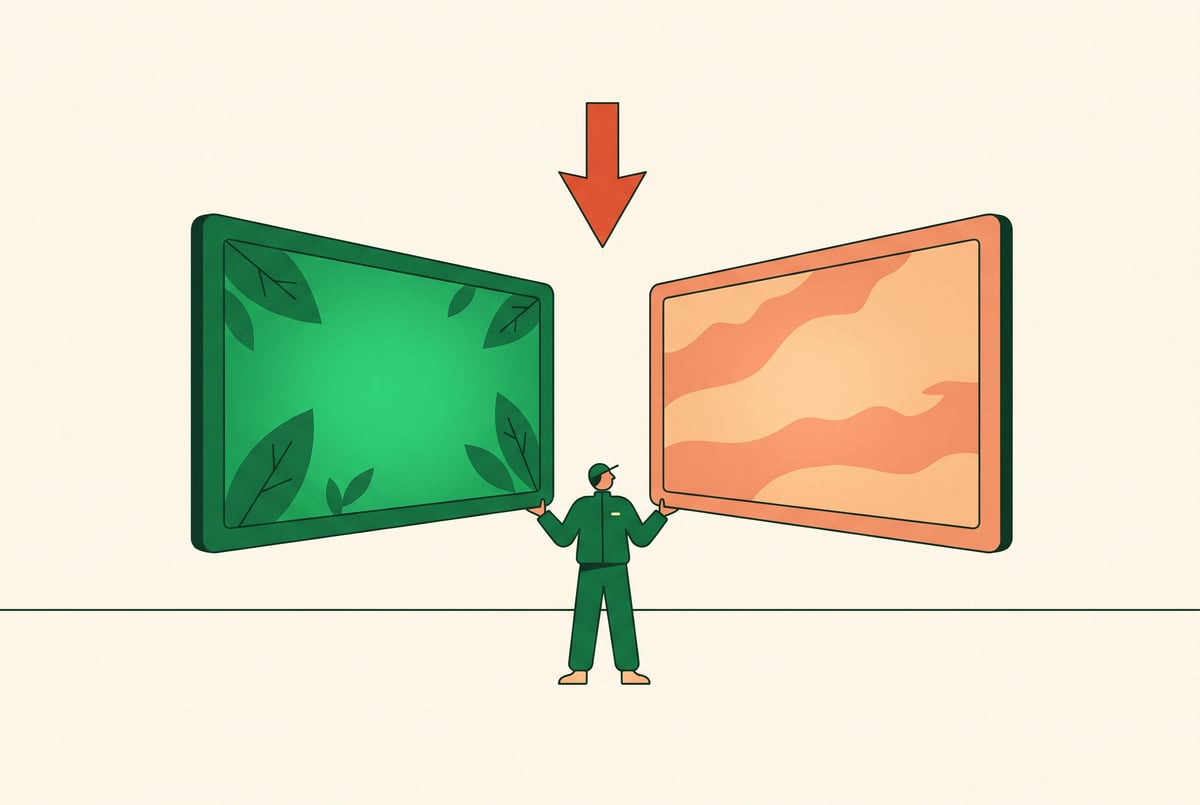
Seedance 2.5 and Gemini Omni Flash represent two distinct approaches to AI video generation — and if you’re producing long-form content, the difference matters more than you might expect. Seedance 2.5 leans into cinematic control, letting you stack up to 50 multimodal references and generate clips up to 30 seconds long. Gemini Omni Flash takes a more conversational approach, letting you describe, refine, and iterate through dialogue rather than upfront configuration.
This article breaks down both models across the dimensions that actually matter for content creation: reference handling, clip length, editing workflows, speed, output quality, and practical fit for long-form video projects.
What Each Model Is Built to Do
Before comparing features side by side, it helps to understand what problem each model was designed to solve.
Seedance 2.5: Precision at Scale
Seedance 2.5 is ByteDance’s video generation model optimized for high-consistency, reference-driven output. The headline capability is its support for up to 50 multimodal references — images, style frames, character references, and more — that guide the model toward a specific visual outcome.
This isn’t just about feeding in more images. It’s about giving creators finer control over visual consistency across a production. For long-form content where brand identity, character continuity, or scene coherence matter, that level of input precision is genuinely useful.
Remy doesn't write the code. It manages the agents who do.
Remy runs the project. The specialists do the work. You work with the PM, not the implementers.

The 30-second clip length is also significant. Most AI video models cap out at 5–10 seconds per generation. Seedance 2.5’s 30-second output means you can generate longer, more complete sequences before needing to stitch anything together.
Gemini Omni Flash: Conversational Creation
Gemini Omni Flash approaches video differently. Rather than front-loading your creative intent through references and parameters, it lets you describe what you want, see an output, then refine it through follow-up prompts — much like a back-and-forth conversation.
This model sits within Google’s broader Gemini ecosystem, which means it has access to multimodal reasoning across text, images, and audio. The “Flash” designation signals it’s optimized for speed and responsiveness, making it more practical for iterative creative workflows where you need quick feedback loops.
For creators who find configuring reference images tedious, or who prefer discovering the output through iteration, this model’s workflow fits more naturally.
Head-to-Head: Comparing What Matters for Long-Form Content
Here’s a structured look at how both models perform across the criteria most relevant to long-form video production.
Reference Handling and Visual Consistency
| Feature | Seedance 2.5 | Gemini Omni Flash |
|---|---|---|
| Max references | 50 multimodal | Text + limited image inputs |
| Character consistency | High, reference-driven | Moderate, prompt-dependent |
| Style control | Granular | Conversational |
| Scene continuity | Strong across clips | Variable |
Seedance 2.5 wins this category outright. The ability to input 50 multimodal references means you can define a production’s look with far more precision than any text prompt allows. If you’re generating a series of clips featuring the same character in different settings, that reference library becomes a consistency anchor.
Gemini Omni Flash handles consistency differently — it leans on the model’s internal understanding of your description. That works well for one-off clips but becomes harder to control across a multi-clip production where specific visual elements need to stay stable.
Clip Length and Long-Form Workflow
For long-form content, clip length is a practical bottleneck. Every time you hit a generation limit, you’re adding a stitch point — a potential continuity break, a render artifact, a moment where the pacing might shift.
Seedance 2.5’s 30-second clips mean fewer joins in any given sequence. A 3-minute video might need six clips rather than thirty. That’s a meaningful reduction in post-production complexity.
Gemini Omni Flash’s clips tend to be shorter per generation. The tradeoff is that the conversational refinement loop can help you get each segment closer to what you want before committing — but you’re still generating shorter bursts.
For long-form content, Seedance 2.5’s clip length is a structural advantage.
Editing Workflow and Iteration Speed
This is where Gemini Omni Flash pulls ahead.
Seedance 2.5 requires you to do most of your creative thinking upfront. You configure references, write your prompt, and generate. If the output isn’t right, you adjust your reference set or prompt and regenerate. This works well when you have a clear vision — it’s harder when you’re exploring.
Gemini Omni Flash is built for exploration. You can describe a rough idea, see what comes back, and then ask it to change the lighting, shift the camera angle, or make the character move differently. That conversational layer makes iteration feel less like re-running a configuration and more like directing.
For teams that are still developing their creative direction as they work, Gemini Omni Flash’s workflow is more forgiving.
Output Quality
Both models produce high-quality output by current AI video standards — but the character of that quality differs.
Seedance 2.5 tends toward cinematic realism, especially when supported by strong reference inputs. Motion is generally smooth, and the model handles complex scene compositions well. With 50 references available, you can push toward very specific aesthetic outcomes.
Gemini Omni Flash produces clean, coherent output that reads naturally from text descriptions. It handles common scene types well and generates usable content quickly. Where it can struggle is in highly specific or unusual visual requests — the lack of granular reference support means you’re relying more on prompt engineering than visual guidance.
Speed and Accessibility
Gemini Omni Flash lives up to the “Flash” name. Generation times are fast, and the conversational interface makes it accessible to creators who aren’t experienced with reference-based video tools.
Seedance 2.5’s generation times reflect its complexity — processing 50 references and generating 30-second clips takes longer. That’s a fair tradeoff for the output quality, but it’s worth accounting for in your workflow.
Which Model Fits Which Content Type
Not every long-form content project has the same requirements. Here’s where each model tends to work better.
Seedance 2.5 Is a Better Fit For:
- Brand video series where visual consistency across episodes is non-negotiable
- Character-driven narratives that require the same face, wardrobe, and setting across multiple clips
- Cinematic short films where you’re working from a detailed visual style guide
- Commercial content with strict brand standards and art direction
- Creators who batch-generate content and need longer clips to minimize post-production work
Gemini Omni Flash Is a Better Fit For:
- Exploratory projects where the creative direction is still forming
- Teams that work iteratively, refining content through rounds of feedback
- Social media content where turnaround speed matters more than visual precision
- Creators without deep reference libraries who rely on descriptive prompting
- Cross-format projects that benefit from Gemini’s broader multimodal ecosystem
The Workflow Reality: How Creators Actually Use These Tools
A model’s specs look different in practice than on paper. Both Seedance 2.5 and Gemini Omni Flash are being used in real production pipelines, and the friction points that emerge are worth knowing before you commit to a workflow.
Working With Seedance 2.5 in Practice
The 50-reference limit sounds like a feature — and it is — but it also implies a preparation burden. You need to curate and organize those references before generation. That’s extra work upfront. For teams with established brand assets or well-developed creative libraries, this is mostly mechanical. For solo creators starting from scratch, it’s a more significant barrier.
The 30-second clip length genuinely changes how you plan a long-form project. You start thinking in 30-second units rather than shot-by-shot. That can actually make storyboarding more efficient, but it requires a mental shift if you’re used to working with shorter AI video tools.
Working With Gemini Omni Flash in Practice
Everyone else built a construction worker.
We built the contractor.
One file at a time.
UI, API, database, deploy.
The conversational interface is fast to start with but can become iterative in a way that accumulates time. “Change the lighting” might take three or four prompts before you get what you want. Each prompt is fast, but the total time to arrive at a finalized clip can add up.
The integration with the broader Gemini ecosystem is a practical advantage. If you’re already using Gemini for research, scripting, or audio work, adding video generation to that workflow is smooth. The context from earlier conversation turns can inform later video requests, which reduces repetition.
How MindStudio Fits Into an AI Video Workflow
If you’re using either of these models for long-form content production, you’re almost certainly doing more than just generating clips. You’re scripting, reviewing, annotating, scheduling, and delivering. That’s where an automation layer becomes useful.
MindStudio’s AI Media Workbench gives you access to both Seedance and Gemini video models in a single workspace — no separate accounts, no API key management. But more than model access, it lets you build automated workflows around your video production process.
For example, you could build an agent that:
- Takes a script as input
- Breaks it into scene descriptions
- Feeds those descriptions to Seedance 2.5 with pre-configured reference sets
- Passes the output clips through a subtitle generation tool
- Merges the clips into a finished sequence
That’s not a hypothetical — it’s the kind of workflow MindStudio’s no-code builder handles directly, using its built-in media tools alongside 200+ AI models. If your team is toggling between Seedance for consistency-critical segments and Gemini for exploratory ones, you can route generation decisions through a single workflow rather than managing two separate tools.
You can try MindStudio free at mindstudio.ai.
FAQ
What is Seedance 2.5 and how is it different from earlier versions?
Seedance 2.5 is ByteDance’s updated AI video generation model. The key improvements in this version include support for up to 50 multimodal reference inputs — images, style frames, and other visual assets — and the ability to generate clips up to 30 seconds long. Earlier video generation models typically supported far fewer references and shorter output durations. These changes make Seedance 2.5 significantly more practical for production-scale video work.
What does “multimodal references” mean in the context of video generation?
Multimodal references are input assets — usually images, but potentially other media types — that guide the AI model toward a specific visual output. In Seedance 2.5’s case, you can upload up to 50 of these references to define things like character appearance, color palette, lighting style, and scene composition. The model uses these references to anchor its output rather than relying solely on a text description. This is particularly useful for maintaining visual consistency across multiple clips in a long-form project.
Is Gemini Omni Flash designed specifically for video, or is it a general model?
Built like a system. Not vibe-coded.
Remy manages the project — every layer architected, not stitched together at the last second.
Gemini Omni Flash is part of Google’s Gemini model family, which is designed for broad multimodal tasks — text, images, audio, and video. The video generation capability is one feature within a broader system. This is different from Seedance 2.5, which is focused specifically on video output. The advantage of Gemini’s broader scope is that you can maintain context across different types of creative tasks in the same session. The limitation is that video-specific features tend to be less specialized than in a dedicated video model.
Which AI video model is better for brand consistency?
Seedance 2.5 is the stronger choice for brand consistency. The 50-reference input system lets you define visual standards precisely and enforce them across every clip you generate. Gemini Omni Flash achieves consistency through prompt engineering, which is less reliable across many clips. If brand consistency is a hard requirement — as it often is for commercial content — Seedance 2.5’s reference architecture is better suited to that constraint.
Can either model handle a full long-form video on its own?
Neither model generates a complete long-form video in a single pass. Both produce clips that you then assemble into a longer piece. Seedance 2.5’s 30-second clip length means fewer clips needed to cover a given duration. A 5-minute video, for instance, would require 10 Seedance clips versus significantly more from a model with a 5-10 second limit. Post-production work — merging, color grading, adding audio — is still required regardless of which model you use.
How much does it cost to use Seedance 2.5 or Gemini Omni Flash?
Pricing for both models varies by access method. Gemini Flash models are available through Google AI Studio and Google Cloud Vertex AI, with pricing based on token consumption. Seedance 2.5 is accessible through ByteDance’s platforms and through third-party AI tool providers. If you want to compare both models without managing separate accounts or API keys, platforms like MindStudio include both under a single subscription starting at $20/month.
Key Takeaways
- Seedance 2.5 is the better choice when visual consistency, character continuity, and longer clip output are priorities — especially for brand video, commercial content, or character-driven narratives.
- Gemini Omni Flash fits teams that work iteratively, need fast turnaround, or want video generation embedded in a broader conversational workflow.
- The 50-reference support in Seedance 2.5 is a structural advantage for long-form projects where multiple clips need to feel like they belong to the same production.
- The conversational editing in Gemini Omni Flash reduces the upfront configuration burden but can introduce iteration time when precision is required.
- Most serious long-form production workflows benefit from access to both models — and an automation layer to move work between them without friction.
If you’re building a repeatable content production pipeline, it’s worth exploring MindStudio’s AI Media Workbench — it gives you both models in one place, along with the workflow tools to automate the steps around generation, not just generation itself.