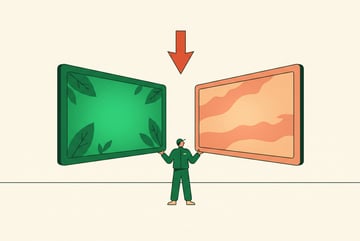
Google Veo 4 vs Seedance 2.0: Which AI Video Model Wins?
Compare Google's Veo 4 and Seedance 2.0 on quality, speed, pricing, and use cases to find the best AI video model for your creative workflows.

Two Strong Contenders in AI Video Generation
The AI video generation space has gotten genuinely competitive. Google Veo 4 and Seedance 2.0 both represent serious attempts to solve the hard problems in synthetic video — motion coherence, prompt fidelity, and production-ready quality — but they approach those problems differently.
If you’re trying to decide which model fits your workflow, this comparison breaks down exactly where each one excels, where it falls short, and which types of projects each is actually suited for.
The short answer: they’re not really competing for the same users. The long answer is what the rest of this article is about.
What Google Veo 4 Brings to the Table
Google’s Veo series has moved fast since its initial debut. Veo 4 continues the trajectory of prioritizing cinematic realism, prompt coherence, and — the feature that set Veo 3 apart from almost every other model — native audio generation.
Video Quality and Photorealism
Veo 4 targets high-fidelity, photorealistic output. It handles complex lighting, environmental depth, and camera motion in ways that still trip up many competing models. Slow-motion sequences, cinematic pans, and close-up detail shots all tend to hold up well.
The model is strong at following multi-element prompts — specifying subject, action, setting, lighting style, and camera movement in a single prompt and actually getting all of them represented in the output.
Integrated Audio: A Real Differentiator
- ✕a coding agent
- ✕no-code
- ✕vibe coding
- ✕a faster Cursor
The one that tells the coding agents what to build.

Native audio generation is arguably the biggest practical advantage of the Veo line. Veo 4 can produce synchronized sound effects, ambient audio, dialogue, and even background music as part of the generation process — not as a post-processing add-on.
This matters a lot for social content, short-form ads, and explainer videos where audio is part of the creative product, not an afterthought.
Resolution and Clip Length
Veo 4 outputs at 1080p with clip lengths that support professional-grade use cases. For creators and marketers building short-form content, this is more than sufficient. For longer-form or broadcast work, clips can be extended or chained together.
How to Access It
Veo 4 is available through:
- Gemini Advanced (Google’s premium tier) — accessible via the Gemini app with a subscription
- Google AI Studio — for developers and researchers wanting direct API access
- Vertex AI — enterprise access with custom pricing and higher rate limits
Pricing through Gemini Advanced runs around $19.99/month for individual users. Vertex AI access is consumption-based, making it more suitable for teams with variable usage.
What Seedance 2.0 Does Differently
Seedance 2.0 comes from ByteDance — the same company behind TikTok and CapCut. That lineage matters. ByteDance has deep experience with video at scale, and Seedance reflects that with an emphasis on motion quality, character consistency, and stylistic flexibility.
Character and Object Consistency
One of Seedance 2.0’s standout traits is how well it maintains consistency across frames. Characters, objects, and scene elements stay visually coherent throughout a clip — a problem that has long plagued AI video where faces morph, objects shift shape mid-clip, or backgrounds destabilize.
For anyone generating videos with recurring characters or branded visual elements, this consistency is practically significant.
Motion Naturalness
Seedance 2.0 puts visible effort into realistic motion physics. Human movement, fabric dynamics, water behavior, and environmental interaction all read as more physically plausible compared to earlier generations of AI video. This reduces the “uncanny valley” effect that makes synthetic video feel off.
Style Range
Seedance 2.0 supports a wider stylistic range — from photorealistic to animated and illustrated styles — without requiring separate fine-tuned models for each. This gives content creators more flexibility within a single interface.
How to Access It
Seedance 2.0 is accessible through:
- Direct API — for developers integrating it into their own applications
- CapCut and ByteDance’s creative tools — for non-technical users within the ByteDance product ecosystem
Pricing varies based on usage tier and access method. API pricing is credit-based.
Head-to-Head Comparison
Here’s a direct look at how the two models compare across the dimensions that most users care about:
| Feature | Google Veo 4 | Seedance 2.0 |
|---|---|---|
| Video resolution | Up to 1080p | Up to 1080p |
| Native audio generation | Yes (speech, SFX, music) | Limited / external |
| Character consistency | Good | Strong |
| Motion realism | Strong | Very strong |
| Style flexibility | Primarily photorealistic | Photorealistic + stylized |
| Clip length | Up to ~8 seconds per clip | Variable, longer clips supported |
| Access via API | Yes (AI Studio, Vertex) | Yes |
| Consumer access | Gemini Advanced subscription | CapCut, API |
| Enterprise tier | Vertex AI | API with custom tiers |
| Pricing model | Subscription + API credits | API credits |
Video Quality and Realism
Plans first. Then code.
Remy writes the spec, manages the build, and ships the app.
Both models produce high-quality output, but with different strengths. Veo 4 leans toward cinematic polish — it handles complex lighting and environmental detail well. Seedance 2.0 handles motion more naturally, which matters in action-heavy or human-centered scenes.
For static or slow-motion cinematic shots, Veo 4 often has an edge. For dynamic scenes with lots of movement, Seedance 2.0 tends to hold up better.
Audio Generation
This is an unambiguous win for Veo 4. Generating audio-native video — where the sound is created alongside the visual rather than layered on afterward — saves significant post-production work. Seedance 2.0 doesn’t match this natively, which matters for production workflows where audio is part of the deliverable.
Character and Scene Consistency
Seedance 2.0 has the edge here. If you’re generating video with recurring characters or need visual elements to stay stable across a longer sequence, Seedance handles this more reliably.
Pricing
Both models have routes to both free/low-cost access (via subscriptions or limited free tiers) and scalable API access for production use. Veo 4’s Gemini Advanced subscription is a flat monthly cost, which is predictable for individual creators. Seedance 2.0’s API-first model can be more efficient for developers with well-defined usage patterns.
Which Model Is Right for Your Use Case?
Rather than picking a universal winner, it’s more useful to match each model to the scenarios where it genuinely performs better.
Choose Google Veo 4 if:
- Audio is part of your deliverable — You’re making social ads, trailers, or explainers where synced audio is expected
- You want cinematic visual quality — Product shots, brand content, or any work where lighting and depth matter
- You’re already in the Google ecosystem — Gemini Advanced users get easy access without extra setup
- You want an all-in-one prompt-to-video tool — Less post-production assembly required
Choose Seedance 2.0 if:
- Character consistency is critical — Recurring characters, mascots, or branded figures need to stay stable
- Dynamic motion is central to your content — Sports, action, human movement-heavy scenes
- You need stylistic variety — Animated or illustrated outputs alongside photorealistic ones
- You’re building a developer-first workflow — Seedance’s API integration is straightforward
For most professional use cases:
The honest answer is that many production teams will benefit from access to both. Different scenes in the same project may call for different strengths. The more practical question is often which model fits into your existing tools and workflow — not which one is objectively better.
Using Both Models in One Place with MindStudio
If you’re regularly working with AI video models — especially multiple ones — the overhead of maintaining separate API keys, accounts, and interfaces adds up fast. Switching between Veo 4 for cinematic shots and Seedance 2.0 for motion-heavy sequences means juggling separate tools.
MindStudio’s AI Media Workbench gives you access to both models (and 200+ other AI models) in a single workspace, with no API keys or separate accounts required. You can generate video with Veo 4, use Seedance 2.0 for a different clip, run them through tools like subtitle generation or clip merging, and chain the whole process into an automated workflow.
For teams that want to test both models against each other on the same prompt — without switching tabs or managing credentials — that’s a real time saver.
You can also build automated video production pipelines in MindStudio. For example: a background agent that accepts a content brief, generates video with Veo 4, adds subtitles, and delivers the final clip to a Slack channel or Google Drive — without manual steps in between.
Frequently Asked Questions
What is Google Veo 4 and how is it different from Veo 3?
Google Veo 4 is the latest iteration of Google’s AI video generation model. The Veo series is known for photorealistic output, strong prompt fidelity, and — starting with Veo 3 — native audio generation. Veo 4 builds on these foundations with improvements to visual quality, prompt adherence, and output consistency. The audio generation capability (synchronized speech, SFX, and music) remains a core differentiator of the Veo line compared to competing models.
What is Seedance 2.0?
Seedance 2.0 is ByteDance’s AI video generation model, focused on motion realism, character consistency, and stylistic flexibility. It’s available via API and integrated into some of ByteDance’s creative tools. It’s particularly well-suited for content that requires stable, recurring characters or dynamic human motion.
Which AI video model produces better quality video?
It depends on what “quality” means for your project. Google Veo 4 tends to produce stronger cinematic and photorealistic results, especially for static or slow-motion content with complex lighting. Seedance 2.0 typically handles dynamic motion and character consistency better. Both output at 1080p resolution.
Does Seedance 2.0 generate audio like Veo?
Seedance 2.0 does not natively generate synchronized audio in the same way Veo 4 does. Veo 4’s integrated audio generation — covering dialogue, sound effects, and background music — is one of its clearest practical advantages for production workflows where audio is part of the final deliverable.
How much does it cost to use Google Veo 4?
Google Veo 4 is accessible through Gemini Advanced at approximately $19.99/month for individual users, or through Vertex AI for enterprise and developer use at consumption-based pricing. Google AI Studio provides access for developers who want to experiment via API.
Can I use both Veo 4 and Seedance 2.0 in the same workflow?
Yes. Platforms like MindStudio provide access to both models in a unified workspace, letting you use each where it’s strongest without managing separate accounts or API credentials. You can chain outputs from different models into a single automated workflow.
Key Takeaways
- Google Veo 4 excels at cinematic, photorealistic video with native audio generation — a clear advantage for production workflows where sound is part of the output.
- Seedance 2.0 leads on character consistency and dynamic motion realism — better suited for action-heavy content or projects with recurring visual elements.
- Pricing models differ: Veo 4 offers a predictable subscription via Gemini Advanced; Seedance 2.0 is more API-centric with credit-based pricing.
- Neither is universally better — the right choice depends on your specific content type, not just overall model quality.
- Using both is practical with platforms like MindStudio, which give you access to multiple AI video models in one place without setup friction.
Everyone else built a construction worker.
We built the contractor.
One file at a time.
UI, API, database, deploy.
For most teams doing serious AI video work, the question isn’t which model to commit to — it’s building a workflow flexible enough to use the right model for each job. That’s where the real efficiency gain is.