Seedance 2.5 vs Gemini Omni Flash: Which AI Video Model Wins for Long-Form Content?
Compare Seedance 2.5 and Gemini Omni Flash on reference handling, video length, consistency, and use cases to find the right model for your workflow.

Two Models, One Problem: Long-Form AI Video Is Hard
Creating longer videos with AI isn’t just a bigger version of making short clips. It’s a fundamentally different challenge — one that exposes weaknesses in consistency, pacing, motion quality, and reference handling that simply don’t matter when you’re generating a five-second loop.
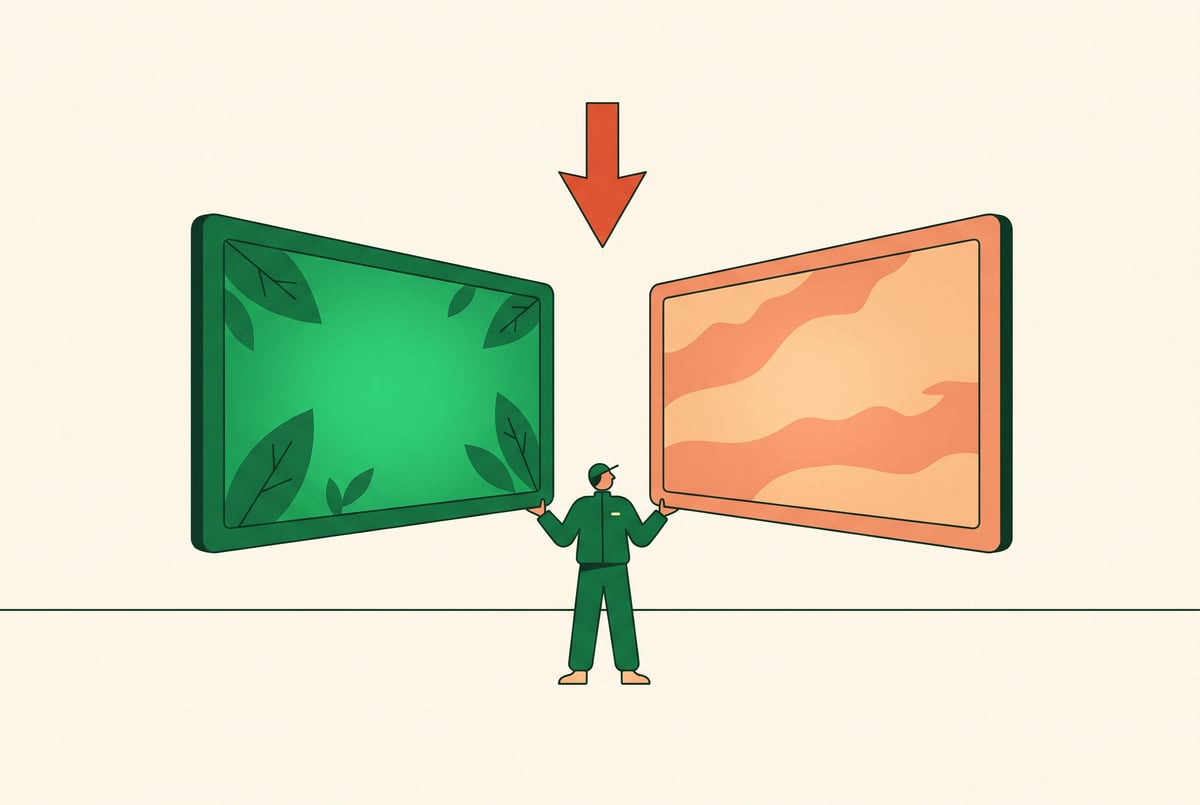
Seedance 2.5 and Gemini Omni Flash represent two very different approaches to AI video generation. Both are capable models, but they make different trade-offs. If you’re choosing between them for long-form content creation, those differences matter a lot.
This comparison breaks down how each model handles the real demands of video generation — not just the surface-level demos. We’ll cover video length, motion consistency, reference adherence, generation speed, and practical use cases so you can make an informed decision for your workflow.
How These Models Are Built Differently
Before comparing outputs, it helps to understand the architectural philosophies behind each model.
Seedance 2.5
Seedance 2.5 is ByteDance’s flagship video generation model. ByteDance built it with a clear focus on cinematic consistency — the ability to maintain character appearance, lighting, and motion quality across extended sequences. The model handles both text-to-video and image-to-video inputs, with particular strength in reference-guided generation.
Remy doesn't write the code. It manages the agents who do.
Remy runs the project. The specialists do the work. You work with the PM, not the implementers.

Seedance 2.5 uses a diffusion-based architecture refined specifically for temporal coherence. This means it’s designed to “remember” what the beginning of a video looked like while generating later frames — a harder problem than most people realize. Frames in a video aren’t independent images; they have to flow from each other in a way that looks physically plausible.
The model supports generation lengths that go well beyond what earlier video models could handle, with a strong emphasis on keeping subjects stable over time.
Gemini Omni Flash
Gemini Omni Flash is Google’s video-capable multimodal model optimized for speed and responsiveness. The “Flash” designation signals that this model prioritizes low latency over raw output quality — it’s built for fast iteration and deployment scenarios where waiting 90 seconds per generation isn’t acceptable.
The “Omni” component reflects its multimodal design: it can process text, images, audio, and video as both inputs and outputs within a unified architecture. This makes it well-suited for workflows that mix modalities — for example, generating a video clip from a combination of a reference image, a text script, and an audio cue.
Where Seedance 2.5 optimizes for quality and temporal consistency, Gemini Omni Flash optimizes for speed and versatility across modalities.
Video Length: What Each Model Can Actually Sustain
This is often the first question content creators ask — and the answer is more nuanced than a simple number.
Seedance 2.5 Video Length
Seedance 2.5 supports generation of sequences up to around 30 seconds in a single pass, with consistent quality maintained throughout. More importantly, the model holds subject and scene consistency well across this duration. Characters don’t drift in appearance, lighting stays coherent, and motion follows the established physics of the scene.
For longer content — say a two-minute explainer or a product showcase — the practical workflow involves generating segments and stitching them together. Seedance 2.5 supports this through its reference image input: you can use a frame from the end of one clip as the starting reference for the next, maintaining visual continuity across cuts.
This makes Seedance 2.5 a strong choice for structured long-form workflows where you plan your shots in advance and care deeply about visual cohesion.
Gemini Omni Flash Video Length
Gemini Omni Flash is optimized for shorter outputs. Its sweet spot sits in the 5–15 second range, where its speed advantage is most pronounced and its output quality remains high. Attempting to push it toward longer durations tends to surface consistency issues — subject drift, lighting shifts, and motion artifacts that compound over time.
For long-form content, Gemini Omni Flash is best used as a shot-level tool rather than a sequence-level tool. It can generate individual clips quickly, but coordinating those clips into a longer piece requires more manual oversight and external editing.
The bottom line: If your project involves content longer than 15 seconds that needs to feel coherent, Seedance 2.5 has a clear structural advantage. If you’re generating individual short clips at volume, Gemini Omni Flash is significantly faster.
Reference Handling and Subject Consistency
Reference handling — the ability to take a provided image or character description and maintain it faithfully across video frames — is one of the most important capabilities for professional video production. It’s what separates models useful for actual content pipelines from demo tools.
How Seedance 2.5 Handles References
Built like a system. Not vibe-coded.
Remy manages the project — every layer architected, not stitched together at the last second.
Seedance 2.5 treats reference images as high-priority anchors for generation. When you provide a character image or scene reference, the model applies significant weight to matching it during the diffusion process. The result is strong subject fidelity: faces remain recognizable, clothing details persist, and the spatial relationship between objects stays stable.
This matters enormously for:
- Brand video production where products need to look consistent
- Character-driven narratives where the same person appears in multiple clips
- Product demonstrations where visual accuracy affects buyer trust
- Social media series where visual brand identity must carry across episodes
The model does occasionally show slight drift over very long sequences, but for most production scenarios, the consistency is production-ready.
How Gemini Omni Flash Handles References
Gemini Omni Flash accepts reference inputs and performs well at the clip level — within a short sequence, subjects remain recognizable. The challenge emerges when you try to use it for multi-clip projects: because each generation is somewhat independent, maintaining exact visual consistency between clips requires careful prompting and often manual correction.
Gemini Omni Flash’s strength is in understanding the semantic meaning of a reference rather than performing exact visual replication. It’s better at capturing the mood, style, or category of a reference than it is at preserving specific visual details frame-by-frame.
This makes it useful for:
- Style-consistent content where exact appearance matters less
- Rapid prototyping and storyboarding
- Generative variation where some difference between outputs is acceptable
Motion Quality and Physics
Motion is where AI video models most obviously succeed or fail. Unrealistic motion — people sliding instead of walking, hair that phases through shoulders, liquids that behave like static shapes — breaks viewer immersion immediately.
Seedance 2.5 Motion
ByteDance trained Seedance 2.5 on an extensive dataset with explicit attention to motion physics. The model handles:
- Human movement — Walking, gesturing, and running look natural and grounded
- Camera movement — Pan, zoom, and tracking shots are smooth without the jitter common in earlier models
- Dynamic objects — Cloth, hair, water, and fire behave with recognizable physical plausibility
- Interaction — When characters interact with objects or environments, the contact points are usually convincing
For long-form content, sustained motion quality matters more than a good first second. Seedance 2.5 performs consistently across full clips rather than front-loading quality at the start.
Gemini Omni Flash Motion
Motion quality in Gemini Omni Flash is competent for shorter clips. The model generates smooth transitions and handles basic human motion reasonably well within its target duration range.
Where it struggles is with complex or sustained motion over time. Extended action sequences, scenes with multiple moving elements, or clips requiring precise physical accuracy can show artifacts — particularly in hair physics, fluid dynamics, and hand/finger detail. This is partly a function of the architecture prioritizing speed, and partly a limitation of the shorter generation window.
For quick cuts, transitions, and motion graphics-style content, the motion quality is more than adequate.
Text Prompt Adherence
Both models are capable of following detailed text prompts, but they interpret them differently.
Seedance 2.5 Prompt Behavior


Seedance 2.5 tends toward literal interpretation of prompts with strong execution of specific visual details. If you describe a specific camera angle, lighting setup, or subject pose, the model makes a genuine attempt to produce exactly that. This means prompt quality has a high return on investment — the more specific and well-structured your prompt, the more precisely the output matches your vision.
The trade-off is that vague prompts produce less compelling results. Seedance 2.5 responds best to structured, detailed descriptions that include subject, action, environment, camera, and mood.
Gemini Omni Flash Prompt Behavior
Gemini Omni Flash leans toward interpretive generation — it reads the intent of a prompt and applies creative judgment to fill in the gaps. This makes it more forgiving of shorter, less detailed prompts. You can write something fairly minimal and get a coherent, visually interesting output.
The downside for precise content production is less predictability. When you need a specific output, Gemini Omni Flash may require more iteration to land exactly where you want.
For content creators who write detailed production briefs, Seedance 2.5 rewards that investment. For creative exploration and rapid variation, Gemini Omni Flash’s interpretive flexibility is useful.
Generation Speed and Cost Considerations
Speed and cost determine whether a model fits into a production workflow, not just a research project.
Seedance 2.5 Performance
Seedance 2.5 is not a fast model. High-quality, long-duration generation at full resolution takes time — typically 45–120 seconds depending on clip length, resolution settings, and infrastructure load. This is normal for a quality-focused diffusion model, but it has real workflow implications.
For batch production or time-sensitive content pipelines, generation time adds up. The model is best suited for planned production workflows rather than real-time or near-real-time content generation.
Cost per generation is higher than Flash-class models, reflecting the computational demands of extended, high-fidelity output.
Gemini Omni Flash Performance
Speed is the model’s defining feature. Gemini Omni Flash generates clips in a fraction of the time required by heavier models. For a 5–10 second clip, generation can complete in 10–20 seconds, enabling the kind of rapid iteration that creative exploration requires.
This speed advantage compounds when you’re generating at volume — running multiple variations to find the best output, producing B-roll at scale, or integrating video generation into a near-real-time application.
Cost per generation is lower, which also makes high-volume workflows more economical.
Practical guidance: If you’re running a high-volume content operation producing many short clips daily, Gemini Omni Flash’s speed and cost profile is significantly more favorable. If you’re producing fewer, higher-production-value pieces where quality is non-negotiable, Seedance 2.5’s slower pace is worth it.
Use Case Breakdown
Here’s where each model fits best in practice.
Seedance 2.5 Is the Better Choice For:
- Brand video campaigns — Product consistency and visual fidelity matter
- Character-driven content — Narrative series, explainer characters, brand mascots
- Long-form structured content — Training videos, documentary-style production, multi-segment storytelling
- Cinematic projects — Short films, visual art, content where motion quality is paramount
- Reference-critical workflows — Any project where subjects must look identical across multiple clips
Gemini Omni Flash Is the Better Choice For:
- High-volume social media content — Reels, TikTok, Stories at scale
- Rapid prototyping and storyboarding — Fast iteration before committing to a final style
- Mixed-modality workflows — Projects combining text, image, audio, and video generation
- Dynamic content systems — Applications where video is generated in response to user input or real-time data
- B-roll and background video — High-quality filler content where exact consistency matters less
Everyone else built a construction worker.
We built the contractor.
One file at a time.
UI, API, database, deploy.
Side-by-Side Comparison
| Feature | Seedance 2.5 | Gemini Omni Flash |
|---|---|---|
| Optimal video length | Up to 30s per segment | 5–15s |
| Reference consistency | Strong (production-grade) | Moderate |
| Motion quality | High, sustained | Good for short clips |
| Generation speed | Slower (45–120s) | Fast (10–20s) |
| Prompt adherence | Literal, detail-responsive | Interpretive, flexible |
| Multi-modal input | Image + text | Text, image, audio, video |
| Best for | Quality-first production | Speed-first workflows |
| Long-form suitability | High | Moderate |
Running Both Models in One Place with MindStudio
Choosing between these models doesn’t have to mean choosing one tool over the other. The real question for most content teams is: how do I access both models without managing multiple accounts, API keys, and interfaces?
MindStudio’s AI Media Workbench solves this directly. It gives you access to Seedance 2.5, Gemini Omni Flash, and every other major video generation model — Veo, Sora, and others — in a single workspace. No separate accounts. No API management. No downloads.
More importantly, MindStudio lets you build automated video workflows that use both models strategically. You could build a workflow that:
- Uses Gemini Omni Flash to rapidly generate 10–15 variation clips from a concept brief
- Selects the best-performing clip via an evaluation step
- Passes that clip’s final frame as a reference to Seedance 2.5 for generating a higher-quality extended version
- Automatically merges, subtitles, and exports the final cut using the 24+ built-in media tools
That kind of multi-model pipeline would normally require custom engineering. In MindStudio, you build it visually — most workflows take 15 minutes to an hour to set up. You can try it free at mindstudio.ai.
Frequently Asked Questions
What is the main difference between Seedance 2.5 and Gemini Omni Flash?
Seedance 2.5 prioritizes output quality, visual consistency, and temporal coherence — making it better for longer, production-quality video where subjects need to look the same throughout. Gemini Omni Flash prioritizes speed and multimodal flexibility, making it better for fast iteration, short-clip production, and workflows that mix text, image, and video inputs.
Which model is better for long-form video content?
Seedance 2.5 is the stronger choice for long-form content. It generates coherent sequences up to 30 seconds in a single pass and supports reference-guided chaining for even longer pieces. Its temporal consistency — the ability to keep subjects stable over time — is significantly better than Gemini Omni Flash at extended durations.
Can Gemini Omni Flash maintain character consistency across multiple clips?
Within a single short clip, Gemini Omni Flash maintains character consistency reasonably well. Across multiple separate generations, maintaining exact visual consistency is harder and requires careful prompting and manual oversight. If character consistency across a full project is critical, Seedance 2.5 is the more reliable choice.
How do generation speeds compare between these two models?
Gemini Omni Flash is substantially faster. It can generate a 5–10 second clip in roughly 10–20 seconds, enabling rapid iteration. Seedance 2.5 typically takes 45–120 seconds for a generation, depending on clip length and resolution. For high-volume workflows where speed is the priority, this difference is significant.
Seven tools to build an app. Or just Remy.
Editor, preview, AI agents, deploy — all in one tab. Nothing to install.
Is Seedance 2.5 or Gemini Omni Flash better for social media content?
For social media at volume — especially short-form platforms like TikTok, Instagram Reels, and YouTube Shorts — Gemini Omni Flash’s speed and lower per-generation cost make it more practical. For brand-focused social content where visual consistency and polish matter, Seedance 2.5 produces results that require less cleanup before publishing.
Do I need separate accounts to use both models?
Not if you use a unified platform like MindStudio. MindStudio’s AI Media Workbench includes both models (along with 200+ others) under a single account — no separate API keys or subscriptions required. This is particularly useful for teams that want to use each model for its strengths without managing multiple vendor relationships.
Key Takeaways
- Seedance 2.5 is optimized for quality and consistency — it’s the better model for long-form production, character-driven content, and reference-critical workflows.
- Gemini Omni Flash is optimized for speed and versatility — it’s the better model for high-volume short-form content, rapid prototyping, and mixed-modality workflows.
- Video length is the clearest differentiator: Seedance 2.5 sustains quality up to 30 seconds per segment; Gemini Omni Flash performs best at 5–15 seconds.
- The smartest workflows often use both models in sequence — Flash for rapid iteration, Seedance for final production.
- MindStudio’s AI Media Workbench gives you access to both models in one place, with the tools to chain them into automated production pipelines.
If you’re building a serious video content workflow, the question isn’t which model to pick — it’s knowing which job each model should do. Start with that framing, and you’ll get better results from both.